



Monday.com Construction Project Management OS that works like Procore
- Get Procore-level project control without the $50K/year price tag
- One system for RFIs, submittals, budgets, schedules, and field updates
- Built by experts in both construction workflows and Monday.com

You don't need to pay $50K/year for Procore
- Procore, Buildertrend, Buildern-they all promise to solve your construction chaos. But here's what they don't tell you upfront.
- Procore charges $10K–$60K/year based on your construction volume. The more you grow, the more you pay-forever.
- Buildertrend locks key features behind $500–$1,000/month tiers. Want reporting or integrations? Keep upgrading.
- Buildern and others still force you into their workflows. Your team adapts to them, not the other way around.
- All of them require months of implementation, training, and IT headaches before you see ROI.
- None of them use tools you already have. You're adding yet another login your team won't adopt.
- You don't need enterprise software built for $100M general contractors. You need a system that works the way you work without the annual contract bleeding your margins dry.

See Your Future in 8 Minutes
See how construction teams run their entire operation from planning to execution with real-time visibility across projects, resources, and costs, all inside Monday.com
Is Your Construction Workflow Slowing You Down?
Delayed Communication
☑️ RFIs get stuck in inboxes – questions from the field go unanswered, delaying work
☑️ Approvals take too long – Submittals and drawings bounce around without clear ownership
☑️ Site updates don’t reach the office – Progress photos, notes, and issues stay on WhatsApp
☑️ Miscommunication becomes costly – Wrong materials, wrong timelines, rework
☑️ Teams operate in silos – PMs, engineers, supers, subs all using different tools
☑️ Nothing is centralized – everyone wastes time searching for the latest version of anything
No Real-Time Visibility
☑️ No clear project status – You don’t know what’s done, pending, or falling behind
☑️ Schedules aren’t connected – Tasks aren’t linked to RFIs, submittals, or procurement
☑️ Executives lack a real dashboard – Progress, risks, and financials remain guesswork
☑️ Field performance isn’t tracked live – Daily logs and checklists aren’t visible to office teams
☑️ Budget gaps go unnoticed – Forecasts, costs, and commitments aren’t updated in one place
☑️ Important issues appear too late – Problems surface only when they’ve already become expensive
Manual Tracking Everywhere
☑️ Too many spreadsheets – Schedules, budgets, RFIs, logs… all disconnected
☑️ Too many apps – WhatsApp, Excel, email, Google Drive, PDFs, paper forms
☑️ Too much double entry – Teams repeat work updating the same data in multiple places
☑️ No automation to reduce workload – Reminders, assignments, and approvals all manual
☑️ No audit trail – Hard to see who approved what and when
The Monday.com construction project management OS that actually scales
Automation-Driven Efficiency
Automations handle approvals, reminders, assignments, and updates -reducing delays and keeping projects moving.
Works on Your Current Monday Plan
Whether you’re on Monday Basic, Standard, or Pro, the system works with what you already have - no need for expensive upgrades.
Modular & Fully Customizable
Easily adapt boards, fields, and workflows to match your exact construction processes - without breaking the system.
Full Project & Field Management
Manage RFIs, submittals, schedules, budgets, daily logs, punch lists, and closeout all in one integrated ecosystem.
Made for Businesses Like Yours
Construction Niches We Work With
- General Contractors
- Commercial Builders
- Pool Service
- Lawn Care
- Roofing
- General Cont.
Detailed Features to Unlock Each Department
Preconstruction & Planning
Preconstruction & Planning
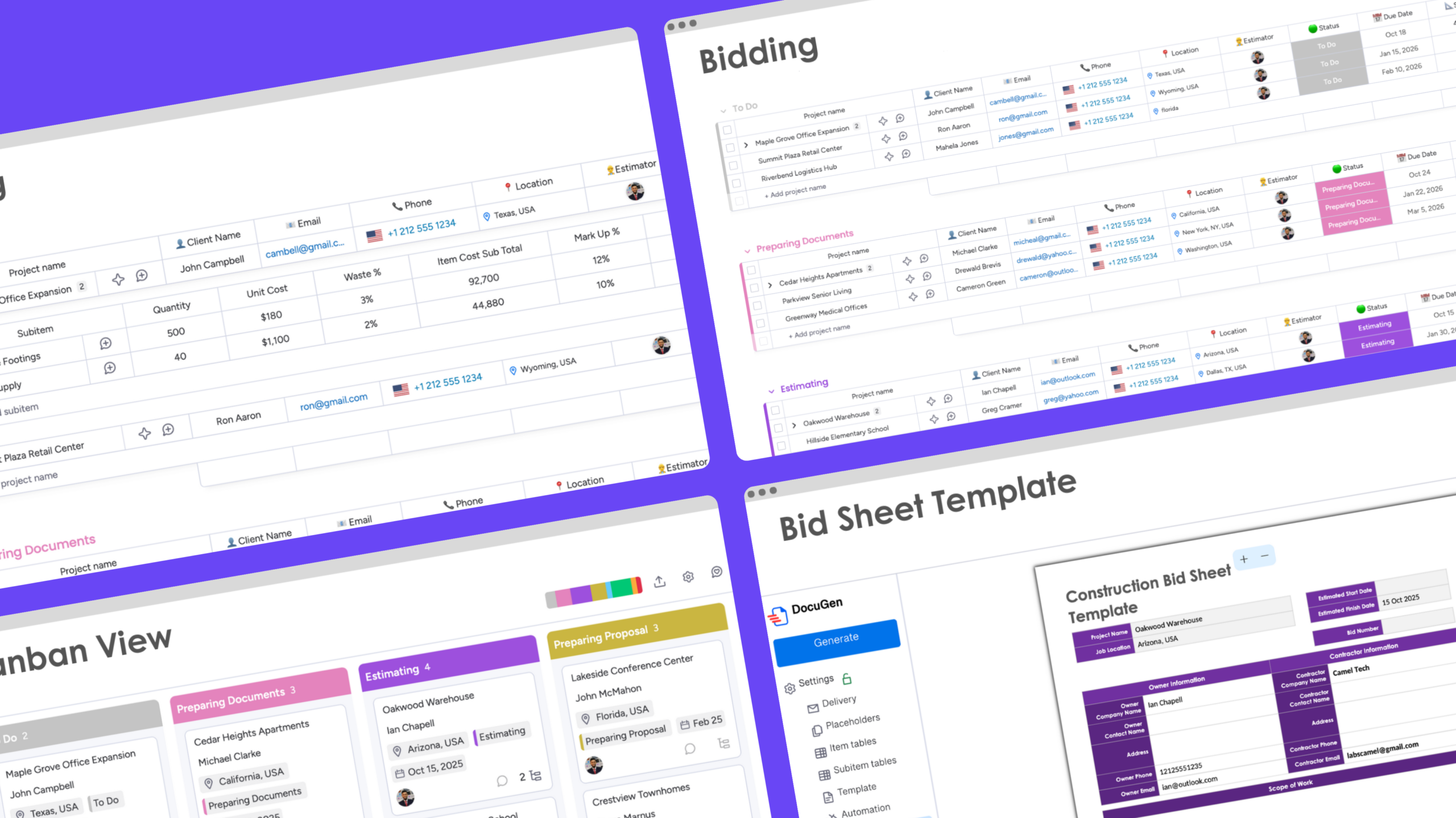
☑️Centralized Bidding Workflow – Track opportunities, estimates, and bid outcomes in one structured board
☑️ Bid-to-Project Conversion – Awarded bids transition cleanly into live projects without rework
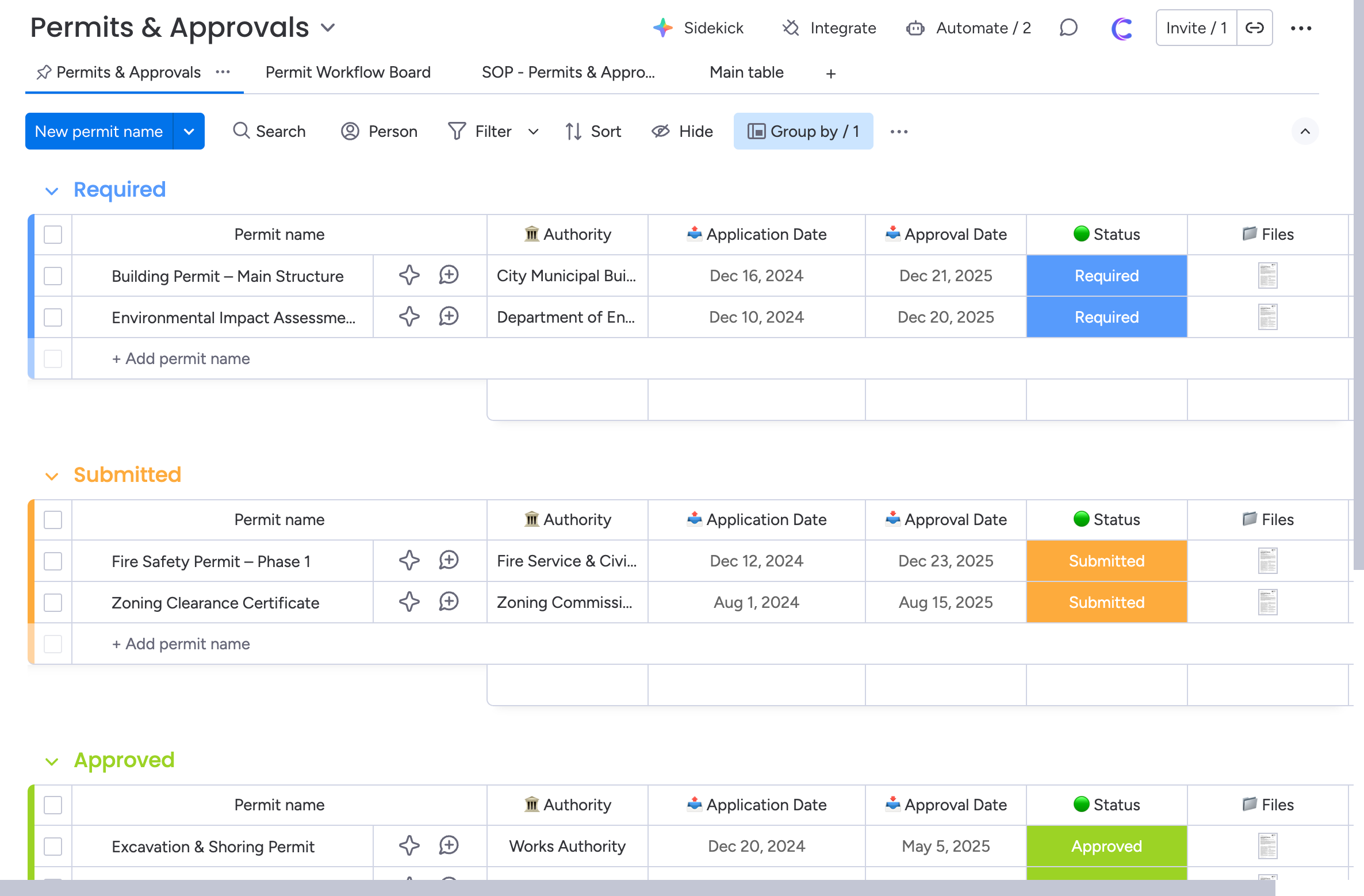
☑️ Permit Readiness Tracking – Identify and prepare required permits early to prevent site delays
☑️ Early Procurement Visibility – Flag long-lead materials and vendor dependencies before construction
☑️ Standardized Project Kickoff – Every project starts from a proven template, not from scratch
Project Command Center
One authoritative view of every project — no fragmented data.
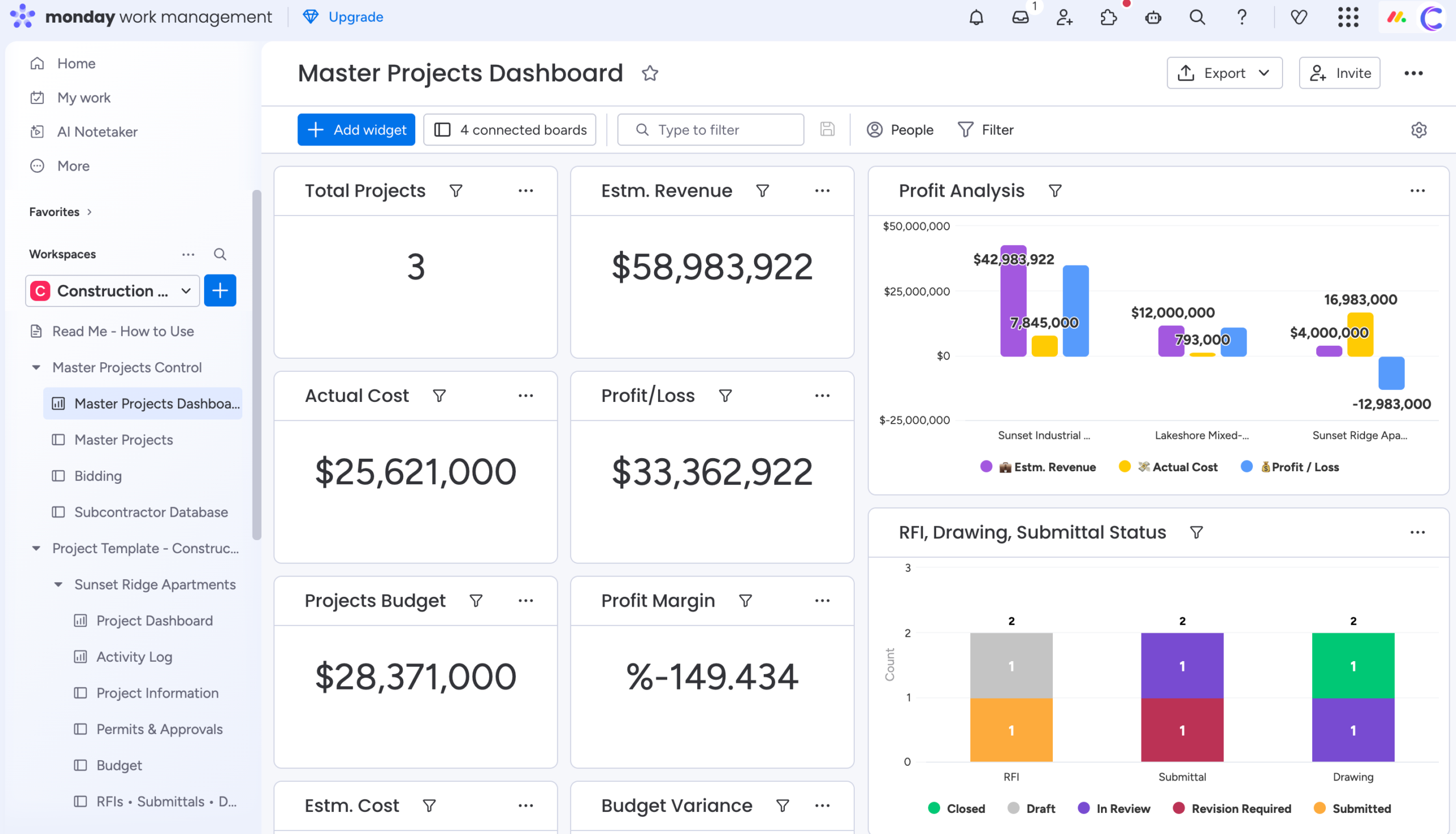
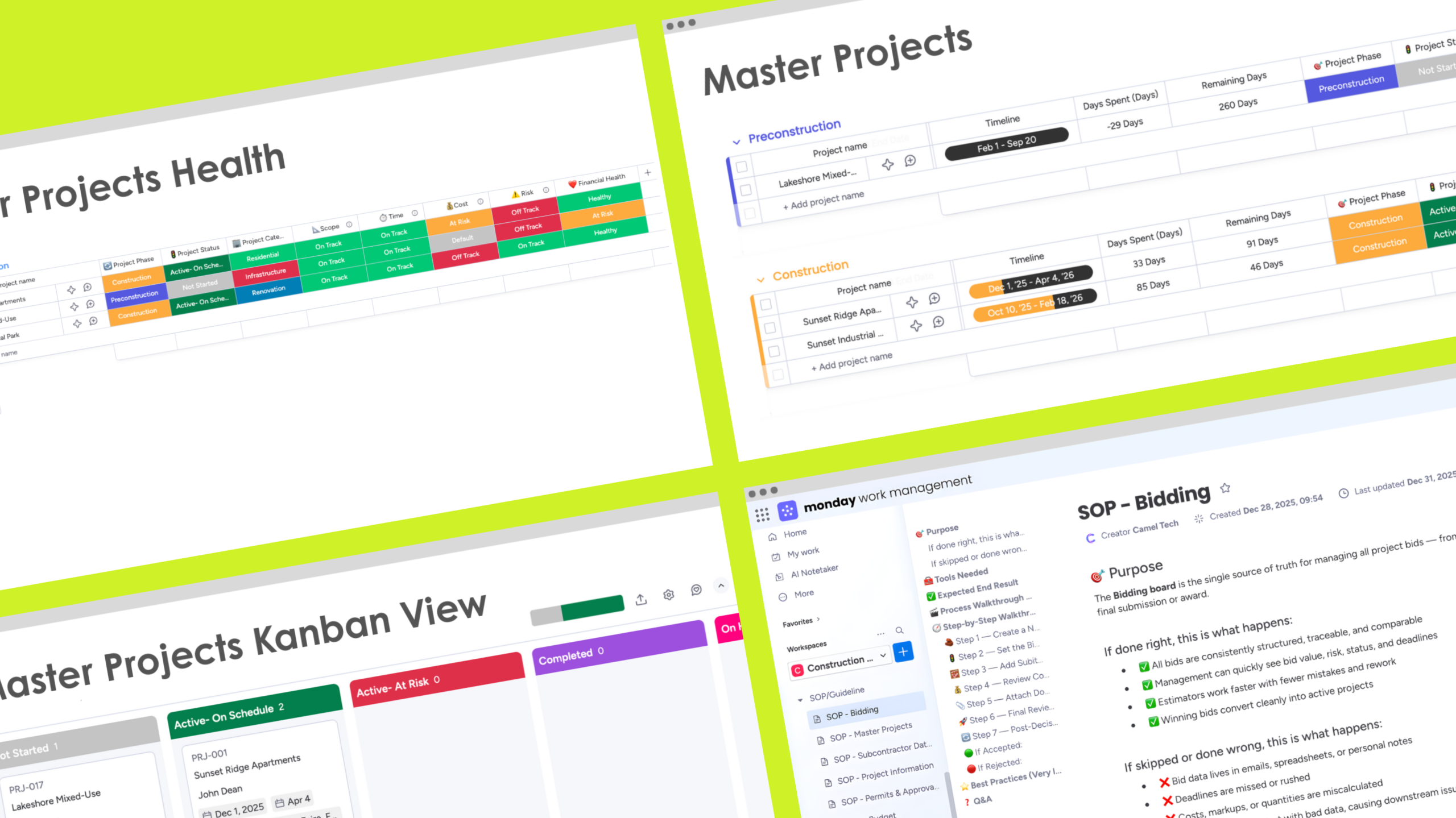
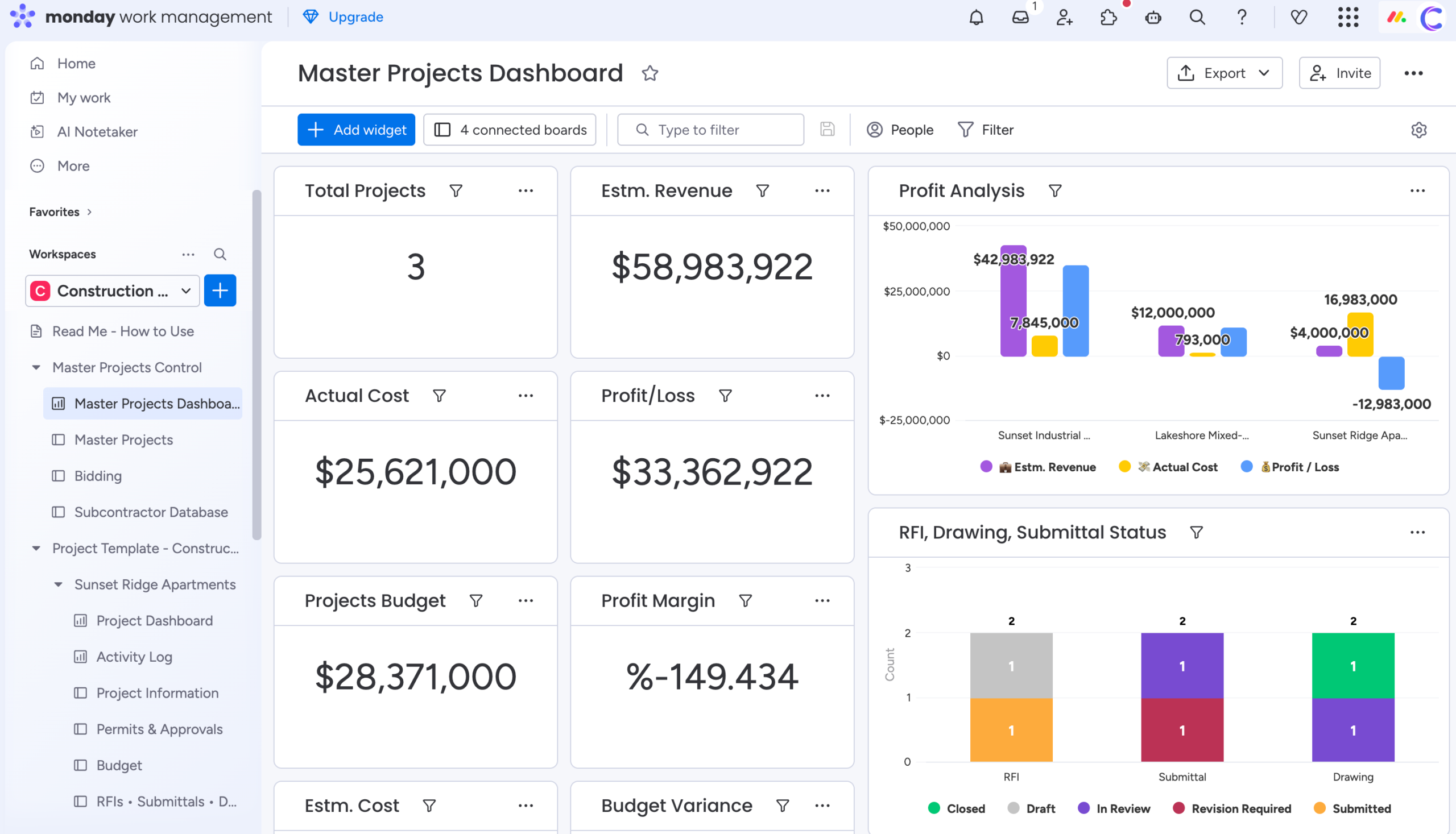
☑️ Master Projects Index – A single dashboard showing phase, status, risk, and financial health
☑️ Project-Based Folder System – One folder per project, containing everything from start to close
☑️ Phase-Driven Lifecycle Control – Preconstruction → Construction → Closeout with clear ownership
☑️ Live Rollups from Execution Boards – Schedule, cost, invoices, and risk update automatically
☑️ Executive-Ready Structure – Built for leadership visibility, not just PM task tracking
Schedule & Execution Control
Turn plans into predictable execution.
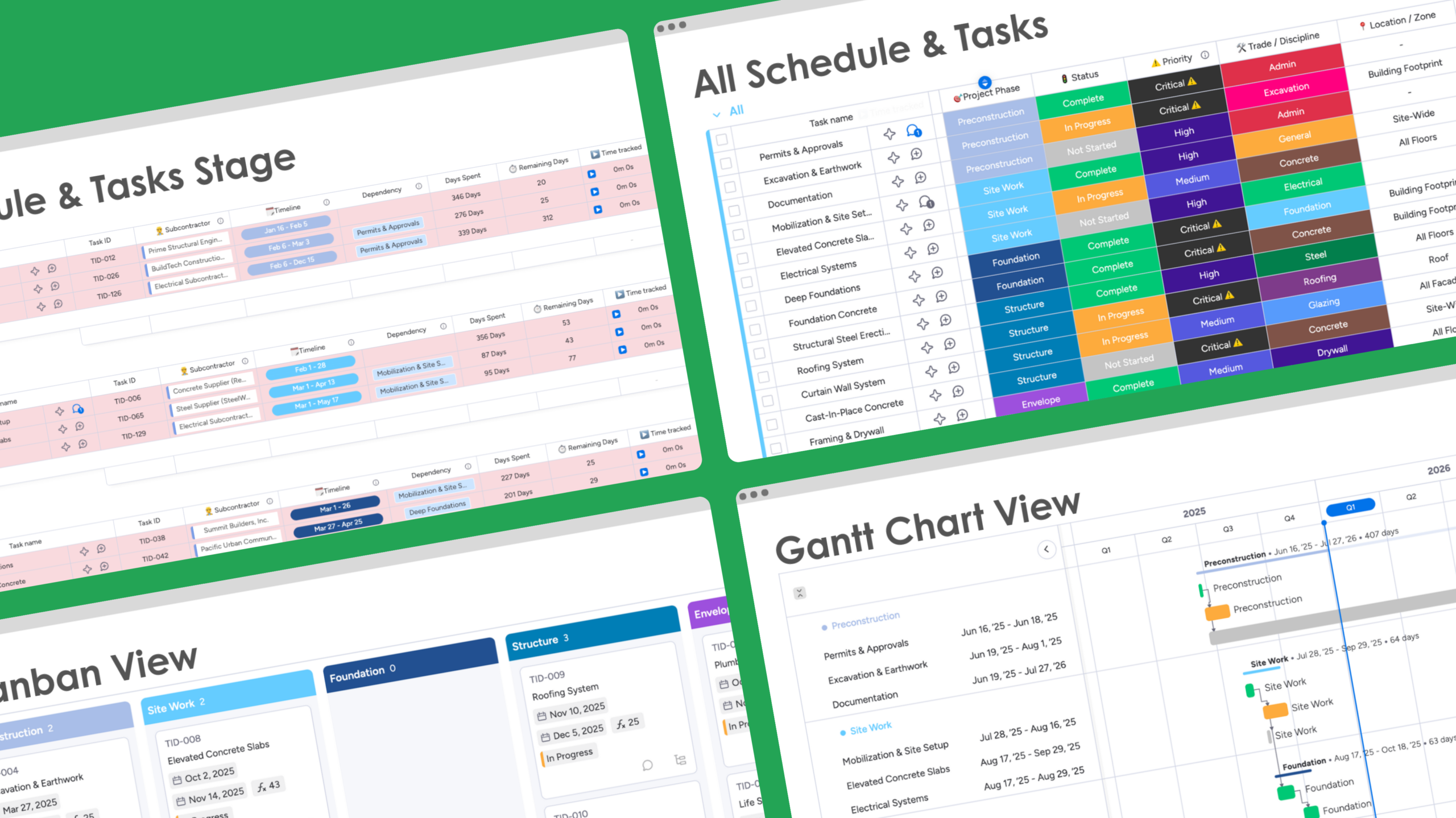
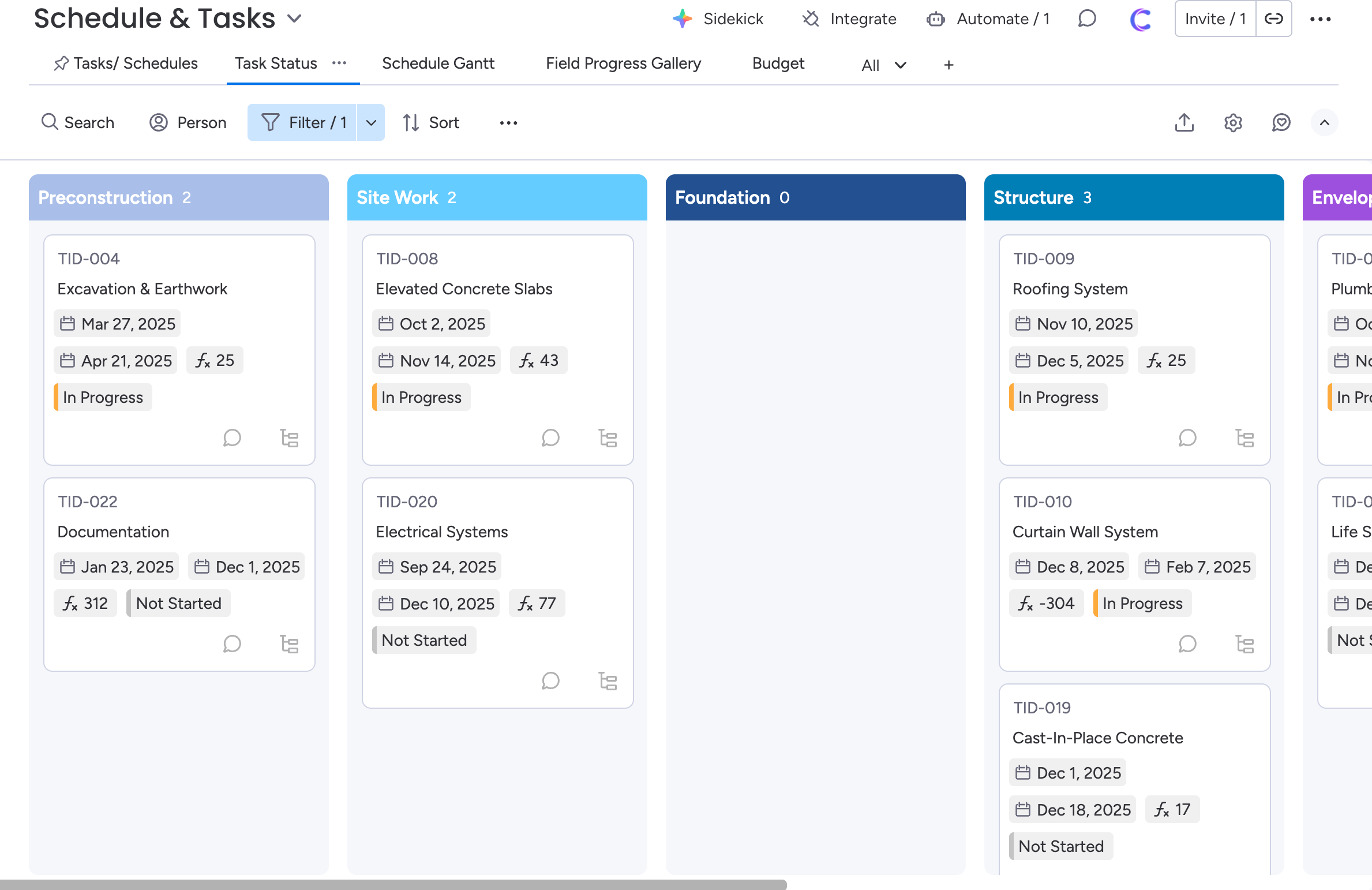
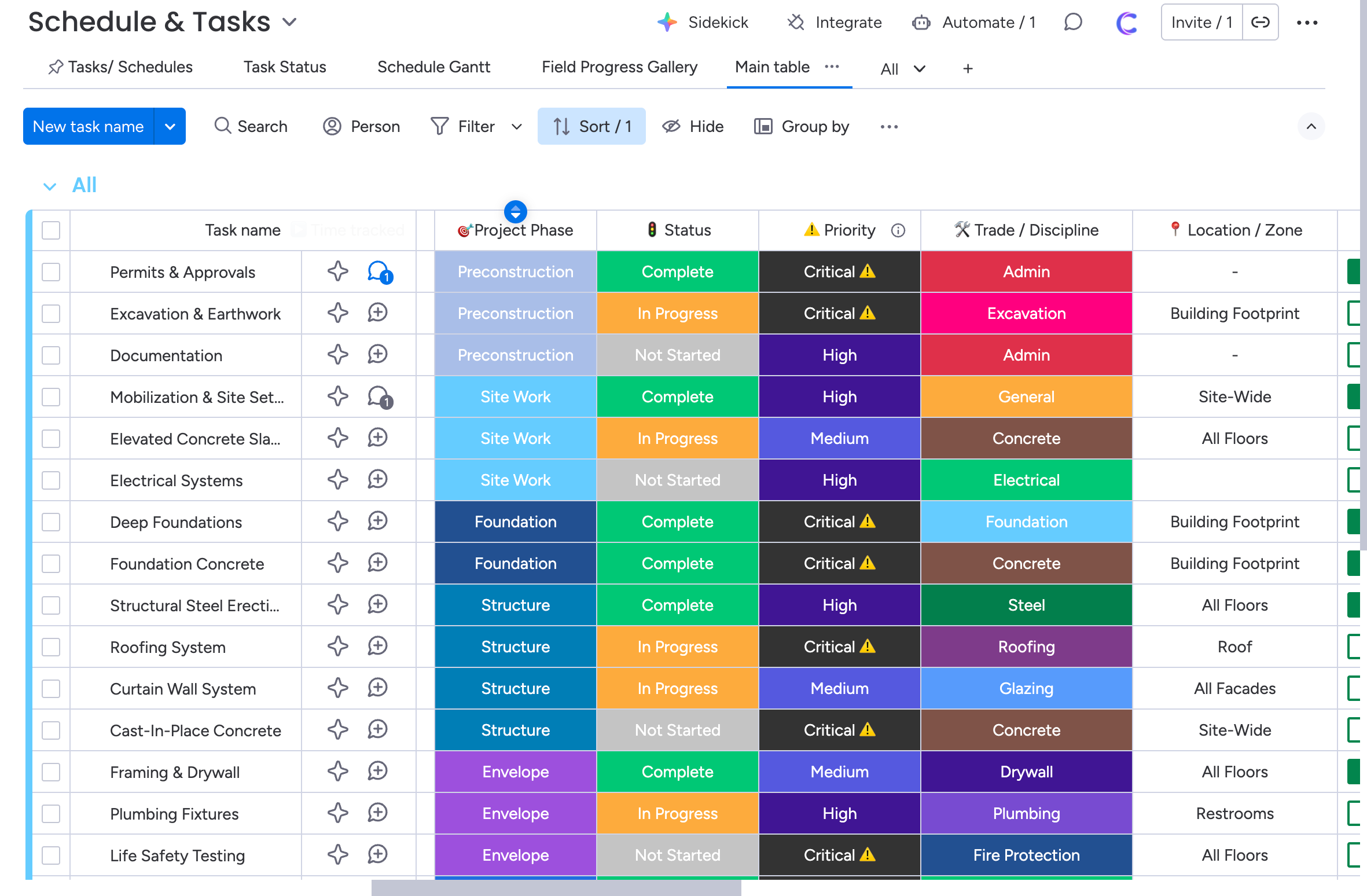
☑️ Phase-Based Task Planning – Tasks organized by Preconstruction, Site Work, Foundation, and beyond
☑️ Trade & Location Assignment – Know who’s working where, and when
☑️ Progress & Priority Tracking – Identify critical tasks before they become delays
☑️ Schedule Health Visibility – Spot bottlenecks early, not after deadlines are missed
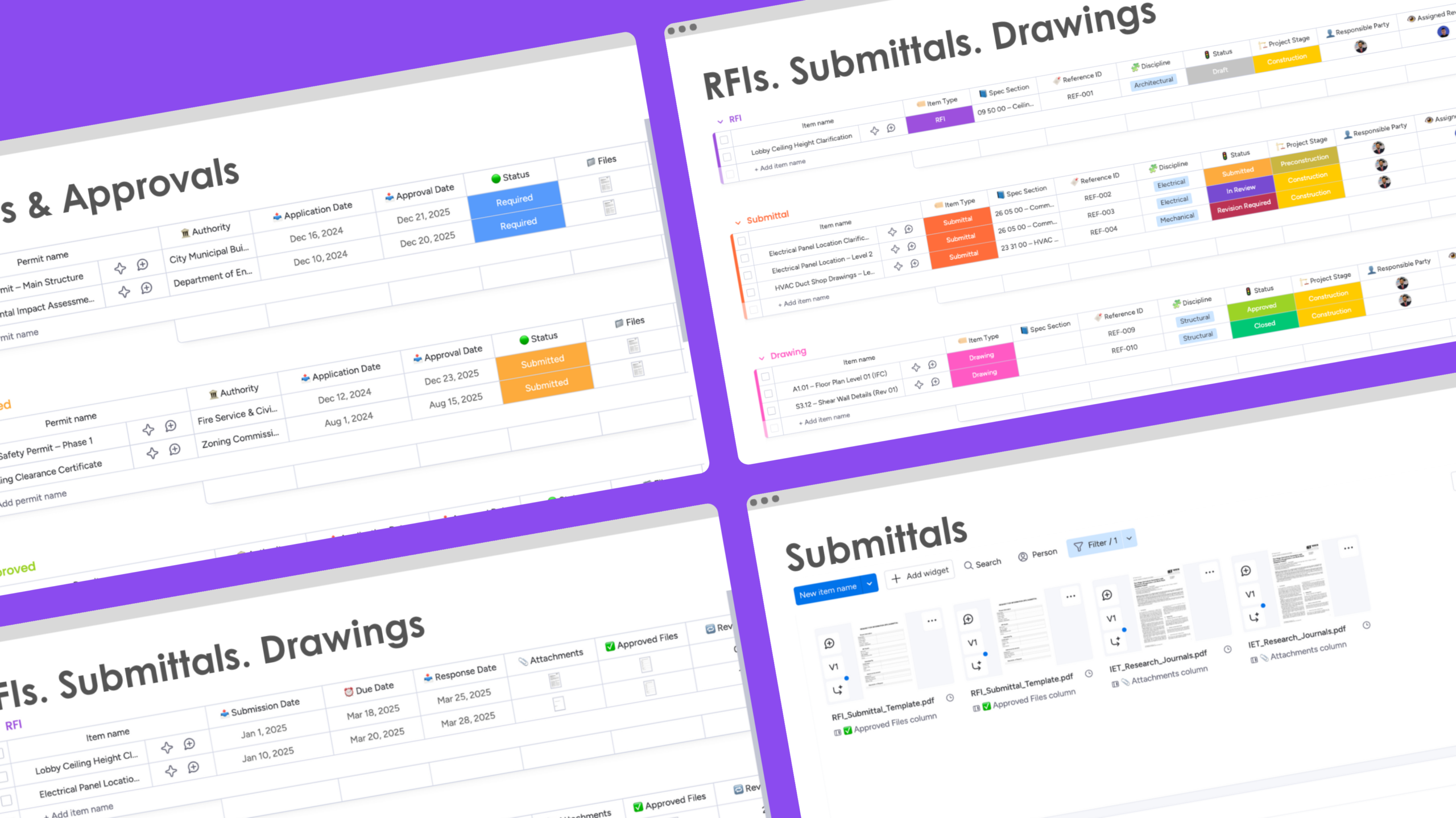
RFIs, Submittals & Drawings
Keep design coordination controlled and traceable.
☑️ Single Board for All Design Items – RFIs, submittals, and drawings tracked together
☑️ Structured Review Workflow – Draft → Review → Revision → Approved → Closed
☑️ Revision & Approval History – Full audit trail of changes and decisions
☑️ Cost & Schedule Impact Tracking – Flag potential impacts before they hit the budget
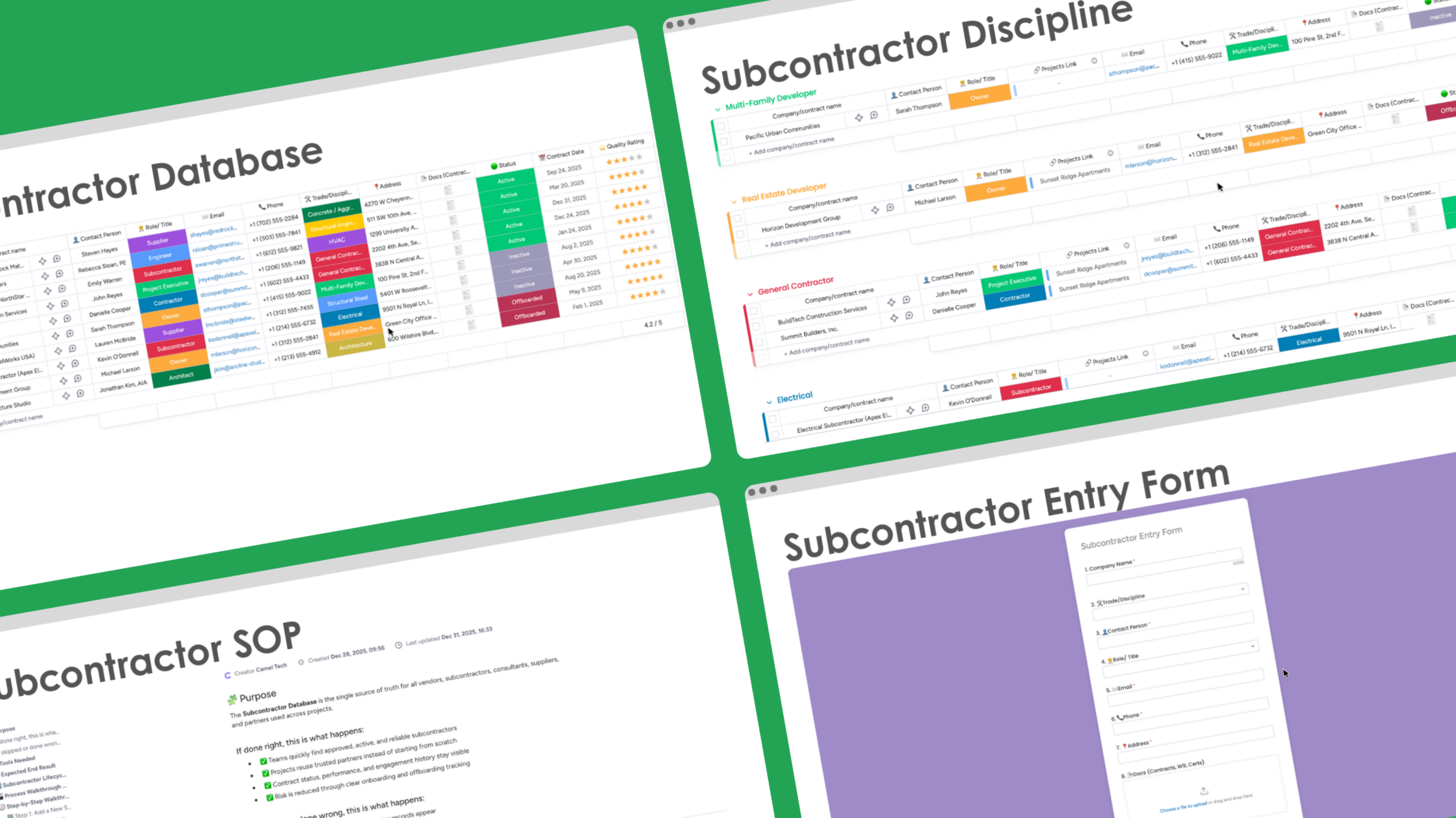
Subcontractors & Vendors
Build a reliable partner ecosystem over time.
☑️ Central Subcontractor Database – One clean record per vendor, consultant, or supplier
☑️ Trade & Discipline Classification – Fast filtering during bidding and project staffing
☑️ Status & Compliance Tracking – Active, Inactive, or Offboarded – no guesswork
☑️ Quality Rating System – Performance-driven vendor selection for future projects
☑️ Project Linking – See where each subcontractor has worked and how they performed
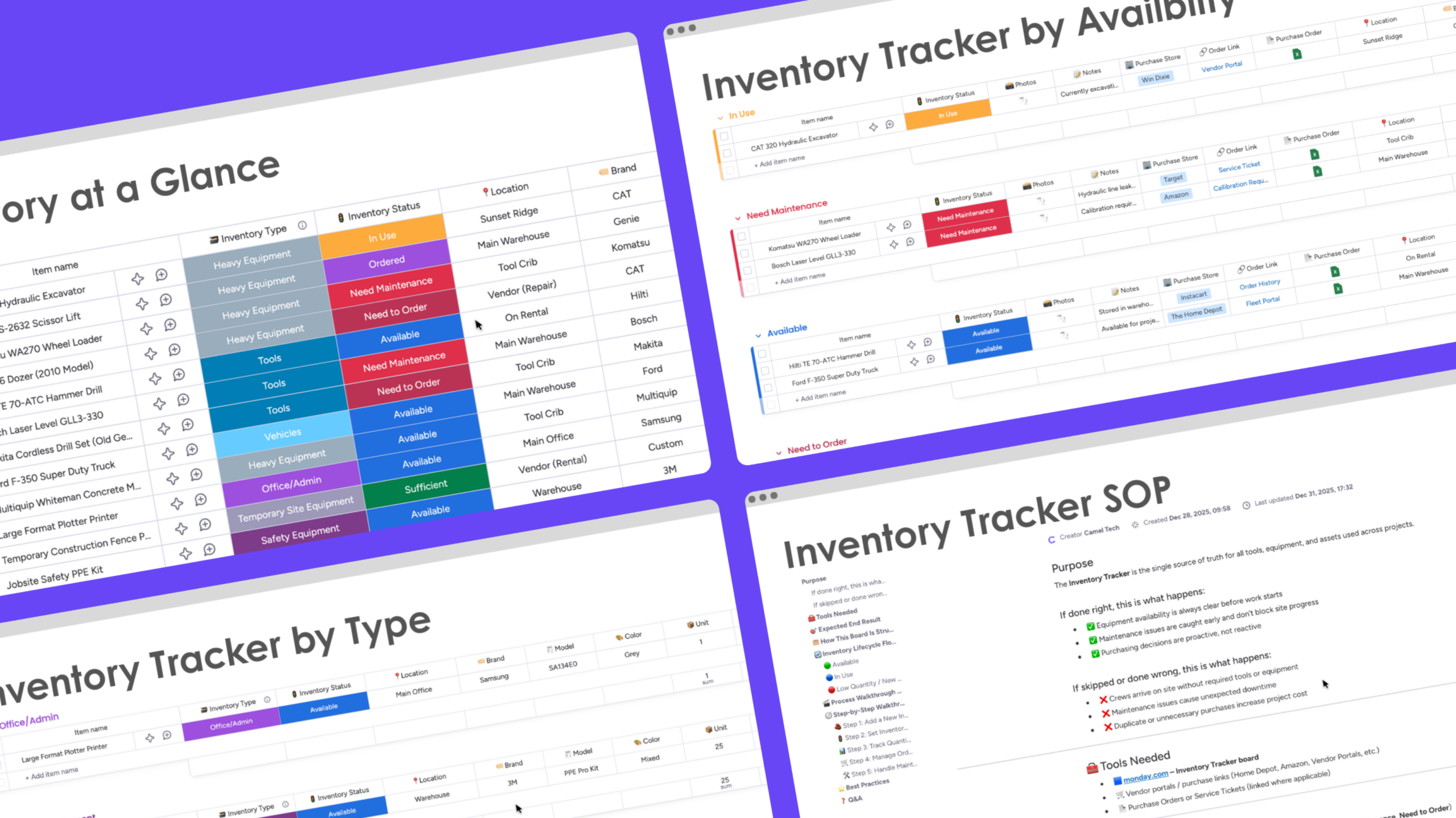
Inventory & Assets
Know what you have before crews arrive on site.
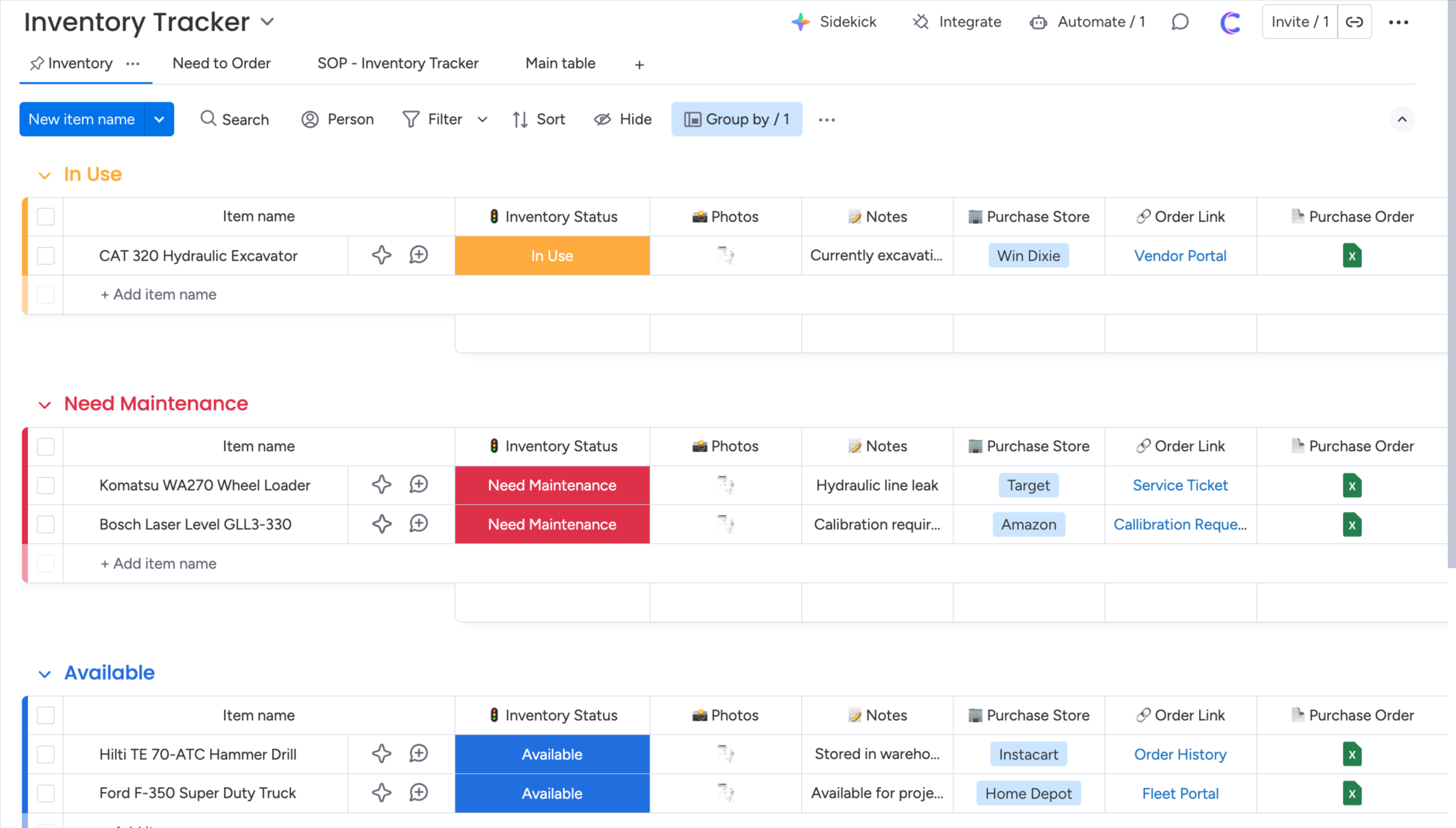
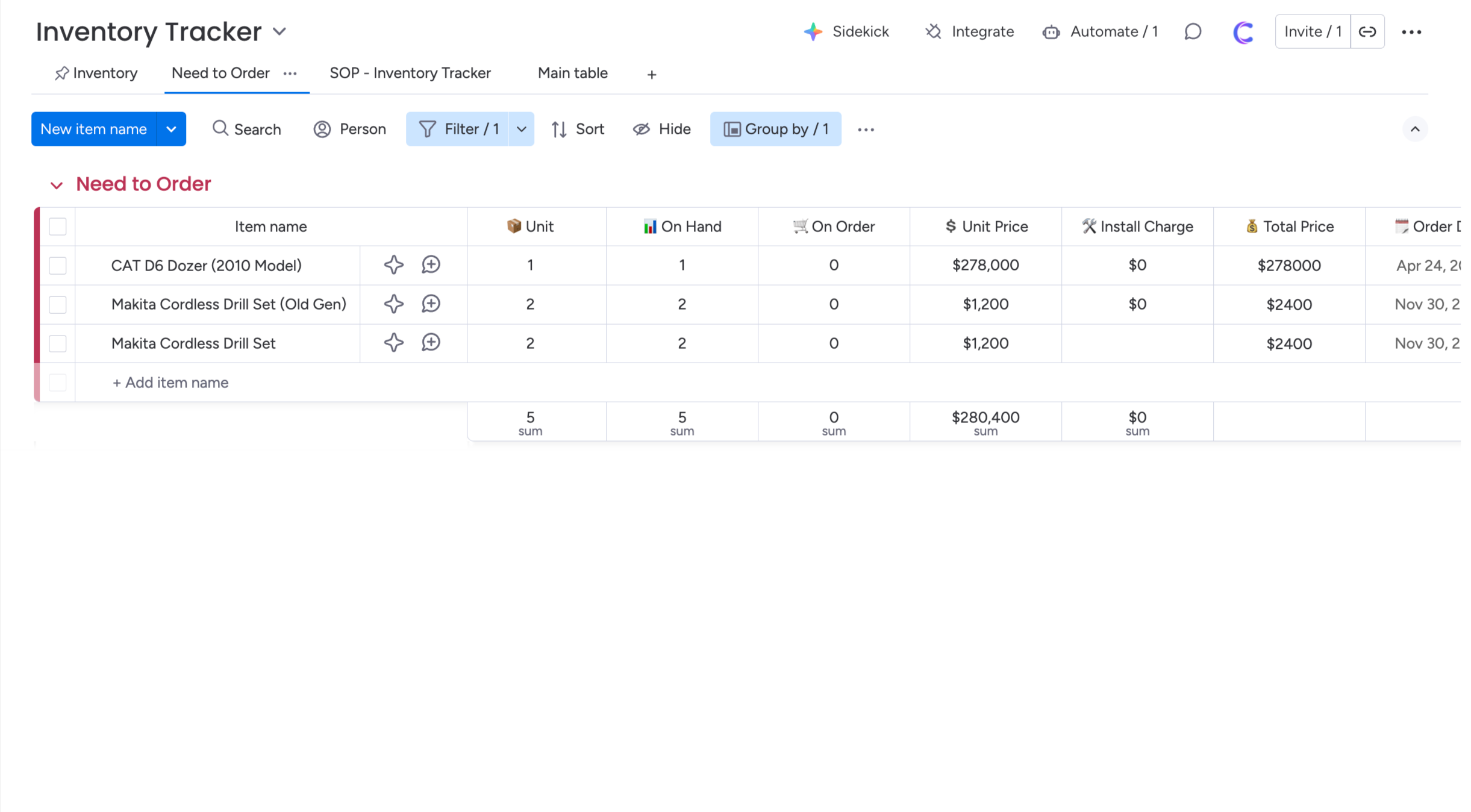
☑️ Inventory Status Control – Available, In Use, Need Maintenance, Need to Order
☑️ Equipment & Tool Tracking – Location, quantity, and condition always visible
☑️ Maintenance Visibility – Prevent downtime with early issue identification
☑️ Ordering & Receiving Tracking – Avoid last-minute rush purchases
☑️ Project-Level Asset Accountability – Know which project is using what
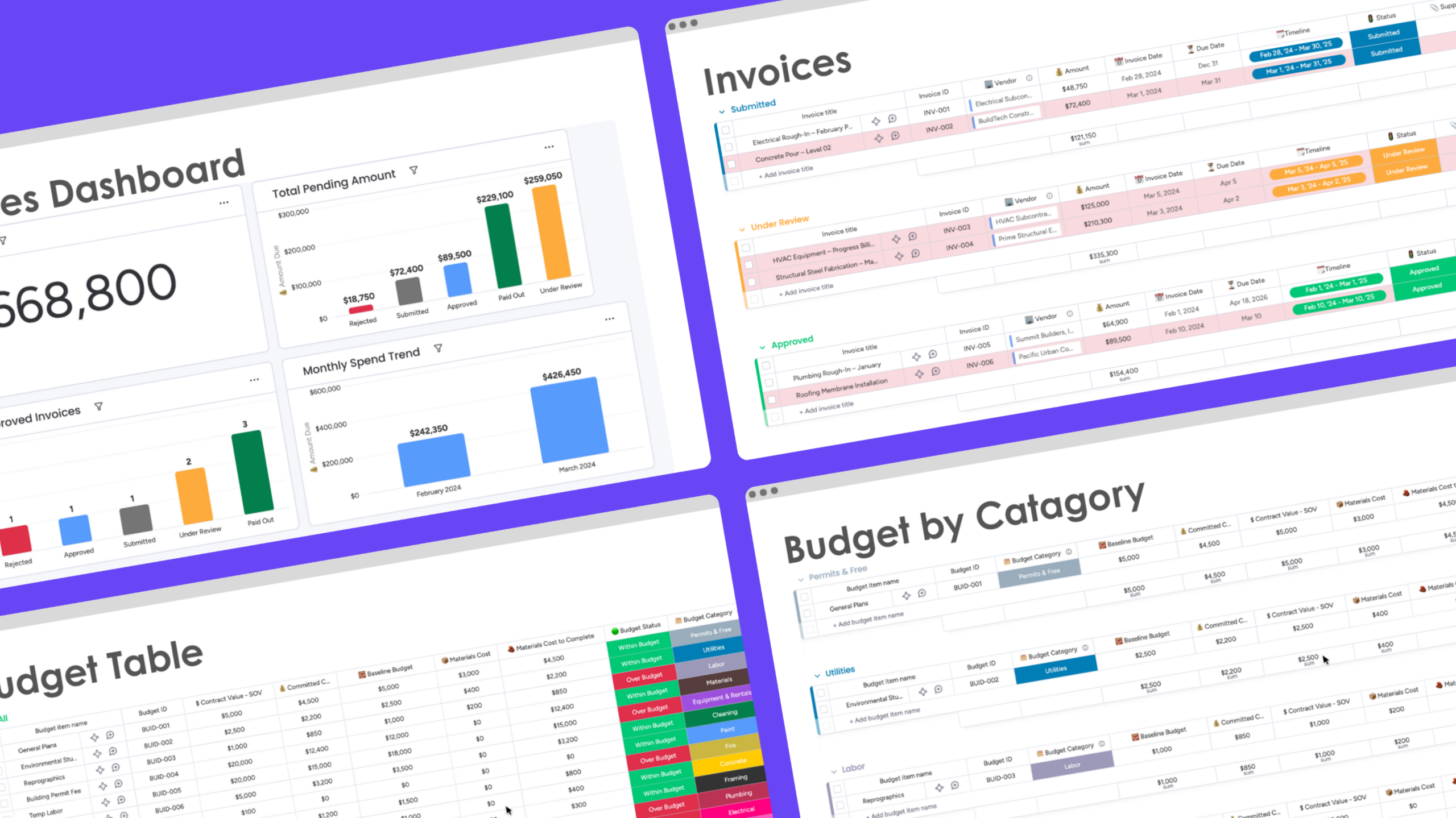
Financial Tracking & Invoices
Financial Tracking & Invoices
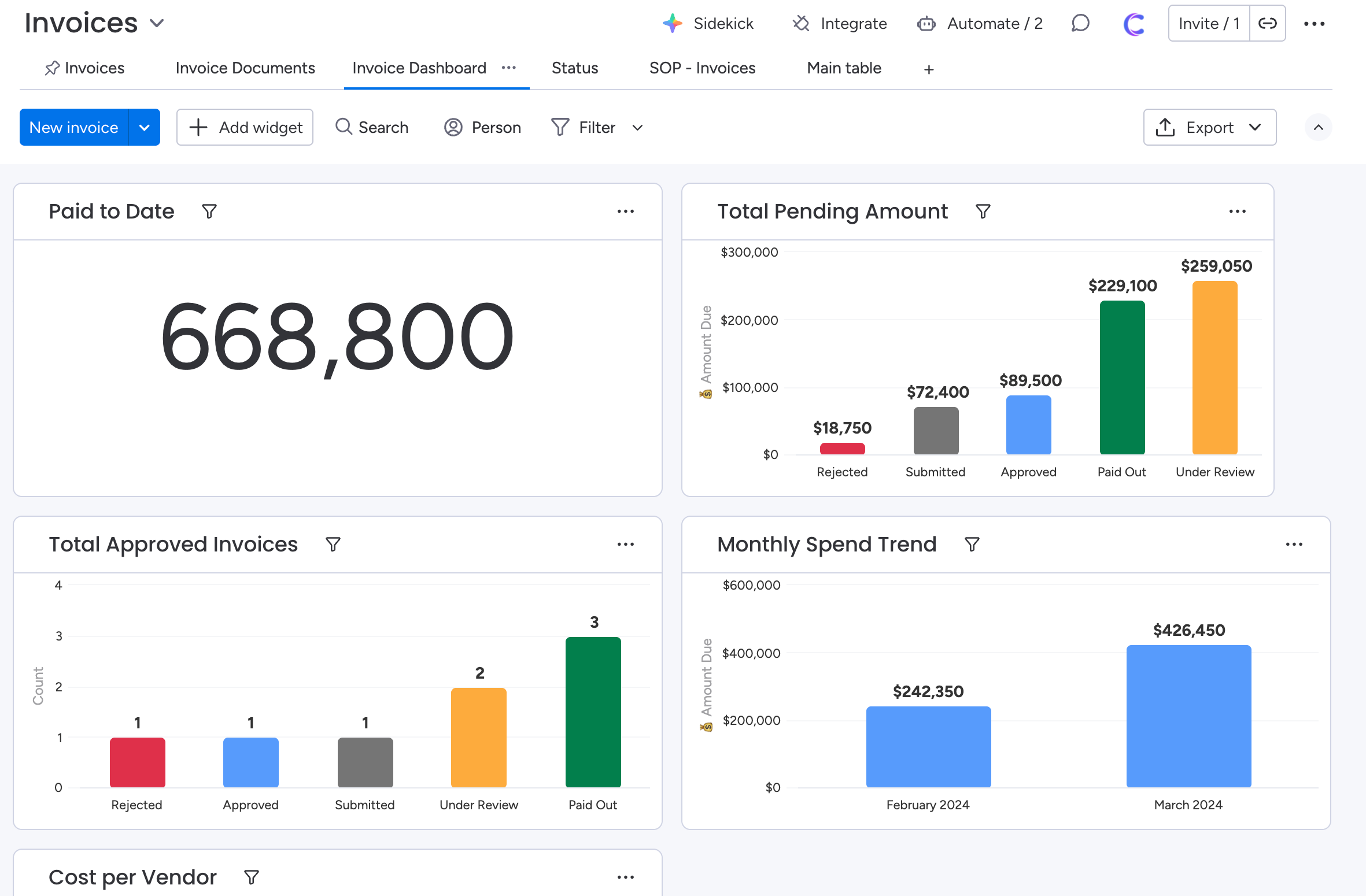
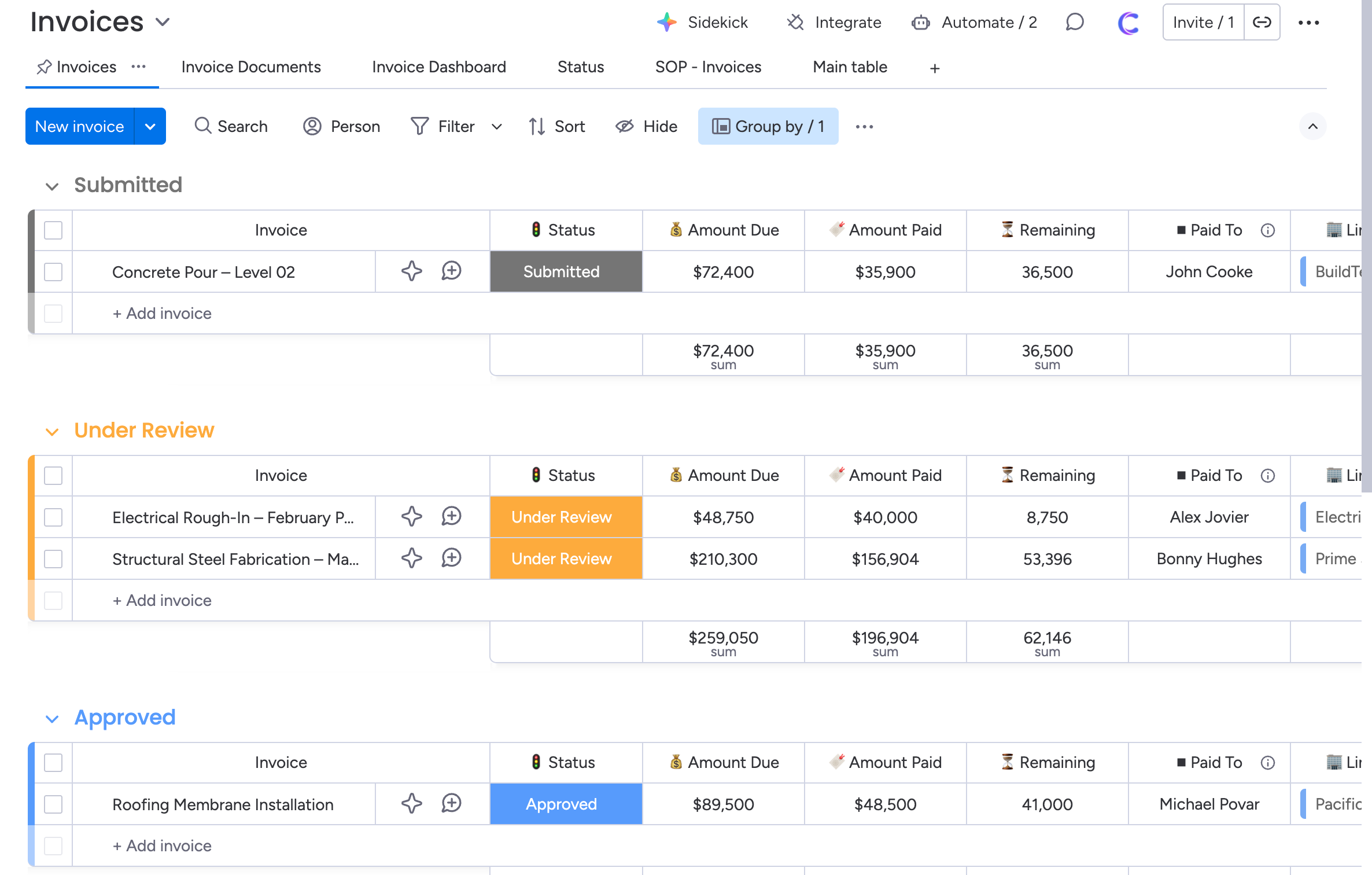
☑️ Invoice Lifecycle Tracking – Submitted → Under Review → Approved
☑️ Document-Backed Approvals – Every invoice supported by files and context
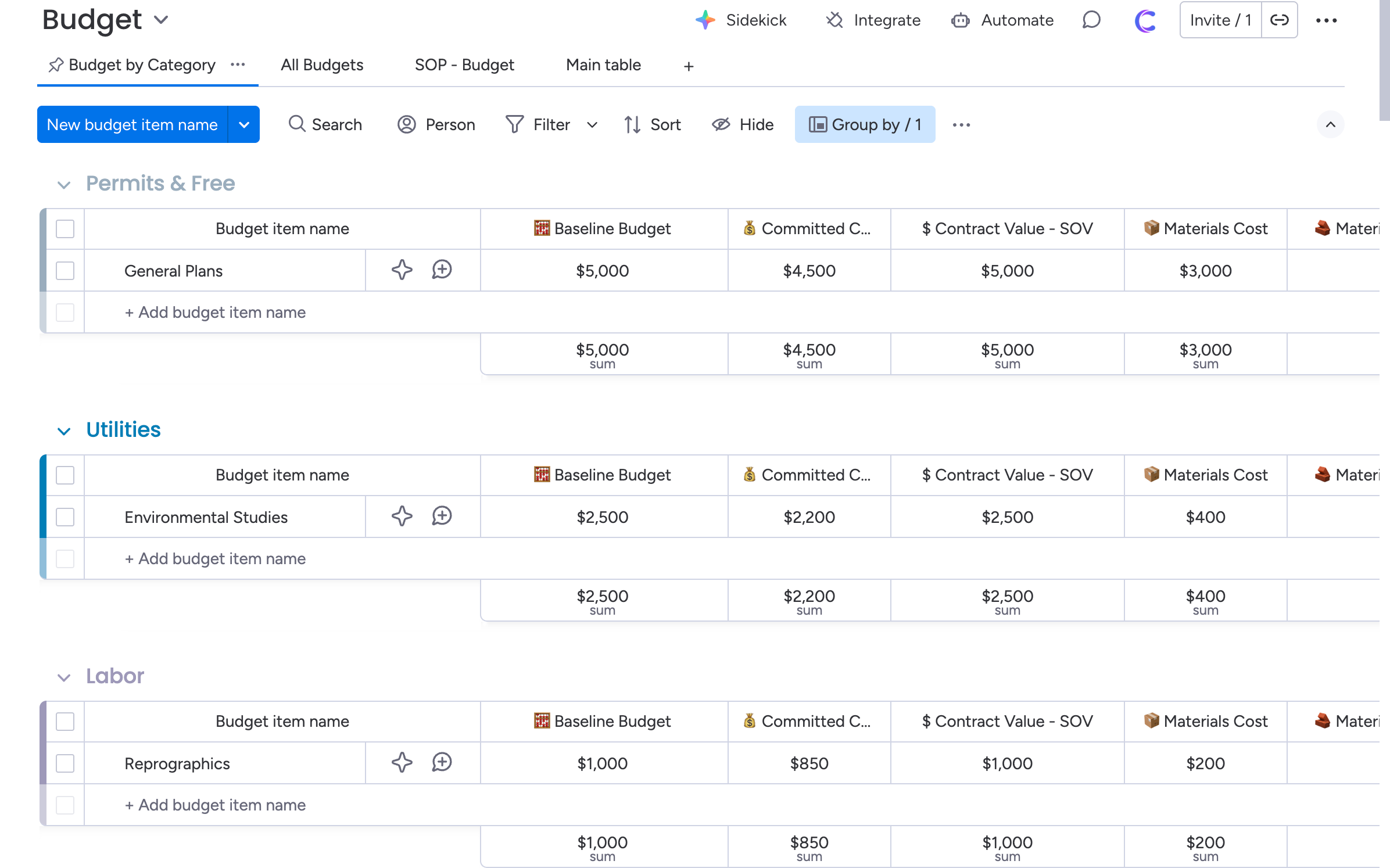
☑️ Cost Rollups to Projects – Actuals flow automatically into project financials
☑️ Audit-Ready Records – Clean financial history per project
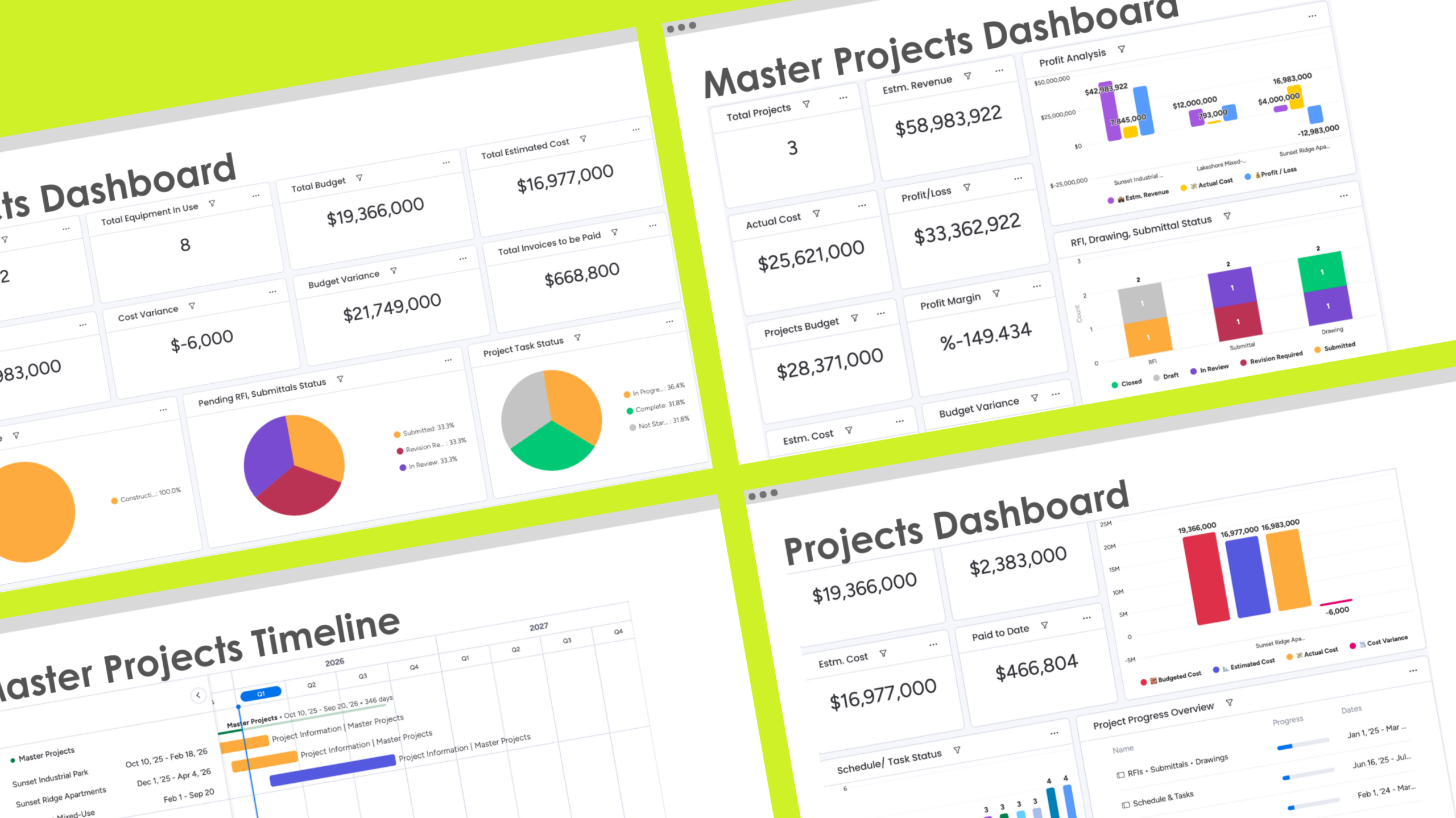
Reporting & Visibility
Leadership clarity without manual reporting.
☑️ Live Project Dashboards – Schedule, cost, and risk in one view
☑️ Execution Bottleneck Visibility – Tasks, RFIs, and approvals surfaced early
☑️ System-Wide Consistency – Same structure across every project
☑️ Always Real-Time – No stale data, no duplicate tracking




Founders Like You Trust Us
Because we are business systemzation expert and helped numerous businesses like yours
to streamline and scale their operations with Monday & EOS.

Jennifer Christian
EOS Integrator
Camel Tech played a pivotal role in our successful implementation our EOS strategy. Their professionalism is top-tier, and their follow-through and execution were truly incredible. The entire process was seamless, and their expertise ensured we maximized Notion’s capabilities to enhance our workflow and organization.
I highly recommend them to any organization looking for expert guidance in streamlining their systems and achieving operational success!
Evan Hobbs
CEO
In today’s fast-paced world, having access to reliable online services is an absolute game-changer-and my recent experience proved just that. From start to finish, the entire process was smooth, efficient, and user-friendly. The platform was easy to navigate, and everything I needed was clearly laid out, saving me both time and stress.
What stood out most was the responsiveness and professionalism of the support team. Any questions I had were answered promptly, and it felt like they truly cared about customer satisfaction.

Myfanway Wall
Co-founder
Imrul and his team at Camel Tech are always a pleasure to work with and we come back to them time and again for support and assistance in growing and scaling our business.
They are extremely professional, great communicators and fast but accurate delivery.
Everything included, at a glance
10+ Construction Departments
Built-in boards for Bidding, Preconstruction, Project Control, Field Management, Financials, Resources, and Closeout — giving your entire construction workflow a connected operating system.
30+ Ready-to-Use Templates
Pre-built boards for RFIs, Submittals, Schedules, Punch Lists, Budgets, Change Orders, Equipment, Materials, Closeout Docs, and more — designed to streamline every phase of construction.
Role-Based Dashboards
Project Managers, Site Engineers, Safety Officers, and Executives each get dedicated dashboards with live insights — boosting visibility, accountability, and decision-making across teams.
Automations & Integrations
Automated reminders, approvals, handoffs, and data syncing — plus integration options you can request for Slack, Google Workspace, email, and more — eliminating delays and manual follow-ups.
Forget Procore, Get Everything Here
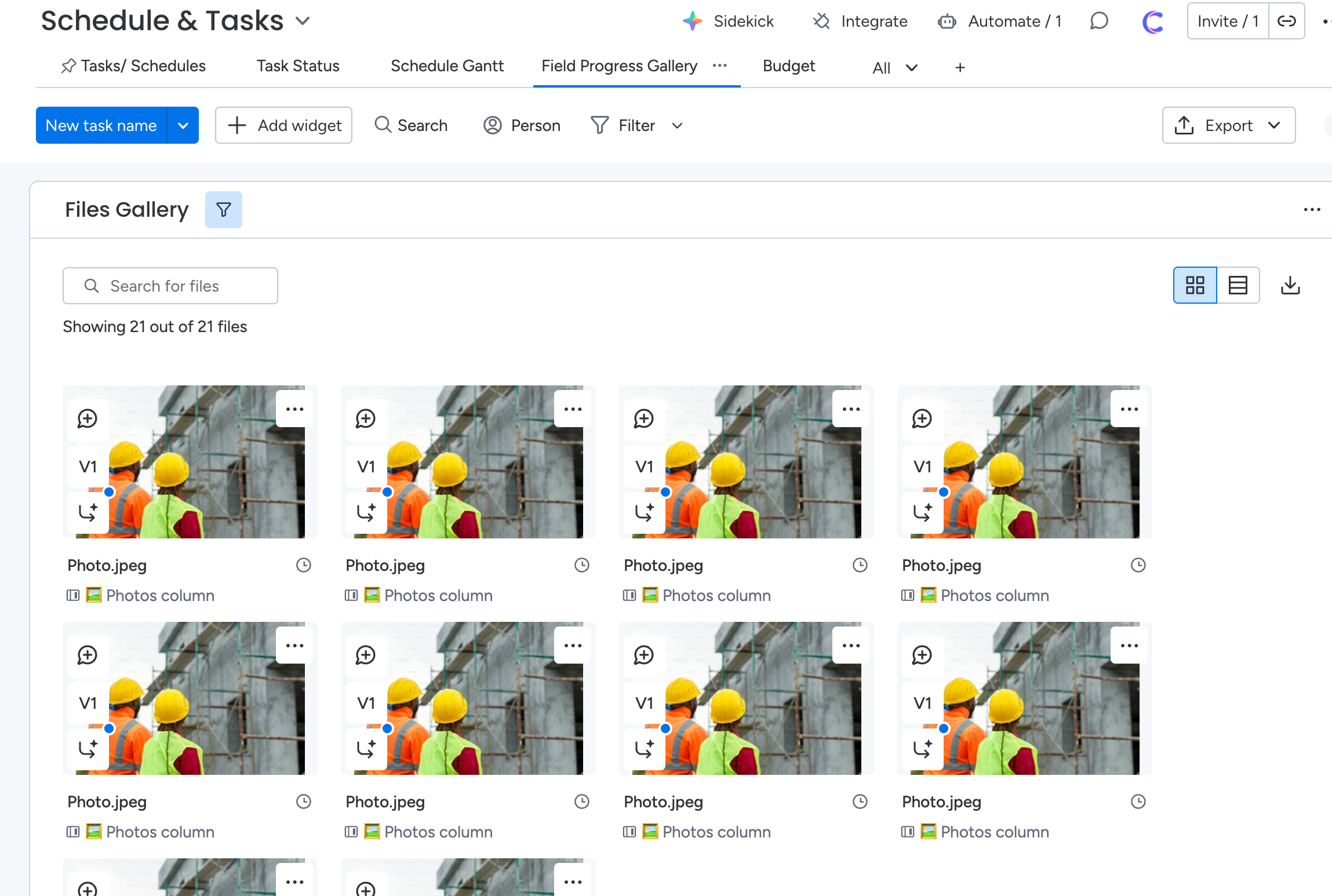
See some of the key features of this operating system
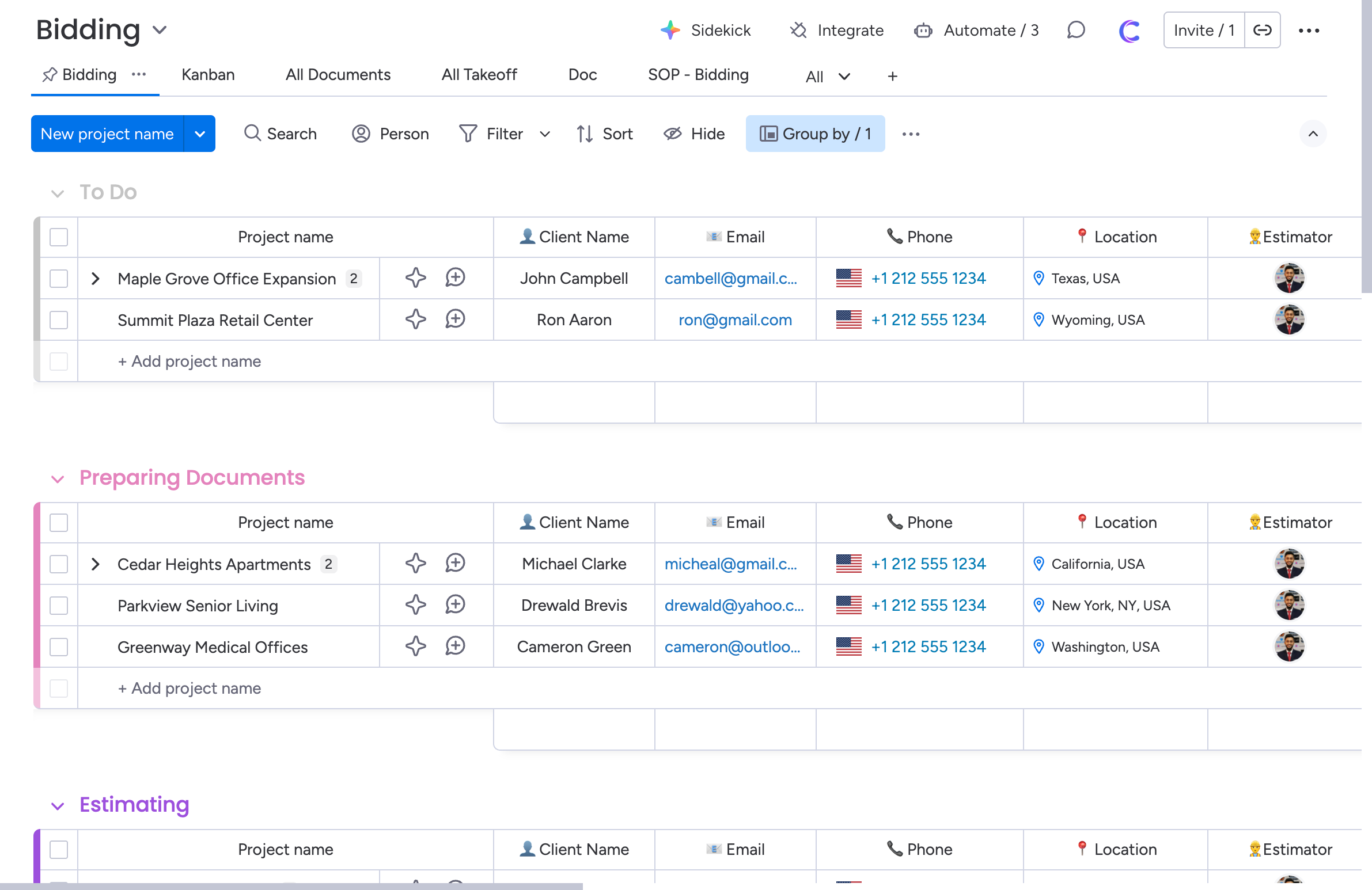
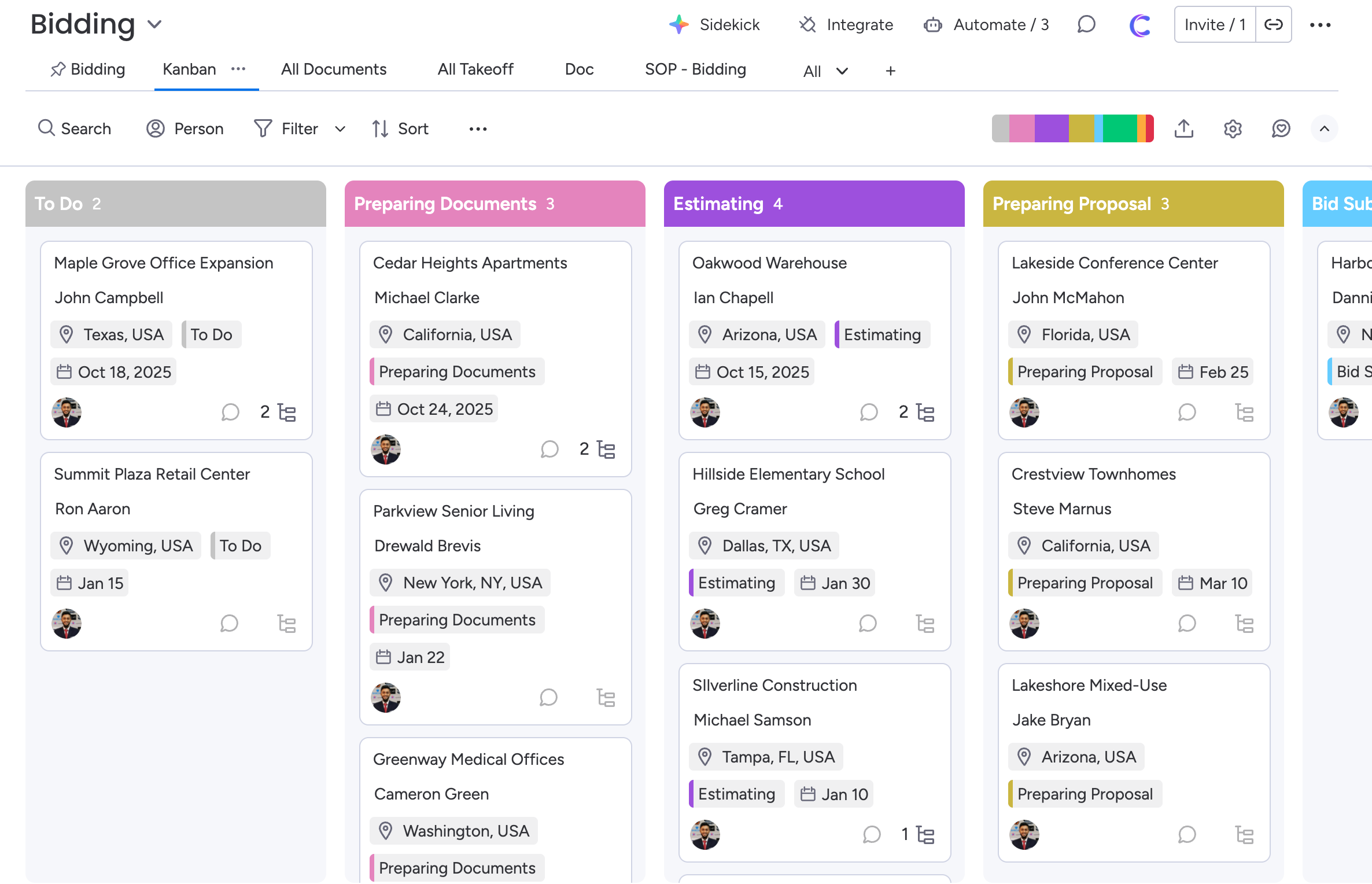
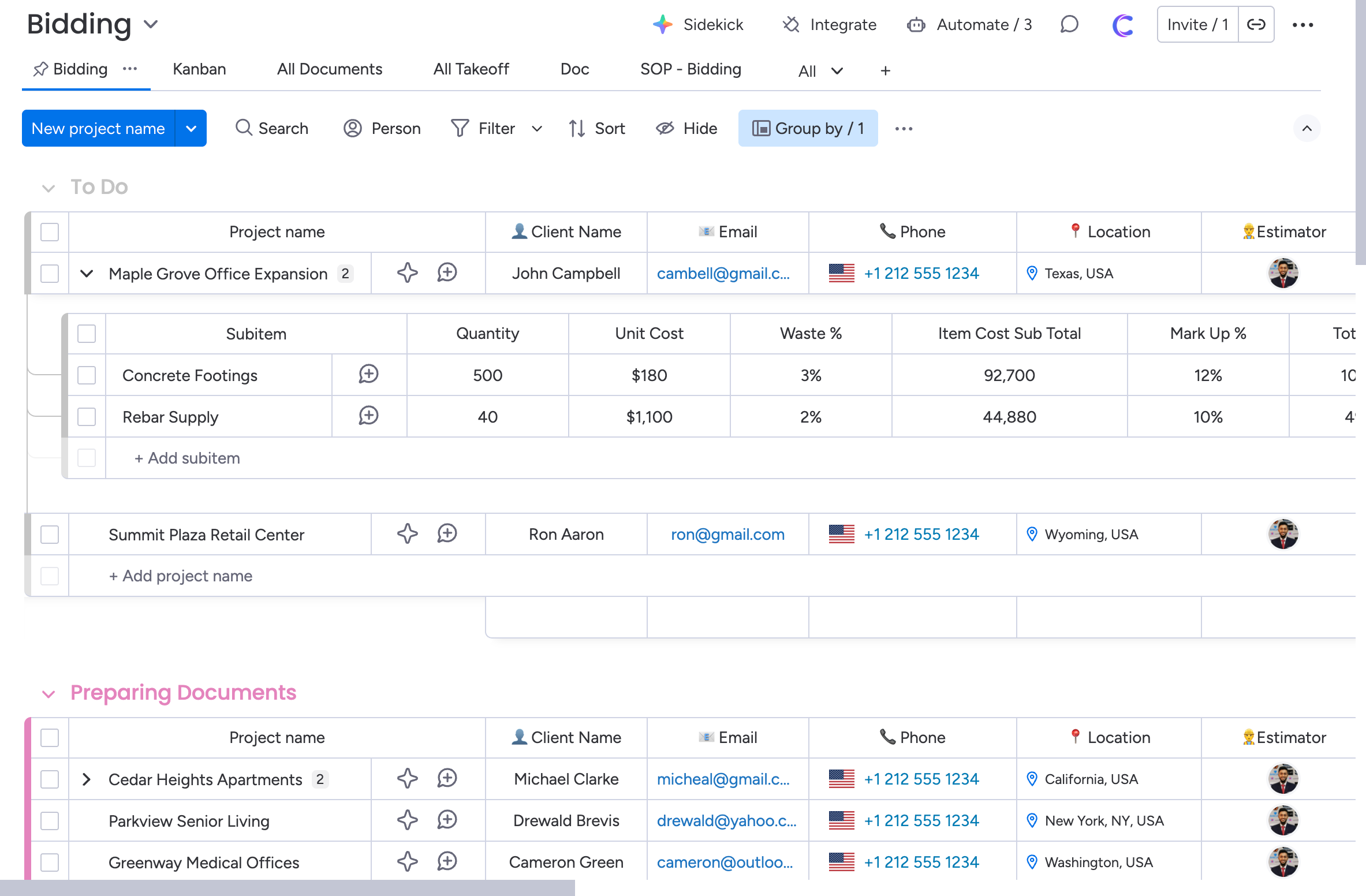
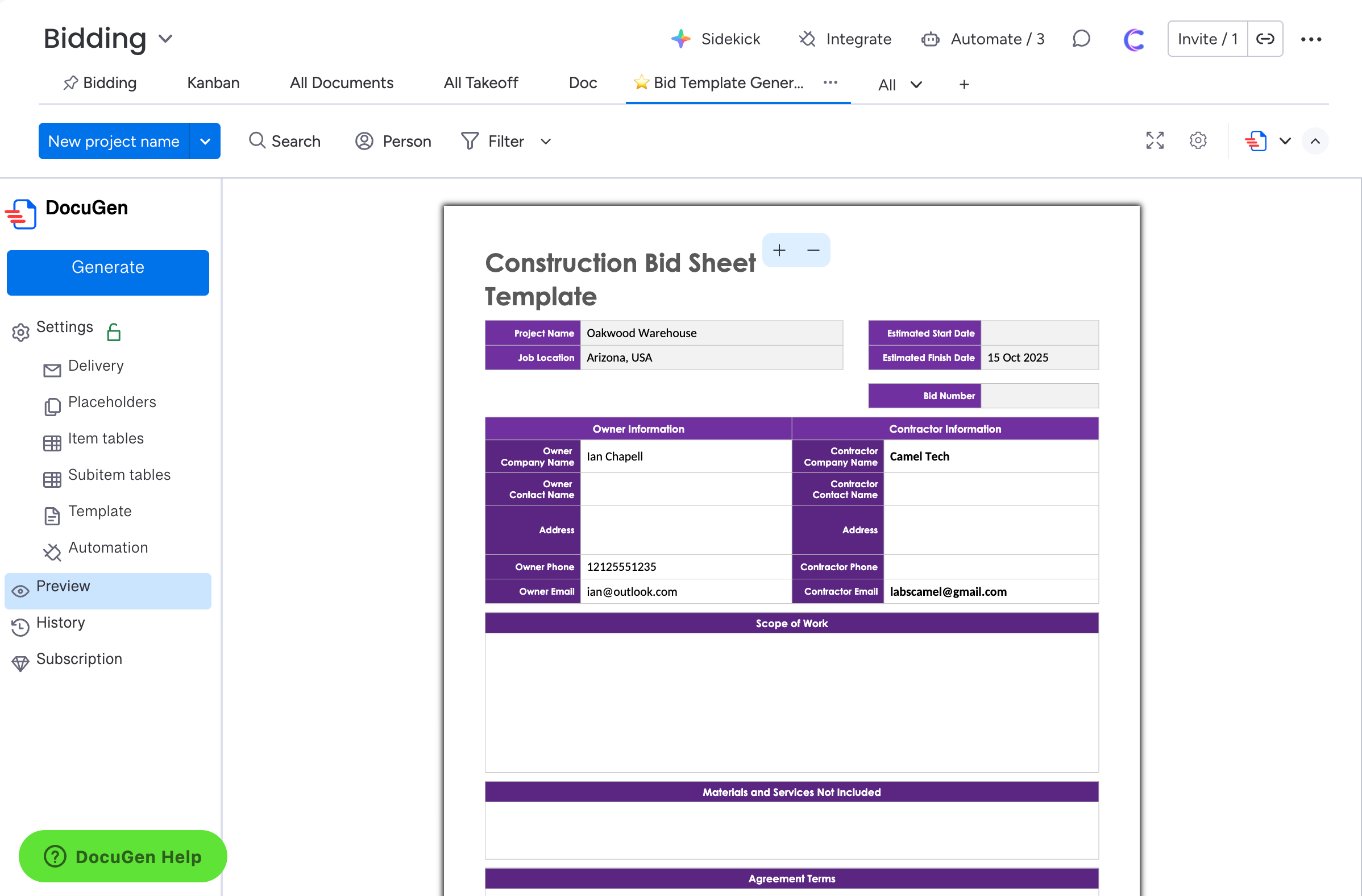
Bidding & Estimate
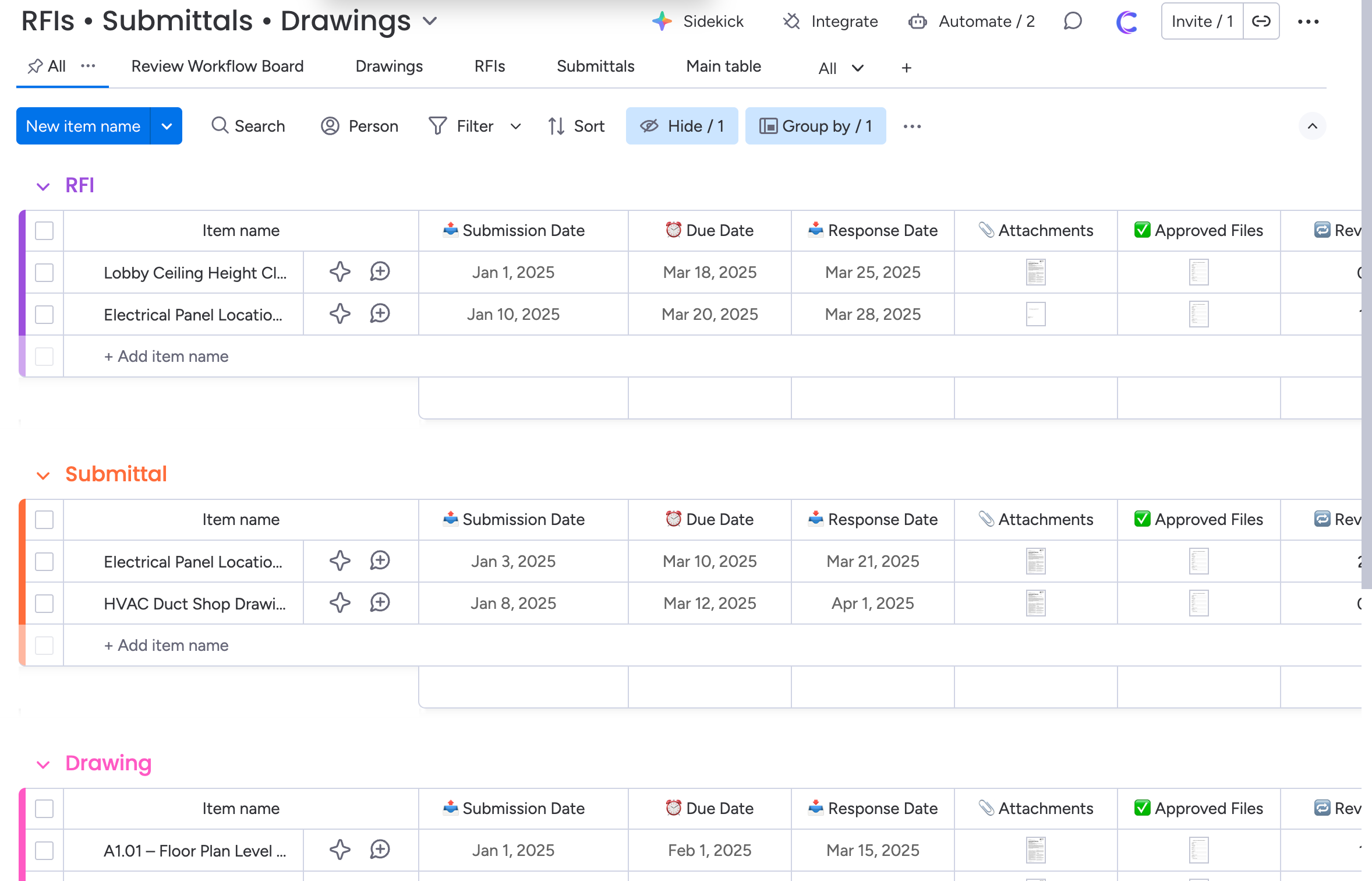
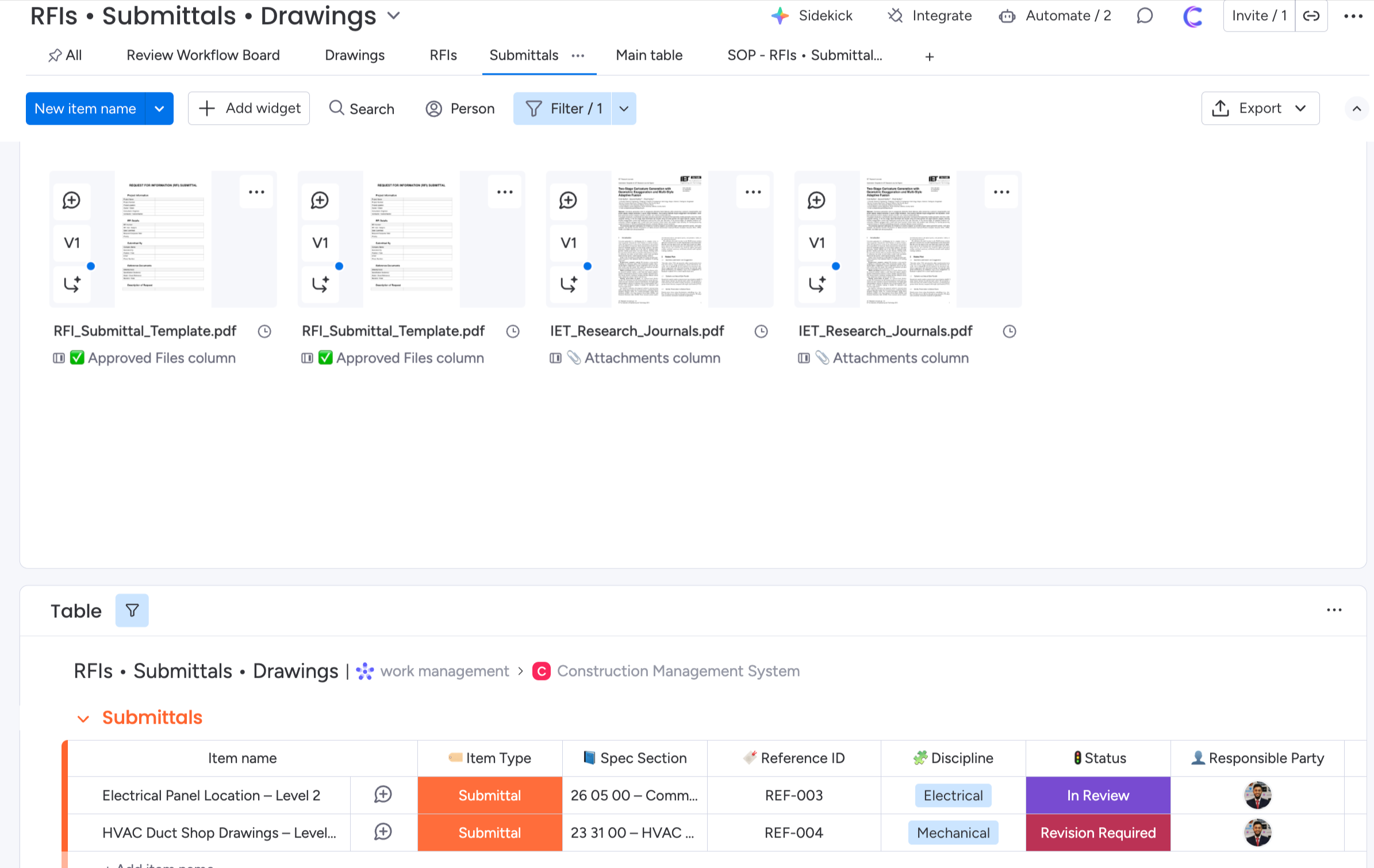
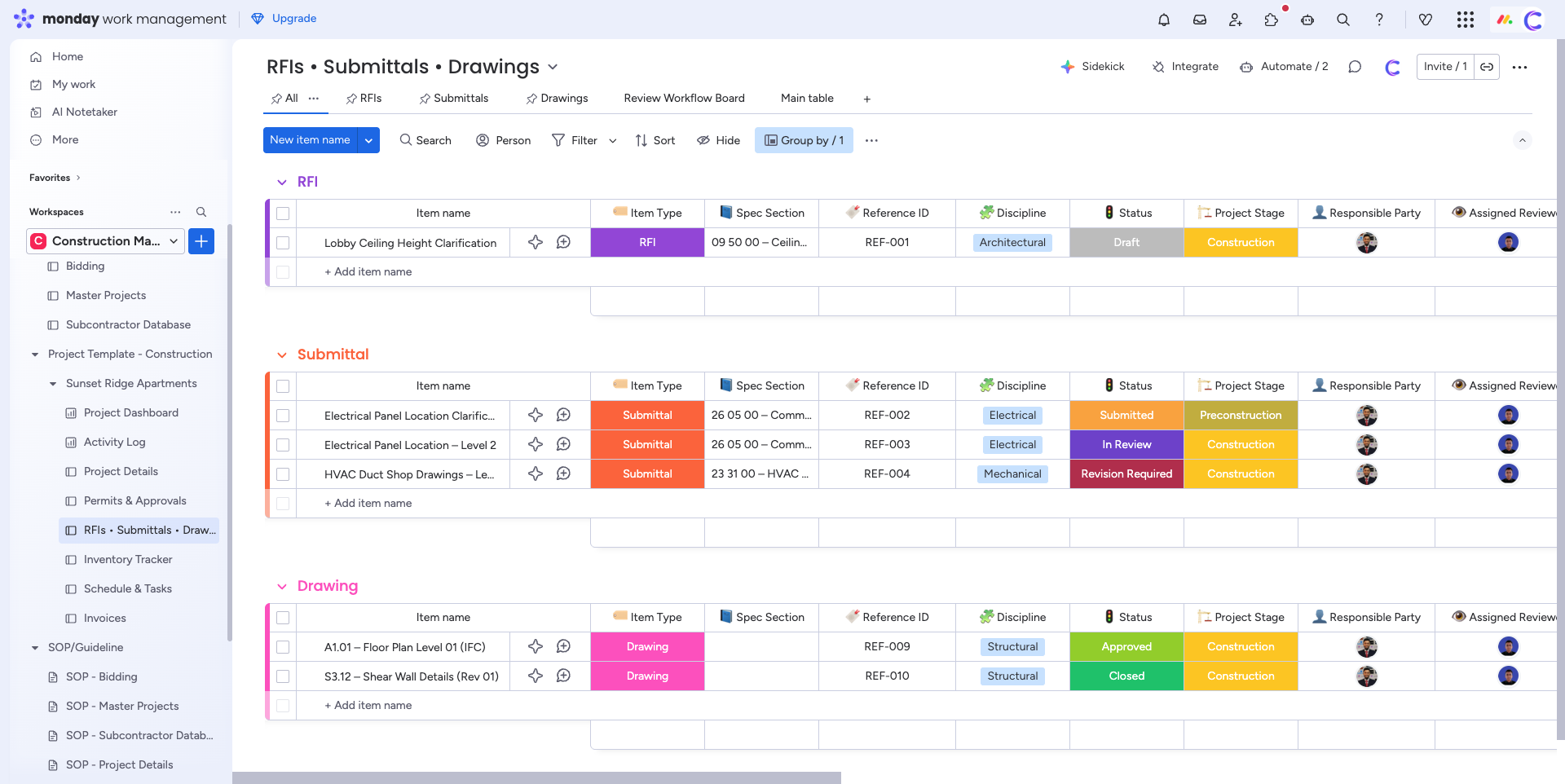
RFI, Submittal, Drawing
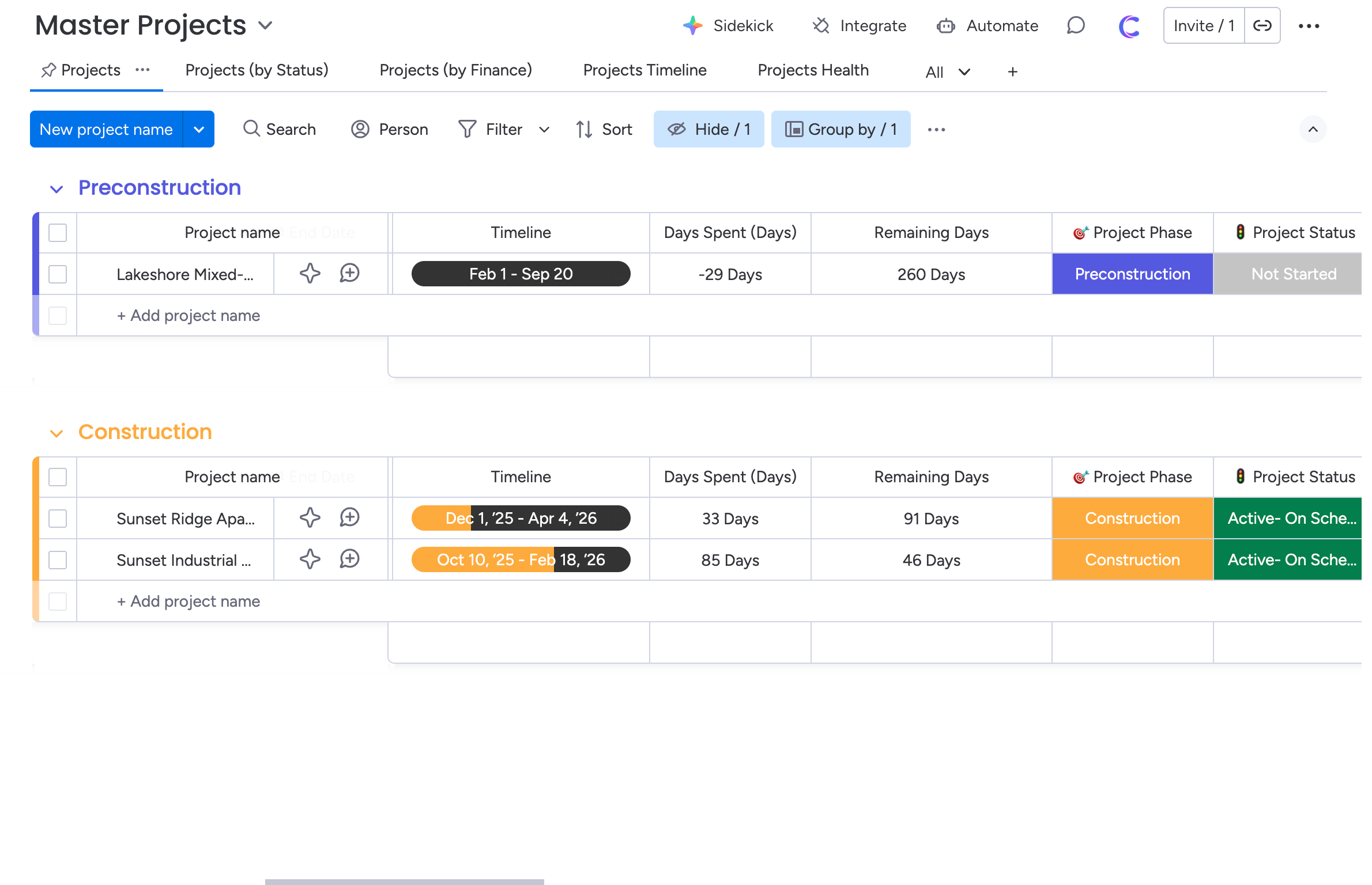
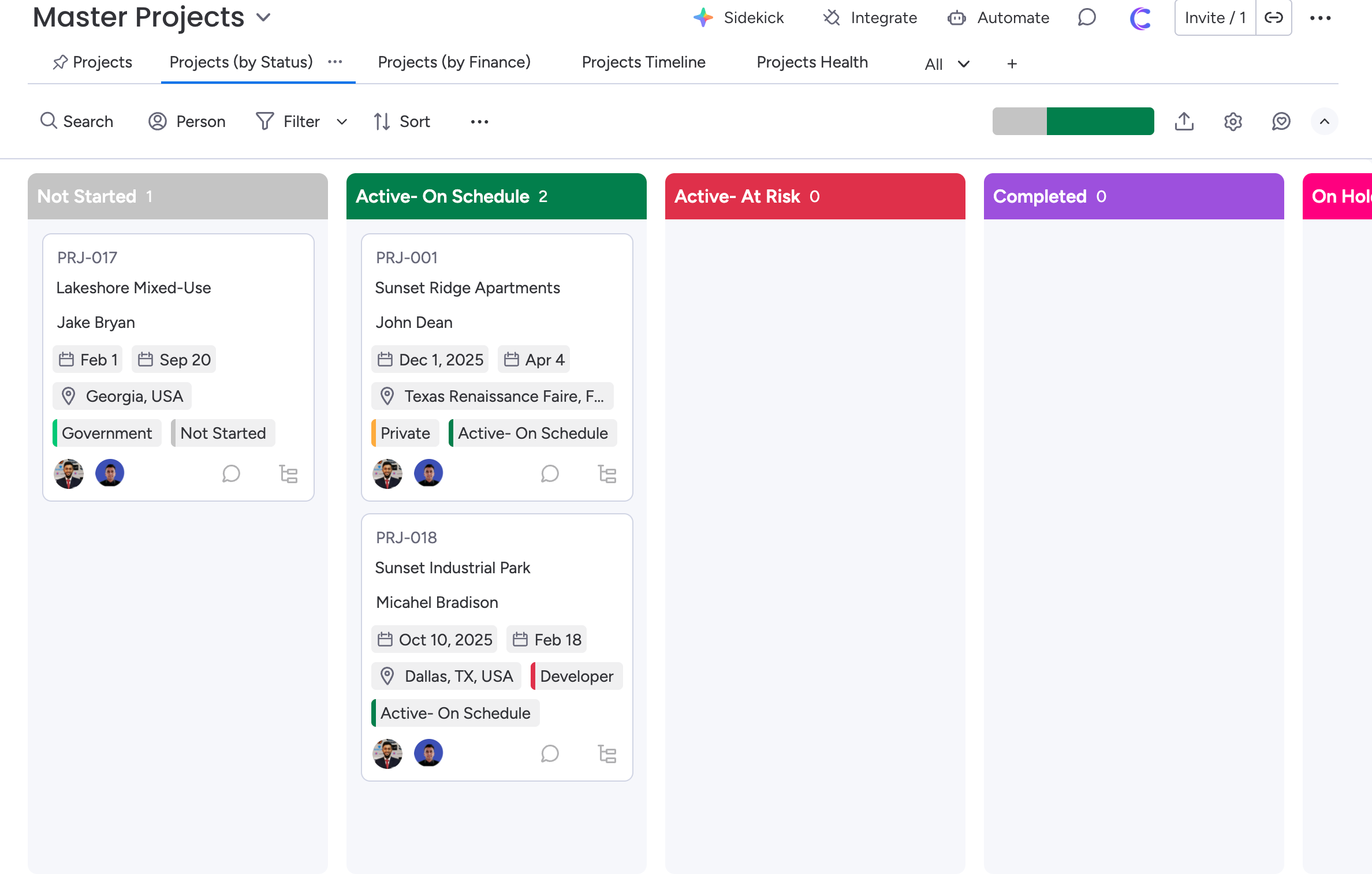
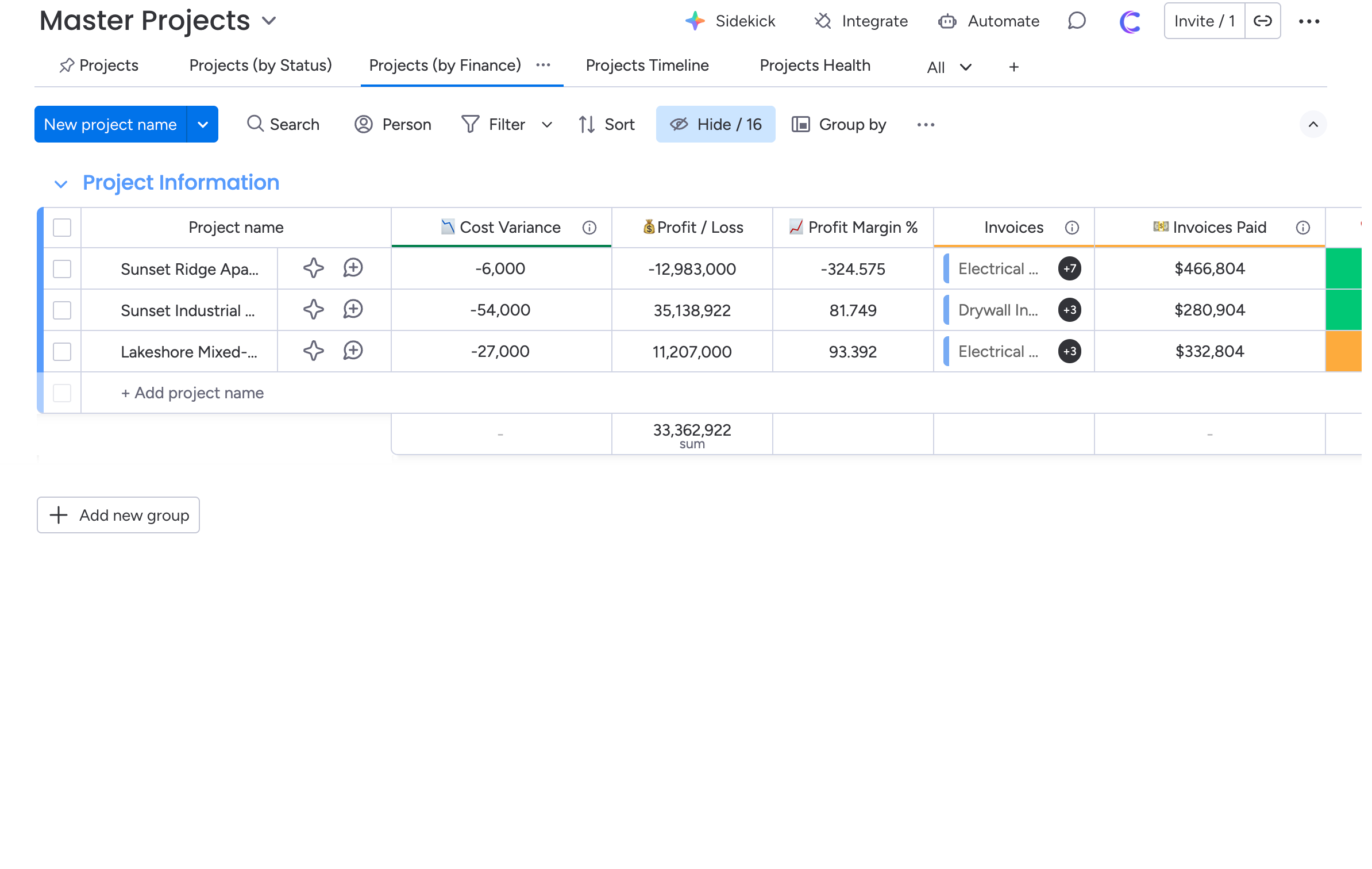
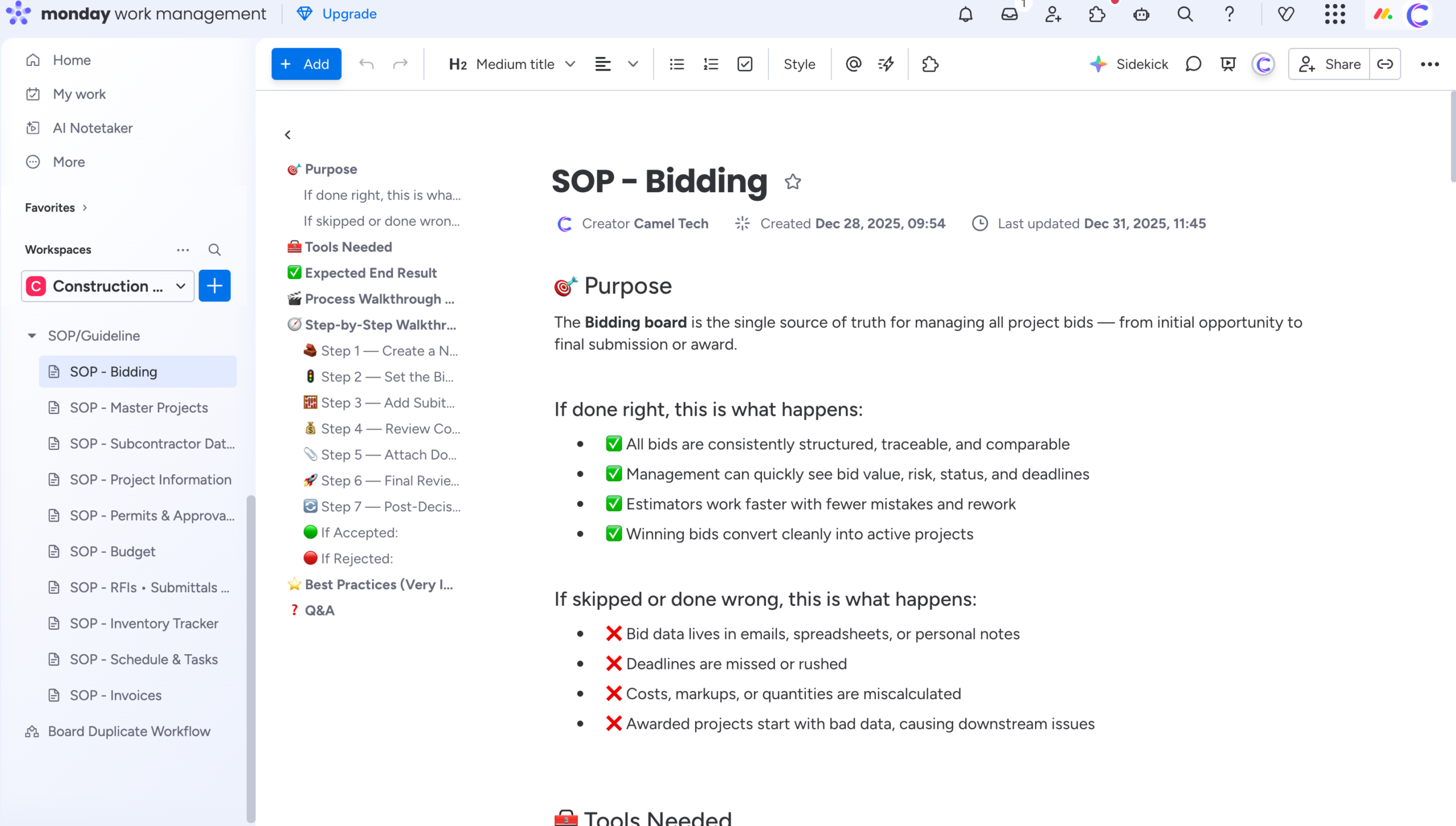
Project Management
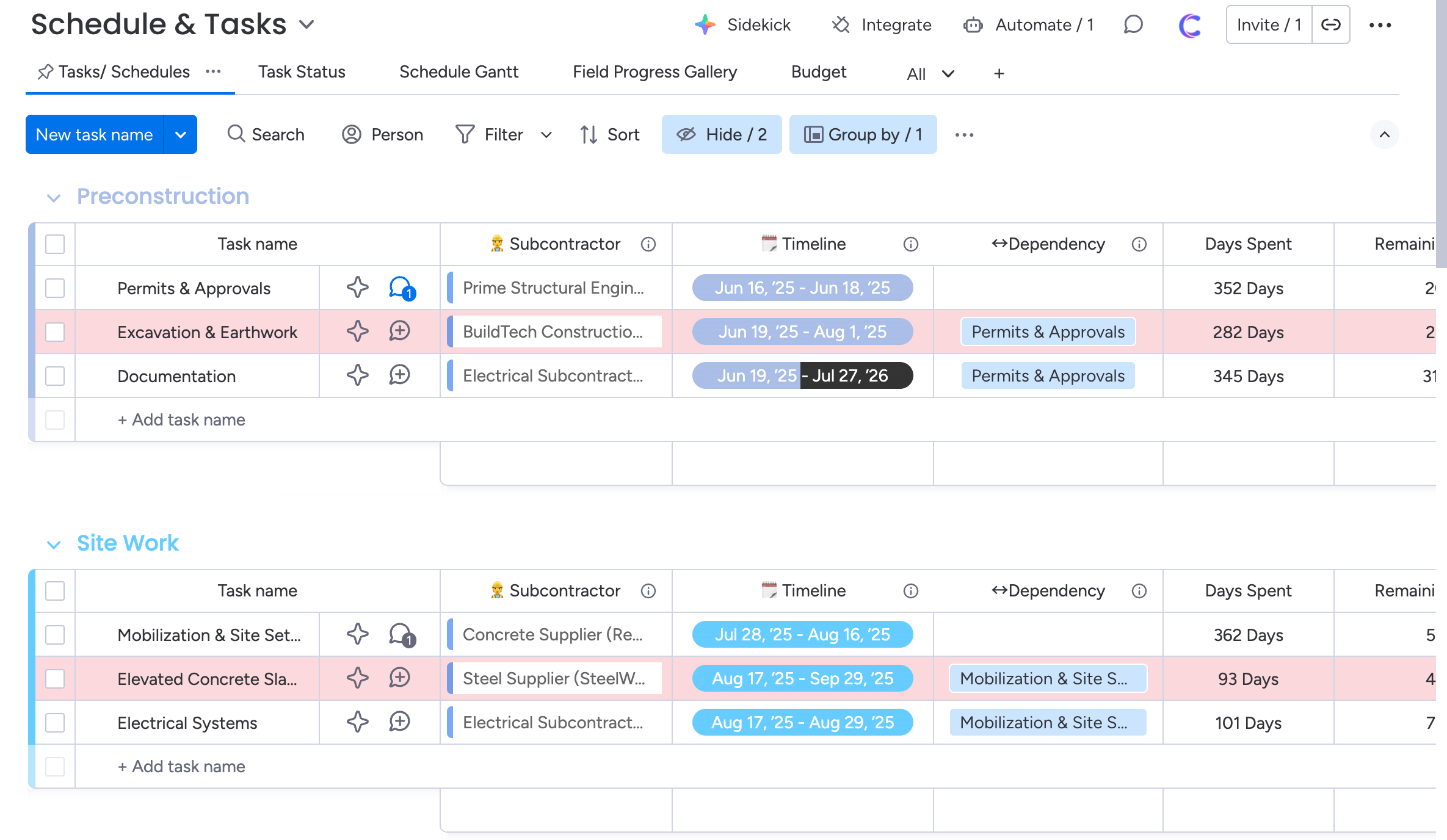
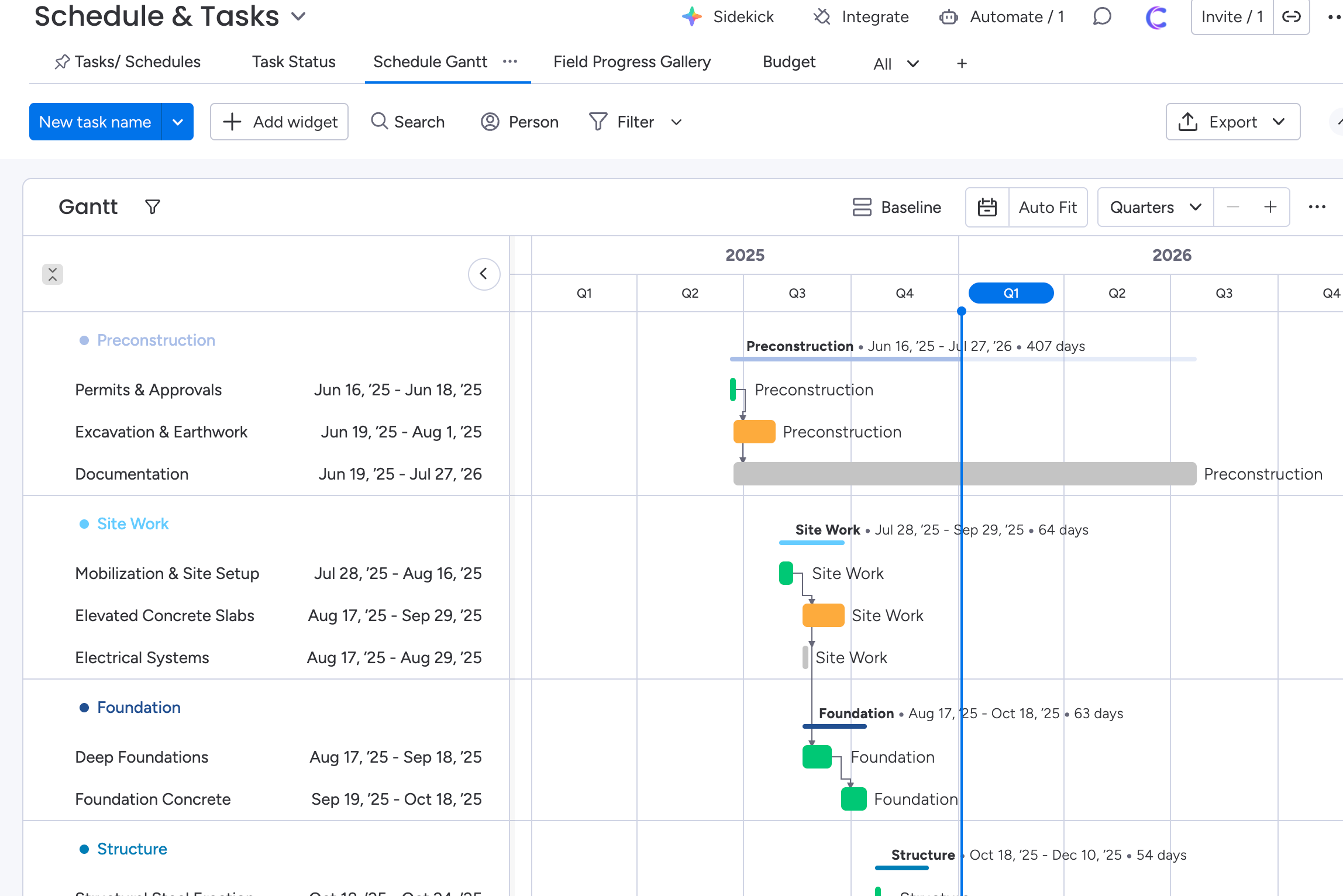
Schedule of Tasks
Inventory
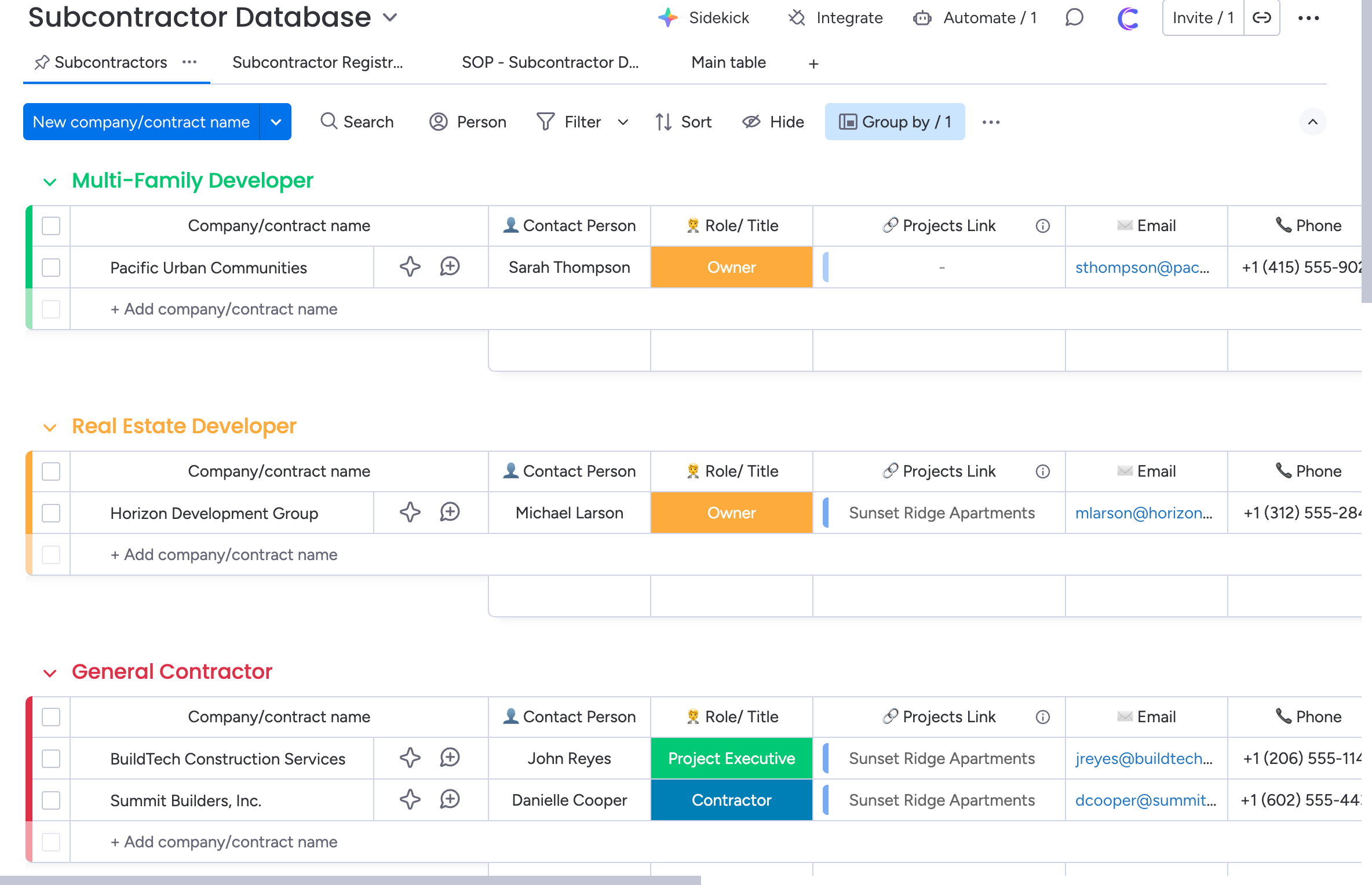
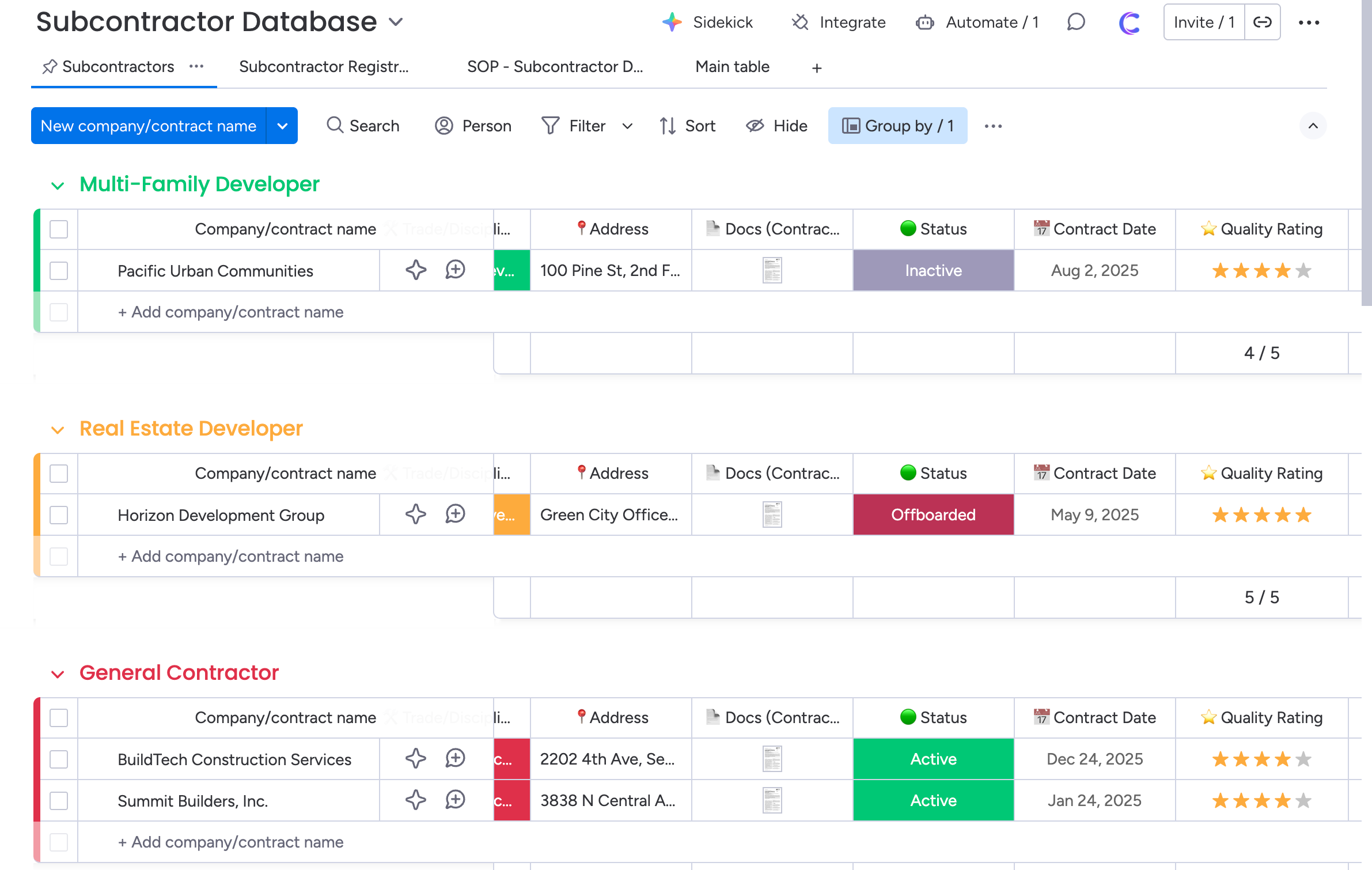
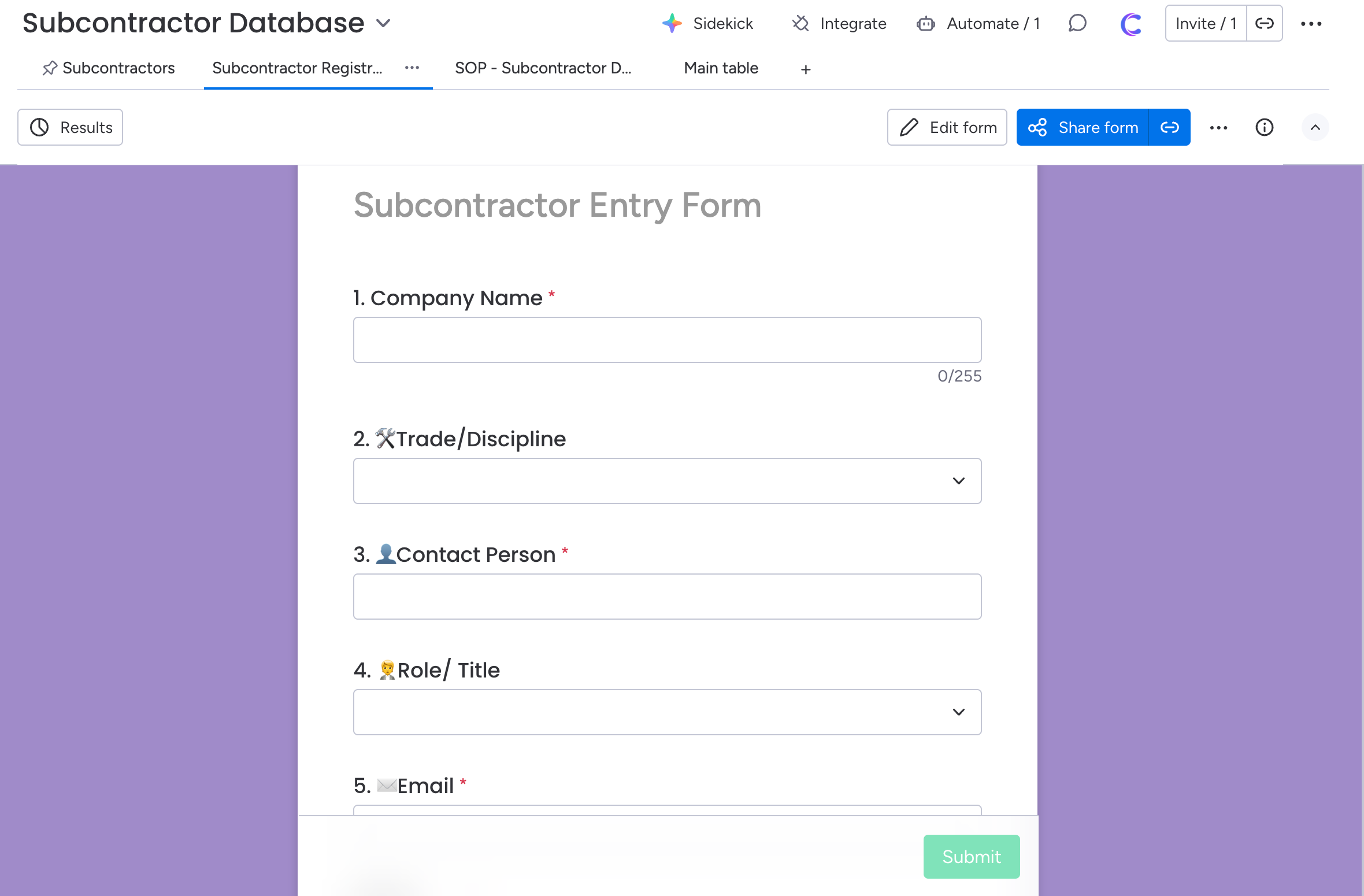
Sub-contractors
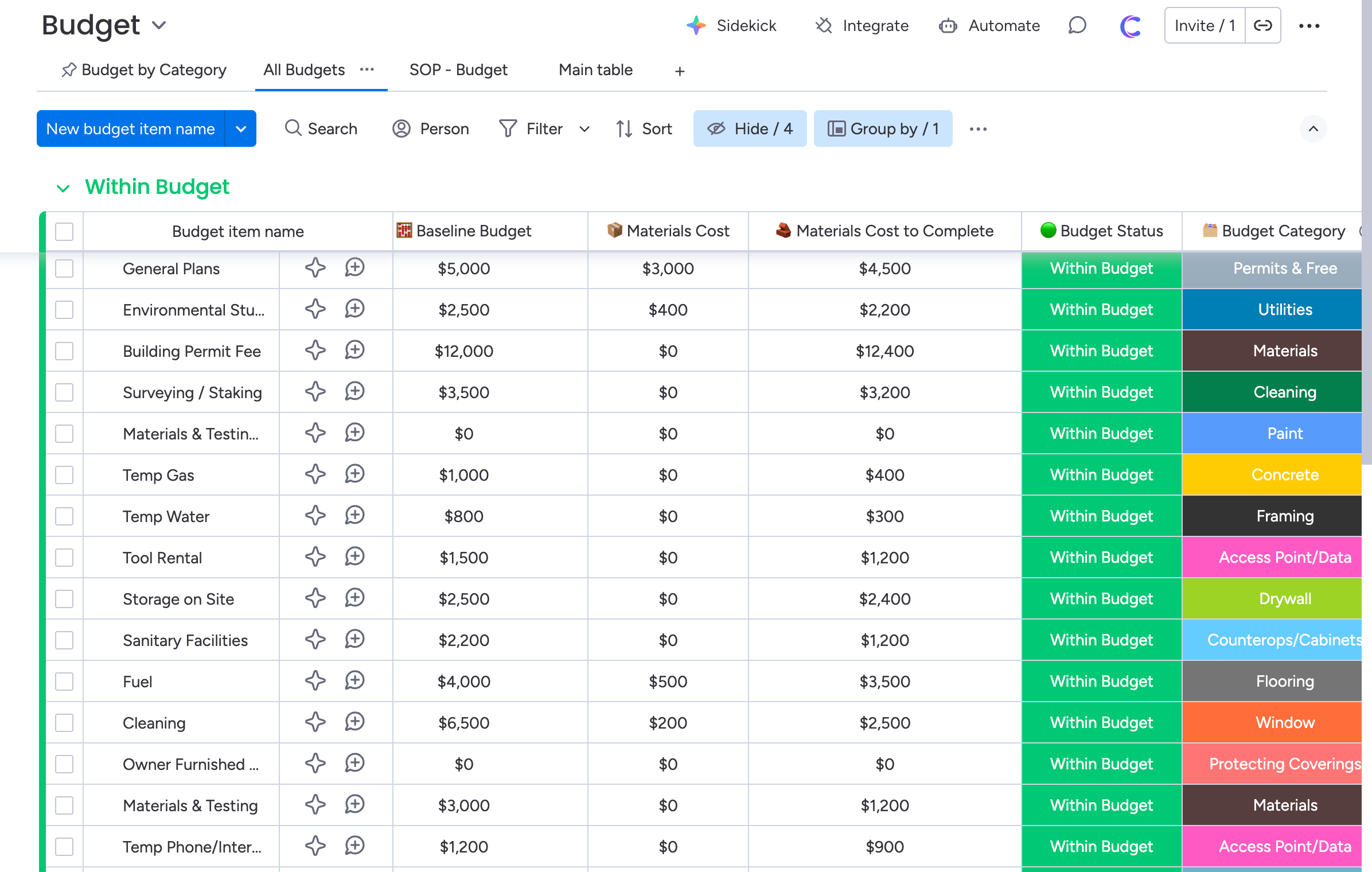
Finances
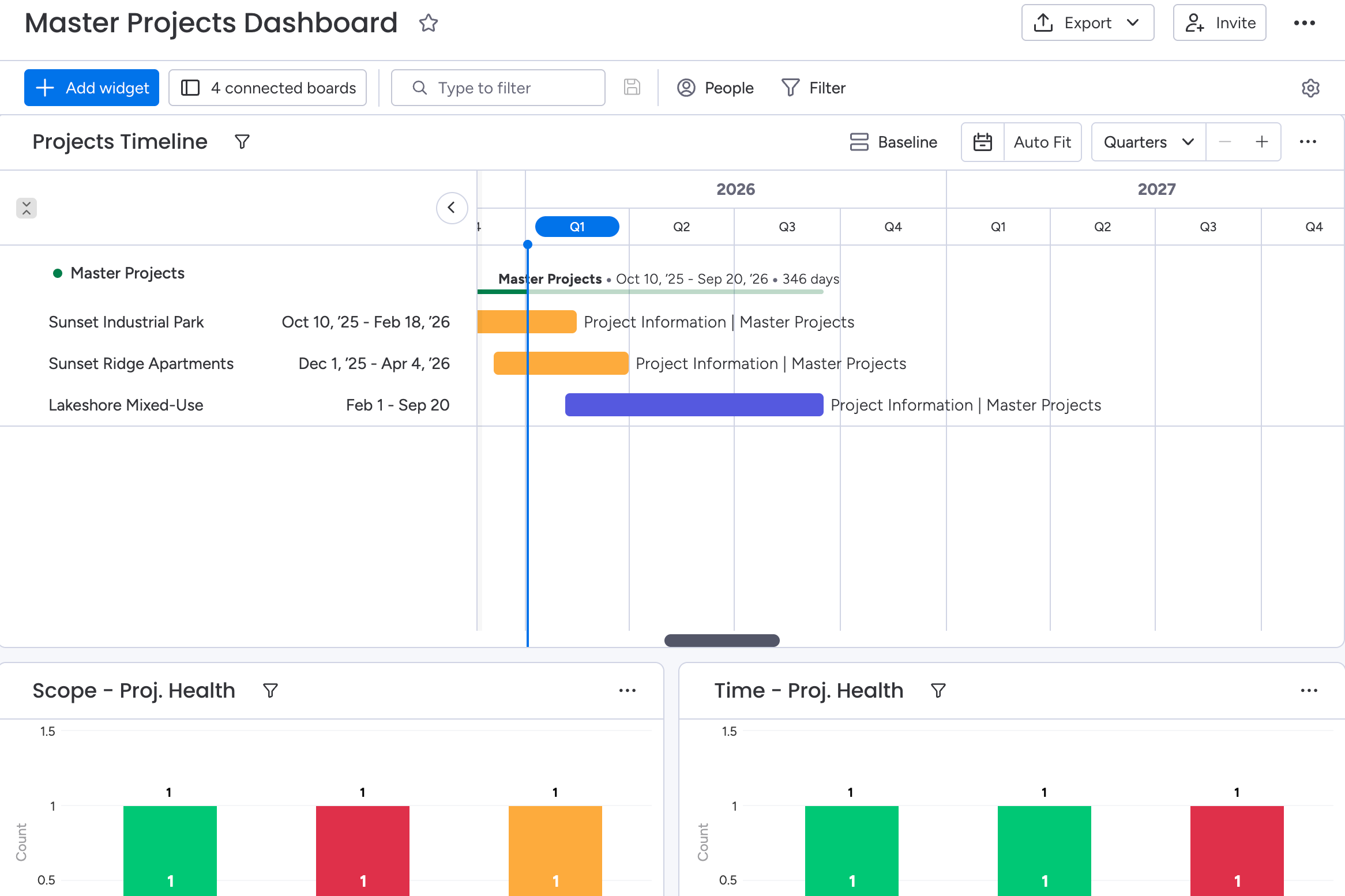
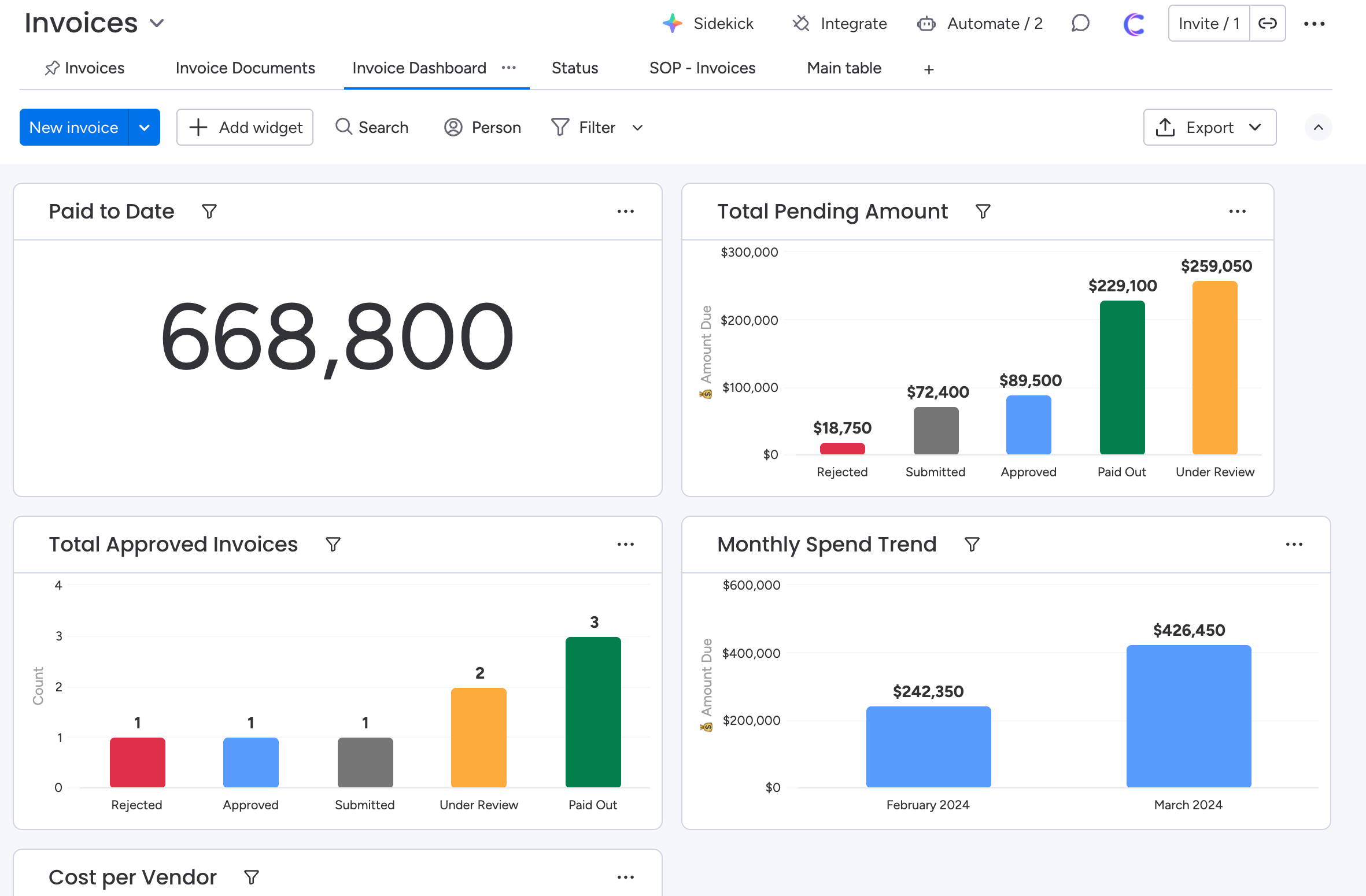
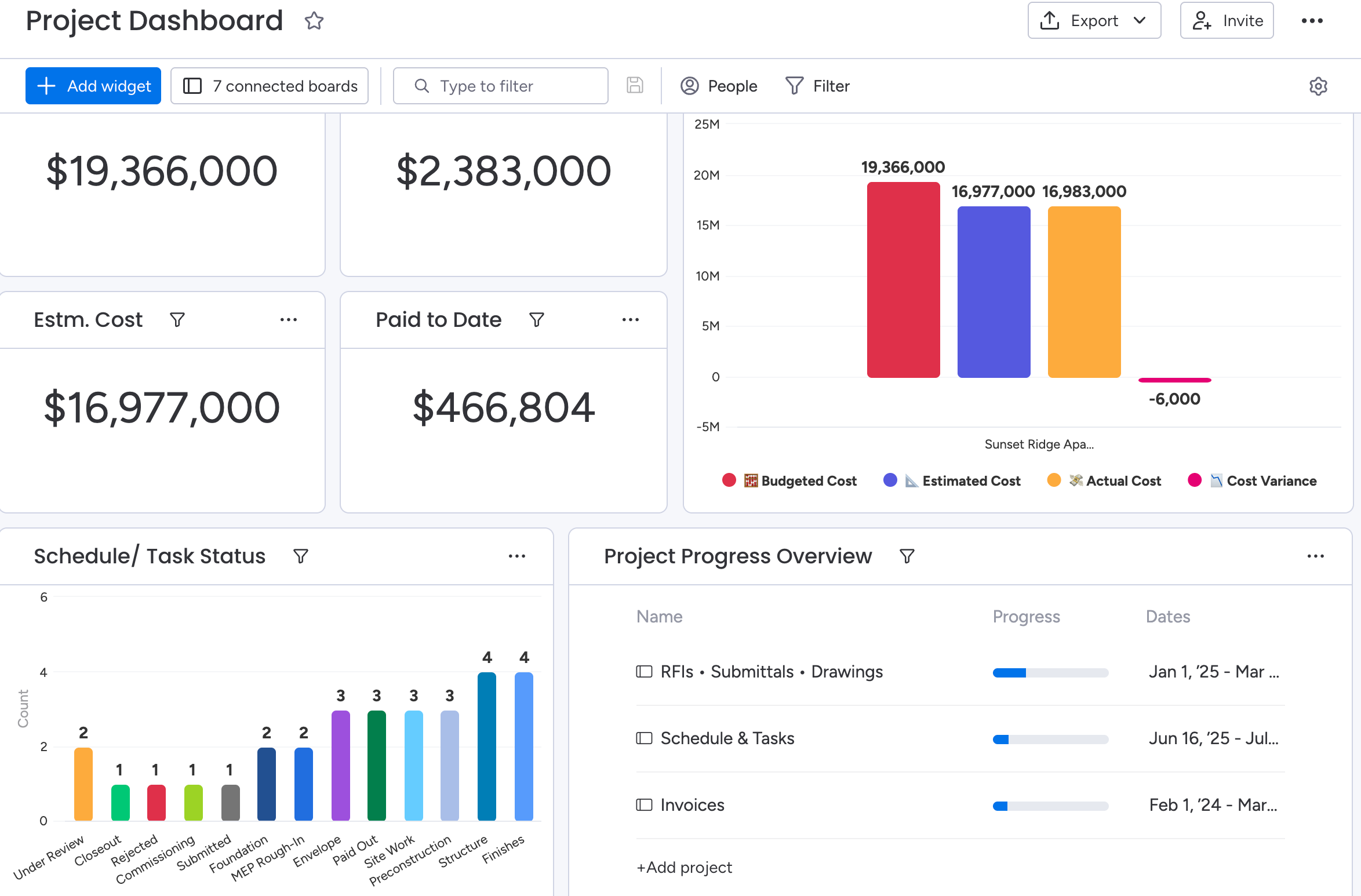
Dashboards
Sub-contractors
(50+ companies & individuals using this template)
Affordable price, unmatched ROI
Don’t spend $50k/year on Procore. Get this done-for-you system at fraction of cost and start streamlining your business.
Monday Construction Management OS
$98
$1900
Secured Stripe payment
- Work OS full template
- Onboarding documentation
- Curated Monday training module
- Full implementation for your team
- 2 implementation calls
- Video walkthrough
- Regular Monday Updates
- SOPs and Training
- Priority support (Live call, Email)
Need more than a template?
You’ll get a fully customized Monday.com workspace designed specifically for your operations
- Custom Monday.com implementation tailored to your business
- Coaching on EOS
- Custom integration with your existing tools
- AI Automations with N8N/ Make/ Zapier
- AI Agent implementation
- Live training
Implemented systems for 60+ companies
Frequently Asked Questions (FAQ)
“Excellent service provider and also a great human! Part of our team now on an ongoing basis.”

John Crease
CEO, Crease Group
This operating system is built on Monday Work Management product. And it works best with the Monday.com's Pro and Enterprise plan.
Standard Plan members can also use this but they may not be able to access certain dashboard widgets and features. In that case, we can fix them over a call.
This is a complete Construction Operating System built on monday.com.
It includes all the key boards you need to run projects like Procore: project bidding, preconstruction, RFIs, submittals, change orders, schedules, safety, quality, budget, cost tracking, materials, equipment, and more – already connected and pre-configured.
Yes. This system works for small contractors, growing GCs, and specialty subs.
If you manage jobs, subcontractors, RFIs, materials, and budgets, this template gives you structure and visibility-without forcing you into a giant, complex ERP.
Yes, everything is 100% editable.
You can rename columns, add new boards, change statuses, tweak automations, and hide what you don’t need. The template is meant to be a foundation, not a rigid system you’re stuck with.
After you complete your purchase, you’ll receive an email with:
A PDF with simple setup instructions.
Any bonus docs or Loom videos included in your tier.
- Follow the PDF and just duplicate the operating system on your workspace.
- We don't need any access to your workspace.
You get a ready-to-use monday.com workspace built for construction, including boards like:
Projects (Master Index)
Directory (Clients, Subs & Vendors)
Schedules & Milestones
RFIs, Submittals & Change Orders
Inspections, Safety Logs & Punch List
Budget, Cost Tracking, Commitments & Invoices
Equipment, Materials & Labor Tracking
Document Control / Closeout Library
Plus core dashboards for project overview, financials, and safety/quality.
Each board is pre-structured with groups, columns, and relationships so you don’t have to build it from scratch.
Most teams can import the template and start using it in a day.
If you’re doing a deeper implementation (migrating data, changing fields, adding integrations), expect a few days to a couple of weeks depending on how complex your current process is.
Yes. With your purchase you’ll get:
A quick video walkthrough of the workspace
Explanations of each board and how they connect
Best-practice tips for RFIs, submittals, COs, and budgets on monday.com
Higher tiers also include live calls where we walk your team through the system and answer questions.
Because this is a digital product that’s delivered instantly and can’t be “returned,” we don’t offer automatic refunds.
However, if you run into problems or feel stuck, reach out to us—we’ll do everything we can to help you get value from the system and make the setup work for your team.
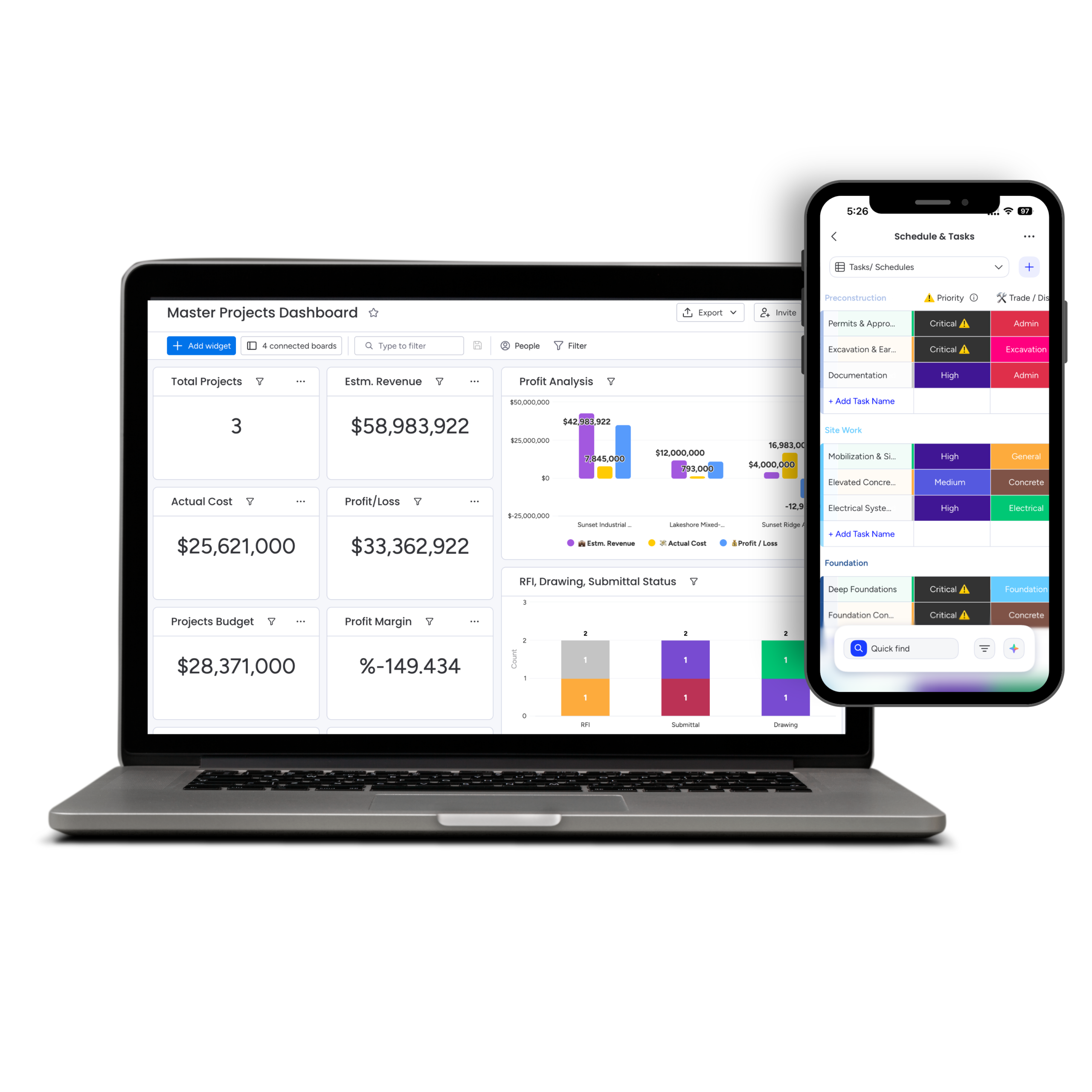
Let’s build the system your business is missing
It starts with buying this Monday.com Construction Management OS
- One template OS, full control
- Works on mobile and offline mode
- Readymade system, launch instantly
- Built by real operations experts, not just tool engineers
- Unmatched value for price, found nowhere
- Loved by founders who've scaled
- Get the support you need, never left in dark


Let's book a call with our expert.
Selected resource
Enter your email and we’ll send the resource directly to your inbox.
✓
Check your inbox
We’ve received your request and will send the resource to your email.
Please check your spam or promotions folder if you don’t see it shortly.