
Airtable Migration Guide (2026): Should You Stay or Switch?

Imrul Hasnat
Founder, Camel Tech
- Last Updated:September 5, 2026
35 mins read

Table of Contents
Should You Migrate From Airtable? A Strategic Migration Guide for 2026
If Airtable still works for your business, do not migrate only because Bending Spoons plans to acquire it.
Start by reviewing your risk. Back up your data, document the workflows that depend on Airtable, and test possible replacements. Move only when another system offers a better balance of cost, control, reliability, and ease of use. The rows inside Airtable are usually the easy part of a migration.
The hard part sits underneath them: linked records, formulas, rollups, forms, interfaces, permissions, automations, and integrations. Those are what turn a group of tables into a working business system. Move the records but miss those other parts, and you can end up with the right data sitting inside a system that no longer runs the business.
This guide will help you decide whether to stay, move, or use several tools together. It also explains how to complete an Airtable migration without losing the logic behind your work.
Quick Answer: Should You Stay on Airtable or Migrate?
| Your current situation | Best next step |
|---|---|
Airtable works well and the cost remains acceptable | Stay, monitor changes, and prepare an exit plan |
Price or product limits already create problems | Start comparing alternatives |
Airtable runs critical operations | Complete a risk audit before making changes |
You mainly use Airtable for documents and knowledge | Test Notion |
You mainly use it for projects and tasks | Test ClickUp, Monday.com, or Smartsheet |
You use Airtable as a CRM | Compare dedicated CRM platforms |
You use Airtable as an application database | Consider Supabase or PostgreSQL |
Your renewal is approaching | Negotiate while testing an alternative |
You cannot reproduce critical relationships | Stay or consider a hybrid system |
You have no backup or system documentation | Fix that before doing anything else |
1. What Happened between Airtable and Bending Spoons?
On August 4, 2026, Bending Spoons announced that it had entered into a definitive agreement to acquire Airtable.
The all-cash transaction values Airtable at an enterprise value of $1.285 billion. Including Airtable’s net cash, that works out to an implied equity value of around $2.25 billion. Both boards approved the deal, and it’s expected to close before the end of 2026, pending regulatory approval and other standard closing conditions.
This wording matters. Bending Spoons has agreed to acquire Airtable, but the deal should not be described as complete until the companies confirm the closing. Until then, the two companies continue to operate independently.

The announcement did not include a new pricing model, a shutdown plan, or a deadline forcing customers to leave. Bending Spoons said it intends to invest in Airtable for the long term and develop its position as a platform for data and business workflows.
You can review the details in Bending Spoons’ official acquisition announcement.
2. What Do Bending Spoons’ Previous Acquisitions Tell Us about Airtable?
Bending Spoons’ past acquisitions show a fairly consistent pattern. It buys established software products with large user bases, reduces operating costs, rebuilds important parts of the product, and changes how the product makes money.
This is not simply a cost-cutting story. It is also not a traditional product investment story. Bending Spoons tends to do both at the same time.
The clearest example is Evernote
Bending Spoons completed its Evernote acquisition in early 2023. According to its 2026 SEC filing, the number of full-time-equivalent employees working on Evernote fell from 341 at acquisition to 60 by the end of 2024. That was an 82 percent reduction.
At the same time, Bending Spoons reported that Evernote’s monthly active users increased more than fivefold between 2021 and 2025. Average revenue per monthly active user rose by 50 percent. Evernote also released more than 150 product updates during 2025.
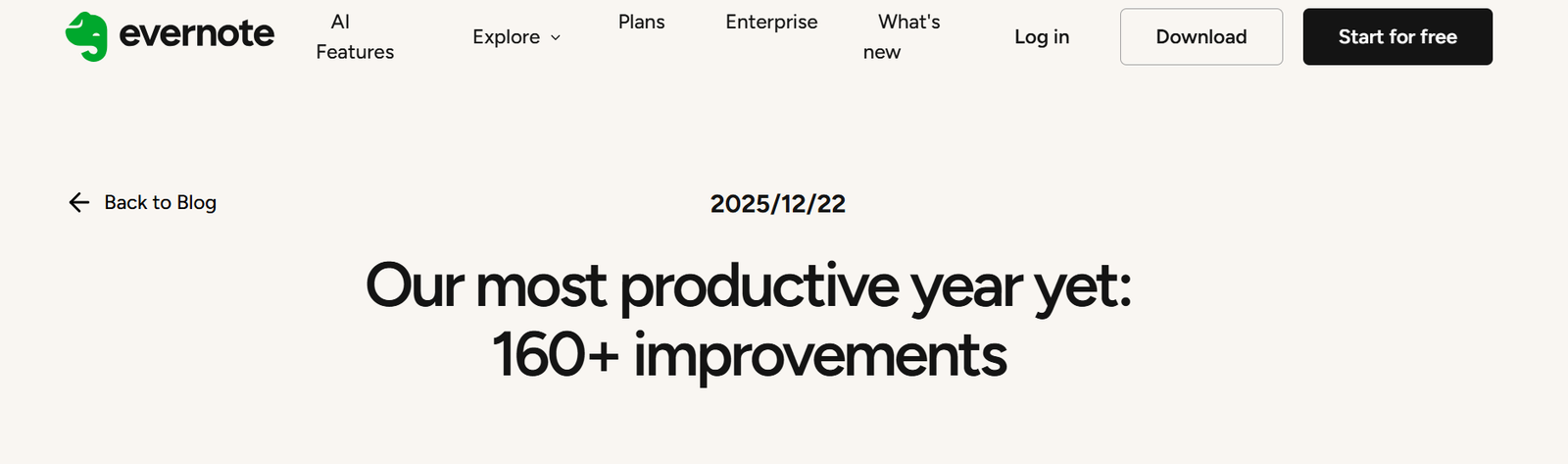
This tells us that Bending Spoons does not always reduce staff and leave the product untouched. Its model is to replace much of the previous organization, move work into its central operating platform, release product changes, and increase the amount of revenue earned from each user. (Bending Spoons SEC filing, Evernote’s 2025 product recap)
Users experienced both sides of this approach. Evernote received major work on synchronization, performance, reliability, and new features. It also went through pricing and plan changes that made the product more expensive for many customers.
The workforce pattern continued with later acquisitions
Bending Spoons has also made large organizational changes after acquiring products such as WeTransfer, Vimeo, AOL, and Eventbrite.
Its IPO filing says the AOL, Eventbrite, and Vimeo acquisitions brought about 1,830 full-time-equivalent team members into the group. Bending Spoons had already parted ways with many of them by the end of the first quarter of 2026. It expected only a few hundred to remain after the business changes were complete. One Hacker News commenter summed up the buyer’s reputation bluntly: “Bending Spoons is where products go to die.”
This is strong evidence that major workforce reductions are part of the company’s standard acquisition model. It does not prove that Airtable will face the same level of cuts, but it makes concerns about staff retention, product knowledge, and customer support reasonable. (Bending Spoons IPO filing)
The pattern in one view
| Pattern after previous acquisitions | Possible meaning for Airtable |
|---|---|
| Large reductions in acquired teams | Airtable may operate with fewer existing employees |
| Product and infrastructure rebuilding | Core performance and reliability could improve |
| Faster release of selected features | High-priority Airtable features may receive more investment |
| Pricing and packaging changes | Customers should prepare for possible plan changes |
| Greater revenue per active user | Free and lower-priced plans may face more pressure |
| Centralized engineering and operations | Airtable may rely less on its current internal organization |
| Focus on long-term ownership | Airtable is unlikely to be purchased for a quick resale |
What is most likely to happen?
Based on the earlier acquisitions, four outcomes appear plausible:
- Airtable continues to receive product investment. Bending Spoons has a record of rebuilding technology and releasing substantial product updates after acquisitions.
- The organization becomes smaller. Previous acquisitions show that the company is willing to make large workforce reductions and move work into its central teams.
- Pricing or plan packaging changes over time. Bending Spoons focuses closely on revenue per user. Airtable customers should not assume that current pricing, limits, and free features will remain unchanged.
- Investment becomes more selective. Features that support enterprise growth, AI, reliability, and paid adoption may receive more attention. Smaller or less profitable use cases may receive less.
None of these outcomes has been confirmed for Airtable. They are informed conclusions based on Bending Spoons’ documented operating model.
The sensible response is not to migrate immediately. It is to watch the signals that matter: pricing, plan limits, API access, export terms, support quality, staffing, and the product roadmap. At the same time, document your Airtable system and make sure your business has a practical exit path.
Why Airtable Customers Are Still Worried
Bending Spoons’ history doesn’t prove Airtable will face the same changes as Evernote, Vimeo, or WeTransfer. It does make concerns about staffing, pricing, support, and product direction reasonable ones to have.
Airtable is deeply wired into a lot of companies’ daily operations. A change to plan limits, API access, automation allowances, or support quality could ripple well past the software bill, into sales, project delivery, reporting, and customer service.
There’s a real upside case too. Bending Spoons has experience running products at scale and investing selectively in the areas it cares about. Airtable could come out of this faster, more focused, and more capable than before.
Not everyone thinks panic is warranted. Ashley, who runs Systems Over Stress, wrote on Threads: “To my clients who use Airtable: don’t freak out.”
The honest answer is that we know Bending Spoons’ general playbook, but not exactly how it applies to Airtable yet. Watch pricing, plan limits, API and export access, support quality, staffing, and the roadmap. The right response is preparation, not panic.
3. Did You Make a Bad Decision by Choosing Airtable?
Probably not.
One long-time user summed up the mixed feelings well. A 10-year Airtable user with side projects and personal data built on it put it this way: “Hurts my heart a little.” They’re not leaving, but they’re “starting to think about long-term alternatives.” That kind of loyalty doesn’t happen by accident.
Airtable has solved real problems for many businesses. It allowed teams to build connected databases, workflows, forms, and internal applications without waiting for a full software development project.
If Airtable helped your team replace spreadsheets, improve visibility, or run a process that would otherwise have required custom software, choosing it may have been a very good decision at the time.
The fact that a tool later changes its prices, ownership, limits, or direction does not make the original decision wrong.
This can happen with any tool.
Notion, ClickUp, Monday.com, Salesforce, HubSpot, Google Workspace, Microsoft 365, and smaller software providers can all change. They can increase prices, remove features, modify APIs, change support levels, or get acquired. A platform can also remain stable while your own business outgrows it.
The real mistake isn’t picking Airtable. It’s letting any software product become an undocumented part of the company that nobody knows how to replace.
A healthy business should be able to answer these questions:
- What data is stored in each platform?
- Which platform is the source of truth?
- What business rules are hidden inside formulas or automations?
- Who owns each process?
- How can the data be exported?
- What would stop working if the platform became unavailable?
- How long would recovery or migration take?
If those answers are unclear, the business has a system-design problem rather than an Airtable problem.
4. How to Build a Business System That Can Survive Tool Changes
A tool-independent business does not avoid software. It uses software without allowing the software to own the process.
When we inspect business systems, the most serious risk is often undocumented knowledge. A workflow exists because one person built an automation three years ago. Nobody has written down what it does. The company only discovers the dependency when the automation fails, or the person leaves.
The following practices reduce that risk.
Separate the process from the tool
Document what the business process is meant to achieve before documenting which buttons to click.
For example, your sales qualification process should define:
- What makes a lead qualified
- Who reviews the lead
- How ownership is assigned
- What information is required
- When a lead becomes an opportunity
- What happens when a lead is rejected
Those rules should exist outside Airtable. Airtable can run the process, but it should not be the only place where the process is understood.
Define a source of truth
Every important type of information should have one official home.
Customer records may belong in the CRM. Project work may belong in ClickUp. Company policies may belong in Notion. Application data may belong in Supabase.
Other tools can display or use the information, but they should not quietly become competing sources of truth.
A simple system register helps here:
| Information | Source of truth | Owner | Backup method |
|---|---|---|---|
| Customer accounts | CRM | Sales Operations | Weekly export |
| Project delivery | ClickUp | Operations | Monthly backup |
| Company procedures | Notion | Operations | Workspace export |
| Application data | Supabase | Engineering | Automated database backup |
| Financial records | Accounting platform | Finance | Provider and local backup |
Preserve stable IDs
Names are poor identifiers. They change, and they can be duplicated.
Use stable IDs for customers, projects, products, invoices, and other important records. Keep those IDs when data moves between tools.
This makes future migration, synchronization, and error tracing much easier.
Document business logic
Keep a register of important formulas, automations, and integrations.
For each one, record its purpose, trigger, inputs, output, owner, and failure response. If a calculation affects revenue, reporting, customer service, or compliance, the logic should not exist only inside one proprietary field.
Keep data portable
Test exports before there is an emergency.
A backup is useful only if you know what it contains and how to restore it. CSV files may preserve record values while leaving out attachments, formulas, comments, permissions, and relationships.
For critical systems, run a small recovery test at least once a year. Confirm that the team can access the backup and understand how the records connect.
Reduce direct dependencies
If every form, application, dashboard, and automation connects directly to Airtable, replacing Airtable becomes difficult.
For larger systems, an integration layer can reduce that dependency. Make, n8n, or custom middleware can sit between the main database and the tools that use it. If the source changes, fewer connections need to be rebuilt.
This does not mean adding software to every process. It means avoiding a web of hidden point-to-point connections.
Set exit triggers in advance
Decide in advance what would push you to review or replace a tool: a specific price increase, a removed feature, repeated downtime, unacceptable support, a security concern, or a tested alternative with a clear return. It’s much easier to make that call calmly, before the pressure hits.
As Lex Roman put it right after the news broke, readers “need to make your own exit plan.” Set the triggers now, not after prices move.
Design for people as well as data
A portable system still needs to be easy to use.
Clear ownership, simple interfaces, training, and written procedures reduce dependence on both a particular platform and a particular employee.
The goal isn’t to make tools unimportant. It’s to make sure a tool change never stops the business.
5. Why Are You Considering an Airtable Migration?
Do not start with the destination. Start with the reason for moving.
Companies usually consider migration because Airtable has become expensive, the team wants fewer tools, reporting is difficult, or a different platform fits the work better. Some have reached record or automation limits. Others use Airtable as a CRM or application database and now need more specialized features.
A good migration has a specific outcome attached to it.
“We want everything in one place” isn’t specific enough, and it tends to end with Airtable rebuilt inside a tool that was designed for something else entirely.
A stronger goal would be:
- Reduce software costs without losing reporting.
- Move project delivery to ClickUp while keeping structured records in Airtable.
- Replace a custom Airtable CRM with a platform that supports forecasting and email tracking.
- Move application data to Supabase before record volume becomes a problem.
- Put company documents in Notion while Airtable remains the operational source of truth.
The frustration driving this is real too. As one Hacker News commenter put it, “Airtable has got too expensive for all the weird limitations.” That’s exactly the tension a clear goal helps you resolve.
A clear goal tells you what to test and whether the migration succeeded.
6. What Job is Airtable Doing Today?
Airtable often performs several jobs in the same company. The best replacement depends on which job matters most.
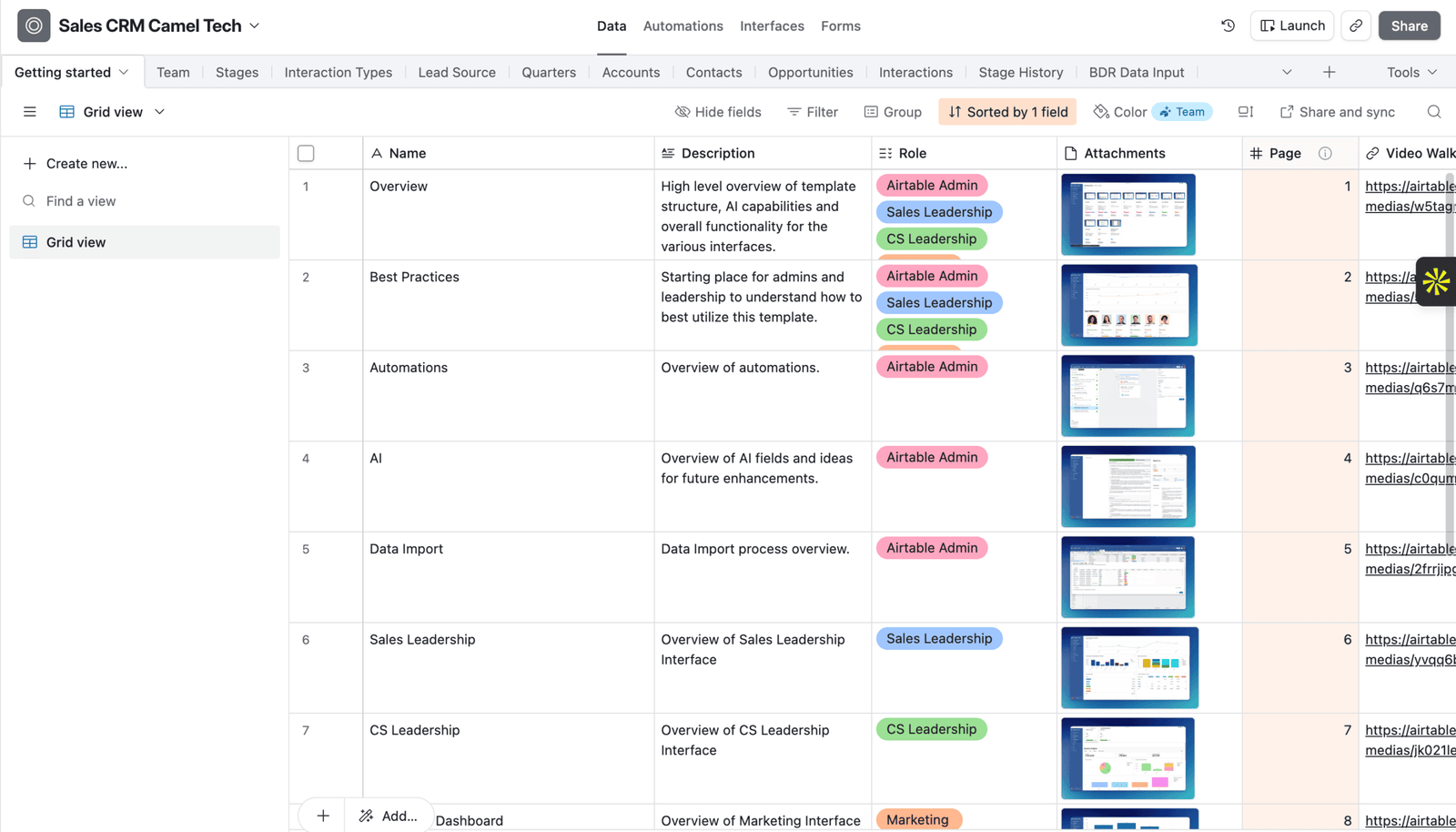
Airtable as a database
If Airtable stores structured and connected operational data, focus on relationships, data types, record volume, data integrity, API use, reporting, and permissions.
A project-management or documentation platform may not be a suitable replacement. Supabase, PostgreSQL, or another database could be a better fit.
Airtable as a project management tool
If the base mostly tracks tasks, projects, owners, deadlines, and status, look at ClickUp, Monday.com, Smartsheet, or Asana.
These tools are built around work management. They may handle dependencies, workload, and timelines with less custom setup.
Airtable as a company hub
If your team mainly uses Airtable for company information, plans, and light tracking, Notion may provide a better daily experience.
Notion works well for documents, policies, meeting notes, knowledge management, directories, and simple connected databases.
Airtable as a CRM
An Airtable CRM may track accounts, contacts, opportunities, sales activity, stages, forecasts, and revenue.
Before rebuilding it, compare it with a dedicated CRM such as HubSpot, Pipedrive, Monday CRM, Salesforce, or GoHighLevel. A dedicated CRM may remove the need for several custom workflows.
Airtable as an app building platform
This is the most complex use case.
If Airtable supports an internal app, customer portal, external front end, or custom script, the project is an application rebuild. The data is only one part of it.
7. Which Airtable Alternative is Best?
There isn’t one. The right destination depends entirely on the job Airtable is doing for you.
| Airtable use case | Possible destination | Main concern |
|---|---|---|
| Documents and light databases | Notion | Complex operations may lose structure |
| Projects and tasks | ClickUp | Not every Airtable record should become a task |
| Visual workflows and CRM | Monday.com | Relational logic may need to be redesigned |
| Enterprise project portfolios | Smartsheet | Less suited to custom application building |
| Sales CRM | HubSpot, Pipedrive, or Monday CRM | Custom processes may not map directly |
| Application database | Supabase or PostgreSQL | More technical knowledge is needed |
| Mixed business system | Hybrid setup | Each tool needs a clear purpose and owner |
Don’t pick the tool with the longest feature list. Pick the one that handles your most important workflows with the least effort and the least risk.
Notion may be easier for the team but weaker for structured operations. Supabase may offer greater control but requires technical support. ClickUp may improve project delivery while being a poor home for reference data.
The product with the most features is not always the best fit.
8. Should Everything Move?
Usually, no.
A migration is a chance to remove duplicate tables, broken workflows, and old data. Copying everything can carry years of clutter into the destination.
| Decision | Meaning | Example |
|---|---|---|
| Move | Transfer it to the destination | Active customer accounts |
| Rebuild | Recreate the same function | An approval workflow |
| Redesign | Improve the process before recreating it | Lead assignment |
| Archive | Keep it for reference | Closed projects |
| Retire | Remove it | Duplicate or unused fields |
| Retain temporarily | Keep it in Airtable during the transition | Audit history |
Classify each part of the system as move, rebuild, redesign, archive, retire, or retain temporarily.
Active customer records may move. An approval automation may need to be rebuilt. An old lead-routing process may be redesigned. Closed projects may be archived. Duplicate fields can be retired. Audit information may remain in a read-only Airtable base for a fixed period.
For each table, ask:
- Who uses it?
- What work does it support?
- Is it the source of truth?
- How often does it change?
- What depends on it?
- What breaks if it does not move?
- Does the history need to remain searchable?
- Could the process be simpler?
When a hybrid system is safer
Sometimes a full migration creates more problems than it solves.
A company may use Notion for knowledge, ClickUp for projects, HubSpot for sales, and Airtable for structured operational data. Another company may move its application data to Supabase while keeping Airtable as an internal admin interface for a short period.
A hybrid system works when ownership is clear. It fails when the same record is edited in several places, and nobody knows which version is correct.
9. What Must be Included in An Airtable Migration?
A complete migration includes data, structure, business logic, user interfaces, automation, integrations, and governance.
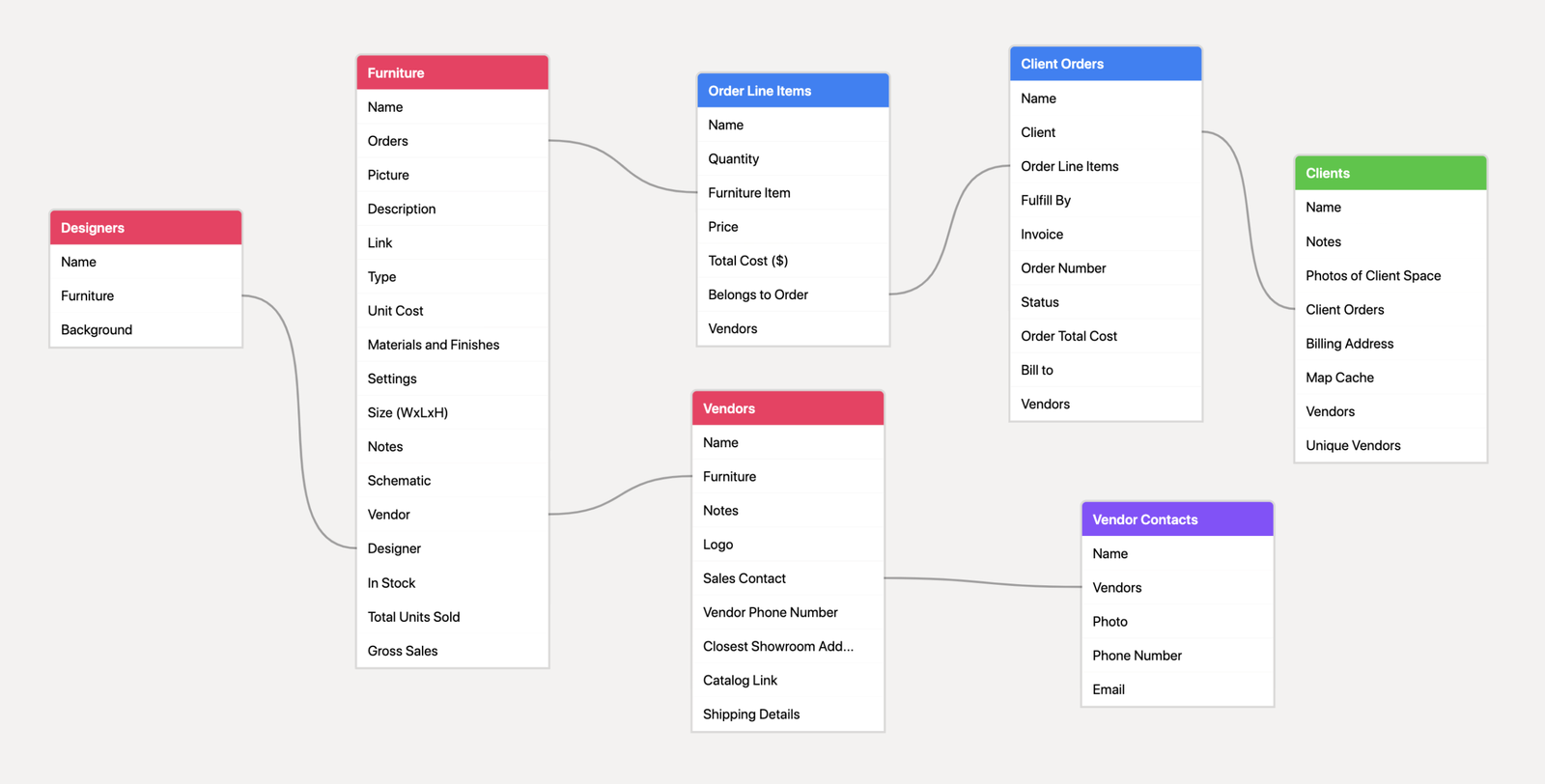
A full migration includes more than records.
Data
This may include:
- Current records
- Archived records
- Attachments
- Documents
- Comments
- Created and modified dates
- Owners
- Historical reporting data
Structure
Document:
- Tables
- Primary fields
- Field types
- Linked records
- Lookups
- Rollups
- Junction tables
- Views
- Filters
- Groups
Business logic
Record:
- Formulas
- Validation rules
- Status changes
- Approval rules
- Revenue calculations
- Forecasts
- Record creation rules
- AI field prompts
User experience
Include:
- Interfaces
- Forms
- Dashboards
- Buttons
- Shared views
- Mobile workflows
- Customer portals
Automations and integrations
Inventory:
- Airtable automations
- Make scenarios
- Zapier workflows
- n8n workflows
- Scripts
- Webhooks
- APIs
- Slack notifications
- Email workflows
- Forms
- External applications
Governance
Capture:
- Users
- Roles
- Permissions
- Sensitive fields
- Data retention rules
- Audit needs
- Backup policies
- System ownership
If you move only the data, you have not moved the system.
10. Which Migration Method Should You Use?
CSV export and import
CSV works well for simple tables with few relationships.
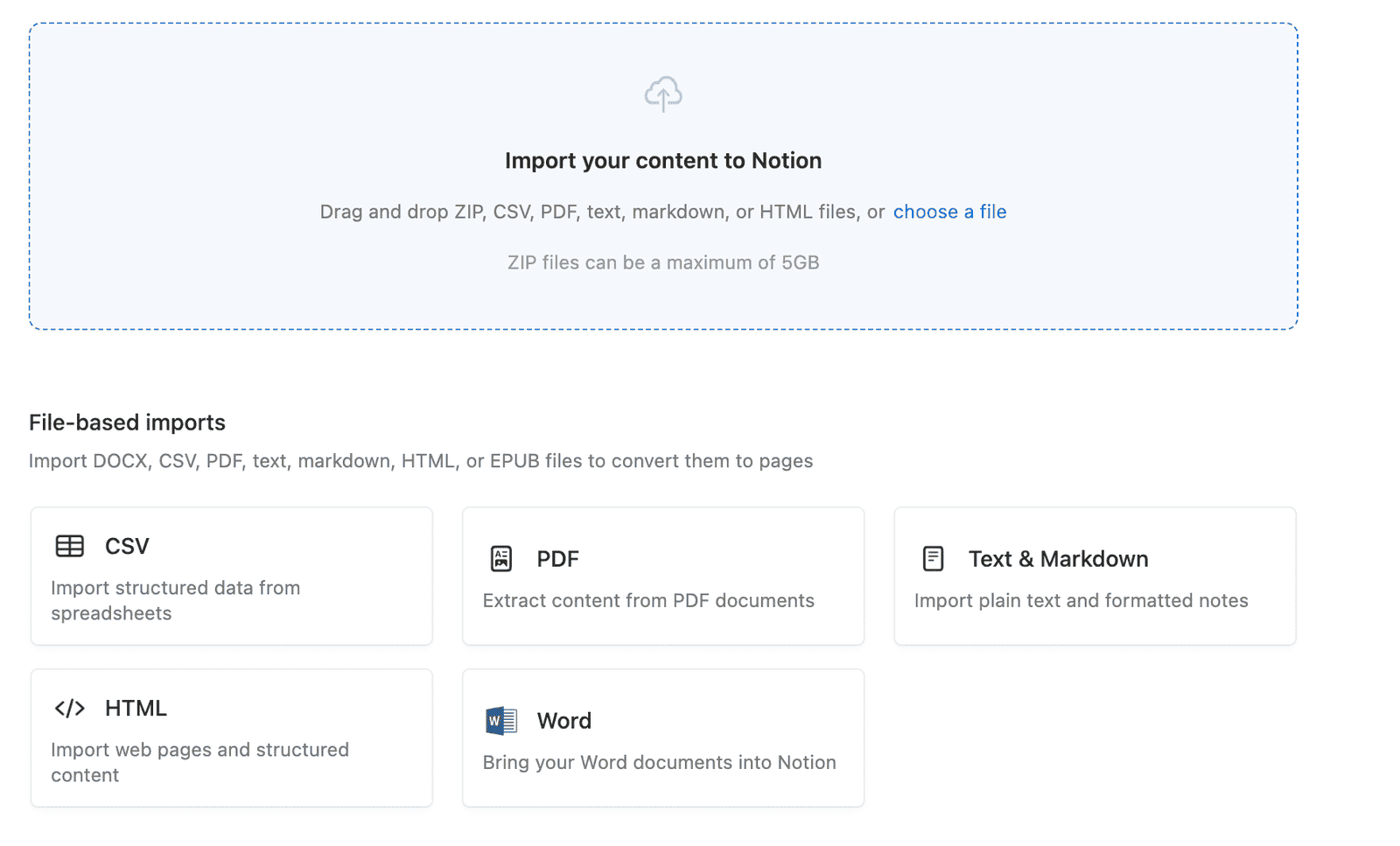
It is fast and easy to understand, but it has important limits.
Airtable does not export an entire base as one file. Each table must be exported separately. CSV also does not preserve live automations, interfaces, formulas, permissions, or working relationships.
Airtable explains these export limits in its official CSV export documentation.
Use CSV when:
- You have one or two simple tables.
- Most records are independent.
- You have few attachments.
- There are no critical relationships.
- You can complete some cleanup by hand.
API-based migration
An API-based migration gives you more control.
It is often the right choice for:
- Several connected tables
- Large datasets
- Attachments
- Complex transformations
- Incremental updates
- Repeatable migration runs
The migration can store a map between each Airtable record ID and the new destination ID. That makes it easier to rebuild relationships and trace errors.
The API does not remove the need for planning. The migration still needs logging, retry rules, error handling, and quality checks.
Automation-assisted migration
Make, Zapier, and n8n can help with medium-sized migrations.
They can:
- Find matching records
- Transform field values
- Create destination records
- Populate relation fields
- Upload files
- Run updates in batches
- Report failed records
The workflow must account for duplicate records, missing matches, API limits, and partial failures.
A full rebuild
A direct copy is not always wise.
If the Airtable base contains years of workarounds, build the destination around the process the business needs now. This takes more design work, but it often produces a much simpler system.
Parallel operation
For a critical system, run Airtable and the destination together for a short period.
Decide which platform owns each type of change. Otherwise, the same record may be updated in two places.
Vendor-provided import tools
Some destination platforms responded quickly to the news. Baserow published guidance encouraging concerned Airtable users to test-import a base without touching the original, a low-risk way to gauge migration effort before committing to it.
11. How to Prepare and Export Airtable Data
- Start by assigning one migration owner. That person should be responsible for scope, data quality, testing, communication, and final approval.
- Next, limit structural changes. Renaming a field or changing a formula during migration can break a mapping that has already been approved.
- Build a migration inventory that lists each component, its owner, its importance, its destination, and how you’ll test it.
| Component | Owner | Importance | Destination | Action | Test |
|---|---|---|---|---|---|
| Accounts | Sales Operations | Critical | Accounts database | Move | Count and sample check |
| Revenue formula | Finance | Critical | New formula | Rebuild | Compare test accounts |
| Old campaigns | Marketing | Low | Archive | Archive | Confirm access |
| Lead notification | Revenue Operations | High | n8n | Rebuild | Trigger test |
- Preserve Airtable record IDs and any business IDs, such as customer numbers or project numbers. Do not match records only by name.
- Create one clean migration view for each table. Include all required fields, stable IDs, linked-record references, attachments, and timestamps.
- Before exporting, record baseline totals. These should include record counts, attachment counts, values by status, blanks in critical fields, and important financial totals.
Export each table separately
Save each CSV with the table name and export date. Record the number of rows. Keep one unchanged master copy and clean a separate working copy.
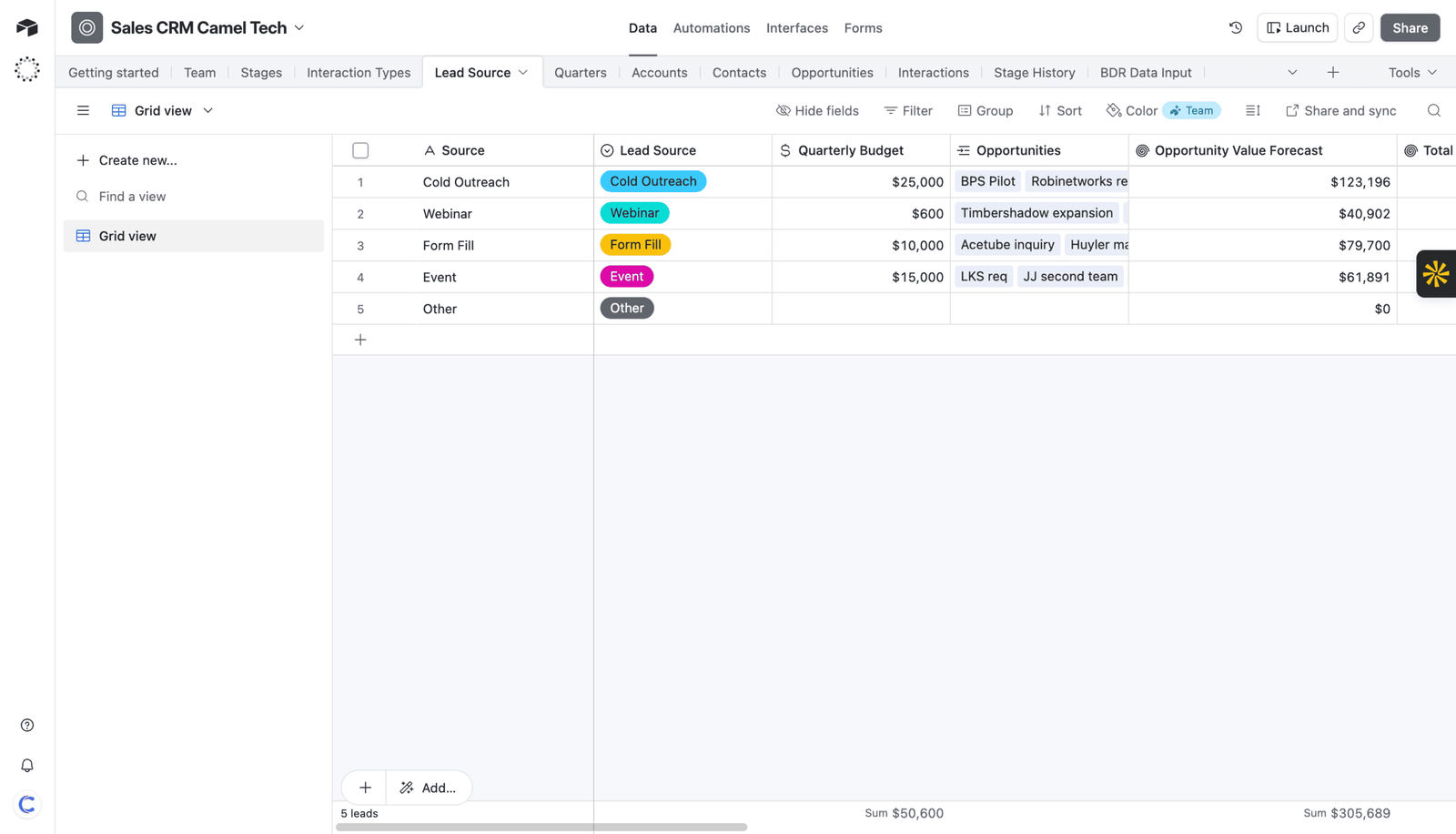
Airtable’s CSV exports include attachment filenames and links, not the files themselves, and Airtable warns that those download links expire. Download attachments promptly and move them to permanent storage.
See more info: Airtable’s attachment URL guidance.
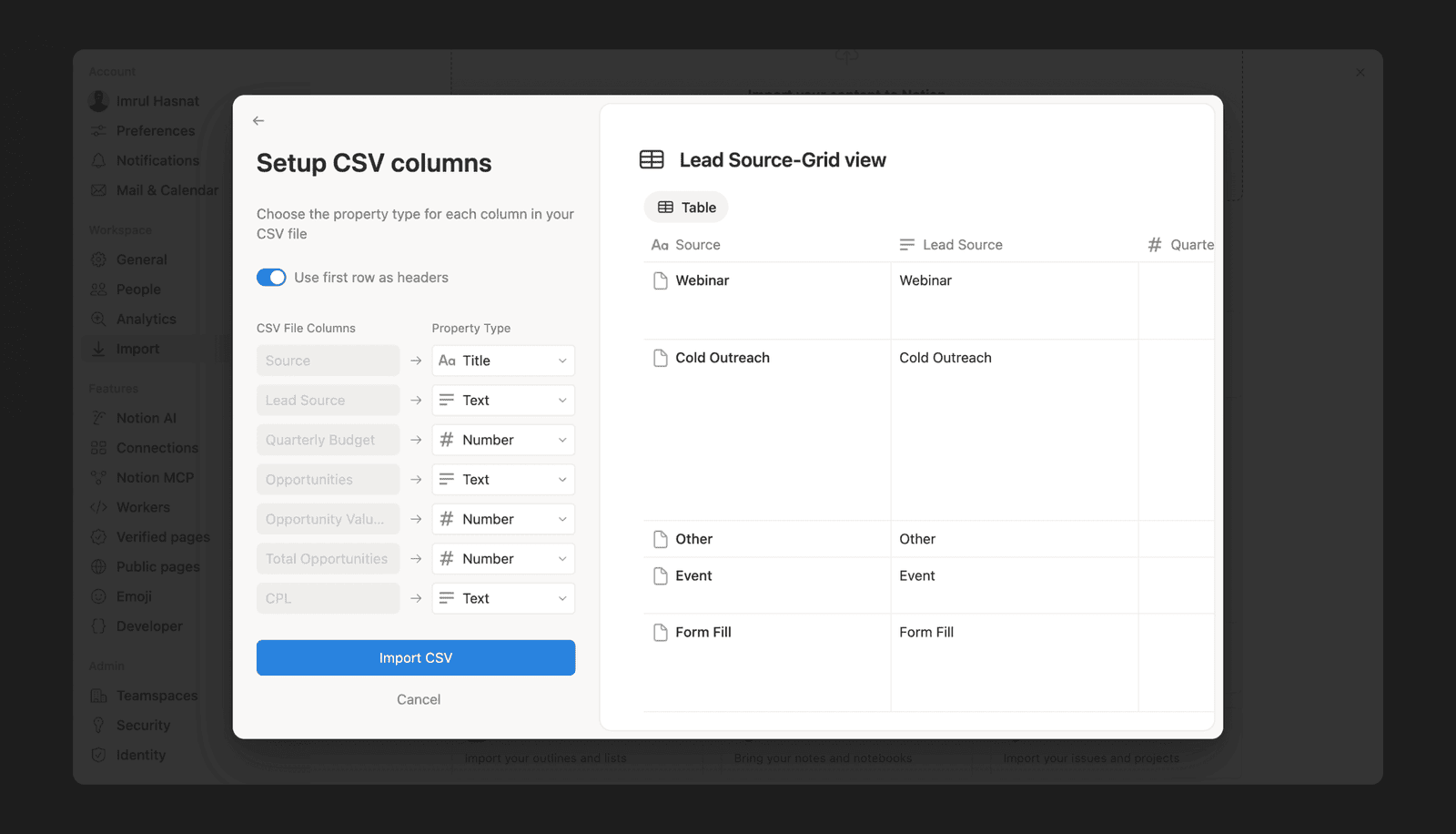
Build a field-mapping table
| Airtable table | Airtable field | Destination | New field | Rule |
|---|---|---|---|---|
| Accounts | Company | Accounts | Name | Copy |
| Accounts | Owner | Accounts | Owner | Match by email |
| Opportunities | Account | Opportunities | Account | Match by record ID |
| Opportunities | ARR | Opportunities | Annual revenue | Convert to number |
| Contacts | Interests | Contacts | Tags | Split values |
Clean dates, time zones, currencies, percentages, email addresses, phone numbers, user names, select options, duplicates, and character encoding.
Document every change. This makes errors easier to trace.
12. How to Preserve Linked Records
This is where many migrations fail.
A linked-record name imported as text is not a working relationship
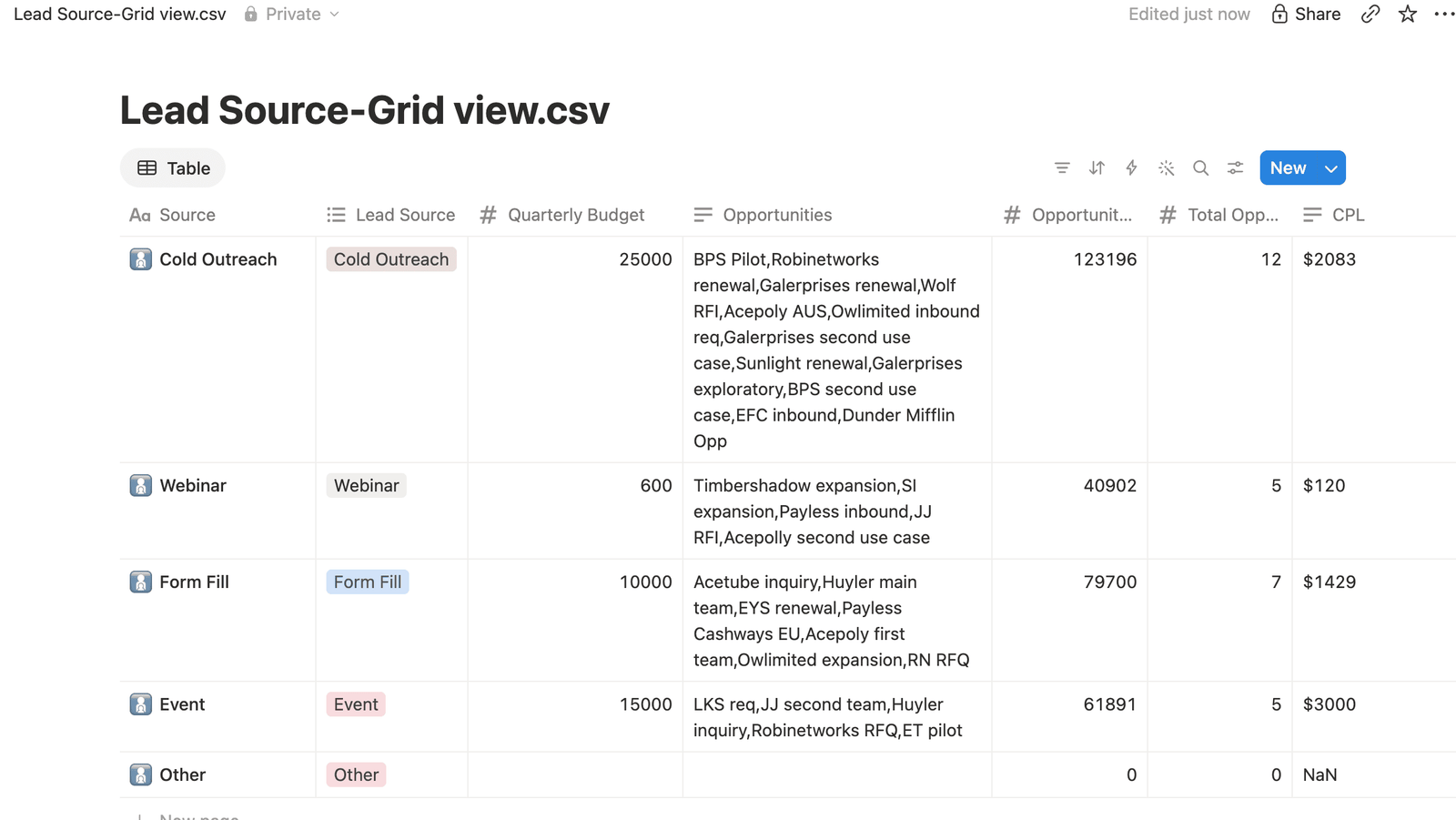
The destination must know which exact record it should connect to.
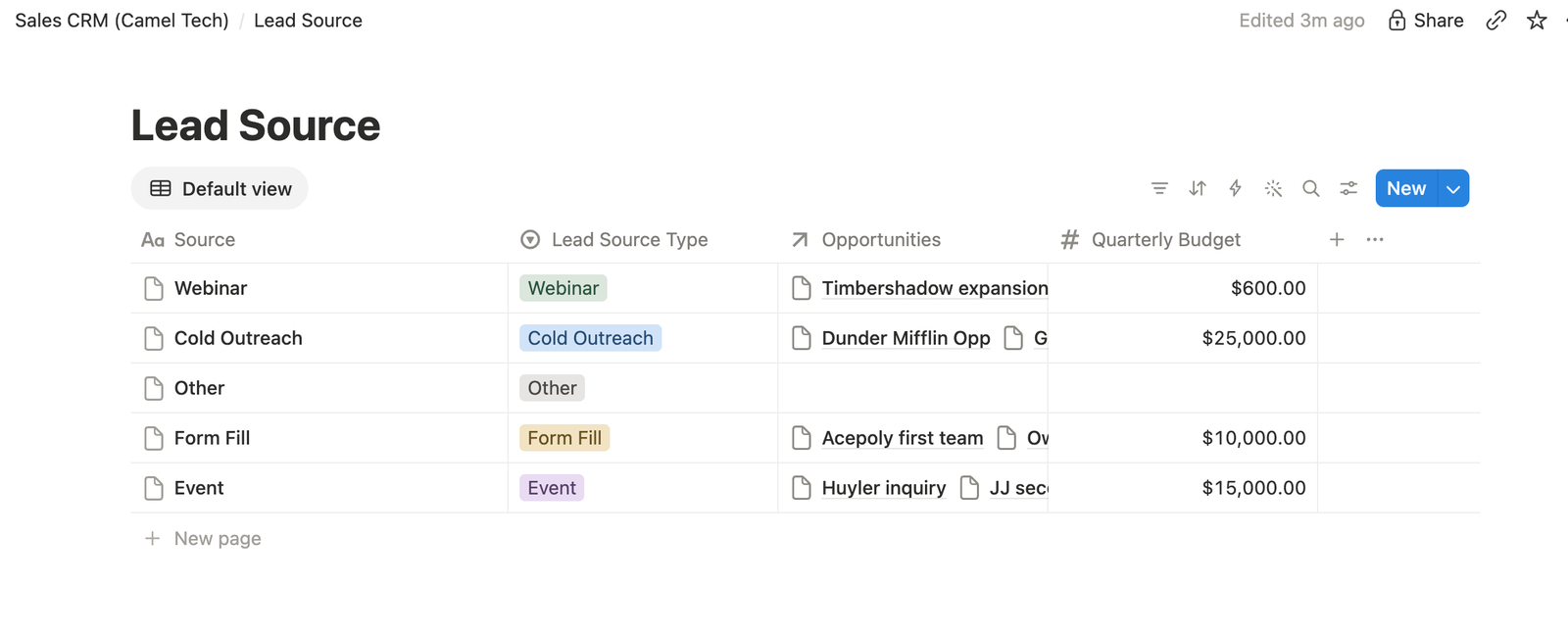
Use the following order:
- Export every related table and preserve the Airtable record IDs.
- Build the destination tables and relation fields.
- Import parent records first.
- Store the destination ID created for each parent.
- Build a map between Airtable IDs and destination IDs.
- Import child records and populate relationships through that map.
- Keep the original relationship text until testing is complete.
- Review missing, duplicate, and uncertain matches.
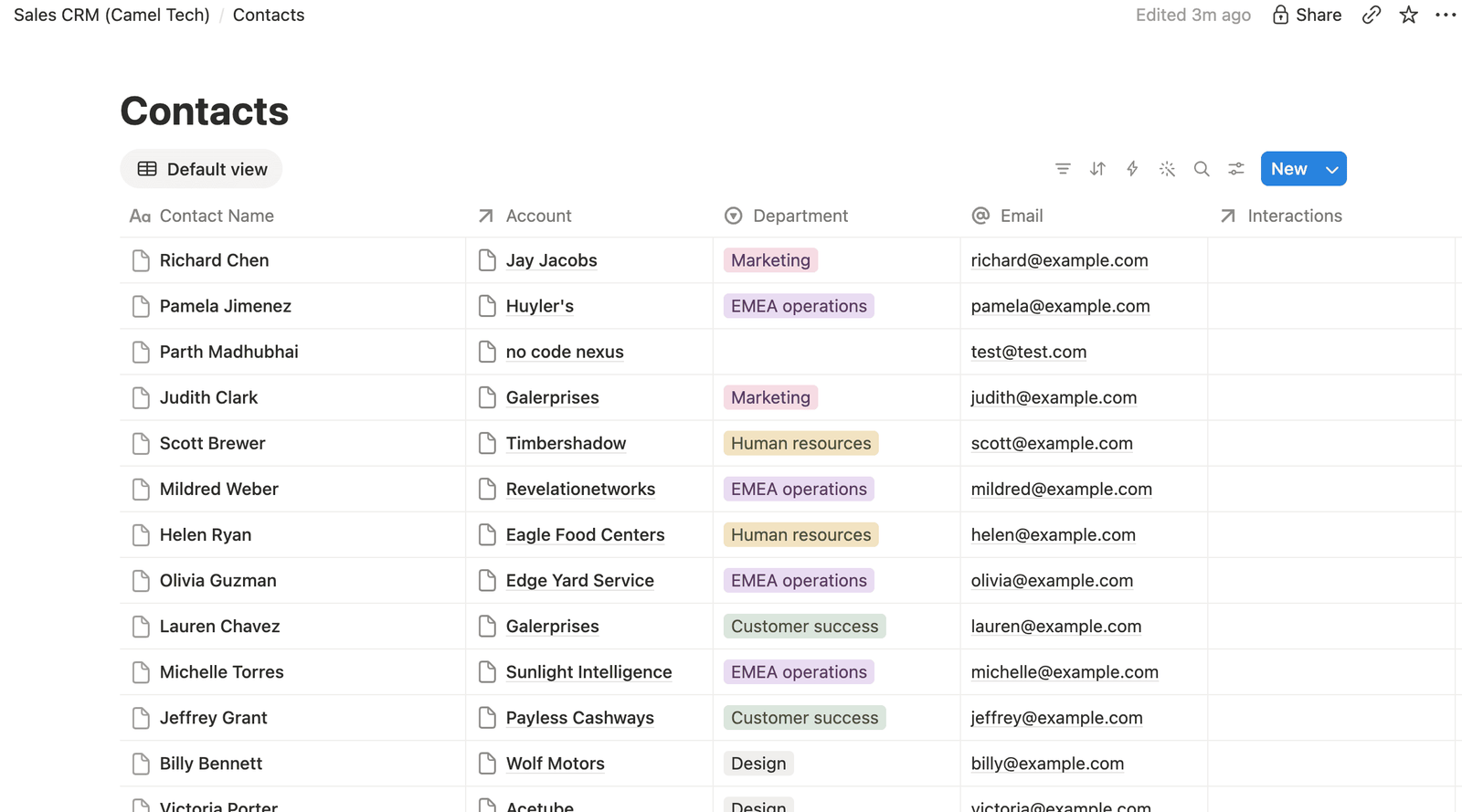
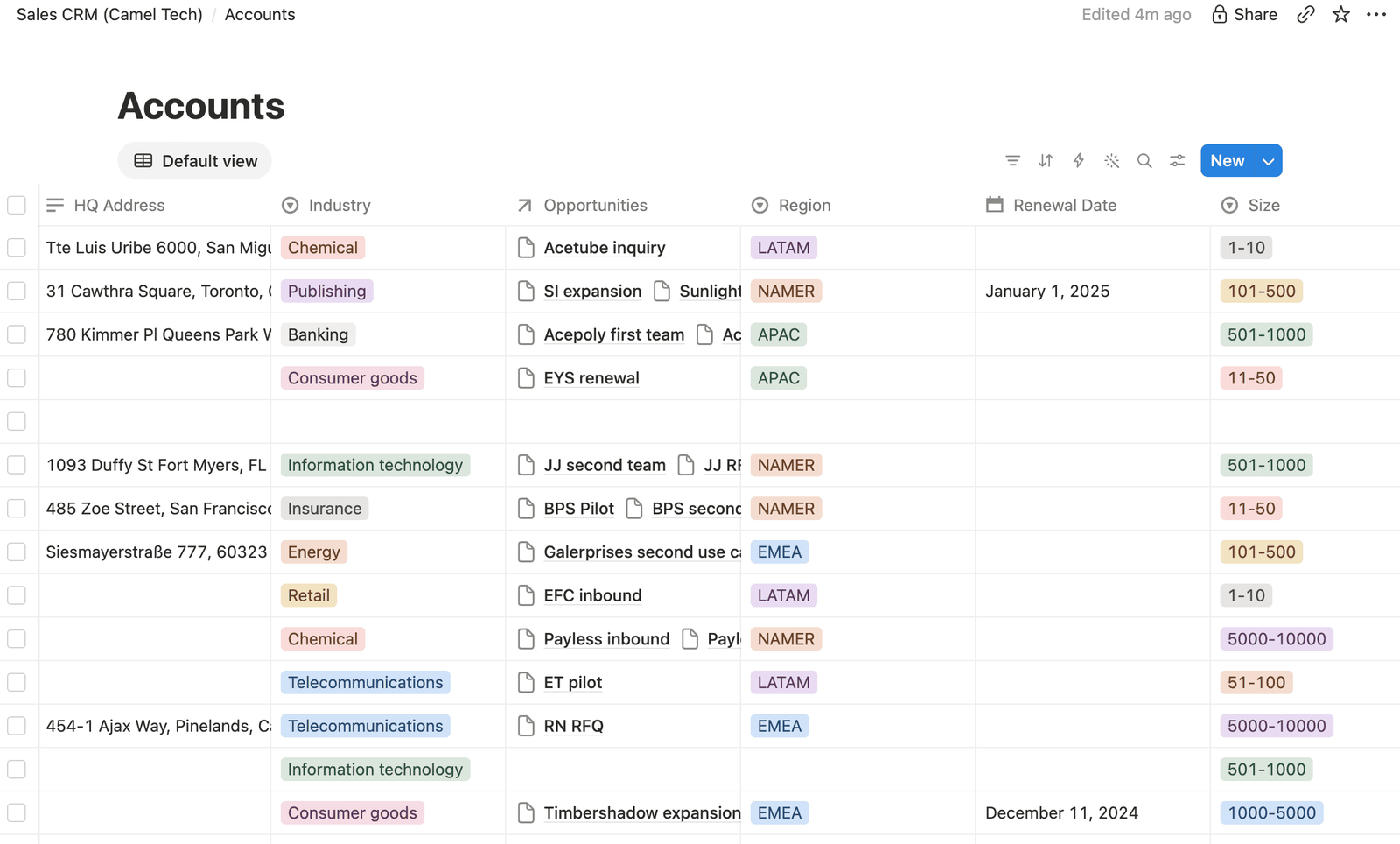
Imagine a CRM with 2,000 accounts, 8,000 contacts, and 3,000 opportunities.
Import accounts first. Map the old account IDs to the new IDs. Then import contacts and opportunities. Connect them through the ID map.
Do not rely only on company names.
Airtable to Notion relationships
Notion can import CSV files as databases, but a new CSV import cannot automatically create new relations, rollups, or formulas. Those parts must be built separately.
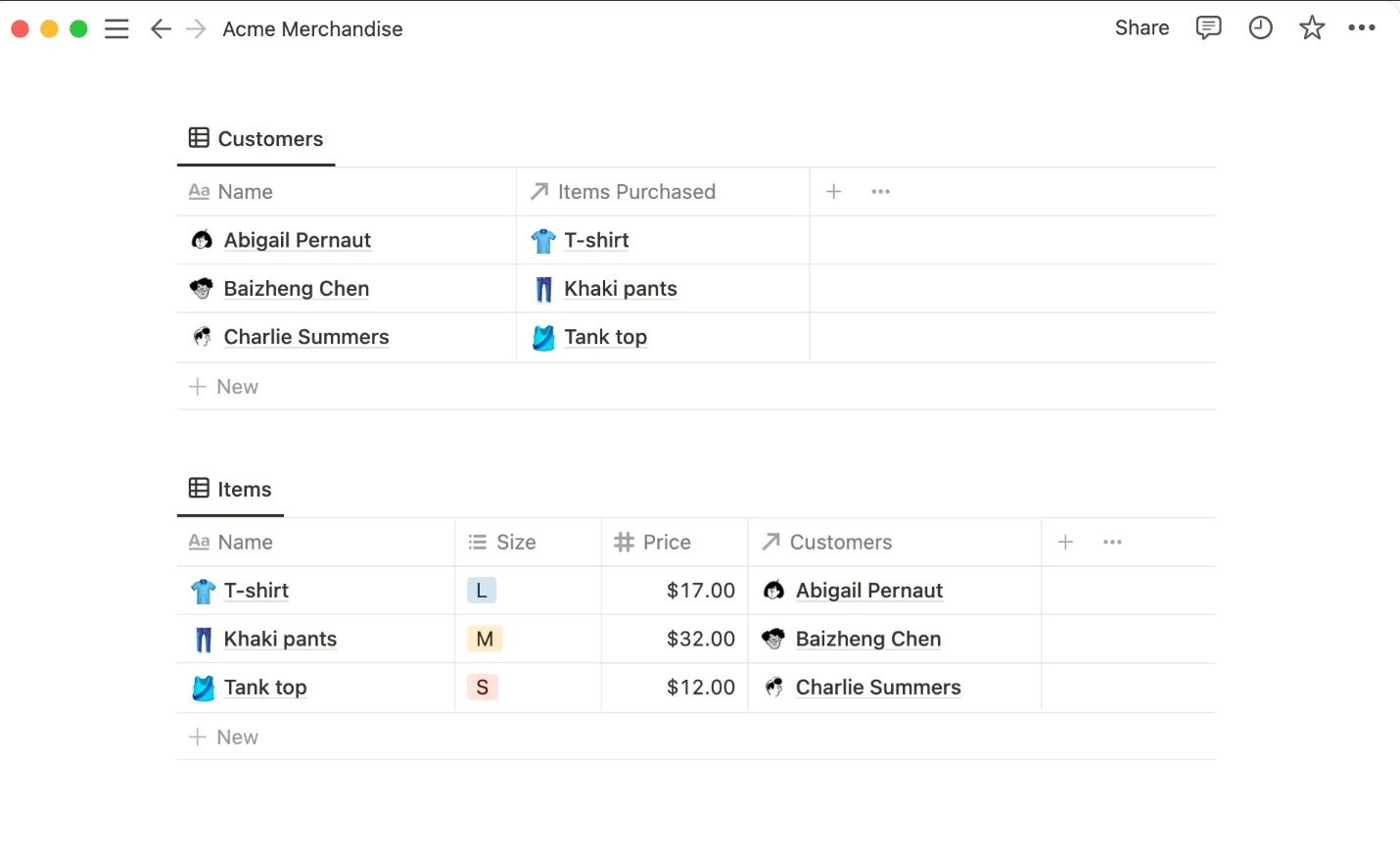
Repeated CSV imports can also produce duplicate records because imports add rows instead of updating existing ones. Notion documents these limits in its CSV import guide.
For a small database, relations can be repaired by hand. For a larger system, use Make, n8n, Zapier, the Notion API, or a migration script.
13. How to Migrate Formulas, Automations, and Integrations
An exported formula result is only a value. It no longer updates when the source fields change.
For every formula, choose one action:
- Rebuild it as a native formula.
- Replace it with a query or rollup.
- Move the calculation into an automation.
- Build it as a database function.
- Keep the current value as historical data.
- Retire it.
Test the new calculation against known Airtable results.
Include normal records and edge cases. Test blank values, zero values, invalid dates, missing relationships, and unusual text.
Complex rollups may become:
- Native rollups
- Mirror fields
- SQL views
- Queries
- Database functions
- Automation-maintained fields
- Dashboard calculations
Some multi-step Airtable rollups cannot be copied directly. The data model may need to change.
Automations
Document each automation before rebuilding it.
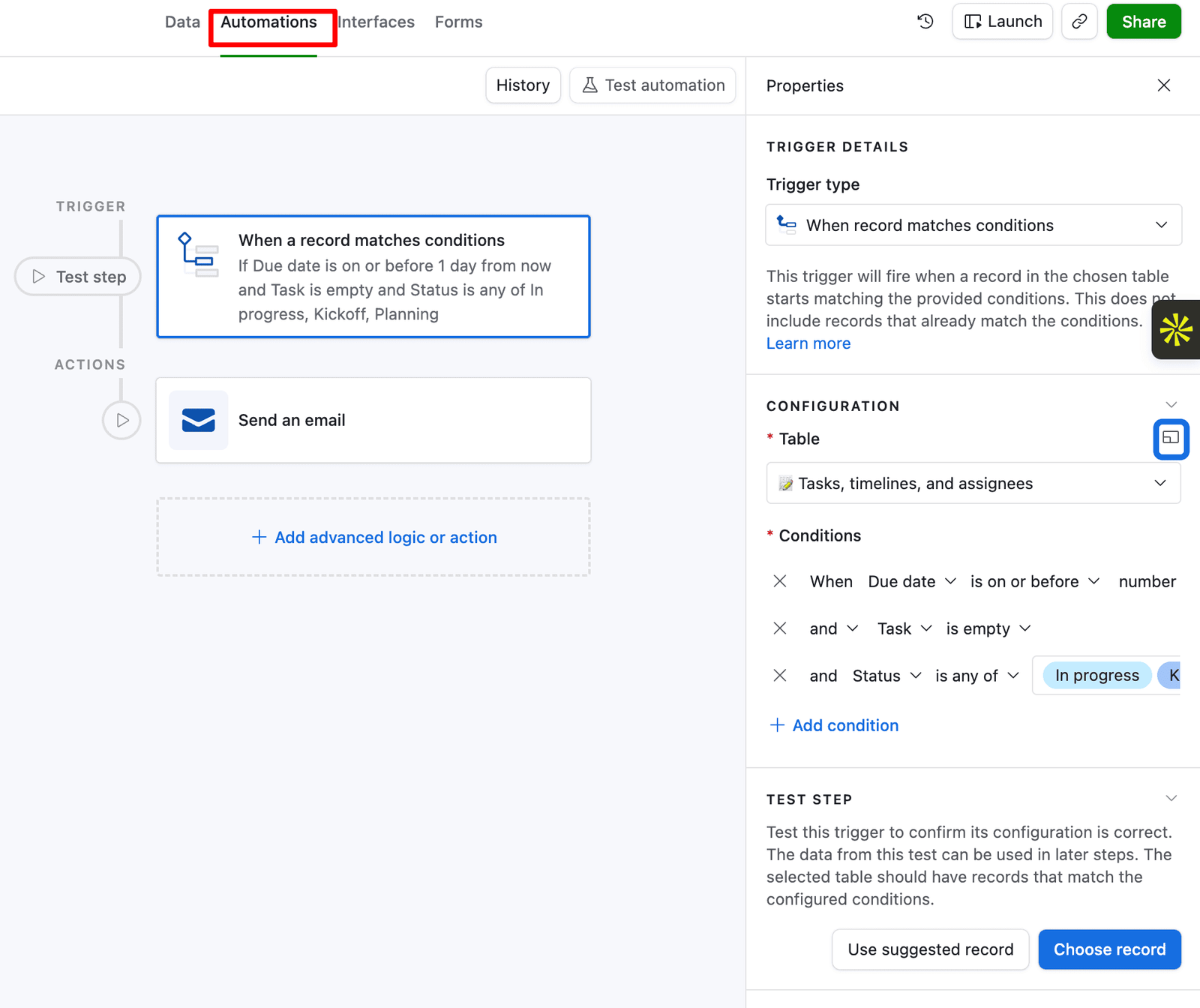
Record its business purpose, trigger, conditions, inputs, actions, connected applications, owner, frequency, error handling, and dependencies.
Then choose whether to rebuild it inside the destination, move it to Make or n8n, replace it with database logic, redesign it, or retire it.
Test normal and failed scenarios. Check missing data, duplicates, invalid input, permission errors, API failures, and repeated triggers.
During the transition, make sure Airtable and the destination do not send the same message or create the same record twice.
Integrations
Every system that reads from or writes to Airtable must be updated.
This may include website forms, CRM platforms, accounting systems, Slack, customer portals, reporting tools, data warehouses, and custom applications.
For each integration:
- Document what it reads and writes.
- Record the current authentication.
- Build the new endpoint.
- Map the fields.
- Test sample records.
- Test errors and retries.
- Compare the old and new outputs.
- Switch production traffic.
- Monitor failures.
14. How to Make the Final Migration Decision
We use four questions to bring the decision back to business needs.
Fit
Does the destination suit the work the team performs?
A project tool may handle tasks well but perform poorly as a database. A documentation tool may be pleasant to use while reducing operational control.
Risk
What could be lost?
Consider reliability, structure, reporting, permissions, automations, audit history, application performance, and business continuity.
Adoption
Will the people responsible for entering and maintaining the data use the new system correctly?
A strong platform can still fail if the team finds it confusing or avoids using it.
Return
Are the benefits worth the implementation cost, disruption, training, and long-term maintenance?
Include internal staff time as well as software and consulting costs.
Migration decision scorecard
Score each area from 1 to 5.
| Area | 1Weak | 3Moderate | 5Strong | Your score |
|---|---|---|---|---|
| Fit | Poor match | Some gaps | Strong match | |
| Risk | Major capability loss | Manageable risk | Low risk | |
| Adoption | Low user support | Mixed response | Strong support | |
| Return | Cost exceeds benefit | Uncertain return | Clear value | |
| Total | Add Fit + Risk + Adoption + Return | __/20 | ||
How to read the score
- 16 to 20: A full migration may make sense.
- 11 to 15: Run a pilot first and fix the weak areas before committing further.
- 10 or below: Stay on Airtable, or reconsider the destination.
Do not look only at the total.
If adoption scores high but fit scores low, the team may love the new interface while the business loses important structure. A hybrid system may be safer.
If fit is high but adoption is low, improve the design, training, and change plan before moving.
If return is low, fixing the current Airtable setup may be cheaper than replacing it.
15. How to Test and Launch the New System
- A clean import isn’t proof of a successful migration. Compare source and destination record counts, attachments, blanks, totals, dates, and status values. Check for orphaned records, missing parents, incorrect matches, and broken many-to-many relationships.
- Ask real users to create records, update statuses, submit forms, upload files, approve requests, run reports, and find historical information.
- Test the system as an administrator, editor, read-only user, external collaborator, and unauthorized user. Make sure each person can see what they need without accessing restricted data.
- Before launch, agree on clear acceptance rules. Critical records must be present. Financial totals must match. Important automations must pass. Permissions must be checked. A rollback must remain possible.
Airtable migration launch steps
- Announce the migration window.
- Stop unnecessary Airtable changes.
- Complete the main data transfer.
- Import any records changed since the first transfer.
- Reconcile records, relationships, and totals.
- Make Airtable read-only.
- Activate the new automations and integrations.
- Move users to the destination.
- Monitor errors and support requests.
- Keep Airtable available for reference until final approval.
- Keep your original Airtable setup available after launch.
16. How Camel Tech Can be Your Airtable Migration Partner
An Airtable migration sits between operations and technology.
You need to understand how the company works. You also need to understand databases, project platforms, formulas, automation, APIs, permissions, and user adoption.
Camel Tech works across both sides.
We start with the process instead of forcing every client into one preferred tool. The right answer may be Notion, ClickUp, Monday.com, Supabase, a CRM, or a mix of systems. It may also be to remain on Airtable and improve the existing setup.
Our team works with Airtable, Notion, ClickUp, Monday.com, HubSpot, Salesforce, Supabase, Make, Zapier, n8n, and custom APIs. Camel Tech is a ClickUp Verified Consultant, Monday.com Official Partner, and Notion Certified Consultant. You can see how this plays out on real projects on our case studies page, or hear it directly from clients on our reviews page. You can read more about our work on the Camel Tech website.
A migration project can cover the initial audit, destination selection, data mapping, system design, data transfer, relationship rebuilding, automation, custom integrations, testing, documentation, training, and post-launch support.
We don’t treat it as a file transfer. We look at the workflows sitting on top of the data, figure out what should move, what should change, and what should just go away, and then build and test the destination around how your team actually works. That’s what keeps you from paying to rebuild the same problems inside a different tool.
The goal is not only to leave Airtable. The goal is to leave with a better business system.
Frequently Asked Questions (FAQ)
Bending Spoons has agreed to acquire Airtable, but the acquisition has not yet been confirmed as complete. On August 4, 2026, Bending Spoons announced a definitive agreement to acquire Airtable in an all-cash transaction valuing the company at $1.285 billion in enterprise value. Both companies' boards approved the deal, but it remains subject to regulatory approval and other standard closing conditions. Until the companies announce that the transaction has officially closed, Airtable and Bending Spoons should still be treated as separate companies.
No. There has been no announcement that Airtable is shutting down. Bending Spoons' acquisition announcement described plans to continue investing in Airtable and developing the product as a platform for data and business workflows. However, ownership changes can eventually affect pricing, staffing, product priorities, support, or plan limits. Airtable customers do not need to migrate simply because of the acquisition, but businesses that depend heavily on Airtable should maintain backups, document critical workflows, and monitor official product and pricing updates.
No, choosing Airtable was not necessarily a mistake. Airtable has helped many businesses replace spreadsheets, connect operational data, automate workflows, build forms, and create internal applications without developing custom software. A later acquisition, pricing change, or product change does not make the original decision wrong. The bigger risk is allowing Airtable, or any software platform, to become an undocumented dependency. Your business should know what data Airtable stores, which workflows depend on it, how the data can be exported, where business logic is stored, and how the system could be restored or migrated if necessary.
You should not leave Airtable solely because Bending Spoons agreed to acquire it. If Airtable still meets your operational needs and its cost remains acceptable, an immediate migration may create more disruption than value. Instead, back up your data, document linked records, formulas, automations, interfaces, integrations, and permissions, then identify the changes that would justify leaving, such as a major price increase, reduced API access, lower support quality, or removed functionality. Test possible alternatives before committing. Migrate only when another system provides a clearly better combination of functionality, cost, control, reliability, and long-term fit.
No Airtable price increase has been announced as part of the Bending Spoons acquisition agreement. However, Bending Spoons has changed pricing and packaging at some previously acquired software companies, so Airtable customers should consider future pricing changes a possibility rather than a certainty. Businesses should review their current Airtable cost, renewal date, user count, plan limits, and acceptable price threshold in advance. If pricing changes later, you can then compare the increased cost against the cost and disruption of migrating to another platform instead of deciding under pressure.
Airtable does not provide a standard CSV export that recreates an entire base as one complete, working system. Each table is exported separately, and CSV files mainly preserve record values rather than the full Airtable configuration. Linked-record relationships, formulas, rollups, automations, interfaces, permissions, scripts, views, integrations, and other business logic may need to be documented and rebuilt separately. Attachment exports also require special attention because exported records may contain attachment links rather than permanent copies of the files. For a complex Airtable base, a complete backup or migration therefore requires more than downloading CSV files.
Yes, you can migrate Airtable data to Notion, but a complex Airtable system usually cannot be reproduced through a simple CSV import alone. Basic records and fields can be imported into Notion databases, but Airtable relations, formulas, rollups, automations, interfaces, permissions, and workflow logic may need to be rebuilt manually or through the Notion API, Make, n8n, Zapier, or custom migration scripts. You should also preserve Airtable record IDs during the migration so linked records can be matched correctly. Notion is generally a stronger destination when Airtable is being used for knowledge management, documentation, and lighter connected databases rather than highly structured operational or application data.
There is no single best Airtable alternative because the right platform depends on what Airtable is doing for your business. Notion is often better for documentation, knowledge management, and lighter connected databases. ClickUp, Monday.com, Smartsheet, and similar platforms are generally better suited to project and task management. HubSpot, Pipedrive, Salesforce, or another dedicated CRM may be a better choice if Airtable primarily manages sales. Supabase or PostgreSQL may be more appropriate when Airtable functions as an application database. Some businesses are better served by a hybrid setup where different tools handle projects, CRM, knowledge, and structured operational data, rather than forcing everything into one platform.
An Airtable migration can take anywhere from a few hours to several months, depending on the system's complexity. A simple table with independent records and few fields may be exported, cleaned, and imported in a few hours. A business-critical Airtable system with multiple linked tables, formulas, rollups, attachments, interfaces, automations, permissions, integrations, and historical data can take several weeks or longer to redesign, migrate, test, and launch safely. The timeline also depends on data quality, the destination platform, the number of workflows that must be rebuilt, user testing, and whether Airtable and the new system need to run in parallel during the transition.
ChatGPT or Claude can help with parts of an Airtable migration, but they should not be treated as a fully autonomous migration solution. AI can help analyze an Airtable schema, create field-mapping plans, translate formulas, generate migration scripts, document automations, identify inconsistencies, and troubleshoot errors. However, a person still needs to decide how the destination system should work, verify data mappings, manage credentials and permissions, test linked records and calculations, validate automations and integrations, review failed records, and approve the final launch. AI can significantly reduce migration planning and technical work, but human oversight is still necessary for a reliable business-system migration.
Final Recommendation
The Bending Spoons agreement changes Airtable’s risk profile. It doesn’t mean every Airtable customer should head for the exit.
The evidence points in two directions at once. Airtable is a large, growing product with serious enterprise customers, and Bending Spoons has the scale and technical resources to invest in it. That same buyer also has a documented history of large workforce reductions after acquisitions and a sharp focus on efficiency. Both things can be true.
Prepare for either outcome.
Document your processes. Keep reliable backups. Preserve stable record IDs. Record your formulas and automation logic. Define the source of truth for each data type. Test whether your exports can actually be restored.
Then use Fit, Risk, Adoption, and Return to decide whether you should stay, migrate, or use a hybrid system.
If you are unsure which path is right, book an Airtable migration-readiness call with Camel Tech. We can review your data, relationships, formulas, automations, integrations, and operating processes before you commit to a migration.
Read Related Articles
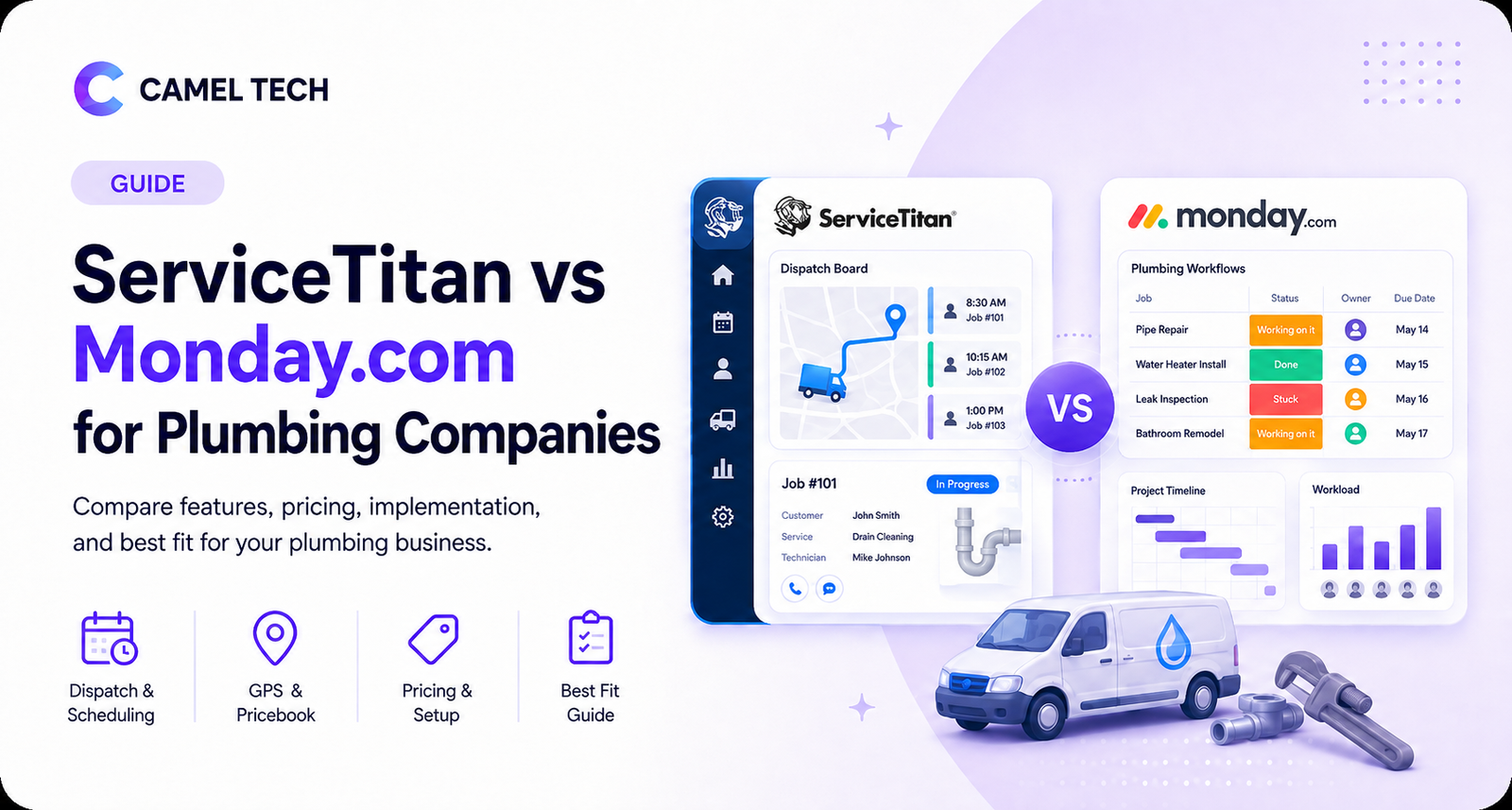
ServiceTitan is purpose-built for plumbing dispatch, GPS, and pricing. Monday.com is cheaper and flexible but

Compare the best ClickUp consultants and agencies in 2026 by pricing, specialty, and red flags
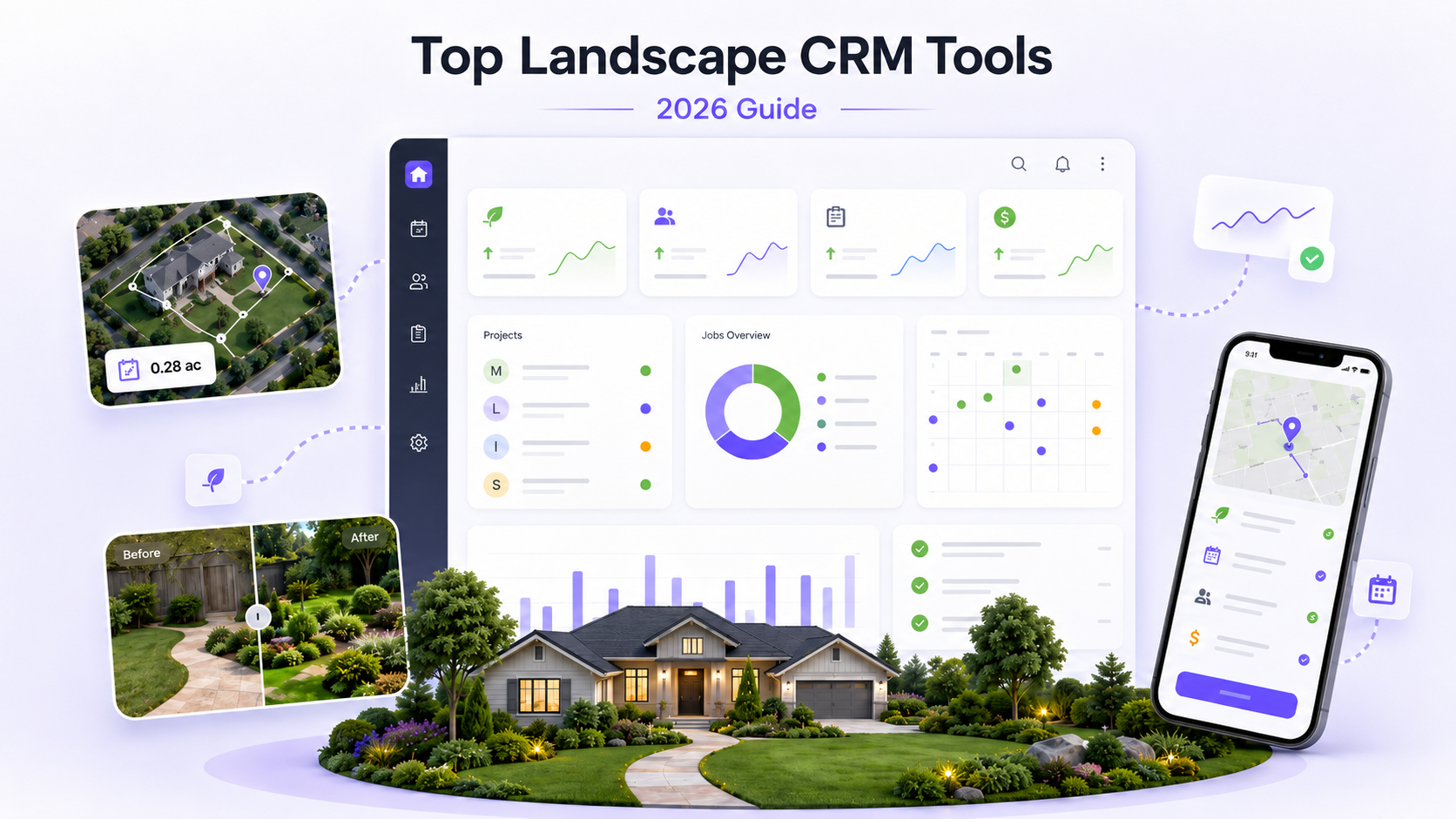
The best Landscape CRM tools in 2026, ranked by AI depth, automation, and pricing. See
Build a business that thrives without you
Unlock your ultimate life goals: Focus on high-leverage tasks, personal growth, and family time while pursuing your next big initiative.
Let's book a call with our expert.

Selected resource
Enter your email and we’ll send the resource directly to your inbox.
✓
Check your inbox
We’ve received your request and will send the resource to your email.
Please check your spam or promotions folder if you don’t see it shortly.