
ClickUp Whiteboard vs Miro 2026: Which Visual Collaboration Tool Should You Use?

Imrul Hasnat
Founder, Camel Tech
- Last Updated:October 25, 2026
15 mins read
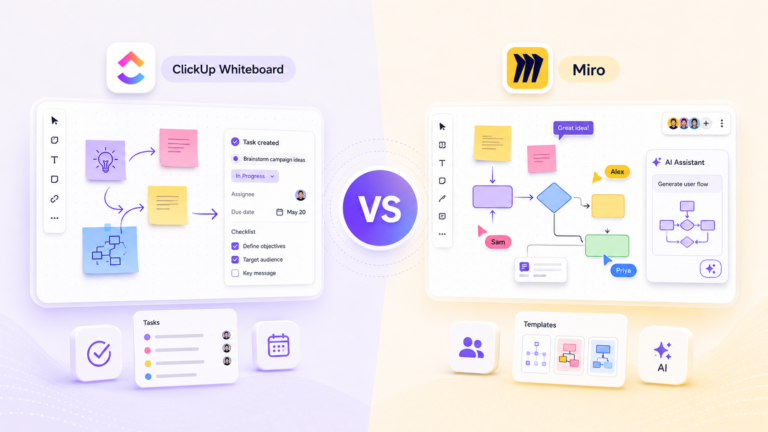
Table of Contents
Quick Answer
Before you compare features, one thing matters more: these are not two versions of the same product. ClickUp Whiteboard is a single feature inside ClickUp, an all-in-one work platform. Miro is a standalone product built entirely around visual collaboration. That difference shapes almost everything below.
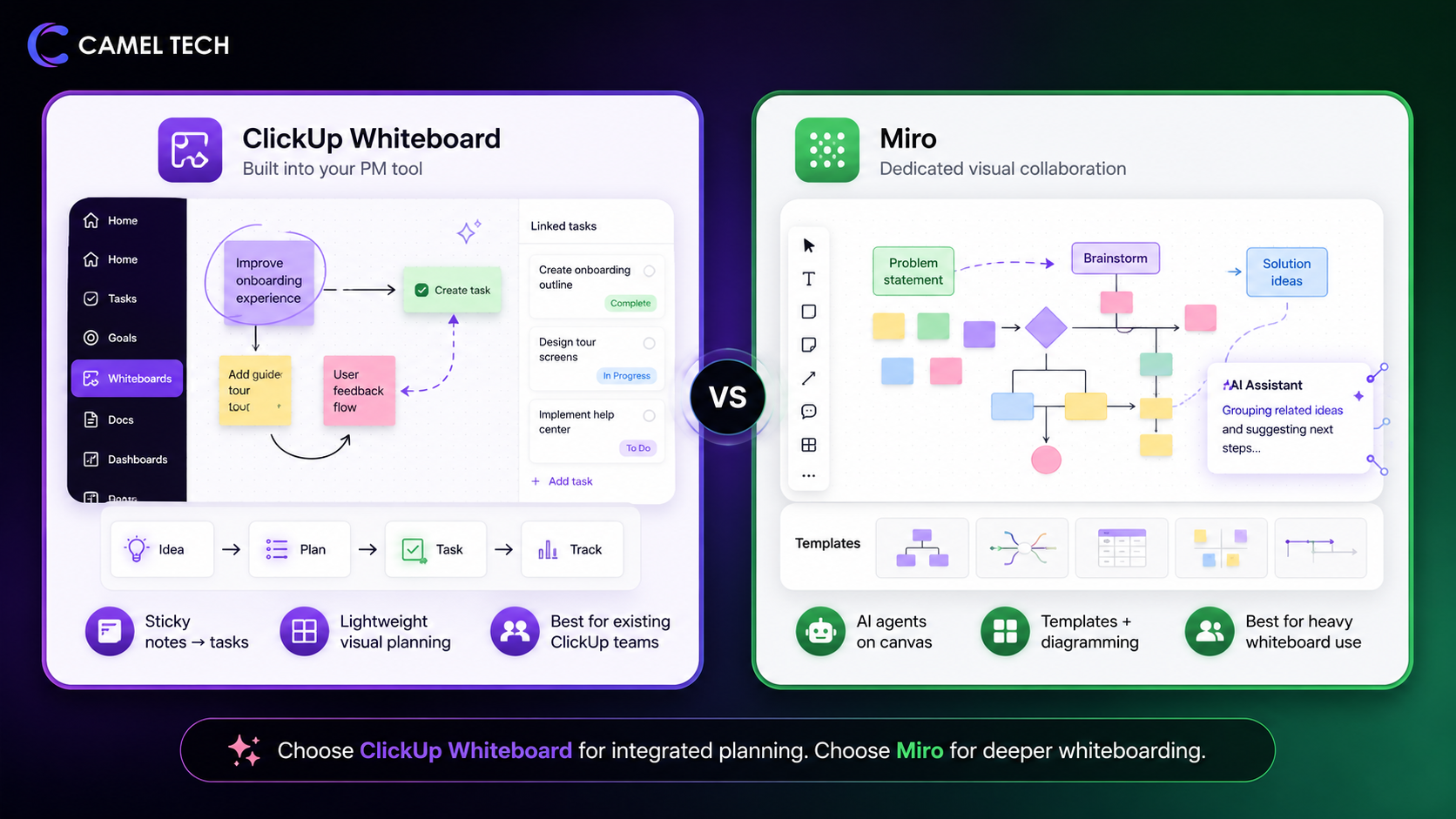
ClickUp Whiteboard turns sticky notes into actionable tasks without leaving your project management tool. Best for teams that already use ClickUp and want lightweight visual planning connected directly to their work.
Miro is a dedicated visual collaboration platform built specifically for whiteboarding, diagramming, and brainstorming. With AI agents (Sidekicks and Flows) that work directly on the canvas, it’s the deeper, more mature solution for serious collaborative design, best for product teams, designers, and any team that lives on whiteboards daily.
Choose ClickUp Whiteboard if you want visual planning inside your PM tool. Choose Miro if you need a full-featured whiteboard with AI agents, 7,000+ templates, and best-in-class real-time collaboration.
Why Trust This Content
Most comparison articles are written by someone who watched a demo or read a press release. This one isn’t.
At Camel Tech, we have implemented ClickUp across 80+ businesses. For example, we helped GrowthGods, a digital marketing agency, cut errors by 40% and save 30+ hours per week with a custom ClickUp system that connects visual planning directly to client work. We have helped teams adopt ClickUp Whiteboards and worked with clients who rely on Miro for daily collaboration. We’ve seen where each tool shines and where it falls short.
All data in this guide is verified as of July 2026, drawn from ClickUp’s community feedback, Miro’s official announcements, G2, Capterra, TrustRadius, and our own implementation experience.
Methodology of This Article
This content is built on:
- Practical experience from implementing ClickUp across 80+ companies.
- Deep platform knowledge from Camel Tech’s certified ClickUp consultants.
- Authentic user reviews from G2, Capterra, TrustRadius, and Trustpilot.
- Platform release notes and documentation verified as of July 2026.
- First‑hand feedback from ClickUp’s own feature request and feedback forums.
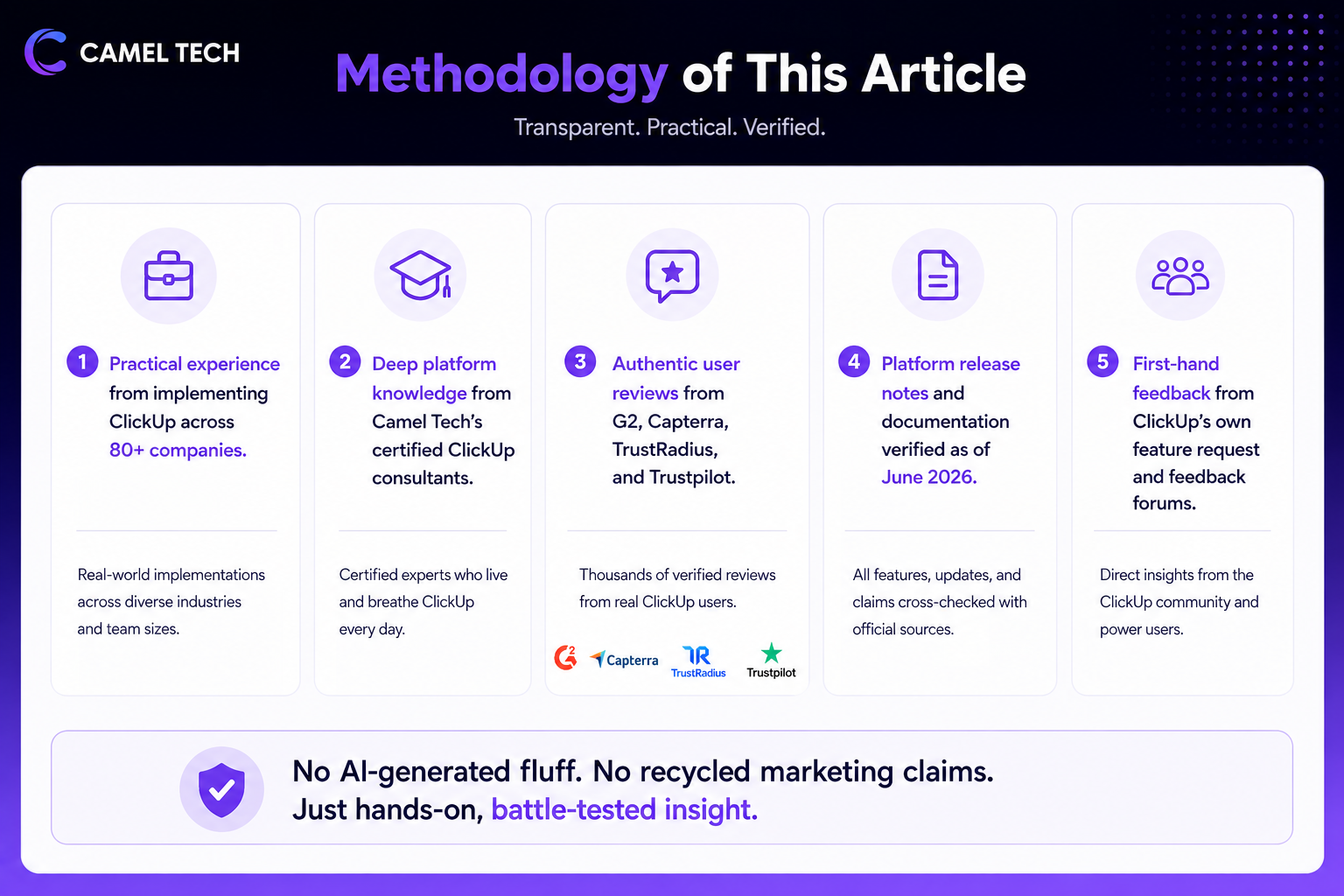
No AI‑generated fluff. No recycled marketing claims. Just hands‑on, battle‑tested insight.
Key Takeaways
What is the main difference between ClickUp Whiteboard and Miro?
ClickUp Whiteboard is a built‑in feature inside ClickUp that connects sticky notes directly to tasks. Miro is a standalone visual collaboration platform built specifically for whiteboarding, diagramming, and brainstorming, with advanced AI agents and 7,000+ templates.
How much does ClickUp Whiteboard cost?
Whiteboards are included in all ClickUp plans. The free plan allows the creation of 3 whiteboards. The Unlimited plan allows 10. Business and above have no whiteboard limits. ClickUp Unlimited starts at $7/user/month (annual) or $10/user/month (monthly).
Note: ClickUp Brain² (relaunched from ClickUp Brain in June 2026, with persistent memory and model routing across Claude, GPT, and Gemini) is a separate add-on starting at $9/user/month for the standard tier, or $28/user/month for the Everything AI tier. Neither is included in the Unlimited or Business plans.
How much does Miro cost?
Miro Free: $0 (unlimited team members, 3 editable boards, 10 AI credits/month).
Starter: $8/user/month, annual, unlimited boards, core collaboration, 25 AI credits/member.
Business: $20/user/month annually, advanced features, integrations, admin controls, 50 AI credits/member.
Enterprise: custom pricing.
Which has better AI features?
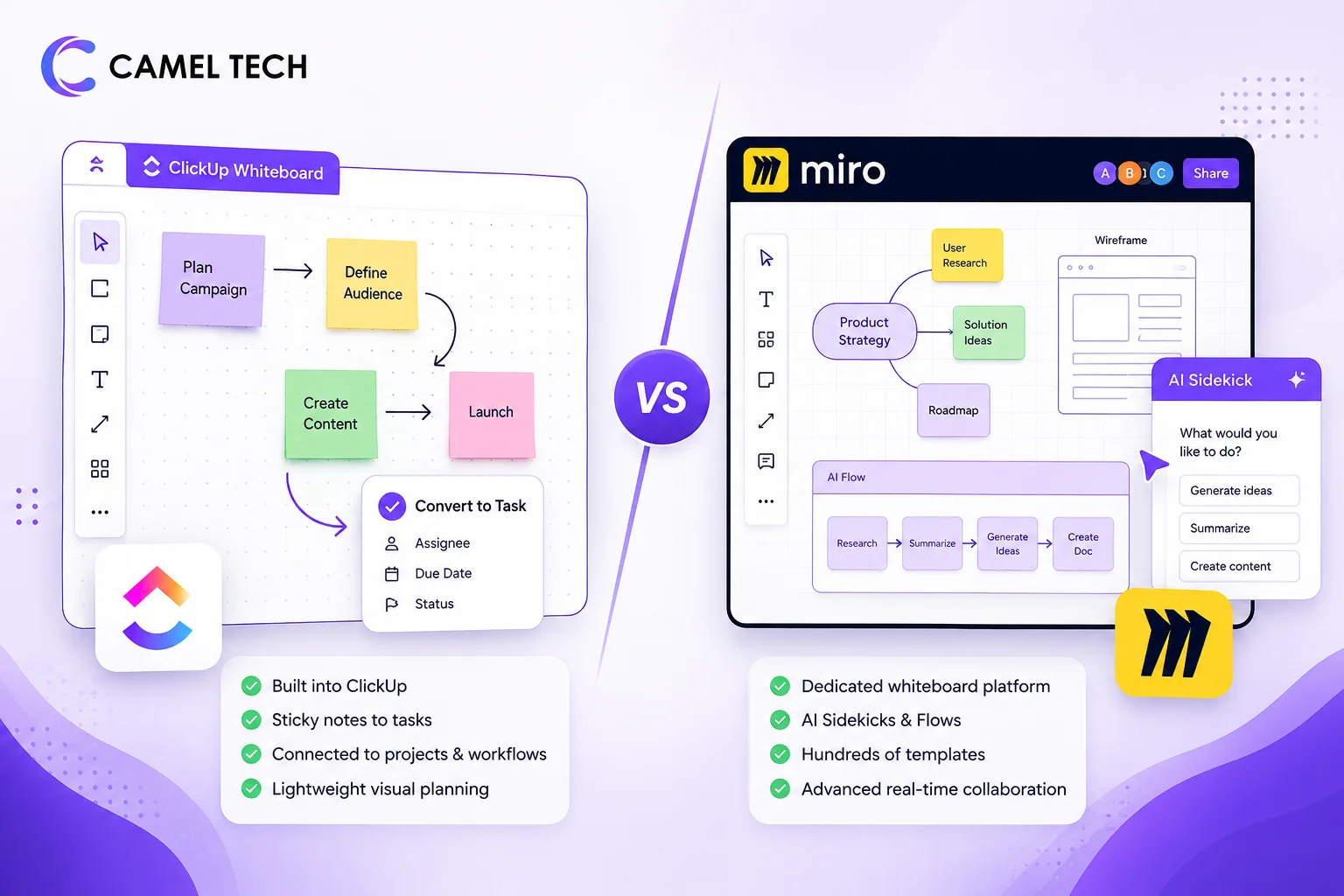
Miro has significantly more advanced AI. Sidekicks are conversational AI agents that live on the canvas and already understand all sticky notes, diagrams, and spatial context. Flows are multi‑step visual workflows that chain AI actions together. ClickUp’s whiteboard AI is limited to layout generation and basic text formatting.
Can you turn whiteboard content into tasks?
Yes, only in ClickUp. ClickUp Whiteboard lets you convert any sticky note directly into a task with assignees, due dates, and statuses. This is a unique advantage for teams that want visual planning connected to execution.
Which has better real‑time collaboration?
Miro has stronger real‑time collaboration. It supports cursor presence, comments, mentions, guest access, and async review with smooth performance even with dozens of active collaborators. ClickUp Whiteboard offers basic real‑time editing, but users report lag and glitches when multiple people are on the same board.
Do they work on mobile?
Miro has full mobile apps (iOS and Android) with robust whiteboard viewing and editing. ClickUp Whiteboard is not available in the ClickUp mobile app, though Whiteboards 3.0 introduced touch support via tablet browsers. Full mobile app support is not on ClickUp’s roadmap as of late 2025.
Can you export whiteboards?
Miro supports exporting as PDF, PNG, and other formats. ClickUp Whiteboard has limited export functionality; users report no PDF export and poor image quality.
What Is ClickUp Whiteboard?
ClickUp Whiteboard is an infinite, zoomable canvas built directly inside ClickUp. You can combine notes, shapes, tasks, and connections to design processes, mind maps, and project plans. Unlike standalone whiteboard tools, ClickUp Whiteboard is designed to connect visual planning directly to execution. Any sticky note can be converted into a task with an assignee, due date, and status.
Whiteboards live alongside your Spaces, Folders, and Lists, keeping visual brainstorming in the same workspace where your team gets work done. ClickUp positions Whiteboard as part of its all‑in‑one work platform, not a separate product.
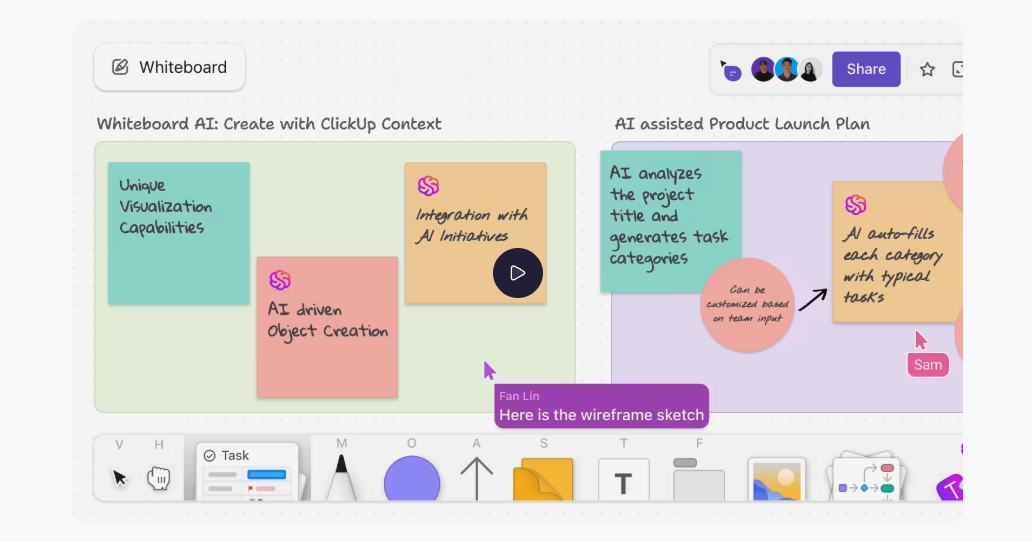
ClickUp Whiteboards are included in all ClickUp plans. The Free Forever plan allows 3 whiteboards, and the Unlimited plan allows 10. Business and above have no limits. ClickUp Unlimited starts at $7/user/month, billed annually, or $10/user/month, billed monthly. The Business plan, which removes whiteboard limits entirely, starts at $12/user/month billed annually.
What Is Miro?
Miro is a dedicated visual collaboration platform used by over 100 million people across 250,000 organizations. Originally built as a digital whiteboard, Miro has evolved into an AI‑powered Innovation Workspace that helps teams brainstorm, diagram, prototype, and align.
Miro’s infinite canvas supports sticky notes, shapes, diagrams, mind maps, user flows, wireframes, and embedded content. With 7,000+ Miro and community-made templates, including Miroverse, Miro helps users run brainstorms, capture creativity, and develop the best ideas.
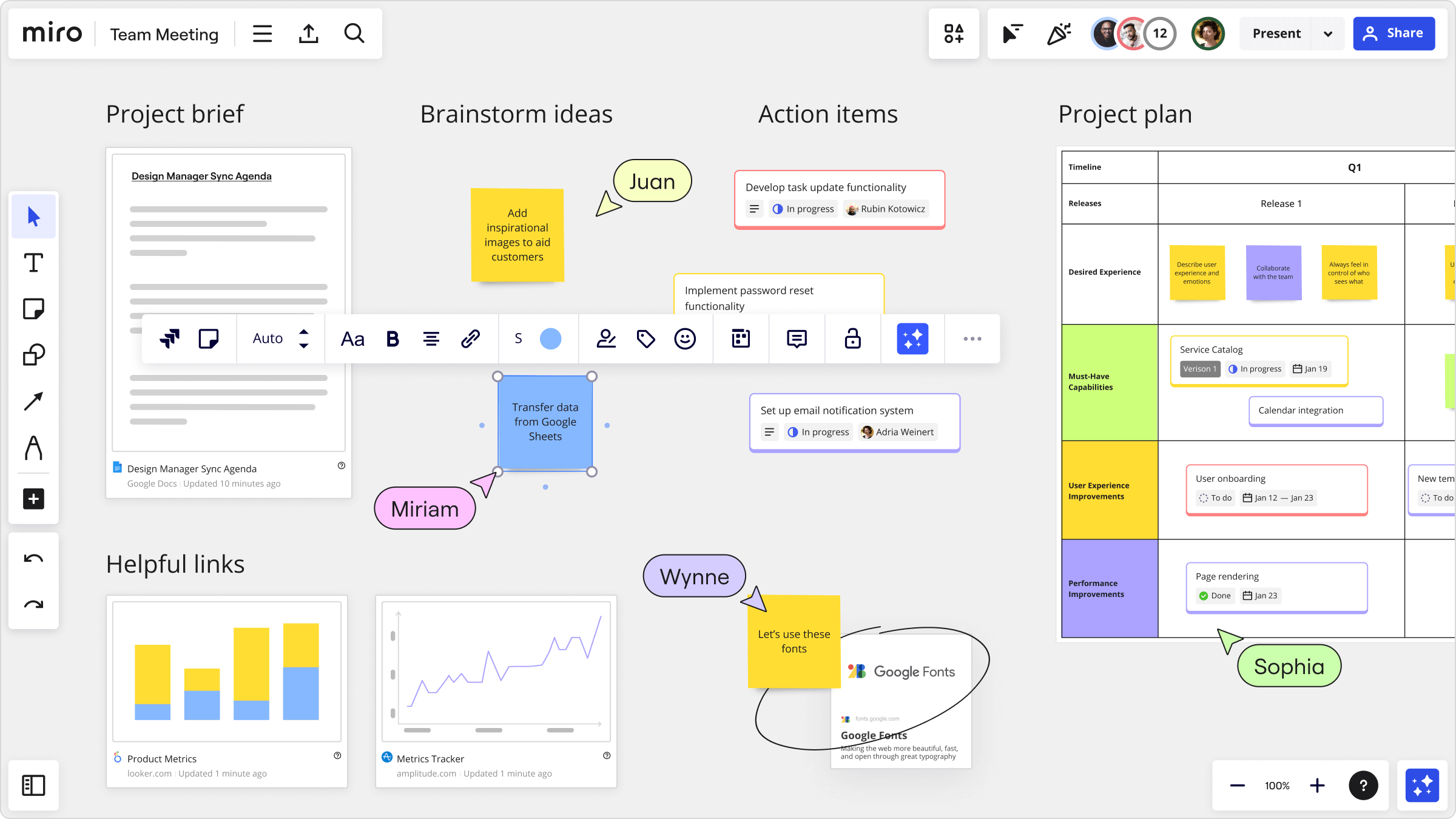
Unlike ClickUp, Miro is a standalone tool. It integrates deeply with other platforms (Jira, Slack, Figma, Trello, etc.) but does not include project management features. On G2, Miro holds a 4.6/5 rating in Visual Collaboration from over 13,100 verified reviews.
Miro’s pricing is structured into four tiers: Free ($0, unlimited team members, 3 editable boards, 10 AI credits/month), Starter ($8/user/month annual, unlimited boards, core collaboration, 25 AI credits/member), Business ($20/user/month annual, advanced features, integrations, and 50 AI credits/member), and Enterprise (custom pricing, credits starting from 2,500/month, pooled org-wide and scaling with seat count).
What’s Actually New in 2026
ClickUp Whiteboard – Slow but Steady Improvements
ClickUp has been actively improving Whiteboards based on user feedback. In early 2026, ClickUp acknowledged several key gaps: iPad support is a known gap ClickUp is tracking, with 32 other users flagging the same issue (ClickUp feedback forum, January 2026); export functionality is being actively improved with better quality and more format options coming, and rich text formatting (bold, italic, headers, lists) is in the pipeline. However, users still report that ClickUp’s whiteboard “sucks” with no mobile support and no PDF export, with one reviewer saying, “I’m disgusted to have invested the time to draw my all‑year project”.
Note: PDF export was added with Whiteboards 3.0 in December 2024, though tasks do not render in exports.
Miro – AI Workflows, Sidekicks, Flows, and MCP
Miro launched AI Workflows in January 2026: a system of AI agents that work directly on the canvas, using everything on the board as context. The two core components are:
- Sidekicks are conversational AI agents that live on the canvas. They don’t require carefully engineered prompts because they already understand the multimodal context: sticky notes, diagrams, documents, images, tables, and the spatial relationships between all of it. You can customize Sidekicks with specific skills and knowledge bases.
- Flows are multi‑step visual workflows that chain AI actions together while keeping humans in the loop at every stage. Early adopters report shrinking innovation cycles from weeks to hours, with total delivery cost reductions exceeding 50 percent.
Note: AI Workflows launched for Enterprise customers in January 2026. Since then, Miro restructured Business into ‘Business + AI Workflows,’ and Sidekicks and Flows are now included on the Business plan. Free and Starter users get limited access. AI Workflows are included on Enterprise as well; the paid add-on treatment applies only to existing Enterprise customers on legacy contracts, who should contact their account manager.
In March 2026, Miro added Flows updates: turn screenshots into working prototypes with one click, pull content from any link to create research reports, and lock table structure when running AI workflows. Miro also launched AI search, letting you find boards by describing what you’re looking for (e.g., “the diagram I worked on last week with Alex”).
Additionally, Miro launched an MCP (Model Context Protocol) server to connect visual collaboration with AI coding tools, built in collaboration with Anthropic, AWS, GitHub, Google, and Windsurf. The MCP server connects to Claude Code, AWS Kiro, GitHub Copilot, Gemini CLI, Windsurf, Cursor, Lovable, Replit, OpenAI Codex, VS Code, and Devin.
In March 2026, Miro acquired Reforge, a product strategy and AI-native tools platform for product teams, reinforcing its shift from a whiteboarding tool to a full AI Innovation Workspace.
Feature‑by‑Feature: What Actually Matters
Visual Collaboration and Whiteboarding
ClickUp Whiteboard: Infinite canvas with notes, shapes, tasks, and connections. Basic real‑time collaboration (cursor presence, comments). However, users report significant performance issues: lag after 30 minutes of use, high CPU usage (fans running like Adobe Illustrator), zoom lag, and connection lag between elements. The whiteboard has also been “very glitchy” in Chrome, with some team members seeing a blank white screen while others see content.
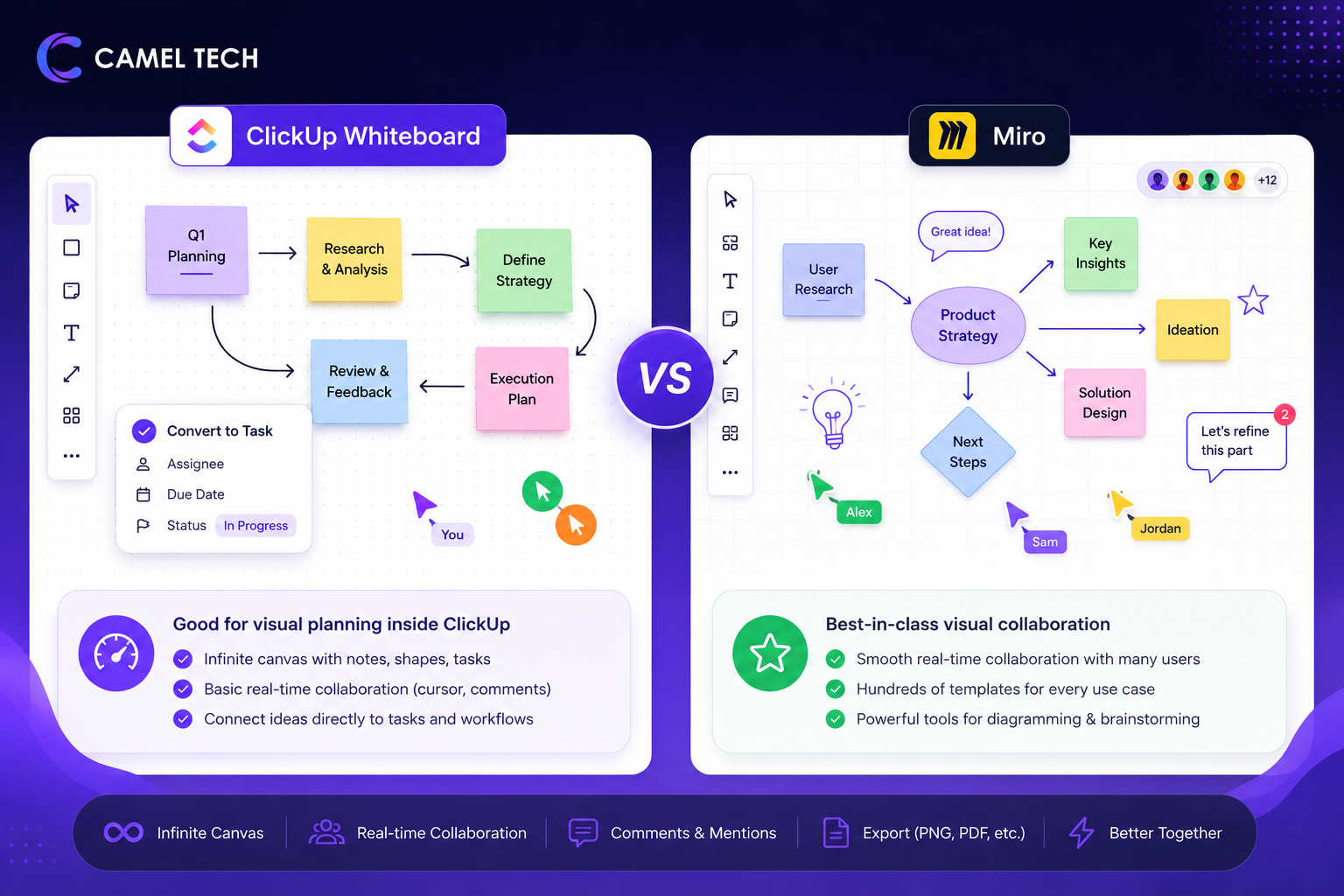
Miro: Best‑in‑class visual collaboration. Infinite canvas, intuitive drag‑and‑drop interface, rich set of templates, and smooth real‑time performance even with dozens of collaborators. Users say it allows teams to work seamlessly, whether brainstorming, mapping processes, or aligning on strategy.
Verdict: Miro is significantly more polished, stable, and feature‑rich. ClickUp Whiteboard is usable for light visual planning but not reliable for serious collaborative sessions.
AI Features
ClickUp Whiteboard: AI layout generation to organize sticky notes automatically. AI-powered image generation arrived with Whiteboards 3.0 in December 2024. Rich text formatting, on the other hand, was still on the roadmap as of ClickUp’s own feedback forum in January 2026, so it came later, not as part of the 3.0 launch. No AI agents, no context-aware assistants, no automated workflows.
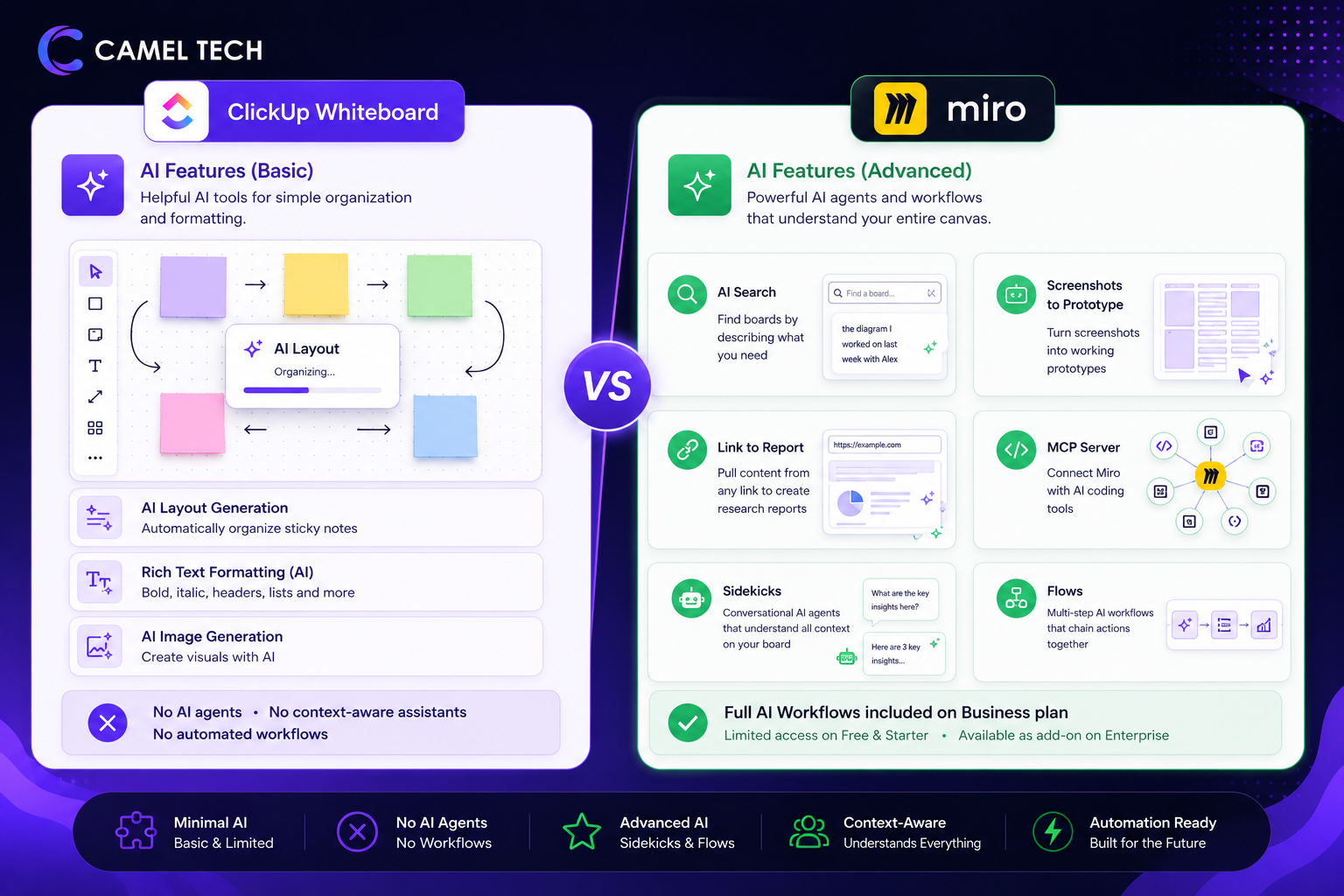
Miro: AI search to find boards by description. Turn screenshots into working prototypes. Pull content from links to create research reports. MCP server to connect with AI coding tools. Free and Starter users get limited access to Sidekicks and Flows. Full AI Workflows are included on both the Business and Enterprise plans; only existing Enterprise customers on legacy contracts need to check with their account manager on license type.
Verdict: Miro wins decisively. ClickUp’s whiteboard AI is minimal. Miro’s AI Workflows are category-defining, and as of the Business + AI Workflows restructuring, you no longer need Enterprise to get them. They’re included starting on Business.
Task Integration (ClickUp’s Unique Advantage)
ClickUp Whiteboard: Any sticky note can be converted directly into a ClickUp task with an assignee, due date, status, and custom fields. This is the single biggest reason to use ClickUp Whiteboard. Your brainstorming connects instantly to execution. We’ve seen this work especially well for operational teams. SDA CPA, for example, saved over 20 hours per week after we built a ClickUp system that lets visual planning flow directly into structured, recurring task execution.
Miro: No native task creation. You can embed tasks from integrated tools (Jira, Asana, Trello) or use sticky notes as placeholders, but you cannot create actionable tasks directly from the canvas.
Verdict: ClickUp wins for teams that want visual planning connected to execution. Miro requires extra steps to turn ideas into work.
Templates
ClickUp Whiteboard: Basic template library. Fewer options than Miro, and templates are simpler.
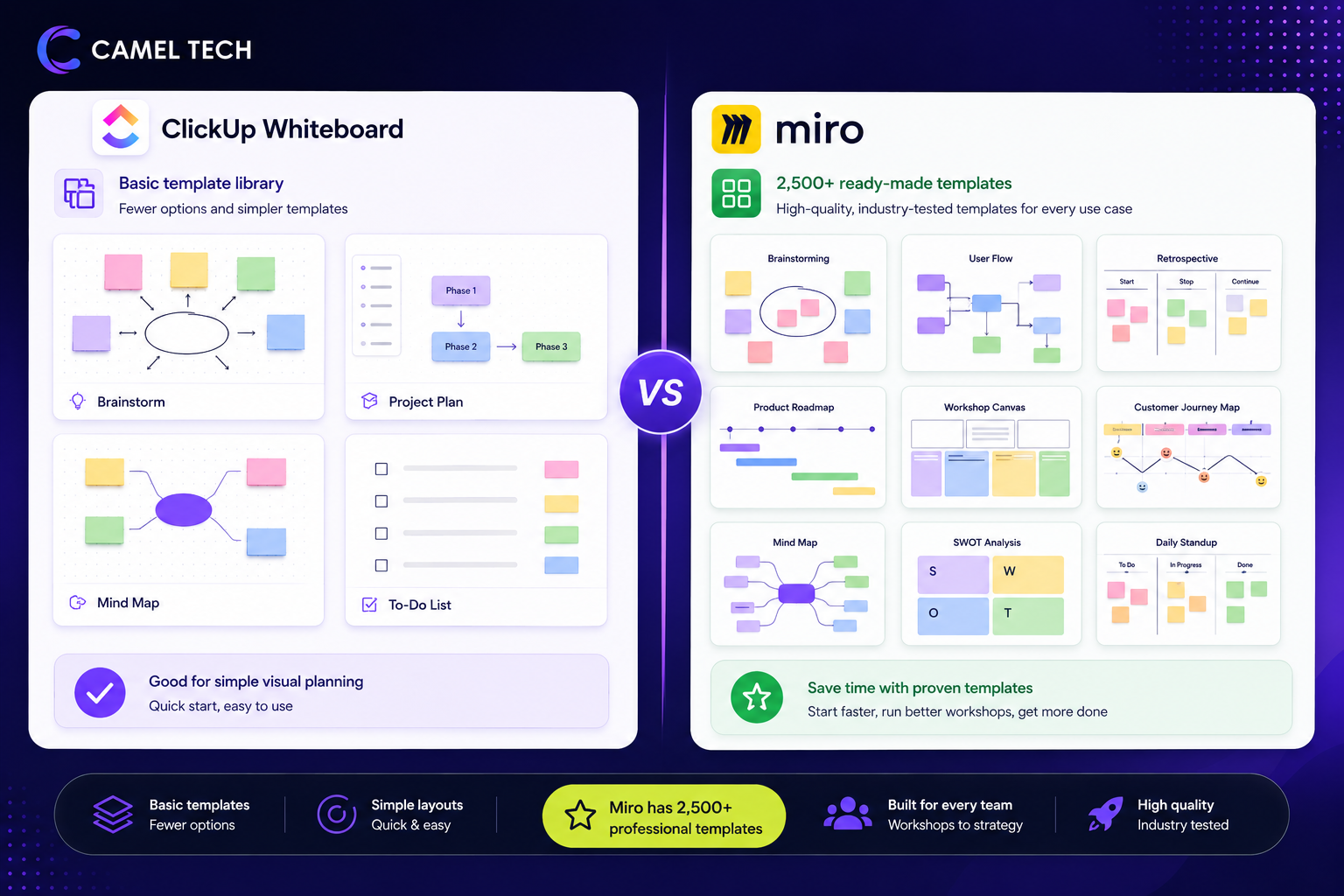
Miro: 7,000+ ready-made templates for brainstorms, user flows, retrospectives, product roadmaps, workshops, and more. Templates are highly polished and industry-tested.
Verdict: Miro has a vastly superior template ecosystem.
Export and Sharing
ClickUp Whiteboard: Export improved significantly with Whiteboards 3.0 (December 2024), which added PDF export. However, a key limitation remains: tasks placed on a whiteboard do not render in exports, meaning a board that mixes sticky notes with actual ClickUp tasks will produce an incomplete PDF. For boards using only shapes, notes, and connectors, export now works. Miro’s export is more complete and reliable.
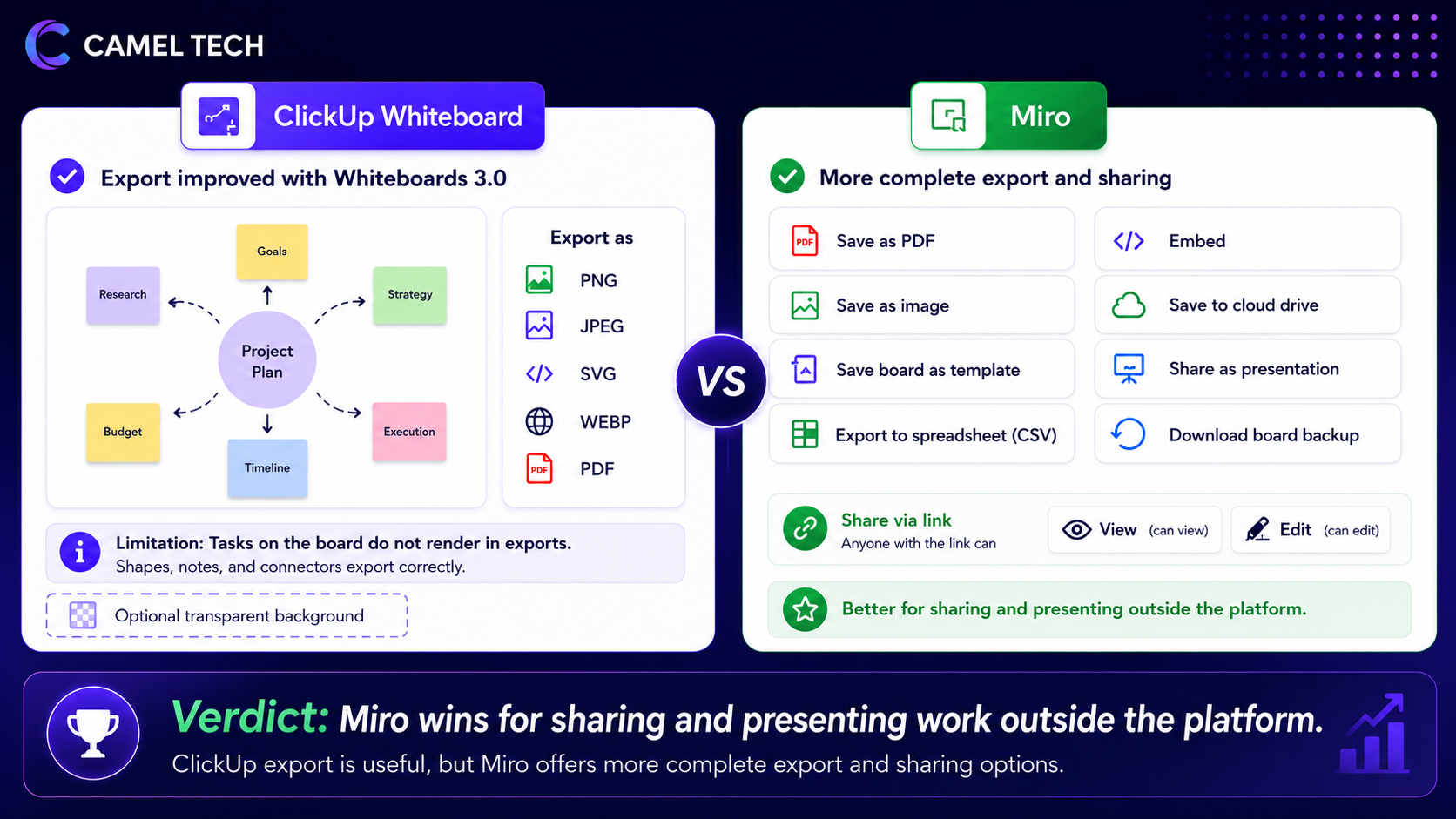
Miro: Export as PDF, PNG, and other formats. Share boards via links with view or edit permissions. Present boards directly from the platform.
Verdict: Miro wins for sharing and presenting work outside the platform.
Mobile Support
ClickUp Whiteboard: The dedicated ClickUp mobile app does not support Whiteboards. Whiteboards 3.0 (December 2024) introduced a touch interface for tablet browsers, but a November 2025 ClickUp update states that mobile support “isn’t planned at the moment. Capterra reviewers separately report the mobile app lacking features found on the desktop.
Miro: Full mobile apps for iOS and Android. You can view, edit, and collaborate on whiteboards from your phone or tablet. iPad support is robust (unlike ClickUp).
Verdict: Miro wins. ClickUp Whiteboard is unusable on mobile.
Integrations
ClickUp Whiteboard: Whiteboard is native to ClickUp, so it integrates with ClickUp tasks, docs, and chat automatically. Outside of ClickUp, integrations are limited.
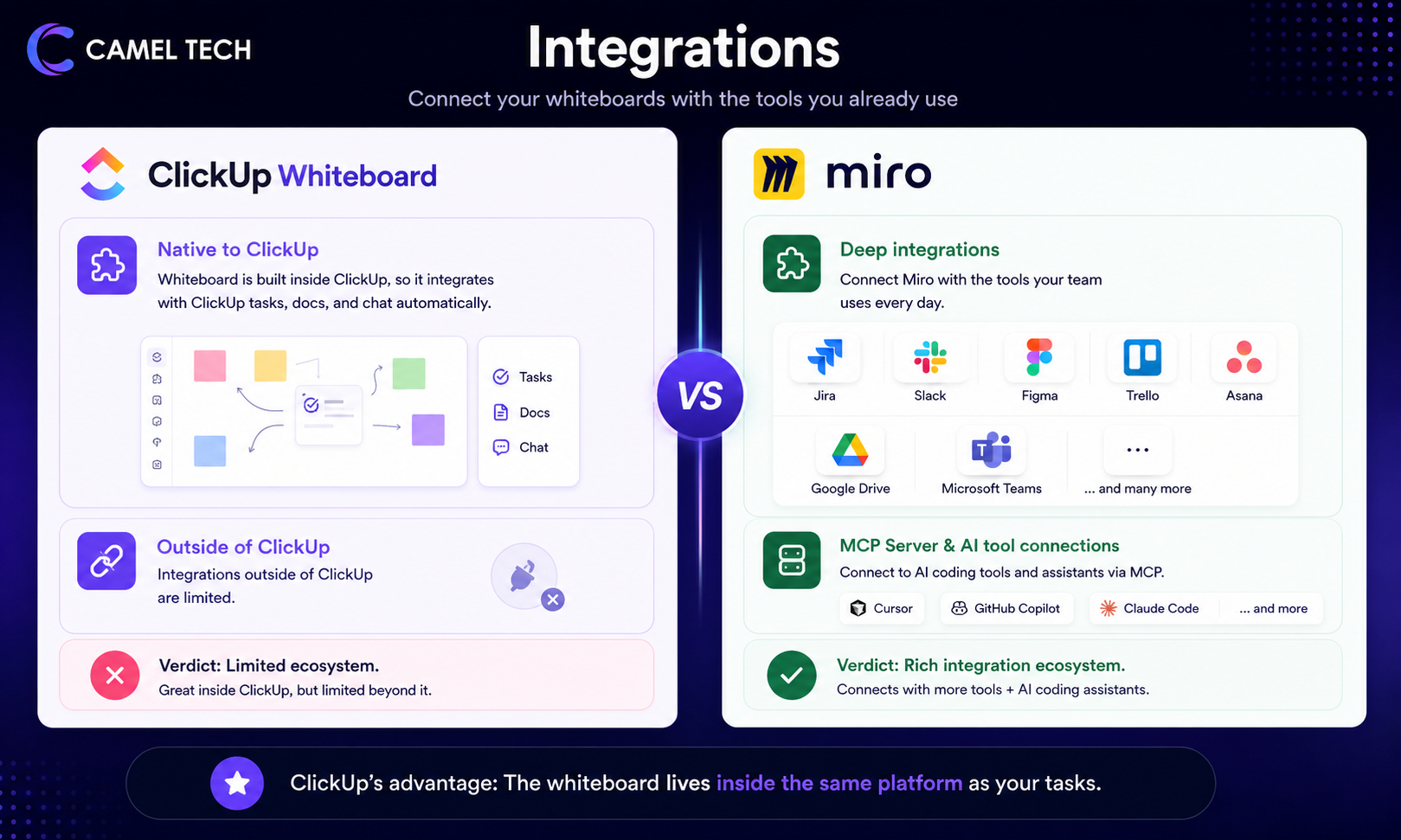
Miro: 250+ integrations, including deep connections with Jira, Slack, Figma, Trello, Asana, Google Drive, Microsoft Teams, and many others. The MCP server also connects to AI coding tools like Cursor, GitHub Copilot, and Claude Code, and is available on every plan, from Free through Enterprise, with usage limits that scale by tier. ClickUp Whiteboard has no comparable capability at any tier.
Verdict: Miro has a richer integration ecosystem. ClickUp’s advantage is that the whiteboard lives inside the same platform as your tasks.
What Real Users Say
ClickUp Whiteboard has a polarized reputation. Users who value it point to the task integration, with one reviewer noting that whiteboards “help ClickUp stand out” from other project tools. But the complaints outnumber the praise, and they are consistent across platforms.
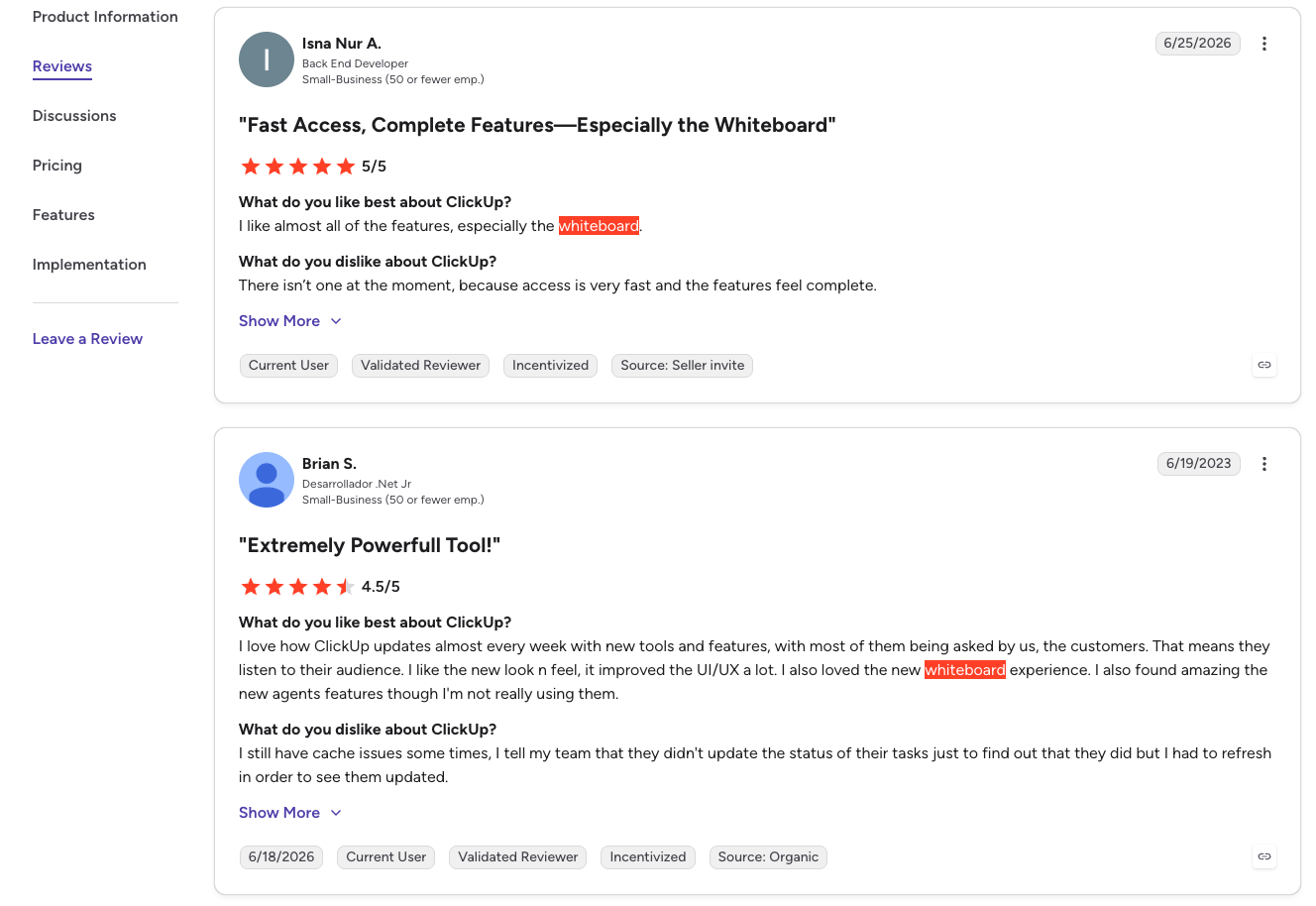
On G2, one reviewer called the whiteboard a standout feature, saying access was fast and the experience felt complete.
On Capterra, one user wrote that the lack of mobile support and PDF export made the tool “disgusting” to have invested time in, having drawn out an entire year’s project only to find no way to share it (Capterra, May 2024).
Performance is a recurring theme in ClickUp’s own feature request forum. One user described their MacBook Pro’s fans spinning up as if running Adobe Illustrator, Photoshop, and InDesign at once, simply from leaving a whiteboard tab open for 30 minutes (ClickUp feature request, February 2025). Another reported a rendering bug where the whiteboard “whites out” for some collaborators while remaining visible to others, including the creator (ClickUp feature request, November 2024).
Miro’s reviews tell a different story. On G2, users praise the infinite canvas and drag-and-drop interface for speeding up workshops and decision-making, calling the collaboration “seamless” for brainstorming, process mapping, and strategy alignment (G2, April 2026). TrustRadius reviewers echo this, with a synthesized insight from verified users highlighting Miro’s extensive template library and intuitive interface as key reasons the tool accelerates project initiation and idea generation (TrustRadius, 2026). Miro’s own January 2026 launch announcement described AI Workflows as letting teams work with AI agents directly on the canvas, without copying content or prompting from scratch (Miro Newsroom, January 2026).
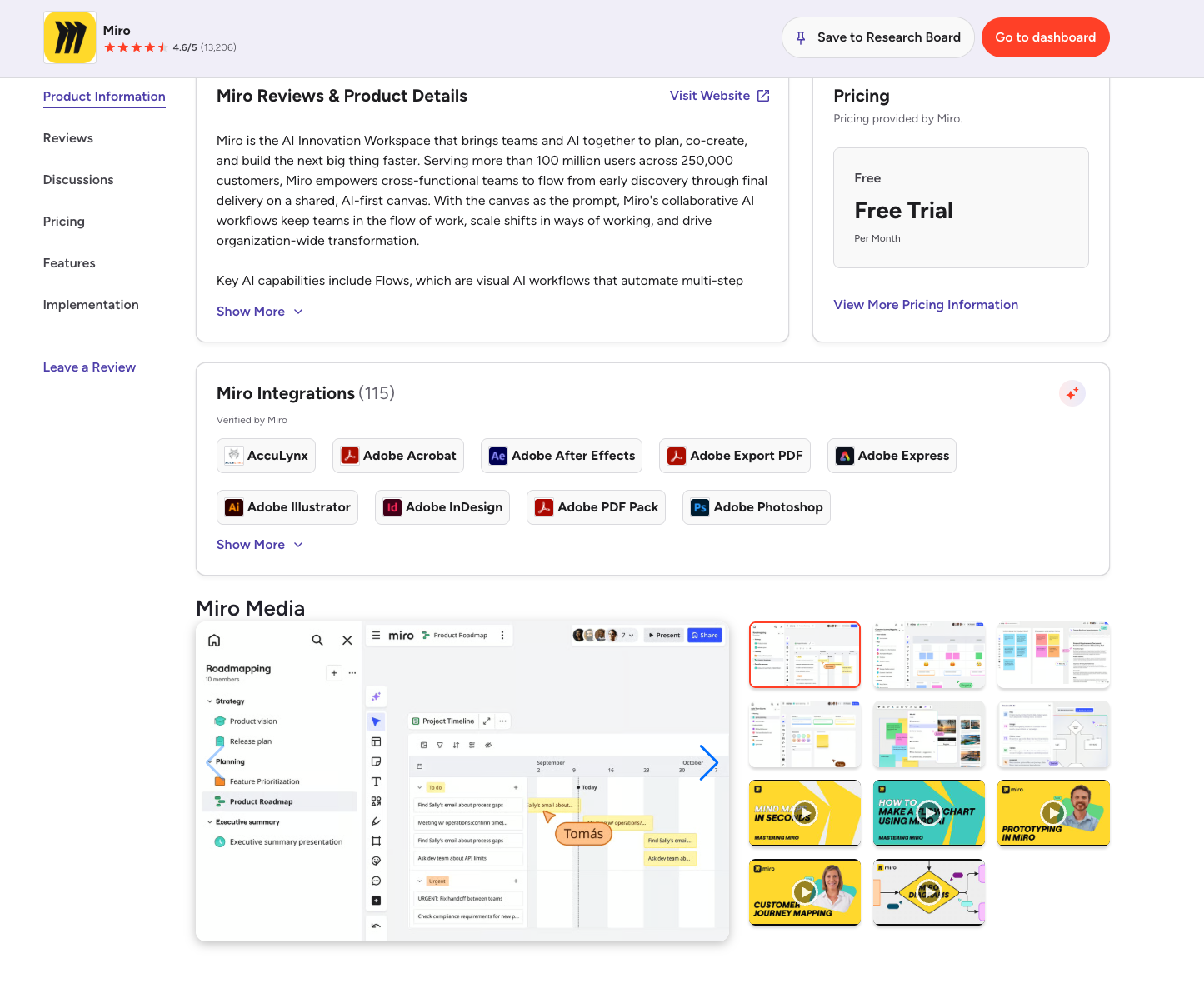
Miro isn’t complaint-free. On Trustpilot, Miro scores 2.2 out of 5 from 145 reviews, with users citing automatic seat charges when boards are shared with external collaborators and difficulty canceling subscriptions (Trustpilot, 2026). Some users also note that very large boards with many collaborators can lag and become harder to navigate. But these reports are less frequent and less severe than the issues reported for ClickUp Whiteboard.
What the Experts Say
ClickUp Whiteboard (User Feedback):“I’m sharing this feedback because I want to move my workflow from FigJam to ClickUp and use Whiteboards as my primary brainstorming tool. With improvements in these areas, I believe Whiteboards could become a very strong alternative.”– ClickUp feedback forum, Khizar Javed
Miro Newsroom:“Early adopters report shrinking their innovation cycle from weeks to hours, and cutting total delivery time and cost savings by more than 50%.”– Miro Newsroom, January 2026
“The biggest mistake I see companies make is choosing a tool based on a feature list. The real question is: will your team actually use it? ClickUp Whiteboard is great for light visual planning inside your PM tool. But if your team lives on whiteboards daily, Miro is the more reliable, mature choice.”
Decision Time: Which One Should You Choose?
Choose ClickUp Whiteboard when:
- Your team already uses ClickUp for project management.
- You want visual brainstorming to be directly connected to tasks (sticky note → task conversion).
- Your whiteboard needs are light to moderate (brainstorming, simple process mapping, lightweight planning).
- You don’t need mobile whiteboard access.
- You don’t need advanced AI features.
- You can tolerate occasional performance glitches and limited export options.
Choose Miro when:
- Your team does serious whiteboarding daily (product discovery, user flow mapping, retrospectives, workshops).
- You need best‑in‑class real‑time collaboration with dozens of active collaborators.
- You want AI agents (Sidekicks and Flows) that understand your canvas context.
- You need robust mobile and iPad support.
- You need high‑quality exports (PDF or PNG) to share with stakeholders outside the platform.
- You want hundreds of polished templates.
- You can pay $8–20/user/month for a dedicated tool (or use the free tier with 3 boards).
Still weighing whether ClickUp itself is the right fit for your team beyond just the whiteboard feature? Our three-way comparison of ClickUp vs Notion vs Monday.com breaks down where each platform wins across pricing, AI, and operational depth.
Frequently Asked Questions (FAQ)
Yes, Whiteboards are included in all ClickUp plans. The Free Forever plan allows 3 whiteboards. The Unlimited plan allows 10. Businesses and above have no limits.
Yes. Miro Free includes unlimited team members, 3 editable boards, and core collaboration features. Starter ($8/user/month) and Business ($20/user/month) add unlimited boards and advanced features.
Miro. Sidekicks and Flows are far more advanced than ClickUp’s basic AI layout generation.
Not directly. You can embed tasks from integrated tools like Jira or Asana, but you cannot create a task from the canvas natively.
No, not in the native app. ClickUp's web client works on iPad browsers, but stylus and Apple Pencil support remains unbuilt, and ClickUp has said this isn't currently on the roadmap.
Yes. Miro has full iPad support with drawing and sketching capabilities.
Miro: yes (PDF, PNG, etc.). ClickUp: PDF export is now available via Whiteboards 3.0, but tasks placed on the board do not appear in exports, a known ongoing limitation.
Miro. Product discovery, user flow mapping, and retrospectives are Miro’s core strengths.
ClickUp Whiteboard if you already use ClickUp for project management and want lightweight visual planning connected to tasks. Miro, if you need serious collaboration with clients and stakeholders.
Not Sure Which One Is Right for You?
That’s exactly what we help businesses figure out.
At Camel Tech, we’ve helped 80+ companies implement ClickUp, Notion, and monday.com across agencies, construction firms, accounting practices, ecommerce stores, and professional services businesses. We don’t just configure the tool. We build the system- workflows, templates, automations, and training built around how your business actually operates.
Book a free discovery call. We’ll tell you which platform fits your team and what a proper implementation looks like.
Read Related Articles
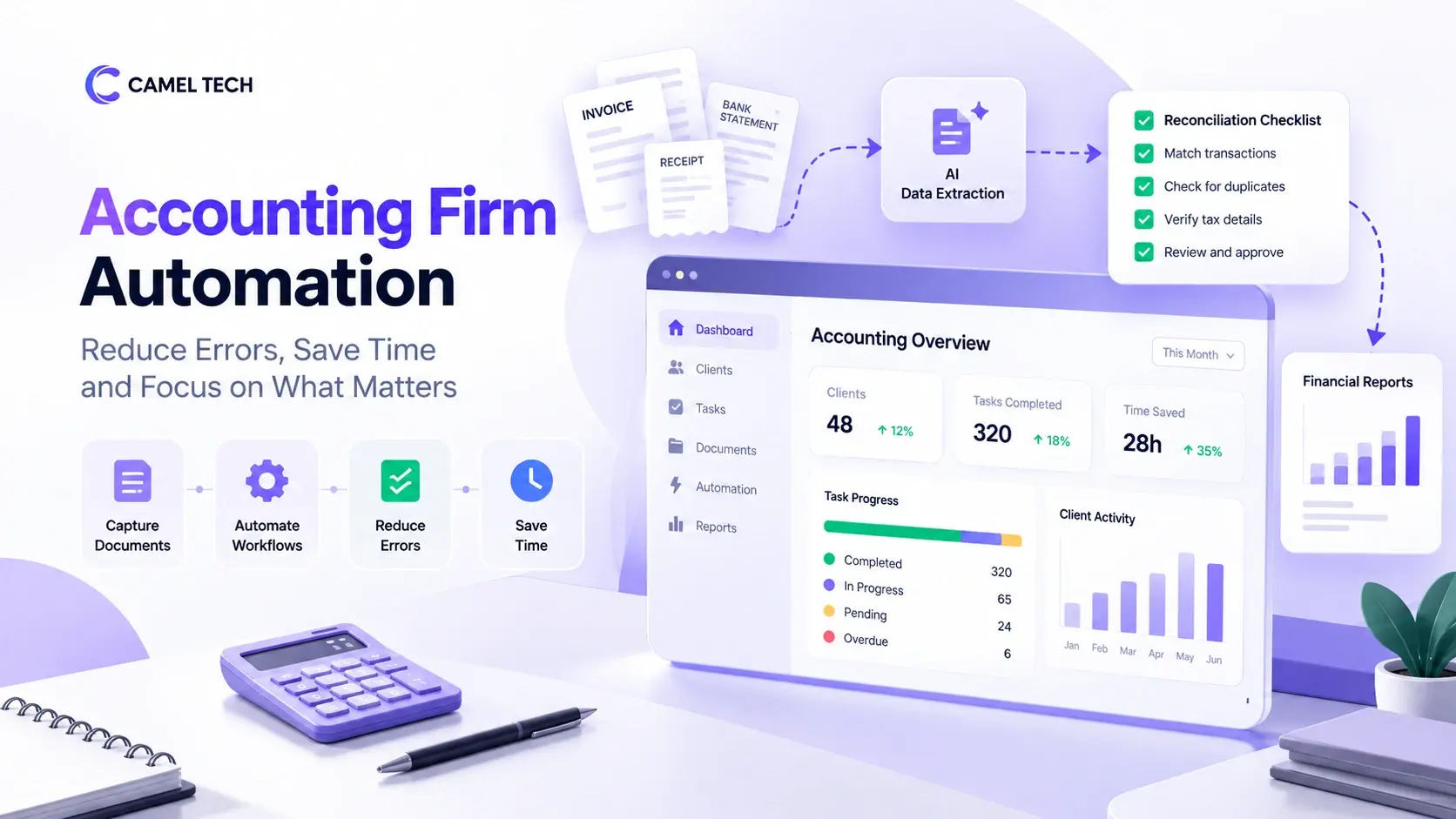
Accounting firm automation cuts errors and admin time. See six workflows to automate, UK time-saving
Camel Tech joins Anthropic's Claude Partner Network, gaining access to technical resources and certification opportunities
Honest Review After 80+ Implementations (2026). Most comparison articles are written by someone who tested
Build a business that thrives without you
Unlock your ultimate life goals: Focus on high-leverage tasks, personal growth, and family time while pursuing your next big initiative.
Let's book a call with our expert.

Selected resource
Enter your email and we’ll send the resource directly to your inbox.
✓
Check your inbox
We’ve received your request and will send the resource to your email.
Please check your spam or promotions folder if you don’t see it shortly.