
HubSpot vs Monday CRM (2026): Which Fits Better?

Imrul Hasnat
Founder, Camel Tech
- Last Updated:October 22, 2026
5 mins read
Table of Contents
Quick Answer
HubSpot is a connected customer platform: contacts, companies, deals, and tickets all live as one linked record, and marketing, sales, and service read from that same data. It’s the stronger choice once sales and marketing are becoming a real, structured process for your business.
Monday CRM is a sales layer built on top of Monday’s board-based work management engine. It’s visual, fast to set up, and genuinely flexible, the right choice for project-driven businesses that want one workspace instead of a specialized CRM bolted onto a separate PM tool.
Neither wins outright. HubSpot is a platform; Monday CRM is a tool. The right pick depends on whether your business needs the former or the latter, which is a question this article can answer better than a features checklist can.
Why Trust This Content
Most “HubSpot vs Monday CRM” articles are written by someone trying to sell you one of the two. The HubSpot agencies will tell you Monday isn’t a “real” CRM. The Monday affiliates will tell you HubSpot is bloated and overpriced. Both are half right, and both are missing the point.
We’re not a HubSpot shop or a Monday reseller. We’re the team that gets called in after a business has already bought a CRM, used 15% of it, and is now wondering why leads still fall through the cracks. So this isn’t a scorecard built to justify a recommendation. It’s a straight look at what each platform actually is, what changed in 2026, and which one fits the way your business actually runs.
HubSpot vs Monday CRM at a Glance
| HubSpot | Monday CRM | |
|---|---|---|
| Core focus | Full customer platform: marketing, sales, and service on one record | Work management platform with a sales layer built on top |
| Data model | Fixed, connected objects (contacts, companies, deals, tickets) | Flexible boards and columns, no default structure |
| Starting price | Free CRM tools; Sales Hub Professional from ~$90/seat/mo annually | From $12/seat/mo annually, 3-seat minimum |
| Free plan | Yes, permanent free CRM tier | No, 14-day trial only |
| Marketing automation | Native, deeply integrated (Marketing Hub) | Separate product (Monday Campaigns), thinner |
| Ease of use | Guided but bigger, steeper past the basics | Faster to learn, board-based |
| Customization | Structured, less flexible | Highly flexible, reshapes to any process |
| Reporting & forecasting | Full-funnel attribution and forecasting | Strong for delivery, lighter for sales funnels |
| Best for | Businesses scaling a structured sales/marketing function | Project-driven businesses that want one flexible workspace |
Key Takeaways
What’s the core difference between HubSpot and Monday CRM?
HubSpot organizes data into fixed, connected objects (contacts, companies, deals, tickets) that share one record across the whole platform. Monday CRM organizes the same information into customizable boards and columns built on Monday’s Work OS, trading structure for flexibility.
Which is cheaper?
Monday CRM, in most scenarios. Basic starts at $12/seat/month (annual billing, 3-seat minimum), Standard at $17, Pro at $28. HubSpot’s free CRM tools cover a small team, but Sales Hub Professional runs roughly $90/seat/month annually plus a one-time onboarding fee, and that’s where budgets get tested.
Which is easier to learn?
Monday CRM. Independent review data consistently scores it higher for ease of use, largely because the board interface needs less specialized CRM knowledge to configure.
Which has stronger marketing automation?
HubSpot, by a wide margin. Native email workflows, landing pages, lead scoring, and attribution all write to the same contact record as the deal. Monday’s marketing tooling exists but lives in a separate product (Monday Campaigns), not inside the CRM itself.
Which has better AI in 2026?
Close, but aimed at different jobs. HubSpot’s Breeze AI is deeper for marketing- and content-adjacent work and now connects to external AI tools via MCP. Monday’s AI agents are more tightly woven into day-to-day pipeline and calling tasks.
Do the two platforms work together?
Yes. Monday CRM ships with a native two-way HubSpot integration, and plenty of businesses run Monday for delivery while keeping revenue data in HubSpot, connected by a single handoff automation.
How We Built This Comparison
This isn’t a rewrite of a vendor’s pricing page. It’s built from current HubSpot and Monday documentation and pricing (checked September 2026), aggregated review data from Capterra covering thousands of verified users on both platforms, and hands-on pattern-recognition from implementing systems like these for growing businesses. Where the two vendors’ own marketing disagrees with what their users actually report, we’ve flagged it.
What's Actually Included: Hubs vs. Products
Neither “HubSpot” nor “Monday” is a single product, and that matters before you compare anything else.
HubSpot is organized into six Hubs, all sitting on one shared Smart CRM. You can run the free CRM alone or buy any combination of Hubs, and each is priced and licensed separately:
- Marketing Hub: campaigns, landing pages, forms, ads
- Sales Hub: pipeline, sequences, forecasting (the direct comparison point for this article)
- Service Hub: ticketing, help desk, knowledge base
- Content Hub: websites and blogs
- Data Hub: data sync and quality automation
- Revenue Hub: quoting, invoicing, subscription billing
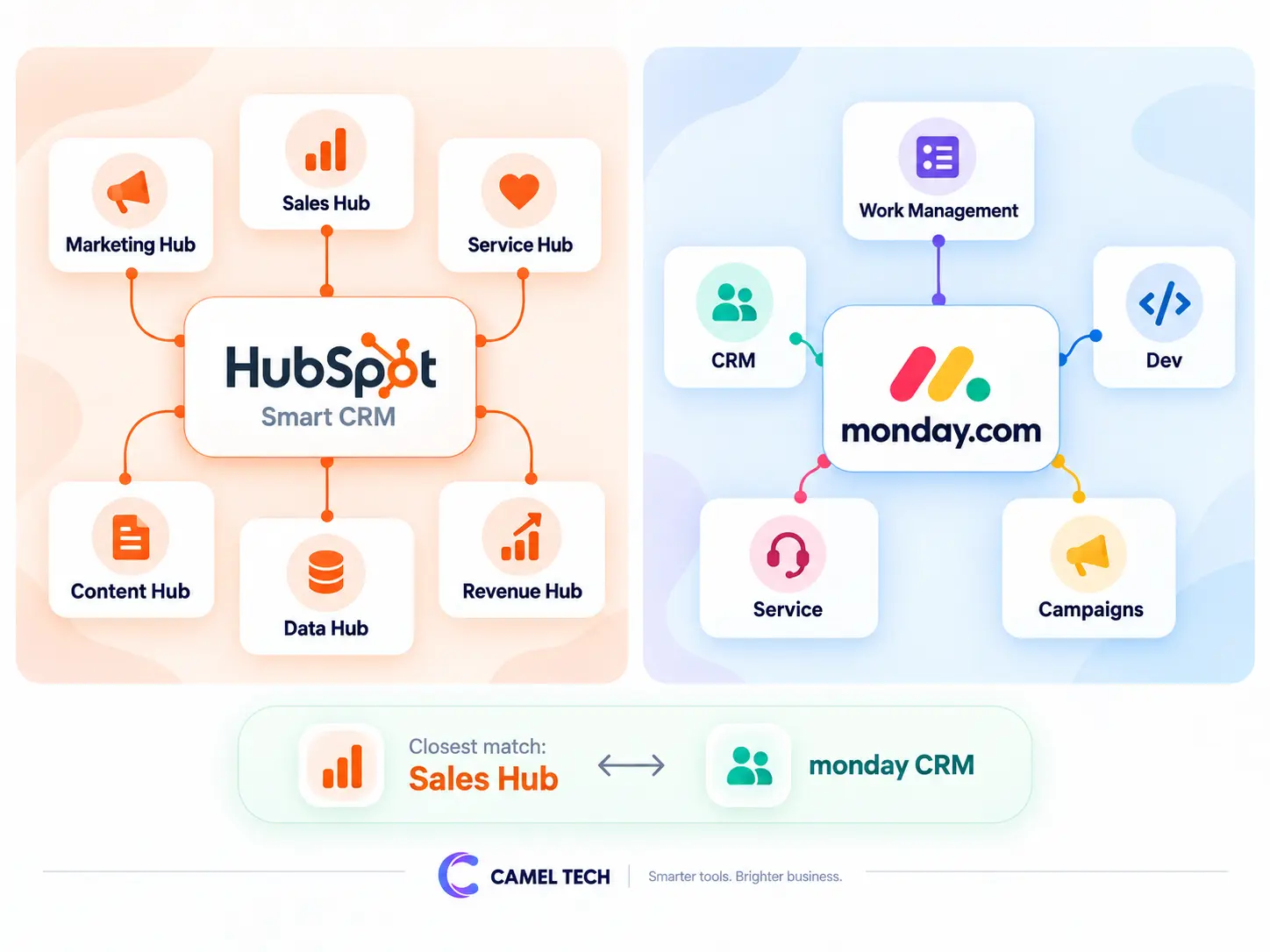
Monday follows the same pattern from the other direction: separately licensed products that can be bundled under one account:
- Monday Work Management: general project and task tracking
- Monday CRM: the sales-specific product this article focuses on
- Monday Dev: engineering sprints and roadmaps
- Monday Service: ticketing and service operations
- Monday Campaigns: marketing
The practical takeaway: if you’re only evaluating sales pipeline management, Monday CRM is the direct equivalent to HubSpot’s Sales Hub. If your HubSpot use also spans Marketing Hub or Service Hub, you’re really asking whether Monday’s separate Campaigns and Service products (or a third-party tool) cover that ground too, not just comparing CRM to CRM.
What's New in 2026
HubSpot. At its Spring 2026 Spotlight (April 14), HubSpot shipped roughly 100 platform updates centered on AI context. The headline additions were HubSpot AEO (tracking and optimizing how a brand appears in AI-generated answers from tools like ChatGPT and Gemini), Smart Deal Progression (a post-call agent that drafts follow-ups and updates CRM fields from meeting transcripts)
A rebuilt Prospecting Agent that now runs the full lead lifecycle autonomously, and official AI Connectors plus a general-availability MCP server that let external AI tools read and act on CRM data under existing permissions. Breeze Assistant, HubSpot’s free AI layer, was also retrained on the company’s “Loop Marketing” playbook to help small teams build ICPs, brand guides, and campaign briefs from scratch.
Monday. Monday has pushed hard on autonomous agents built directly into the CRM: an AI Sales Agent that sources, qualifies, and books meetings; an AI phone agent that handles live calls with speech recognition and logs everything automatically; and no-code “AI Blocks” that let non-technical users add sentiment analysis or auto-task-generation to any board without touching a workflow builder.
A “Call My Agent” automation block, released in February 2026, lets these agents be triggered directly inside standard automations, tightening the link between Monday CRM, Work Management, Dev, and Service. This no-code, prompt-your-way-to-a-working-system approach is part of a bigger shift on the platform, what’s increasingly called “vibe coding”, and it’s worth understanding on its own if you’re evaluating Monday for more than just a sales pipeline. We cover it in full in our guide to Monday vibe coding.
What this means practically: both vendors are racing toward the same idea, AI that acts on your data instead of just summarizing it, but HubSpot’s version is grounded in a structured record and increasingly plugs into outside AI tools, while Monday’s is grounded in the board and optimized for fast, no-code setup.
Where the Two Platforms Are Actually Alike
It’s easy to overstate the differences. Underneath the branding, both are cloud-based, no-code platforms a non-technical rep can configure without a developer. Both visualize deals as a Kanban-style pipeline. Both sync natively with Gmail and Outlook to log email activity against a contact. Both offer built-in dashboards for pipeline value and rep activity. And both now gate their more advanced AI behind paid tiers or a consumption-based credit system rather than a flat toggle.
They’re not strangers to each other, either: Monday CRM ships with a native, two-way HubSpot integration built specifically so the two can run side by side and stay in sync, which tells you the vendors themselves see real overlap in what teams use each for.
Where They Actually Differ
The difference starts with the data model and cascades from everything else.
In HubSpot, a contact is a fixed object with pre-populated properties, linked automatically to its company, every deal it’s part of, every ticket, and a full interaction timeline. Two different HubSpot accounts still look structurally similar to each other, because the structure isn’t optional.
In Monday CRM, there’s no default structuring model. A “pipeline” is really a filtered board view, and a contact is an item with whatever columns someone decided to add. That flexibility is Monday’s biggest strength: it adapts to any process. It’s also its biggest risk: two teams inside the same Monday account can end up modeling the same deal in two completely different ways, with the same client duplicated as separate items across three different boards, unless someone actively governs it.
The other structural difference is scope. HubSpot was built outward from marketing, so campaigns, forms, and attribution are native to the platform. Monday was built outward from general work management, so project and delivery tracking are native to it in a way HubSpot’s CRM alone was never built to match.
HubSpot vs Monday CRM Pricing (2026)
| HubSpot | Monday CRM | |
|---|---|---|
| Entry point | Free CRM tools for a small team; Starter Customer Platform around $20/seat/month at list price | Basic from $12/seat/month (annual billing), 3-seat minimum |
| Mid-tier | Smart CRM Professional from roughly $45/seat/month annually | Standard at $17/seat/month; Pro at $28/seat/month |
| Sales-specific depth | Sales Hub Professional from roughly $90/seat/month annually, plus a one-time onboarding fee in the low thousands | Forecasting, sequences, and sales analytics included from Pro |
| Enterprise | Custom, scales with Hubs and contact volume | Custom quote |
Figures above are current as of publication. Always check HubSpot’s live pricing page and Monday’s live pricing page before budgeting, since both vendors adjust tiers and minimums throughout the year.
Verdict: Monday CRM is cheaper at nearly every comparable tier, and its per-seat pricing is easier to predict. But the honest comparison isn’t seat price against seat price. HubSpot’s free tier and low Starter cost look cheap because the real cost shows up later, at Professional, once you need serious reporting or marketing automation. Monday’s 3-seat minimum means a two-person team pays for three licenses regardless. Price out what you’ll actually need in twelve months on both ladders before deciding on sticker price alone.
Cost is the single most common complaint in HubSpot’s own review base. Micah L., a CMO reviewing HubSpot CRM on Capterra, described paying extra just to unlock one needed feature as hard to justify for a smaller team, a pattern that shows up across dozens of similarly worded reviews once you’re past the free tier.
HubSpot vs Monday CRM: Ease of Use
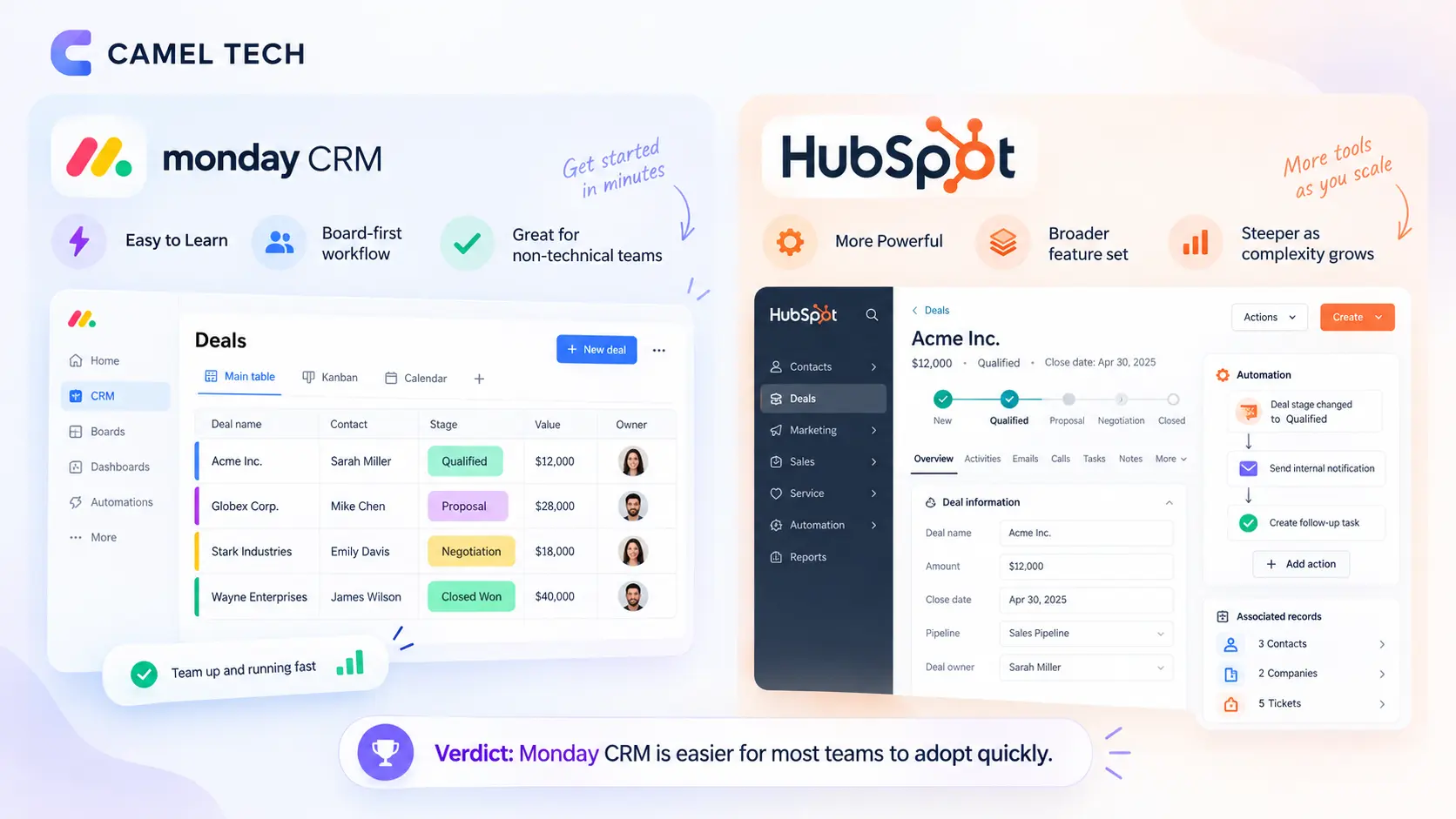
Monday’s board-and-column interface reads like a spreadsheet with superpowers, and most non-technical users are productive within a day.
HubSpot is also well-designed and guided at the free and Starter level, but it’s a bigger platform with more surface area, and the learning curve steepens noticeably once you’re inside Professional-tier workflows and custom properties.
Verdict: Monday CRM wins for teams without a dedicated admin or RevOps function to manage a more complex setup. HubSpot rewards the investment once your team is past the basics, but it is an investment.
Valerie R., a Northwest Regional Manager at a 51-200 employee company, summed up the day-to-day experience in her Capterra review: “It organizes my contacts so neatly and makes partner management less overwhelming.”
Contact & Deal Management
HubSpot’s contact records are genuinely structured: lifecycle stages, company associations, a full activity timeline, and lead scoring on paid tiers. Every email, call, and meeting attaches automatically. For businesses managing complex B2B relationships with multiple stakeholders per account, this depth shows up fast.
Monday manages contacts as board items with custom columns, flexible and visually clear, but with no native deduplication and no built-in lifecycle model. In practice, the same client can quietly exist as three separate items across three boards unless someone maintains the connections by hand.
Verdict: HubSpot for any business with real pipeline volume or multi-stakeholder deals. Monday CRM is fine, even pleasant, for a handful of deals a month, but the risk of duplicated, disconnected records grows with volume.
HubSpot vs Monday CRM: Automation & AI
HubSpot’s workflow engine handles multi-step, conditional, cross-functional automation well: if a deal closes, trigger a marketing email, create a service ticket, and notify finance, all in one flow. Its 2026 AI layer (Breeze) is grounded in that structured data, and its new MCP support means external AI tools can now read and act on CRM records under existing permissions.
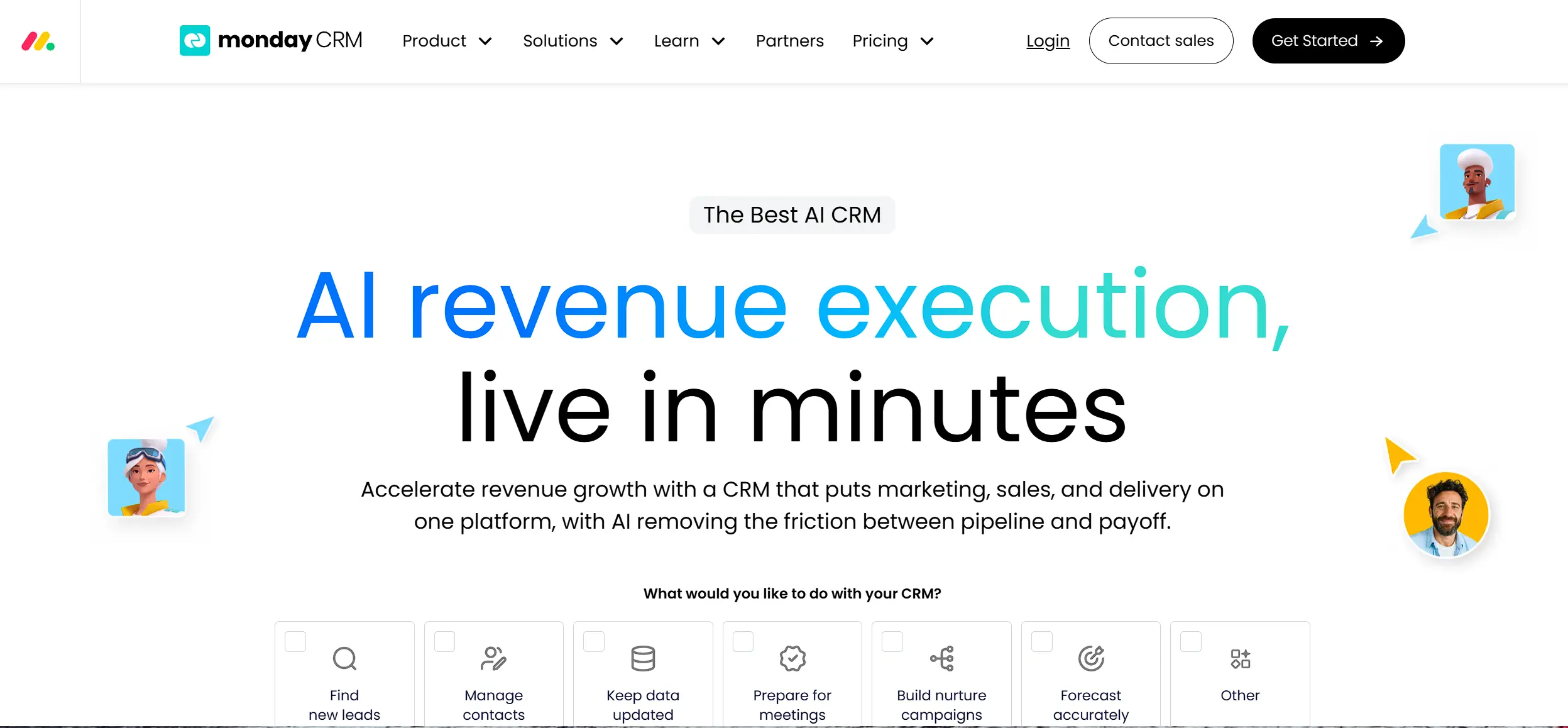
Monday’s “when/then” automation recipes are faster to build for simple triggers but hit a ceiling sooner on complex, multi-step logic. Its AI agents, by contrast, are unusually well integrated into daily pipeline tasks: autonomous lead sourcing, live call handling, and no-code “AI Blocks” that don’t require understanding a workflow builder first. Both platforms now cap or meter automation actions and AI usage by plan, worth checking against your actual volume before committing.
Verdict: HubSpot for automation depth and cross-functional workflows. Monday for fast, no-code AI that a non-technical team can configure themselves.
Where HubSpot Wins: Reporting
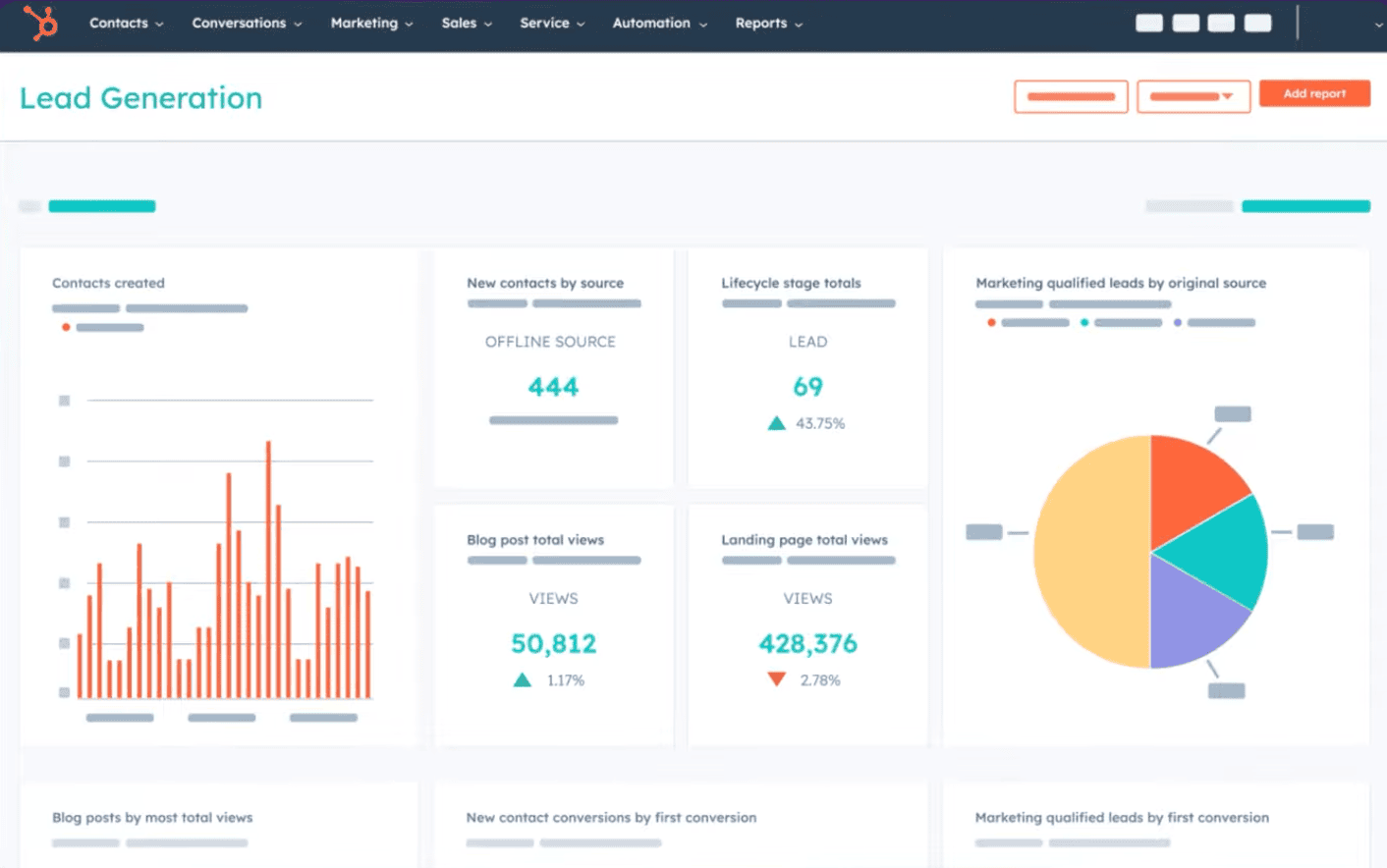
HubSpot’s reporting is built for the full funnel: first touch to closed revenue, with attribution and forecasting from the Professional tier up. If leadership wants to know which channel is actually producing revenue, HubSpot answers that natively.
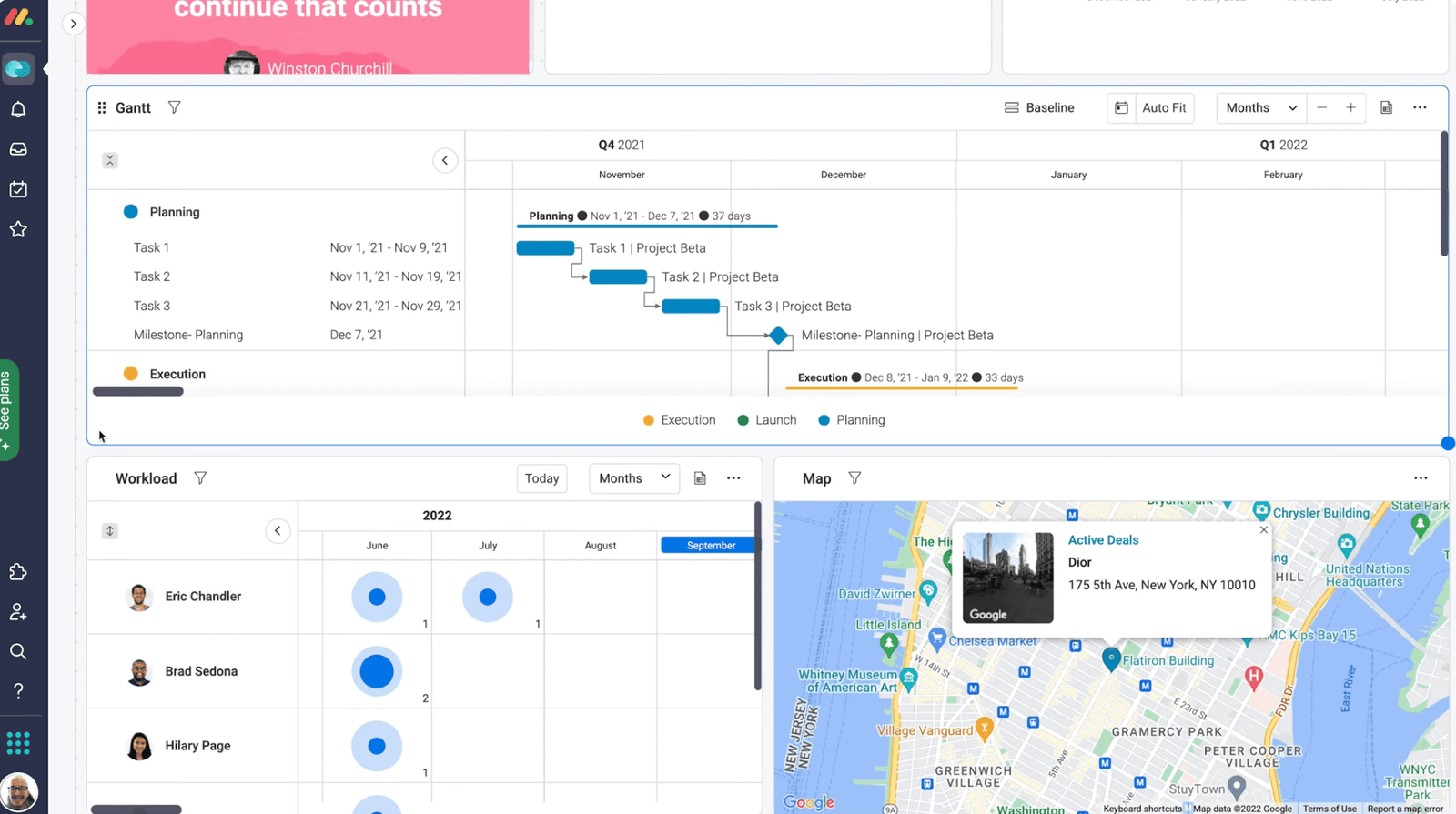
Monday’s dashboards are strong for delivery and workload visibility, what’s overdue, who’s overloaded, what stage things are in, but weaker for funnel-style sales analytics. Custom dashboards improve on the Pro plan, but you’re still fundamentally reporting on board activity, not a governed customer database.
Verdict: HubSpot, clearly, for any business that needs to answer “where is our revenue actually coming from.”
Integrations
HubSpot’s marketplace is well over 1,000 apps, covering e-commerce, accounting, advertising, and more, and its 2026 updates added native AI Connectors to Claude, ChatGPT, Gemini, and Microsoft Copilot on top of that.
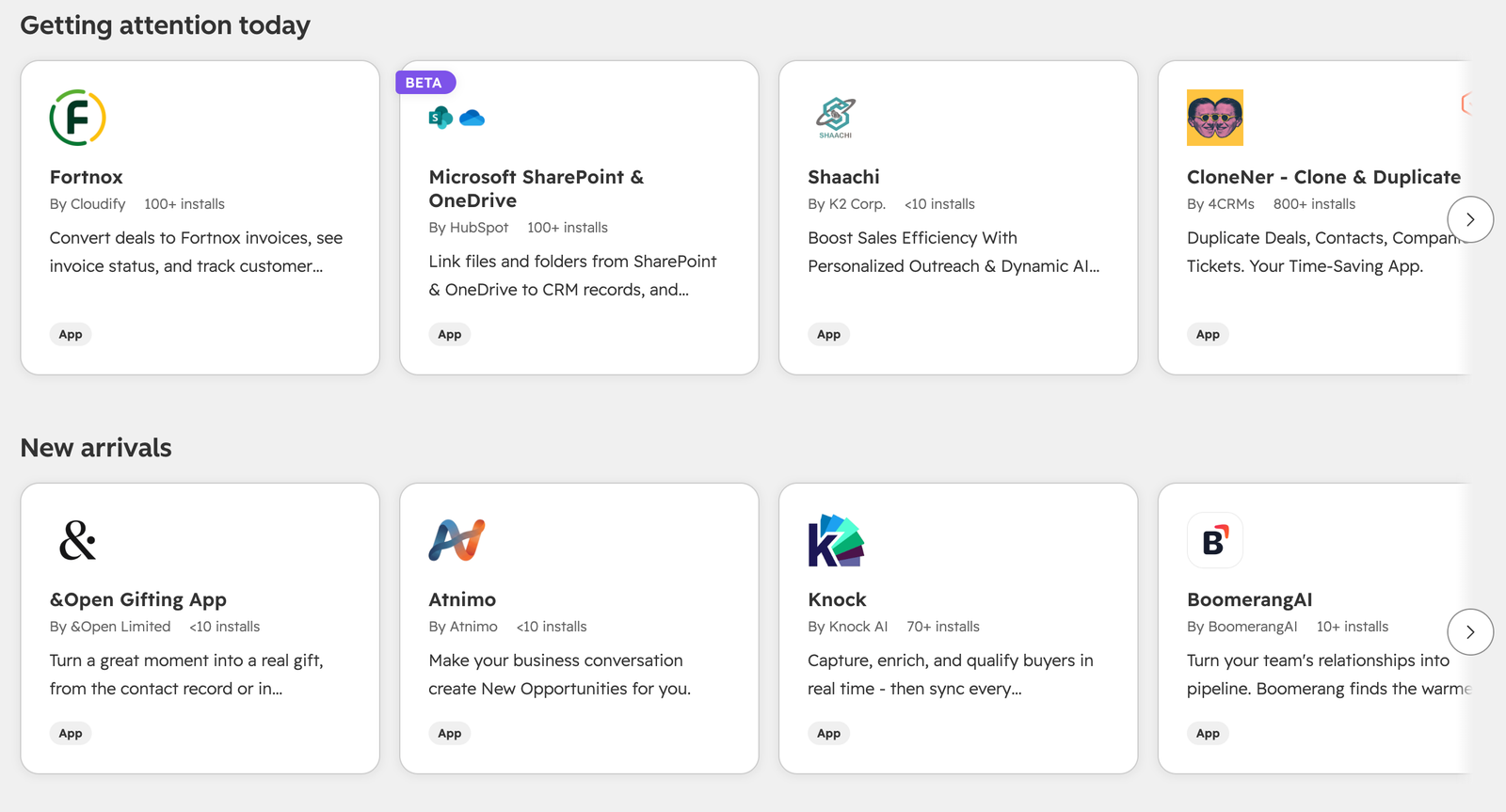
Monday’s marketplace is smaller, in the low hundreds, but covers the common stack (Gmail, Outlook, Slack, Zapier, Make) and is genuinely strong within its own ecosystem if you’re already running other Monday products.
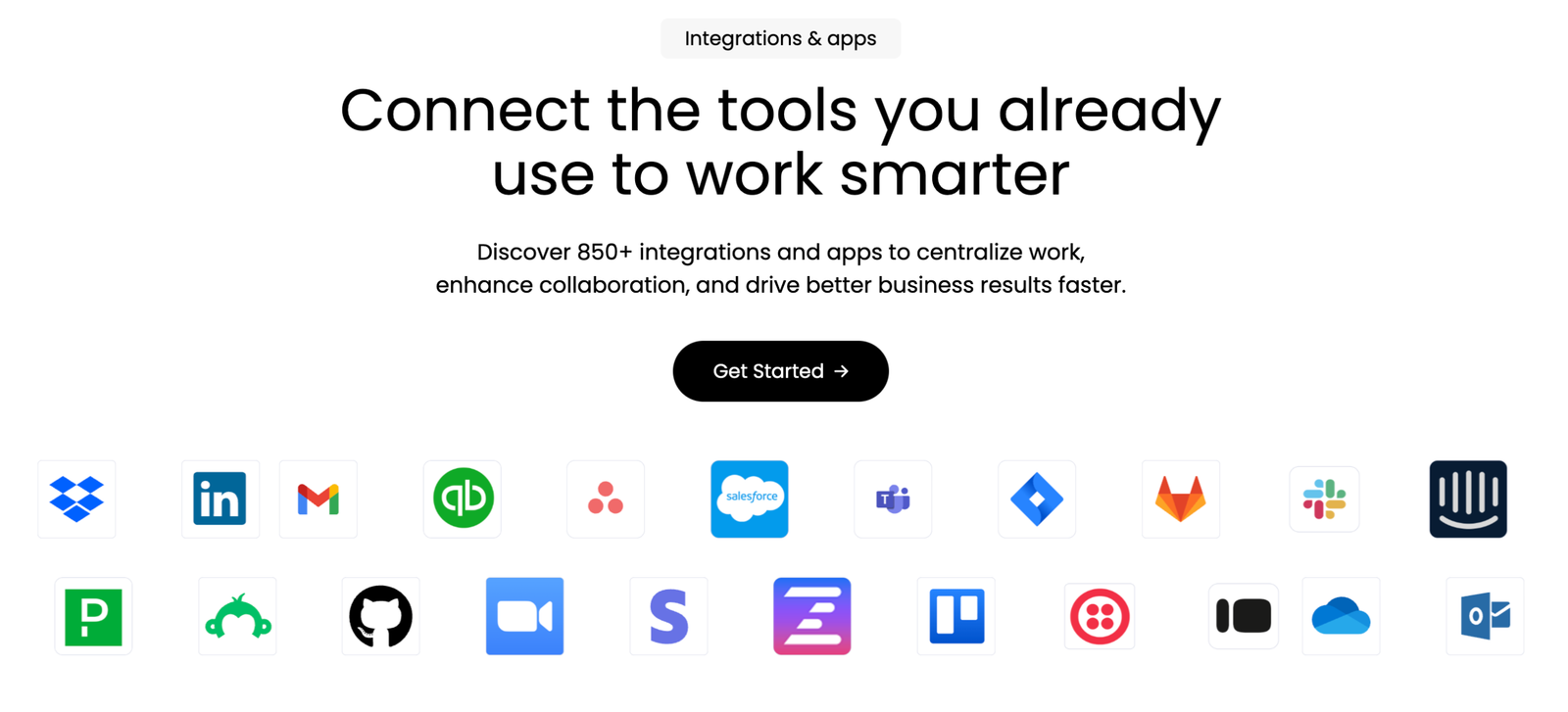
Verdict: HubSpot has the deeper library. Monday covers what most small-to-mid-size teams actually use day to day.
Where Monday CRM Wins: Customization
This is where Monday genuinely leads. Boards, columns, and layouts reshape to match your specific process without developer involvement, and reviewers consistently rate it highest here across independent platforms. HubSpot offers custom properties and pipeline configuration, but you’re working inside a more traditional CRM framework rather than building your own from scratch.
Verdict: Monday CRM for businesses with an unusual sales process that a standard CRM structure would fight against.
Nick G., an Owner in Marketing and Advertising, titled his Capterra review “Monday, the best tool you don’t know about”, crediting the platform’s adaptability for helping his team scale without outgrowing it.
Scalability
HubSpot’s Hub structure gives it a longer runway: start with free tools, add Sales Hub, layer in Marketing Hub, Service Hub, and Data Hub as needs grow, all on the same underlying record. Monday’s ecosystem has expanded meaningfully (Campaigns, Service, deeper agent tooling), but these remain separate products on the same board engine rather than one deeply integrated data model.
Verdict: HubSpot for businesses actively planning to scale a dedicated sales or marketing function. Monday for businesses that expect to stay project-led.
What Real Users Say
Review data is one of the few places you get an honest, unfiltered read on both platforms, especially from people who’ve actually made the switch.
On G2, HubSpot Sales Hub sits at 4.4 out of 5 across roughly 14,200 reviews, while Monday CRM runs slightly higher at 4.5 out of 5 across a smaller base of about 1,680 reviews. On Capterra, the gap is similar: 4.5 for HubSpot CRM against 4.7 for Monday CRM. Both platforms’ aggregated data shows Monday consistently ahead on ease of use and customization, while HubSpot holds the edge on email marketing depth and reporting, a pattern that lines up closely with the feature comparison above.
Not every switch runs the direction this guide leans. One Capterra reviewer, Alberto S., a Finance Manager in the automotive industry who moved to HubSpot from a mix of smaller CRM tools, said HubSpot strengthened his company’s client relationships and left him with no real complaints. It’s a useful reminder that the right platform depends on your team’s shape, not a universal winner, and that switches run in both directions for good reasons.
The activity-history gap this guide flags under Contact and Deal Management shows up in real reviews too. Sam L., a Broker Associate in real estate who switched from HubSpot CRM to Monday CRM, reviewing on Capterra, praised Monday for keeping contacts and client interactions organized, while flagging ongoing friction syncing with Outlook and some meeting notes that didn’t carry over cleanly. That’s a direct, first-hand confirmation of the exact tradeoff this article describes above, not just a vendor’s claim about it.
If Sam’s experience sounds like where you’re headed, the actual mechanics of that move, what transfers cleanly, what doesn’t, and how to avoid losing activity history in the process, are covered step by step in our complete guide to migrating from HubSpot to Monday CRM.
When to Run Both Instead of Choosing One
Migration or a head-to-head pick isn’t the only option. Plenty of project-and-revenue businesses run Monday for delivery and HubSpot for contacts, deals, and campaigns, connected by Monday’s native HubSpot integration or a simple Zapier automation that creates a delivery board item the moment a deal closes. This makes sense when:
- Marketing and sales alignment genuinely depends on HubSpot’s automation, but delivery runs better on visual boards
- You want to pilot one platform in a single department before committing the whole business
- The two tools are doing genuinely different jobs in your business, project delivery and revenue tracking, and forcing one tool to do both would mean neither does it well
Who Should Actually Choose Which
Choose Monday CRM if:
- Your business runs on projects and delivery, and sales is a supporting process, not the main event
- Your team already lives in Monday for work management
- You want to be self-sufficient without a dedicated CRM admin
- Your pipeline volume is light enough that a visual board is genuinely enough
Choose HubSpot if:
- Sales and marketing are becoming, or already are, a core, structured process
- You need one source of truth for a contact across marketing, sales, and service
- You need real reporting: attribution, forecasting, funnel conversion, not just activity dashboards
- You’re planning to scale the sales or marketing function, not just track it
The Question Neither Vendor Will Ask You
Here’s what doing this work for a living has taught us: the CRM is rarely the actual problem.
We’ve seen businesses spend $15K to $30K a year on software licenses they use at a fraction of capacity. We’ve seen teams migrate from Monday to HubSpot, or the reverse, and land in the exact same chaos six months later, just in a shinier interface. The tool changed. The operating system underneath it didn’t.
A CRM only works sitting on top of a real system: clear ownership of every deal stage, documented handoffs between sales and delivery, SOPs your team actually follows instead of ones sitting unread in a shared drive, and a leadership rhythm that actually uses the dashboard instead of ignoring it. Buy the best CRM in the world and drop it into a business where everything still lives in someone’s head, and you’ve just built a more expensive version of the same chaos.
That’s the audit we run before we ever talk tool selection: map the actual workflows, find where time and revenue are leaking, and figure out whether the fix is a system problem, a tool problem, or both. Sometimes that points to HubSpot. Sometimes it points to Monday. Sometimes the honest answer is that you don’t need a new CRM yet, you need to fix what’s happening before a lead ever reaches your pipeline.
That audit is also where you’ll find out whether you need outside help at all, and if so, what kind. Not every implementation partner does the same job: some only configure software, some only build automations, and few actually start with the operational audit before touching a tool. If you’re weighing whether to bring someone in, our breakdown of the best AI automation agencies for small and medium businesses covers what to actually look for before you sign anything.
Final Verdict
HubSpot is the stronger platform for businesses where sales and marketing are becoming a real, scaling function. The structured data model, deeper reporting, and longer growth runway are worth the higher cost once you’ve outgrown a spreadsheet-with-extra-steps approach to revenue.
Monday CRM is the stronger fit for project-driven businesses that want one flexible workspace instead of a specialized CRM bolted onto a separate PM tool, especially teams already living in the Monday ecosystem with a manageable sales volume.
Either way, the tool is maybe 30% of the outcome. The other 70% is whether someone actually builds the system around it, the pipeline stages that match your real sales process, the automations that remove the manual busywork, the SOPs that let a new hire run the pipeline without you standing over their shoulder. That’s the part no comparison article can put in a table.
Frequently Asked Questions (FAQ)
It depends on whether your core need is sales-and-marketing depth (HubSpot) or visual flexibility layered on project work you're already doing (Monday). Businesses expecting to scale a dedicated sales or marketing function generally get more long-term value from HubSpot. Lean, project-based operations often get further, faster with Monday CRM.
No. Monday CRM offers a 14-day free trial, and paid plans start at a 3-seat minimum. HubSpot offers permanent free CRM tools for a small team, with paid Hubs layered on as needed.
Monday CRM, generally. Its board-based interface needs less specialized CRM knowledge to configure. HubSpot is approachable at the free and Starter level but benefits from proper setup once you're building multi-step workflows or cross-Hub automation, the kind of implementation work that's easy to get 80% right and never quite finish.
It depends what you need the AI to do. HubSpot's Breeze AI is deeper for marketing content, prospecting, and now connects to outside AI tools through MCP. Monday's AI agents are more tightly built into daily pipeline work: live calls, lead sourcing, and no-code automation blocks.
Yes, and for project-and-revenue businesses it's often the cleanest setup: delivery and internal work in Monday, contacts and deals in HubSpot, connected by Monday's native HubSpot integration or a single handoff automation when a deal closes. The mistake to avoid is trying to force one tool to do both jobs.
This is the pattern we see constantly, and it's rarely a tool problem. If your operations still live in spreadsheets, DMs, and people's heads, a new CRM just becomes one more disconnected system. The fix is systemizing the workflow first, documenting ownership and process, then layering the right tool and automation on top of a foundation that can actually hold it.
Not Sure Which One Is Right for You?
That’s exactly what we help businesses figure out.
At Camel Tech,
we build systems that actually get used, not just implemented. For growing businesses, that means: choosing the right platform for your actual sales process, configuring it around your real workflow instead of a generic template, building the automations that remove the manual busywork, and training your team so adoption actually sticks.
We implement ClickUp, Notion, and Monday, and layer the AI automation on top of whichever one fits your business. We don’t just recommend the platform. We build the system.
Book a free 45-minute audit call. We’ll map your workflows and tech stack and tell you honestly whether a new CRM, a proper implementation of the one you already have, or a systemization pass before either matters, is what your business actually needs.
Read Related Articles
Camel Tech joins Anthropic's Claude Partner Network, gaining access to technical resources and certification opportunities
Leaving Airtable? Compare 7 alternatives, from Notion to Baserow, by use case, real pricing and

Compare the best AI automation agencies for SMBs in 2026. Verified Zapier, Make, and n8n
Build a business that thrives without you
Unlock your ultimate life goals: Focus on high-leverage tasks, personal growth, and family time while pursuing your next big initiative.
Let's book a call with our expert.

Selected resource
Enter your email and we’ll send the resource directly to your inbox.
✓
Check your inbox
We’ve received your request and will send the resource to your email.
Please check your spam or promotions folder if you don’t see it shortly.