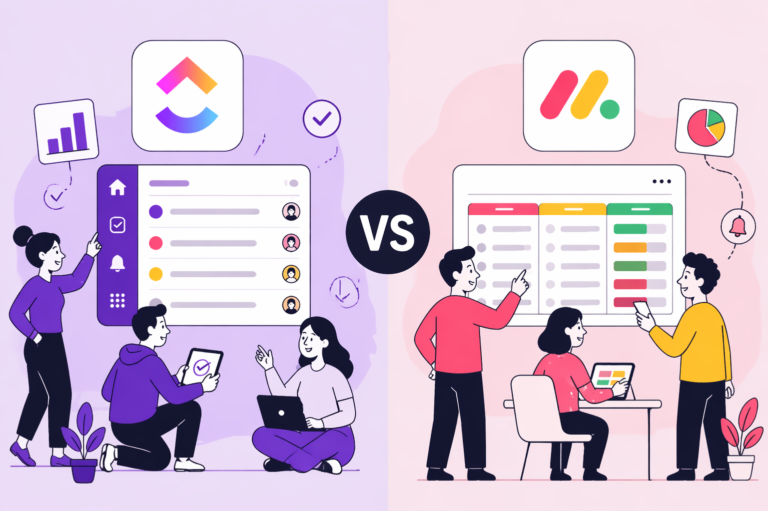
Choosing between ClickUp and Monday isn’t about which tool has more features. It’s about how your team actually works, who will use the system day-to-day, and how much time you can invest in setup.
Pick ClickUp when your priority is depth, consolidation, and long-term control.
ClickUp is the better fit if you need one platform to replace multiple tools: tasks, docs, time tracking, chat, whiteboards, and more. It works best when you have someone, internally or with a consultant, who can configure it properly. It shines when your work has layers: multiple clients, cascading dependencies, billable hours, and cross-department reporting. Teams willing to invest 2–4 weeks in setup are rewarded with a system that grows with them.
Best industries for ClickUp: agencies, software and dev teams, professional services, consulting firms, and any operation-heavy business where workflows are complex and cross-functional. Construction companies with detailed project phasing also benefit from ClickUp’s hierarchy.
G2: 4.7/5 from 11,000+ reviews. Ranked #1 in 5 categories and Top 3 in 526 reports in G2’s Winter 2026 Report.
Pick Monday when your priority is speed of adoption and visual clarity.
Monday is the better fit if your team is non-technical, you need people productive within days, not weeks, and you value polished dashboards for client reporting. Its board-based interface feels intuitive out of the box, and the separate product lines, Work Management, CRM, Dev, and Service, let teams adopt only what they need without paying for unused complexity. The mobile app is also better suited for fieldwork.
Best industries for Monday: marketing teams, sales-driven SMBs, construction trades, real estate, property management, healthcare administration, and any team where the people using the tool daily aren’t “systems people.”
G2: 4.7/5 from 17,695 reviews — one of the highest review counts in the project management category.
Why Trust This Content
Most comparison articles are written by someone who tested a 14‑day free trial or is a content creator.
This one isn’t.
At Camel Tech, we have implemented ClickUp and Monday across 80+ businesses – agencies, construction firms, accounting practices, ecommerce stores, and professional services companies.
We are a Monday Official Partner and a Certified ClickUp Consultant.
We have watched both succeed. We have watched both fail.
Methodology of This Article
This content is built on:
•Practical experience from implementing ClickUp and Monday for 80+ companies.
•Deep platform knowledge from Camel Tech’s certified ClickUp and Monday experts.
•Authentic user reviews from trusted platforms such as G2, Capterra, TrustRadius, and Trustpilot.
•Interviews with founders and industry experts to capture real-world decision drivers.
Key Takeaways
What is the main difference between ClickUp and Monday?
ClickUp bets on consolidation. One tool, everything inside it. This works well when you have someone, internal or external, who can set it up properly.
Monday bets on clarity. Purpose-built modules that are easy to understand right away. This works when adoption speed matters more than having everything in one place.
How much does ClickUp cost in 2026?
ClickUp Unlimited starts at $7 per user per month, billed annually. There is also a free plan with unlimited tasks and members, but limited storage and features.
How much does Monday cost in 2026?
Monday Standard starts at $12 per seat per month, billed annually. All paid plans require a minimum of 3 seats, so the lowest you can pay for Standard is $36 per month, even if only one person uses it. A free plan is available for up to 2 users.
How much does ClickUp AI cost?
ClickUp Brain is a separate add-on at $9 per user per month on top of any paid plan. So if you are on the Unlimited plan with AI, you are paying $16 per user per month. ClickUp Brain is not included in any base plan.
How much does Monday AI cost?
Monday gives every paid plan 500 free AI credits per month. Each credit costs $0.01. Basic AI features like text generation and summaries are covered by those free credits for light usage. But if your team uses AI heavily, especially through automations, those 500 credits run out fast. The cheapest paid AI add-on starts at $200 per month, billed annually. So, Monday AI is not free; it just has a lower entry point for light users.
How long does ClickUp take to set up?
ClickUp is ready to use right away, but most teams need 2 to 4 weeks to reach full productivity. The features are there from day one. The team’s comfort with the tool takes longer.
How long does Monday take to set up?
Monday reaches full productivity in 2 to 3 days. There is less depth compared to ClickUp, but faster adoption means less resistance and fewer support requests from your team.
ClickUp vs Monday Feature Comparison at a Glance (2026)
500 free credits per month $0.01/credit after that. Paid plans from $200/month
AI in automations
Yes — uses AI credits
Yes — uses AI credits
CRM & specialized products
Built-in CRM
No — workaround with custom fields
Monday CRM(separate product, from $12/seat)
Service desk
No
Monday Service
Dev product
Native sprints in core product
Monday Dev(separate product)
Pricing & access
Free plan
Yes — unlimited users, 100MB
Yes — 2 users, 3 boards
Entry paid plan
$7/user per month (Unlimited)
$12/seat per month (Standard) 3-seat minimum = $36/month floor
Mid-tier plan
$12/user per month (Business)
$19/seat per month (Pro)
Minimum seats
None
3 seats on all paid plans
Onboarding & UX
Setup time to productivity
2–4 weeks
2–3 days
Learning curve
Steep — very feature-dense
Low — intuitive for non-technical teams
Mobile app
iOS + Android
iOS + Android
You will find a detailed feature comparison in the latter part of the article.
What is ClickUp?
ClickUp is an all-in-one work platform built around tasks, projects, and deep workflow customization. Founded in 2017, it is designed to consolidate all the tools your team uses into a single workspace- tasks, documents, goals, time tracking, dashboards, chat, and whiteboards. It now serves 20M+ users at ~$300M ARR.
The platform is structured around a six-level hierarchy: Workspace, Spaces, Folders, Subfolders, Lists, and Tasks. This gives teams granular control at every level. Think of ClickUp as a fully loaded Swiss Army knife. Every tool you need is almost there. The trade-off is the learning curve.
What is Monday.com?
Monday is a visual Work OS built around boards- color-coded grids where teams track work, manage timelines, and set statuses. Everything is designed to be immediately understood without training. It now serves 250,000+ customers and is publicly listed on NASDAQ.
Where ClickUp gives you depth, Monday gives you clarity. The platform has expanded into a multi-product suite: Work Management, CRM, Dev, and Service. Think of Monday as a polished, ready-to-use room. You move in and start working on day one.
What’s Actually New in ClickUp and Monday in 2026
If your last evaluation was pre-2025, start over. Both platforms have fundamentally changed.
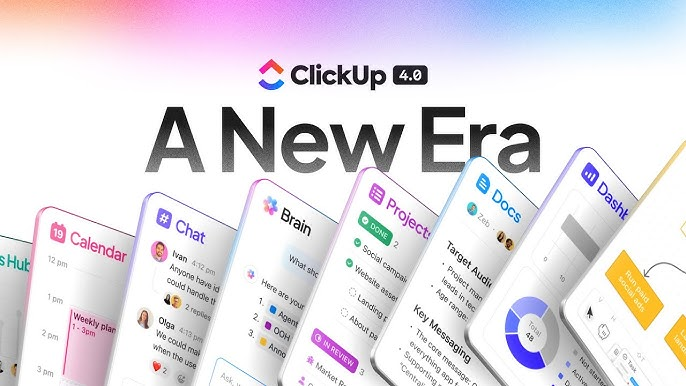
ClickUp 4.0 - A Ground-Up Rebuild
ClickUp 4.0 launched on December 9, 2025. Not a feature update. The most significant redesign in ClickUp’s history. ClickUp 3.0 was officially deprecated on March 27, 2026.
What changed:
Rebuilt navigation– Global Navigation bar and Dynamic Sidebars replace the old cluttered left panel.
Teams Hub– manager-facing view with AI standups and capacity tracking
AI Planner– auto-schedules your day based on tasks, deadlines, and calendar.
Subfolders– a new fourth hierarchy layer between Folders and Lists
Upgraded Chat– scheduled messages, AI summarization, connected directly to tasks
~40% faster load times compared to ClickUp 3.0
Super Agents (Dec 2025)- AI workers that appear as real teammates
Weekly feature releases– ClickUp ships updates every week. Resources and documentation stay current.
ClickUp positions itself as “the world’s first Converged AI Workspace.”
Monday - From Managing Work to Doing It
“We’re entering a new era where software doesn’t just manage the work, it actually does the work for you.” – Daniel Lereya, CPO, Monday.
What changed for Monday in 2026:
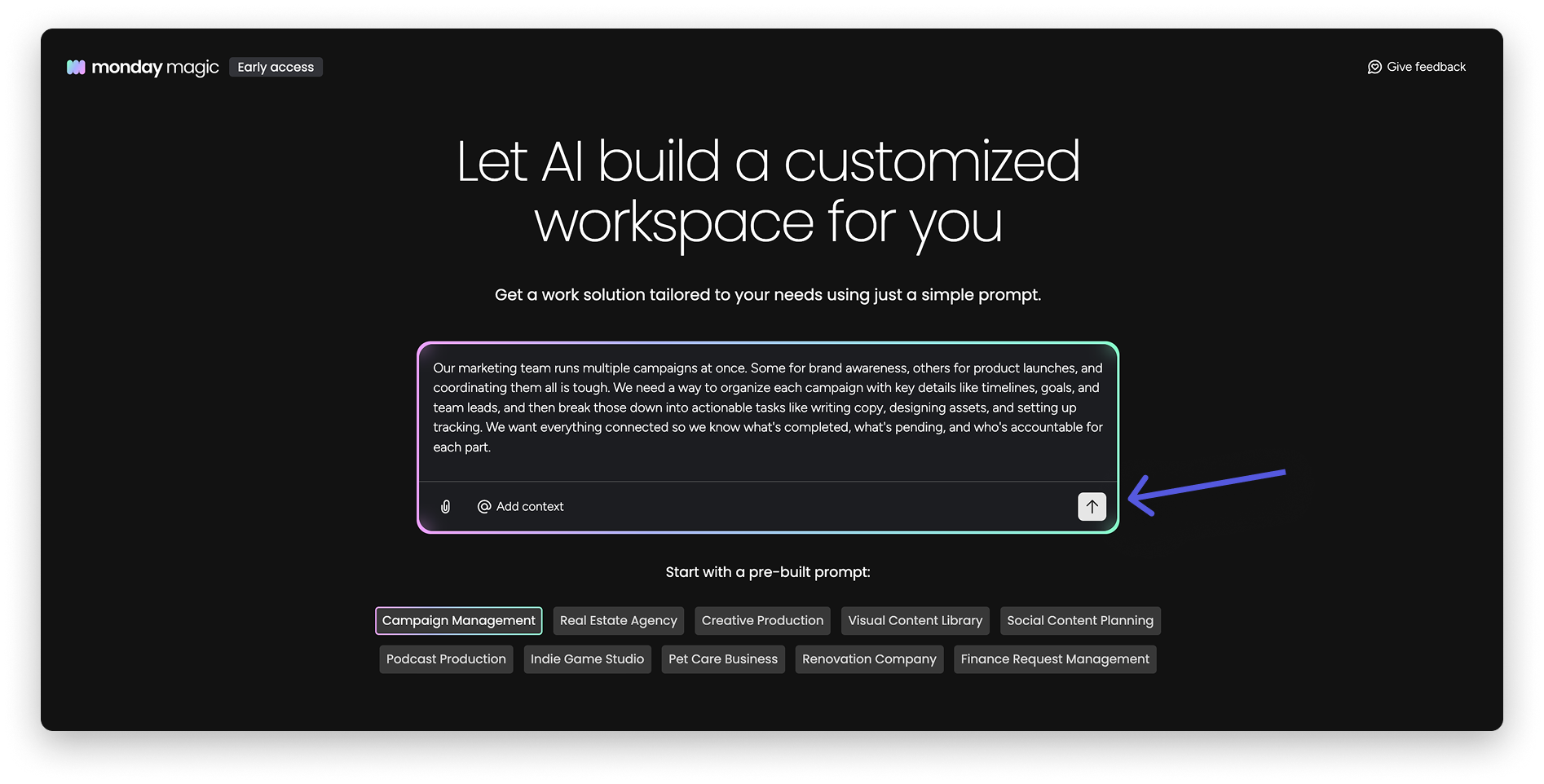
Monday Magic- one prompt generates a complete board with automations and dashboards. Over 2,000 solutions built within months of launch.
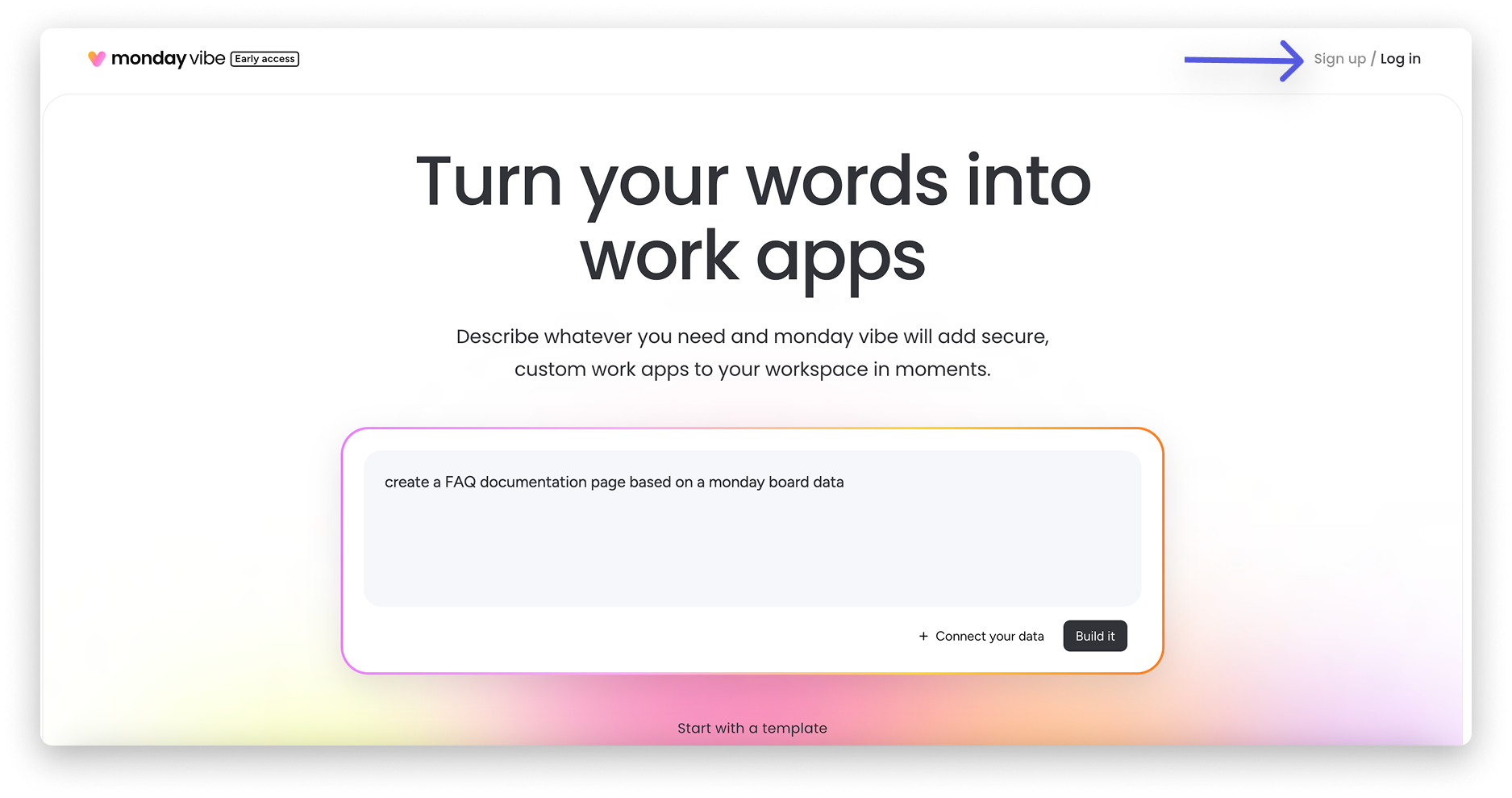
Monday Vibe- AI app builder using vibe coding. Describe what you need, and it generates a fully functional enterprise app inside Monday. Over 17,000 apps built in the first two months.
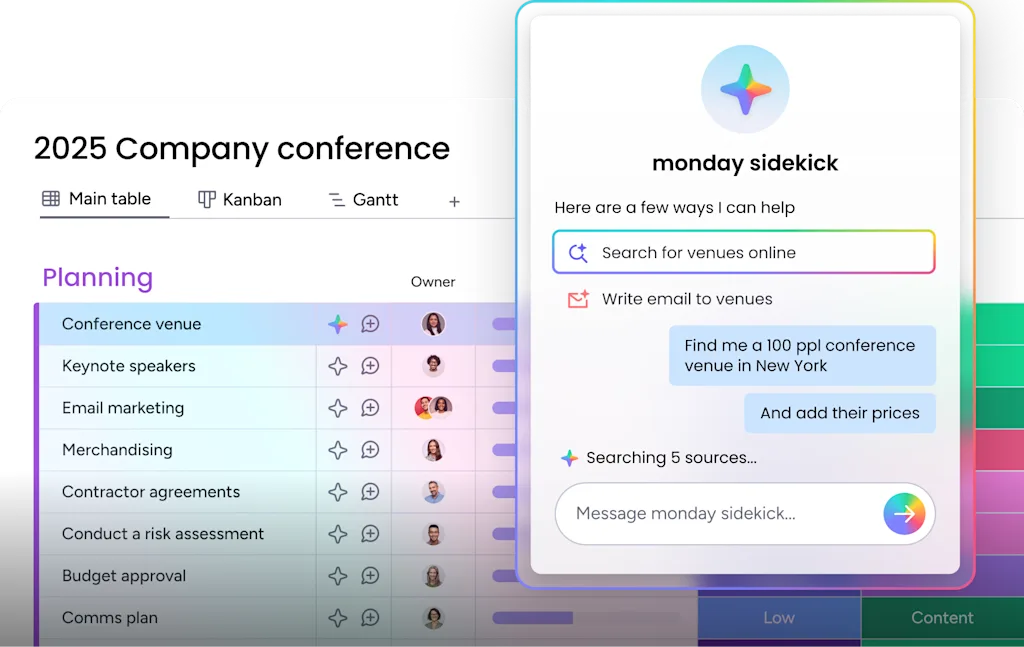
Monday Sidekick- context-aware AI assistant, out of beta January 2026. Over 45,000 interactions in the first three months. Now expanded with a Skills Marketplace that lets Sidekick act across your entire tech stack, not just inside Monday.
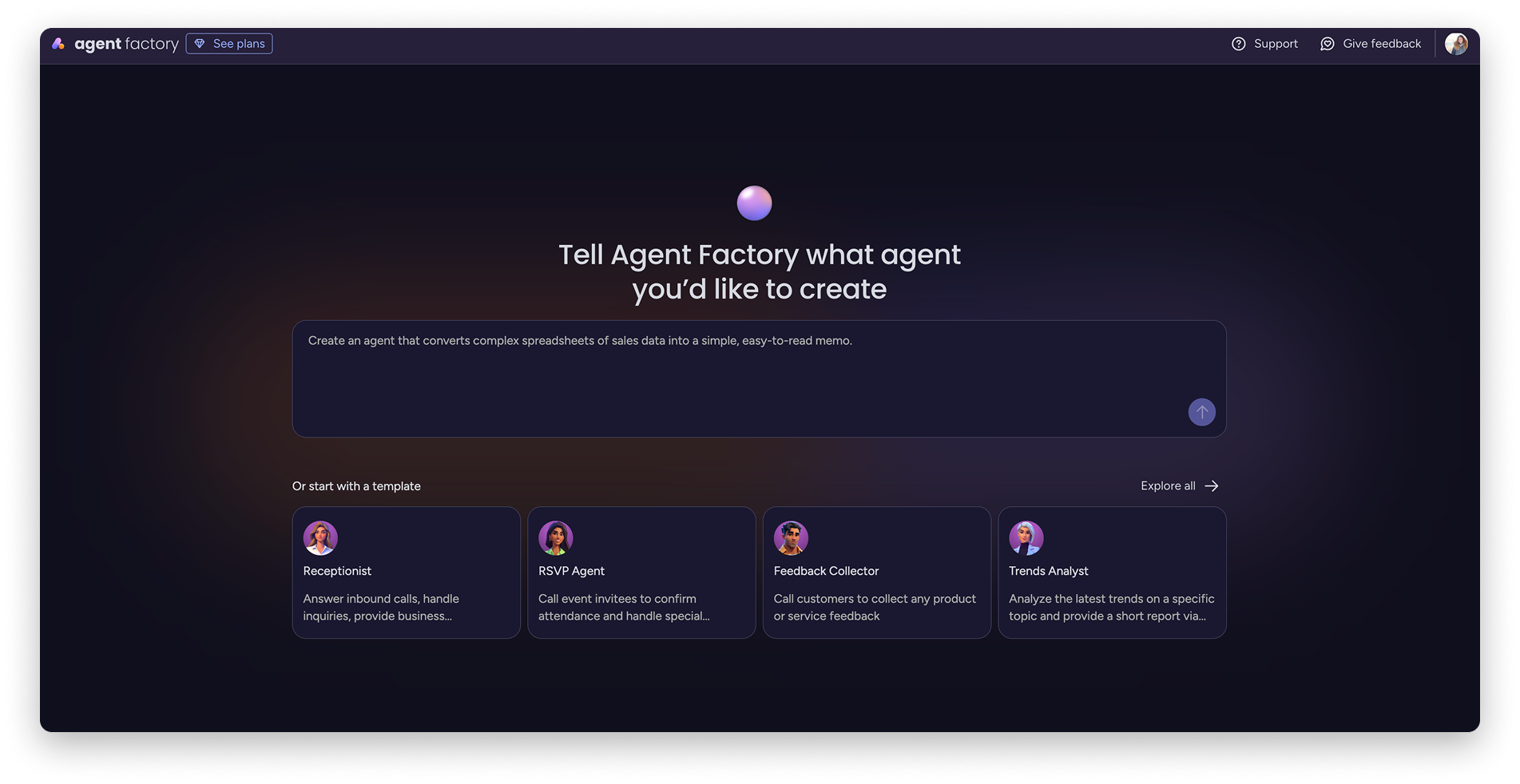
Agent Factory- a standalone no-code agent builder for creating a digital workforce.
Monday Campaigns- AI-driven marketing built directly into Monday CRM.
Claude connector- direct integration with Claude AI inside Monday workflows, signaling a serious commitment to third-party AI, not just their own models.
AI governance controls- per-user AI credit limits with threshold warnings. The kind of enterprise-grade control that makes AI adoption viable for regulated industries and larger teams.
Monday also moved to a credit-based AI pricing system in 2026.
ClickUp vs Monday: Key Features
Task Management
ClickUp: Custom statuses, multiple assignees, cascading dependencies, time estimates, nested subtasks, formula-based custom fields, reusable custom fields, and duplication properties- Monday doesn’t support the latter two. Template management is superior in ClickUp: update a template, and changes propagate to new projects.
On Monday, you must delete the old template and add a new one.
ClickUp’s six-level hierarchy (Workspace → Spaces → Folders → Subfolders → Lists → Tasks) lets you model complex operations. An agency can have a Space per client, Folder per retainer, List per month, and Tasks per deliverable. Every level supports its own views, statuses, and automations.
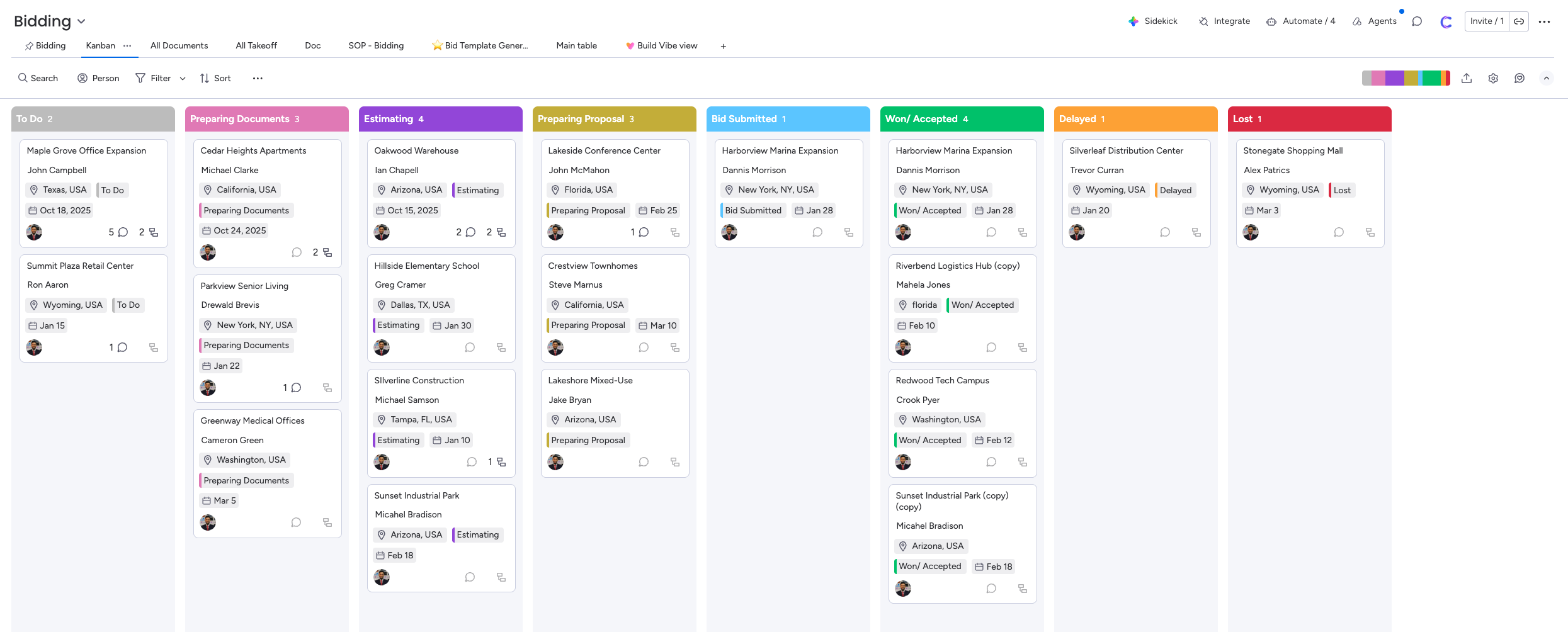
Monday: Boards → Groups → Items → Subitems. Flatter, visual, immediately readable. Gantt view is now fully connected to boards. Monday’s sub-items support separate custom columns– a useful touch for task breakdowns that ClickUp doesn’t match at the sub-item level.
Monday’s flatter structure means less setup but less depth. Boards work well for single-project tracking, but managing 20+ clients from one workspace gets cluttered. The trade-off: what you gain in speed of setup, you lose in organizational depth.
Verdict: ClickUp for complex hierarchies and template-driven delivery. Monday for visual simplicity.
Structure and Hierarchy
ClickUp: Six-level hierarchy- Workspace, Spaces, Folders, Subfolders, Lists, and Tasks with unlimited subtask nesting. Every level has its own views, permissions, and automations. This maps naturally to businesses with layers: regions, departments, clients, projects, and phases.
Monday: Three effective levels- Workspaces, Boards, Groups, Items, and Subitems (one level only). Flatter and faster to set up. But cross-board visibility is limited. Seeing all work across 15 boards requires dashboards, and those dashboards are board-limited by plan (5 boards on Standard, 20 on Pro, 50 on Enterprise).
Verdict: ClickUp for businesses with operational layers. Monday for teams managing fewer, simpler projects.
Time Tracking
ClickUp: Native on all paid plans. Timesheets, time approval workflows, and actuals vs. estimates in real time.
Monday: Has a per-task timer, but with real issues: you can run multiple timers simultaneously (counterintuitive for billing), and timers keep running in the background when you navigate to other boards. No timesheet or approval workflow. Most agencies end up adding Harvest or Toggl; each costs $10–15/user/month, plus the reconciliation headache.
Real story: One agency client was losing 5 billable hours weekly reconciling Monday with their time tracker. They switched to ClickUp. The implementation paid for itself in under 60 days.
Verdict: ClickUp wins. Non-negotiable for service businesses that track time.
Automation
ClickUp Plan
Automations / Month
Free Forever
100 actions
Unlimited
1,000 actions
Business
5,000 actions
Business Plus
25,000 actions
Enterprise
250,000 actions
Monday: Both recipe-style automations (if-then, template-based) and AI Workflows (prompt-based). Easier to configure; less custom logic than ClickUp. One real friction point: G2 reviewers consistently note it’s easy to hit Monday’s automation limits faster than expected, especially when automations trigger frequently. Standard’s 250 actions/month can run dry quickly in active workflows- budget for Pro if automation is a priority.
Monday Plan
Automations / Month
Standard
250 actions
Pro
25,000 actions
Enterprise
Unlimited
Verdict: ClickUp for custom power. Monday for ease of setup.
Recurring Tasks and Reminders
ClickUp: Full recurring task support on all plans. Set tasks to repeat daily, weekly, monthly, or on custom schedules. The system automatically creates new instances and tracks completion. Recurring reminders keep teams on track. Essential for accounting firms, agencies with monthly retainers, and any business running cyclical operations.
Monday: Has recurring automations that can create items on a schedule, but it is automation-dependent- not a native recurring task feature. This counts against your monthly automation limits. On Standard (250 actions/month), recurring tasks for a 10-person team can consume a significant chunk of your automation budget.
Verdict: ClickUp handles recurring work natively. Monday requires automations as a workaround.
Reporting & Dashboards
ClickUp: 50+ widget types- Gantt, burndown, sprint velocity, workload, time reports, goal progress. Fully custom, live data across your workspace. Important: You need the Business plan to unlock the full dashboard potential. The Unlimited plan has limited widget options.
Monday.com: More visual options, better for high-level client-facing reporting. AI-powered portfolio risk detection flags issues before they escalate.
Monday dashboard board limits:
Monday Plan
Boards per Dashboard
Basic
1 board
Standard
Up to 5 boards
Pro
Up to 20 boards
Enterprise
Up to 50 boards
If you need dashboards combining more than 5 boards, you’ll need Pro or above.
Financial Reporting: Monday enables P&L tracking per project via its Quotes & Invoices feature (available on Monday CRM Enterprise plan). This generates structured data on products, revenue, discounts, and performance. Custom dashboards can track client-level profitability, revenue, costs, profit, and margin using custom KPIs.
Verdict: Monday’s dashboard has more visual options and is better for high-level reporting. ClickUp’s dashboard is deeper for operational metrics. Choose Monday for polished client-facing dashboards; choose ClickUp for granular ops data; and budget for the Business plan.
Formula Columns and Calculations
ClickUp: Has formula custom fields, but with a key limitation- you cannot reference other formula columns. This restricts complex calculations and multi-step data manipulation.
Monday: Formula columns are more flexible. You can nest formulas, reference other formula columns, and build complex calculations. Monday also has a dedicated Numbers column with sum, average, and other aggregations built into the footer. For teams relying on financial tracking or data-heavy workflows, Monday’s formula depth is a genuine advantage.
Verdict: Monday wins on formula flexibility. ClickUp's formulas are functional but limited.
Communication
ClickUp: Chat (Slack-style, connected to tasks), video clips (replaces Loom), email from tasks (logged in task history), SyncUps (built-in video calls with AI transcription); everything in context alongside the work.
Monday: Native chat, video recording, and video calls aren’t built in. However, you can send emails to clients starting Monday (basic email integration), just not as seamlessly as ClickUp’s native email-from-task, which automatically logs communication history.
For a 10-person team, replacing Slack (~$10/user) and Loom (~$10/user) with ClickUp represents ~$200/month in potential savings.
Verdict: ClickUp for consolidation and team communication.
Guest Access and External Collaboration
ClickUp: Three types of guests. View-only guests are free and unlimited on all plans. Permission-controlled guests (who can edit, comment, or approve) have seat limits that scale with your paid members – for example, Business includes 10 base permission-controlled guest seats plus 5 additional per member. The critical catch: if you exceed your permission-controlled guest limit and invite another, ClickUp automatically adds a paid member seat and charges you. People using your company’s email domain or SSO are automatically converted to paid limited members regardless of what access level you intended. Guests cannot be invited to Spaces, only to Folders, Lists, tasks, Docs, and Dashboards. They have access to Chat and can send messages. Guests need to open a ClickUp account once invited.
Monday: Viewers (read-only) are unlimited and free on all paid plans. Guest access (edit-level for external collaborators like clients, freelancers, vendors) is not available on Free or Basic – it starts on Standard. On Standard, you get up to 3 guests free; after that, every 4 guests count as 1 paid seat. On Pro and Enterprise, guests are unlimited at no extra cost. Guests must have a different email domain from the account admin’s organization. Same-domain users cannot be added as guests. Guests need to open a Monday account.
Verdict: Monday.com is simpler and more generous in higher plans- unlimited guests on Pro and Enterprise with no billing surprises. ClickUp gives more granular control over guest permissions, but the auto-conversion to paid seats. For agencies and businesses working with many external clients, Monday Pro's unlimited guests is a clear advantage. For smaller teams, ClickUp saves money.
Knowledge Base and Documentation
ClickUp: ClickUp Docs supports sub-docs, task linking, and wiki-style organization. Functional but limited in design flexibility. Doc hierarchy gets cluttered with many documents, but better than the Monday doc hierarchy. Good enough for SOPs and internal documentation but not client-facing content.
Monday: Workdocs are basic; functional for meeting notes and light documentation, but not a knowledge management tool: no database-backed pages, no wiki structure, no beautiful page design. Teams needing a real knowledge base typically add Notion or Confluence alongside Monday. Monday’s doc hierarchy is not good. But it’s good for creating dynamic content with variables. Also, embed is better than ClickUp.
Verdict: Neither platform excels here. ClickUp is better for internal SOPs connected to tasks. Monday Workdocs are the weaker option.
CRM
No native CRM. Buildable with custom fields, but manual and expertise-dependent- stronger developer support and documentation.
Monday CRM: Full suite- pipelines, contact management, deal tracking, email sequences. Monday Campaigns bridges marketing and CRM revenue data. SDR, Lead, and Outreach Agents handle prospecting autonomously. Developer support within Monday CRM is more limited.
Verdict: Monday wins. No contest.
Whiteboards, Mind Maps & Integrations
ClickUp has native whiteboards and mind maps- any brainstorm node converts directly into a task. 1,000+ native integrations.
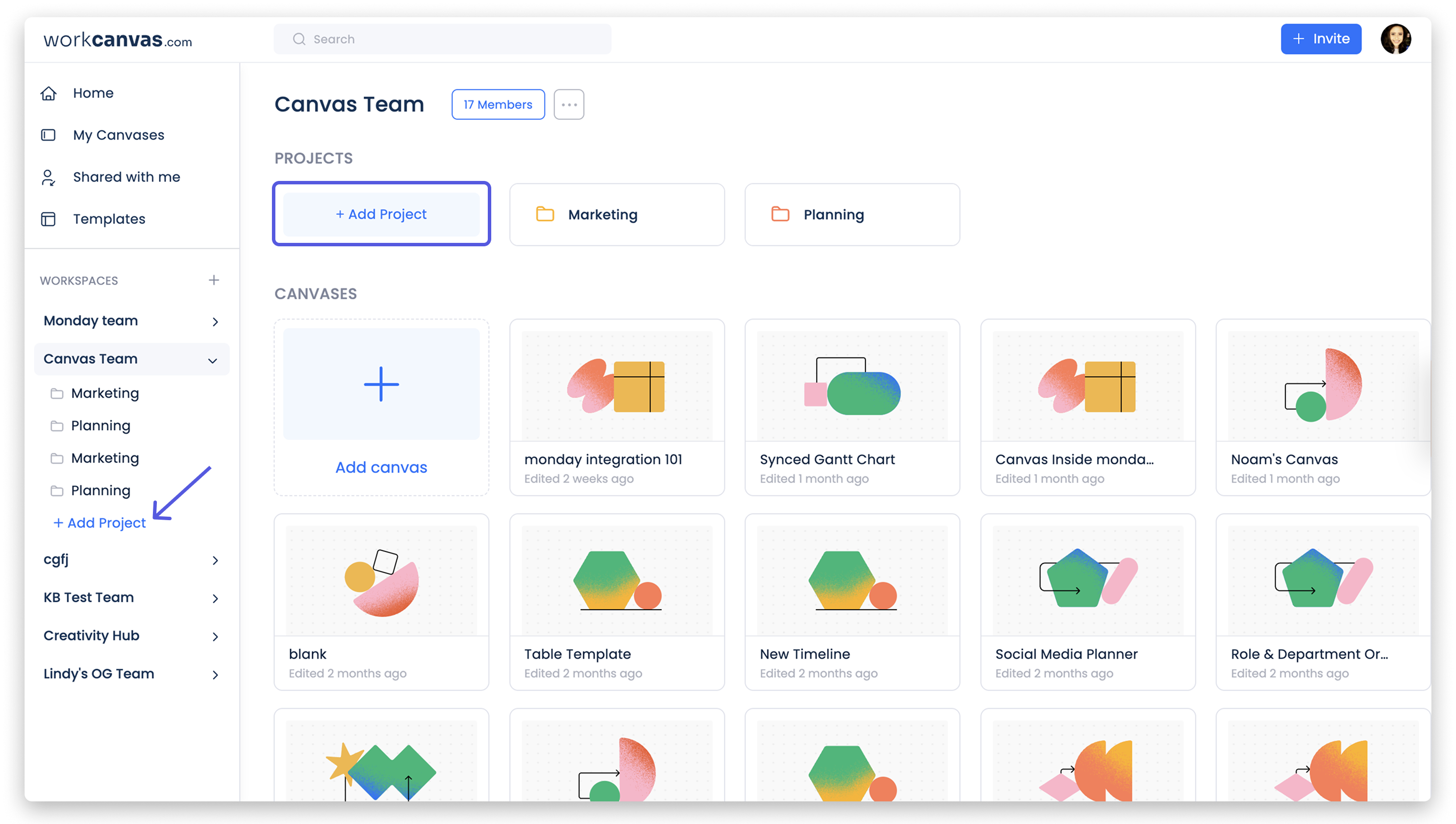
Monday has WorkCanvas, a digital whiteboard that works well for brainstorming and process mapping, though its functionality on basic plans can be limited. It doesn’t have a native mind map feature, but mind mapping can be added through third‑party apps like ThoughtFlow in its App Marketplace. However, Monday offers a large App Marketplace with 200+ native integrations, and many users find it more curated and easier to navigate than ClickUp’s marketplace.For teams that rely on pre-built connectors, Monday’s marketplace is often the faster path.
Views
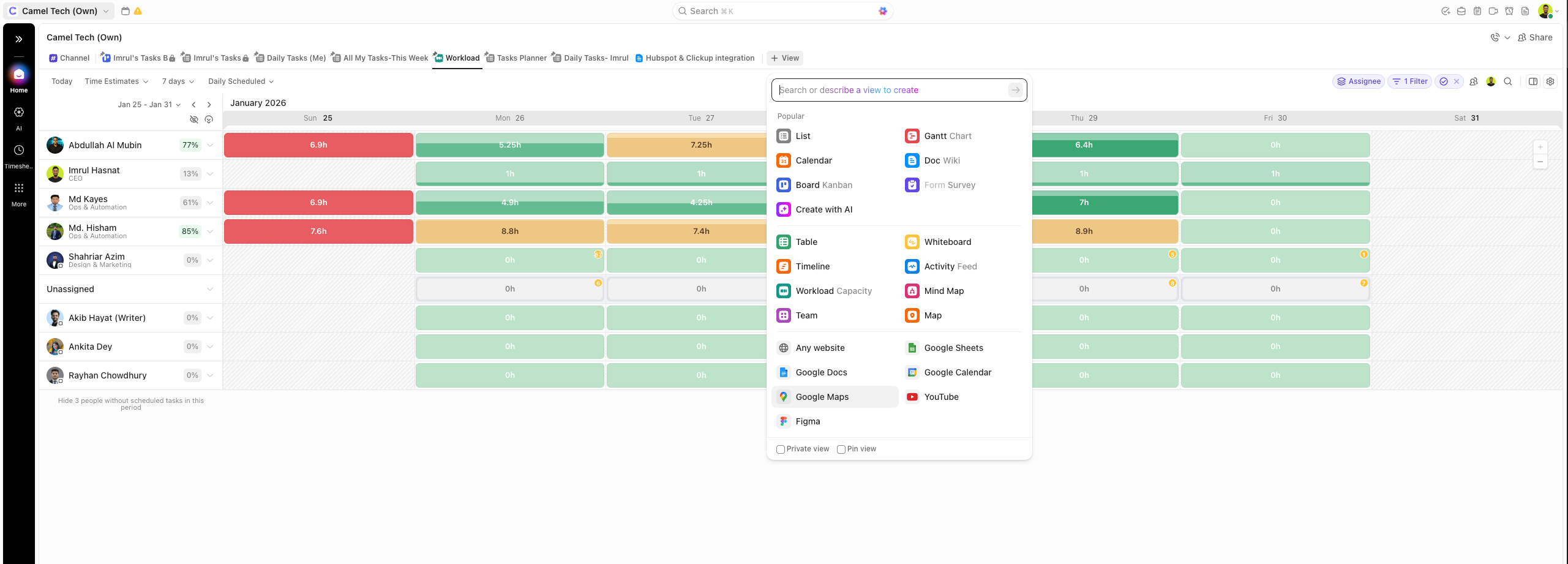
ClickUp: 15+ native views including List, Board, Gantt, Timeline, Workload, Calendar, Map, Mind Map, Whiteboard, Embed, Chart, Team, Activity, Dashboard, and Doc. Most views are fully customizable and can be saved as private, shared, or public. The Workload view is particularly valuable for resource management across multiple projects. Gantt and Timeline views support task dependencies and critical path analysis.
Monday: 8+ native views, including Main (Board), Timeline, Gantt, Calendar, Map, Chart, Workload (Pro plan), and Form view. Views are clean and intuitive, but less customizable than ClickUp’s. The Workload view is available only on Pro and above. Gantt view is fully connected to boards (changes update automatically).
Verdict: ClickUp offers more view types and deeper customization, making it better for complex project tracking and resource planning. Monday's views are simpler and faster to set up, ideal for teams that don't need granular control.
Goals and OKRs
ClickUp: Built-in Goals feature with measurable targets, visual progress indicators, and a direct connection between goals and tasks. Set numerical, currency, or task-based targets. Organize goals into folders for OKRs, sprint cycles, or weekly scorecards. Progress updates automatically as tasks are completed. Available on all paid plans.
Monday: No dedicated Goals feature, but OKR management is achievable through templates, linked boards, formula columns, and dashboards. You can connect company objectives to team-level boards and track progress visually. Monday AI can generate tasks from goals. It works, but requires setup and doesn’t auto-track progress the way ClickUp’s native Goals do.
Verdict: ClickUp wins for native, zero-setup goal tracking. Monday can handle OKRs, but requires building the system yourself.
For a detailed comparison of ClickUp Brain vs Monday Sidekick, including Super Agents, Monday Vibe, and AI pricing, see the AI Battle section below.
Beyond the Features: Security, Support, Permissions, and Offline Access
How Secure are ClickUp and Monday?
Both platforms encrypt your data and comply with GDPR. Both offer HIPAA compliance on Enterprise plans for healthcare customers.
ClickUp hosts on AWS. Monday hosts across AWS, Azure, and Google Cloud, and also covers CCPA. You can export or delete your data on either platform.
If you work in healthcare, finance, or the EU, both meet compliance needs. Enterprise plans unlock the highest level of protection on both sides.
How Good is Customer Support for ClickUp vs Monday?
ClickUp offers a 24/7 chatbot with human support available 5 am–7 pm PST via chat and email. Response times can exceed 24 hours. Support quality has slipped from its earlier reputation, though the hands-on troubleshooting, where human agents access your account and pinpoint the exact issue, is still a strong point. Enterprise includes priority support and a dedicated success manager.
Monday offers 24/7 email and chat support on all paid plans. Enterprise gets a 99.9% uptime SLA with 30-minute response for critical errors, 1 hour for high severity, and 24 hours for medium and low. Enterprise also includes a dedicated success manager.
Does ClickUp or Monday Work Offline?
ClickUp has an offline mode on all plans across web, desktop, and mobile. You can create tasks and reminders offline; everything syncs when you reconnect. Subtasks cannot be created offline.
Monday has an offline mode on mobile that activates automatically when you lose connection. It supports roughly 70% of board actions- editing items, changing statuses, and viewing updates. Changes sync when you reconnect. However, offline mode is mobile-only. Desktop and web do not work offline. Some users have also reported sync issues after extended offline use across multiple devices in the field.
If your team regularly works without internet – job sites, remote locations, commuting – ClickUp gives you more coverage across devices. But the Monday phone app is better than ClickUp’s.
How Do User Permissions Compare?
ClickUp has four primary roles: Owner, Admin, Member, and Guest. Permissions can be set at the Folder, List, task, view, Doc, Dashboard, and Goal levels. Custom roles are available on Business Plus and Enterprise.
Monday uses three main roles: Admin, Member, and Guest. Permissions control visibility and actions at the board and workspace level. Enterprise unlocks advanced governance with the new Board Roles feature for granular control.
ClickUp gives more layers. Monday keeps it simpler. The right choice depends on how tightly you need to control access across your workspace.
Can I Control My Data? Can I Opt Out of AI Training?
Neither platform trains AI models on your data.
ClickUp’s contracts with AI providers explicitly prohibit retention of customer data after processing. ISO 42001 certified. Workspace owners can disable Brain entirely from Settings > ClickApps > Brain, but it is all-or-nothing.
Monday runs AI through Microsoft Azure and AWS Bedrock with zero retention policies. Monday may review AI interaction data for product improvement; admins can opt out by emailing ai-support@monday.com.
Both platforms let you export or delete your data anytime. Both comply with GDPR and offer HIPAA on Enterprise plans.
The core difference in one line:
ClickUp believes more capability = more value. Monday believes clarity of experience = more value. Both are right- for different teams.
What is the Market Share of ClickUp and Monday?
Monday is roughly 4x larger by revenue and dominates enterprise contracts. ClickUp is growing significantly faster in SMBs and startups. AI is a growth driver for both: ClickUp reported 400% year-over-year growth in AI sales, and Monday Vibe crossed $1M ARR shortly after launch.
First mover advantage is real. But it’s not the whole story.
Metric
Monday (Public)
ClickUp (Private)
2025 Revenue
$1.23 Billion
~$300M ARR
Growth Rate
~27% YoY
~145% sign-up growth
2026 Forecast
$1.45B – $1.46B
Targeting “Path to $1B+”
Status
Public (Nasdaq: MNDY)
Private (venture-backed)
Valuation
~$10B – $12B
~$4B
The AI Battle: ClickUp Brain vs. Monday Sidekick
ClickUp Brain- A Layered Agent Ecosystem
Brain AI (~$9/user/month add-on):
Connects to your entire workspace- every task, doc, comment, and person. Ask anything in plain language, and it surfaces cited answers in seconds. Also includes AI Notetaker (joins Zoom, Teams, Google Meet, SyncUps- transcribes and creates tasks), AI Custom Fields (auto-generates summaries and action items inside task fields), and AI Writer (drafts emails and updates in your voice).
Super Agents are AI workers that appear as actual users in your workspace. Not background bots. You can @mention them in comments, assign tasks directly, put them on recurring schedules, and configure them with 500+ skills. They have episodic, short-term, and long-term memory- they learn and remember across conversations.
ClickUp’s founder publicly runs 2,000+ Super Agents in “Founder Mode.” Whether you need 5 or 500, the infrastructure is real and live.
Other Brain features:
BrainGPT– standalone desktop app (Mac/Windows). Talk-to-Text: speak your task out loud, watch it get created.
Multi-model access– switch between GPT-5, Claude Opus, o3, o1-mini
Connected Search– searches Gmail, Drive, and Slack from inside ClickUp
MCP Support– connect ChatGPT or Claude directly to your workspace
Codegen Agent– assigns coding tasks, creates PRs for dev teams.
The honest caveat: Brain performs best after 12+ months of consistent ClickUp use. The AI is only as good as the data it indexes.
Monday AI- Depth Through Accessibility
Monday Sidekick: Works across boards, docs, and people. Knows your company, role, and work history. Sidekick Lite in Standard+.
Monday Magic: One prompt generates complete boards, automation rules, forms, and dashboards.
Monday Vibe: The feature no competitor has. Describe the app you want. Vibe builds it; fully functional, natively on Monday’s data infrastructure, enterprise-grade security included. Building is free; publishing has a separate billing tier.
Monday Agents (Agent Factory): Accessible from outside Monday. SDR Agent, Lead Agent, Outreach Agent; handles prospecting end-to-end.
AI Workflows vs. Recipe Automations: Monday has both. Recipe automations follow structured if-then rules. AI Workflows let you describe what you need in plain language, and Monday builds it. These are different systems serving different use cases.
Credit-Based AI Pricing (2026- most blogs miss this): Some features are free (Formula Builder, Docs Assistant). Heavier features draw from your monthly credit pool. When credits run out, AI features pause until the next billing cycle. Plan for it.
The 2026 AI verdict:
ClickUp Brain outperforms Monday Sidekick for workspace-connected intelligence- based on direct client feedback across 80+ implementations. Monday’s stack wins on day-one accessibility, and Monday Vibe is genuinely category-creating. ClickUp for depth. Monday for accessibility.
How Much Does Monday vs ClickUp Actually Cost? (Monthly Breakdown)
Most articles show annual rates. Most people buy monthly. Here’s what you actually pay.
ClickUp: Month-to-Month Pricing
Plan
Monthly Price
Key Features
Free Forever
$0
Unlimited users, 100MB, 100 automations/mo
Unlimited
$9/user
Time tracking, chat, unlimited storage, 1,000 automations/mo
Business
$15/user
5,000 automations/mo, mind maps, whiteboards, full dashboards
Enterprise
Custom
250,000 automations/mo, SSO, audit logs
Annual billing saves ~30%. Unlimited drops from $9 to $7/user/month when billed yearly.
Monday.com: Month-to-Month Pricing
Plan
Monthly Price
Key Features
Free
$0
3 boards, 2 seats, 200+ templates
Basic
$11/seat (3-seat min)
Unlimited items, 5GB storage, AI credits
Standard
$15/seat
Gantt, 250 automations/mo, Sidekick Lite
Pro
$23/seat
25,000 automations/mo, private boards
Enterprise
Custom
Unlimited automations, Sidekick Plus, governance
Annual billing saves ~18%. For example, Basic drops from $11 to $9/seat/month when billed yearly. Month‑to‑month rates are higher but offer more flexibility.
Two Hidden Costs Most Blogs Skip
Hidden Cost #1- Monday’s seat blocks: Monday charges in blocks (3 or 5 seats). 33 people = pay for 35 or 40. ClickUp charges per actual user.
Hidden Cost #2- Third-party time tracking on Monday: Harvest or Toggl at $10–15/user/month for agencies. $100–150/month extra for a 10-person team- plus the timer quirks described above.
How Much Does ClickUp and Monday Cost for a Team of 10 Members?
Not sure which tier is right for your team? We help businesses figure this out every week. Book a free discovery call at camelai.tech
Scenario (10 users)
ClickUp
Monday
Winner
Work management only — annual billing
Basic project management, no AI
Business
10 × $12 = $120/mo
Work Mgmt Pro
10 × $19 = $190/moStandard ($120/mo) exists but limited — 250 automations/mo, no time tracking, no private boards
ClickUp$70/mo cheaper at usable tier
AI is part of daily workflow
Business + Brain
10 × ($12 + $9) = $210/mo
Work Mgmt Pro + credits
10 × $19 + usage = ~$190–230/mo500 free credits/mo. Heavy use = $200+/mo add-on
Close
Similar cost at Pro tier. Monday cheaper for light AI, ClickUp cheaper for heavy AI
Agency: time tracking + AI
Business + Brain
10 × ($12 + $9) = $210/moNative time tracking + timesheets included
Work Mgmt Pro + Toggl + credits
10 × ($19 + ~$12) + usage = $310+/moNo native timesheet or approval workflow
No native CRM
Buildable with custom fields but manual and limited
Monday CRM Pro
10 × $28 = $280/moForecasting, sequences, lead scoring, AI agents. Standard CRM ($17/seat) lacks key features
MondayNo real ClickUp alternative
Work Mgmt + CRM (split team: 7 PM + 3 sales)
Business
10 × $12 = $120/moAll 10 users in one workspace. No CRM
Work Mgmt Pro (7) + CRM Pro (3)
(7 × $19) + (3 × $28) = $217/moSeparate billing per product. Mixed licensing allowed
Depends
Monday if CRM is essential. ClickUp if CRM can wait
Month-to-month billing
Work Mgmt, no AI
Business
10 × $19 = $190/mo
Work Mgmt Pro
10 × $24 = $240/mo
ClickUp$50/mo cheaper monthly
Agency: time tracking + AI per month
Business + Brain
10 × ($19 + $9) = $280/mo
Work Mgmt Pro + Toggl + credits
10 × ($24 + ~$12) + usage = $360+/mo
ClickUpSaves ~$80/mo even monthly
CRM only (monthly)
No native CRM
Monday CRM Pro
10 × $33 = $330/mo
MondayOnly option with native CRM
Monday.com Work Management and CRM are separate products with separate billing. Monday Standard ($12/seat) exists but caps automations at 250/mo, has no time tracking, no private boards, and no formula columns — most businesses outgrow it fast. Monday Pro ($19/seat) is the realistic starting point for teams that need real functionality. Monday CRM Pro ($28/seat) is where CRM becomes a full sales platform. Based on Camel Tech's analysis of 60+ implementations, agencies save $800–900/year with ClickUp when third-party time tracking costs are included.
What We Have Seen Work Best by Industry (Based on 80+ Implementations)
Every recommendation below is a pattern, not a rule. Either tool can work in any industry. Your team, workflow complexity, and implementation quality matter more than the platform.
Billable hours are the deciding factor. Native time tracking, timesheet approvals, template date remapping, and workload view make ClickUp the natural fit. If your agency runs light on time tracking and values fast adoption over depth, Monday works too.
Construction and field service – Monday for most, ClickUp for complex operations
Most construction companies prefer Monday. Better mobile app, easier adoption for field crews, basic job tracking works out of the box. For companies with fewer than 30 people, Monday gets teams productive fast.
Larger operations with multi-phase projects, labor time tracking, cost codes, and document management tend to outgrow Monday. ClickUp’s hierarchy maps naturally to that complexity.
E-commerce and retail – Monday
Native Shopify integration. Monday CRM for vendor relationships. AI agents for lead management. Monday Vibe for building custom internal tools without a developer. If your operation is heavily logistics-driven with warehouse workflows and task dependencies, ClickUp’s depth can serve you better.
Recurring task systems for monthly, quarterly, and annual cycles. Time approval workflows. Template remapping so Year 2 setup takes five minutes. Small firms with no billable hour tracking can run comfortably on Monday.
Real estate- split
Sales pipelines and transactions: Monday CRM. AI agents handle lead sourcing automatically.
Development projects and large builds: ClickUp. Hierarchy, time tracking, and compliance tracking fit multi-phase complexity.
Trades (plumbing, roofing, electrical)- Monday for small, ClickUp for growing
Under 15 people: Monday’s mobile app is simpler for field work. Past 20 employees with multiple job types running simultaneously: ClickUp’s time tracking and workflow depth become meaningful advantages.
What Do Real Users Say About ClickUp and Monday in 2026? (G2, Capterra, TrustRadius)
ClickUp holds a 4.7/5 rating on G2 from 11,000+ verified reviews, ranked #1 in 5 categories and Top 3 in 526 reports in G2’s Winter 2026 Report.
Monday.com holds 4.7/5 on G2 from 17,695 reviews and 4.6/5 on Capterra, but its value-for-money score sits at 4.3/5, reflecting pricing friction as teams scale.
Here’s what users are actually saying right now.
ClickUp
Monday
Ratings and review volume
G2 rating
4.7/5 from 11,176 reviews
#1 in 5 categories, Top 3 in 526 G2 reportsSource: G2 seller page, April 2026
4.7/5 from 14,955 reviews
17,695 total across all Monday products (CRM, Dev, Service)Source: G2 seller page, April 2026
Capterra rating
4.6/5
Source: Capterra
4.6/5 from 5,700+ reviews
Source: Capterra
Value for money
4.6/5Source: Capterra
4.3/5
Pricing friction as teams scaleSource: Capterra
What users love
Top praise
Replaces multiple tools (Slack, Loom, docs) in one platform, saving subscription costs
Fast setup — "ready in 2 days" is a recurring theme. Intuitive visual interface with minimal training needed
Standout feature
Custom fields, templates, and native time tracking save operations teams 10+ hours/month
Polished dashboards praised for client-facing reporting. Built-in CRM is a major draw for sales teams
AI feedback
AI agents and meeting notes in one workspace getting genuine praise post-4.0
Onboard AI helps with menial tasks and guides complex workflow setup
ROI
Users report 50% time savings on workflow automation
Source: G2 review, March 2026
~11 month average ROI payback period
Source: G2 data
What frustrates users
#1 complaint
Steep learning curve1,750+ G2 mentionsSource: G2 review themes, April 2026
Pricing surprisesSeat blocks, features locked behind higher tiers. Value-for-money score 4.3/5 vs ClickUp's 4.6/5
#2 complaint
Slow loading1,155+ reviews cite large workspace lagSource: G2 review themes, April 2026
Board clutter at scale"Difficult to find items during busy periods"Source: Capterra, January 2026
#3 complaint
Not intuitive1,183 G2 mentionsSource: G2 review themes, April 2026
Automation limitsStandard's 250/mo cap hit faster than expectedSource: G2 reviews
Hidden pain point
Notification overload — hard to manage without tuning
Canceling triggers a "You will be blocked" banner visible to all team members until contract ends — no way to suppress it
Source: Capterra, 2025
All G2 data verified April 2026. Monday.com's 17,695 total review count spans all products (Work Management, CRM, Dev, Service) — Work Management alone has 14,955 reviews. ClickUp's "#1 in 13 categories" claim from their marketing could not be verified on G2 — G2 currently shows #1 in 5 categories across 33 total categories. Review theme counts (learning curve, slow loading, not intuitive) pulled directly from G2's automated review analysis.
ClickUp - What Users Love
The consolidation story comes through consistently. “It saves us nearly 50% of the time compared to before, with useful workflow automation for status changes and notifications.” (G2, March 2026)
ClickUp 4.0 is getting genuine praise from existing users. “I love the new updates with ClickUp 4.0, making it a centralized hub. I can work with my team, manage Agile sprints, organize project folders, and now use sub-folders to structure work more efficiently. Compared to previous years, the platform feels much more aligned with how I manage projects today.” (Gartner Peer Insights, April 2026)
The AI is landing well too: “I like having time tracking and meeting notes all in one place with ClickUp. The AI agents are very helpful -I was able to replace lots of tools with just one.” (G2, 2026)
On TrustRadius (March 2026), a reviewer noted: “ClickUp’s custom fields and template system have saved our operations team at least 10 hours a month. The learning curve is real, but once you get it, nothing else compares.”
ClickUp - What Frustrates Users
The learning curve is real and documented – 1,750+ G2 mentions. One product manager wrote: “I feel insecure when I use ClickUp. Somewhere in the back of my mind, I fear losing tasks; after a couple of weeks on an everyday basis, I still feel I don’t have control over it.” (G2)
Slow loading in large workspaces appears in 1,100+ reviews.
Support is the other consistent friction point: “The product itself is excellent and does everything we need, but we found the support and community forums to not be as helpful as we’re used to receiving from other software companies.” (Gartner Peer Insights, February 2026)
Monday - What Users Love
Fast setup and visual clarity remain Monday’s strongest assets. “monday.com is excellent for teams that need flexible workflows, visual project management, and strong collaboration within larger organizations.” (Capterra, January 2026)
Dashboards get particular praise: “I like the dashboard feature where you can bring data from different boards and compare campaign performance. Having a visual representation of the data is very helpful.” (Capterra).
G2 data also points to a roughly 11-month average ROI payback period; teams don’t just try Monday, they stay once workflows are in place.
A TrustRadius reviewer (February 2026) said: “The visual boards are unbeatable for our marketing team. We had everyone up and running in two days.”
Monday- What Frustrates Users
Pricing surprises are the #1 complaint category. “The pricing structure becomes expensive if you need many seats or advanced features, and some important functions- like time tracking or certain automation are only available in higher-paid plans, which may limit value for small teams.” (Capterra, December 2025)
Board management at scale is a genuine challenge: “Monday.com’s interface is very cluttered, and there are too many active boards; sometimes it gets difficult to find an item during a busy period.” (Capterra, January 2026).
The seat block model draws consistent criticism, too: “I don’t like how we have to add seats/licenses in blocks vs per person.” (G2)
One real-world pain point that rarely gets mentioned: when you cancel a Monday plan, every team member sees a persistent “You will be blocked” warning banner until the contract end date, with no way to suppress it. One user described it as “a huge NO GO” after canceling mid-year. (Capterra, 2025). Worth knowing before you sign an annual contract.
Finally, automation limits hit faster than most buyers expect. G2 reviewers note it’s “easy to hit those limits faster than expected, especially if automations trigger frequently” on the Standard plan. If you’re planning to automate heavily, budget for Pro from day one.
What the Experts Say
Daniel Lereya, CPO at Monday:“Software should do the work, not just manage it. That’s where Monday is headed- from tracking to execution.”
Imrul Hasnat, Camel Tech (80+ implementations):
“The biggest mistake I see companies make is choosing a tool based on a feature list. The real question is: will your team actually use it? A powerful tool nobody adopts is worth nothing. I’ve seen both ClickUp and Monday.com fail; always because of bad implementation, not the tool itself.”
Who Should Choose What?
Who should choose ClickUp?
You track billable hours: native time tracking is non-negotiable for your business
You run an agency, accounting practice, or consulting company
You manage multiple clients or departments from one workspace
Your projects have cascading task dependencies
You want to replace Slack, Loom, and a time tracker with one tool and reduce SaaS spend
You need sprint management, burndown charts, or velocity tracking
You run the same project type repeatedly and need template date remapping
You have someone who can implement and own the system
You want Super Agents to handle operational work autonomously
You need strong developer support and API capabilities
You need offline access across web, desktop, and mobile
You run complex construction or field operations with multi-phase projects, labor tracking, and compliance requirements
Who should choose Monday?
Your team is non-technical; Monday is the safest bet for fast adoption
You manage marketing campaigns, content calendars, or creative work
You need a native CRM and project management in one place
You want AI with a low entry cost, 500 free credits per month, before any add-ons
You need to be productive within days, not weeks
You want polished client-facing dashboards that demo well to stakeholders
You want to build custom internal tools without a developer using Monday Vibe
You run an e-commerce or Shopify-based business
Your field crews need a reliable mobile app for on-site updates
You operate in construction, trades, or field service with straightforward job tracking needs
Neither is universally better. ClickUp wins for agencies, tech teams, and operations-heavy businesses needing native time tracking and deep automation. Monday.com wins for marketing teams, sales-driven orgs, ecommerce, construction trades, and businesses where fast adoption is the priority.
ClickUp 4.0 launched on December 9, 2025, the biggest redesign in ClickUp's history. Rebuilt navigation, Teams Hub, AI Planner, Subfolders, ~40% faster load times, and Super Agents. ClickUp 3.0 was deprecated on March 27, 2026.
AI workers that appear as real users in your workspace. @mentionable, assignable, schedulable, configurable with 500+ skills. Episodic and long-term memory. Launched December 2025, powered by ClickUp's Codegen acquisition.
Monday's no-code app builder. Describe what you want, Vibe generates it; fully functional, on Monday's infrastructure, enterprise-grade security. The building is free. 17,000+ apps built within two months of launch.
Not for agency billing. Monday has a per-task timer, but you can run multiple timers at once, and they keep running in the background when you change boards. For accurate billable hours, most agencies use Harvest or Toggl alongside Monday. ClickUp has native timesheets and time approval workflows.
Depends on the tier you actually need. On annual billing, ClickUp Business ($12/user) and Monday Pro ($19/seat) are the realistic comparison; ClickUp is $70/month cheaper for a 10-person team at usable tiers. However, Monday Standard ($12/seat) exists for teams with simpler needs. When you add AI, ClickUp Business + Brain ($9/user) = $210/month vs Monday Pro + credits = ~$190–230/month; roughly similar. Agencies adding third-party time tracking to Monday ($10–15/user) reverse the cost advantage. Based on 80+ implementations, agencies typically save $800–900/year with ClickUp when all costs are counted.
Most construction companies prefer Monday. Better mobile app, faster adoption for field crews, and simple job tracking that works out of the box. For larger operations with multi-phase projects, labor time tracking, cost codes, and document management, ClickUp's depth becomes a meaningful advantage.
Generates a complete workflow board; boards, automations, forms, dashboards- from a single plain-language prompt. Over 2,000 solutions built within months of launch.
For most project management uses, yes. Tasks, docs, time tracking, dashboards, whiteboards, and AI agents; all in one platform. The exception: Monday CRM has no direct native ClickUp equivalent.
ClickUp Brain ($9/user/month add-on) is deeper. Super Agents act like real teammates with long-term memory. Monday AI is credit-based- 500 free credits per month cover light usage, but heavy users hit limits fast, and AI features pause until the next cycle. Choose ClickUp for workspace-connected intelligence. Choose Monday for accessible AI without an upfront add-on cost.
Basic setup: 1–2 days. Full implementation (workflows, templates, automations, training): 2–6 weeks. Working with a verified ClickUp consultant like Camel Tech significantly cuts the timeline.
For ClickUp, most teams benefit from expert help; the depth and customization options mean poor setup leads to poor adoption. For Monday, not usually; it is easier to adopt out of the box. Camel Tech offers free consultations for both.
ClickUp has an offline mode on all plans across web, desktop, and mobile. Monday has offline mode on mobile only- supports roughly 70% of board actions. If your team works on job sites or remote locations, ClickUp gives more coverage across devices.
Neither platform trains AI models on your data. ClickUp's contracts with AI providers explicitly prohibit it. Monday runs AI through Microsoft Azure and AWS Bedrock with zero retention. Admins can opt out of Monday's product improvement data usage by emailing Monday.com.
ClickUp has a native Monday import tool that transfers boards, items, and basic structure. Custom fields, automations, and views do not transfer automatically and require manual setup. Monday does not have a native ClickUp importer; migration requires CSV export and re-mapping. For either direction, working with a consultant reduces data loss and downtime significantly. Camel Tech handles migrations for both platforms.
Not Sure Which One Is Right for You?
That’s exactly what we help businesses figure out.
At Camel Tech, we’ve helped 80+ companies implement ClickUp, Notion, and Monday.com across agencies, construction firms, accounting practices, ecommerce stores, and professional services businesses. We don’t just configure the tool. We build the system- workflows, templates, automations, and training built around how your business actually operates.
Book a free discovery call. We’ll tell you which platform fits your team and what a proper implementation looks like.





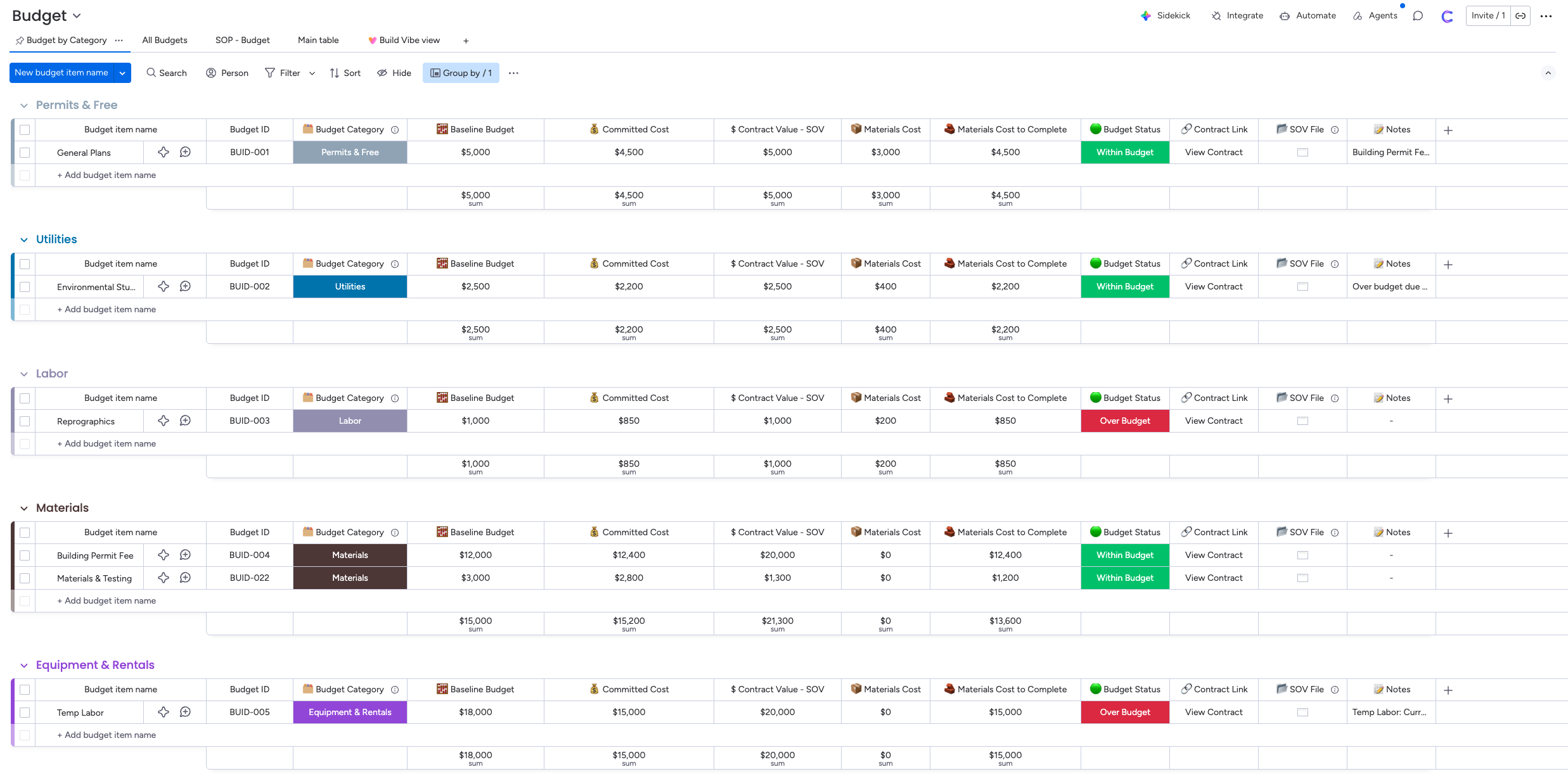
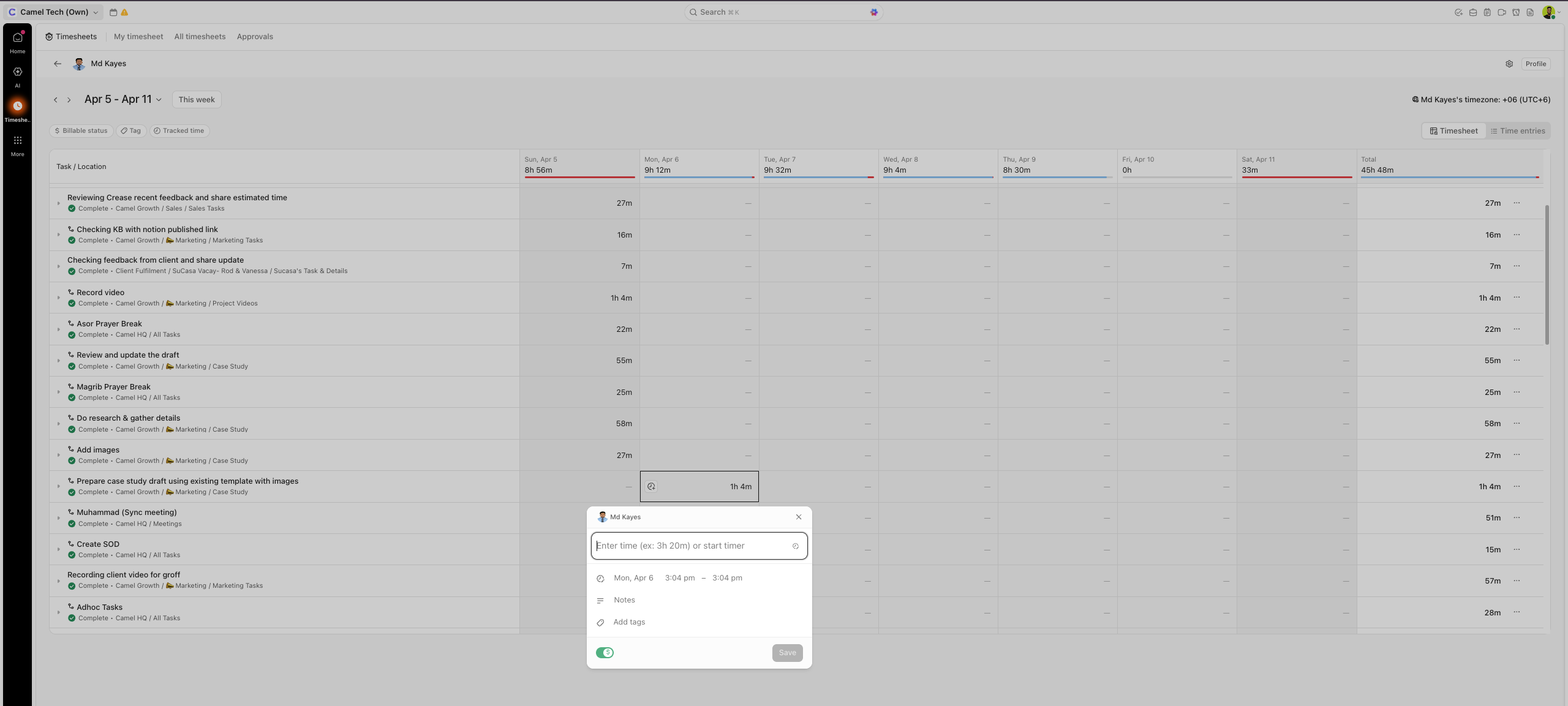
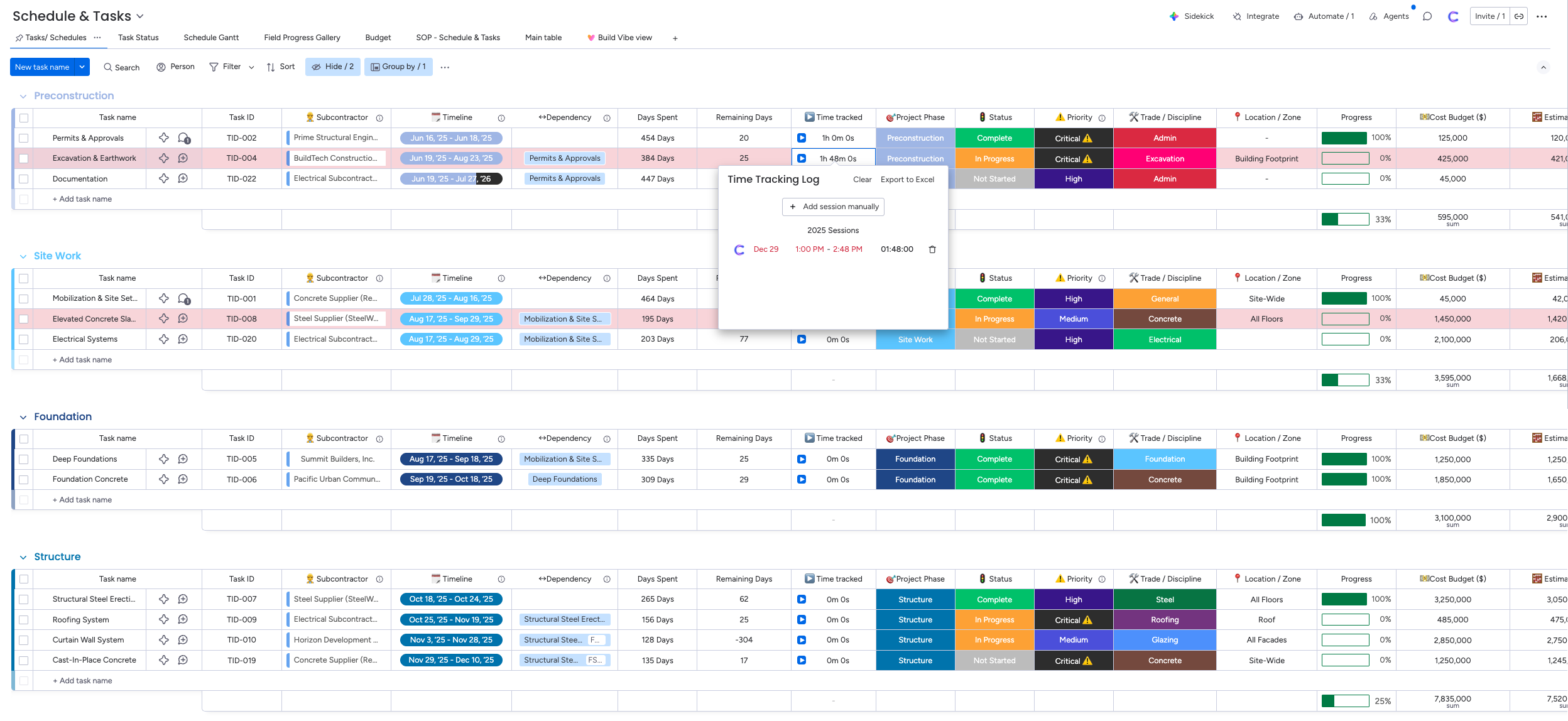 Most agencies end up adding Harvest or Toggl; each costs $10–15/user/month, plus the reconciliation headache.
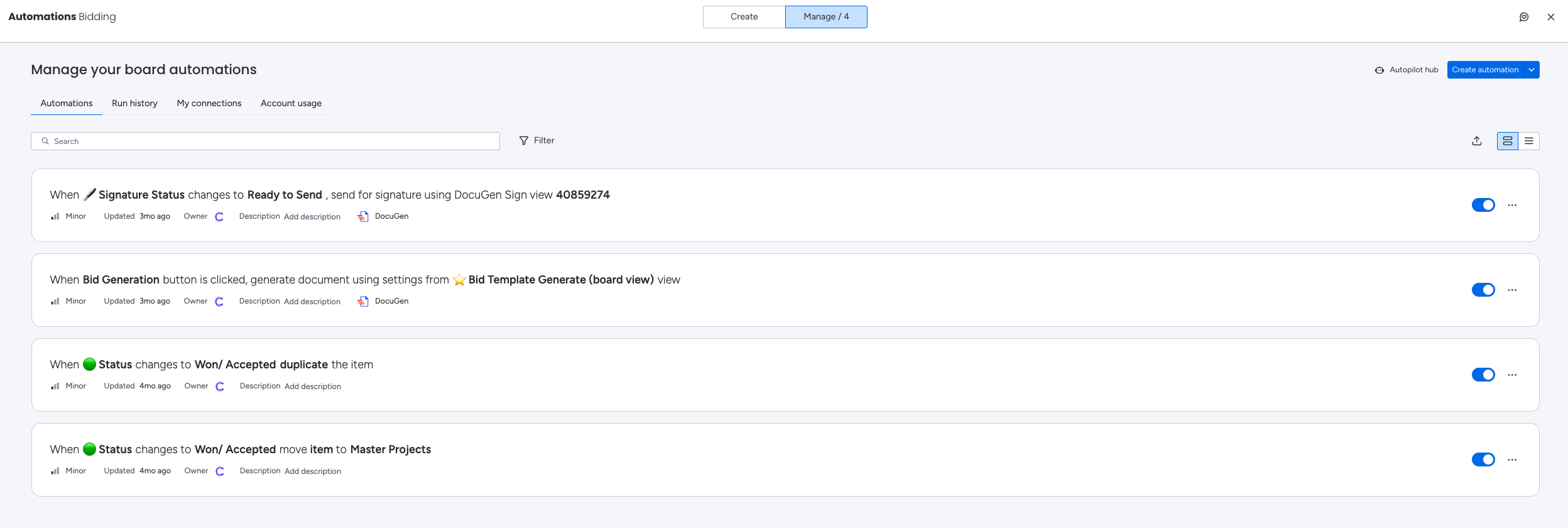 Standard’s 250 actions/month can run dry quickly in active workflows- budget for Pro if automation is a priority.
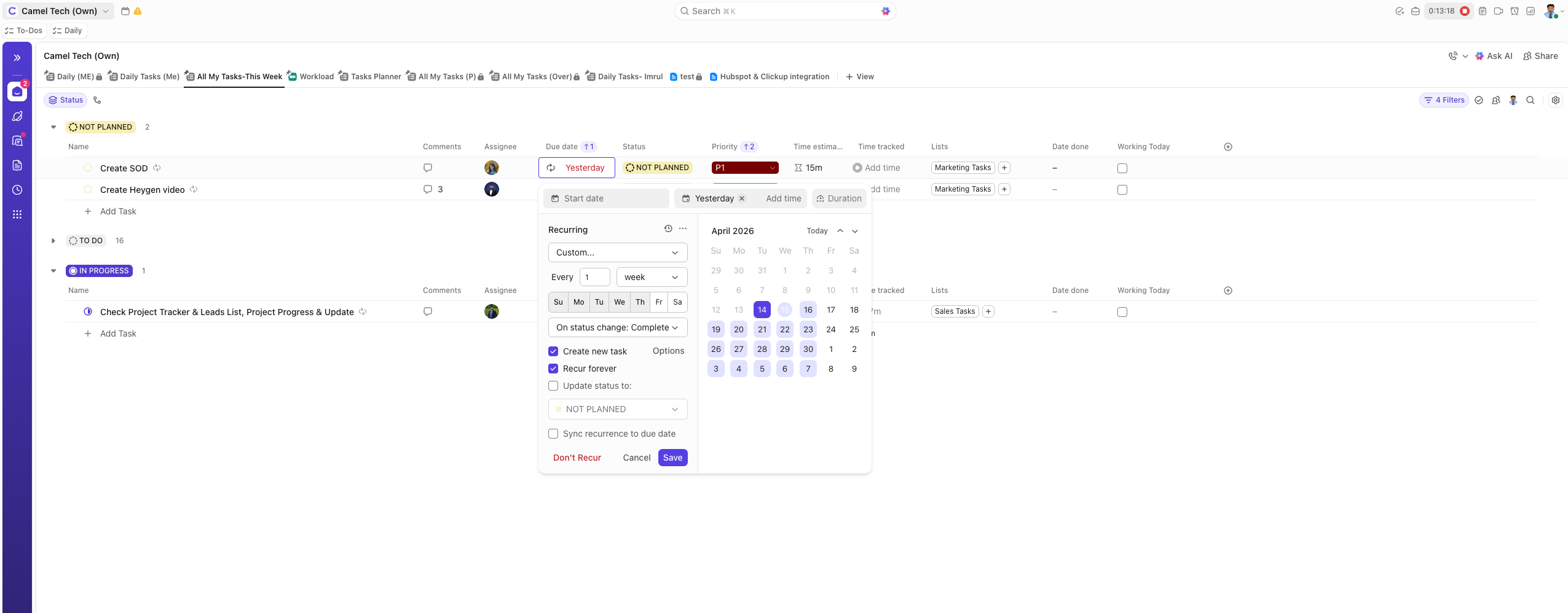 Essential for accounting firms, agencies with monthly retainers, and any business running cyclical operations.
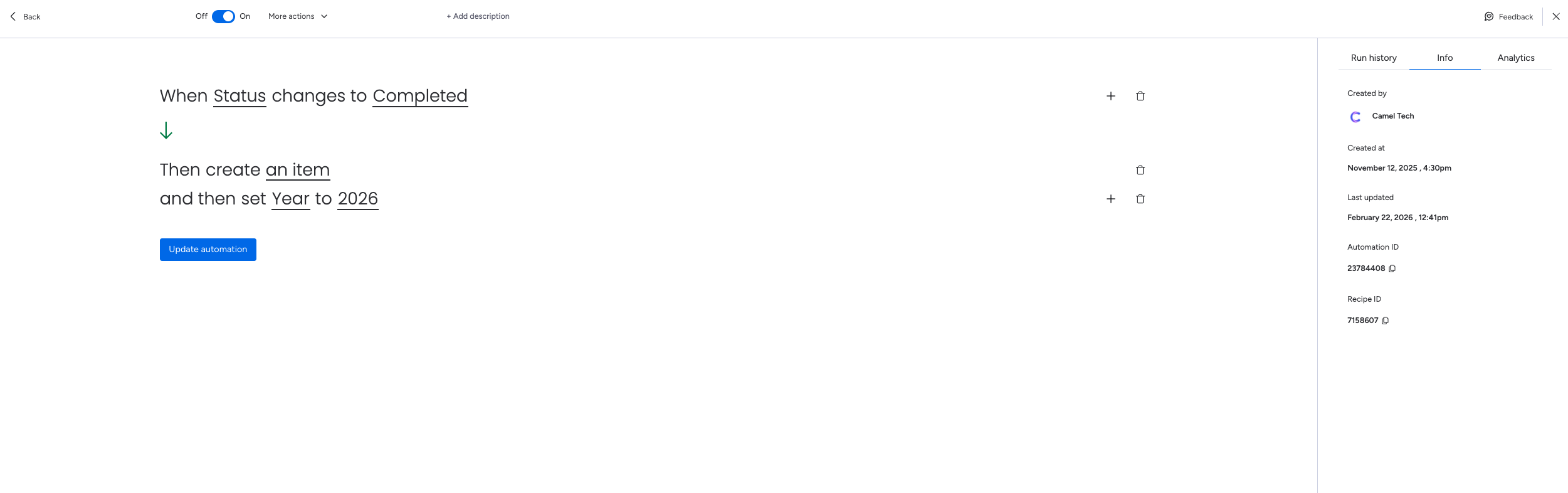 This counts against your monthly automation limits. On Standard (250 actions/month), recurring tasks for a 10-person team can consume a significant chunk of your automation budget.
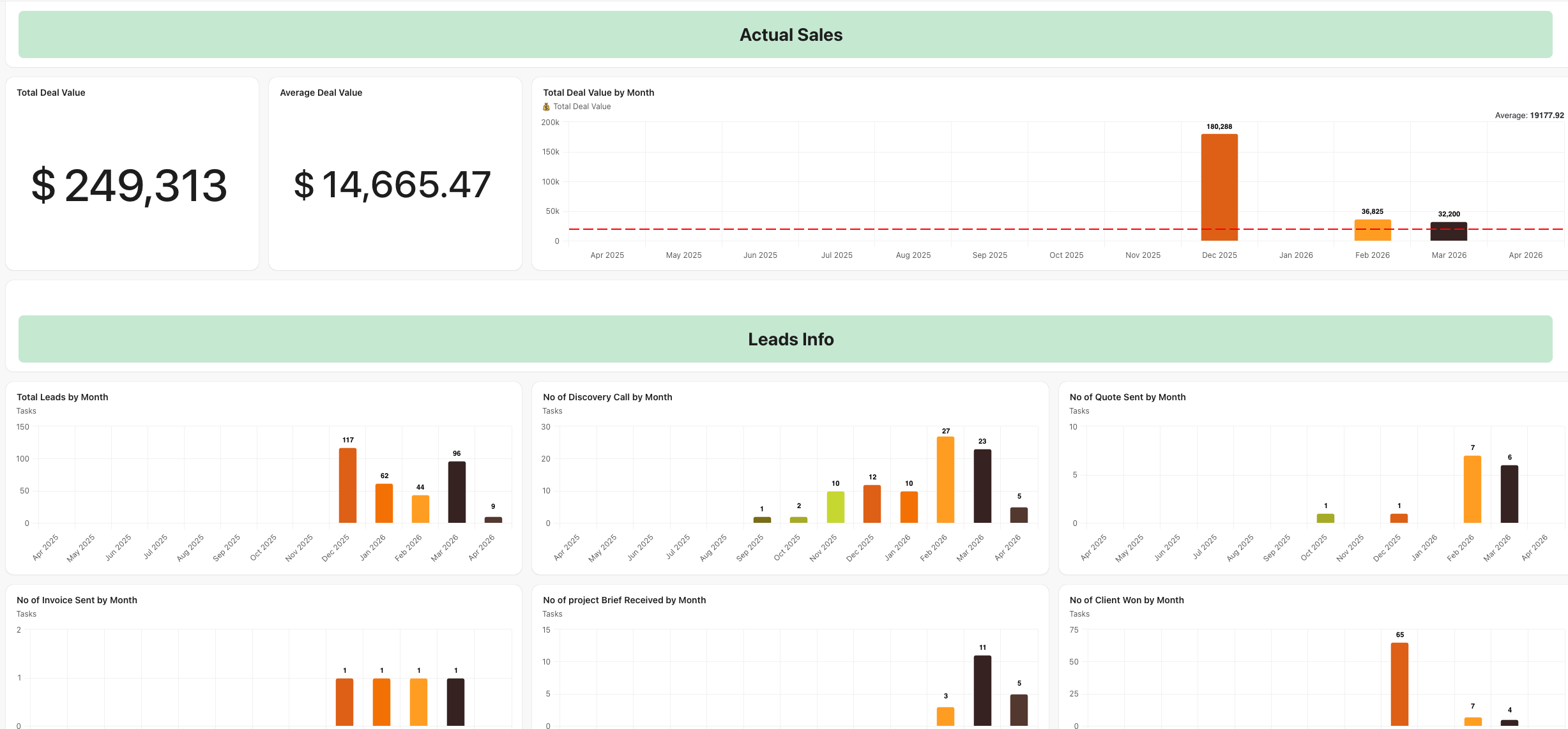 The Unlimited plan has limited widget options.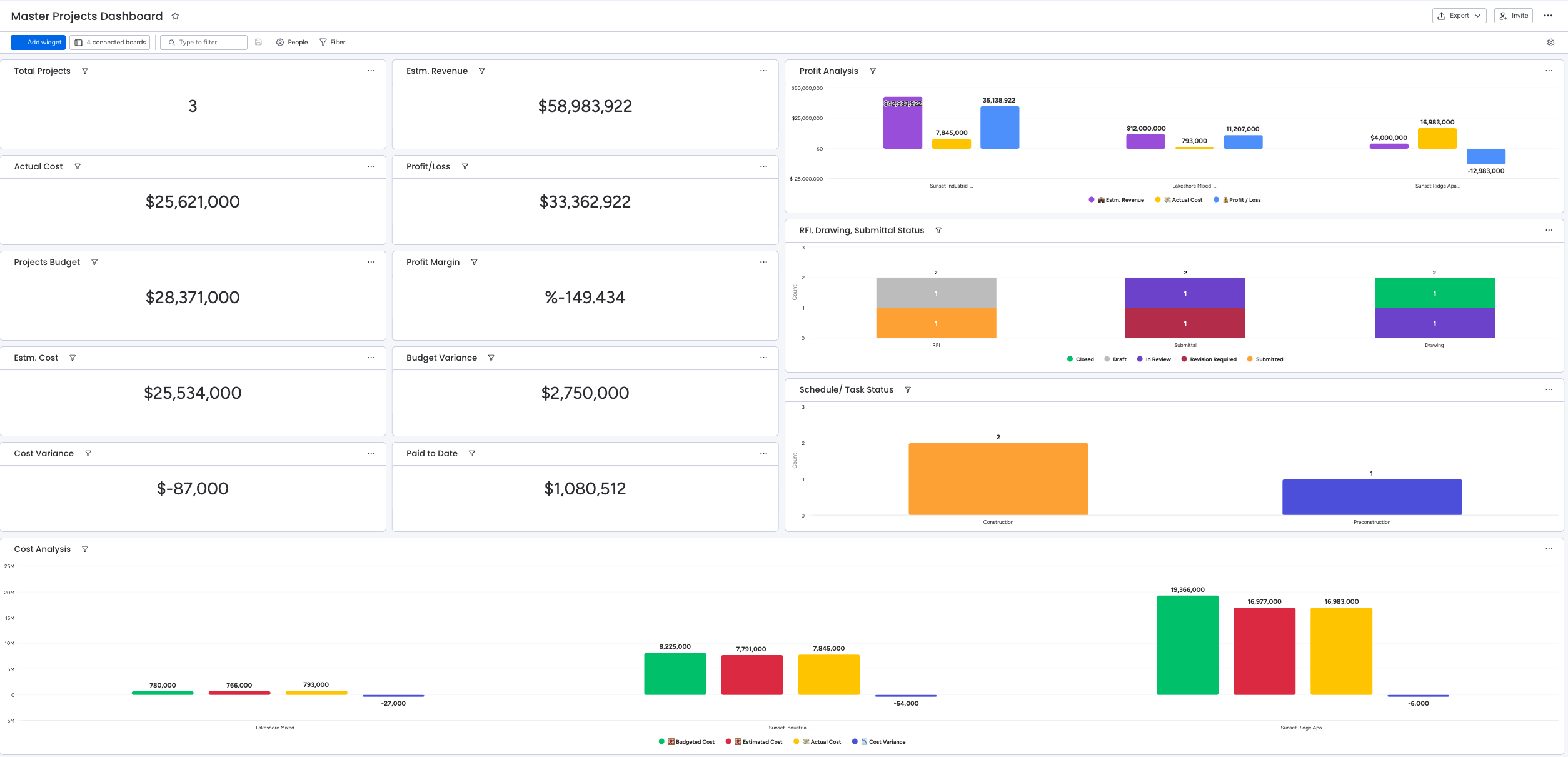
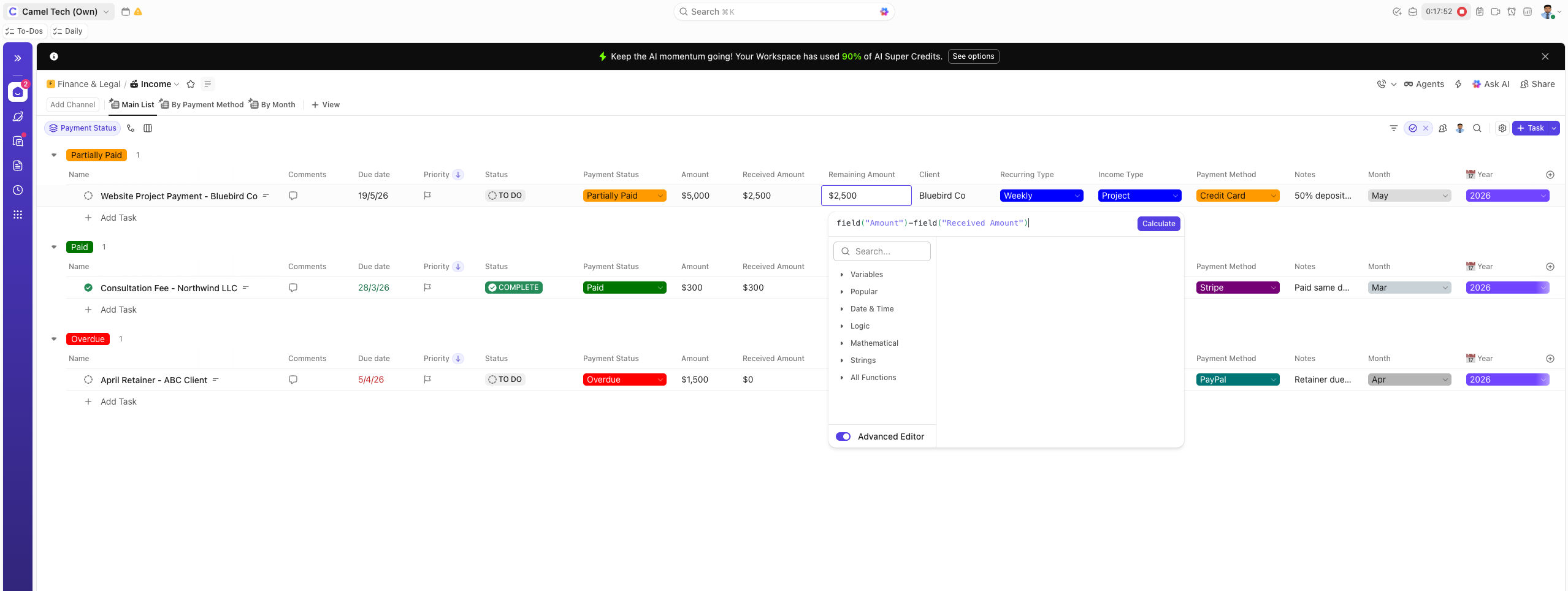 This restricts complex calculations and multi-step data manipulation.
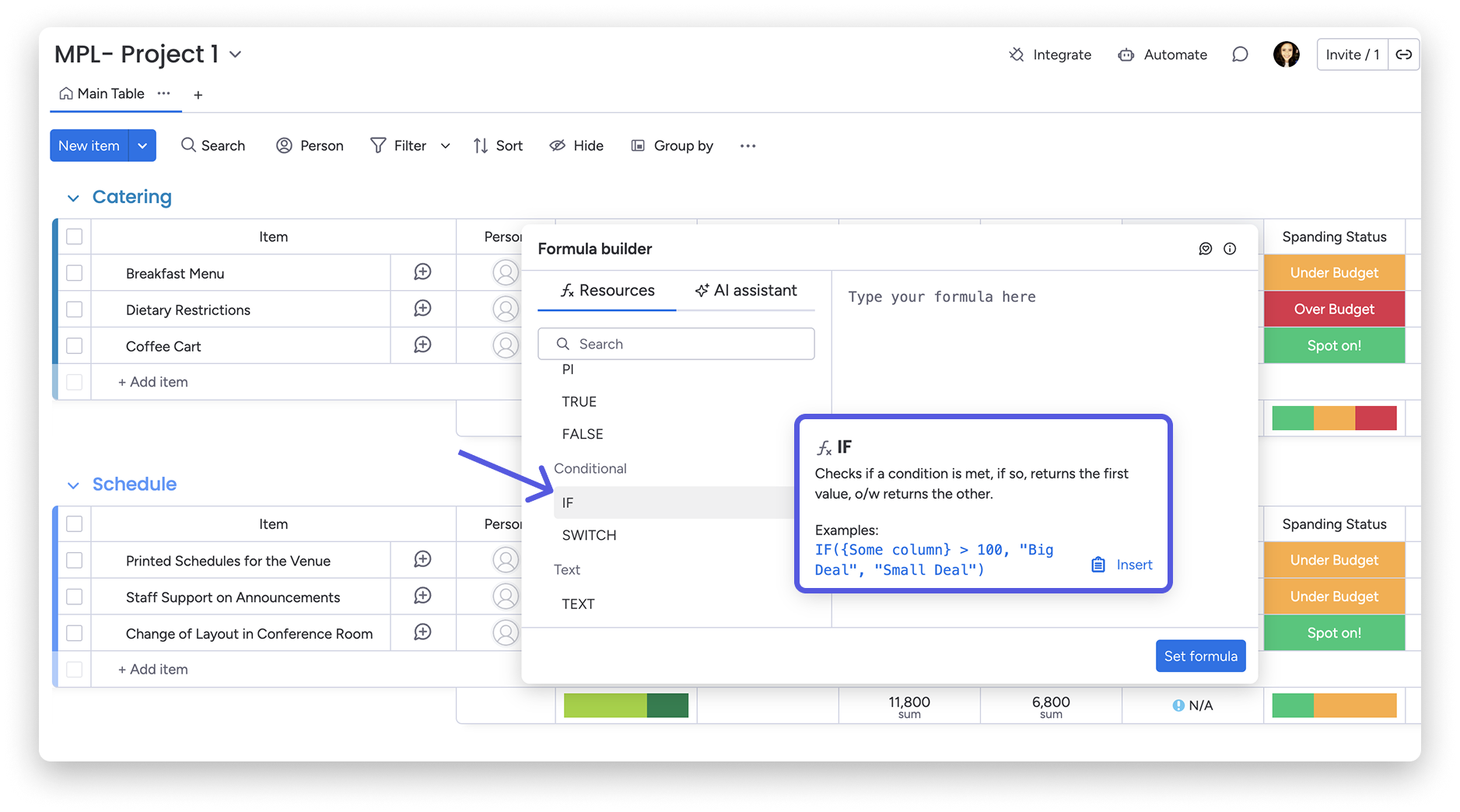 For teams relying on financial tracking or data-heavy workflows, Monday’s formula depth is a genuine advantage.
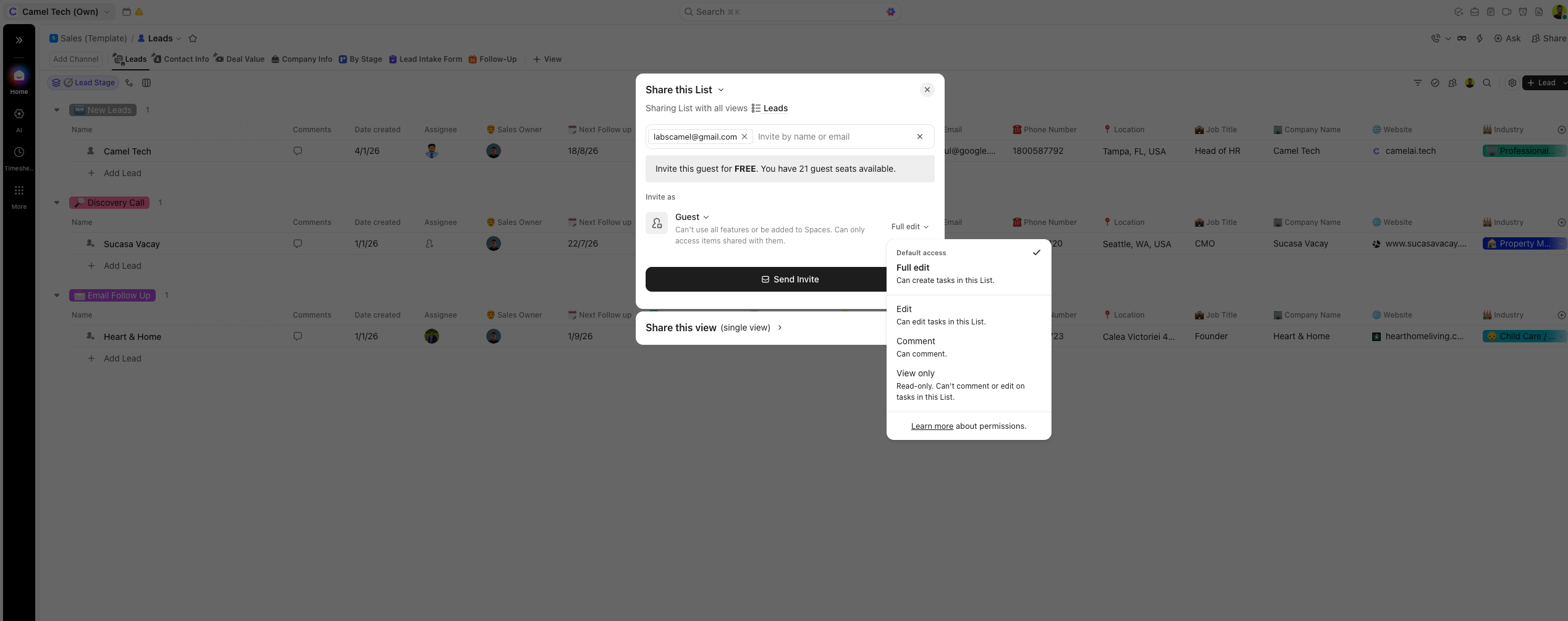 They have access to Chat and can send messages. Guests need to open a ClickUp account once invited.
 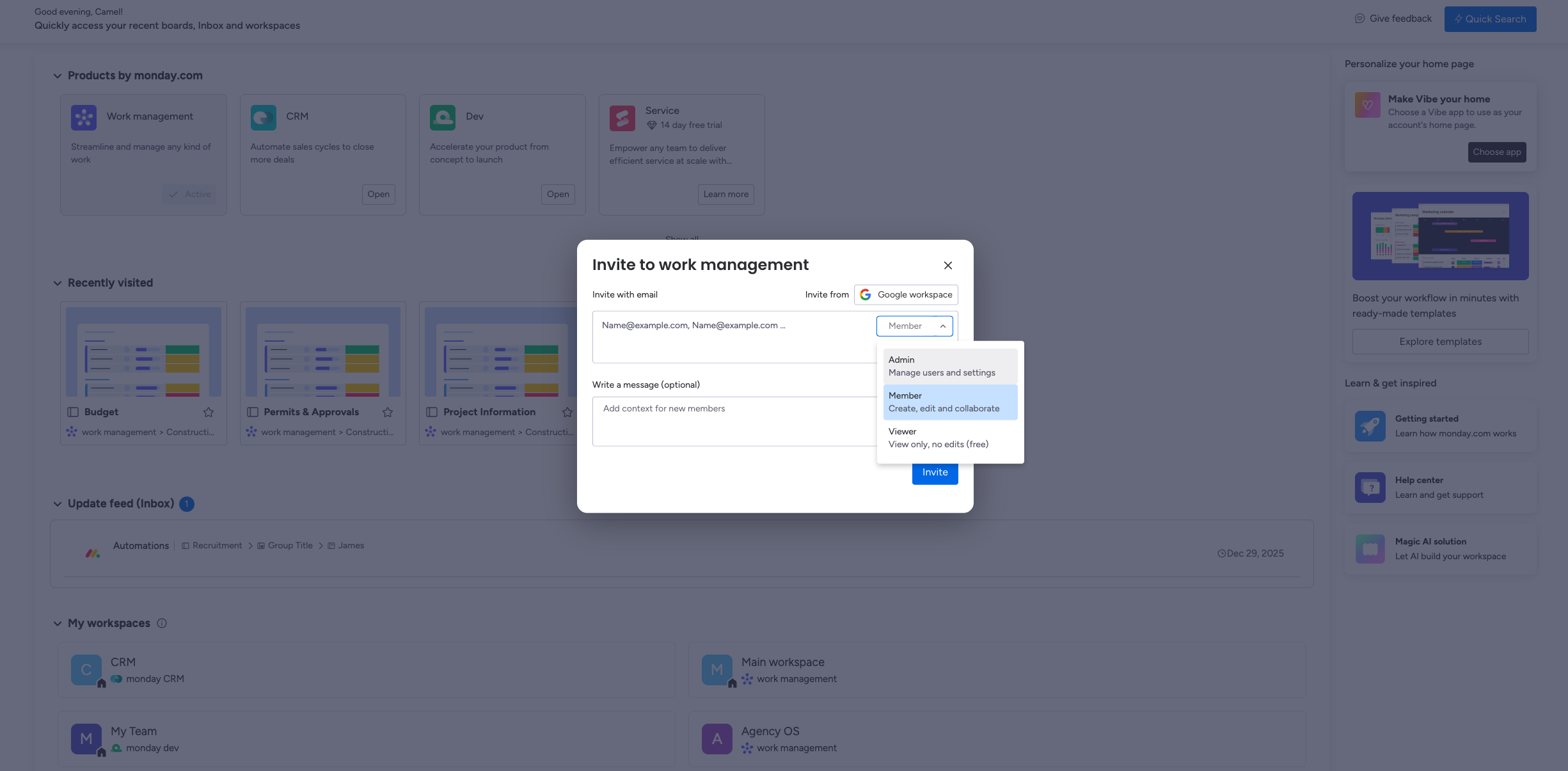 Guests must have a different email domain from the account admin’s organization. Same-domain users cannot be added as guests. Guests need to open a Monday account.
 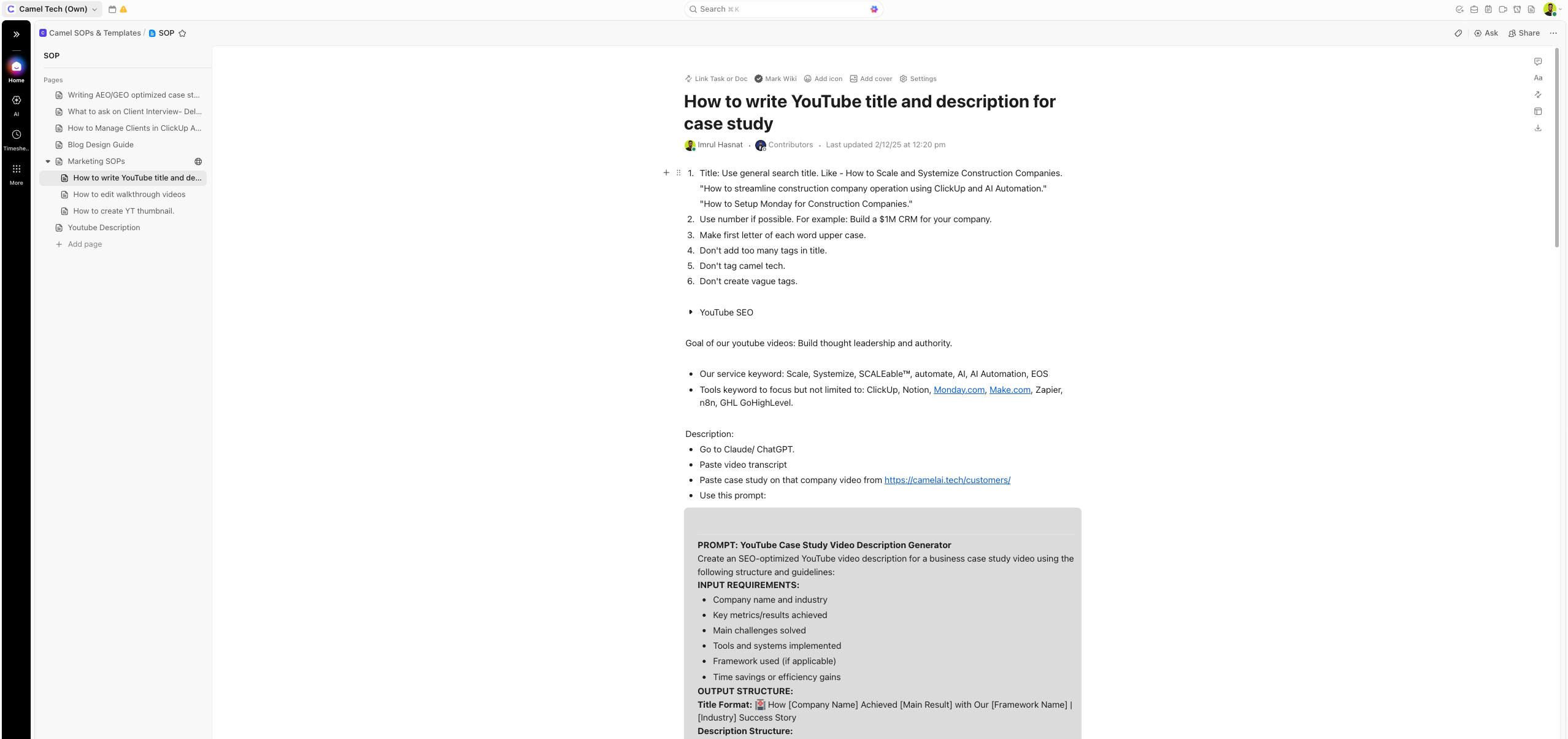 Good enough for SOPs and internal documentation but not client-facing content.
 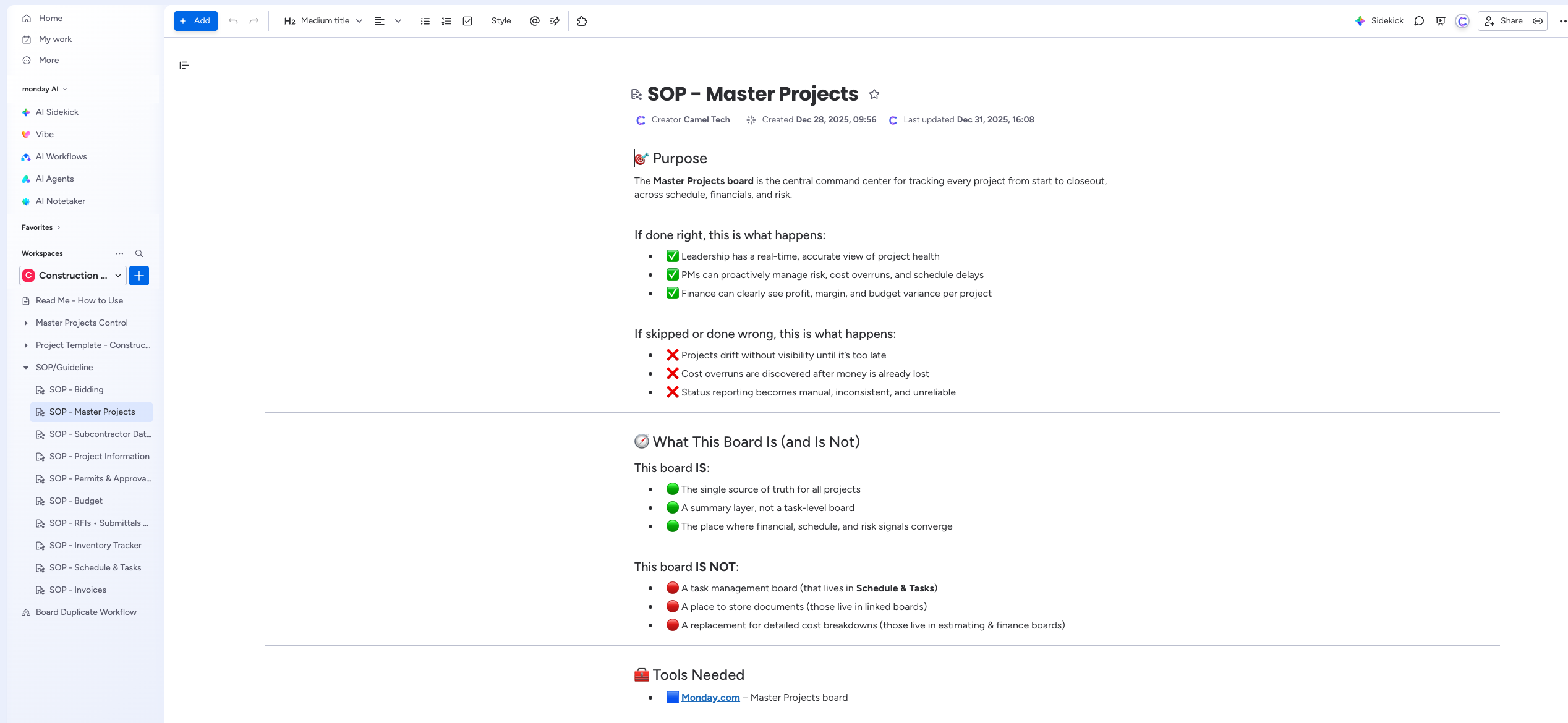 But it’s good for creating dynamic content with variables. Also, embed is better than ClickUp.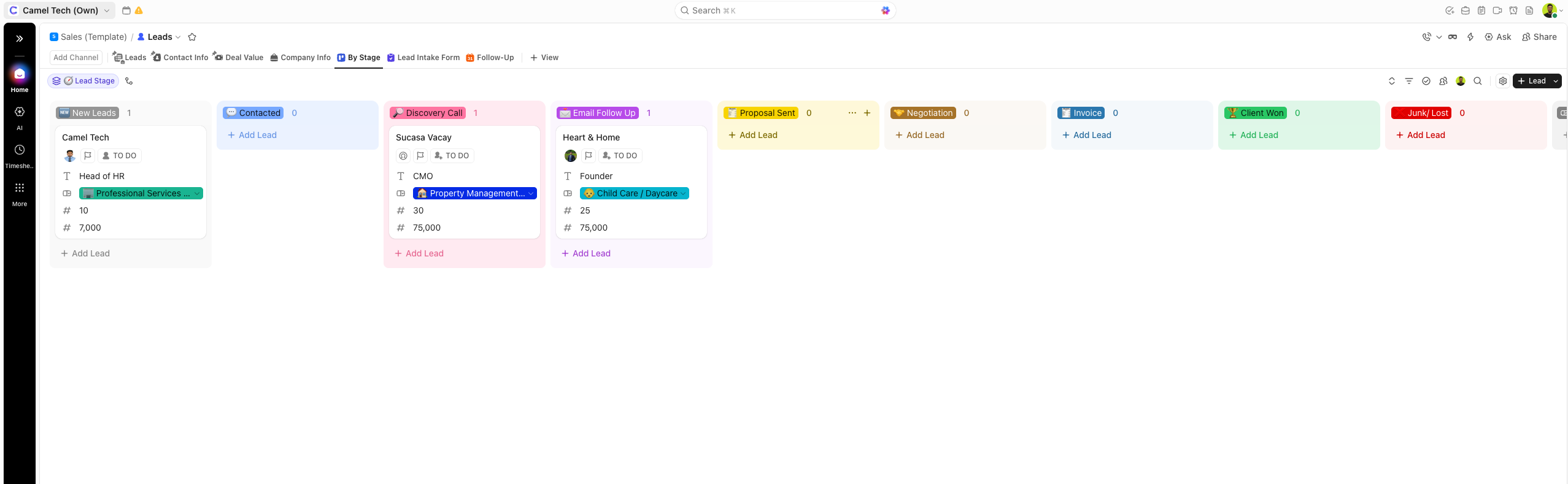
 Developer support within Monday CRM is more limited.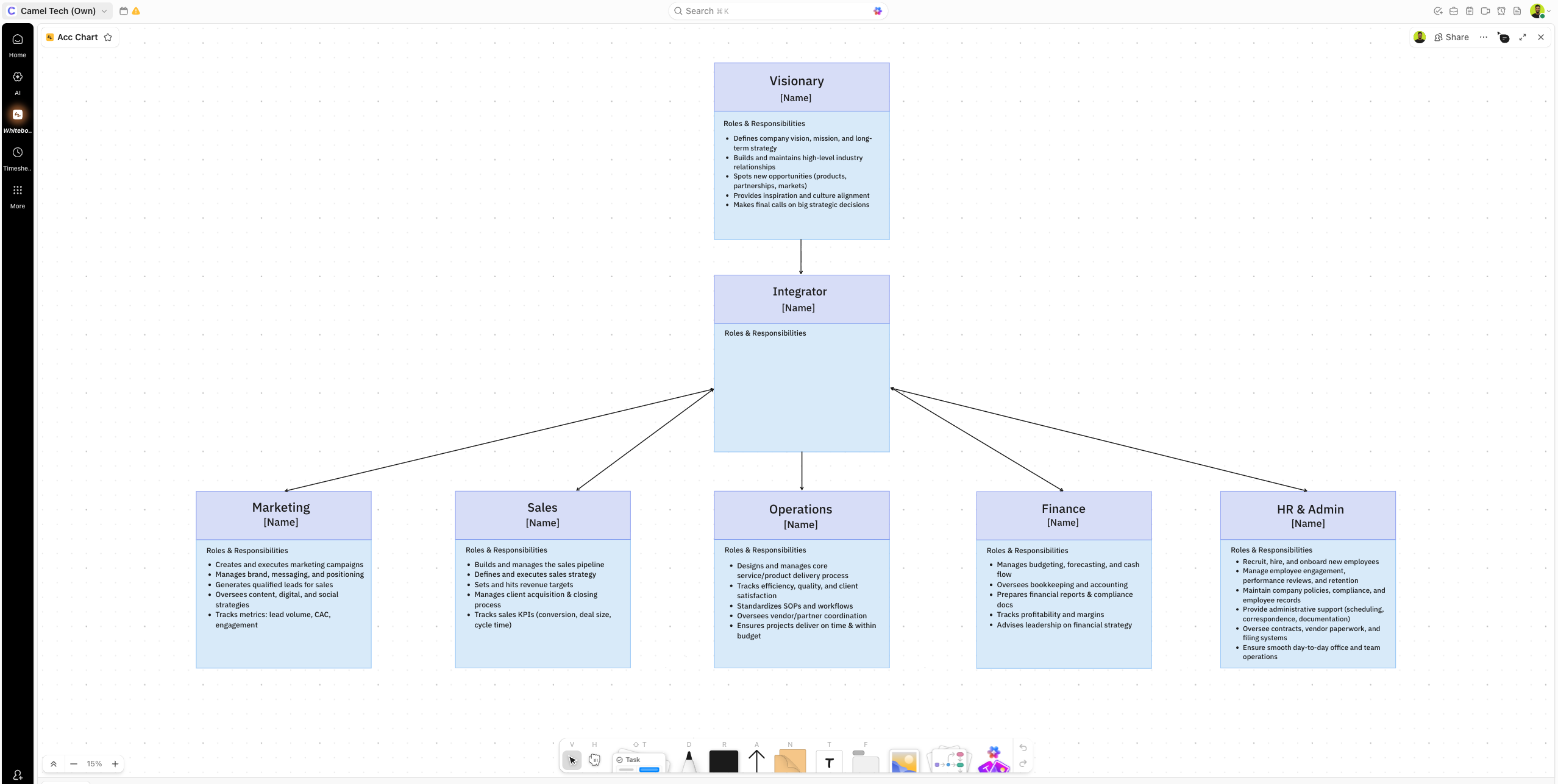
 For teams that rely on pre-built connectors, Monday’s marketplace is often the faster path.
 Gantt and Timeline views support task dependencies and critical path analysis.
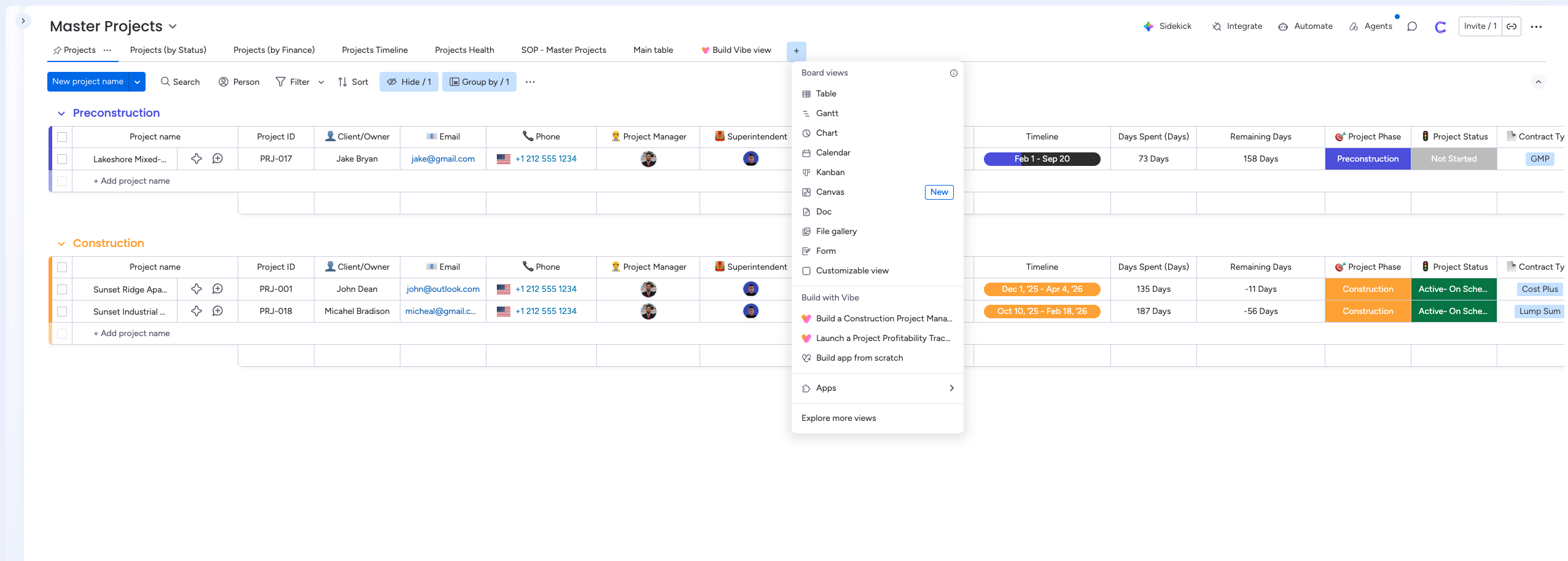 Gantt view is fully connected to boards (changes update automatically).
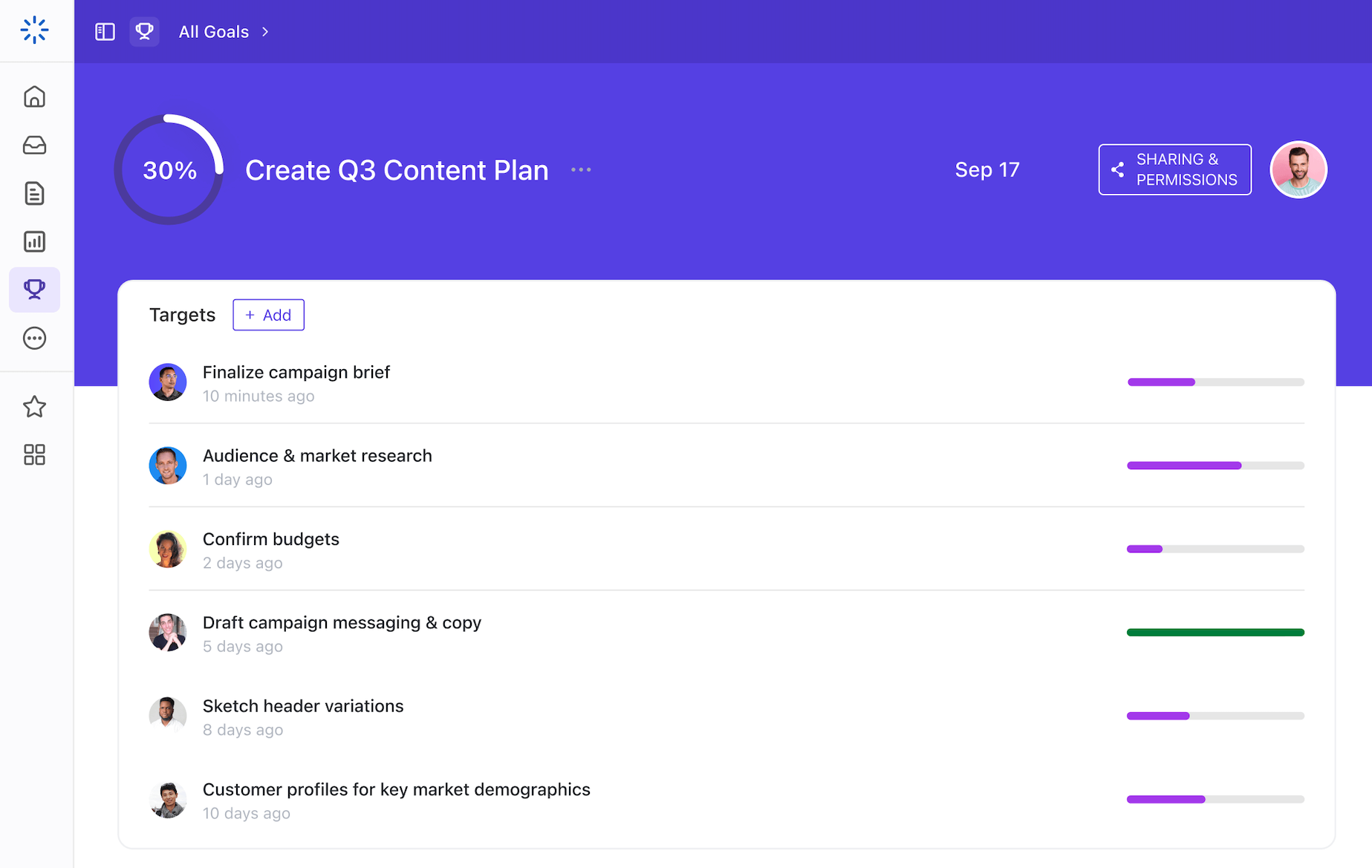 Progress updates automatically as tasks are completed. Available on all paid plans.
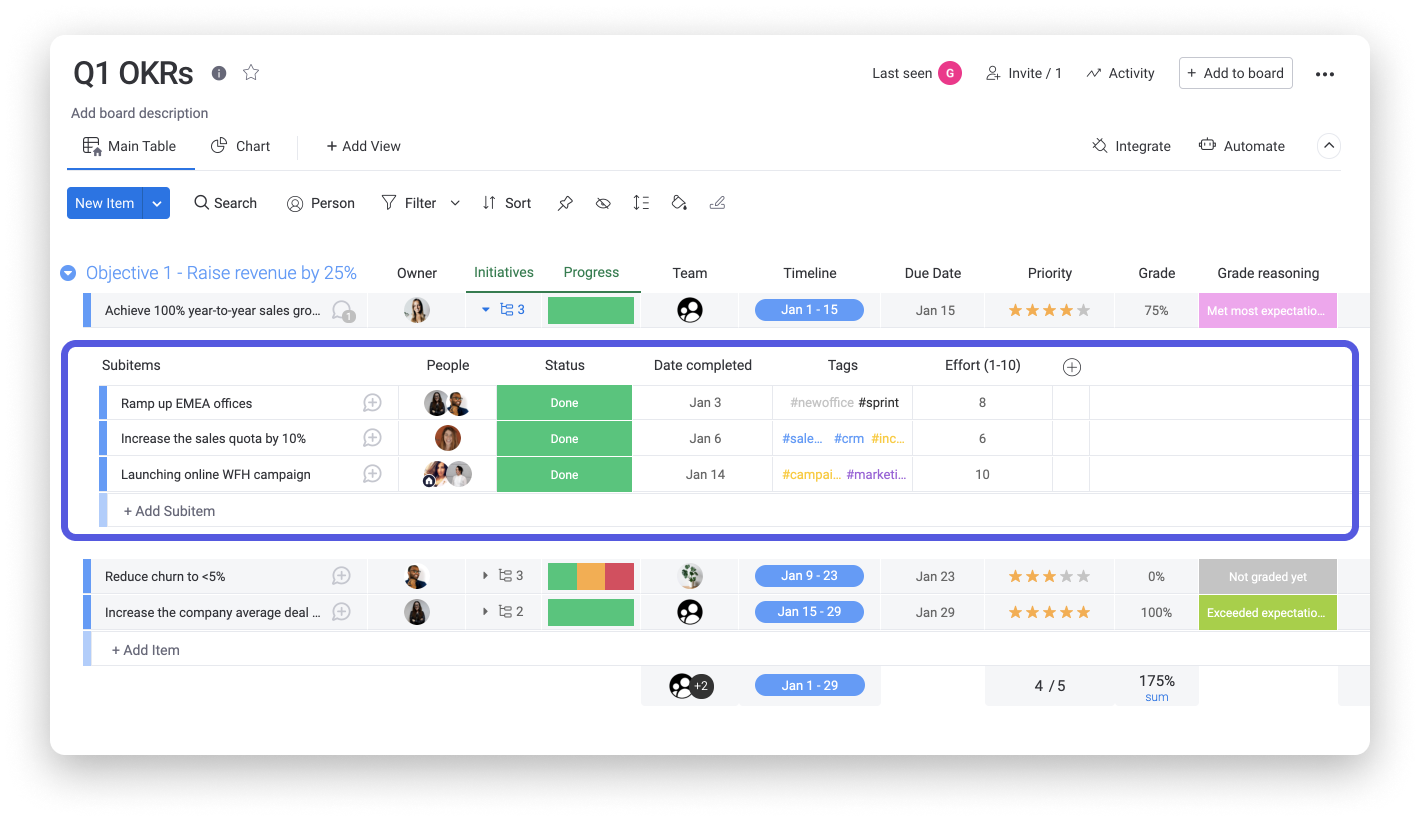 It works, but requires setup and doesn’t auto-track progress the way ClickUp’s native Goals do.
 Sidekick Lite in Standard+.
 Building is free; publishing has a separate billing tier.