
Best Airtable Alternatives in 2026: Which Tool Replaces Airtable Best?

Imrul Hasnat
Founder, Camel Tech
- Last Updated:October 8, 2026
35 mins read

Table of Contents
Best Airtable Alternatives in 2026: 7 Tools Compared
There is no single best Airtable alternative. The right one depends on which job Airtable was actually doing for your team: storing structured, relational data, running projects and tasks, holding your company’s knowledge, managing customer relationships, or powering an internal app or client portal. Airtable tries to do all five reasonably well, which is exactly why teams start looking elsewhere once one of those jobs outgrows a generalist tool.
The search has gotten more urgent since Bending Spoons agreed to acquire Airtable on August 4, 2026, a deal that closed on September 4, 2026. We cover what that means for your data in full in our Airtable Migration Guide; here, the focus is narrower and more practical: which tools actually replace Airtable, and for which job.
This guide works two ways. If you already know what Airtable was doing for you, jump to the use-case breakdown below for three to five named alternatives per job. If you want a curated, deeply evaluated shortlist instead, skip to the seven tools we scored against a fixed set of criteria: relational depth, ease of use, real pricing at scale, migration path, AI and automation depth, and scalability.
Quick Answer: Which Airtable Alternative Fits Your Use Case?
The fastest way to answer this is to match your primary use case to a single recommended tool.
| Recommended Tool | Use Case | Why |
|---|---|---|
| Notion | Data and documentation in one workspace (best for most teams), or a company wiki and knowledge base | Relations, rollups, and formulas sit next to your docs and wiki, with built-in AI |
| ClickUp | Projects, tasks, and team execution | 15+ view types, real dependencies and workload management, from $7 per user per month billed annually |
| Monday.com | Visual workflows and the fastest team adoption | Most approachable interface for non-technical teams, with linked items across boards |
| Smartsheet | Enterprise project portfolios in regulated industries | Native Gantt charts with dependencies and baselines, plus governance and compliance controls |
| Coda (Superhuman Docs) | Docs and databases in one workspace with few builders | Only Doc Makers are billed, so editors and viewers are free |
| Baserow | Structured, relational data with formulas and linked tables | Closest structural match to Airtable, open source, with a dedicated Airtable importer |
| NocoDB | A spreadsheet interface on your existing SQL database | Free self-hosted Community edition with unlimited seats and records, plus a built-in Airtable importer |
Airtable Alternatives by Use Case: What Job Are You Replacing?
Most Airtable frustration traces back to using it for a job it was never built for. Airtable is a hybrid: part spreadsheet, part relational database, with light project management and light app-building layered on top. Trying to make it do everything at once is usually what breaks first, whether that shows up as a base groaning under automation limits, a project tracker that never quite matches a real PM tool, or a client portal duct-taped together with a third-party interface builder. The right replacement depends entirely on which job you were actually asking it to do.
If You Use Airtable as a Database
This is Airtable’s original job: linked records, formulas, rollups, and structured relational data with a spreadsheet-friendly interface.
- Baserow: Open source, the closest structural match to Airtable’s own data model.
- NocoDB: Turns an existing SQL database into a spreadsheet-style interface, useful if your data already lives in Postgres or MySQL.
- Supabase: A full Postgres backend for technical teams that want a real database engine underneath, not a spreadsheet metaphor.
- Grist: Spreadsheet formulas that behave like a database, including Python-based formulas for more advanced logic.
If You Use Airtable for Project Management
This is the job Airtable does least naturally: task views, dependencies, and team execution bolted onto a grid.
- ClickUp: The broadest feature set of any tool on this list, with a correspondingly steeper learning curve.
- Monday.com: Visual, colorful, and generally the fastest tool for a new team to adopt without training.
- Smartsheet: Native Gantt charts with real dependency tracking, strong for construction, manufacturing, and other regulated industries.
- Asana: Task-first and easy to roll out, though weaker than Airtable on relational data if that was ever part of the job.
- Wrike: Built for enterprise scale and complex, multi-team workflows.
If You Use Airtable as a Company Wiki or Knowledge Hub
This is the job of holding process documentation, onboarding material, and internal reference content that a database view was never meant to carry.
- Notion: The closest all-around alternative when Airtable was being used as both a lightweight database and a knowledge hub. Its databases support properties, relations, rollups, linked views, formulas, and database automations, while keeping documentation, wikis, and structured data inside the same workspace.
- Coda, now rebranded as Superhuman Docs: Documents and tables combined in one surface, closer to a hybrid of Notion and Airtable than either one alone.
- Confluence: Enterprise-grade, and the strongest fit for teams already living inside Jira.
- Slite: AI-maintained docs built around Slack-native workflows, designed to keep content from going stale.
- Guru: Surfaces answers inside the tools your team already uses rather than asking them to open a separate wiki.
If You Use Airtable as a CRM
Airtable can be configured into something CRM-shaped, but it takes real setup work to get there. These tools start with that structure already built in.
- HubSpot: A full marketing and sales suite, not just a pipeline tracker.
- Pipedrive: Sales-pipeline-first and simple to adopt, without HubSpot’s broader marketing layer.
- Monday CRM: Worth considering if the team is already running Monday.com’s work management product for other things.
- Salesforce: Enterprise-grade and the most complex to configure, appropriate once the sales org has outgrown lighter tools.
- GoHighLevel: Agency-focused, with white-label options that matter for firms managing CRM on behalf of clients.
If You Use Airtable as an App-Building Platform
Airtable’s Interfaces feature lets you expose parts of a base to a limited audience, but purpose-built app builders go further, especially for external, client-facing use.
- Softr: Fastest to launch of the group, built on pre-made blocks, which means less flexibility the moment a feature isn’t in a block.
- Stacker: Strongest for internal, team-facing apps, and runs on its own relational database rather than depending on the source spreadsheet.
- Noloco: Strongest for external client portals, with more granular field and record-level permissions than the others.
- Glide: Mobile-first, with an AI-assisted build process aimed at quick utility apps.
- WeWeb: Full design control, and the only one of the five that exports real, portable Vue.js code instead of locking you into its own runtime.
Why Are People Looking for Airtable Alternatives in 2026?
The acquisition has added a new reason for some Airtable customers to reassess their options, alongside longstanding concerns around pricing, limits, and product fit. Bending Spoons agreed to acquire Airtable in an all-cash deal valued at $1.285 billion in enterprise value on August 4, 2026, and the acquisition closed on September 4, 2026.
Bending Spoons has a well-documented pattern with previous acquisitions. After buying Evernote in early 2023, it laid off 129 staff in February 2023, then in July eliminated nearly all of Evernote’s remaining US and Chile-based team (a figure Bending Spoons never disclosed) and moved operations to Europe. After acquiring WeTransfer in 2024, Bending Spoons announced plans to cut roughly 75% of its staff. Airtable itself has already cut staff twice on its own, 254 employees in December 2022 and 237 more in September 2023, before this deal was ever announced.
None of that guarantees the same outcome for Airtable. Airtable’s CEO has publicly framed the deal as a long-term investment, and Airtable’s revenue was still growing at the time of sale, unlike some of Bending Spoons’ past targets. But the pattern is real enough that a meaningful number of Airtable customers are treating this as the moment to at least map out an exit path, even if they don’t execute on it right away. Our full Airtable Migration Guide covers the acquisition and a stay-or-switch framework in depth.
The acquisition isn’t the only reason people are looking elsewhere. Three pre-existing pain points show up constantly in switch decisions:
Per-seat cost at scale. Airtable charges Team and Business workspaces for billable collaborators with permissions such as Owner, Creator, Editor, or, on Team, Commenter. Team costs $20 per billable collaborator per month when billed annually, compared with $45 on self-serve Business, so costs can rise as more collaborators need paid permissions.
Record and automation limits. Airtable’s Team plan is capped at 50,000 records per base and 25,000 automation runs per workspace per month. Business raises those limits to 125,000 records and 100,000 automation runs, but also increases annual pricing from $20 to $45 per billable collaborator per month.
Learning curve for non-technical teams. Airtable rewards people who think in relational terms, tables, links, lookups, rollups, and that’s an unfamiliar mental model for teams used to flat spreadsheets or simple task boards.
How We Evaluated These Agencies
This guide was researched and written by Imrul, founder of Camel Tech, a business systemization consultancy with 100+ implementations across construction, accounting, healthcare, home care, agencies, and other professional services. Camel Tech holds ClickUp Verified Service Provider (VSP), Notion Solutions Partner, Monday.com Certified Bronze Partner, Lovable Certified Partner, and OpenAI Select Partner status. The guide was also reviewed by Camel Tech consultants and software engineers Mubin, Hisham, and Kayes, who have hands-on experience with the automation platforms and business systems described below. Camel Tech’s client case studies and public client reviews also provide additional evidence of its hands-on work with system implementation, automation, AI, and ongoing support.
That experience informs the evaluation of ClickUp, Notion, and Monday.com in particular, but those platforms were not given an automatic advantage. Because Notion is our top pick and Camel Tech is a Notion Solutions Partner, we disclose that relationship here so you can weigh the recommendation accordingly. All seven tools were evaluated against the same six criteria, using current product capabilities, pricing, migration options, and documented platform functionality. Where a claim depended on current pricing, limits, or a specific migration capability, the relevant vendor documentation or official product information was checked.
- Database and relational capability. How well does the tool handle structured data, linked records, relationships, lookups, and rollups? A 1 means little or no relational capability; a 5 means a deep relational model comparable to Airtable for the relevant use cases.
- Ease of use for non-technical teams. How quickly can a typical business user become productive without technical setup or extensive training? A 1 represents a steep learning curve; a 5 represents a highly approachable experience.
- Pricing at real seat counts. How does cost behave as a team grows? We considered published pricing, seat requirements, plan limits, and the economics of adding users. A 1 means costs can escalate significantly; a 5 means the pricing structure remains comparatively efficient at realistic team sizes.
- Migration path from Airtable. How much of an existing Airtable system can be moved without rebuilding it? We considered native importers, CSV/API options, linked-record support, and how much Airtable-specific functionality still needs to be rebuilt. A 1 means substantial manual reconstruction; a 5 means a strong migration path that preserves core relationships and structure.
- AI and automation depth. How capable is the platform’s native automation and AI for real business workflows? We considered workflow automation, integrations, AI assistance, and agents where available. A 1 means limited native capability; a 5 means deep, configurable automation combined with mature AI functionality.
- Scalability. How well does the platform hold up as data volume, users, workflow complexity, and business requirements increase? We considered record or row limits, plan ceilings, collaboration requirements, and support for more demanding operational use cases. A 1 means significant constraints appear relatively early; a 5 means the platform can support substantially larger or more complex deployments.
Each criterion receives a score from 1 to 5, producing the scorecard used in the comparison below. The scores are Camel Tech’s editorial assessment based on this methodology, not a third-party benchmark or a ranking published by any vendor.
The 7 Best Airtable Alternatives
Once you filter for genuine market traction and coverage across database, project, and knowledge-hub needs, most realistic Airtable replacements come down to seven tools: Notion, ClickUp, Monday.com, Smartsheet, Coda (now Superhuman Docs), Baserow, and NocoDB. Here’s how each one scores against the criteria above, and where it actually fits.
| Tool | Database / Relational Depth | Ease of Use | Pricing at Scale | Migration Path | AI / Automation | Scalability |
|---|---|---|---|---|---|---|
| Notion | 3 | 4 | 3 | 2 | 5 | 4 |
| ClickUp | 3 | 3 | 4 | 2 | 4 | 4 |
| Monday.com | 2 | 5 | 3 | 3 | 3 | 4 |
| Smartsheet | 2 | 3 | 3 | 3 | 3 | 5 |
| Coda (Superhuman Docs) | 4 | 3 | 5 | 3 | 4 | 3 |
| Baserow | 5 | 3 | 5 | 4 | 2 | 3 |
| NocoDB | 4 | 3 | 5 | 4 | 3 | 3 |
Scores are Camel Tech’s editorial assessment based on the criteria above, not a third-party benchmark or vendor ranking.
Notion: Best Overall Airtable Alternative for Teams Combining Data and Documentation
What Is Notion Best For
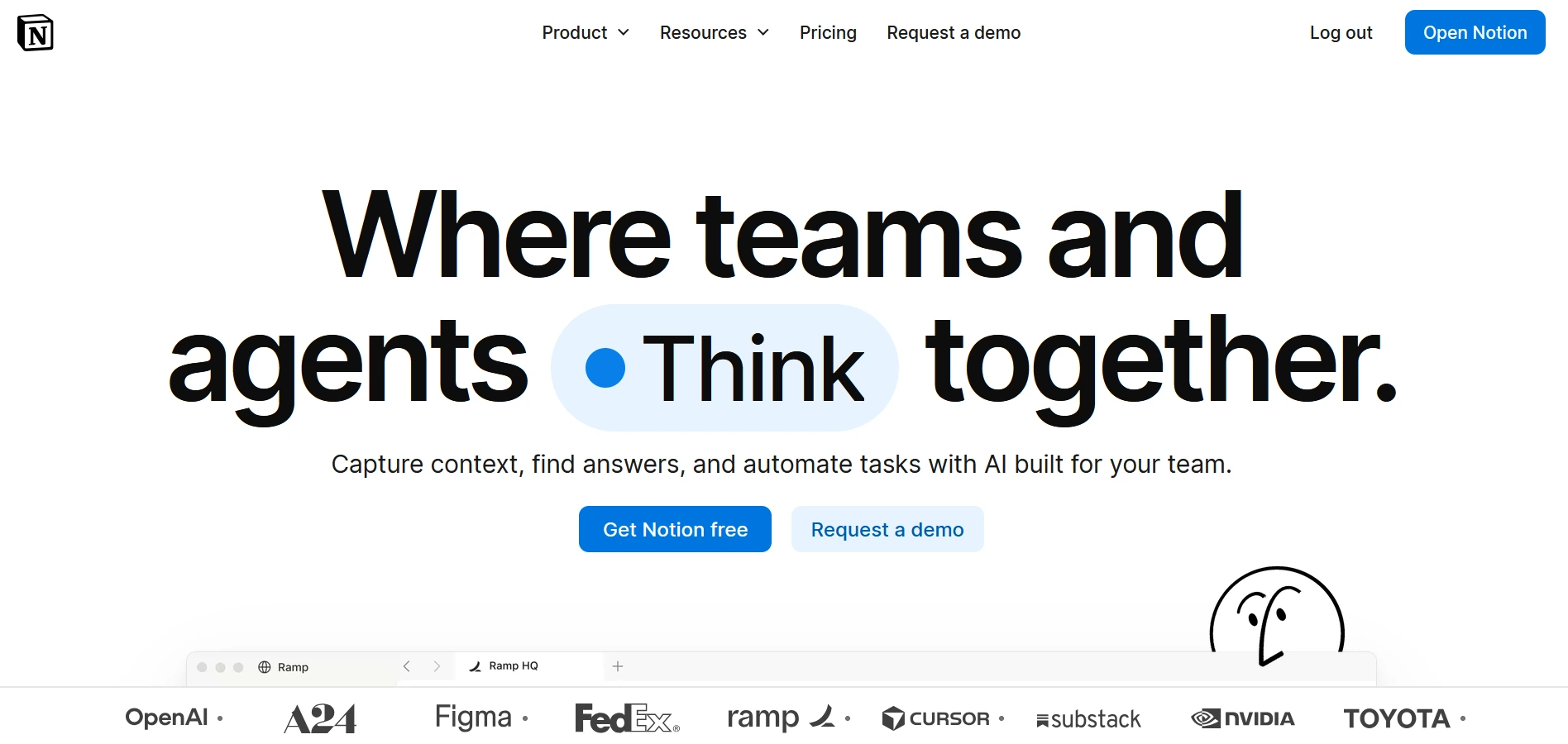
For most teams moving off Airtable, Notion is the strongest replacement. When Airtable was serving as a knowledge hub, documentation system, internal wiki, or lightweight operational database, Notion covers both halves in one workspace. Unlike traditional document tools, Notion combines a flexible page system with databases that support properties, relations, rollups, formulas, filtered views, and linked database views. This makes it suitable for teams that want structured information connected directly to their documentation and processes.
Key Features Relevant to Airtable Switchers
Notion’s databases support properties, relations, rollups, formulas, linked database views, and database automations, making it a genuine Airtable alternative for teams that need structured information alongside documentation. Where Notion pulls ahead is the combination of databases, pages, wikis, and AI inside the same workspace: project databases, SOPs, meeting notes, and company knowledge can all be connected in one system rather than split across separate tools.
Notion AI adds another layer with AI-powered search, writing assistance, meeting notes, and AI agents that can work across workspace knowledge. This makes Notion particularly strong for teams that used Airtable not only to store records but also to organize operational knowledge around those records. Airtable remains stronger for database-first systems with complex relational structures, large datasets, and heavier operational workflows.
That combination of structure and flexibility is one reason users often describe Notion as more than a documentation tool. One verified user review noted:
“The best thing about Notion is its UI/UX and how it perfectly blends Excel with a note-taking app.”
-Guillaume T., Founder, Information Technology and Services, Capterra review
Another reviewer highlighted Notion’s database capabilities and ability to connect different types of work:
“With Databases, Relations, and Rollups, we can connect RFCs, projects, tasks, incidents, and technical documentation without having to copy the same context into multiple places.”
-Rostyslav M., G2 reviewer
We’ve implemented Notion for clients moving off Airtable specifically because their team needed a combined documentation-and-lightweight-database workspace rather than two separate tools. See how that played out for a real estate crowdfunding founder managing 300+ daily emails through a Notion AI system.
Notion Pricing
Notion’s Free plan supports individual use. Plus is $10 per member per month billed annually ($12 monthly), and Business is $20 per member per month billed annually ($24 monthly), with core Notion AI features included. Custom Agents use a separate Notion credit system. Enterprise pricing is custom.
Where Notion Falls Short vs. Airtable
Notion’s database layer is capable but is not designed to replace every Airtable use case. Airtable remains stronger for complex relational systems with many interconnected tables, large operational datasets, advanced calculations, and database-heavy workflows. Teams using Airtable primarily as a business database may find Notion’s structure limiting as complexity grows.
Capacity is not the constraint: each Notion database holds up to 250,000 rows and 500 properties, per Notion’s help center. But performance is. Databases can slow down as they grow, particularly with heavy rollups and formulas. Notion also has no native Airtable importer that preserves linked records. Each table is exported and imported separately, and relations are rebuilt by hand or with an automation tool.
Best For / Skip If
Best for: teams whose Airtable use case combines documentation, knowledge management, internal processes, and lightweight relational databases in one workspace.
Skip if: your Airtable system is primarily a complex operational database with many linked tables, large datasets, or advanced relational workflows.
ClickUp: Best Airtable Alternative for Project and Task Management
What Is ClickUp Best For
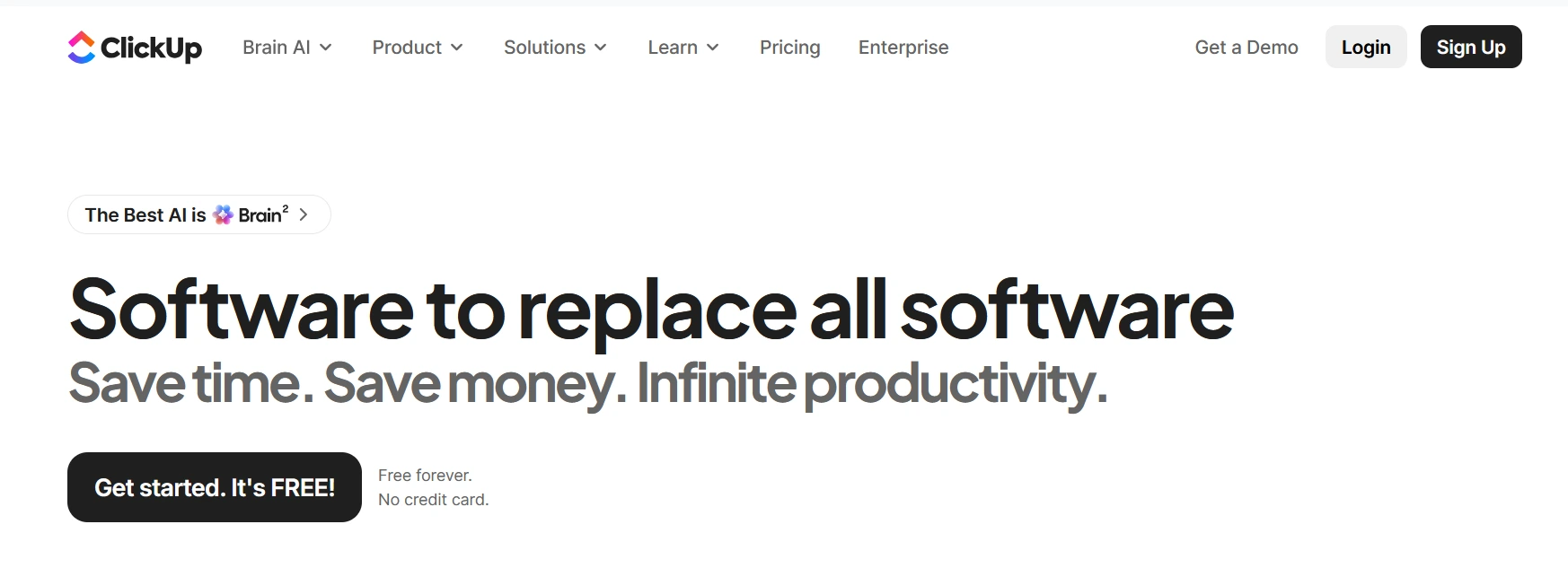
Once Airtable served as a project tracker that outgrew a simple grid view, ClickUp picks up where it left off. It offers more than 15 view types, from Kanban boards to Gantt charts, and genuine task dependency and workload management that Airtable only approximates.
Key Features Relevant to Airtable Switchers
ClickUp’s custom fields and relationships can replicate much of what an Airtable base does for project tracking, and its automation engine is deeper than Airtable’s for task-based workflows specifically. ClickUp Brain² adds AI-generated task summaries, drafting help inside docs, and workspace-wide search across tasks and docs.
This shift from a database-style tracker into an operational workspace is why many teams adopt ClickUp after outgrowing simpler tools. A verified user review explained:
“Powerful All-in-One Project Management Platform”
Nikki C., Construction Office Manager, Capterra review
Another reviewer highlighted the workflow flexibility:
“Clean, Customizable, All-in-One Project Management with Standout AI.”
Sumit S., Full Stack Developer, G2 review
We’ve implemented ClickUp for clients who outgrew Airtable’s project-tracking limitations once their operations moved past a single team into multi-department coordination. SuCasa Vacay is one example, saving 30+ hours a week and doubling their direct booking rate after the switch.
ClickUp Pricing
ClickUp’s established pricing includes Unlimited at $7 per user per month billed annually ($10 monthly) and Business at $12 per user per month billed annually ($19 monthly). Business Plus remains available for some workspaces but is not publicly priced. ClickUp has also introduced a newer plan structure for some newly created workspaces, so current pricing and plan availability can vary by workspace.
Where ClickUp Falls Short vs. Airtable
ClickUp’s relational data model is weaker than Airtable’s. It can replicate simple linked records but wasn’t built as a database first, and teams whose Airtable use case was data-heavy rather than task-heavy tend to find ClickUp’s structure fighting them.
Best For / Skip If
Best for: teams whose Airtable base was really a project tracker that needed real PM features: dependencies, workload views, and time tracking.
Skip if: your primary need is relational data storage rather than task execution.
Monday.com: Best Airtable Alternative for Visual Workflows and CRM-Style Boards
What Is Monday.com Best For
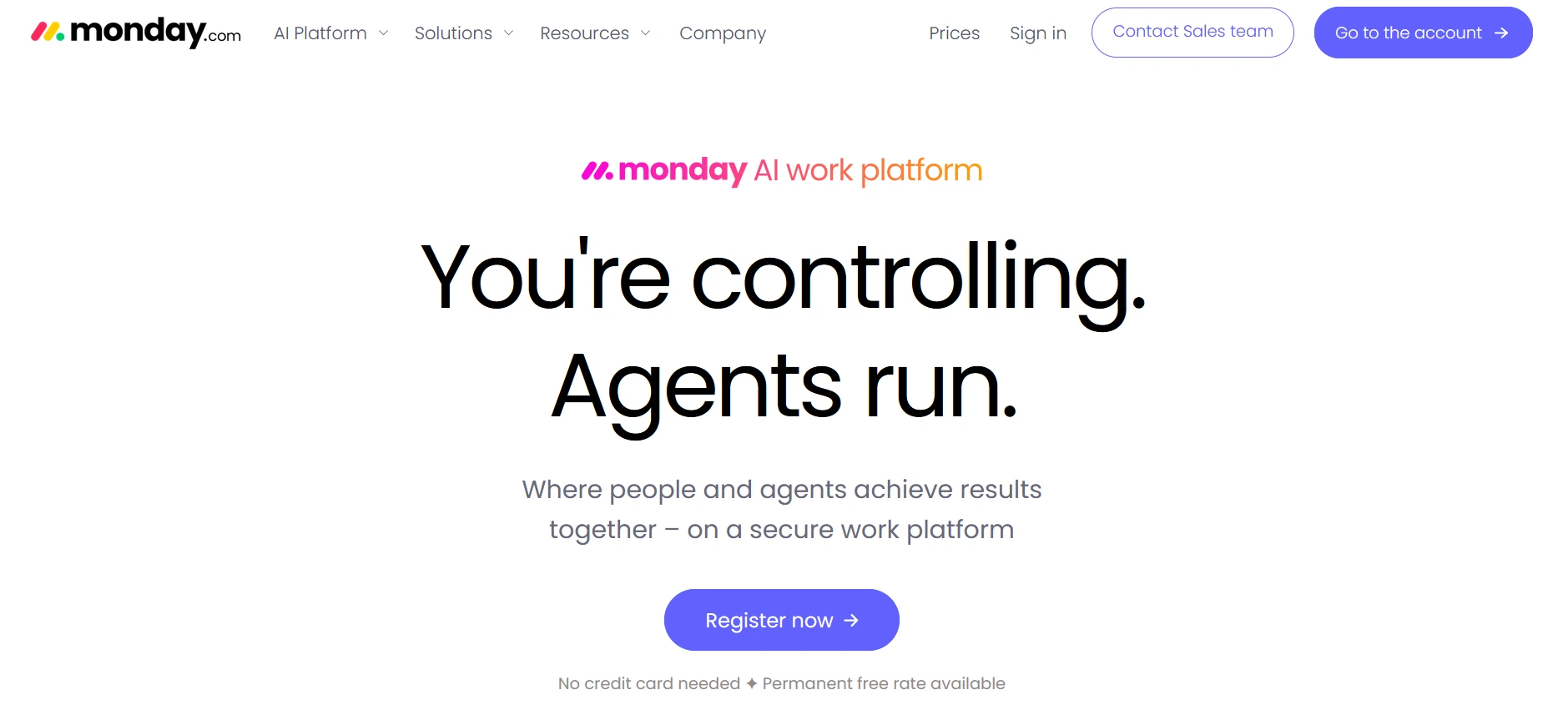
For teams that want a visual work-management platform with an approachable interface, Monday.com is a strong alternative to Airtable. Its visual boards make it relatively easy for non-technical teams to organize projects and workflows without building a database structure from scratch.
Key Features Relevant to Airtable Switchers
Monday.com’s boards support linked items across boards, similar in spirit to Airtable’s linked records, and its automation recipes cover common workflows without requiring users to write logic from scratch. Monday CRM, sold separately from the core work management product, gives teams a purpose-built option if the CRM use case was part of why they were on Airtable.
The appeal is often less about database depth and more about adoption speed. One user summarized the experience:
“I like it for its simple task and process management.”
Sadia O., Capterra review
Another reviewer described why teams choose it:
“monday.com Simplifies Program Visibility with Flexible Boards and Timeline Views”
Neha K., Senior Business Analyst, G2 review
We’ve implemented Monday.com for clients specifically for its adoption speed, where getting a whole team comfortable in the tool within days mattered more than deep customization.
Monday.com Pricing
Monday.com’s Free plan supports up to two seats. Paid plans start at three seats and use bucket pricing, with seats increasing in groups rather than one at a time. Basic is $9 per seat per month billed annually, Standard is $12, and Pro is $19. Enterprise is custom. Annual billing receives an 18% discount compared with monthly billing.
Where Monday.com Falls Short vs. Airtable
Monday.com’s relational data model is the shallowest of the mainstream project tools on this list. It’s built around boards and items first, not tables and records, which makes it a weaker fit for anything resembling a true relational database.
Best For / Skip If
Best for: teams that need the fastest onboarding and the most visual, approachable interface.
Skip if: your team needs deep relational structure or complex cross-table reporting.
Smartsheet: Best Airtable Alternative for Enterprise Project Portfolios
What Is Smartsheet Best For
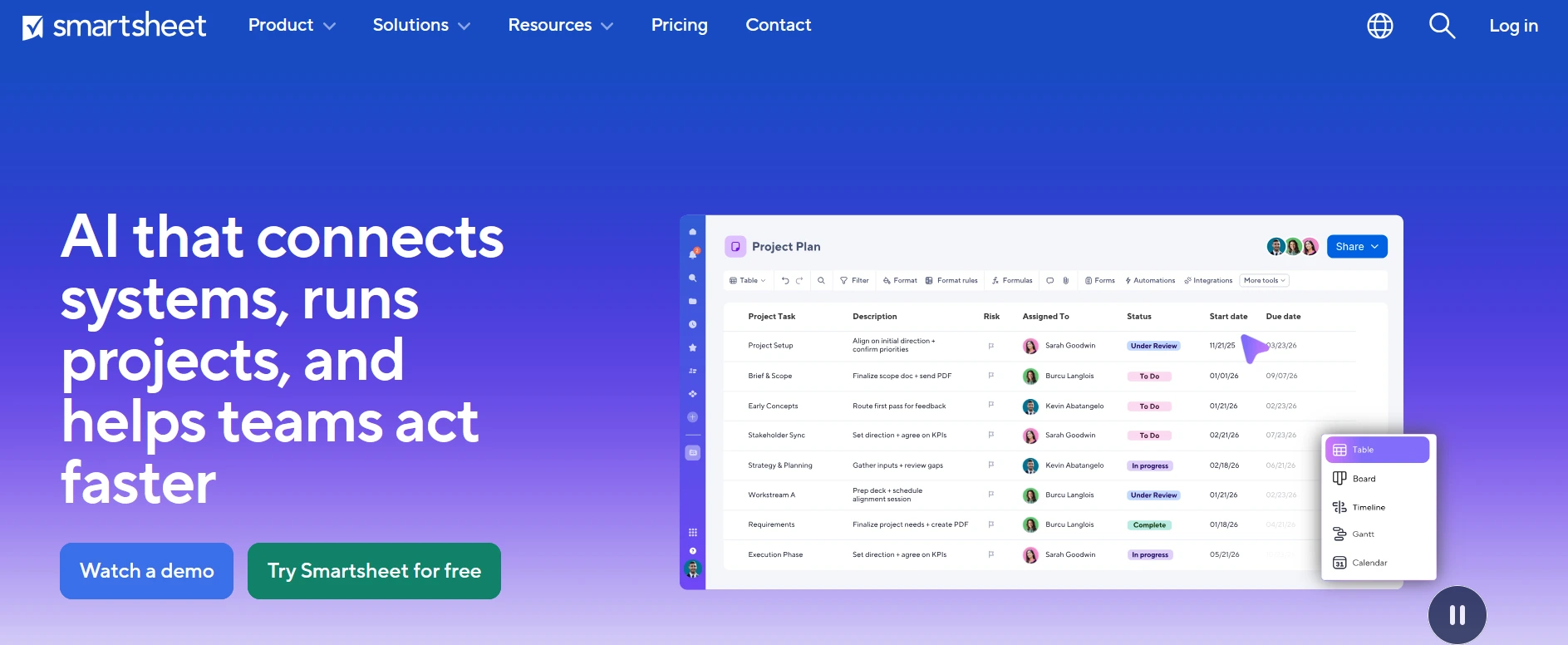
Enterprise-scale project portfolios, particularly in construction, manufacturing, and other regulated industries that need governance controls that Airtable doesn’t offer, are where Smartsheet fits best.
Key Features Relevant to Airtable Switchers
Smartsheet replaces Airtable’s linked-record workarounds with native Gantt charts that include real dependencies, baselines, and critical path calculations. Its governance layer, SAML SSO, directory provisioning, and data-retention controls are built for IT teams that won’t approve tools without a SOC 2 report and a signed DPA.
That enterprise focus is reflected in how users describe Smartsheet. One reviewer wrote:
“The grid-powered work engine that bridges spreadsheet and modern project management”
Lucy C., Software Quality Assurance, Capterra reviewAnother highlighted the project-control side:
“Flexible, Reliable Project Management with Strong Automation and Visibility”
Manish R., Graphic Designer, G2 review
Smartsheet Pricing
Smartsheet has no permanent free plan, only a 30-day trial. Pro is $9 per user per month billed annually, capped at 10 users. Business is $19 per user per month billed annually with no user cap. Enterprise pricing is custom.
Where Smartsheet Falls Short vs. Airtable
Smartsheet has no linked-record field type in the way Airtable does. Cross-sheet references exist but require more manual setup, and Smartsheet’s extensibility and integration ecosystem are narrower than Airtable’s.
Best For / Skip If
Best for: enterprise project portfolios in regulated industries where governance and compliance controls matter as much as the project tracking itself.
Skip if: you’re a small team without enterprise governance requirements, since the Pro plan’s 10-user cap will force an early upgrade to Business.
Coda (Now Superhuman Docs): Best Airtable Alternative for Docs and Databases in One Workspace
What Is Coda Best For
Coda, rebranded as Superhuman Docs on July 8, 2026, after its acquirer, Grammarly folded it into its Superhuman product suite, fits best when Airtable did double duty as both a database and a working document. Existing Coda docs, tables, automations, and pricing all carried over unchanged through the rebrand.
Key Features Relevant to Airtable Switchers
Coda’s structure combines documents and tables in a single surface more tightly than Notion does, with tables that behave like real databases embedded directly inside a doc, alongside buttons and formulas that can trigger actions. Its pricing model works differently from every other tool on this list: only “Doc Makers,” the people who create or restructure documents, are billed. Editors and viewers are free and unlimited on every plan.
The appeal of Coda has always been combining documents and structured data in one workspace. A reviewer described this flexibility:
“Comprehensive knowledge sharing and project management software.”
Isabella C., RevOps Manager, Capterra review
Another user highlighted the hybrid nature:
“It combines documents, spreadsheets, and applications into one flexible workspace.”
Verified Coda user, G2 review
Coda (Superhuman Docs) Pricing
The Free plan supports unlimited Doc Makers with capped doc size and automation limits. Pro is $12 per Doc Maker per month billed annually ($15 monthly), and Business, the tier formerly called Team, is $33 per Doc Maker per month billed annually ($40 monthly). Enterprise pricing is custom. Because only Doc Makers are billed, a 25-person team with five people who actually build docs and twenty who only edit or view pays for five seats, not twenty-five, a materially different economics than every per-seat tool on this list.
Where Coda (Superhuman Docs) Falls Short vs. Airtable
Superhuman Docs also launched new database infrastructure aimed at larger-scale structured data. Superhuman Databases is still in beta, so its expanded capacity should not yet be treated as a universally available replacement for Airtable’s mature database limits.
Best For / Skip If
Best for: teams whose Airtable use case blends structured data with a lot of surrounding written process, and teams with a small number of people who actually build docs relative to total headcount.
Skip if: the majority of your team needs to create and restructure content directly, since Doc Maker billing stops being an advantage once most of the team qualifies as a Doc Maker.
Baserow: Best Open Source Airtable Alternative
What Is Baserow Best For
Baserow is the closest structural match to Airtable of any tool on this list. It was built as an open-source, self-hostable relational database with an Airtable-like interface from the start, rather than adapting a different product to approximate one.
Key Features Relevant to Airtable Switchers
Baserow supports linked tables, formulas, and multiple view types in a way that maps almost directly onto Airtable’s own data model, which is why it carries a dedicated Airtable importer designed to preserve those relationships during migration. Teams that want to avoid vendor lock-in entirely can self-host the open-source core for the cost of a server rather than a per-seat subscription.
The Airtable similarity is also one of the reasons users compare the two products directly. One reviewer noted:
“Baserow is a great alternative to Airtable. Very easy to use with a familiar spreadsheet look and feel.”
Mark G., Director of Technology, Capterra review
Another reviewer highlighted the ownership angle:
“The ability to self-host gives us more control over our data.”
Verified Baserow user, G2 review
Baserow Pricing
Baserow offers a free self-hosted option, while its hosted Cloud version’s Premium plan costs $10 per user per month when billed annually ($12 monthly) and includes 50,000 rows per workspace. Self-hosted deployments do not have the Cloud plan’s row and storage limits.
Where Baserow Falls Short vs. Airtable
Baserow’s AI and automation features are noticeably thinner than Airtable’s, and its ecosystem of templates, integrations, and third-party extensions is smaller, simply because it has a fraction of Airtable’s user base.
Best For / Skip If
Best for: teams whose Airtable use case was purely database work and who are comfortable with either self-hosting or a smaller vendor ecosystem in exchange for cost control and no vendor lock-in.
Skip if: you rely heavily on Airtable’s AI features, its large marketplace of integrations, or need a large, mature user community for support.
NocoDB: Best Airtable Alternative for SQL-Based Database Teams
What Is NocoDB Best For
NocoDB fits when your data already lives, or should live, in a real database such as Postgres or MySQL, and your team still wants an Airtable-style spreadsheet interface on top of it. Its source code is public under a fair-code license (NocoDB’s own term), and the self-hosted Community edition has no seat licensing.
Key Features Relevant to Airtable Switchers
NocoDB shows the same data in grid, kanban, gallery, form, and calendar views, and it includes a built-in importer for Airtable bases. It can connect to an existing SQL database instead of copying data into a proprietary format, which helps operations teams that need a spreadsheet view of production data. Business and above add workflows, scripts, and dashboards.
This database-first approach is the main reason technical teams consider NocoDB. One reviewer explained:
“The fact that you can connect to an existing remote DB is a game changer.”
Alvaro Góis, Product Hunt review
NocoDB Pricing
NocoDB Cloud has a Free plan (3 editors, 1,000 records) and paid plans billed annually: Plus at $12 per seat per month (50,000 records) and Business at $24 (300,000 records). Both bill only the first nine seats, so teams of any size pay at most $108 or $216 per month. Connecting an existing Postgres or MySQL database requires Business or higher. The self-hosted Community edition is free, with unlimited seats and records, so you pay only for the server.
Where NocoDB Falls Short vs. Airtable
Self-hosting means someone on your team owns setup, updates, and backups, which is a real cost for non-technical teams. The Community edition also caps workflows at two per base and interfaces at two per workspace, and lifting those caps means paying for Business. NocoDB’s marketplace of templates and integrations is also smaller than Airtable’s.
Best For / Skip If
Best for: technical or semi-technical teams that want database ownership, no per-seat cost, and an Airtable-like interface.
Skip if: nobody on the team can manage hosting, or you rely on Airtable’s automations, interface builder, or AI features.
Airtable Alternatives That May Not Fit Every Team
A tool built for one job usually fails badly at a different one. That’s not a knock on the tools below; it’s a mismatch warning: each is a strong choice for the job it was designed for, and a poor one for the relational-database job Airtable was often doing.
Trello: Fine for Kanban, Wrong for Relational Data
Trello is a Kanban board first and has no linked-record or relational data model at all. If Airtable was tracking anything more structured than a simple task list, Trello has no real equivalent for that structure.
Asana and Basecamp: Strong for Tasks, Weak as a Database
Asana and Basecamp are primarily task and project-management tools rather than relational databases. Both can replace the project-execution side of an Airtable setup, but neither provides the same relational database model as Airtable.
Jira: Built for Software Teams, Not General Business Ops
Jira‘s workflows and terminology are primarily designed around software development and agile project management. It can support broader workflows, but using it for a general business CRM, content calendar, or operations tracker may introduce more structure than those teams need.
The same tool can be a strong pick for one job and a poor fit for another. Asana appears both as a project-management alternative earlier in this guide and as a caution here, and that isn’t a contradiction; it’s the same logic applied twice: right tool for the task-tracking job, wrong tool if Airtable was doing database work.
Google Sheets: Fine for Simple Tracking, Not a True Airtable Replacement
Google Sheets works well when Airtable was being used as a collaborative spreadsheet for simple lists, trackers, or lightweight data management.
The limitation appears when the system depends on linked records, relational tables, and database-style workflows. Sheets can recreate some of these through formulas, scripts, and add-ons, but it does not provide the same native relational structure as Airtable.
If your Airtable base was mainly a spreadsheet with a better interface, Sheets may be enough. For connected business systems, a database-focused alternative is usually a better fit.
Side-by-Side Comparison Table
| Tool | Starting Price | Best For | Database Depth | Learning Curve | AI Features | Free Plan |
|---|---|---|---|---|---|---|
| Notion | $10/user/mo (Plus, annual) | Data and documentation in one workspace | Moderate | Low | Strong (Business plan) | Yes |
| ClickUp | $7/user/mo (Unlimited, annual) | Project and task management | Moderate | Moderate to high | Strong (ClickUp Brain²) | Yes |
| Monday.com | $9/seat/mo (Basic, annual, 3-seat minimum) | Visual workflows, fast adoption | Light | Very low | Moderate | Yes (2 seats) |
| Smartsheet | $9/user/mo (Pro, annual, 10-user cap) | Enterprise project portfolios | Light | Moderate | Moderate | No (trial only) |
| Coda (Superhuman Docs) | $12/Doc Maker/mo (Pro, annual) | Docs and databases combined | Moderate to strong | Moderate | Strong | Yes |
| Baserow | Free self-hosted; $10/user/mo cloud (Premium, annual) | Open source database replacement | Strong | Moderate | Light | Yes |
| NocoDB | Free self-hosted; $12/seat/mo cloud (Plus, annual) | Spreadsheet interface on an existing database | Moderate to strong | Moderate | Moderate | Yes |
Airtable Pricing vs. the Alternatives
Airtable’s own current tiers, verified directly against its official pricing page, are: Free (up to 5 editors, 1,000 records per base), Team at $20 per editor per month billed annually, Business at $45 per editor per month billed annually, and Enterprise Scale at custom pricing.
| Tool | Comparable Mid-Tier Plan | Price per Seat (Annual) |
|---|---|---|
| Airtable | Team | $20/mo |
| Notion | Business | $20/mo |
| ClickUp | Business | $12/mo |
| Monday.com | Standard | $12/mo |
| Smartsheet | Business | $19/mo |
| Baserow | Premium (cloud) | $10/mo |
| NocoDB | Business (cloud) | $24 (first nine seats only) |
At 25 seats on each platform’s standard mid-tier plan, billed annually, the gap between the cheapest and most expensive per-seat option in this table is roughly $250 a month, about $3,000 a year on Baserow Premium versus $6,000 a year on Notion Business or Airtable Team. Coda and NocoDB don’t fit this per-seat math. With Coda’s Doc Maker model, a 25-person team with five actual Doc Makers pays for five seats, not twenty-five, which can make it one of the cheapest options on this list for teams with a small documentation-creator core and a large group of editors and viewers. NocoDB bills only the first nine seats, so 25 people on Business pay $216 a month (about $2,592 a year), and the self-hosted Community edition is free apart from server cost.
Airtable’s per-user pricing can compound as more collaborators need paid permissions, while read-only access remains unbilled. If a base reaches its Team record limit, the workspace must upgrade or reduce its data before adding more records, even if the team itself has not grown.
How to Migrate from Airtable to These Alternatives
Every tool on this list handles Airtable migration differently, and the method matters as much as whether an importer exists at all.
| Tool | Native Airtable Importer | Method | What Doesn't Transfer Automatically |
|---|---|---|---|
| Notion | Yes | Direct import tool | Complex formulas, some field types |
| ClickUp | Yes (via CSV/API) | CSV import or API sync | Linked-record relationships |
| Monday.com | Yes | Direct import tool | Complex formulas, automations |
| Smartsheet | Partial | CSV import per sheet | Linked records, automations |
| Coda (Superhuman Docs) | Yes | Direct import tool | Complex automations |
| Baserow | Yes | Dedicated Airtable importer | Some advanced field types |
| NocoDB | Yes | Built-in Airtable importer | Automations and interfaces (rebuild) |
Airtable doesn’t export an entire base as a single file. Every table has to be exported separately, and linked-record relationships don’t survive a CSV export at all; they simply become disconnected reference IDs on each side.
That single limitation is the reason migrations that look simple on paper often take longer than expected: it’s not the data that’s hard to move; it’s the relationships between tables. For the full framework on what to move, rebuild, or retire, see our Airtable Migration Guide.
Sources & Methodology
Pricing for Airtable, Notion, ClickUp, and Monday.com was verified directly against each vendor’s official pricing page in September 2026. Smartsheet, Baserow, and NocoDB pricing was confirmed against multiple independently published sources from the same period. Cda (Superhuman Docs) pricing was verified directly against Superhuman’s own pricing and billing documentation. Bending Spoons acquisition details were sourced from Bending Spoons’ own investor newsroom announcement and corroborated across multiple independent business news outlets. The evaluation criteria used in the scorecard above- database and relational capability, ease of use, pricing at scale, migration path, AI and automation depth, and scalability were applied consistently across all seven profiled tools.
The seven profiled tools were evaluated in depth against that rubric. The tools named in the use-case section earlier in this guide are named for category fit based on current market research and product documentation, not individually scored against the same six criteria.
Final Recommendation
For most teams, Notion is the best Airtable replacement because its databases and documentation live together. If Airtable was primarily your database, Baserow is the closest structural match among the seven tools evaluated here. If it was primarily your project tracker, ClickUp or Monday.com may be a better fit for task execution and team workflows. Most teams outgrowing Airtable end up needing two tools instead of one, and that’s not a failure of any single alternative; it’s a sign Airtable was doing more than one job to begin with.
Frequently Asked Questions (FAQ)
Notion, for most teams. Its databases (properties, relations, rollups, formulas, linked views) sit in the same workspace as documentation and AI. Baserow is the closer structural match if Airtable were purely a database, and ClickUp or Monday.com fit better if it were mainly a project tracker.
Yes. Baserow's open-source core and NocoDB's fair-code Community edition are free to self-host, and Notion, ClickUp, Monday.com, and Coda (Superhuman Docs) all offer usable free tiers for individuals or very small teams.
Baserow is the closest open-source match to Airtable's own relational data model, with a dedicated importer built specifically for Airtable migrations.
Yes, for most teams. Notion handles relational data through properties, relations, rollups, and formulas, and adds documentation and AI in the same workspace. It is weaker than Airtable for large, heavily linked datasets, and it has no importer that preserves linked records.
Neither is strictly better. Notion is stronger than Airtable for documentation, lightweight databases, and knowledge management but shallower on relational data. ClickUp is stronger than Airtable for project execution and task management but was never built as a database first.
ClickUp if budget is the main constraint (Unlimited is $7 per user per month billed annually), or Notion if the business needs documentation and light relational data in one place (Plus is $10, and full Notion AI requires Business at $20). Baserow or self-hosted NocoDB are the cheapest options for teams comfortable with hosting.
Not necessarily and not immediately. The acquisition closed on September 4, 2026, but Bending Spoons has not announced specific changes to Airtable's product or pricing. Given the company's track record with past acquisitions, mapping out a migration path now is a reasonable precaution even for teams not ready to switch today.
Yes, and many teams end up doing exactly this. A common pattern is Notion for documentation paired with ClickUp or Monday.com for execution, since no single tool on this list covers every job Airtable was doing at once.
Monday.com, based on its visual board interface and relatively approachable setup for non-technical teams.
Airtable migration support varies considerably by platform. Baserow, NocoDB, and Superhuman Docs provide dedicated Airtable importers, while ClickUp and Notion rely on spreadsheet import. In Notion, each table is imported separately and linked records must be rebuilt as relations. The amount of rebuilding required varies because Airtable-specific relationships, formulas, automations, views, and interfaces do not necessarily transfer intact.
Individually, usually not all of them at once. Airtable blends database, project management, and light app-building in a single tool, and most alternatives specialize in one of those jobs rather than replicating all three. That's why Notion is the best starting point for most teams, but the use-case breakdown earlier in this guide is still the more reliable way to choose, because the right tool depends on which job Airtable was doing.
Not Sure Which Job Airtable Was Doing for You?
Picking the right replacement is only half the decision; the harder part is migrating linked records, automations, and interfaces without rebuilding everything by hand. Camel Tech’s SCALEable Audit Call is a 45-minute session covering your current Airtable setup, which tool actually fits the job it’s doing, and what the migration itself will take. You receive a System Readiness Report within 48 hours, whether or not you choose to work with us.
Book your free SCALEable Audit at camelai.tech
Read Related Articles

Compare the best AI automation agencies for SMBs in 2026. Verified Zapier, Make, and n8n

Thinking about switching CRMs? Here's the complete guide to migrating from HubSpot to Monday CRM:
ServiceTitan is purpose-built for plumbing dispatch, GPS, and pricing. Monday.com is cheaper and flexible but
Build a business that thrives without you
Unlock your ultimate life goals: Focus on high-leverage tasks, personal growth, and family time while pursuing your next big initiative.
Let's book a call with our expert.

Selected resource
Enter your email and we’ll send the resource directly to your inbox.
✓
Check your inbox
We’ve received your request and will send the resource to your email.
Please check your spam or promotions folder if you don’t see it shortly.