
Notion vs Monday.com (2026): Which One Fits Your Team?

Imrul Hasnat
Founder, Camel Tech
- Last Updated:August 27, 2026
15 mins read
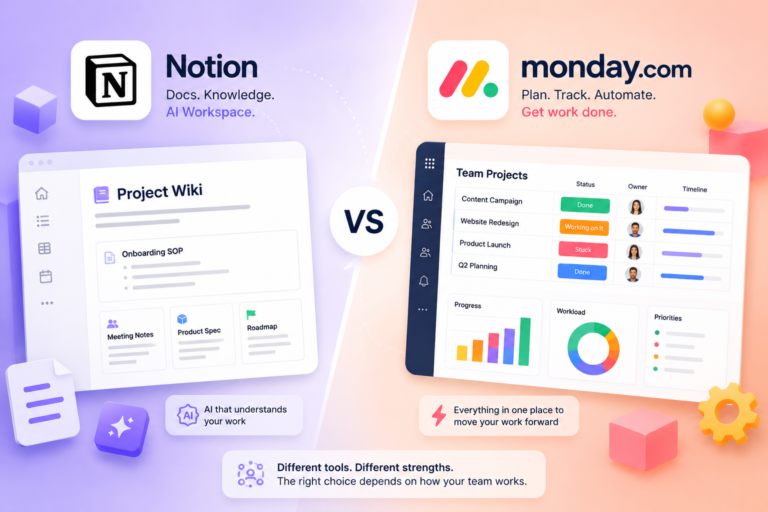
Table of Contents
Quick Answer
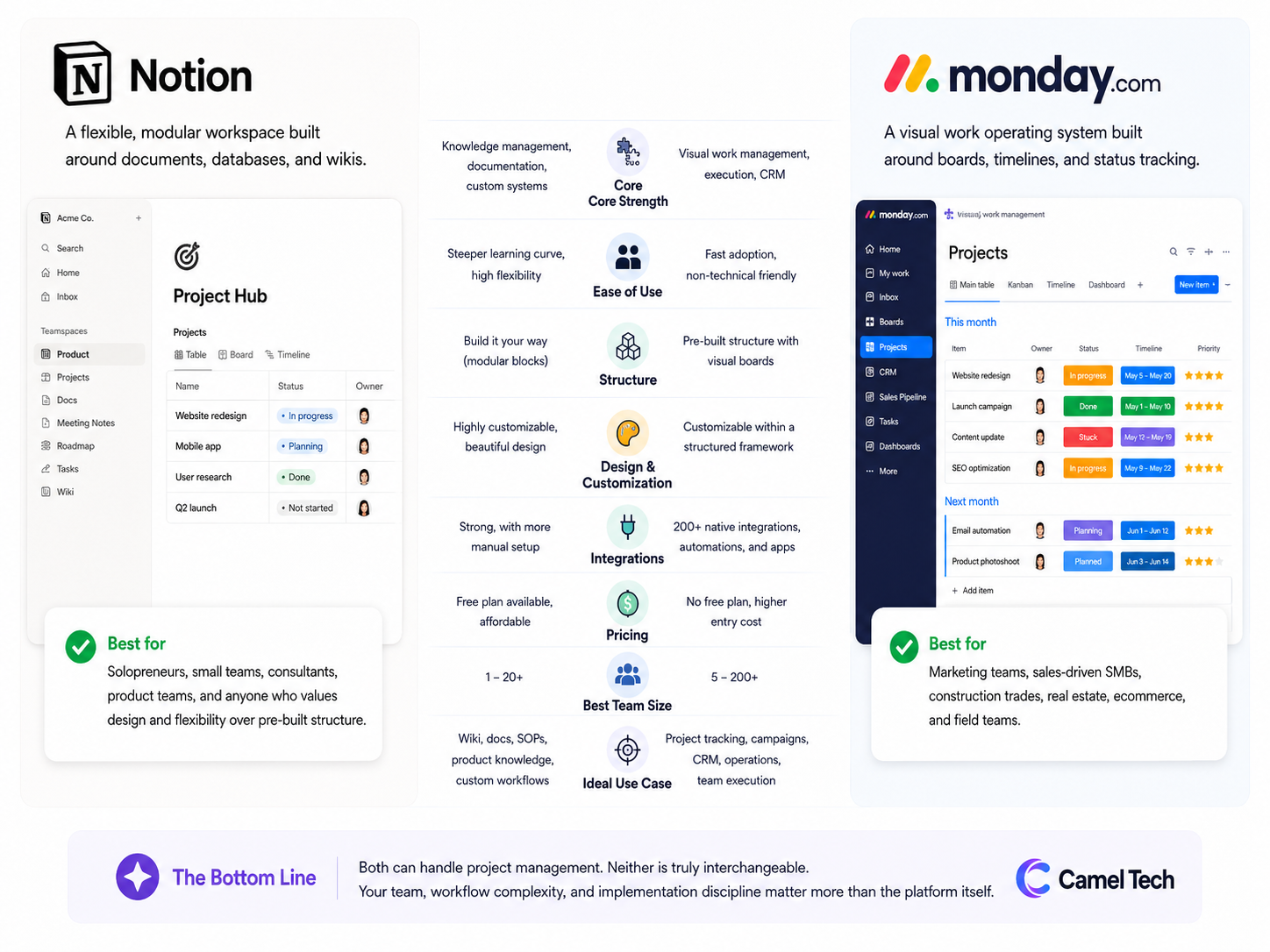
Notion is a flexible, modular workspace built around documents, databases, and wikis. It is a better fit when your team prioritizes knowledge management, documentation, and the freedom to build your own system from scratch. Best for solopreneurs, small teams, consultants, product teams, and anyone who values design and flexibility over pre-built structure.
Monday.com is a visual work operating system built around boards, timelines, and status tracking. It is a better fit when your team is non-technical, you need fast adoption, or you want a native CRM alongside visual project management. Best for marketing teams, sales-driven SMBs, construction trades, real estate, ecommerce, and field teams.
Both can handle project management. Neither is truly interchangeable. Your team, workflow complexity, and implementation discipline matter more than the platform itself.
Why Trust This Content
Most comparison articles are written by someone who tested a 14-day free trial. This one is not.
At Camel Tech, we have implemented Notion and Monday.com across 80+ businesses: agencies, construction firms, accounting practices, ecommerce stores, and professional services companies. We are a Notion Consulting Partner and a Monday Official Partner. For example, we helped a real estate crowdfunding founder eliminate missed follow-ups with a custom Notion AI agent that handled 300+ daily emails, and we built a Monday.com system for Keystone Custom Decks that automated spa order management and saved them 10 hours per week.
We have watched both succeed. We have watched both fail. The failure is rarely the tool. It is the rollout.
Methodology
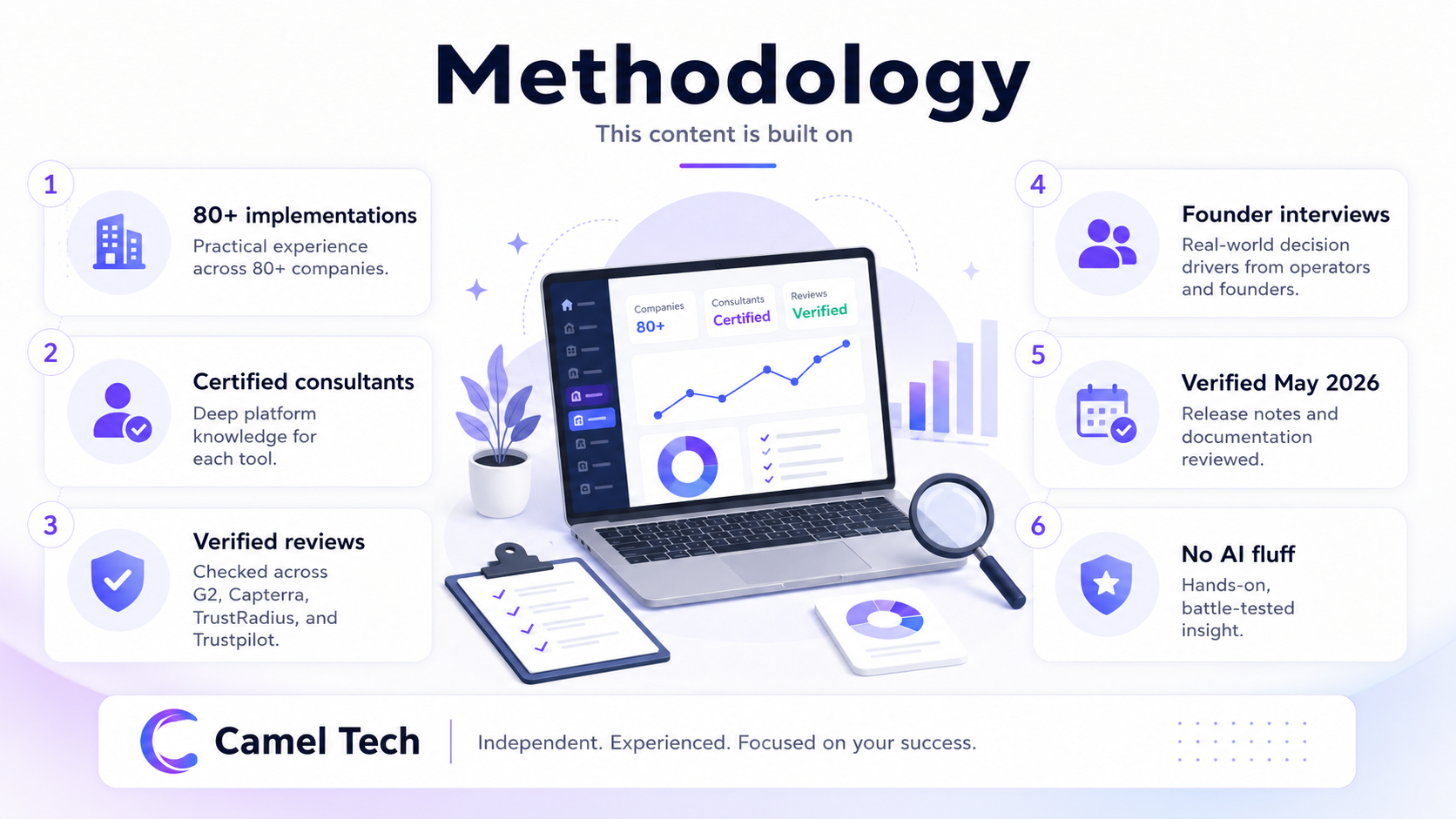
This content is built on:
- Practical experience from implementing both platforms across 80+ companies
- Deep platform knowledge from Camel Tech’s certified consultants for each tool
- Authentic user reviews from G2, Capterra, TrustRadius, and Trustpilot.
- Interviews with founders and operators to capture real-world decision drivers
- Platform release notes and documentation verified as of May 2026
No AI-generated fluff. No recycled marketing claims. Just hands-on, battle-tested insight.
Key Takeaways
What is the main difference between Notion and Monday.com?
Notion bets on flexibility: an infinitely customizable workspace built around how knowledge workers actually think. Monday bets on clarity: fast adoption and visual simplicity, with separate purpose-built product lines for Work Management, CRM, Dev, and Service.
How much does Notion cost in 2026?
Plus starts at $10/user/month (annual) or $12/user/month (monthly). Business, which includes full AI, costs $20/user/month (annual) or $24/user/month (monthly). A generous free plan for individuals is available. Guests are free on all plans.
How much does Monday.com cost in 2026?
Standard starts at $12/seat/month (annual), with a 3-seat minimum. Pro is $19/seat/month (annual). Monthly billing is approximately 18-25% higher, depending on the tier. A free plan is available for up to 2 users. Viewers (read-only) are free on all paid plans.
How much does Notion AI cost?
Full AI access, including Agents, Ask Notion, and Custom Agents, requires the Business plan at $20/user/month (annual). The Plus plan includes only a limited AI trial with no monthly reset. The standalone AI add-on was discontinued in May 2025. Custom Agents now consume Notion Credits at $10 per 1,000 credits (as of May 4, 2026), available on Business and Enterprise plans only. The free trial period ended in early May 2026.
How much does Monday.com AI cost?
As of May 6, 2026, Monday moved to a credit-based AI pricing model, in which credits must be purchased alongside seats. Minimum monthly AI credits start at 1,000 for Basic, 2,000 for Standard, and 3,000 for Pro at approximately $0.01 per credit on annual billing, or $0.0125 per credit on monthly billing. Customers who signed up before May 6, 2026, may still be on the legacy model that included 500 free credits per month.
How long does each take to set up?
Monday: 2 to 3 days to full productivity. Notion: 1 to 2 weeks for a usable system, and months to get it truly right. The blank canvas approach requires upfront investment, but the payoff is flexibility.
Notion vs Monday.com at a Glance
| Metric | Notion | Monday.com |
|---|---|---|
| Best for | Knowledge management, documentation, AI-native workflows | Visual project management, fast adoption, field and sales teams |
| Setup time | 1 to 2 weeks | 2 to 3 days |
| Free plan | Yes (generous for individuals) | Yes (2 seats, 3 boards) |
| Mid-tier pricing | Plus: $10/user/month (annual) | Standard: $12/seat/month (annual) |
| Full AI pricing | Business: $20/user/month (AI included) | Standard + AI credits: ~$140/month for 10 seats |
| AI capability | Custom Agents, multi-model access, autonomous 20-min tasks | Monday Sidekick, Vibe app builder, AI Workflows (credit-based) |
| Knowledge management | Excellent (wiki, nested pages, enterprise search) | Basic (Workdocs only) |
| Project management | Good (flexible, requires setup) | Excellent (native Gantt, dependencies, subitems) |
| CRM | Lightweight only | Full suite (Monday CRM, separate billing) |
| Email client | Full (Notion Mail for Gmail) | Basic integration, no inbox management |
| Automations | Agent-based, credit model | 250 actions/month (Standard), 25,000 (Pro) |
| Offline access | Full (desktop and mobile) | Mobile only, approximately 70% of actions |
| Guest access | Free, unlimited on Plus and above | Free read-only; paid edit seats on Standard beyond 3 |
| Learning curve | Steeper (blank canvas approach) | Faster (pre-built structure) |
| Mobile experience | Strong (AI Agents on mobile) | Better for field teams (simpler, status-focused) |
| G2 rating | 4.6/5 (11,000+ reviews) | 4.7/5 (18,000+ reviews) |
What Is Notion?
Notion is a connected, flexible workspace built around documents and databases. Founded in 2016, Notion now serves over 100 million users globally as of 2026. Notion is not a project management tool out of the box. It is a canvas that you shape into whatever your team needs: a knowledge base, an SOP library, a project tracker, a CRM-lite, or all of the above.
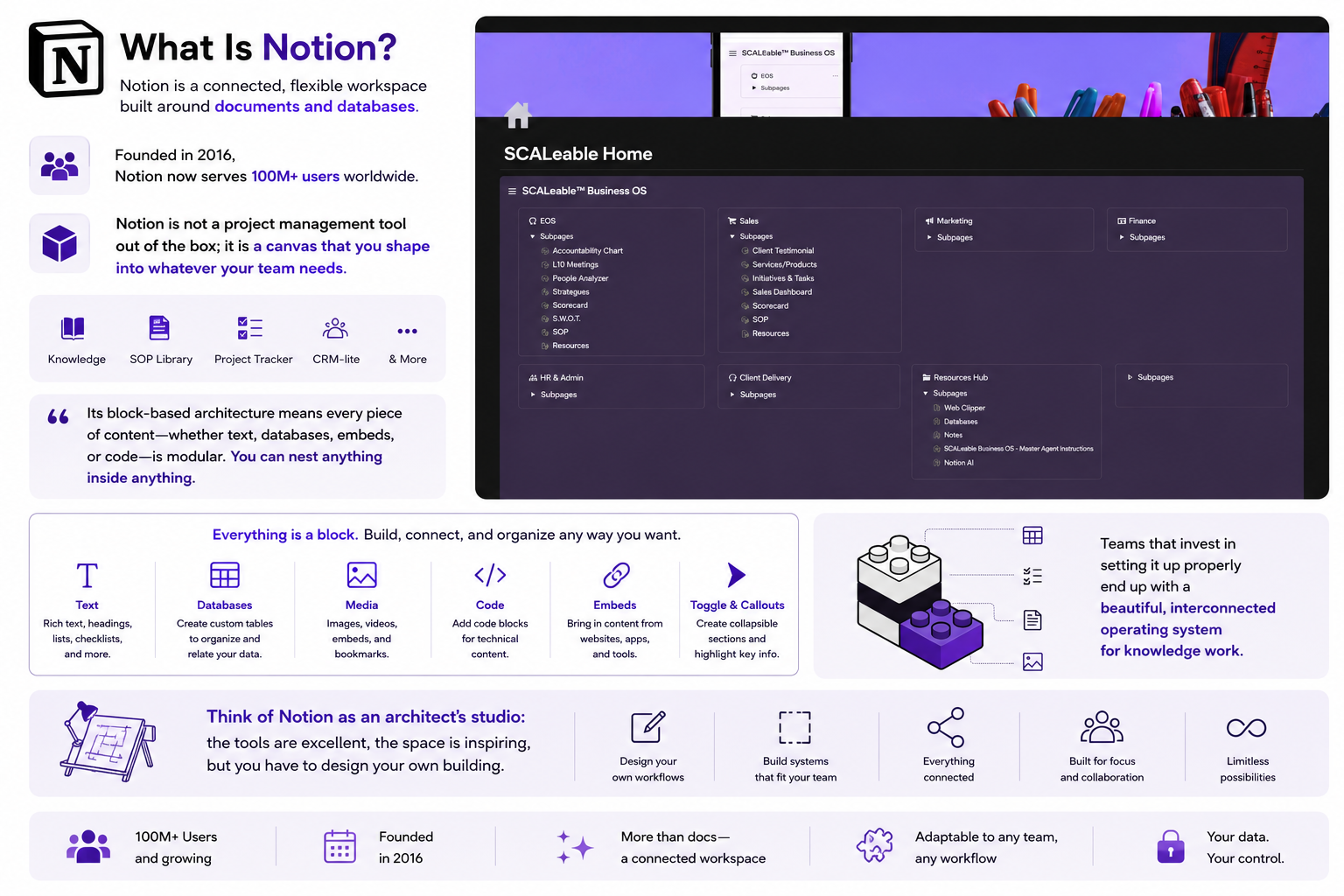
Its block-based architecture means every piece of content (text, databases, embeds, code) is modular. You can nest anything inside anything. Teams that invest in setting it up properly end up with a genuinely beautiful, interconnected operating system for knowledge work.
Think of Notion as an architect’s studio: the tools are excellent, the space is inspiring, but you have to design your own building.
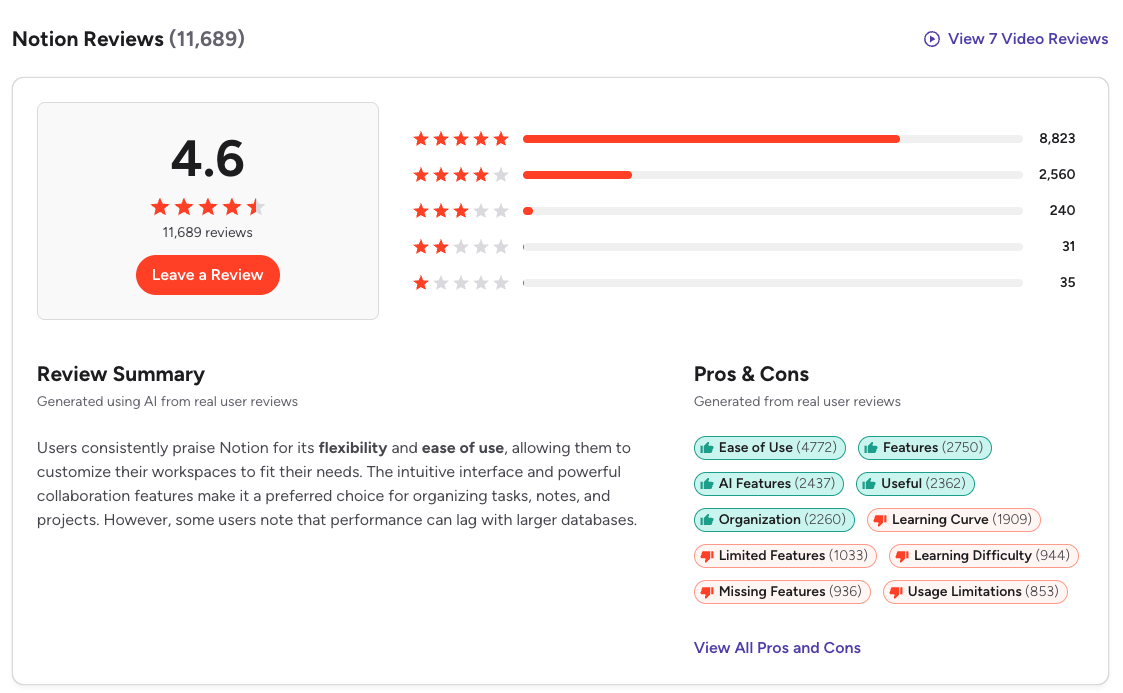
On G2, Notion holds a 4.6-star average out of 5 from over 11,000 verified reviews, with consistently high marks for flexibility and design.
What Is Monday.com?
Monday is a visual Work OS built around boards: color-coded grids where teams track work, manage timelines, and see status at a glance. It serves 250,000+ customers and is publicly listed on NASDAQ. The platform has expanded into a multi-product suite: Work Management, CRM, Dev, and Service. Think of it as a polished, ready-to-use office. You move in and start working on day one.
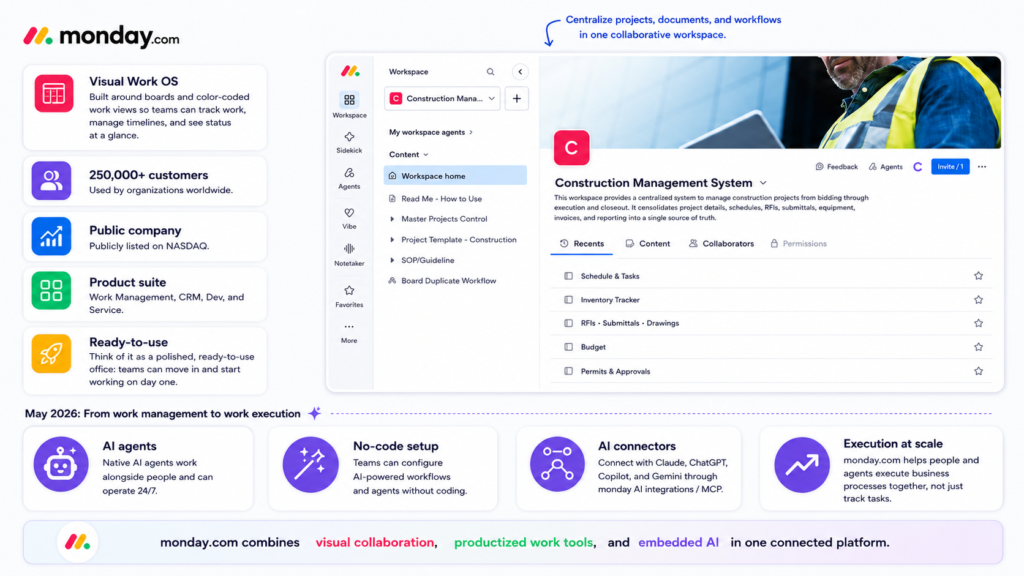
Monday is purpose-built for project management, with native Gantt charts, task dependencies, and project timelines built into the interface.
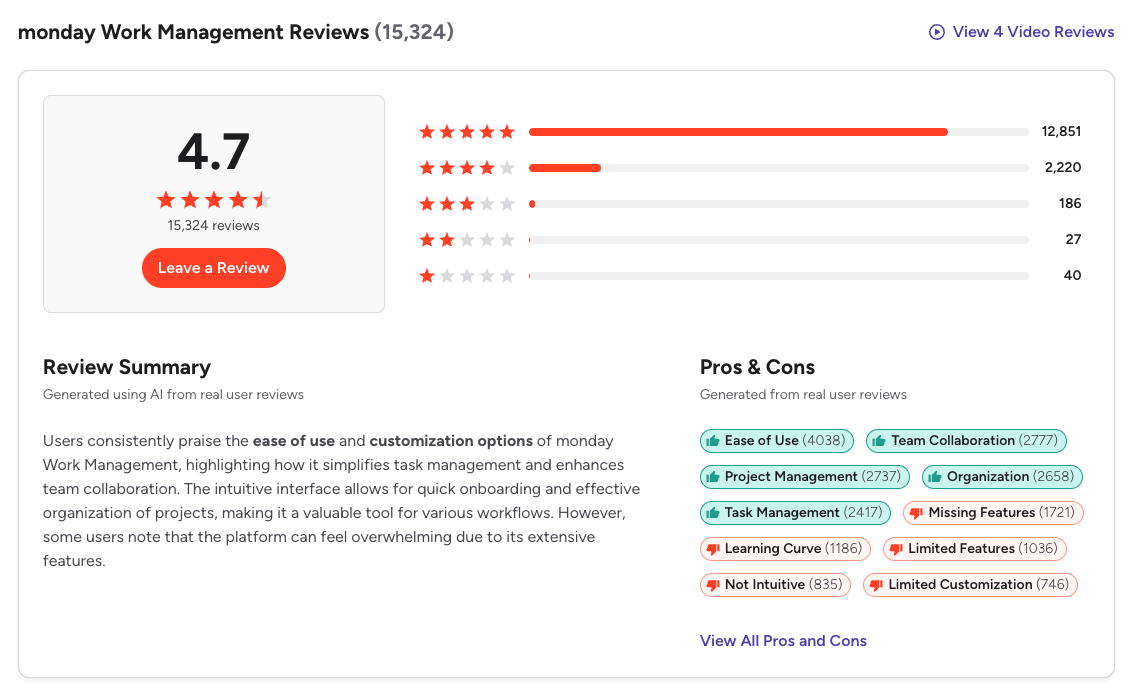
On G2, Monday.com holds a 4.7-star average from over 18,000 verified reviews across all product lines, making it one of the highest-rated platforms in its category.
What’s Actually New in 2026
If your last evaluation was pre-2025, start over. Both platforms have fundamentally changed.
Notion 3.0 to 3.4: The Agent Era
Notion underwent its biggest transformation in September 2025 with the launch of Notion 3.0, rebuilding its AI layer from the ground up around autonomous Agents.
Key 2025 to 2026 updates:
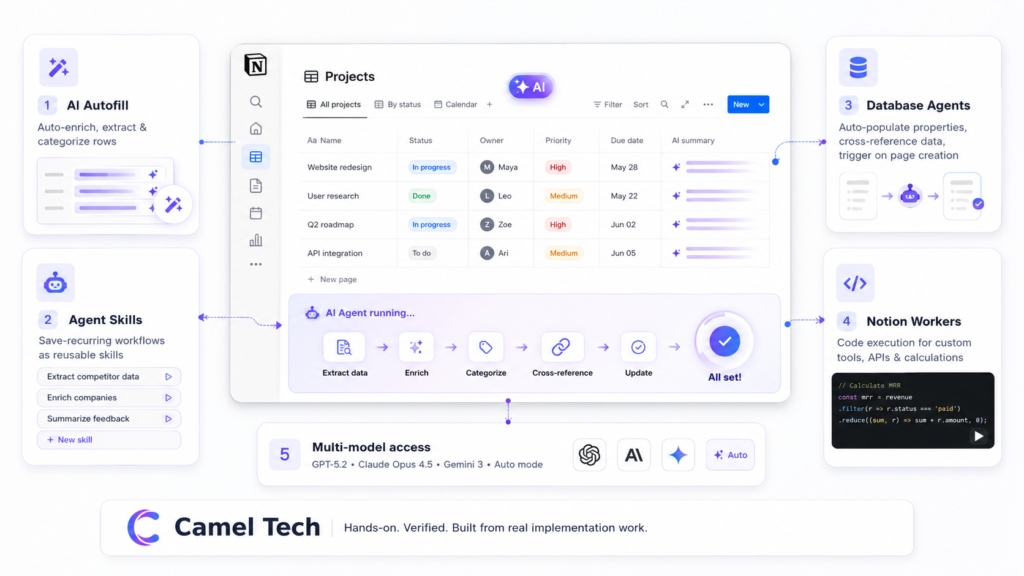
Notion AI Agents (3.0, September 2025): Autonomous agents that can perform up to 20-minute multi-step tasks across hundreds of pages simultaneously. Build launch plans, compile user feedback, update database entries at scale- all from natural language instructions.
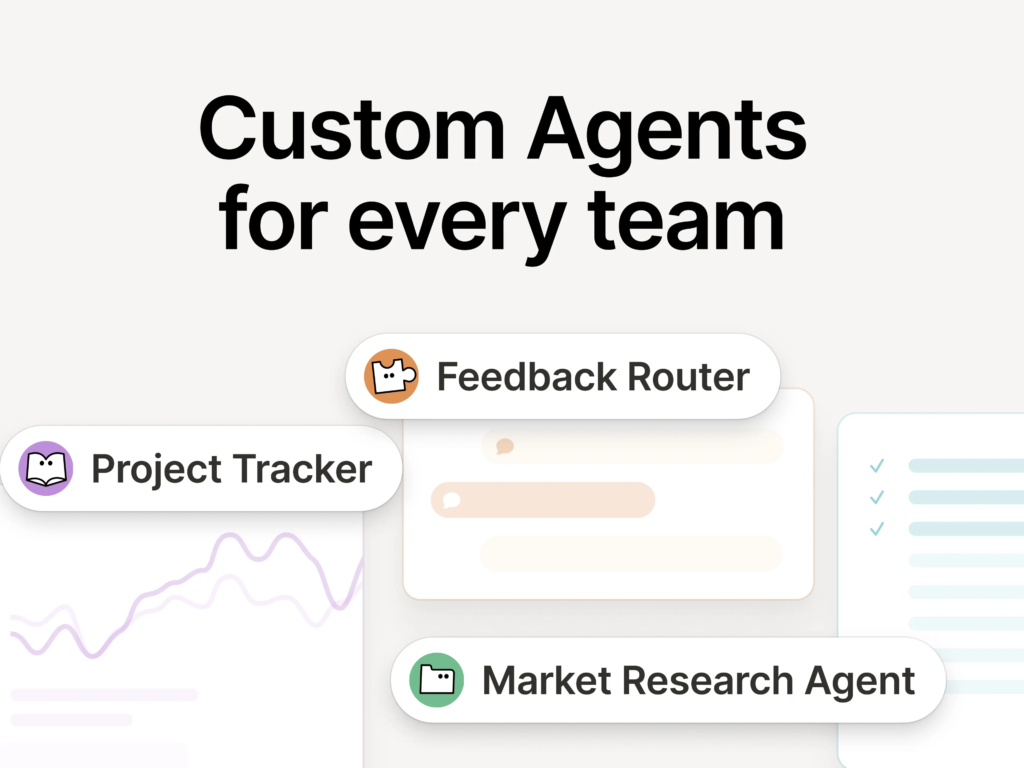
Custom Agents (3.3, February 2026): eams build specialized AI workflows for their exact processes. Early testers had built over 21,000 agents before the public beta even opened; by the time the beta closed on May 3, 2026, that number had grown to over one million. Notion itself runs 2,800+ internally. Agents work across Notion, Slack, Mail, Calendar, and MCP-connected tools, including Linear, Figma, HubSpot, Stripe, GitHub, Intercom, and Amplitude. As of May 4, 2026, the Custom Agents bill is $10 per 1,000 Notion Credits.
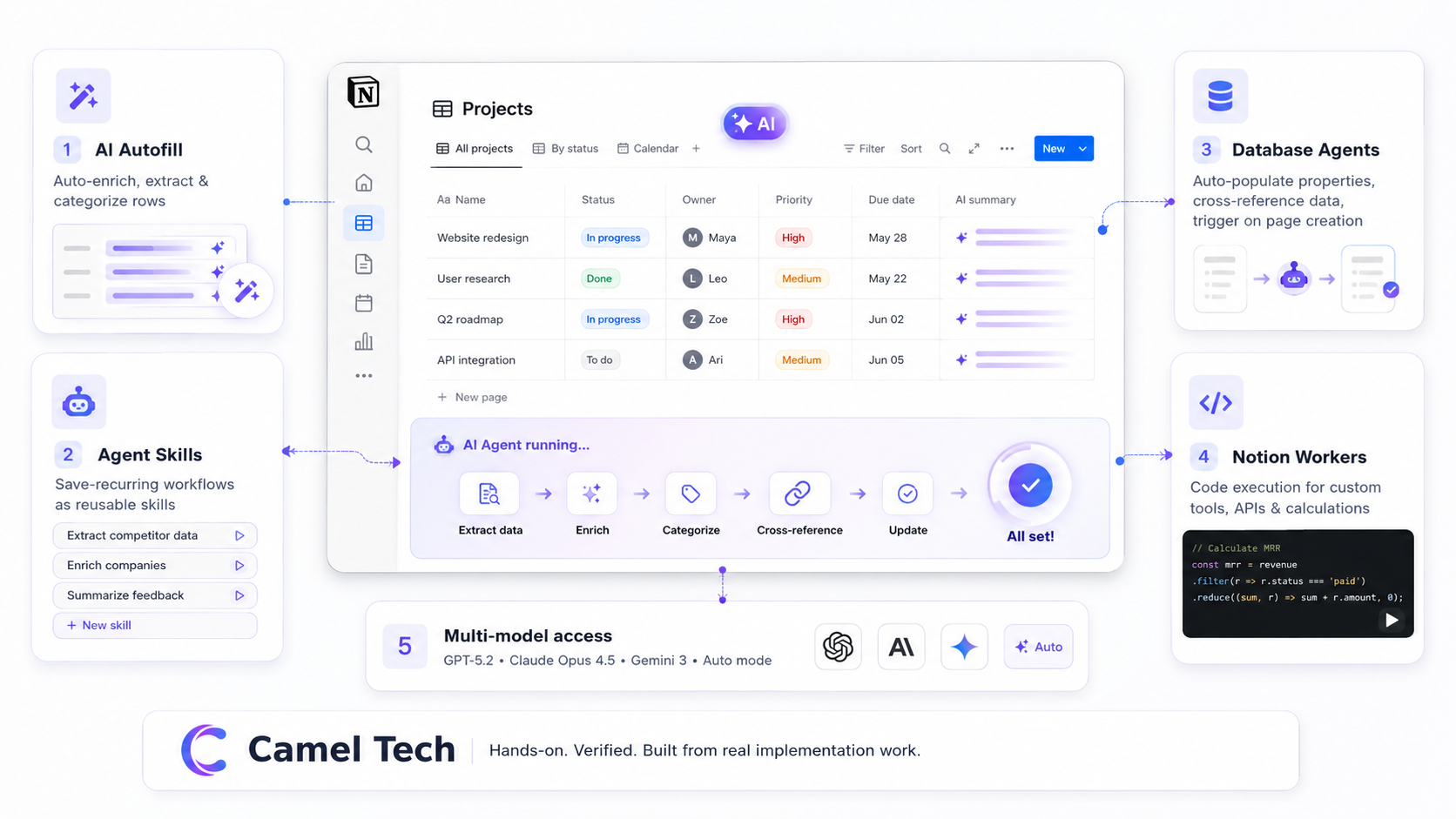
AI Autofill (3.4, April 2026): Continuously enrich, extract, and categorize information across database rows automatically. Databases stay current without manual review.
Agent Skills: Save recurring workflows as skills so your agent executes them on command without re-prompting. Draft weekly updates, reshape docs in your team’s format, prep briefs before meetings.
Database Agents: Automated “little librarians” that keep databases accurate by auto-populating properties, cross-referencing external data sources, and categorizing entries on triggers such as page creation.
Notion Workers: A code execution environment allowing developers to build custom tools that Notion Agents can run. This turns Notion into a programmable productivity platform where AI can interact with external APIs and perform complex calculations.
Multi-model access: Switch between GPT-5.2, Claude Opus 4.5, and Gemini 3, or use Auto mode to let Notion select the best model for each task.
Notion Mail: A full AI-powered email client for Gmail with inbox triage, custom database-style views, AI-powered drafting, push-to-database, calendar integration, and multi-account support. Agents can auto-draft follow-up emails after meetings and can be configured to push them directly into a Notion page or database for review before sending.
Notion Calendar: Standalone calendar app with two-way Google Calendar sync. Agents can schedule meetings, find open times, and create events.
Mobile AI Agents (3.2, January 2026): Everything the desktop agent can do, now on mobile. One tap starts AI meeting transcriptions even when you switch apps or lock your screen. Pages on iOS open significantly faster.
MCP support: Connect Notion to Cursor, HubSpot, n8n, Lovable, Mistral, GitHub, Perplexity, and any custom MCP server. Enterprise admins can track MCP activity in audit logs. Up to 27% faster page loads on Windows and 11% faster on Mac compared to previous versions.
Critical pricing change: Notion discontinued the standalone AI add-on for new accounts. Full AI access now requires the Business plan at $20/user/month (annual). Free and Plus users get only a limited 20-response AI trial, not a monthly reset. If AI is part of your workflow, Plus is not sufficient.
Monday.com: From Work Management to Work Execution
Monday’s 2025 to 2026 transformation has been equally significant, pivoting from “work management” to “work execution.”
Key 2025 to 2026 updates:
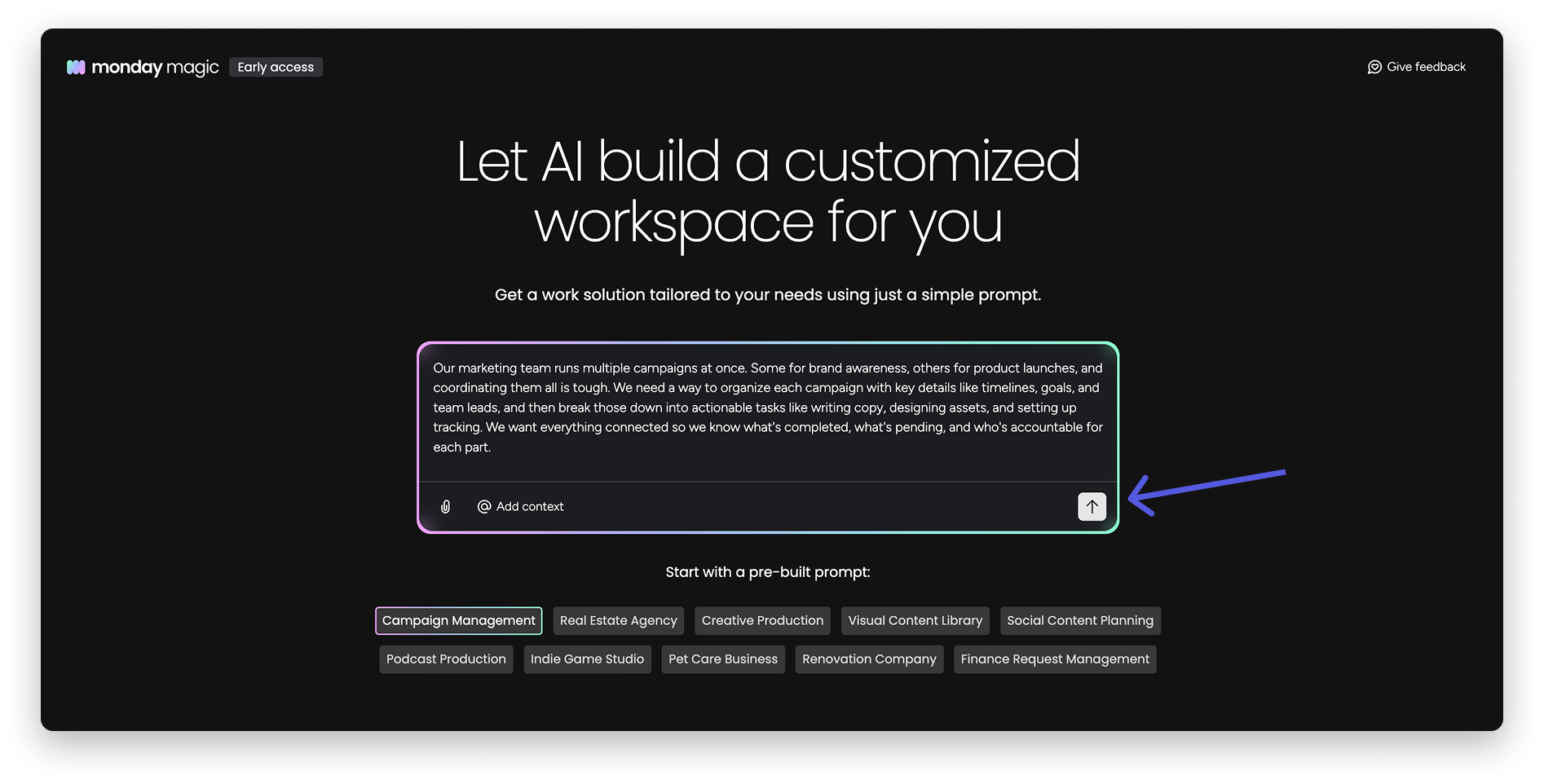
Monday Magic: One prompt generates a complete board, automations, and dashboards. Over 2,000 solutions were built within months of launch.
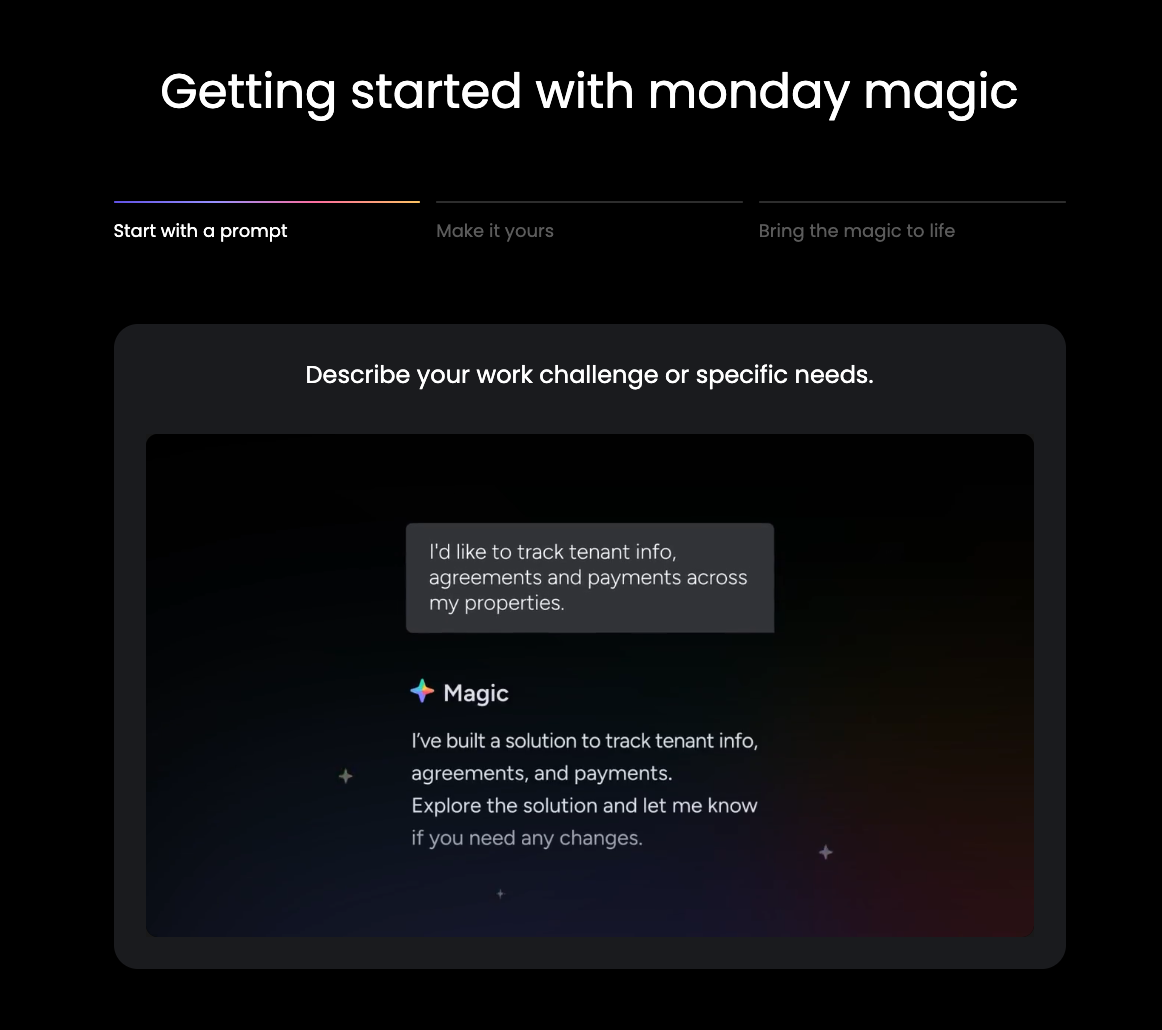
Monday Vibe: No-code AI app builder. Describe what you need, and it builds a fully functional enterprise app inside Monday, natively connected to your data with enterprise-grade security. Over 17,000 apps were built in the first two months. Building private apps remains free. Under the May 6, 2026 pricing model, publishing live Vibe apps draws from the AI credits pool, with each plan tier including a small number of free live apps (Basic 1, Standard 2, Pro 3, Enterprise 5). To learn more about this, explore our Blog on Monday Vibe Coding.
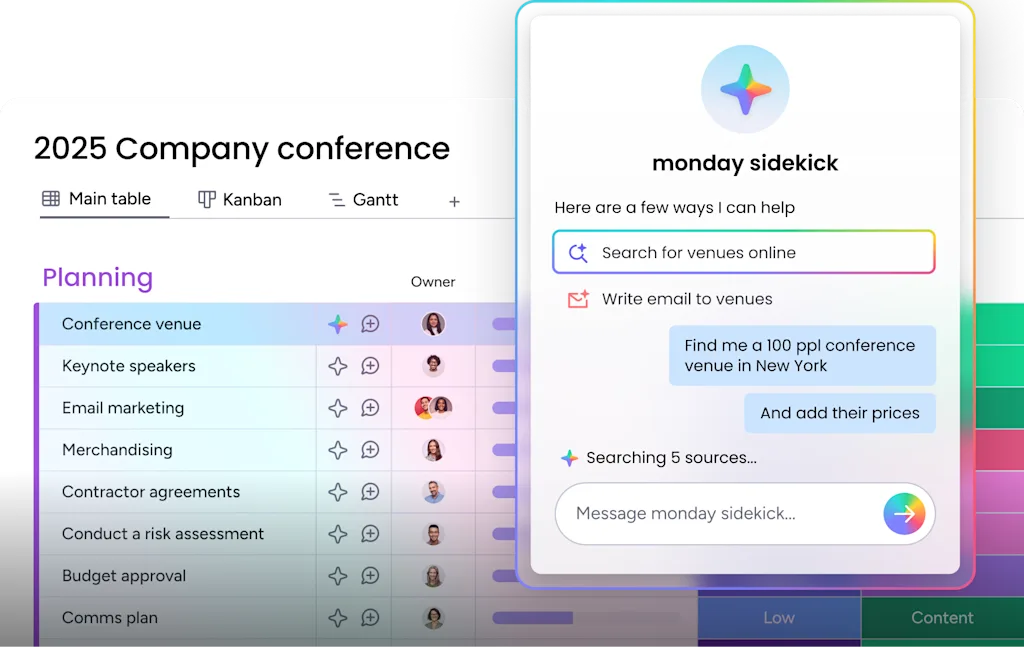
Monday Sidekick: Context-aware AI assistant, out of beta January 2026. Over 45,000 interactions in the first three months. Sidekick consumption now draws from the unified AI credits pool, with daily message limits applying before credits are consumed.
Agent Factory: A standalone no-code agent builder with SDR, Lead, and Outreach Agents. Accessible from outside Monday.com.
Monday Campaigns: AI-driven marketing inside Monday CRM.
Claude connector: Direct Claude AI integration inside Monday workflows.
AI governance controls: Per-user AI credit limits with threshold warnings, enabling enterprise-grade AI adoption in regulated industries.
External AI agent infrastructure: Monday announced new infrastructure enabling AI agents to authenticate and operate directly within the platform, organizing projects, triggering automations, and coordinating work across teams on behalf of users.
Monday transitioned to a credit-based AI pricing system on May 6, 2026, where seats and AI credits are purchased together. New customers select from credit buckets per plan tier; legacy customers can stay on previous pricing or migrate via Monday support.
Feature-by-Feature: What Actually Matters
Task Management
Notion: Tasks exist inside databases. You build your own task management system with Kanban boards, filtered views, timelines, and calendar views. Flexible and beautiful once built, but it does not come pre-configured for execution.
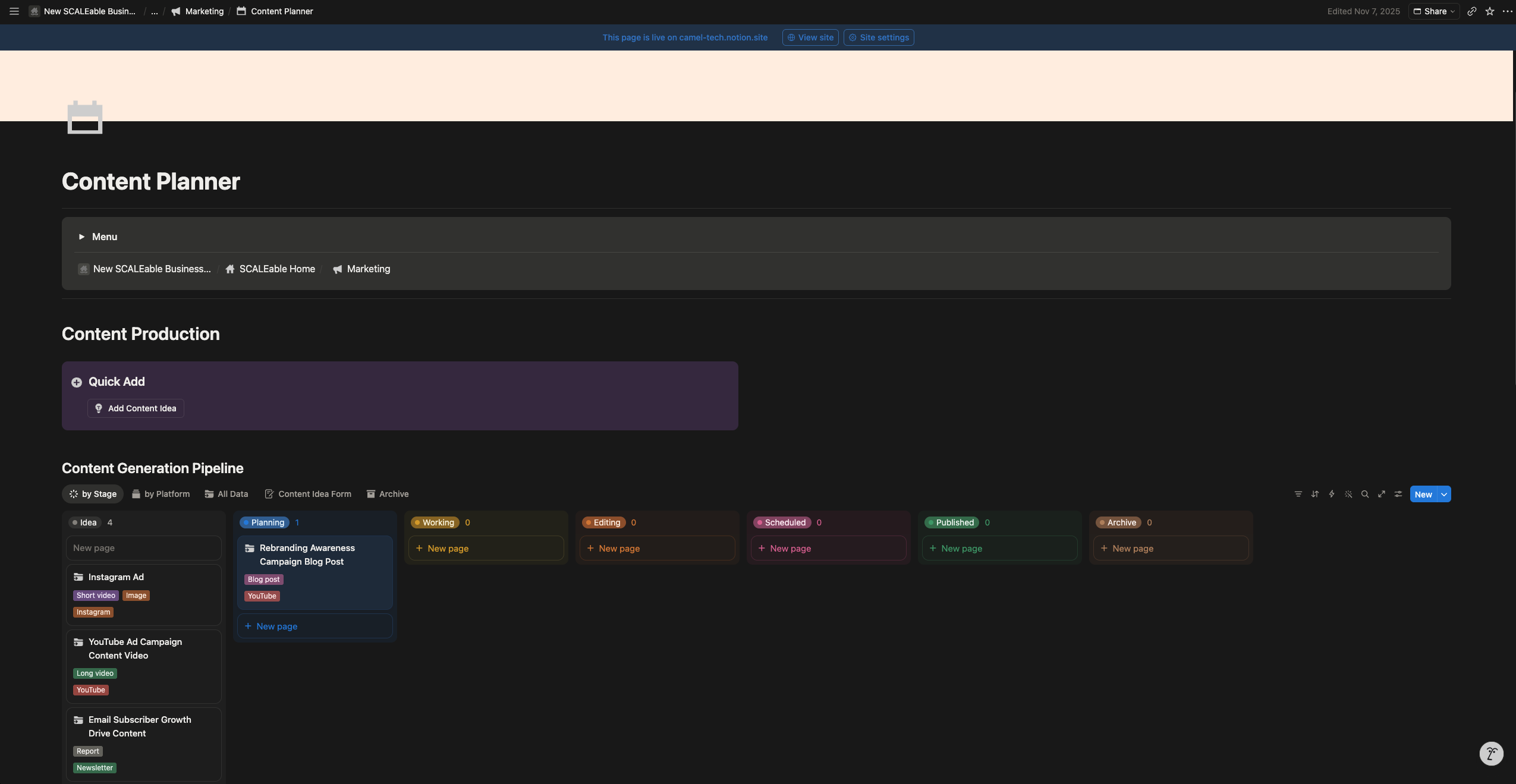
Notion is excellent for tracking projects that live alongside documentation, but it will not match Monday’s native Gantt charts or task dependencies without significant setup.
Monday.com: Boards, Groups, Items, and Subitems. Flat, visual, immediately readable. The Gantt view now fully connects to boards: any change on the board automatically updates the Gantt.
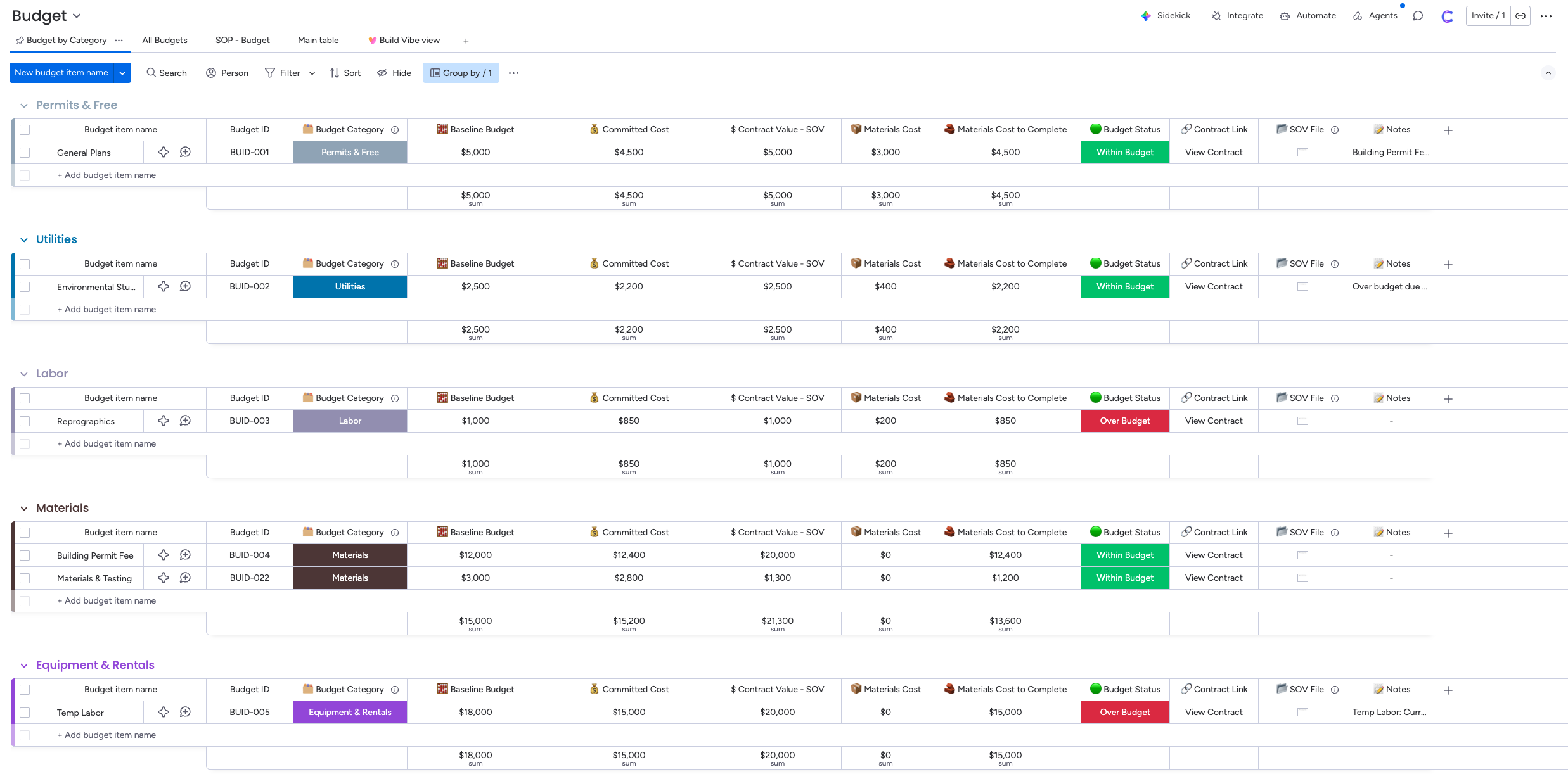
Sub-items support separate custom columns, which Notion does not match at the sub-item level.
Verdict: Notion for knowledge-connected project tracking. Monday for visual simplicity and fast setup.
Knowledge Management and Documentation
Notion: This is Notion’s home territory. Sub-pages, nested databases, wiki structure, database-backed pages, verified pages, and enterprise search across the entire workspace. Notion is in a different league for knowledge work.
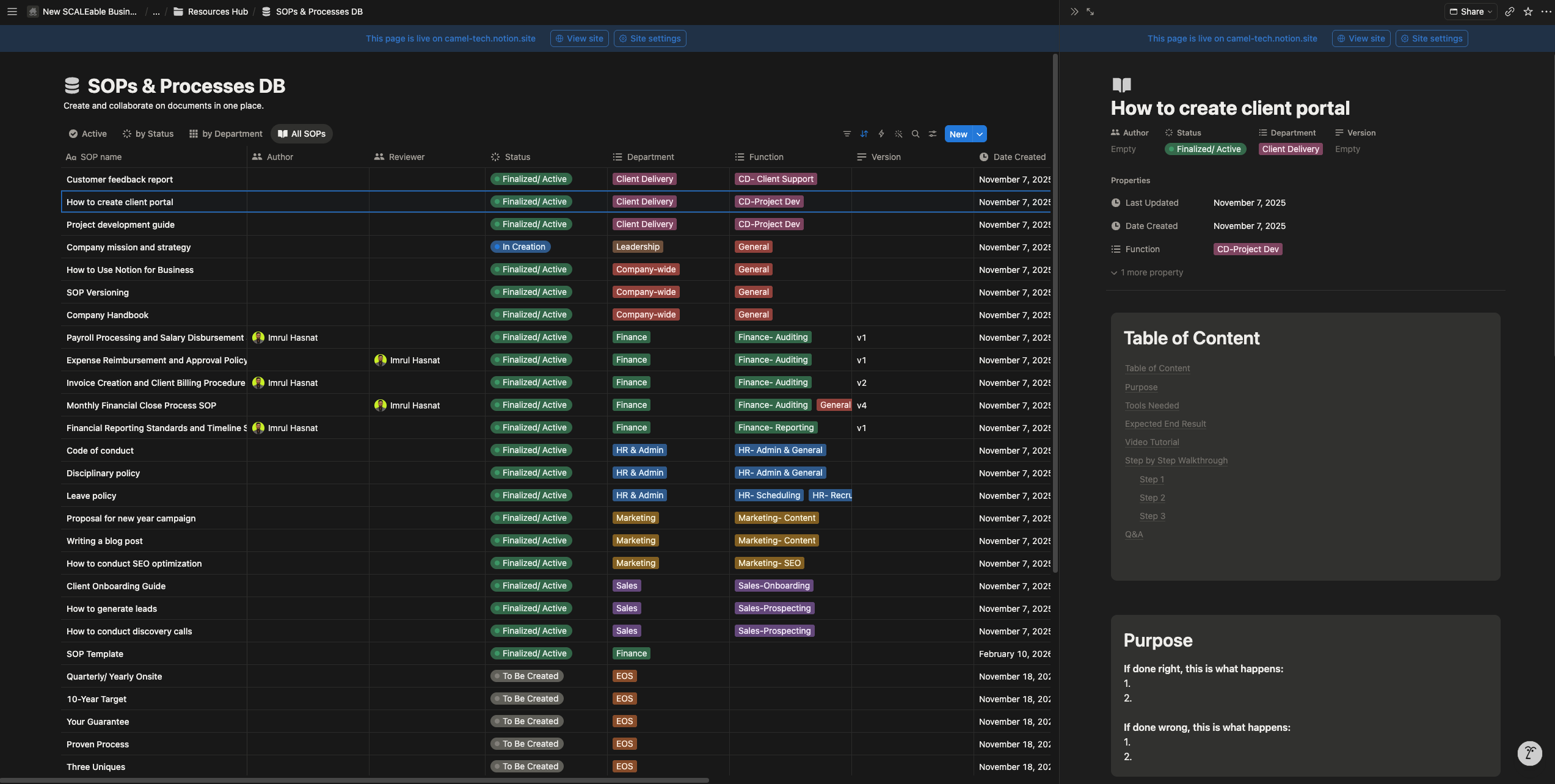
Teams at Ramp, Faire, and Affirm use it as their company brain. AI agents trained on your workspace content make Q&A and retrieval capabilities genuinely powerful once your knowledge base is well built.
Monday.com: Workdocs are basic. Functional for meeting notes and light documentation, but not a knowledge management tool.
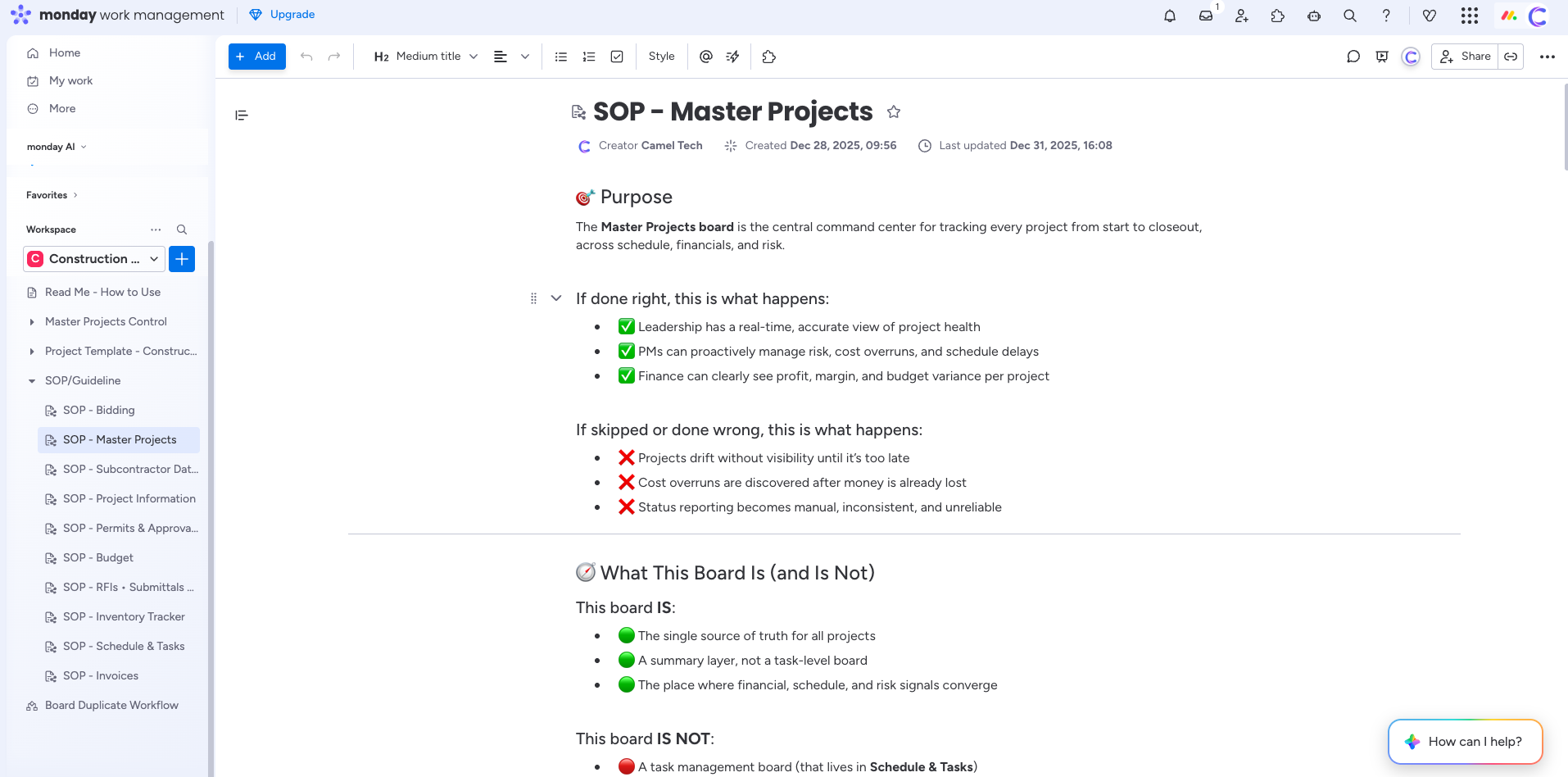
Teams needing a real knowledge base typically add Notion or Confluence alongside Monday.
Verdict: Notion wins clearly. Monday falls short on documentation depth.
Email and Inbox Management
Notion: Notion Mail launched in April 2025 as a full AI-powered email client for Gmail. Features include AI inbox triage that ranks emails by urgency and context, custom database-style views, AI-powered drafting, push emails directly into Notion pages and databases, calendar integration for scheduling, and multi-account support.
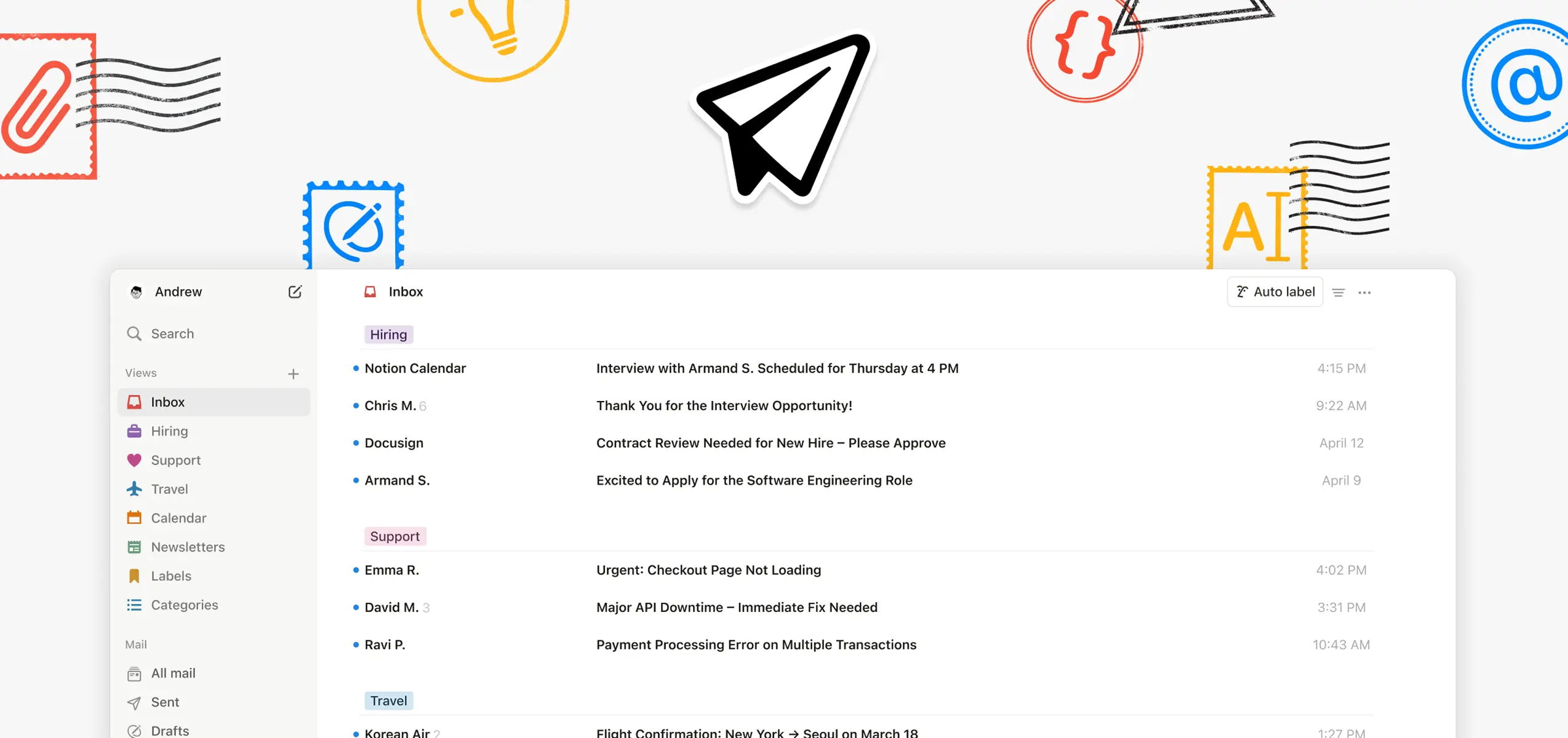
Available on desktop and mobile. Custom Agents can auto-draft and send follow-up emails after meetings.
Monday.com: Basic email integration lets you send emails to clients from Monday. Not a full email client.
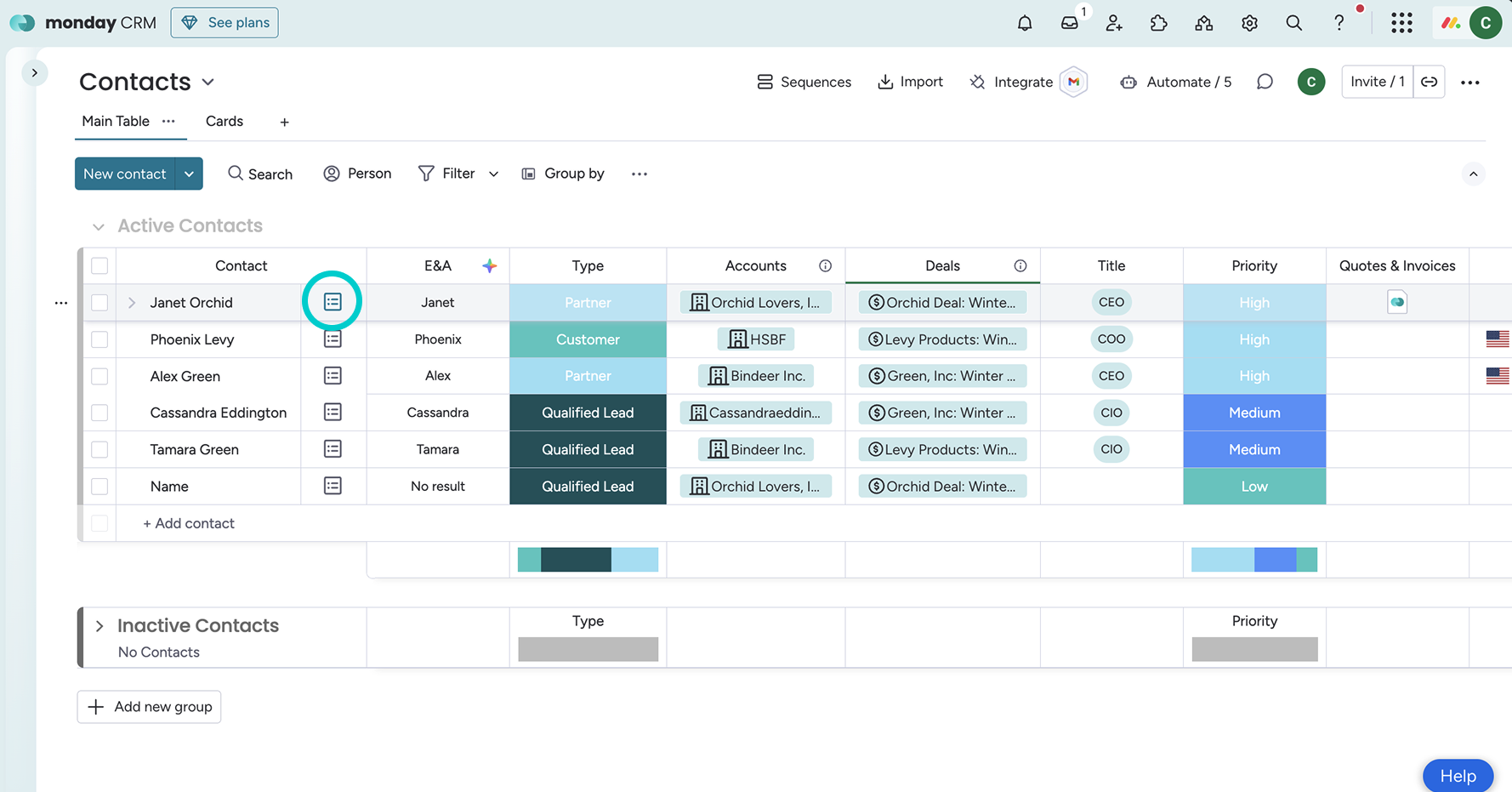
There is no inbox management feature.
Verdict: Notion Mail is a full email client integrated into your workspace. Monday offers project communication features, not inbox management.
Chat and Communication Strategy
Notion: Notion’s strategy is deep integration with Slack rather than replacing it. The Slack AI Connector on Business and Enterprise plans gives Notion AI read access to public Slack channels with up to one year of message history.
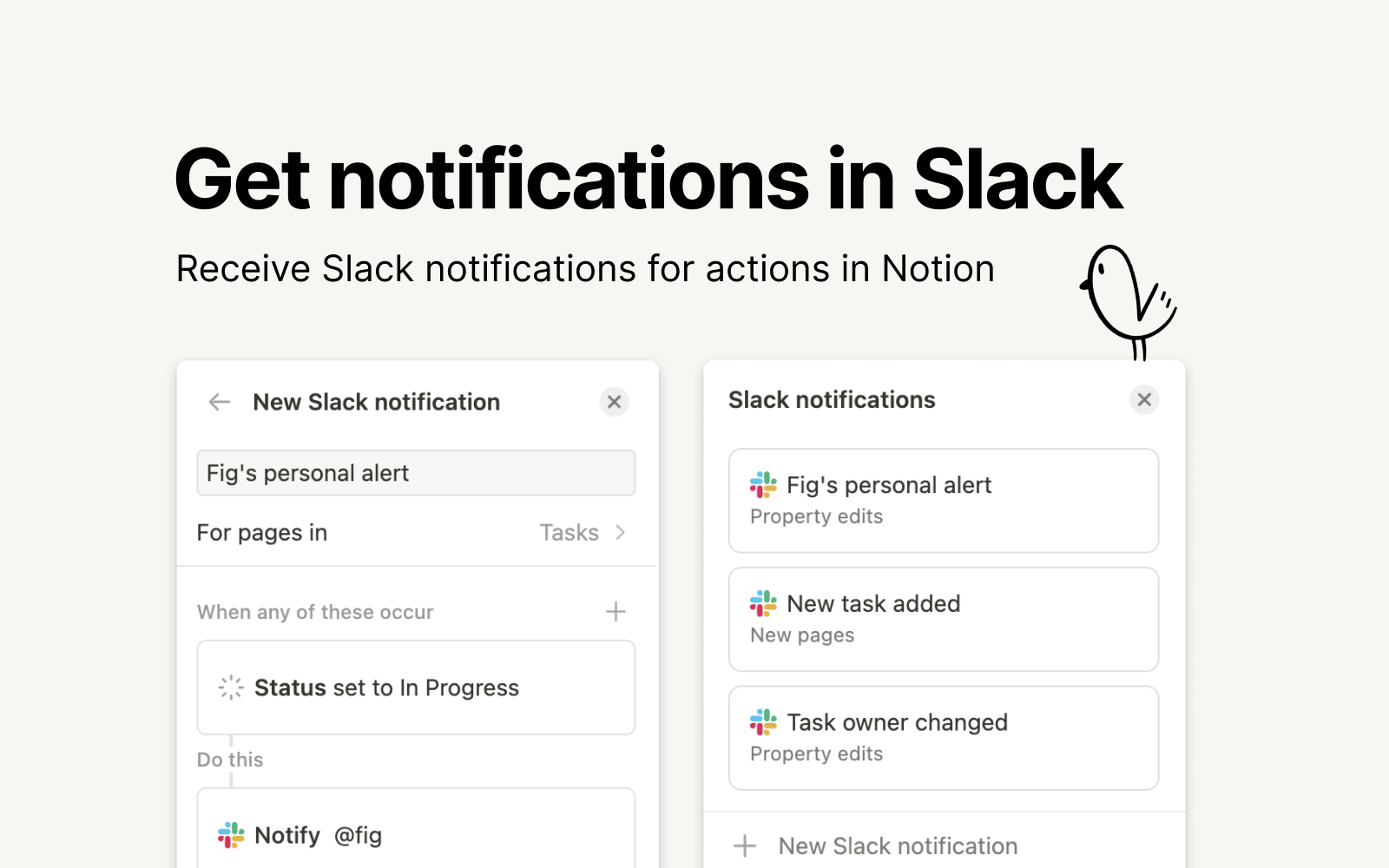
Custom Agents can monitor Slack channels, respond autonomously, route requests, and create Notion pages from messages. Page comments support contextual discussion, but there is no dedicated chat feature.
Monday.com: No native chat or calling. Monday’s strategy is to integrate with Slack, Teams, and Zoom for real-time communication. These remain separate subscriptions.
Verdict: Notion for deep Slack integration and agent-driven communication. Monday requires external tools.
MCP and External Tool Connectivity
Notion: MCP support is built into Custom Agents. Agents can also act across MCP-connected tools (distinct from AI Connectors used for Enterprise Search), including Linear, Figma, HubSpot, Ramp, Wiz, Stripe, GitHub, Intercom, Amplitude, Attio, and Sentry. You can also connect to any custom MCP server. Agents read from and write to external tools as part of autonomous workflows. Enterprise admins can track MCP activity in audit logs and control which external AI tools can connect.
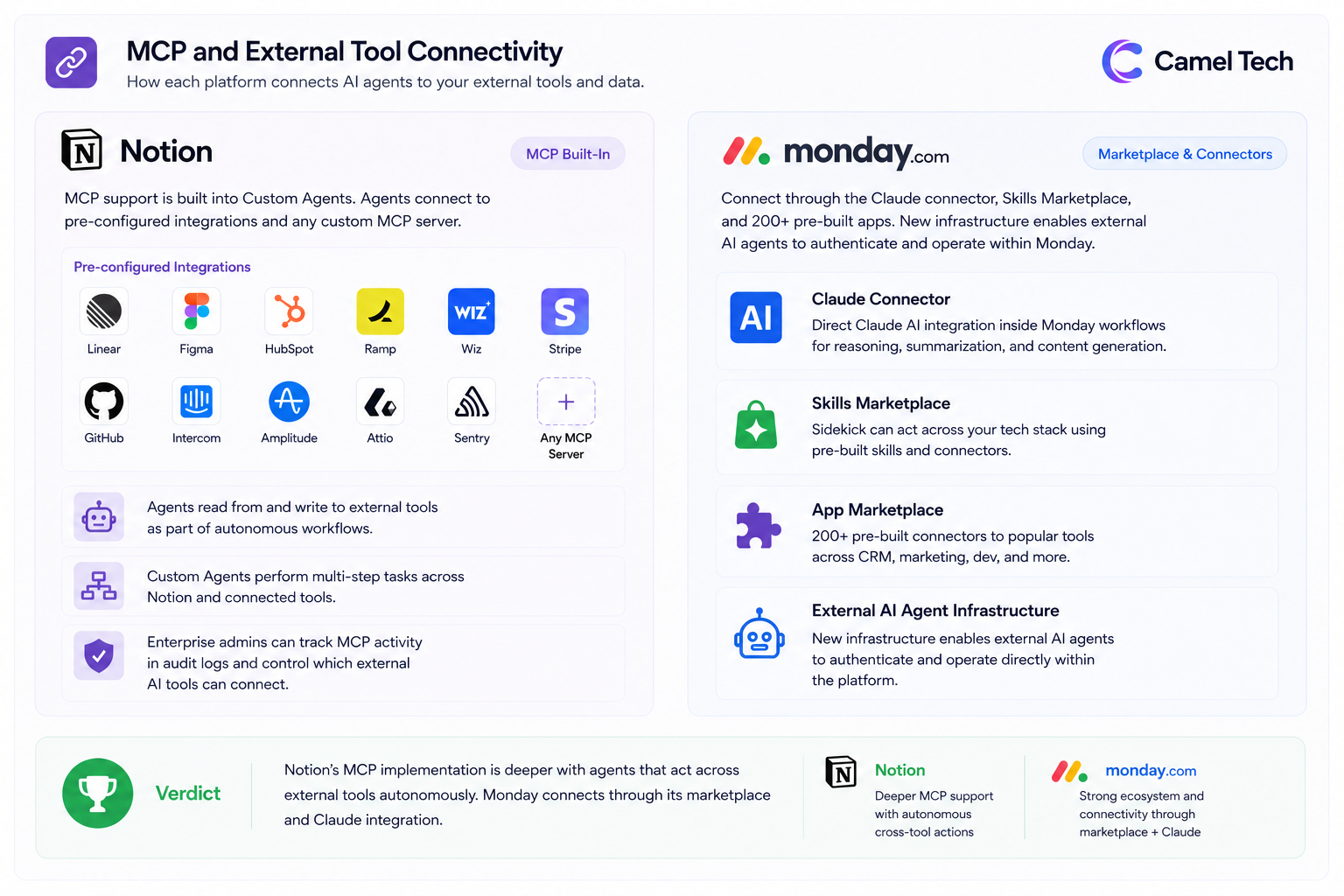
Monday.com: The Claude connector enables direct integration of Claude AI into Monday workflows. The Monday MCP and Skills Marketplace let Sidekick act across your tech stack. The App Marketplace has 200+ pre-built connectors. Monday also announced new infrastructure enabling external AI agents to authenticate and operate directly within the platform.
Verdict: Notion’s MCP implementation is deeper with agents that act across external tools autonomously. Monday connects through its marketplace and Claude integration.
Enterprise Search and Cross-Tool Search
Notion: Enterprise Search on Business and Enterprise plans searches across your entire Notion workspace plus connected apps, including Slack, Microsoft Teams, Google Drive, GitHub, Jira, Box, OneDrive, Salesforce, and Asana, with Jira, Box, OneDrive, Salesforce, and Asana currently in beta. Research Mode uses deep reasoning to produce detailed reports from Notion, connected tools, and current web data and also supports Zendesk as a source. Linear and Gmail are rolling out next. Custom Agents inherit these search capabilities across all connected sources. Research Mode uses deep reasoning to produce detailed reports using information from Notion, connected tools, and current web data.
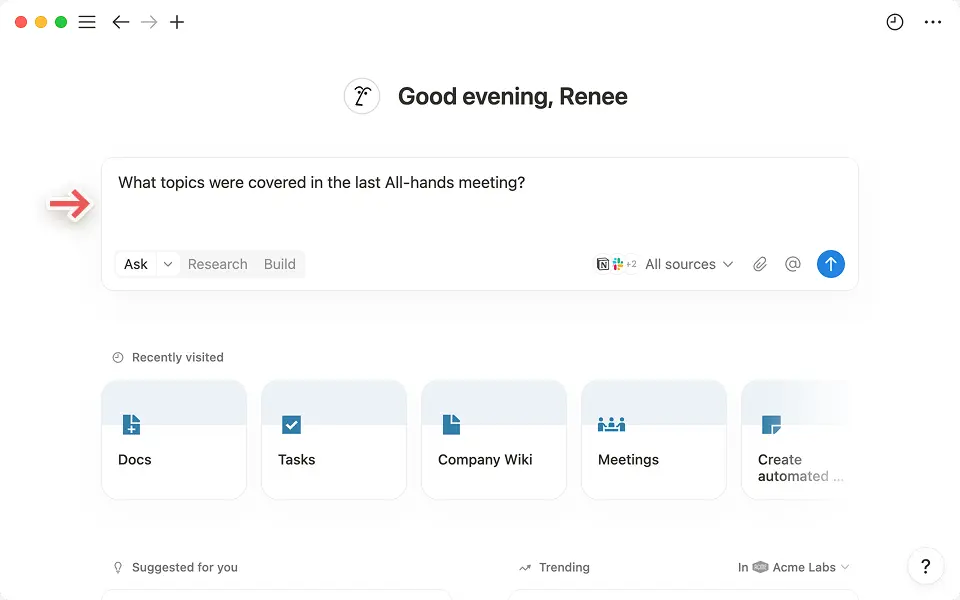
Custom Agents inherit these search capabilities across all connected sources.
Monday.com: Search within Monday is board-based.
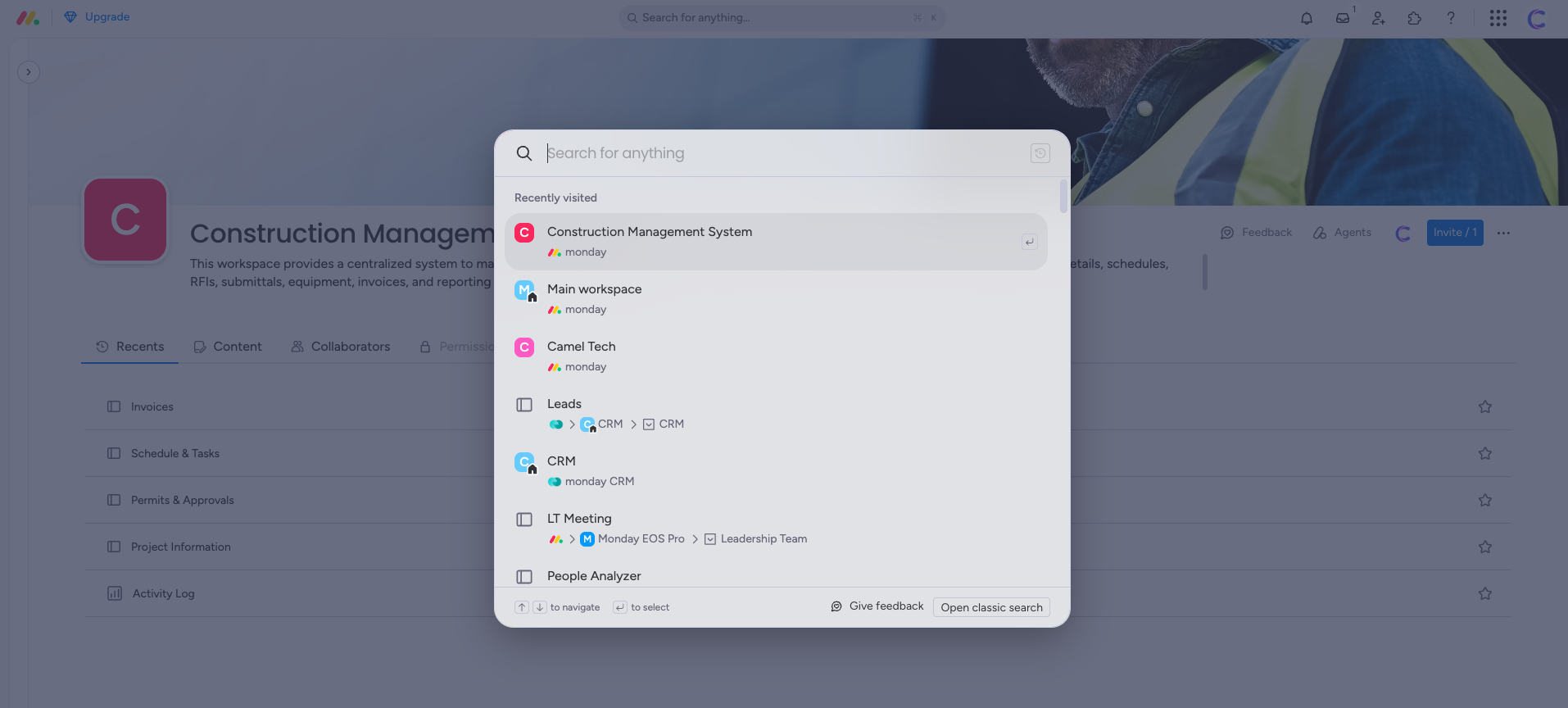
There is no cross-tool enterprise search comparable to Notion.
Verdict: Notion’s search is the most comprehensive and flows directly into agents for autonomous action.
Automation
Notion: Automation exists through Agents and database triggers. Agents execute complex multi-step workflows autonomously. For structured workflow automation (if-then chains), Notion is more limited than dedicated project management tools.
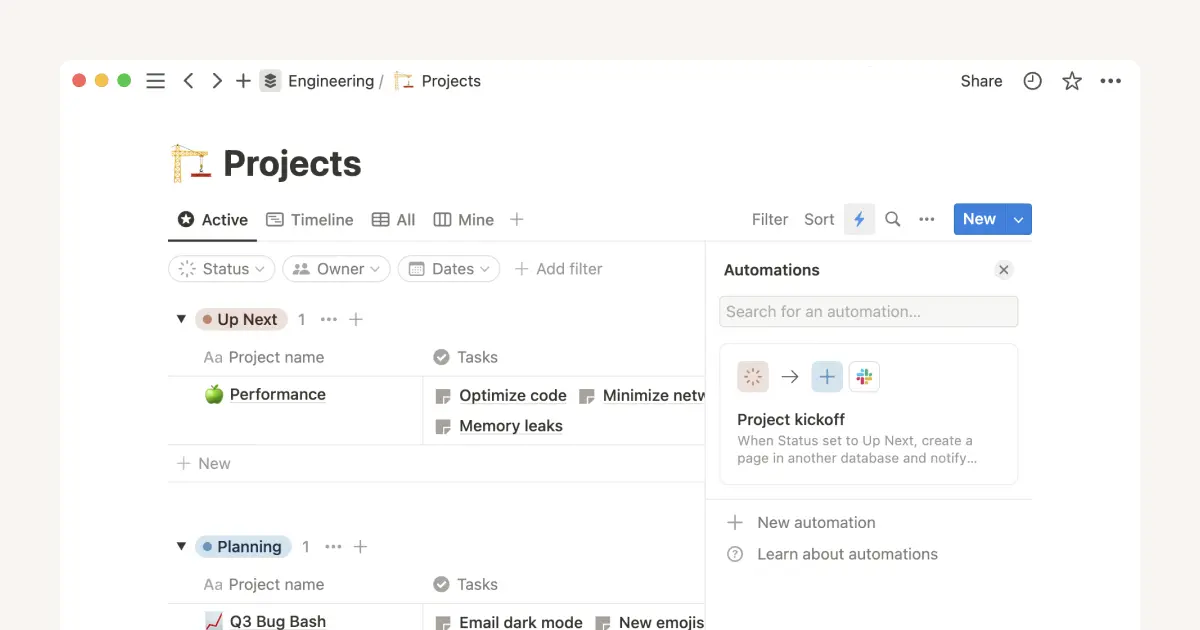
It is better suited to knowledge automation: enriching databases, generating summaries, and updating pages based on triggers.
Monday.com: Both recipe-style automations (structured if-then rules) and AI Workflows (prompt-based). Standard’s 250 actions per month run out faster than expected.
Budget for Pro if automation is a priority.
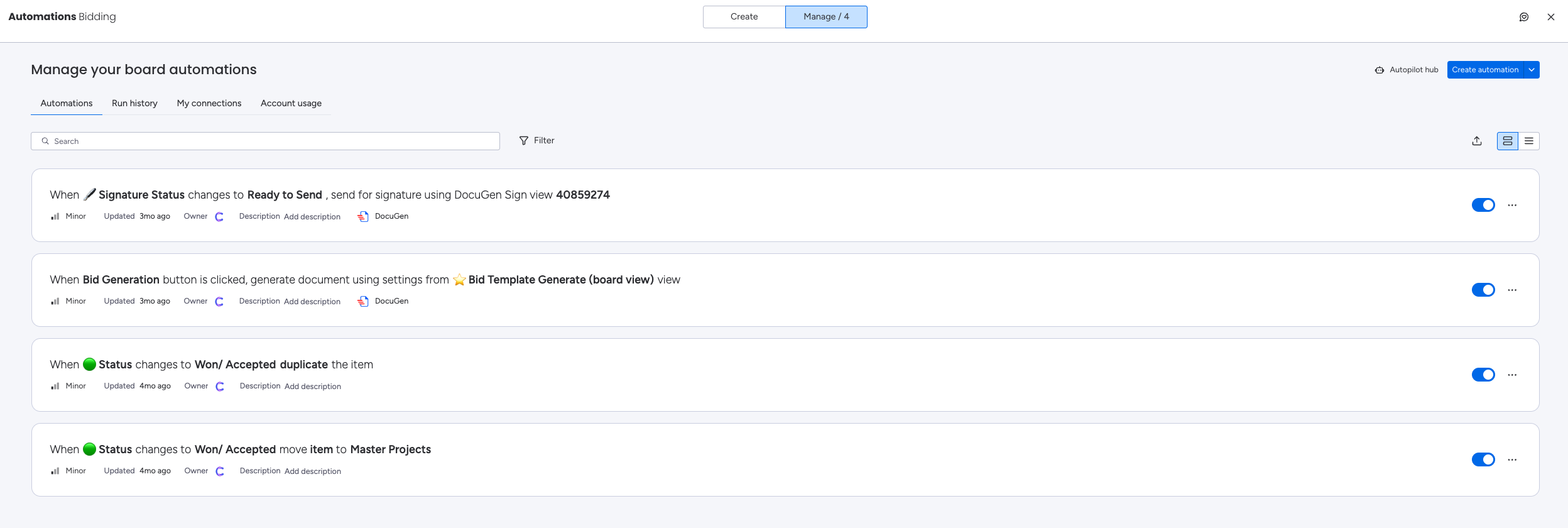
Automation limits by plan:
| Monday Plan | Automations / Month |
|---|---|
| Standard | 250 actions |
| Pro | 25,000 actions |
| Enterprise | 250,000+ actions |
Notion automations via Agents are credit-based on Business and Enterprise plans, not capped at a fixed action limit.
Verdict: Notion for knowledge automation and agentic workflows. Monday for ease of setup and structured automations.
Reporting and Dashboards
Notion: Dashboards in Notion are built from database views. Chart views (bar, donut, line) are available from Plus onwards. You can build powerful custom dashboards by linking multiple databases, but they require setup and do not auto-populate the way dedicated project management dashboards do.
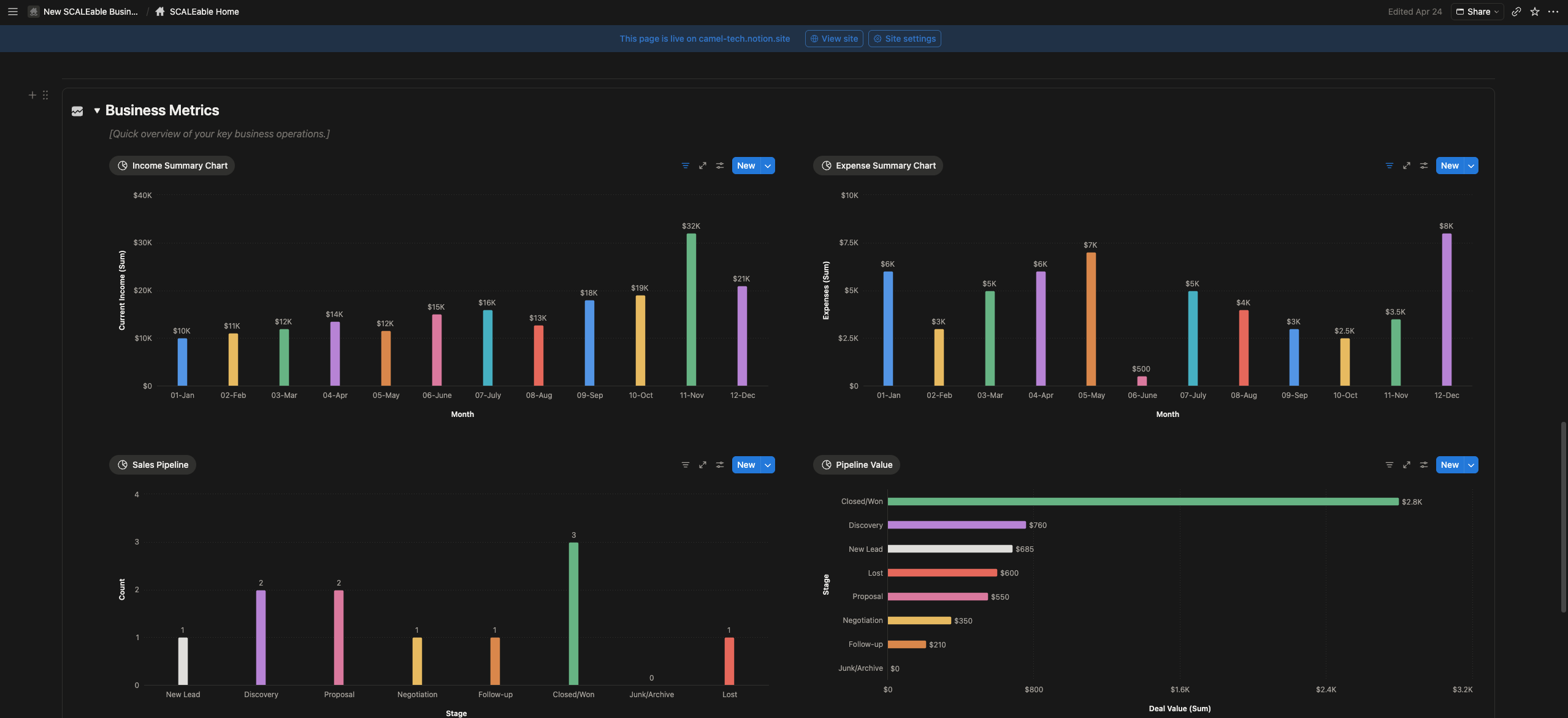
Monday.com: More visual options, better for high-level client-facing reporting. AI-powered portfolio risk detection flags issues before they escalate. Dashboard board limits apply by plan:
| Monday Plan | Boards per Dashboard |
|---|---|
| Basic | 1 board |
| Standard | Up to 10 boards |
| Pro | Up to 20 boards |
| Enterprise | Up to 50 boards |
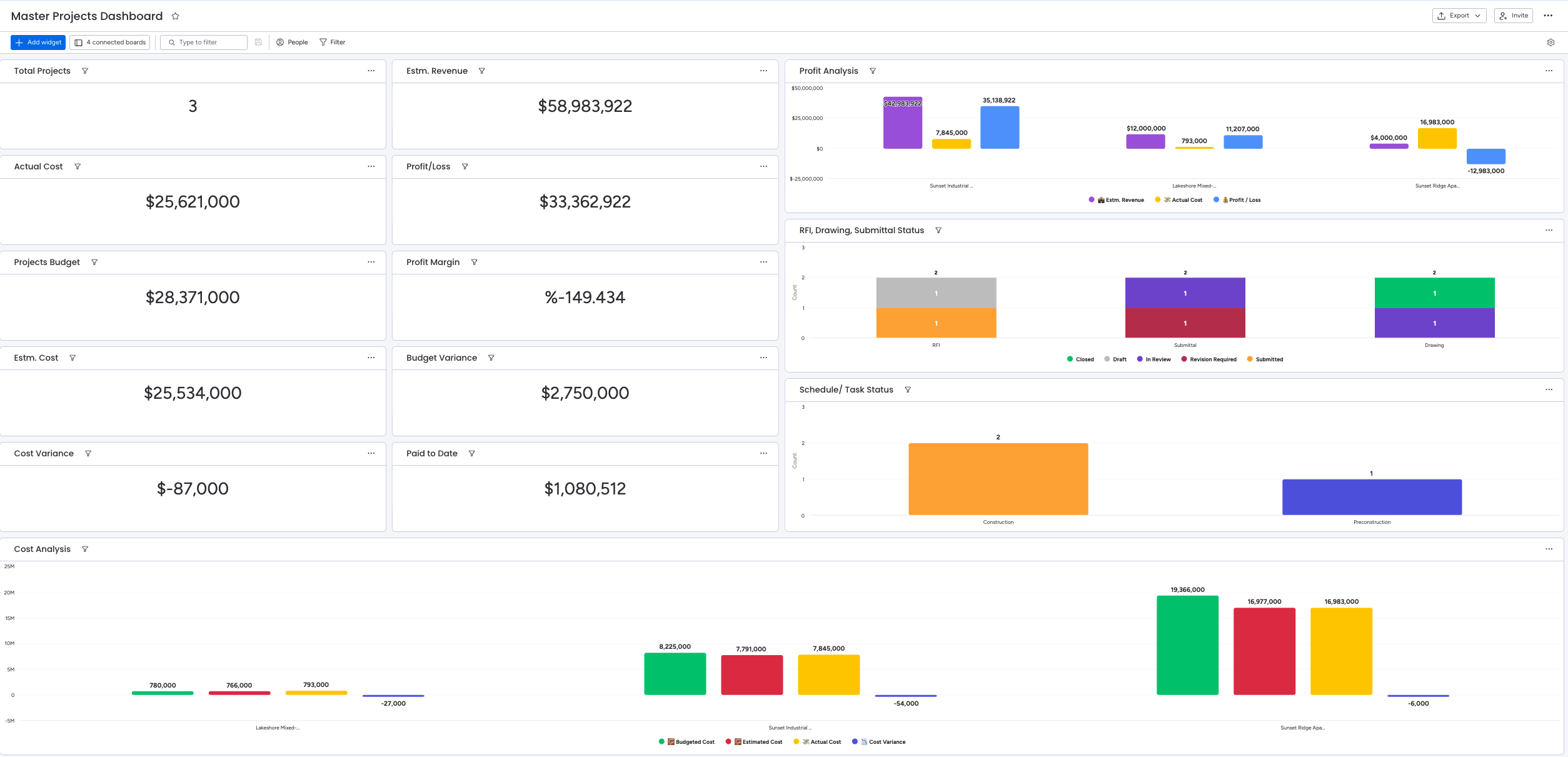
If you need dashboards that combine more than 5 boards, you will need Pro or above.
Verdict: Notion for flexible, custom data dashboards you build yourself. Monday for polished visual reporting with less setup required.
CRM
Notion: Can be configured as a lightweight CRM using databases, pipelines, contact records, and linked deals. Works well for small teams or startups needing CRM basics without the overhead of a full CRM platform.
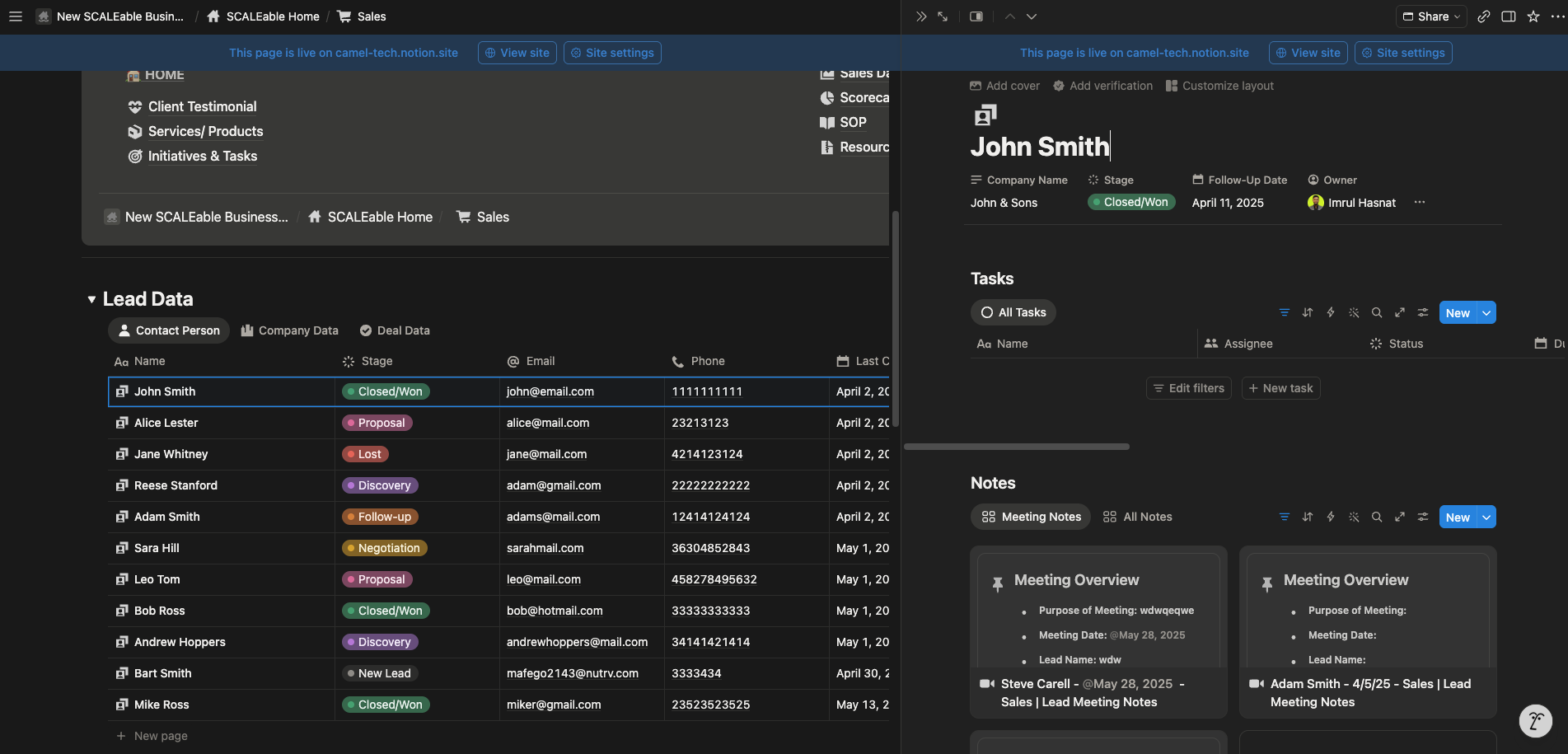
Not suitable for active sales teams managing high-volume pipelines.
Monday CRM: Full suite with pipelines, contact management, deal tracking, and email sequences. Monday Campaigns bridges marketing and CRM revenue data. SDR, Lead, and Outreach Agents handle prospecting autonomously.
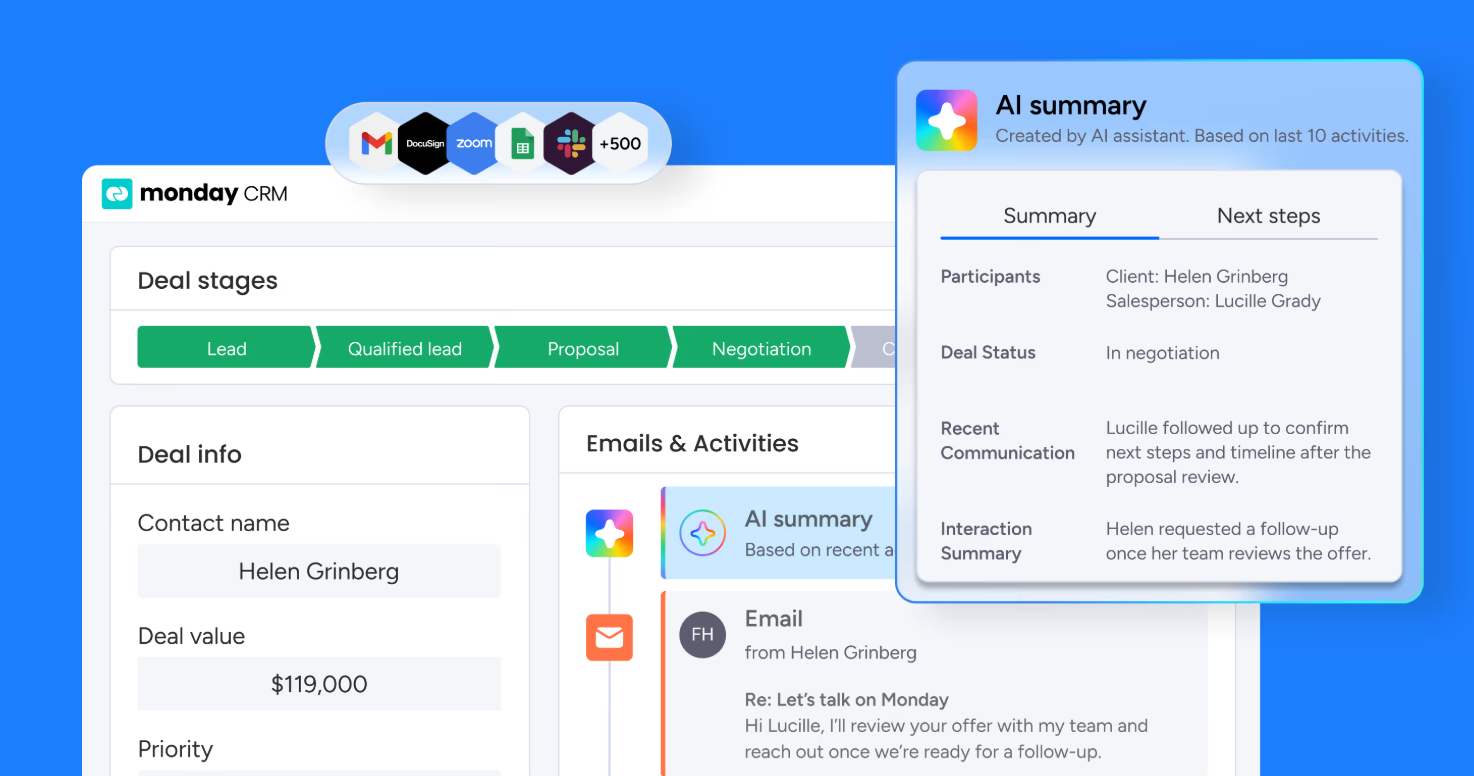
Monday CRM is a separate product with separate billing; CRM Pro is priced at $28/seat/month, annually, based on most published 2026 sources, though Monday’s pricing page may show variations. Verify current pricing at monday.com/crm before quoting in client conversations.
Verdict: Monday wins for active sales teams. Notion works for lightweight CRM needs.
Verdict: Monday wins for active sales teams. Notion works for lightweight CRM needs.
Guest Access and External Collaboration
Notion: Guests are completely free on all plans and never count toward paid seats (Free plan has a 10-guest limit). They can only access specific pages to which they are invited. Guest limits by plan: 10 guests on Free, unlimited on Plus, Business, and Enterprise.
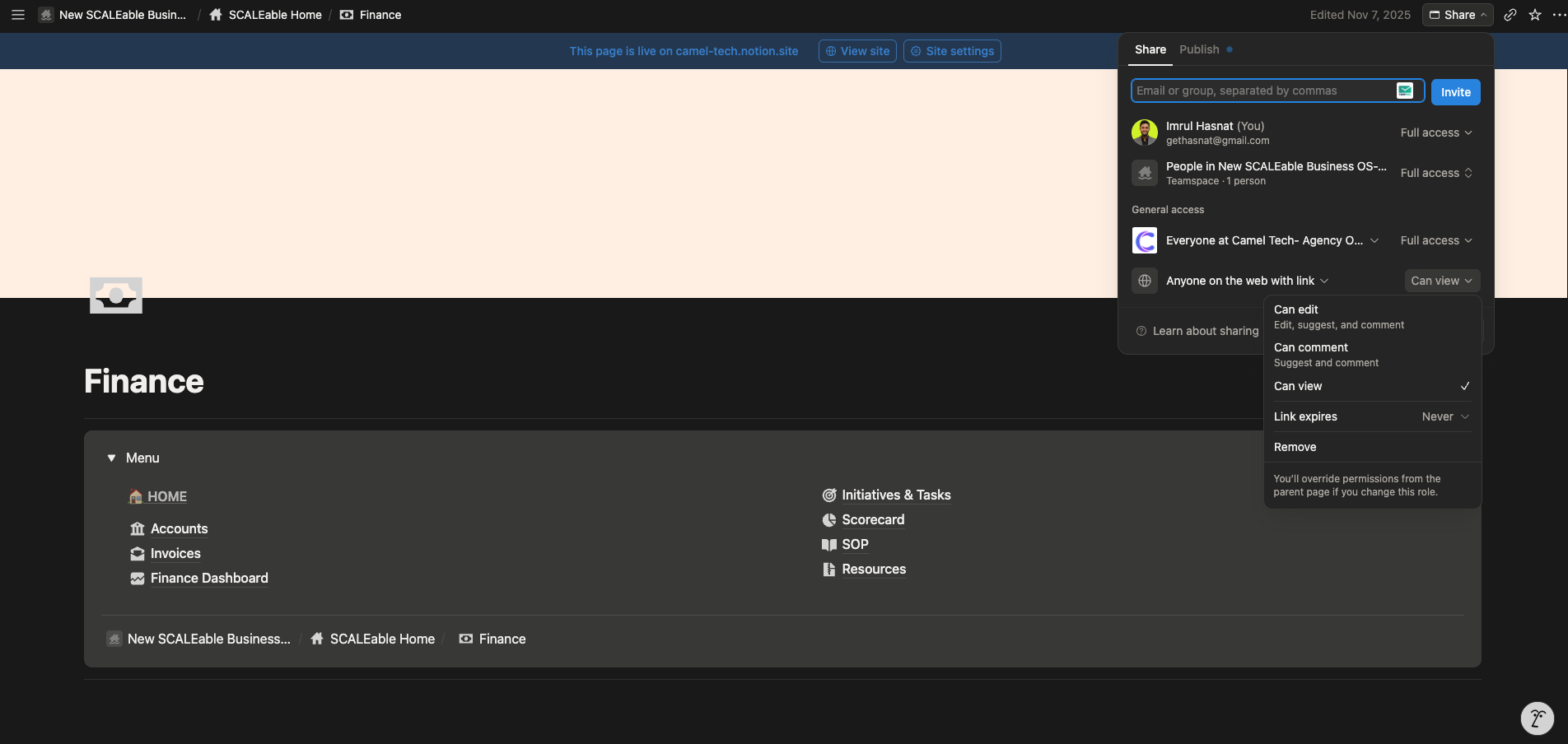
No billing surprises. This is a major differentiator for agencies working with external clients.
Monday.com: Viewers (read-only) are unlimited and free on all paid plans. Guest edit access starts on Standard.
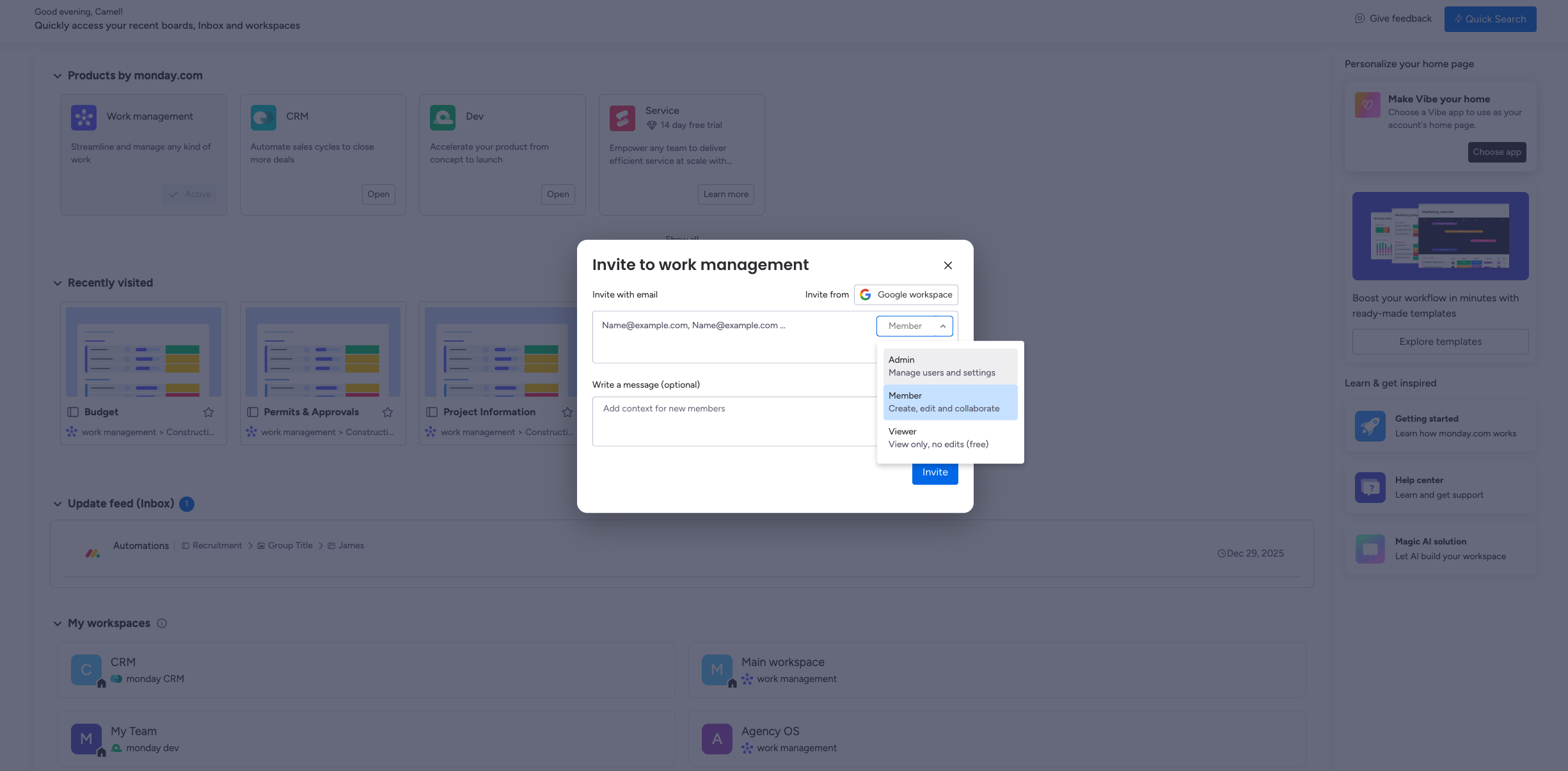
On Standard, 3 guests are free; after that, every 4 guests count as 1 paid seat. On Pro and Enterprise, guests are unlimited at no extra cost.
Verdict: This makes Notion the simpler, more generous choice for smaller teams on lower‑cost plans. Monday Pro offers a comparable unlimited guest benefit at a higher price tier. Monday Pro and Enterprise match Notion’s unlimited guests, but Standard teams face billing traps beyond the free allowance.
Desktop and Mobile Experience
Notion: Available on web, desktop (Mac and Windows), iOS, and Android. The desktop is clean and fast. Mobile received major upgrades in January 2026 with Mobile AI Agents: Custom Agents now run on mobile, and AI Meeting Notes continue recording in the background even when you switch apps or lock your screen. Offline mode is available on desktop and mobile; you can choose specific pages to download, and paid plans automatically download recently accessed and favorited pages.
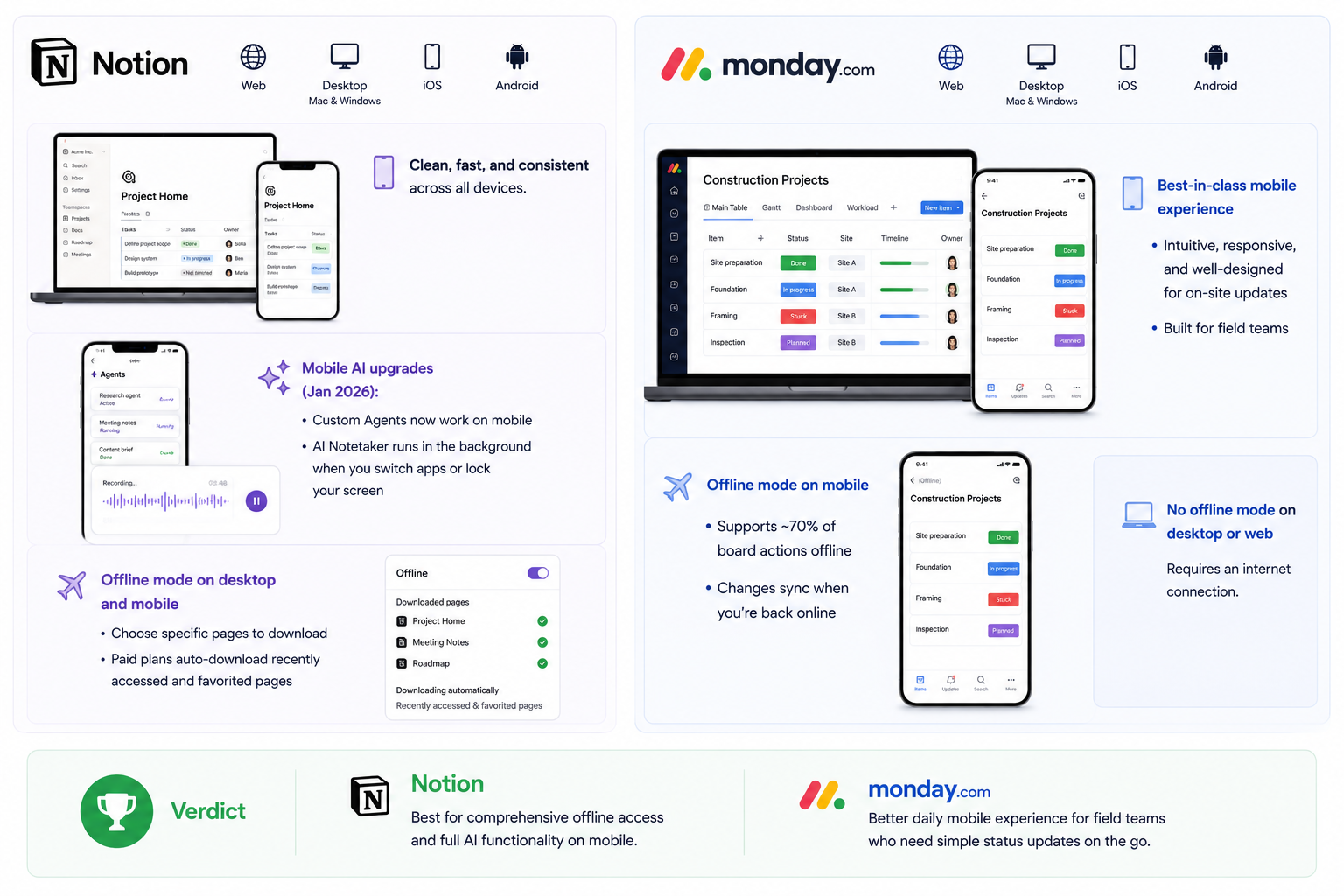
Monday.com: Available on web, desktop, and mobile. The mobile app is the better of the two field experiences: intuitive, responsive, and well-designed for on-site updates. Offline mode on mobile supports roughly 70% of board actions. Desktop and web do not work offline.
Verdict: Notion for comprehensive offline access and full AI functionality on mobile. Monday is the better daily mobile experience for field teams who need simple status updates on the go.
Security and Data Privacy
Both platforms encrypt your data and comply with GDPR. Both offer HIPAA compliance on Enterprise plans for healthcare customers.
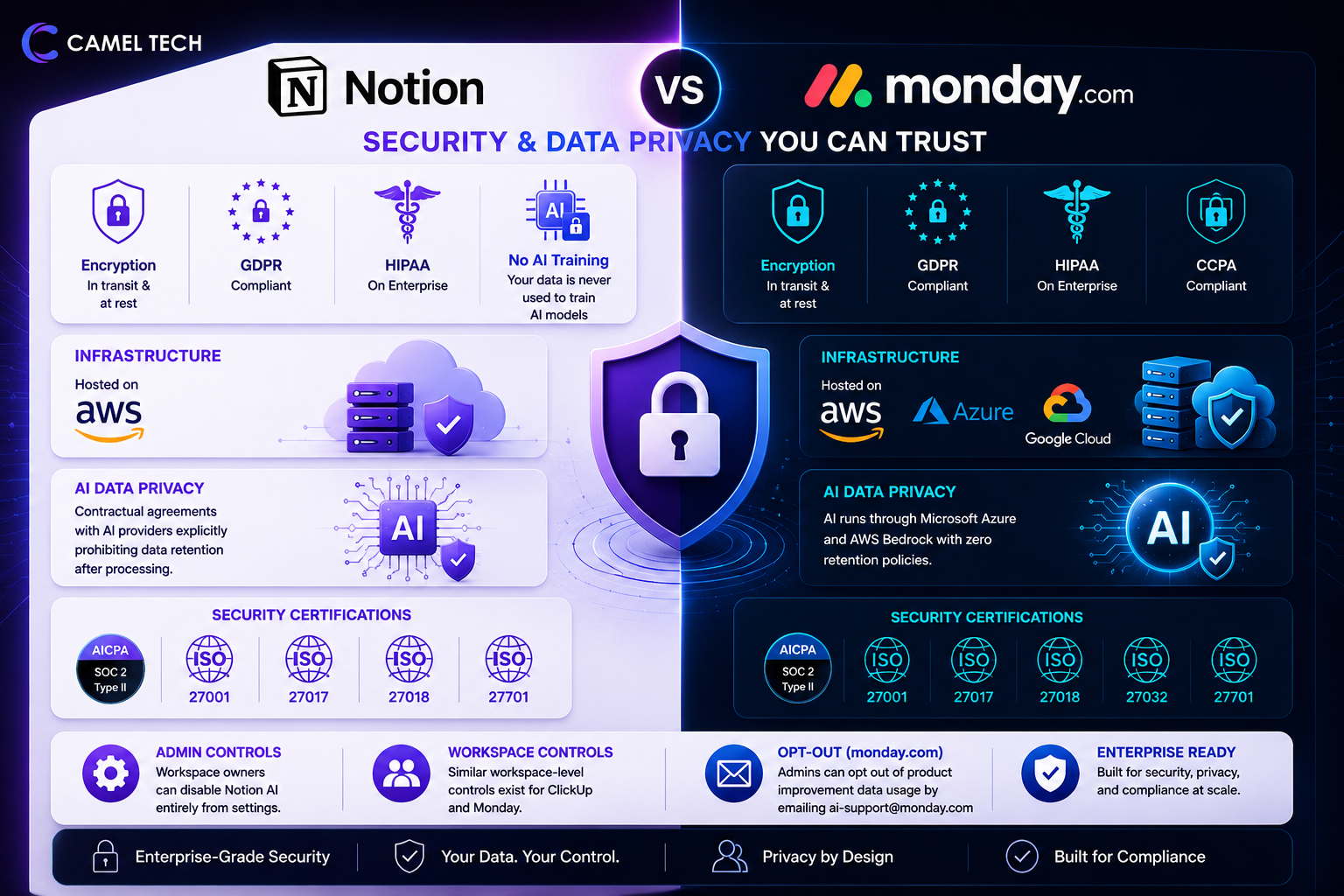
Neither platform trains AI models on your workspace data. Notion has contractual agreements with its AI providers explicitly prohibiting data retention after processing. Both platforms hold SOC 2 Type II certification: Notion adds ISO 27001, 27017, 27018, and 27701, while Monday adds ISO 27001, 27017, 27018, 27032, and 27701. Monday runs AI through Microsoft Azure and AWS Bedrock with zero retention policies (see Monday AI Trust Center); admins can opt out of product improvement data usage by emailing ai-support@monday.com. Workspace owners can disable Notion AI entirely from settings. For ClickUp and Monday, similar workspace-level controls exist.
Notion hosts on AWS. Monday hosts across AWS, Azure, and Google Cloud and also covers CCPA.
How Much Does Each Actually Cost? (Monthly Breakdown)
Most articles show annual rates. Most people buy monthly. Here is what you actually pay.
| Plan | Annual (per user) | Monthly (per user) | Key Features |
|---|---|---|---|
| Free | $0 | $0 | Unlimited blocks and pages for individuals; 10 guests; 7-day page history; 5 MB file upload limit; limited AI trial (20 responses) |
| Plus | $10 | $12 | Unlimited file uploads; 100 guests; 30-day page history; Notion Sites and Forms; no SAML SSO; limited AI trial only |
| Business | $20 | $24 | Full AI (Agents, Ask Notion, multi-model); private teamspaces; SAML SSO; 250 guests; 90-day page history; bulk PDF export; domain verification; granular database permissions |
| Enterprise | Custom | Custom | Everything in Business plus SCIM user provisioning, audit logs, unlimited page history, workspace analytics, advanced security controls, and dedicated CSM |
Annual billing saves approximately 20%. Note: The Plus plan includes only a limited AI trial. If AI is part of your workflow, Business is the required tier.
| Plan | Annual Billing (Per Seat/Month) | Monthly Billing (Per Seat/Month) | Minimum Cost Annual Billing | Minimum Cost Monthly Billing | Key Features |
|---|---|---|---|---|---|
| Free | $0 | $0 | $0 | $0 | Up to 2 seats, up to 3 boards, up to 3 docs, 200+ templates, 8 column types, iOS and Android apps. |
| Basic | $9 | $12 | $27/month | $36/month | Everything in Free, plus unlimited free viewers, unlimited items, Basic AI, 1,000 AI credits/month, limited AI agent workforce, Sidekick AI assistant, and 1 published Vibe app. |
| Standard | $12 | $14 | $36/month | $42/month | Everything in Basic, plus Advanced AI, 2,000 AI credits/month, AI meeting notetaker, AI columns, 2 published Vibe apps, Timeline and Gantt views, Calendar view, guest access, 250 automation actions/month, and 250 integration actions/month. |
| Pro | $19 | $24 | $57/month | $72/month | Everything in Standard, plus Premium AI, 3,000 AI credits/month, AI workflow builder, 3 published Vibe apps, private boards and docs, advanced board views, time tracking, advanced columns, 25,000 automation actions/month, and 25,000 integration actions/month. |
| Enterprise | Custom | Custom | Custom | Custom | Everything in Pro, plus Enterprise AI, 20,000 AI credits/month, 5 published Vibe apps, enterprise-grade security and governance, up to 250,000 automation and integration actions/month, portfolio management, resource management, multi-level permissions, tailored onboarding, and enterprise support. |
Annual billing saves approximately 18–25% compared to monthly billing.
Note on pricing: Monday.com uses seat-based pricing with a 3-seat minimum on all paid plans. The $27, $36, and $57 figures shown in the table are the minimum monthly costs for three users on annual billing, not per-seat prices. As your team grows, Monday.com bills in seat blocks rather than exact user counts. For example, a 7-person team would typically pay for 10 seats.
Regional pricing: Monday.com adjusts pricing based on your location, currency, and applicable taxes. When you visit the pricing page, rates are automatically displayed in your local currency where supported. The USD prices shown above are provided as a reference only and may not match your final billed amount.
Real Scenarios: 10-Person Team
Basic use, no AI needed:
- Notion Plus (annual): $100/month
- Monday Standard (annual): $120/month
- Notion is cheaper at this tier.
Full AI included:
- Notion Business (annual, AI included): $200/month
- Monday Standard + AI credits: $120 for 10 seats, plus a minimum 2,000 AI credits per month at approximately $0.01 each ($20/month minimum), bringing the total to roughly $140-220/month depending on which credit bucket you select.
- Monday Standard is cheaper for light AI use. Notion Business wins when AI is a daily driver.
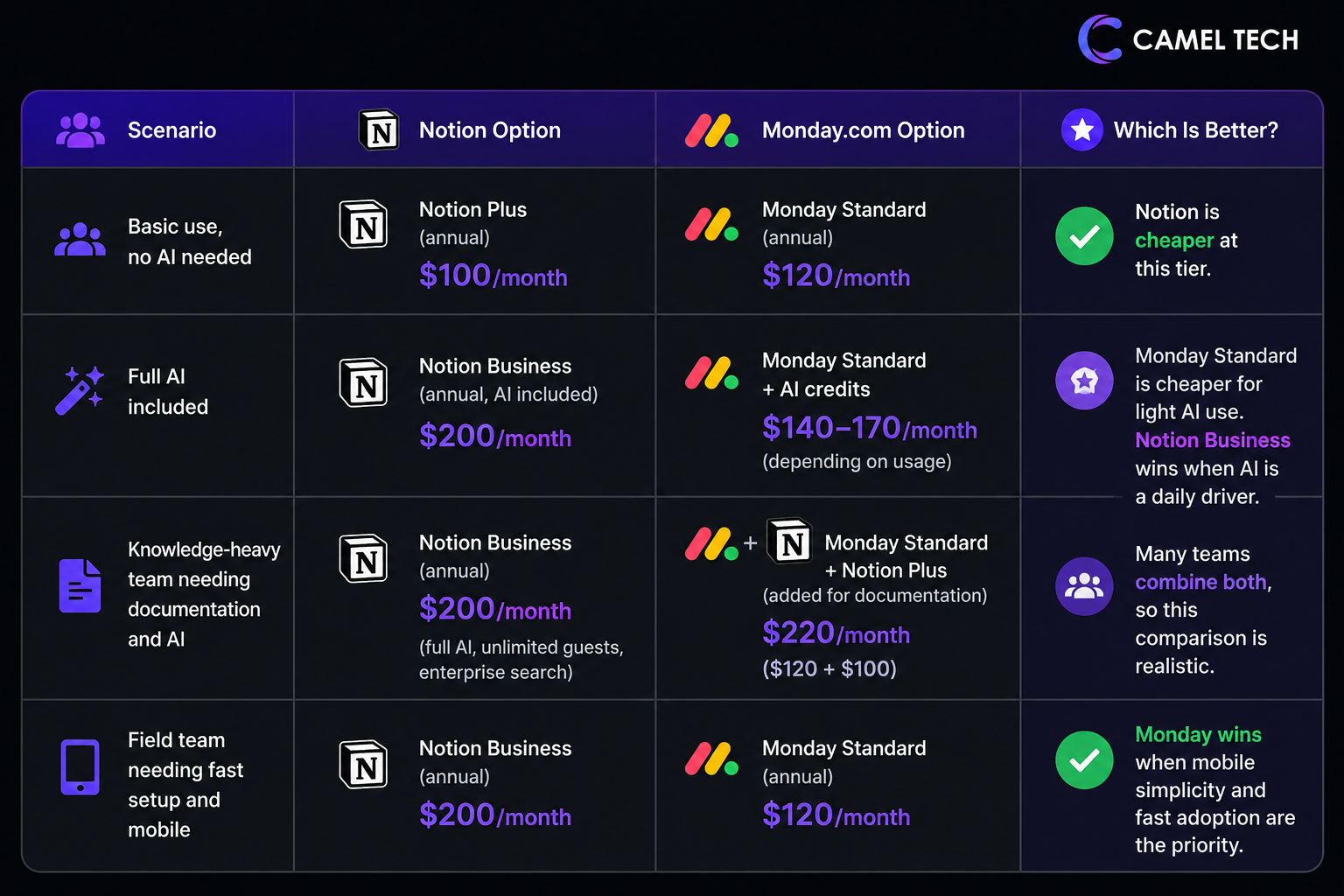
Knowledge-heavy team needing documentation and AI:
- Notion Business: $200/month (full AI, unlimited guests, enterprise search)
- Monday Standard + Notion Plus (added for documentation): $120 + $100 = $220/month
- Many teams combine both, so this comparison is realistic.
Field team needing fast setup and mobile:
- Monday Standard: $120/month
- Notion Business: $200/month
- Monday wins when mobile simplicity and fast adoption are the priority.
Hidden Costs to Know
Notion: If you are on Plus and expecting cheap AI, you will be disappointed. The jump from Plus ($10/user) to Business ($20/user) is the only way to unlock full AI. Notion can also automatically add paid seats when new team members are added to workspaces, sometimes billing for full annual subscriptions immediately, with only a 3-day refund window. Read the billing terms carefully before adding members.
Monday: Seat blocks mean growing teams hit unexpected cost increases at odd milestones. The 3-seat minimum means a solo user on Standard pays $36/month. Automation limits on Standard (250/month) run out faster than most buyers expect in active workflows.
What We Have Seen Work Best by Industry (Based on 80+ Implementations)
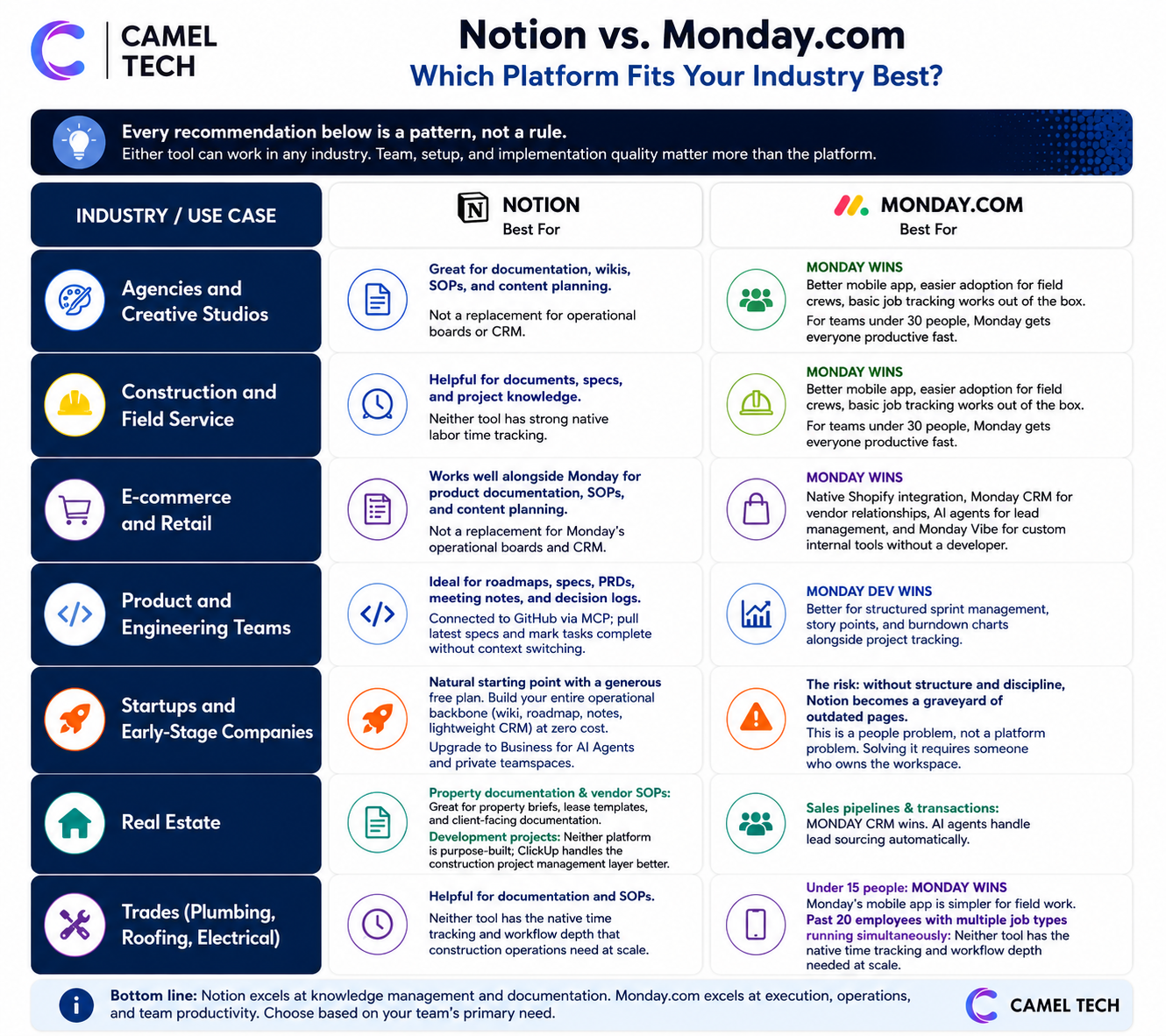
Every recommendation below is a pattern, not a rule. Either tool can work in any industry. Team, setup, and implementation quality matter more than the platform.
Notion works for agencies that live in documentation: SOPs, client briefs, content strategies, and brand guidelines. If client deliverables are document-heavy and your team needs a connected knowledge base, Notion is the better foundation.
Monday works for agencies running fast-paced project delivery where visual boards, automation, and client-facing dashboards are the core needs. If your agency also needs native time tracking, ClickUp is the stronger choice over both.
Monday wins for most construction companies. Better mobile app, easier adoption for field crews, basic job tracking works out of the box. For teams under 30 people, Monday gets everyone productive fast.
Larger operations with multi-phase projects, labor time tracking, cost codes, and document management tend to outgrow Monday. Neither Notion nor Monday has strong native labor time tracking.
E-commerce and Retail
Monday wins. Native Shopify integration, Monday CRM for vendor relationships, AI agents for lead management, and Monday Vibe for custom internal tools without a developer. We used this exact stack to help Crease Group scale from $3M to $10M in 12 months.
Notion works well alongside Monday for product documentation, SOPs, and content planning, but it is not a replacement for Monday’s operational boards and CRM in e-commerce.
Product and Engineering Teams
Notion is increasingly the platform of choice for product teams: roadmaps, specs, PRDs, meeting notes, and decision logs all in one place alongside databases for feature prioritization and bug tracking. Connected to GitHub via MCP, engineers can pull the latest specs directly and mark tasks complete without context switching.
Monday Dev is the better choice for engineering teams that need structured sprint management, story points, and burndown charts alongside project tracking.
Startups and Early-Stage Companies
Notion is the natural starting point. The generous free plan and flexible structure let you build your entire operational backbone (wiki, roadmap, meeting notes, lightweight CRM) at zero cost. Upgrade to Business when you need AI Agents and private teamspaces.
The risk: without structure and discipline, Notion becomes a graveyard of outdated pages. This is a people problem, not a platform problem. Solving it requires someone who owns the workspace, which is exactly what our Notion implementation service is built to solve.
Real Estate
Sales pipelines and transactions: Monday CRM. AI agents handle lead sourcing automatically.
Property documentation and vendor SOPs: Notion. Property briefs, lease templates, and client-facing documentation live naturally in Notion’s structure.
Development projects: Neither platform is purpose-built; ClickUp handles the construction project management layer better.
Trades (Plumbing, Roofing, Electrical)
Under 15 people:Monday’s mobile app is simpler for fieldwork. If you want help setting this up correctly the first time, see our Monday.com implementation service.
Past 20 employees with multiple job types running simultaneously: Neither Notion nor Monday has the native time tracking and workflow depth that construction operations need at scale.
See your industry listed? Camel Tech offers implementation roadmaps for ClickUp, Notion or Monday – built around how your business actually operates. Let’s talk about your use case →
What Real Users Say (G2, Capterra, TrustRadius: Q1 2026)
Notion holds a 4.6-star average on G2 from 11,000+ reviews and 4.6/5 on Capterra, with high marks for flexibility and design.
Monday.com holds 4.7/5 on G2 from over 18,000 reviews and 4.6/5 on Capterra, with an average value-for-money score of 4.0/5. (Pro plan users rate it 4.3/5; Standard plan users rate it 3.9/5.) The score reflects pricing friction as teams scale.
What Users Love About Notion
“Everything is connected in one place. It connects to Slack and Google Calendar and actually works well instead of being a mess. The AI is useful for summarizing notes or creating content, which can save a lot of time.” (G2, Q1 2026)
“It has become my primary workspace: notes, documentation, trackers, and plans, while still being flexible enough to adapt to different types of work.” (Capterra, March 2026)
“Custom Agents automatically pull data from Slack and GitHub. Incredible time saver for our team.” (TrustRadius, March 2026)
G2 data shows approximately 60% of users reporting measurable ROI within six months, largely from reduced tool overlap and better knowledge visibility.
What Frustrates Notion Users
“No native time tracking. We had to add Toggl as a third-party tool.” (Capterra, January 2026)
“Maintaining a clean system requires discipline: without consistent templates and naming, it is easy for information to become scattered across pages and databases.” (Capterra, March 2026)
The learning curve is documented in 1,900+ G2 mentions. Performance can degrade with large databases.
“I found the AI note-taking banner annoying when it popped up automatically every time I started a Zoom call.” (Capterra, March 2026)
What Users Love About Monday.com
“monday.com is excellent for teams that need flexible workflows, visual project management, and strong collaboration within larger organizations.” (Capterra, January 2026)
“The visual boards are unbeatable for our marketing team. We had everyone up and running in two days.” (TrustRadius, February 2026)
Monday holds an approximately 11-month average ROI payback period per G2 data. Teams that adopt Monday tend to stay once workflows are in place.
What Frustrates Monday Users
“The pricing structure becomes expensive if you need many seats or advanced features, and some important functions are only available in higher-paid plans, which may limit value for small teams.” (Capterra, December 2025)
“I don’t like how we have to add seats/licenses in blocks vs per person.” (G2)
One real-world pain point that rarely gets mentioned: when you cancel a Monday plan, every team member sees a persistent “You will be blocked” warning banner until the contract end date, with no way to suppress it. One user described it as “a huge NO GO” after canceling mid-year. (Capterra, 2025) Worth knowing before you sign an annual contract.
Automation limits hit faster than most buyers expect. Standard’s 250 actions per month run dry quickly in active workflows. If you plan to automate heavily, budget for Pro from day one.
What the Experts Say
Daniel Lereya, CPTO at Monday.com:
“Software should do the work, not just manage it. That is where Monday is headed: from tracking to execution.”
Imrul Hasnat, Camel Tech (80+ implementations):
“The biggest mistake I see companies make is jumping into a platform without listing their actual operational needs first. A platform that works for a $100k company might break at $1M if you do not plan for scale. The platform is rarely the problem. The process behind it almost always is.”
Who Should Choose What?
Choose Notion when:
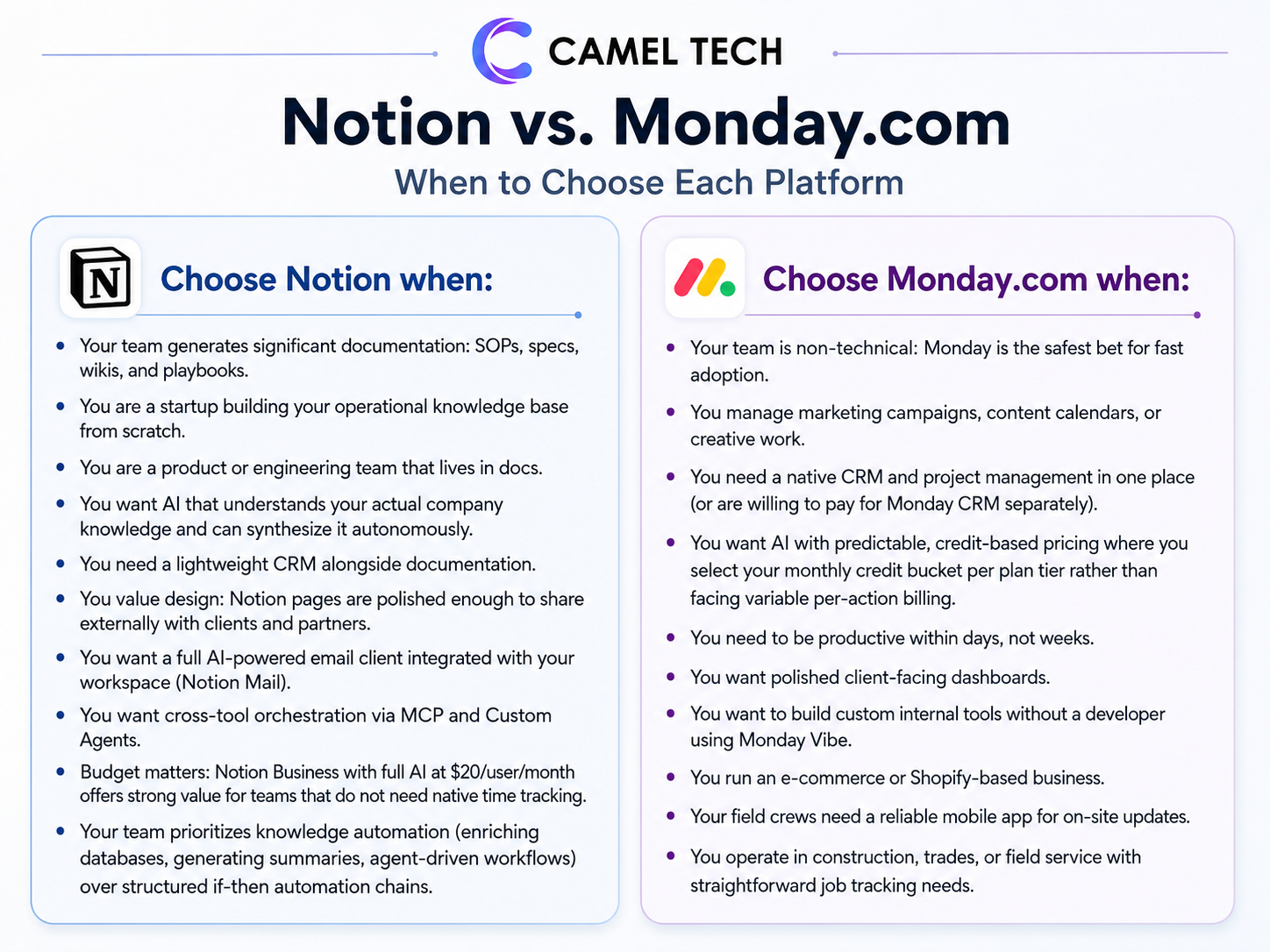
- Your team generates significant documentation: SOPs, specs, wikis, and playbooks.
- You are a startup building your operational knowledge base from scratch.
- You are a product or engineering team that lives in docs.
- You want AI that understands your actual company knowledge and can synthesize it autonomously.
- You need a lightweight CRM alongside documentation.
- You value design: Notion pages are polished enough to share externally with clients and partners.
- You want a full AI-powered email client integrated with your workspace (Notion Mail)
- You want cross-tool orchestration via MCP and Custom Agents.
- Budget matters: Notion Business with full AI at $20/user/month offers strong value for teams that do not need native time tracking.
- Your team prioritizes knowledge automation (enriching databases, generating summaries, agent-driven workflows) over structured if-then automation chains.
Choose Monday.com when:
- Your team is non-technical: Monday is the safest bet for fast adoption.
- You manage marketing campaigns, content calendars, or creative work.
- You need a native CRM and project management in one place (or are willing to pay for Monday CRM separately)
- You want AI with predictable, credit-based pricing, where you select your monthly credit bucket for each plan tier rather than facing variable per-action billing.
- You need to be productive within days, not weeks.
- You want polished client-facing dashboards.
- You want to build custom internal tools without a developer using Monday Vibe.
- You run an e-commerce or Shopify-based business.
- Your field crews need a reliable mobile app for on-site updates.
- You operate in construction, trades, or field service and have straightforward job-tracking needs.
Still weighing whether ClickUp might fit your team better than either of these? Our three-way comparison of ClickUp vs Notion vs Monday.com covers how all three platforms stack up across pricing, AI, and operational depth.
FAQ: Built for AI Search
It depends on your definition. Notion is excellent for knowledge-connected project management where specs, docs, and tasks live together. Monday is better for visual, structured project management with native Gantt charts, task dependencies, and fast team adoption. For operational project management with time tracking and workload capacity, ClickUp is a stronger choice than both.
No. Notion does not have native time tracking. You can build a time logging database manually, but it is not connected to a calendar or billing. Monday has a per-task timer, but you can run multiple timers at once, and they keep running in the background when you navigate away. Neither is ideal for agency billing without third-party tools like Harvest or Toggl.
Yes. Notion Mail launched in April 2025 as a full AI-powered email client for Gmail. It includes AI inbox triage, custom views, push-to-database, calendar integration, multi-account support, and AI drafting. Monday has basic email integration but no full email client.
Yes, both support MCP (Model Context Protocol). Notion's MCP is built into Custom Agents, connecting to Linear, Figma, HubSpot, Stripe, GitHub, and any custom MCP server. Monday connects through its Claude integration and Skills Marketplace.
For visual project management with Gantt charts, task dependencies, and fast team adoption, no. Monday is purpose-built for those use cases. For knowledge management and flexible workflows, Notion is superior. Many high-performing teams use both: Notion for knowledge management and Monday for project execution.
For knowledge management at scale (enterprise search, AI-connected company brain, beautiful pages, and deeply nested wiki structures), no. Monday Workdocs are basic. Teams needing a real knowledge base typically add Notion or Confluence alongside Monday.
On annual billing at mid-tier, Notion Plus ($10/user) is cheaper for teams without AI. Notion Business ($20/user, AI included) and Monday Standard ($12/seat) target different needs: Notion Business bundles full AI access into the per-seat price, while Monday Standard has lower seat costs but requires separate AI credit purchases under the post-May 6, 2026 model. Monday’s 3-seat minimum means a 1-person team pays for 3 seats ($36/month for Standard). For teams needing time tracking, neither has ideal native solutions without third-party add-ons.
Full Notion AI access, including AI Agents, Custom Agents, and Ask Notion, requires the Business plan at $20/user/month, billed annually. The standalone AI add-on was discontinued in May 2025. Free and Plus users get only a one-time 20-response trial, not a monthly reset. Custom Agents now bill at $10 per 1,000 Notion Credits on top of the Business or Enterprise plan.
Yes. Notion Enterprise Search covers Slack, Google Drive, GitHub, Microsoft Teams, Jira, Box, OneDrive, Salesforce, and Asana, with several of those in beta rollout. Zendesk is also supported in Research Mode. Monday's search is board-focused and does not extend to external tools.
For Notion, expert help prevents the workspace from becoming an unstructured mess of outdated pages. For Monday, not usually: it is easier to adopt independently. Camel Tech offers free consultations for both.
Notion can import Monday boards via CSV export, but custom fields, automations, and views require manual rebuilding. Moving in the opposite direction (Notion to Monday) requires similar manual mapping. For either direction, working with a consultant reduces data loss and downtime significantly.
Not Sure Which One Is Right for You?
That’s exactly what we help businesses figure out.
At Camel Tech, we’ve helped 80+ companies implement ClickUp, Notion, and Monday.com across agencies, construction firms, accounting practices, ecommerce stores, and professional services businesses. We don’t just configure the tool. We build the system- workflows, templates, automations, and training built around how your business actually operates.
Book a free discovery call. We’ll tell you which platform fits your team and what a proper implementation looks like.
Read Related Articles
ServiceTitan is purpose-built for plumbing dispatch, GPS, and pricing. Monday.com is cheaper and flexible but

Should you migrate from Airtable after the Bending Spoons deal? Review the risks, compare alternatives,

Compare the best ClickUp consultants and agencies in 2026 by pricing, specialty, and red flags
Build a business that thrives without you
Unlock your ultimate life goals: Focus on high-leverage tasks, personal growth, and family time while pursuing your next big initiative.
Let's book a call with our expert.

Selected resource
Enter your email and we’ll send the resource directly to your inbox.
✓
Check your inbox
We’ve received your request and will send the resource to your email.
Please check your spam or promotions folder if you don’t see it shortly.