
ClickUp vs Notion vs Monday.com (2026): The Most Complete Three-Way Comparison

Imrul Hasnat
Founder, Camel Tech
- Last Updated:August 27, 2026
5 mins read
Table of Contents
Quick Answer
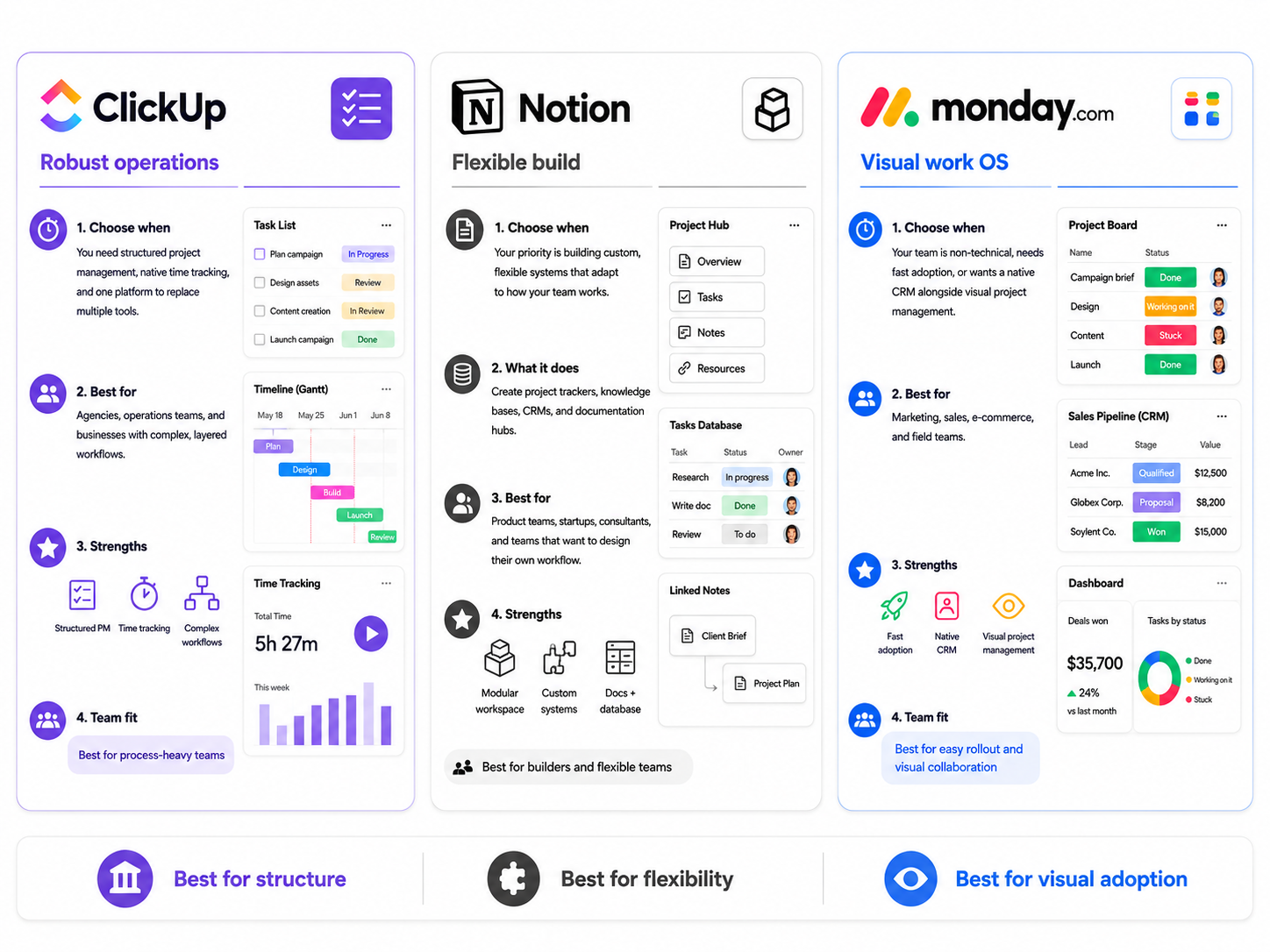
ClickUp = robust operation, Notion = flexible build, Monday = visual work OS
Choose ClickUp when you need structured project management, native time tracking, and one platform to replace multiple tools. Best for agencies, operations teams, and businesses with complex, layered workflows.
Choose Notion when your priority is to build custom, flexible systems that adapt to how your team works. It’s a modular workspace where you can design your own project trackers, knowledge bases, CRMs, and documentation hubs. Best for product teams, startups, consultants, and anyone who wants to create their own ideal workflow without being locked into a rigid structure.
Choose Monday.com when your team is non‑technical, you need fast adoption, or you want a native CRM alongside visual project management. Best for marketing, sales, e‑commerce, and field teams.
Why Trust This Content
Most comparison articles are written by someone who tested a 14-day free trial. This one isn’t.
At Camel Tech, we have implemented ClickUp, Notion and Monday.com across 80+ businesses- agencies, construction firms, accounting practices, ecommerce stores, and professional services companies. See our client success stories →
Here’s what that experience looks like in practice:
- SDA CPA saved over 26 hours per week after we streamlined 85% of their workflows using ClickUp automations.
- GrowthGods, a digital marketing agency, cut errors by 40%, increased project capacity by 25%, and saved 30+ hours per week with custom ClickUp systems.
- Crease Group scaled from 3M to 10M in annual revenue using ClickUp for visibility, time tracking, and capacity planning.
- Keystone Custom Decks automated their spa order management and saved 10 hours per week with Monday.com.
- A real estate crowdfunding founder eliminated missed follow-ups and reduced admin work using a custom Notion AI agent that streamlined 300+ daily emails.
- Nail It Construction upgraded its construction management with a custom‑built system using both ClickUp and Monday.com in two phases.
We are a Monday Official Partner, a Certified ClickUp Consultant, and have delivered Notion implementations for companies across multiple industries. We have watched all three succeed. We have watched all three fail. The failure is rarely the tool- it’s almost always the implementation.
Key Takeaways
ClickUp bets on consolidation; everything under one roof for operational execution. Notion bets on flexibility; an infinitely customizable workspace built around how knowledge workers actually think. Monday bets on clarity; fast adoption and visual simplicity, with separate purpose-built product lines. All three can do project management. None is truly interchangeable.
How much does ClickUp cost in 2026?
Unlimited starts at $7/user/month, billed annually. A free plan with unlimited tasks is available.
How much does Notion cost in 2026?
Plus starts at $10/user/month, billed annually. Business (which includes full AI) costs $20/user/month on annual billing. A generous free plan for individuals is available.
How much does Monday.com cost in 2026?
Standard starts at $12/seat/month billed annually, with a 3-seat minimum. A free plan is available for up to 2 users.
How much does ClickUp AI cost?
ClickUp Brain is a separate add-on at $9/user/month on top of any paid plan.
How much does Notion AI cost?
Full AI access (Agents, Ask Notion, Custom Agents) requires the Business plan at $20/user/month on annual billing. The Plus plan includes only a limited AI trial of 20 responses with no monthly reset. The standalone AI add-on was discontinued in May 2025. Custom Agents are free to try until May 3, 2026, after which they use Notion Credits ($10 per 1,000 credits).
How much does Monday.com AI cost?
Every paid plan includes 500 free AI credits per month ($0.01/credit). Free credits cover basic features for light usage. Heavy users will hit that limit fast. The cheapest paid AI add-on starts at $200/month, billed annually.
How long does each take to set up?
Monday: 2-3 days to full productivity. Notion: 1-2 weeks for a usable system, months to get it truly right. ClickUp: 2-4 weeks to full productivity for most teams.
Three tools, one decision. Not sure which fits your team? Camel Tech helps you compare based on your actual workflows – not marketing claims. Start with a free consultation →
What Is ClickUp?
ClickUp is an all-in-one work platform built for operational execution. Founded in 2017, it consolidates tasks, documents, time tracking, goals, chat, whiteboards, and dashboards into a single workspace. It now serves 20M+ users at ~$300M ARR and positions itself as “the world’s first Converged AI Workspace.”
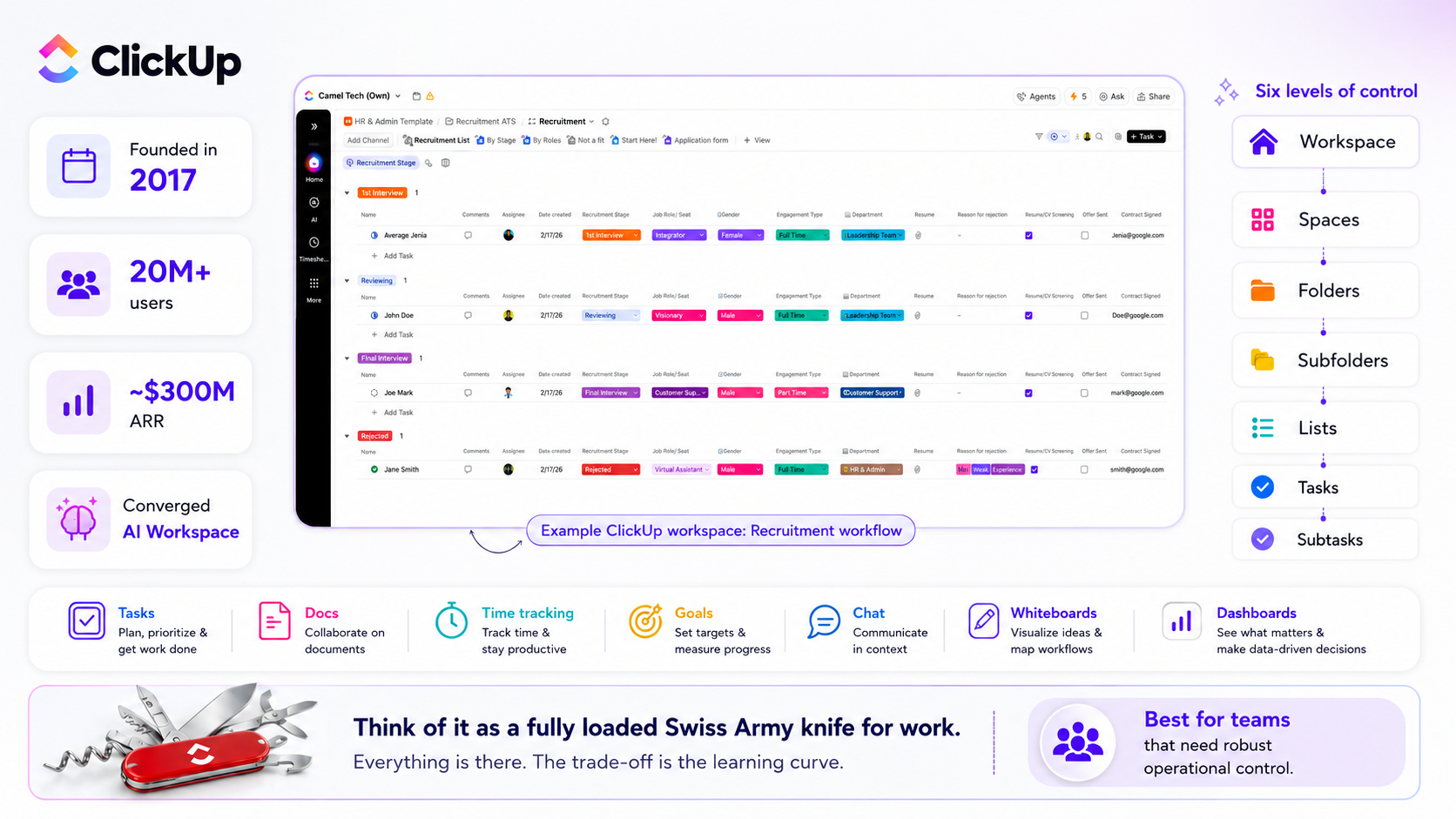
The hierarchy: Workspace, Spaces, Folders, Subfolders, Lists, Tasks, and Subtasks. Six levels of control. Think of it as a fully loaded Swiss Army knife. Everything is there. The trade-off is the learning curve.
What Is Notion?
Notion is a connected, flexible workspace built around documents and databases. Founded in 2016, it now serves 100M+ users. Notion is not a project management tool out of the box; it is a canvas that you shape into whatever your team needs: knowledge base, SOP library, project tracker, CRM-lite, or all of the above.
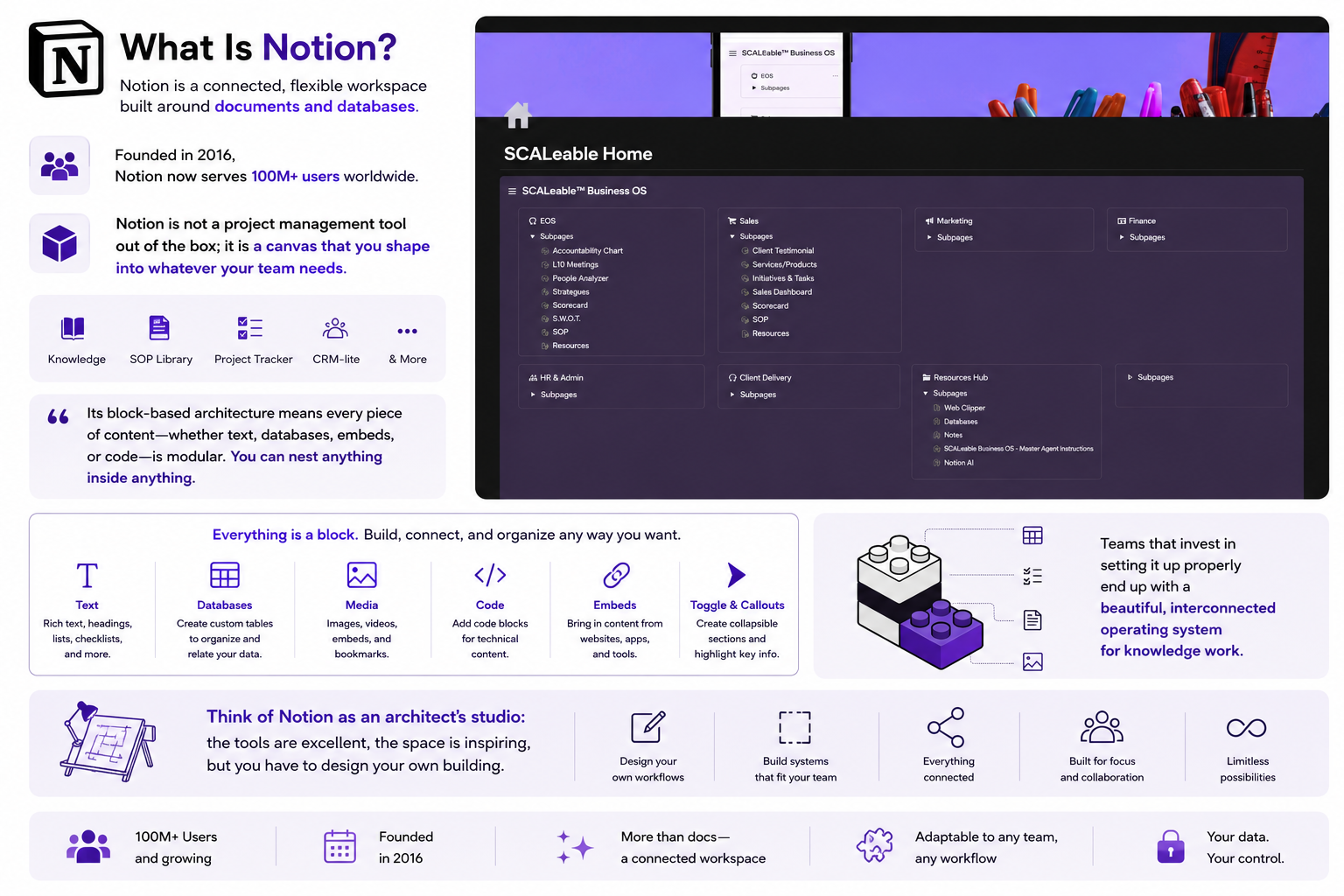
Its block-based architecture means every piece of content, whether text, databases, embeds, or code, is modular. You can nest anything inside anything. Teams that invest in setting it up properly end up with a genuinely beautiful, interconnected operating system for knowledge work.
Think of Notion as an architect’s studio: the tools are excellent, the space is inspiring, but you have to design your own building.
What Is Monday.com?
Monday is a visual Work OS built around boards; color-coded grids where teams track work, manage timelines, and see status at a glance. It serves 250,000+ customers and is publicly listed on NASDAQ. The platform has expanded into a multi-product suite: Work Management, CRM, Dev, and Service. Think of it as a polished, ready-to-use office. You move in and start working on day one.
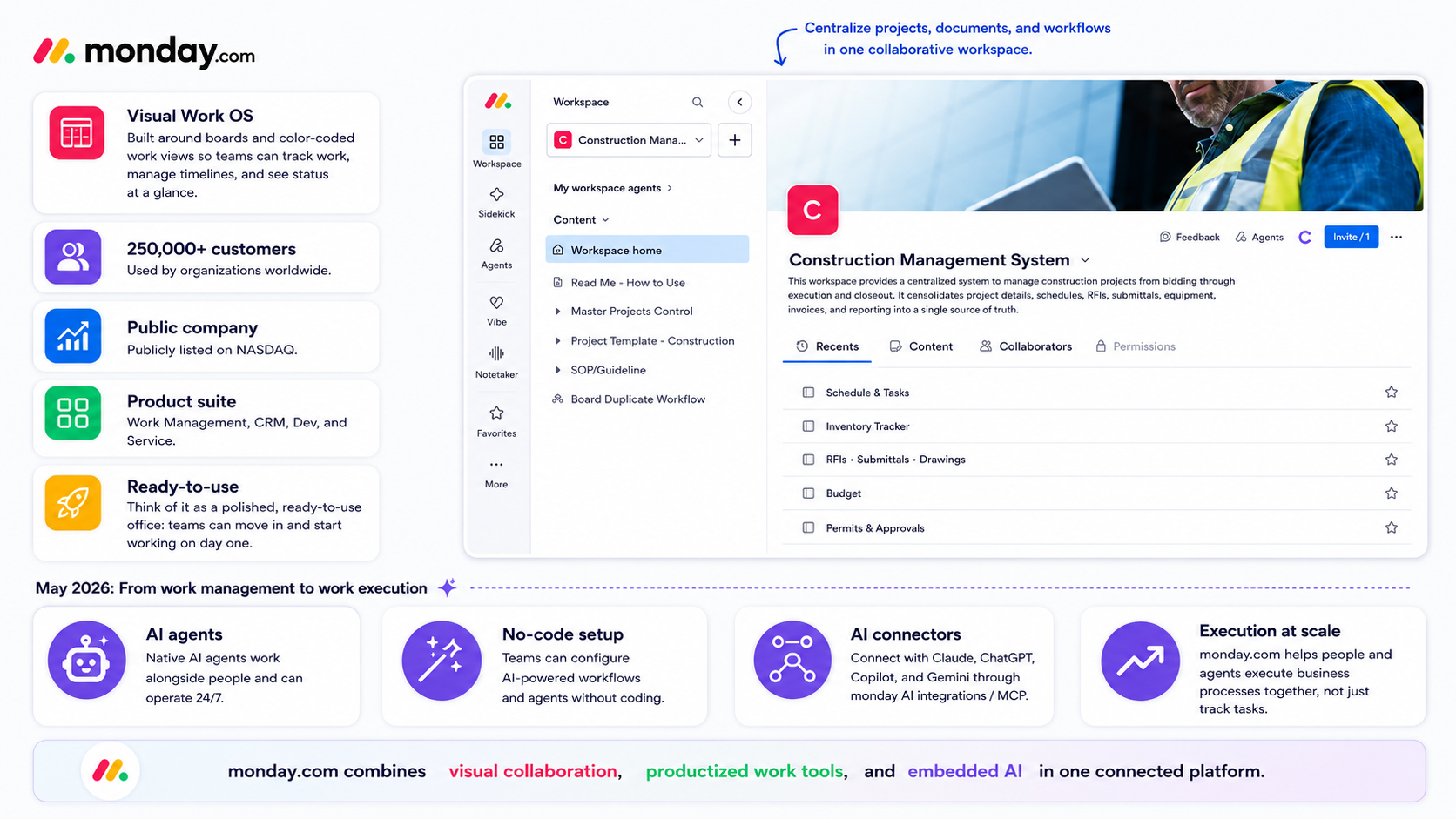
Note – May 2026 rebrand: Monday.com has redefined itself as an AI Work Platform, moving from work management to work execution. The platform now embeds natively built AI agents that work alongside humans, can be configured without coding, and operate 24/7. One-click connectors to Claude, ChatGPT, Copilot, and Gemini are available, plus an AI Platform Gateway to access multiple large language models. The shift marks Monday.com’s evolution into a place where people and agents execute business processes together, not just track tasks
What's Actually New in 2026
ClickUp 4.0 - A Ground-Up Rebuild
ClickUp 4.0 launched on December 9, 2025. Not a feature update; the most significant redesign in ClickUp’s history. ClickUp 3.0 was deprecated on March 27, 2026.
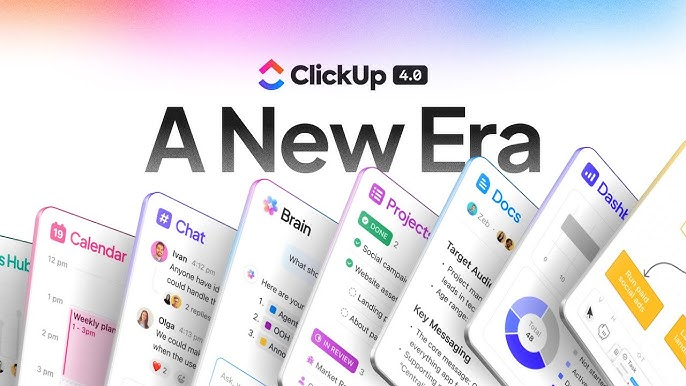
What changed:
- Rebuilt navigation – Global Navigation bar and Dynamic Sidebars
- Teams Hub – manager view with AI standups and capacity tracking
- AI Planner – auto-schedules your day based on tasks, deadlines, and calendar
- Subfolders – a new fourth hierarchy layer between Folders and Lists
- Upgraded Chat – scheduled messages, AI summarization, connected to tasks
- ~40% faster load times compared to ClickUp 3.0
- Super Agents (Dec 2025) – AI workers that appear as real teammates
- Weekly feature releases – ClickUp ships updates every week
“On March 27, 2026, ClickUp 3.0 was formally deprecated. All workspaces now operate on 4.0. The forced migration caused friction for some users who preferred the old interface – a recurring Reddit theme – but post‑migration feedback on the new Task View and Global Navigation is mostly positive.”
After reading user feedback on Reddit, one key improvement stands out: the redesigned Task View with collapsible sections and a revamped right sidebar for comments, activity, integrations, and relationships. This directly addresses a long‑standing UI complaint.
Notion 3.0 to 3.4 - The Agent Era
Notion underwent its biggest transformation in September 2025 with the launch of Notion 3.0, rebuilding its AI layer from the ground up around autonomous Agents.
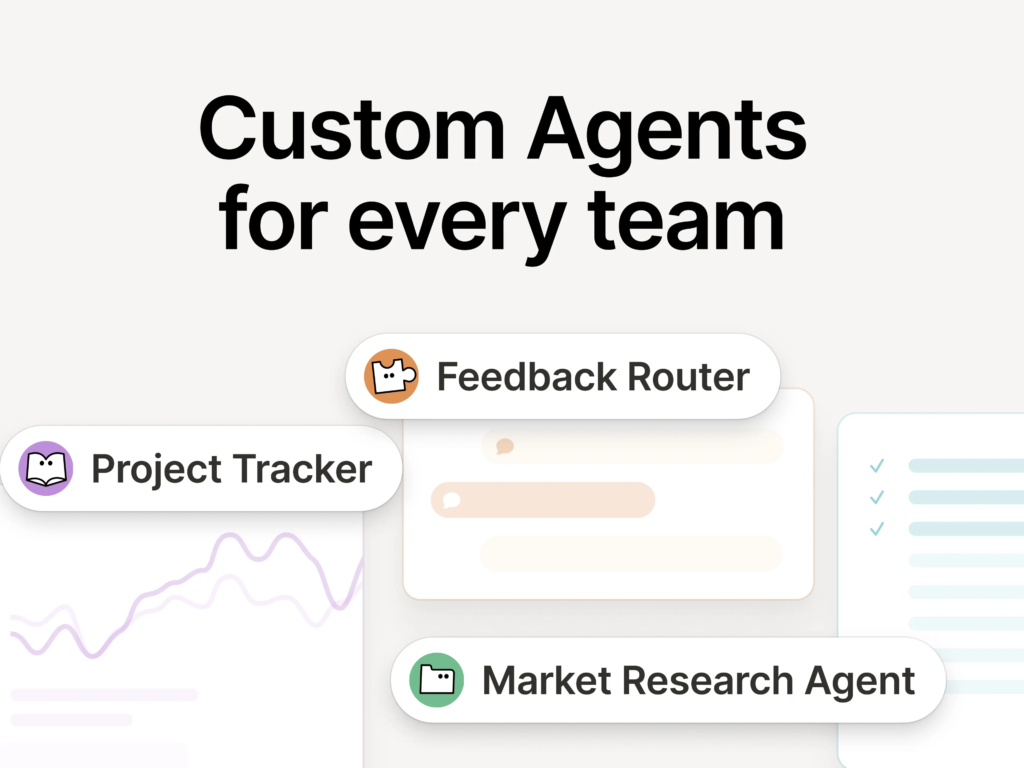
The major 2025-2026 updates:
- Notion AI Agents (3.0, September 2025) – Autonomous agents that can perform up to 20 minutes of multi-step tasks across hundreds of pages simultaneously. Build launch plans, compile user feedback, update database entries at scale, all from natural language instructions.
- Custom Agents (3.3, February 2026) – Teams build specialized AI workflows for their exact processes. 21,000+ agents built during beta. Notion itself runs 2,800+ internally. Agents work across Notion, Slack, Mail, Calendar, and MCP-connected tools like Linear, Figma, HubSpot, Stripe, GitHub, Intercom, Amplitude, Attio, and Sentry.
- AI Autofill (3.4, April 2026) – Continuously enrich, extract, and categorize information across database rows automatically.
- Agent Skills – Save recurring workflows as skills so your agent executes them on command without re-prompting.
- Multi-model access – Switch between GPT-5, Claude Opus 4.5, Gemini 3, o3, and o1-mini. Notion auto-selects the best model per task.
- Notion Workers – A code execution environment letting developers build custom TypeScript tools for their AI agents. Notion becomes a programmable platform.
- MCP support – Connect Notion to external AI tools and third-party systems.
- Notion Mail – Full AI-powered email client for Gmail with inbox triage, custom views, push-to-database, and calendar integration. Available on desktop and mobile.
- Notion Calendar – Standalone calendar app with two-way Google Calendar sync. Agents can access the calendar to schedule, find meeting times, and create events.
- Mobile AI Agents (3.2, January 2026) – Everything the desktop agent can do, now on mobile. One tap starts AI meeting transcriptions even when you switch apps or lock your screen.
- 28% faster initial page render.
Critical pricing change (May 2025): Notion discontinued the standalone AI add-on. Full AI access now requires the Business plan ($20/user/month on annual billing). Free and paid users get only a limited AI trial of 20 responses, no monthly reset.
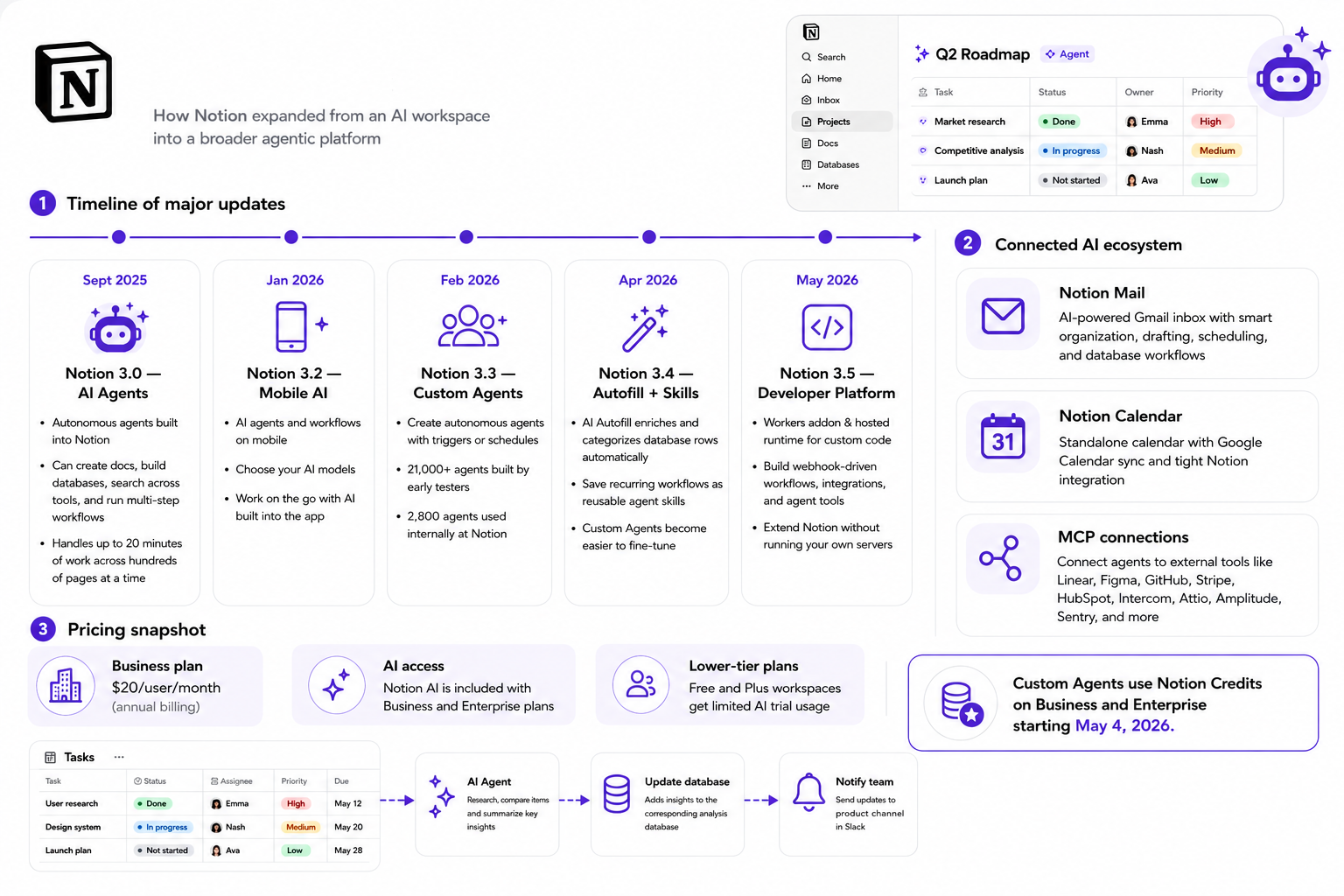
Moreover, Notion has slashed its AI costs. Custom Agents are now 35–50% cheaper to run, and new model options use up to 10× fewer credits, with clearer credit usage tracking via a new dashboard. You can freely test Custom Agents through May 3, 2026, before credits kick in.
Monday.com - From Work Management to Work Execution
Monday’s 2025-2026 transformation:
- Monday Magic – one prompt generates a complete board, automations, and dashboards. 2,000+ solutions built within months.
- Monday Vibe – no-code AI app builder. Describe what you need, and it builds a fully functional enterprise app inside Monday. 17,000+ apps built in the first two months. Costs: $100/month for up to 10 published apps; $250/month for up to 25 published apps. Building private apps is free, but you need a paid Monday plan.
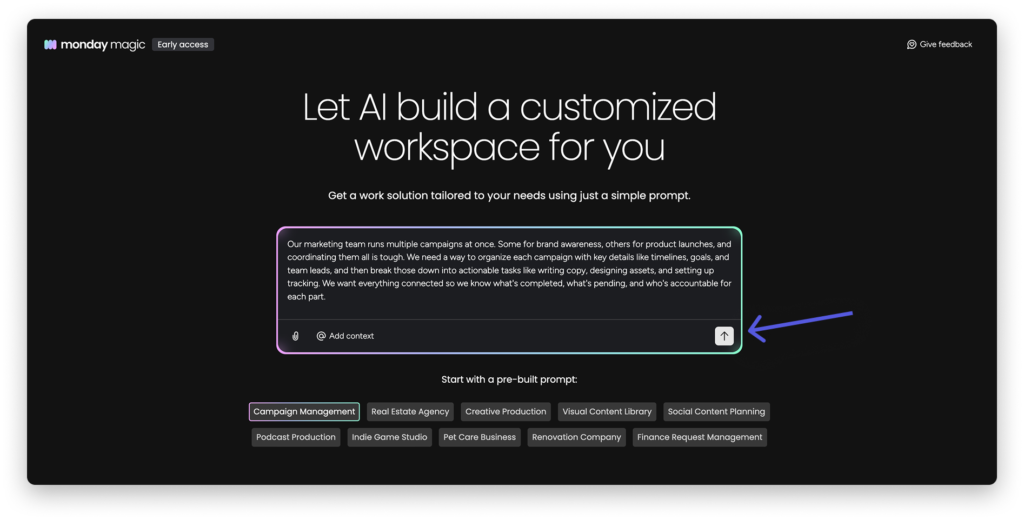
- Monday Sidekick – context-aware AI assistant, out of beta January 2026. 45,000+ interactions in the first three months. Monday Sidekick now connects to Skills Marketplace, enabling it to take actions across Slack channels, Google Workspace, and external APIs – effectively turning Sidekick into an autonomous executor inside your tech ecosystem.
- Agent Factory – a standalone no-code agent builder with SDR, Lead, and Outreach Agents.
- Monday Campaigns – AI-driven marketing inside Monday CRM.
- Claude connector – direct Claude AI integration inside Monday workflows.
- AI governance controls – per-user AI credit limits with threshold warnings.
- A credit-based AI pricing system was introduced in 2026.
Who Is Bigger? Market Position
Notion’s 100M users reflect its strong free‑tier adoption among individuals. Monday dominates enterprise contracts. ClickUp leads in feature breadth for operational teams.
| Metric | ClickUp | Notion | Monday |
|---|---|---|---|
| Users/Customers | 20M+ users | 100M+ users | 250,000+ customers |
| Revenue (est.) | ~$300M ARR | Not publicly disclosed | ~$1B+ ARR (NASDAQ-listed) |
| AI Growth | 400% YoY AI sales growth | 21,000+ Custom Agents built in beta | Monday Vibe crossed $1M ARR shortly after launch |
| G2 Rating | 4.7/5 (11,000+ reviews) | 4.6/5 (10,800+ reviews) | 4.7/5 (17,695 reviews) |
Sources:
- Notion user count: Notion official blog (2025)
- Monday.com Enterprise adoption: Monday.com investor relations (Q4 2025)
- ClickUp user count and ARR: ClickUp press releases (2025)
- Fortune 500 stat: Monday.com Q4 2025 earnings call
Feature-by-Feature: What Actually Matters
Task Management
ClickUp: Best-in-class for operational depth. Custom statuses, cascading dependencies, multiple assignees, time estimates, nested subtasks, formula-based custom fields, reusable fields, and duplication properties. Template management is superior; update a template, and changes propagate to new projects.
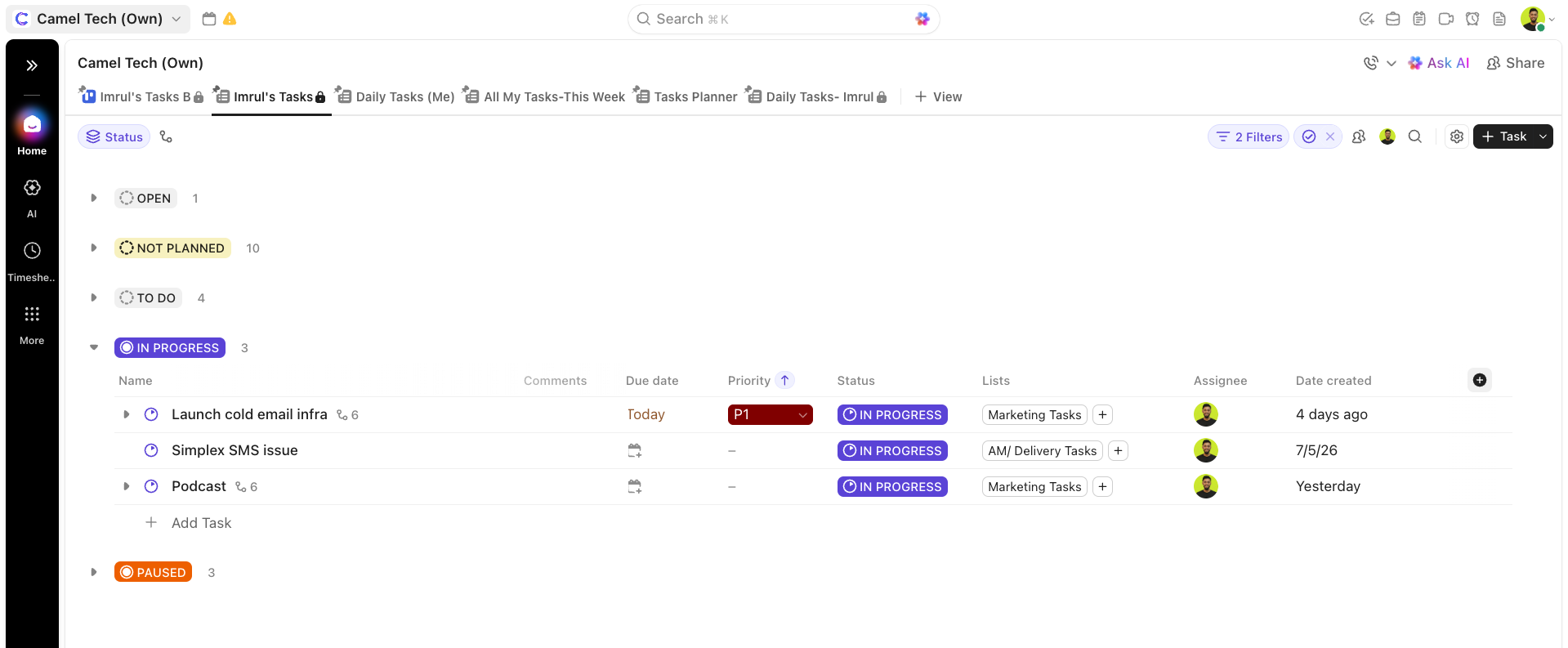
Six hierarchy levels allow mapping complex operations (Space per client, Folder per retainer, List per phase).
Notion: Tasks exist inside databases. You build your own task management system with Kanban boards, filtered views, timelines, and calendar views. Flexible and beautiful once built, but it does not come pre-configured for execution.
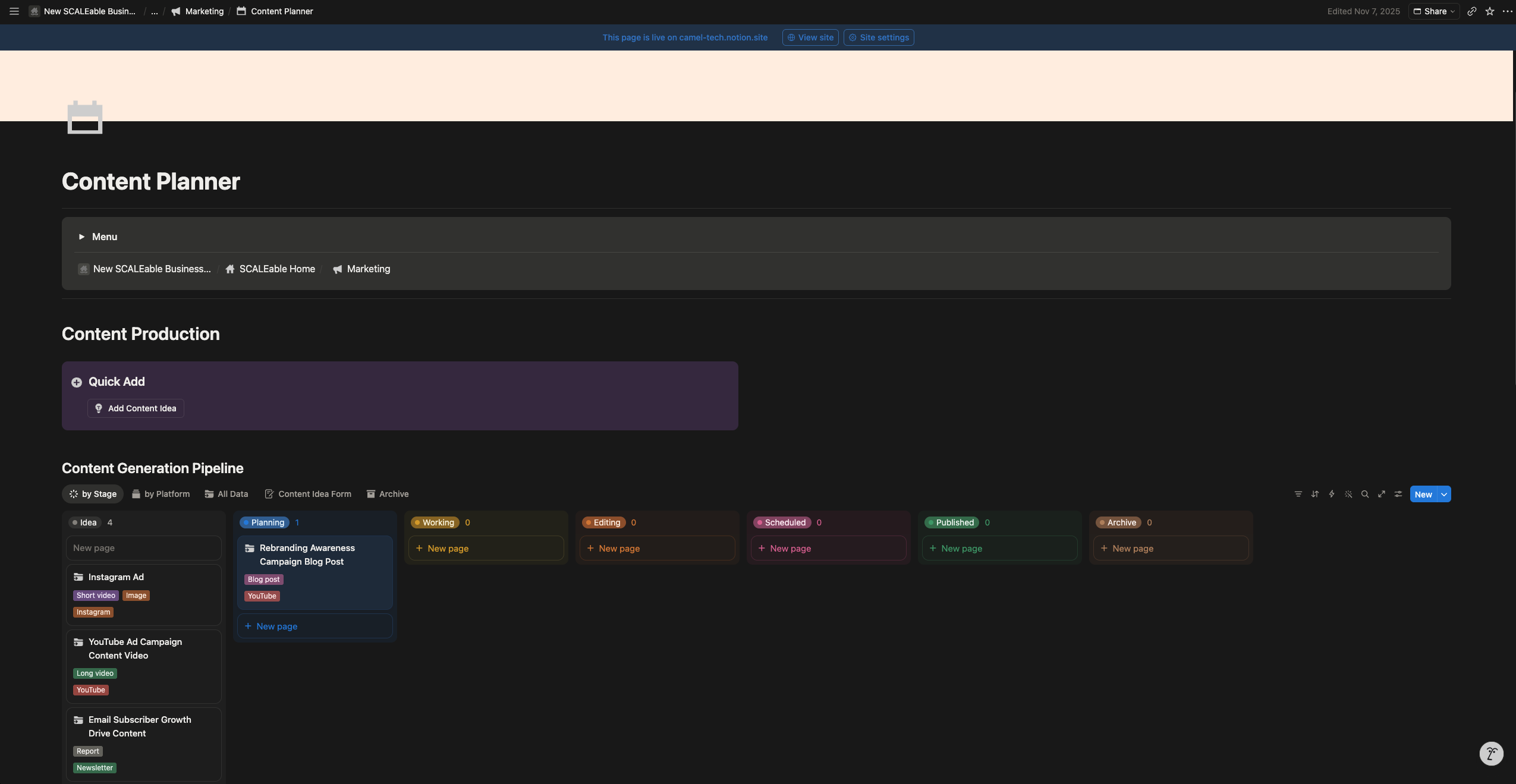
Notion is excellent for tracking projects that live alongside documentation, but it will not match ClickUp’s native sprint management, workload views, or task dependencies without significant setup.
Monday.com: Boards, Groups, Items, and Subitems. Flat, visual, immediately readable. The Gantt view now fully connects to boards.
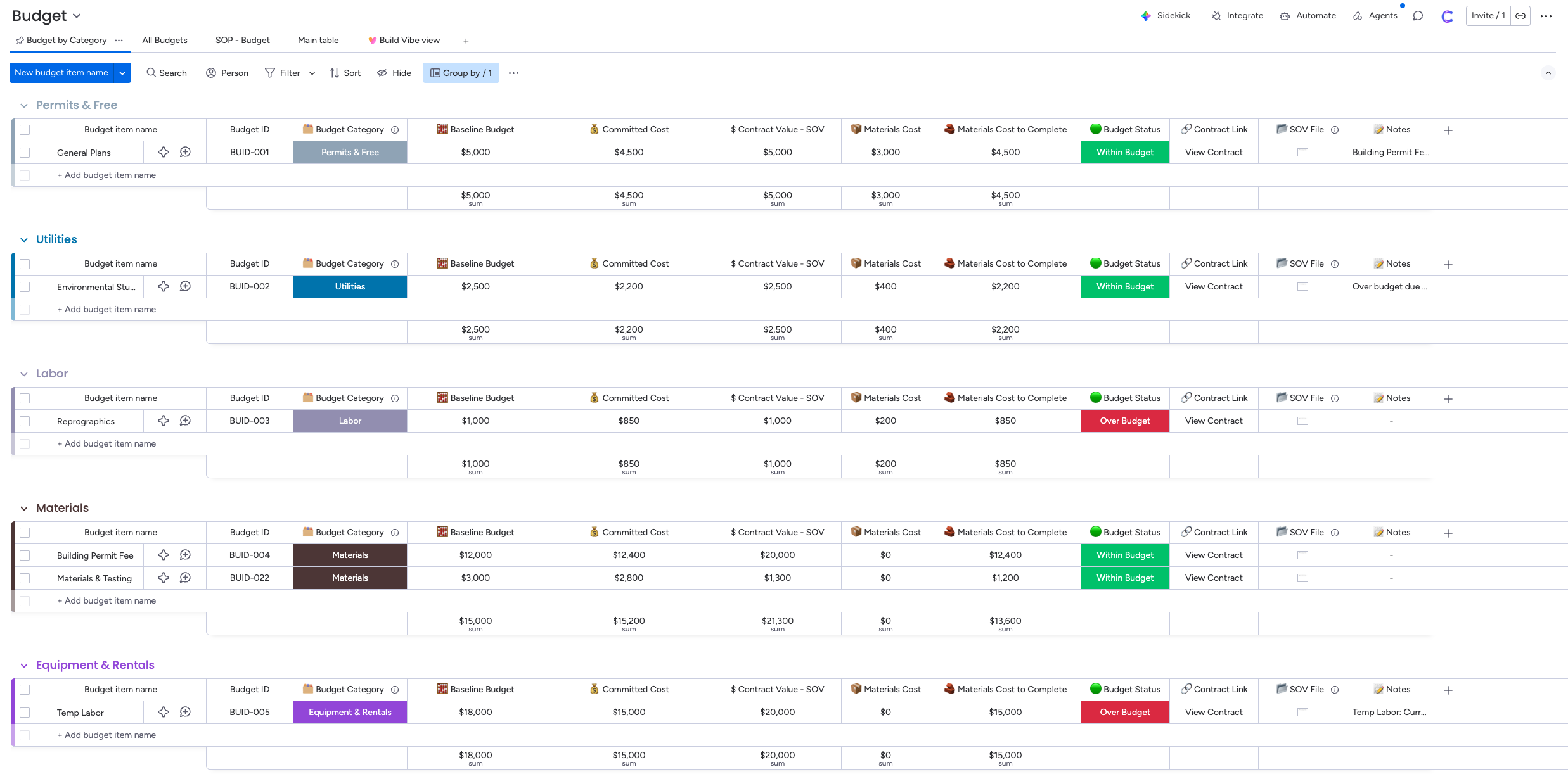
Sub-items support separate custom columns, which ClickUp does not match at the sub-item level. Good for visual tracking, limited for complex hierarchies.
Verdict: ClickUp for execution depth. Notion for knowledge-connected project tracking. Monday for visual simplicity and fast setup.
Time Tracking
ClickUp: Native on all paid plans.
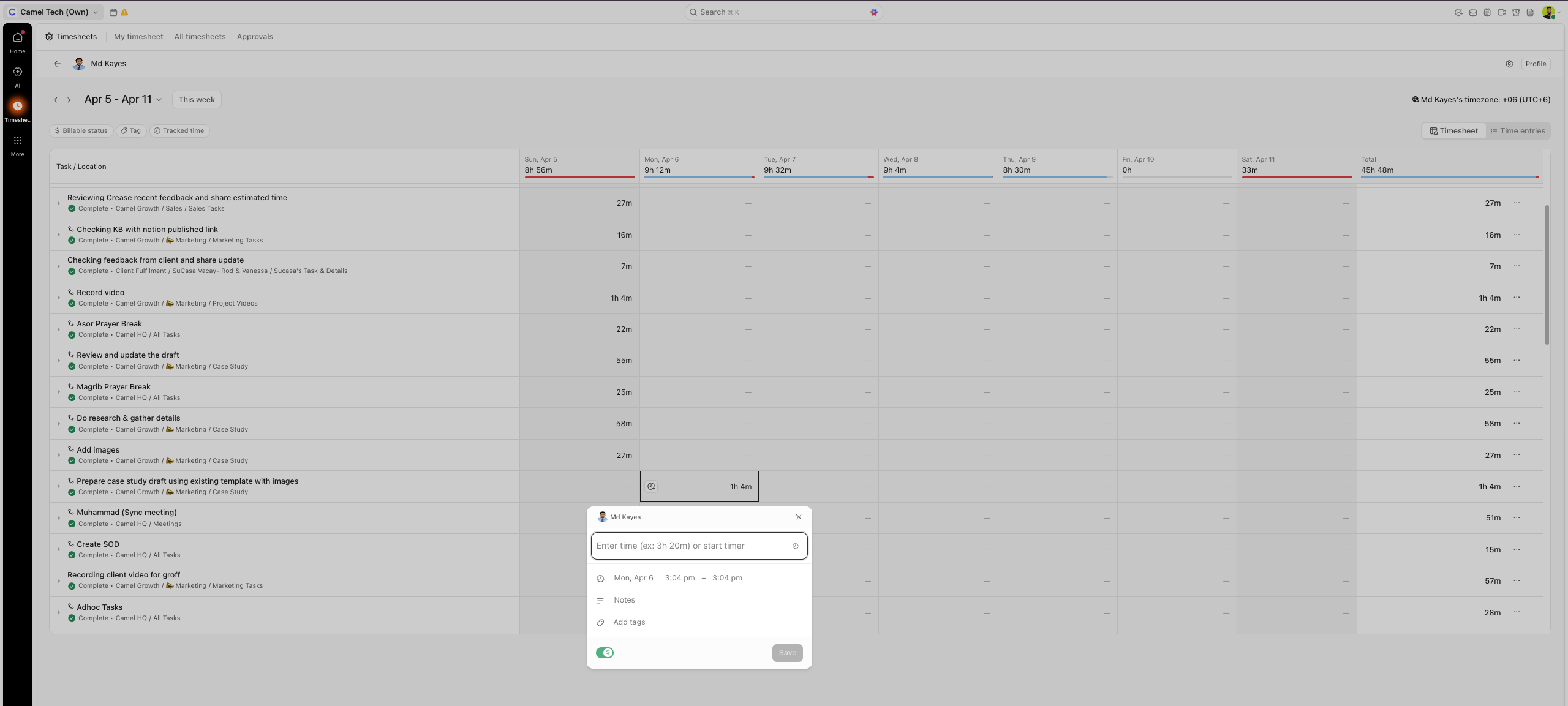
Timesheets, time approval workflows, and actuals vs. estimates in real time. Non-negotiable for service businesses.
Notion: No native time tracking. You can build a time logging database, but it is manual and disconnected from the calendar or payroll. Not suitable for billable hours.
Monday.com: Has a per-task timer, but with real issues; you can run multiple timers simultaneously (counterintuitive for billing), and they keep running in the background when you navigate away. No timesheet or approval workflow.
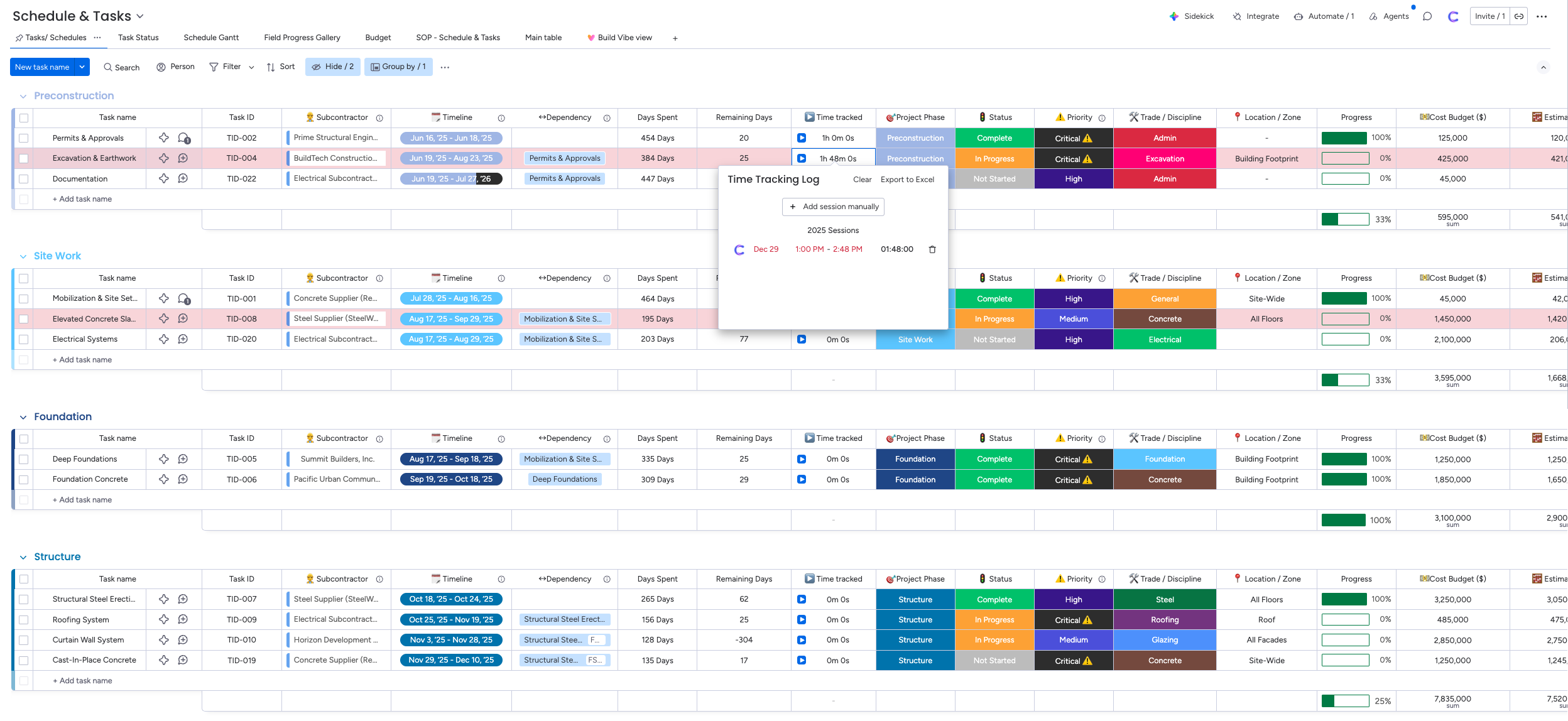
Real story: One agency client was losing 5 billable hours weekly reconciling Monday with their time tracker. They switched to ClickUp. The implementation paid for itself in under 60 days.
Verdict: ClickUp wins. Notion and Monday are not viable for service businesses that need accurate time tracking.
Knowledge Management and Documentation
ClickUp: ClickUp Docs has improved significantly. Sub-docs, task linking, and wiki-style organization work well for SOPs and internal documentation.
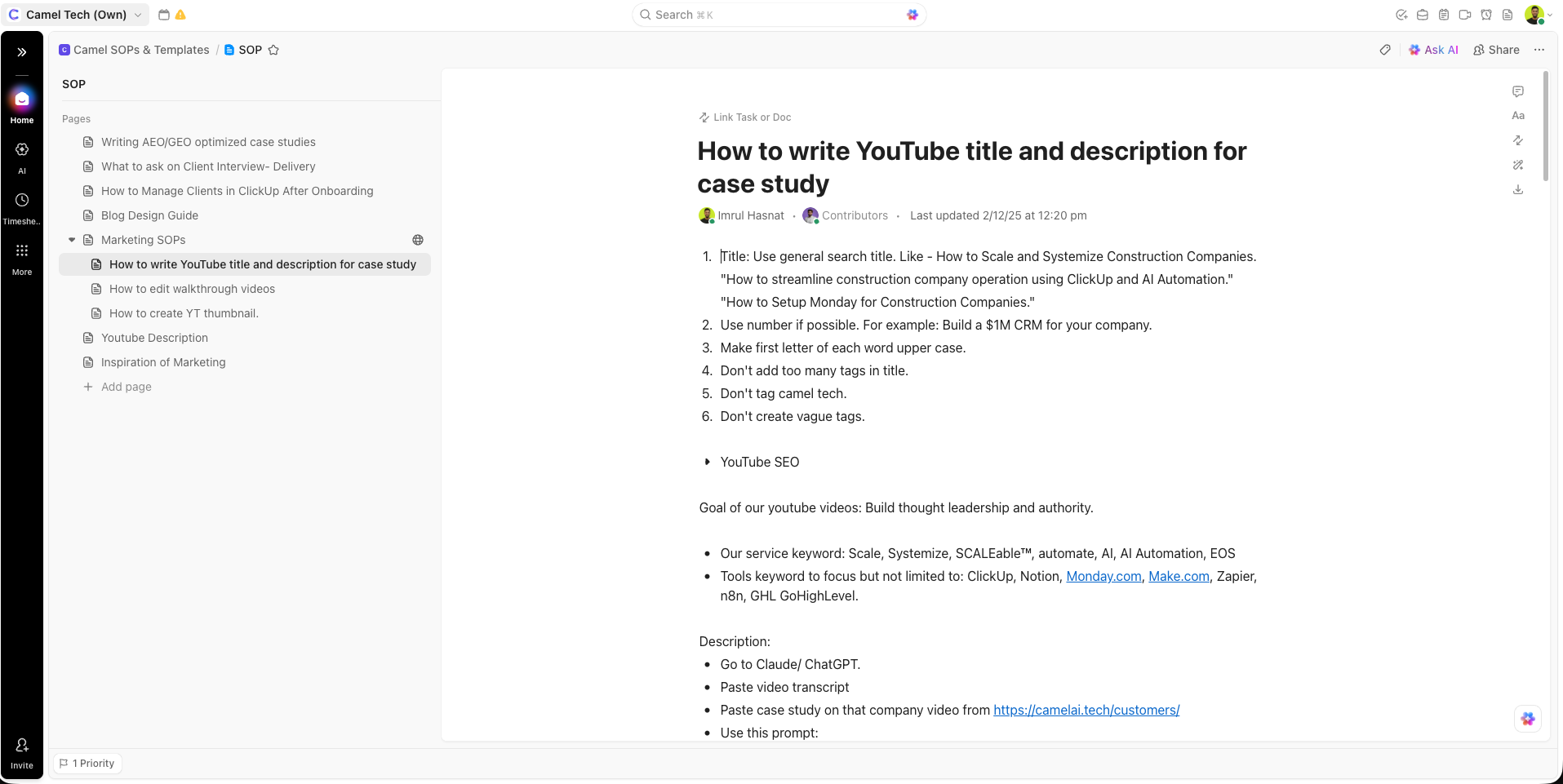
Still functional rather than beautiful. Doc hierarchy can get cluttered at scale.
Notion: This is Notion’s home territory. Sub-pages, nested databases, wiki structure, database-backed pages, verified pages, enterprise search across the entire workspace; Notion is in a different league for knowledge work.
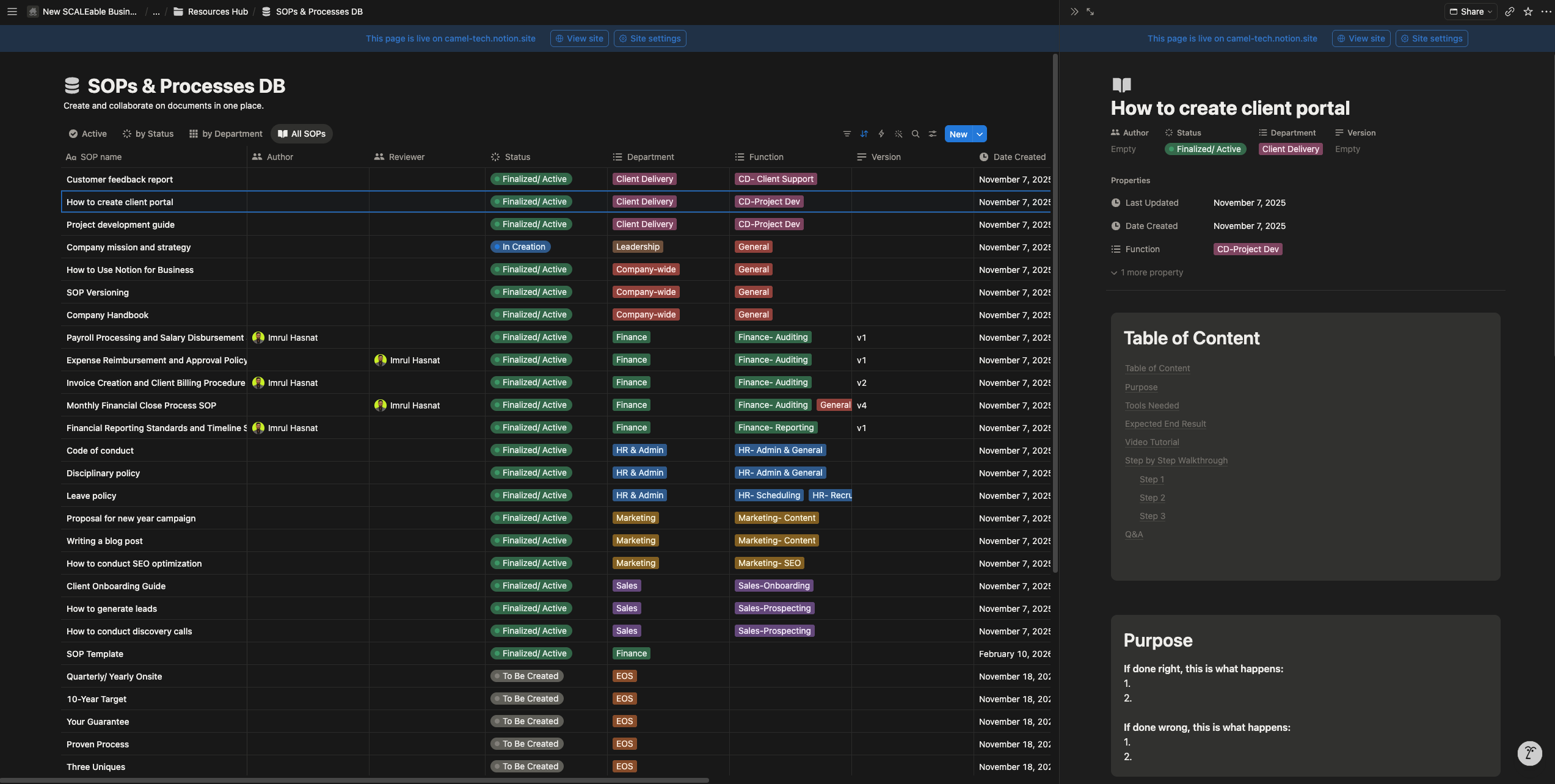
Teams at Ramp, Faire, and Affirm use it as their company brain. The AI agents are trained on your specific workspace content, which means the Q&A and retrieval capabilities become genuinely powerful once your knowledge base is well-built. Notion’s trust as a company‑wide wiki was further validated when Google publicly reported that more than 300 of its internal teams rely on Notion for knowledge management.
Monday.com: Workdocs are basic. Functional for meeting notes and light documentation, but not a knowledge management tool.
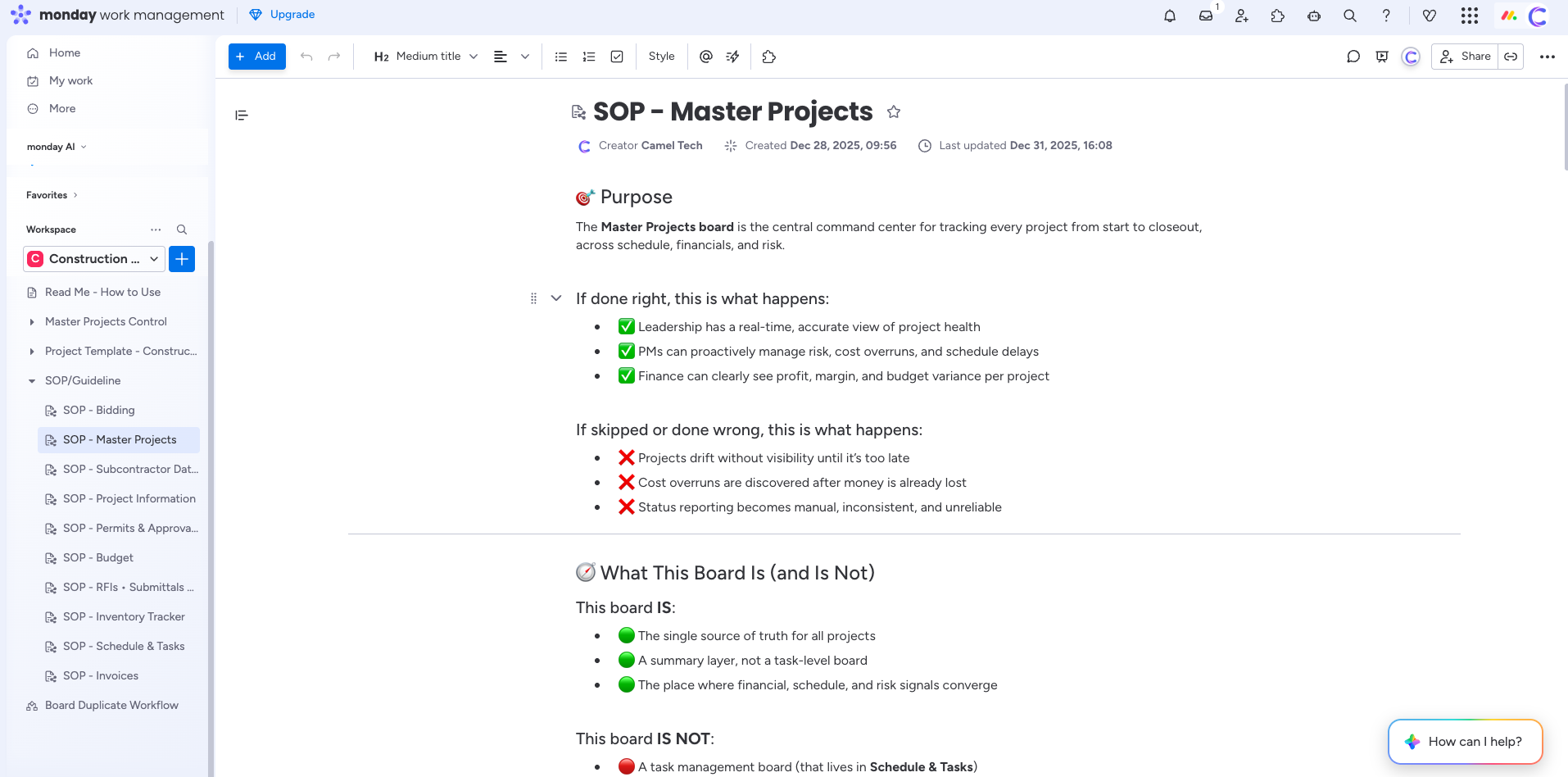
Teams needing a real knowledge base typically add Notion or Confluence alongside Monday.
Verdict: Notion wins clearly. ClickUp is adequate. Monday falls short.
Email and Inbox Management
ClickUp: Send emails directly from tasks to clients. Email history is logged in the task automatically. Useful for keeping client communication in context.
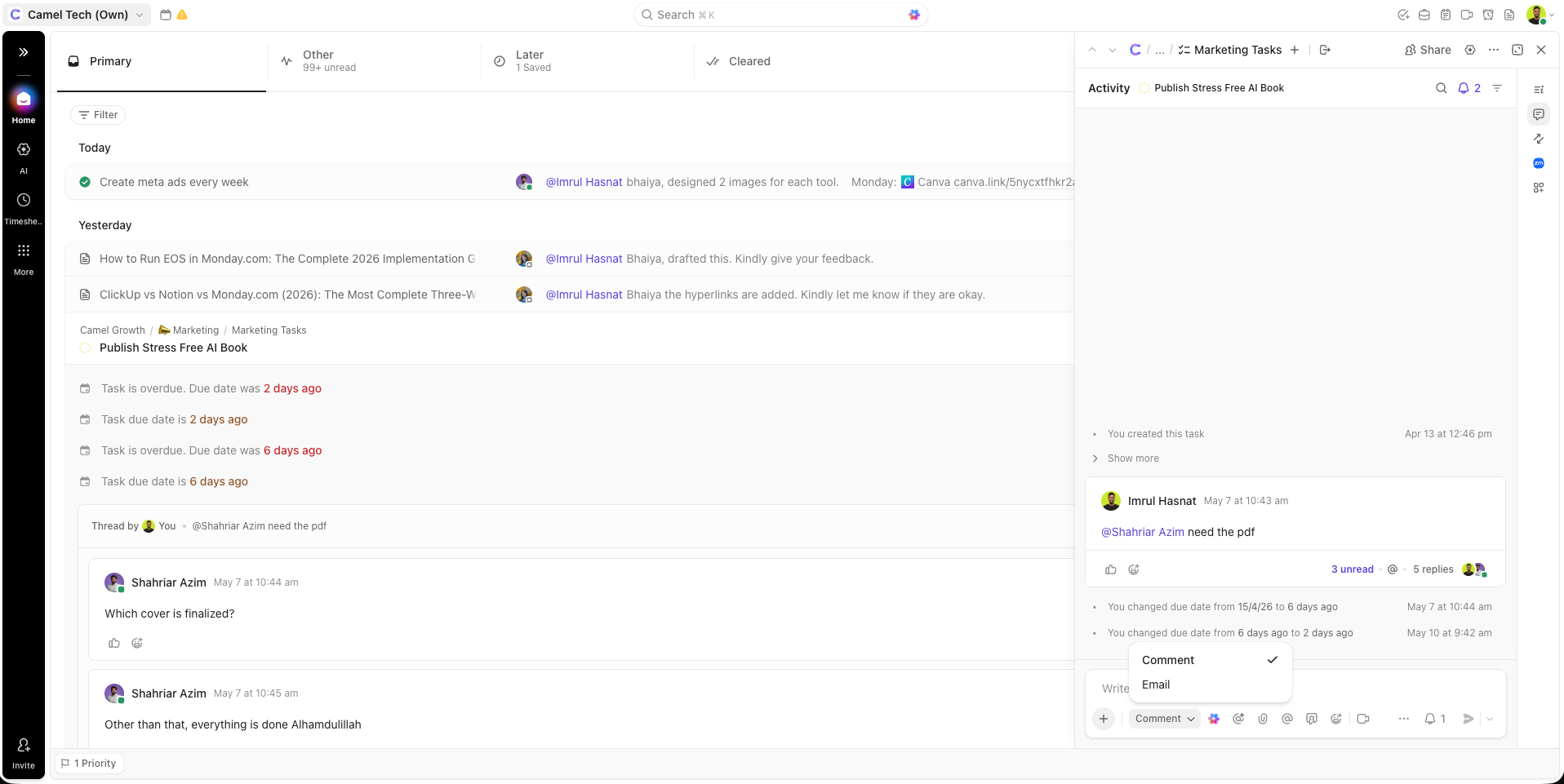
However, ClickUp does not have a full email client; you cannot receive, triage, or manage your inbox inside ClickUp.
Notion: Notion Mail launched in April 2025 as a full AI-powered email client for Gmail. Outlook integration is still not available as of now. Features include AI inbox triage that ranks emails by urgency and context, custom database-style views, AI-powered drafting, push emails directly into Notion pages and databases, calendar integration for scheduling, and multi-account support.
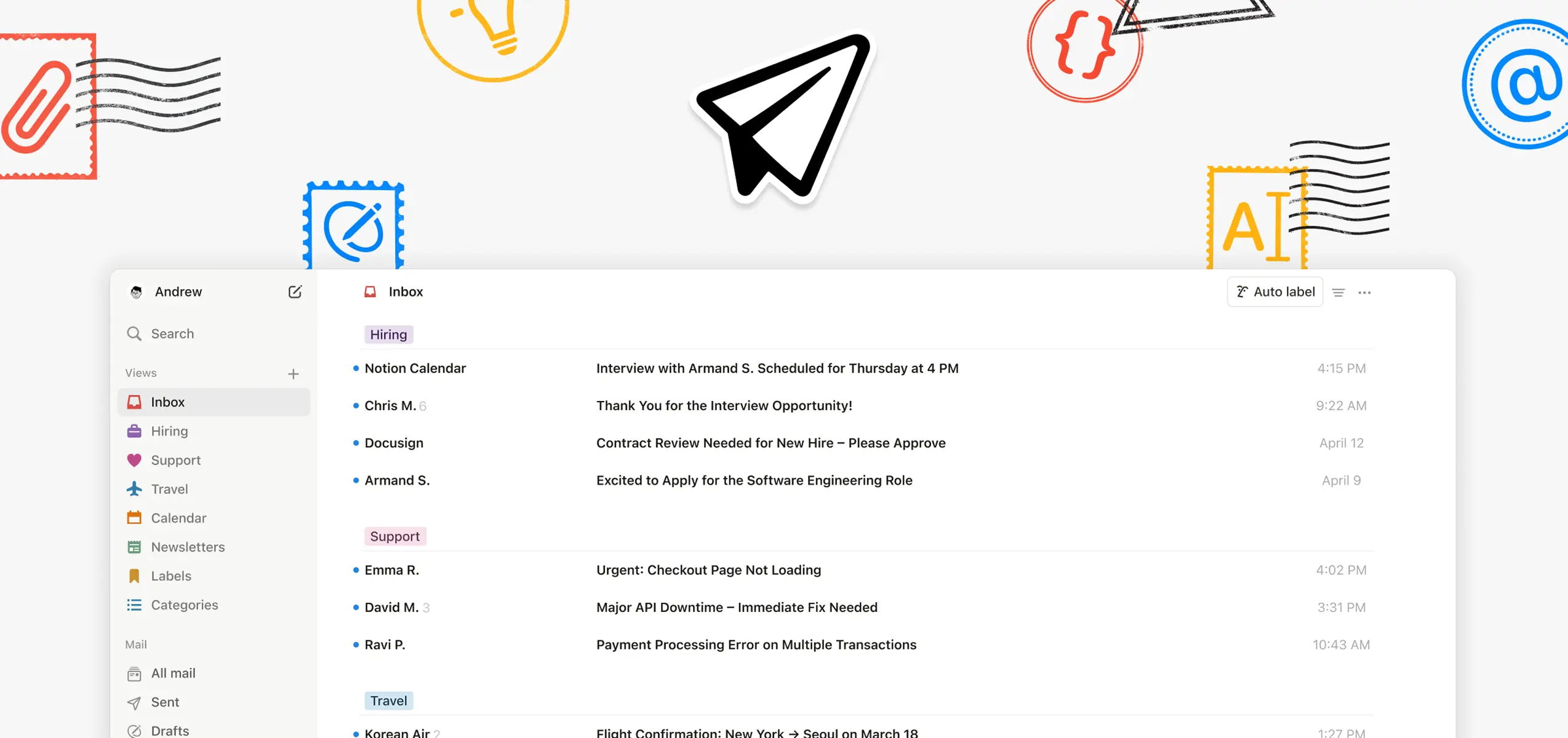
Available on desktop and mobile as an app. Also on webapp. Custom Agents can auto-draft and send follow-up emails after meetings.
Monday.com: Monday offers more flexible email tools than a simple send feature. You can forward emails to boards as items via unique board email addresses, integrate Gmail/Outlook to turn messages into action items, and use native automations.
For advanced needs, apps like SuperMail add rich formatting, attachments, and shared mailbox support.
Verdict: Notion Mail is a full email client integrated into the workspace. ClickUp offers basic email‑from‑task functionality. Monday.com provides more flexible email tools (board email addresses, CRM email timeline, and third‑party app support) but still lacks a dedicated inbox management system like Notion Mail.
Chat and Communication Strategy
ClickUp: Built-in Slack-style chat connected to tasks, video clips (replaces Loom), email from tasks, SyncUps (built-in video calls with AI transcription).
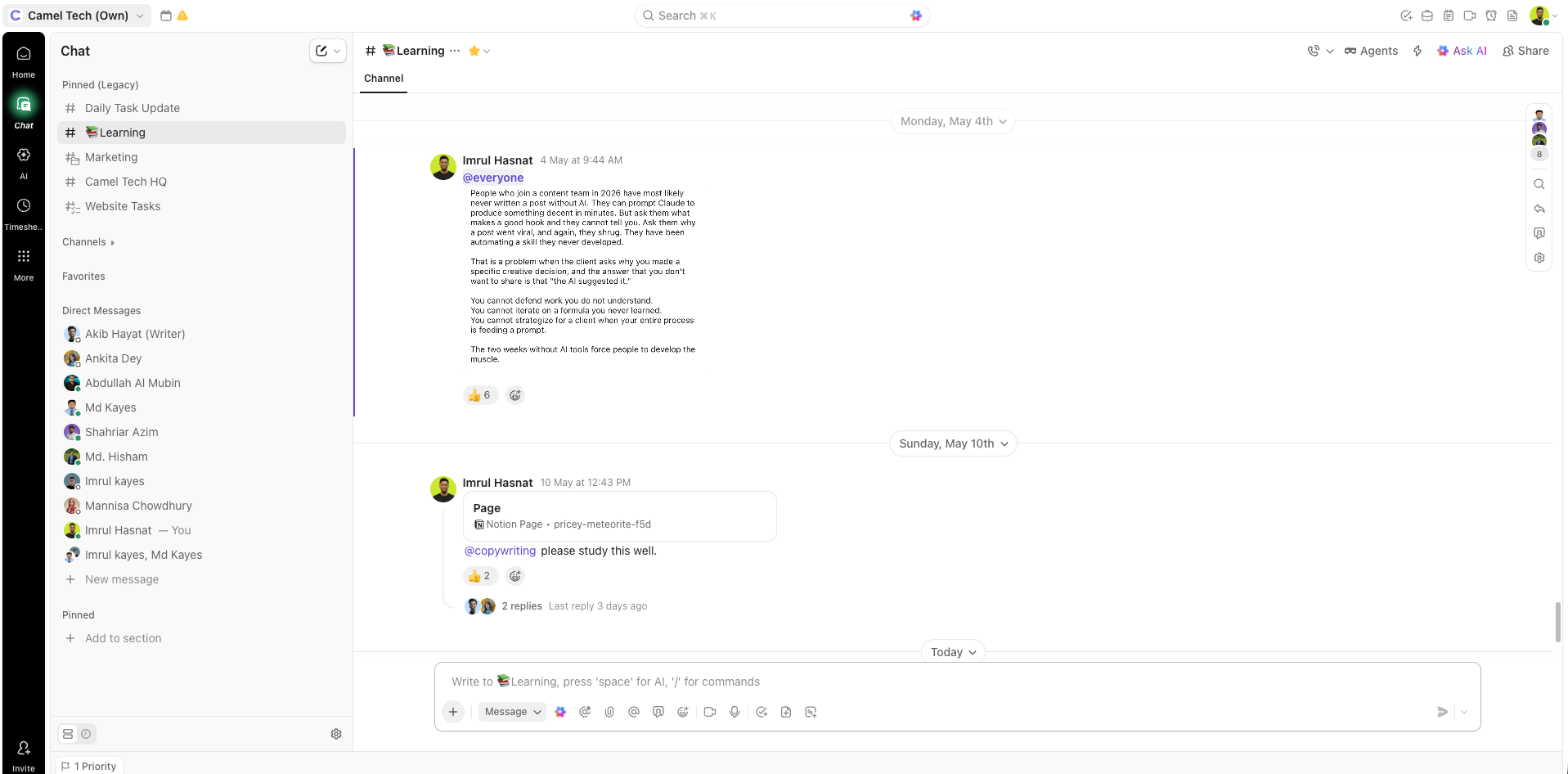
ClickUp’s strategy is to replace Slack entirely; all communication lives inside ClickUp alongside the work.
Notion: Notion’s strategy is the opposite; integrate deeply with Slack rather than replacing it. The Slack AI Connector (Business and Enterprise) gives Notion AI read access to public Slack channels (up to 1 year of history).
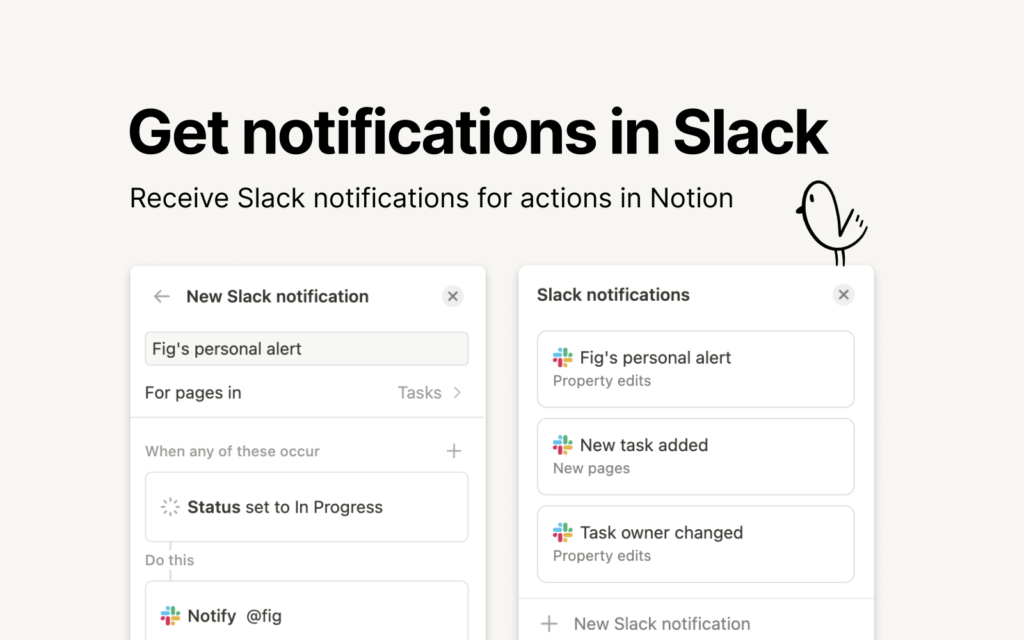
Custom Agents can monitor Slack channels, respond autonomously, route requests, and create Notion pages from messages. Comments on pages support contextual discussion, but there is no dedicated chat feature.
Monday.com: No native chat, video, or calling. Basic email integration exists. Teams need external communication tools.
For a 10-person team, replacing Slack (~$10/user) and Loom (~$10/user) with ClickUp represents ~$200/month in potential savings.
Verdict: ClickUp for full communication consolidation. Notion for deep Slack integration. Monday requires external tools.
MCP and External Tool Connectivity
ClickUp: ClickUp’s MCP server (public beta, all plans) lets external AI tools like ChatGPT, Claude, Cursor, and VS Code interact with your ClickUp workspace data. You can create tasks, search docs, log time, and manage workflows from any MCP-compatible AI tool. However, Connected Search cannot search connected apps through MCP; it only works within the ClickUp workspace. Rate limits: 50 calls/24 hours on Free, 300 on Unlimited and above
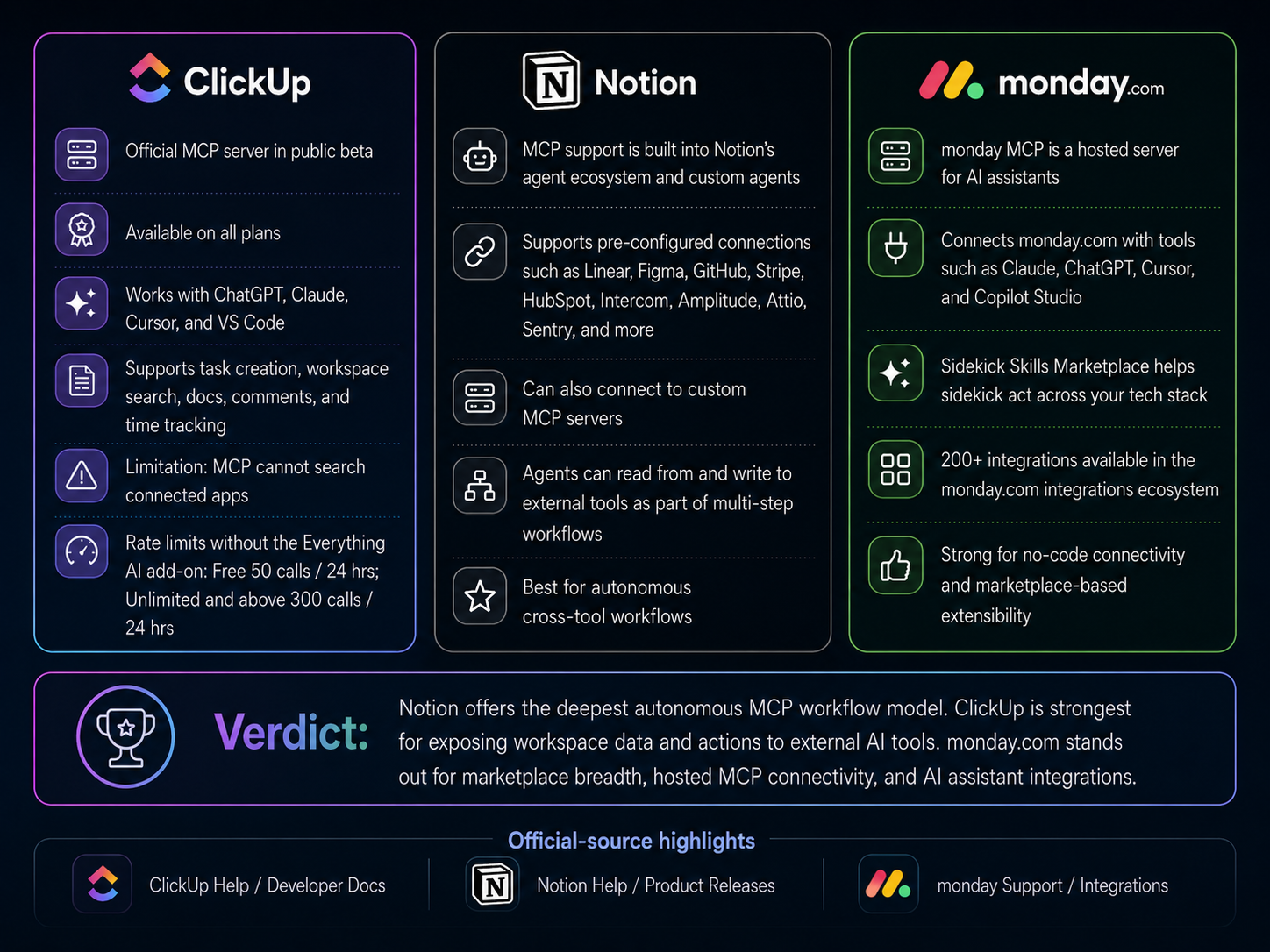
Notion: MCP support is built into Custom Agents. Agents connect to pre-configured integrations, including Linear, Figma, HubSpot, Ramp, Wiz, Stripe, GitHub, Intercom, Amplitude, Attio, and Sentry. You can also connect to any custom MCP server. Agents read from and write to external tools as part of autonomous workflows. Enterprise admins can track MCP activity in audit logs.
Monday.com: Monday’s Claude connector enables direct Claude AI integration inside workflows. The Skills Marketplace lets Sidekick act across your tech stack. App marketplace with 200+ pre-built connectors.
Verdict: Notion’s MCP implementation is the deepest; agents act across external tools autonomously. ClickUp exposes data for external AI tools. Monday connects through its marketplace and Claude integration.
Enterprise Search and Cross-Tool Search
ClickUp: ClickUp’s cross-tool search is officially branded as Connected Search, available inside ClickUp Brain. It searches across ClickUp tasks, Docs, Chat, and connected apps, including Google Drive, Slack, Gmail, SharePoint, Salesforce, Jira, Confluence, GitHub, and Figma.
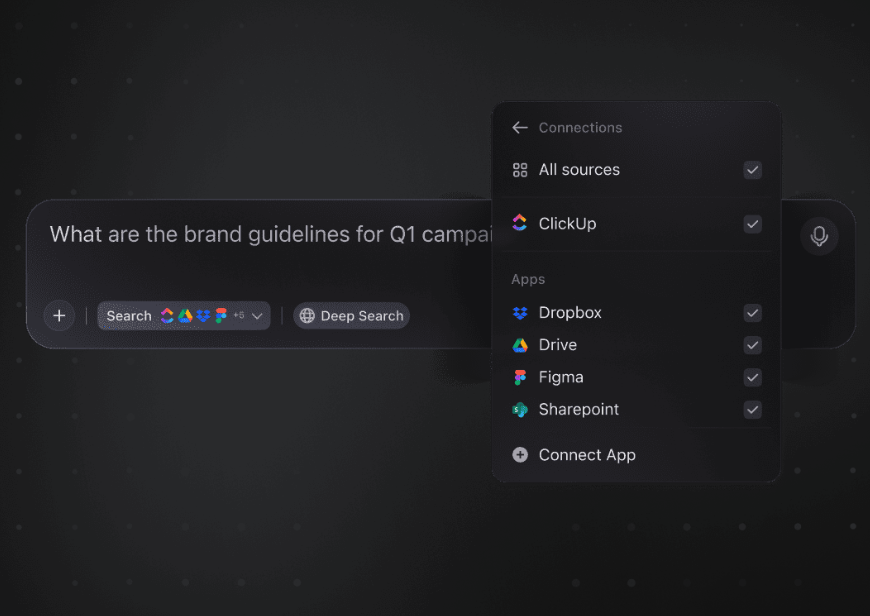
Connected Search uses AI to deliver cited answers across your entire stack from one search bar, with frequent re-indexing to stay current. Brain users get standard Connected Search; Brain Autopilot ($28/user/month) unlocks the full Enterprise Search experience with deeper indexing, broader app coverage, and unlimited queries.
Notion: Notion’s feature is officially called Enterprise Search, available on Business and Enterprise plans and powered by Notion AI through AI Connectors. As of May 2026, native connectors include Slack, Google Drive, GitHub, Jira, Microsoft Teams, OneDrive, SharePoint, Salesforce, and Box (Salesforce and Box added in April 2026).
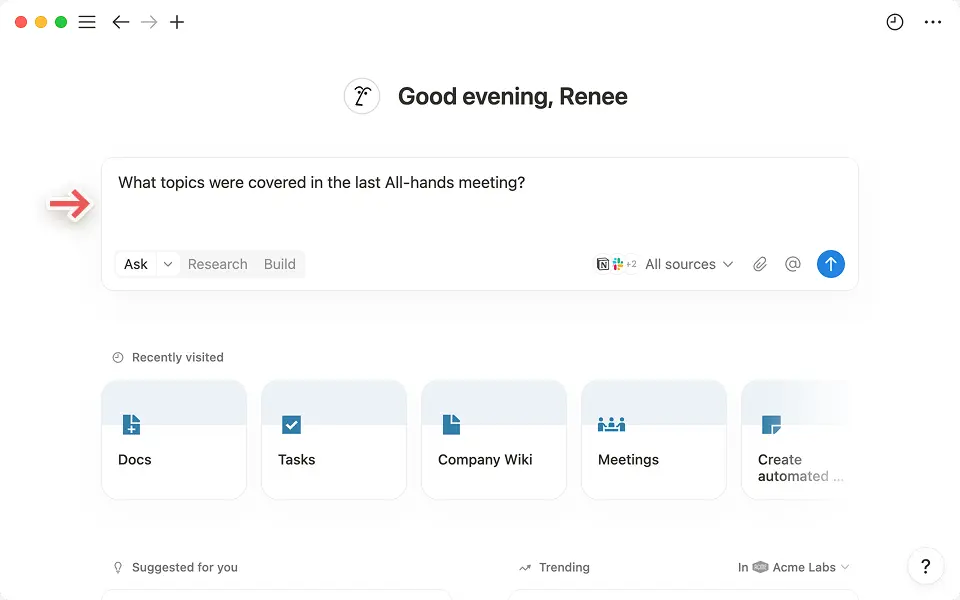
More are rolling out, including Linear, Gmail, and Zendesk. Search results respect each app’s existing permissions, so users only see content they already have access to. Research Mode extends Enterprise Search by synthesizing information from your workspace, connected apps, and the open web into detailed reports. Pages can be marked “Verified” by admins to appear with a blue checkmark in search results, useful for surfacing the most authoritative version of a policy or doc.
Monday.com: Monday does not offer a unified cross-tool search comparable to ClickUp Connected Search or Notion Enterprise Search.
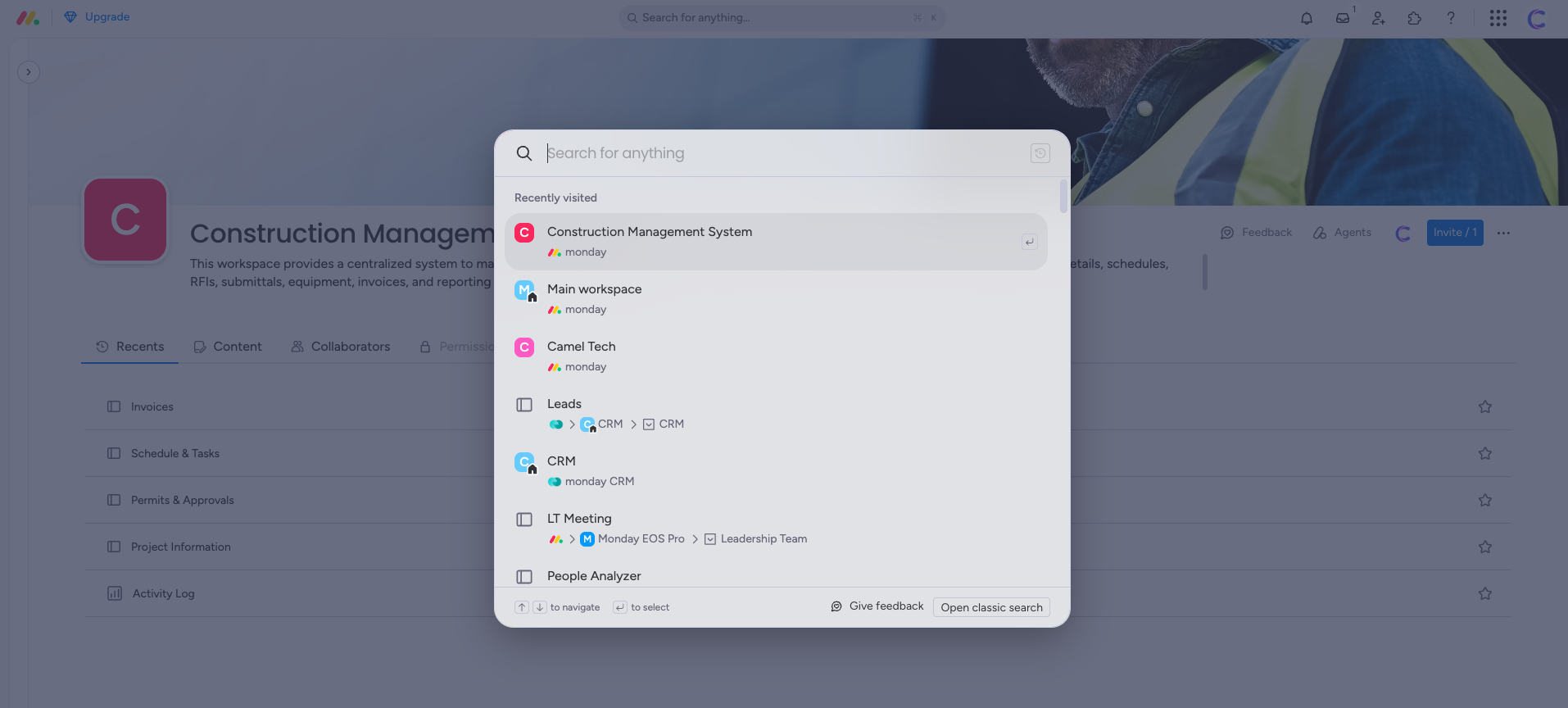
The closest equivalent is AI Document Search, which searches across the full content of documents inside your Monday account (not just file names). Combined with Monday Sidekick and the Skills Marketplace, Sidekick can pull context from connected apps like Slack, Google Workspace, and Microsoft Teams, but this functions as agent-based retrieval rather than a true enterprise search bar. For organizations that need a single search interface across their full tech stack, Monday lags behind both ClickUp and Notion.
Verdict: Notion’s Enterprise Search is the most mature implementation in 2026, with the deepest connector list, permission-aware results, Verified pages, and Research Mode for synthesis. ClickUp’s Connected Search is strong inside Brain and excellent for teams already consolidated on ClickUp as their work hub. Monday lacks a comparable feature; teams needing cross-tool search will need to pair Monday with another tool or rely on Sidekick’s MCP-based retrieval.
Automation
ClickUp: ClickUp supports multi-step custom automation with conditional logic and nested conditions. Its standout exclusive is template date remapping, which automatically adjusts all due dates when you deploy a project template.
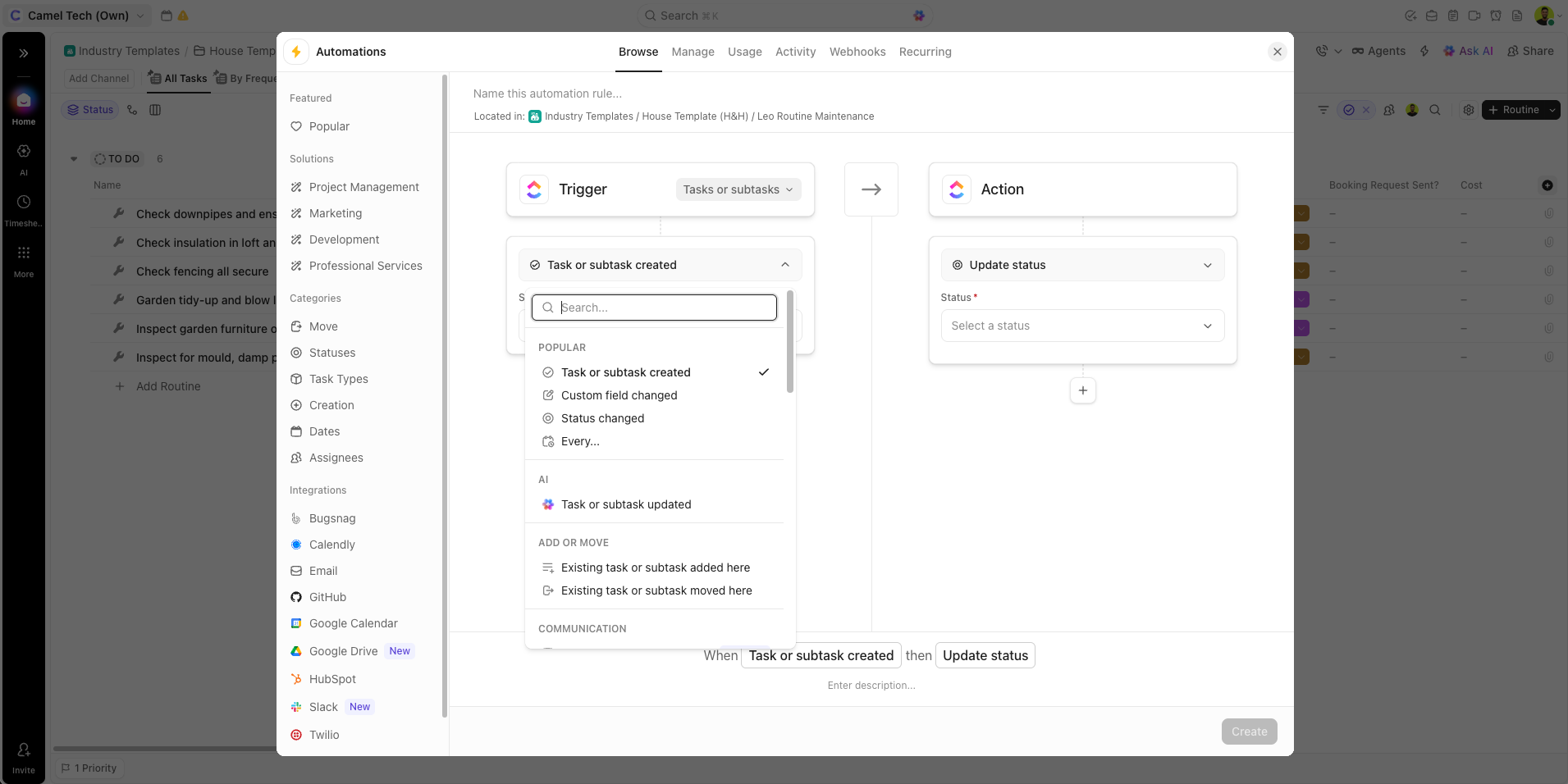
Automation plans are strictly tiered, and all limits reset on the first of every month. Here is the official action limit per plan:
| ClickUp Plan | Actions / Month |
|---|---|
| Free Forever | 100 actions |
| Unlimited | 1,000 actions |
| Business | 5,000 actions |
| Business Plus | 25,000 actions |
| Enterprise | 250,000 actions |
In Reddit threads, enterprise ClickUp users frequently note that the action cap forces them to monitor usage- a hidden limitation not advertised on pricing pages.
Notion: While classic database automations are trigger-action based, Custom Agents (launched February 2026) represent a more flexible, autonomous system. Agents can run on schedules or respond to triggers such as database property changes, Slack mentions, page creation, meetings ending, and can also read and write across Notion, Slack, and Calendar via MCP.
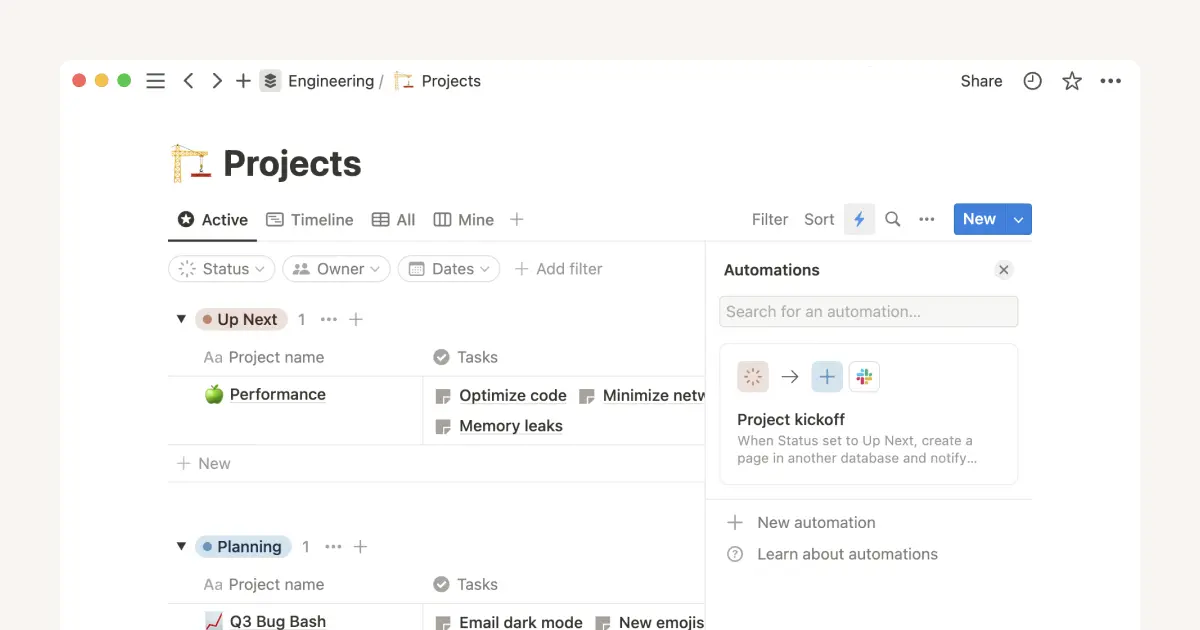
Custom Agents are free to try through May 3, 2026. Over 21,000 Custom Agents were built during beta.
Monday.com: Monday has two automation systems: recipe-style automations (if-then, template-based) and AI Workflows (prompt-based). Both are subject to action limits. The Standard plan’s 250 actions/month (shared between recipes and AI) are often exhausted quickly in active workflows, as confirmed by reviews where a 10-person team burned through their entire limit in just 9 days.
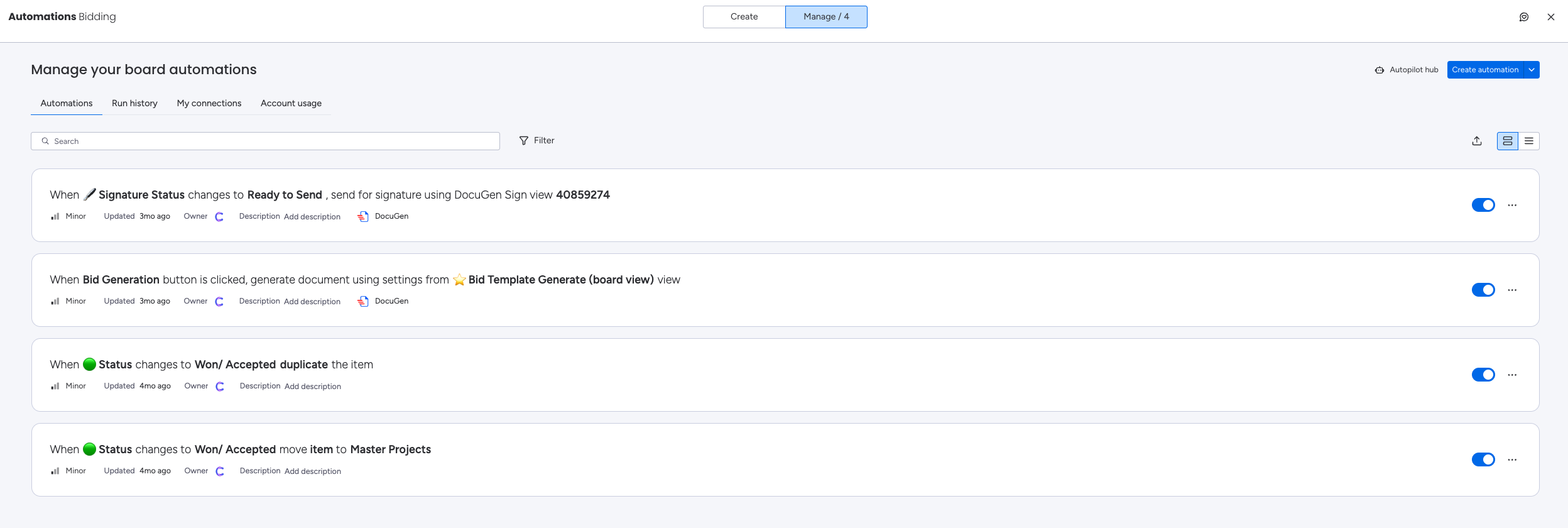
The Pro plan jumps to 25,000 actions/month. Enterprise gets 250,000 actions/month. An AI Workflow consumes 8 AI credits per run and counts toward your monthly automation action limit.
| Plan Tier | ClickUp | Notion | Monday.com |
|---|---|---|---|
| Entry paid | 100 actions/month (Free) | Database automations (Plus) | 0 actions/month (Basic) |
| Mid-tier | 5,000 actions/month (Business) | Agent-based automations (Business) | 250 actions/month (Standard) |
| High tier | 250,000 actions/month (Enterprise) | Credit-based agents | 25,000 actions/month (Pro) |
| Top tier | N/A | N/A | 250,000 actions/month (Enterprise) |
Verdict: Both ClickUp and Monday are great at automation. Notion is good for a basic level of automation.
Reporting and Dashboards
ClickUp: ClickUp offers 50+ widget types: Gantt, burndown, sprint velocity, workload, time reports, and goal progress.
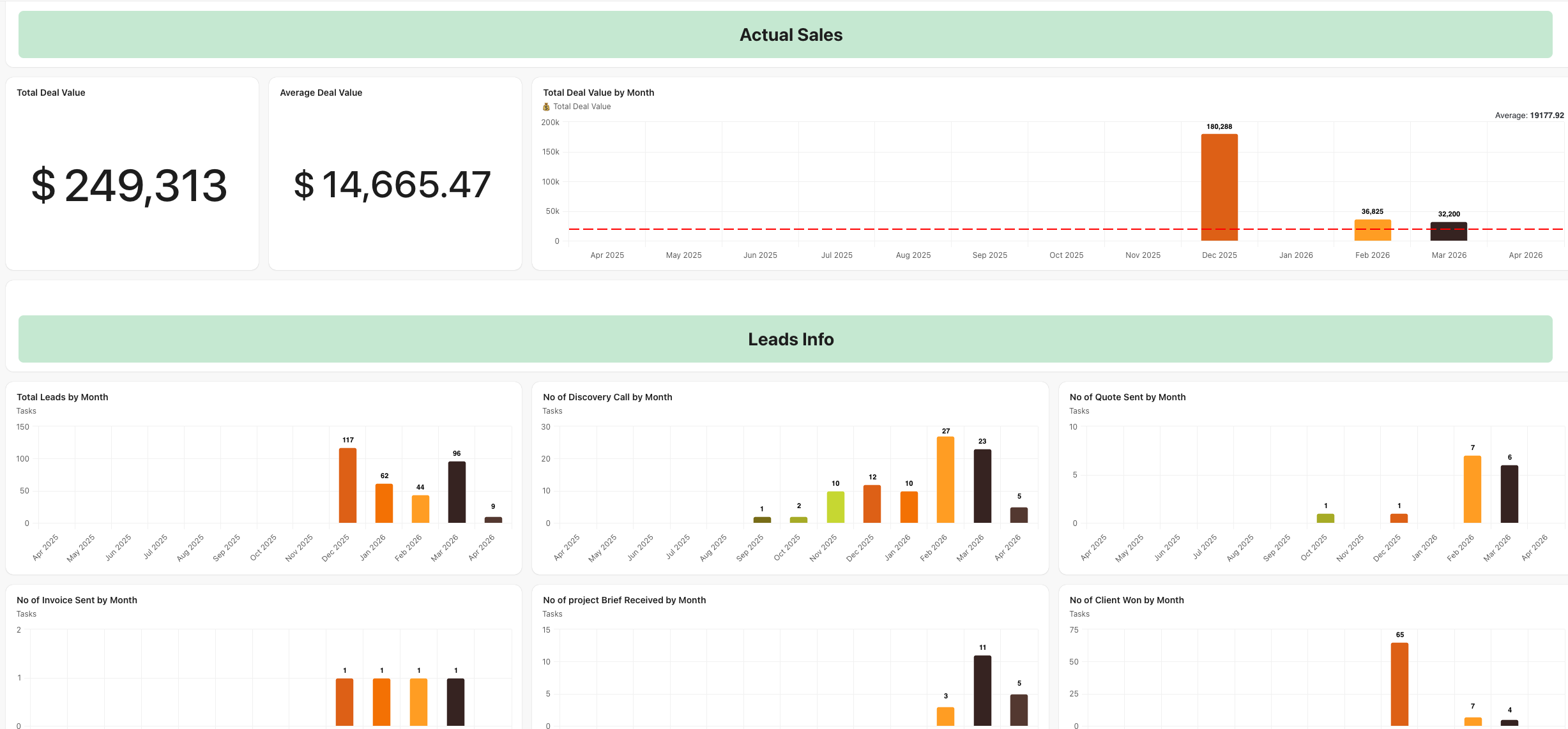
Fully custom, live data across your workspace. You need the Business plan for full dashboard potential.
Notion: Notion dashboards are built from database views. Chart views (bar, donut, line) are available from Plus onward.
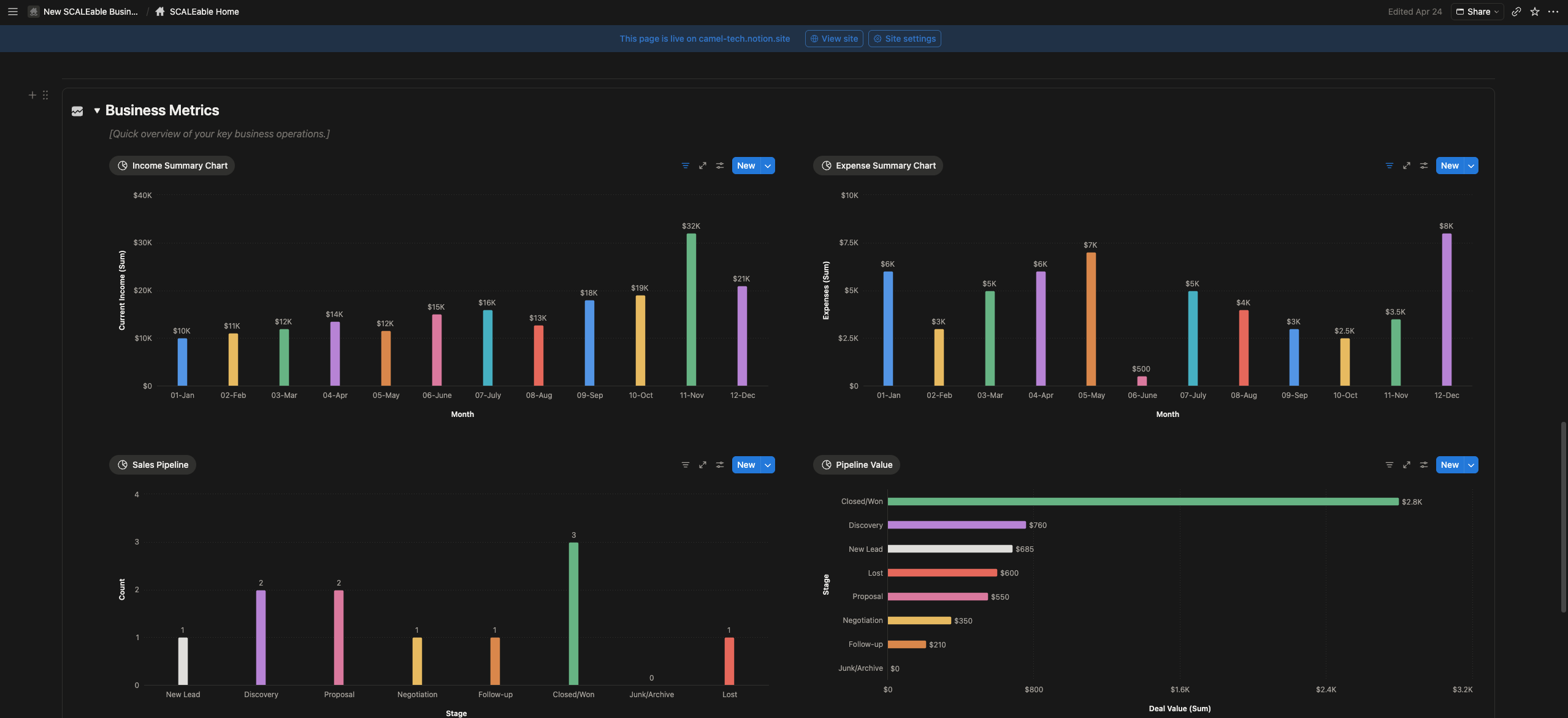
You can build powerful custom dashboards by linking multiple databases, but they require setup and don’t auto‑populate the way dedicated dashboard tools do.
Monday.com: Monday’s dashboards are widely considered the best among the three. Users consistently praise the ability to pull widgets from multiple boards into a single view, with chart widgets that aggregate data automatically.
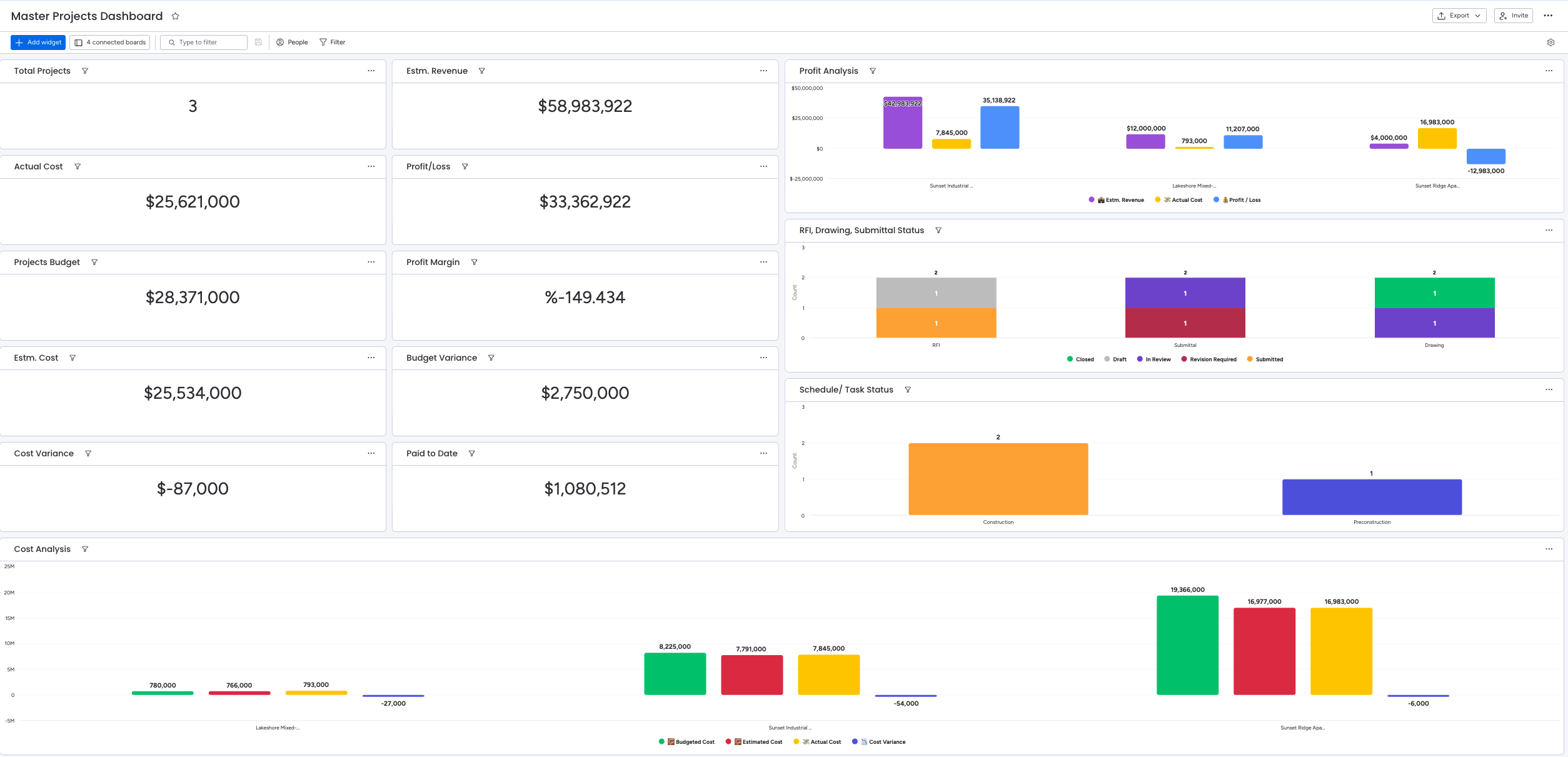
The AI‑powered portfolio risk detection scans hundreds of projects to flag bottlenecks, budget overruns, and timeline slips before they happen, generating an executive summary, project health pie charts, and daily risk reports.
One operations manager noted:
“Monday lets me see the health of every project on one screen. In Asana, I had to click through six projects and piece together the picture in my head.” However, dashboard board limits apply by plan: 1 board on Basic, 5 on Standard, 20 on Pro, 50 on Enterprise. A few users on Reddit have pointed out the inability to export whiteboards as PDFs and limited mobile whiteboard support as minor blockers.
| Plan Tier | ClickUp | Notion | Monday.com |
|---|---|---|---|
| Entry paid | Basic widgets (Unlimited) | Chart views (Plus) | 1 board (Basic) |
| Mid-tier | Full dashboards (Business) | Linked database views (Business) | 5 boards (Standard) |
| High tier | Enterprise reporting | Credit-based chart add-ons | 20 boards (Pro) |
| Top tier | N/A | N/A | 50 boards (Enterprise) |
Verdict: ClickUp for deep operational metrics. Notion for flexible, build‑it‑yourself dashboards. Monday for AI‑powered, cross‑board visual reporting – the clear leader for client‑facing and portfolio dashboards.
Calendar Integration and Scheduling
ClickUp: Calendar views for tasks with external calendar sync (Google Calendar, Outlook). AI Planner (new in 4.0) auto-schedules your day based on tasks, deadlines, and your calendar.
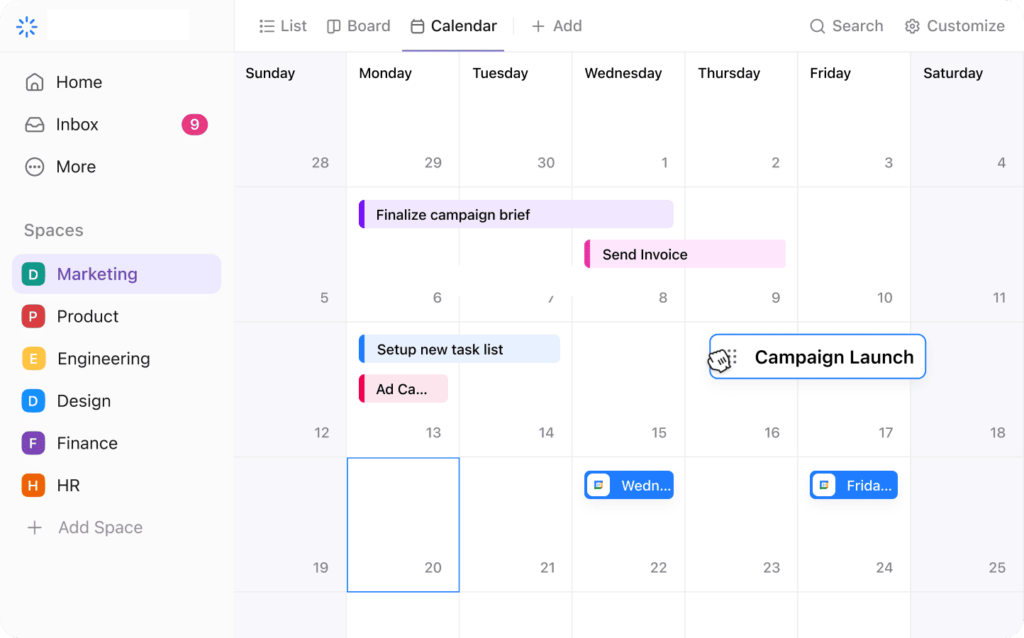
No standalone calendar product.
Notion: Notion Calendar is a dedicated, standalone calendar app with two-way Google Calendar sync. Notion Mail integrates with Calendar for scheduling directly from emails; AI checks your calendar, suggests free times, and proposes meetings.
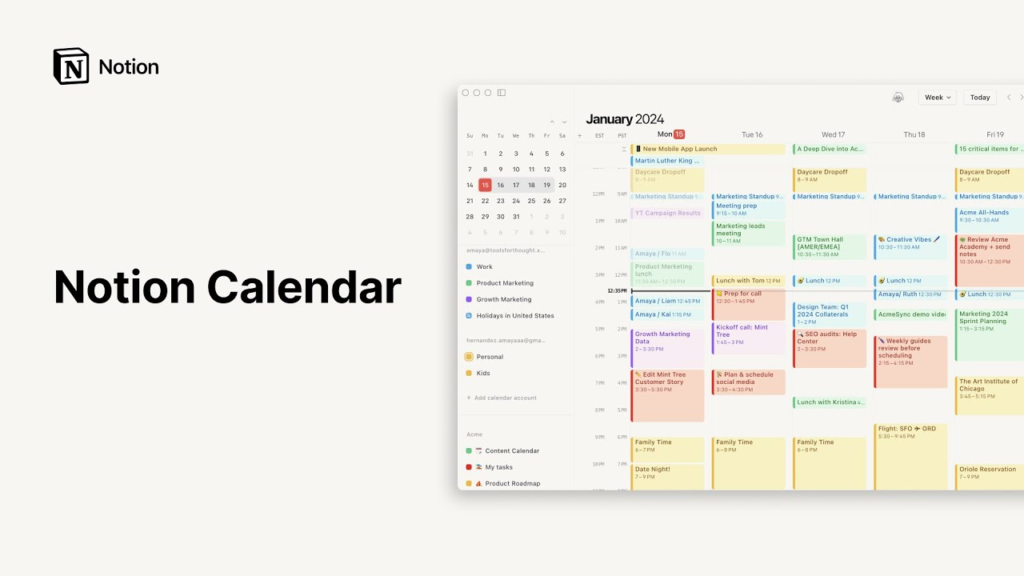
Custom Agents can access Calendar to view schedules, find meeting times across participants, and create or update events. AI Meeting Notes transcribes calls and auto-drafts follow-up emails via Notion Mail.
Monday.com: Calendar view for visualizing tasks and deadlines.
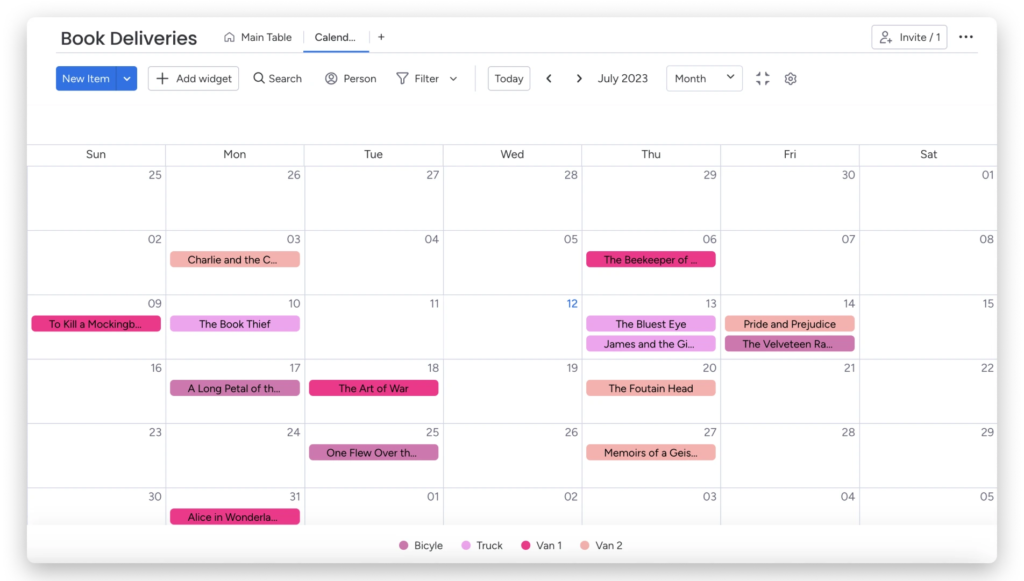
External calendar sync available. No standalone calendar product.
Verdict: Notion’s calendar ecosystem is the most complete; standalone app, email integration, and agent access. ClickUp’s AI Planner is a strong scheduling feature. Monday’s calendar view is basic but functional.
Desktop and Mobile App
ClickUp: Available on web, desktop (Mac/Windows), and mobile (iOS/Android). Desktop mirrors the web experience. Mobile has improved with 4.0, but it still feels heavier than its competitors. Offline mode works across all platforms; a genuine advantage for field teams. Despite early 4.0 migration friction, ClickUp responded by adding Customizable Home Sidebar sections and the ability to pin frequently used items. Most post‑migration user feedback on Reddit now leans positive.
Notion: Available on web, desktop (Mac/Windows), and mobile (iOS/Android). The desktop is clean and fast. Mobile received major upgrades in January 2026; Custom Agents now work on mobile, and AI Notetaker runs in the background even when you switch apps or lock your screen. Also has Notion Calendar and Notion Mail as separate apps. Offline mode available on desktop and mobile with page-level downloads.
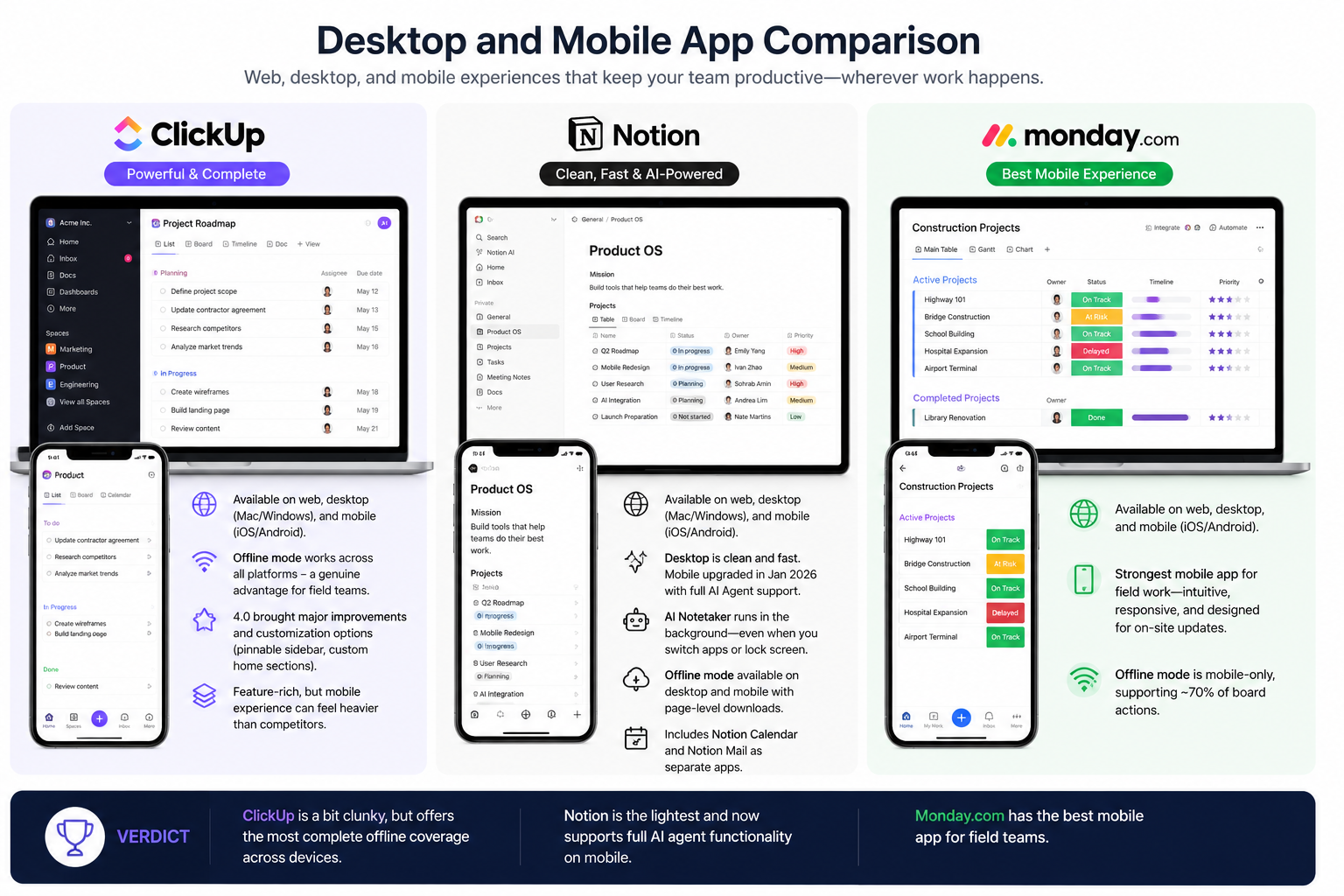
Monday.com: Available on web, desktop, and mobile. The mobile app is the strongest of the three for field work; intuitive, responsive, and well-designed for on-site updates. Offline mode is mobile-only, supporting roughly 70% of board actions.
Verdict: Monday has the best mobile app. Notion is the lightest and now supports full AI agent functionality on mobile. The ClickUp app is a bit clunky, but it offers the most complete offline coverage across devices.
CRM
ClickUp: No native CRM. However, you can manually build a functioning system using custom fields, task lists, custom statuses, and relationships. Leads become tasks, deal stages become statuses.
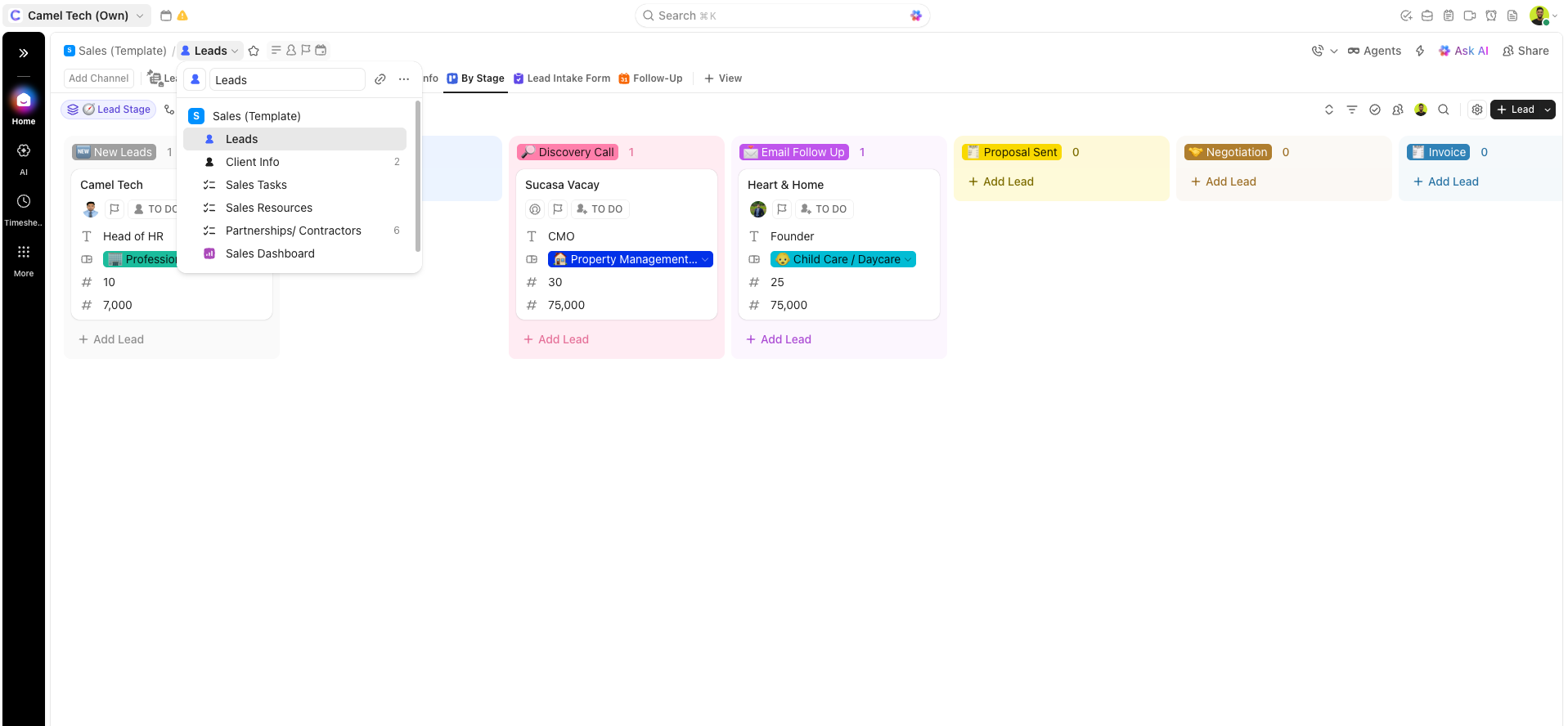
Works best for solopreneurs and small teams who want everything inside their existing work hub.
Notion: No native CRM. But with databases, relations, rollups, and views, you can construct a lightweight system to track contacts, companies, and deals. Powerful and flexible, but requires significant manual setup and maintenance.
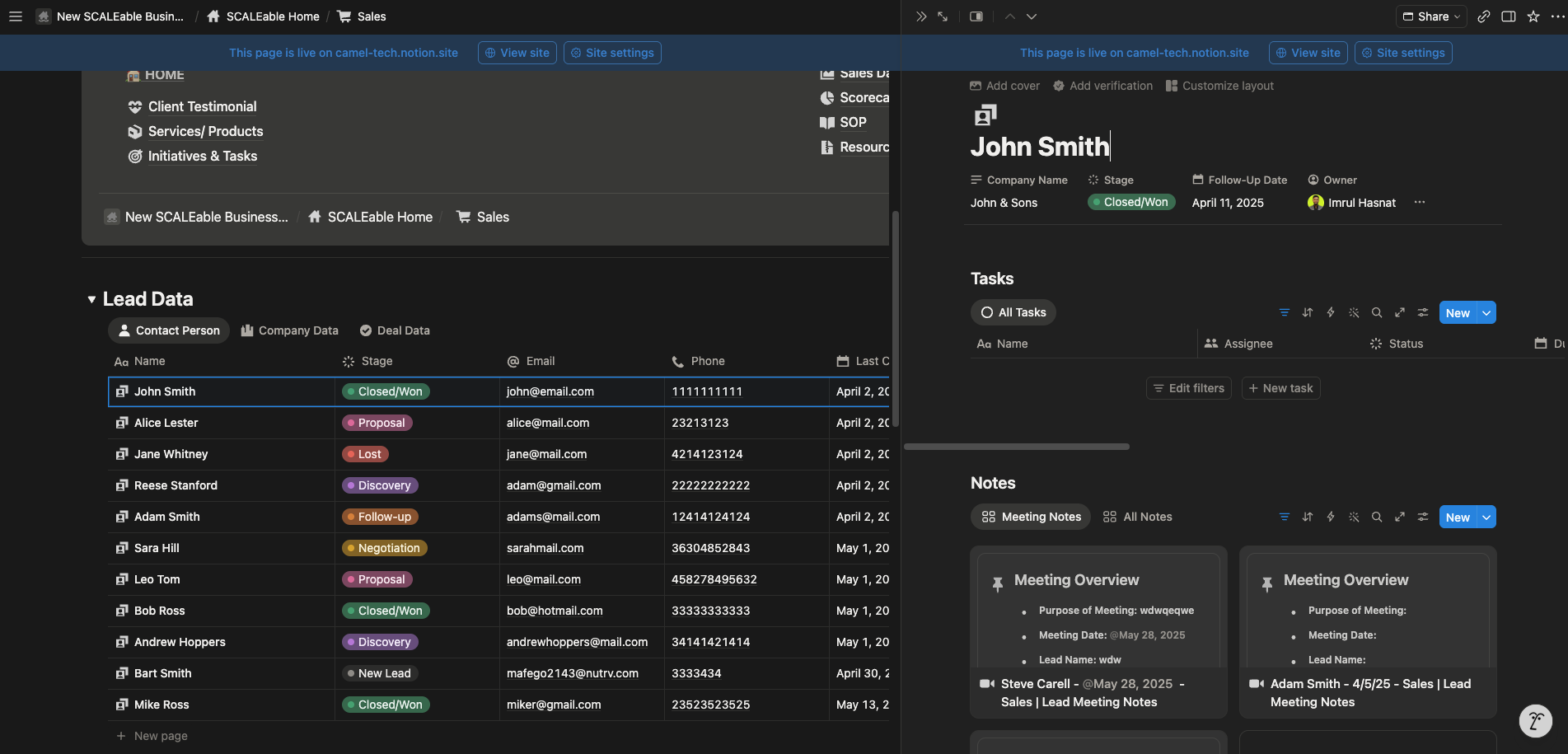
Works well for small operations, but advanced sales features are missing.
Monday CRM: Full, purpose-built sales platform with out-of-the-box pipelines, contact management, deal tracking with email sequences, and AI-powered prospecting agents.
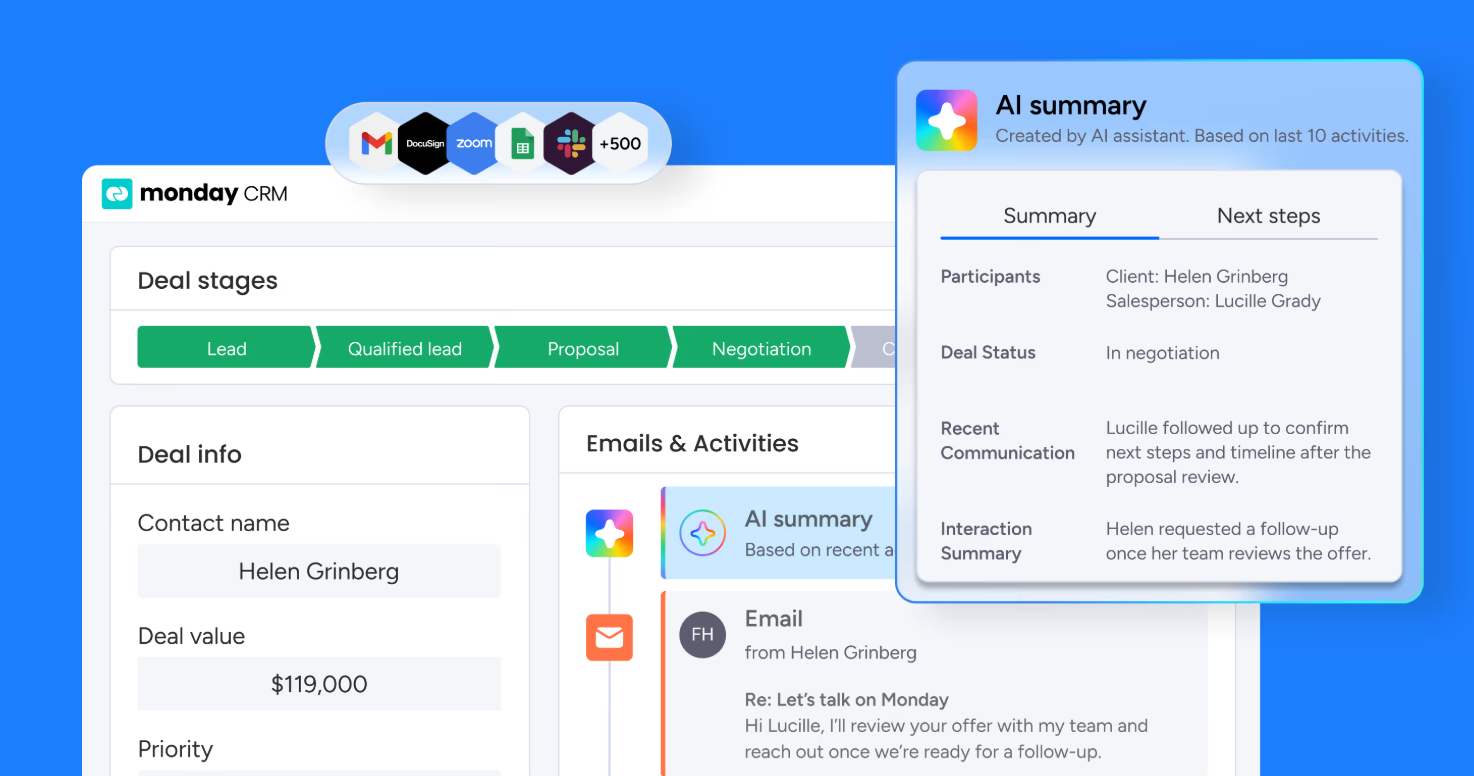
AI sales features include next-best-action suggestions, revenue intelligence, lead management, and automated association of contacts to companies.
Verdict: Monday wins for active, scaling sales teams that need a dedicated CRM with built-in automation and AI. Notion and ClickUp are viable for small teams willing to build and maintain their own lightweight system manually, but neither offers the native sales depth of Monday.
Views and Structure
ClickUp: 15+ native views; List, Board, Gantt, Timeline, Workload (redesigned in 4.0, excellent for capacity planning), Calendar, Map, Mind Map, Whiteboard, Embed, Chart, Team, Activity, Dashboard, Doc. Most are fully customizable.
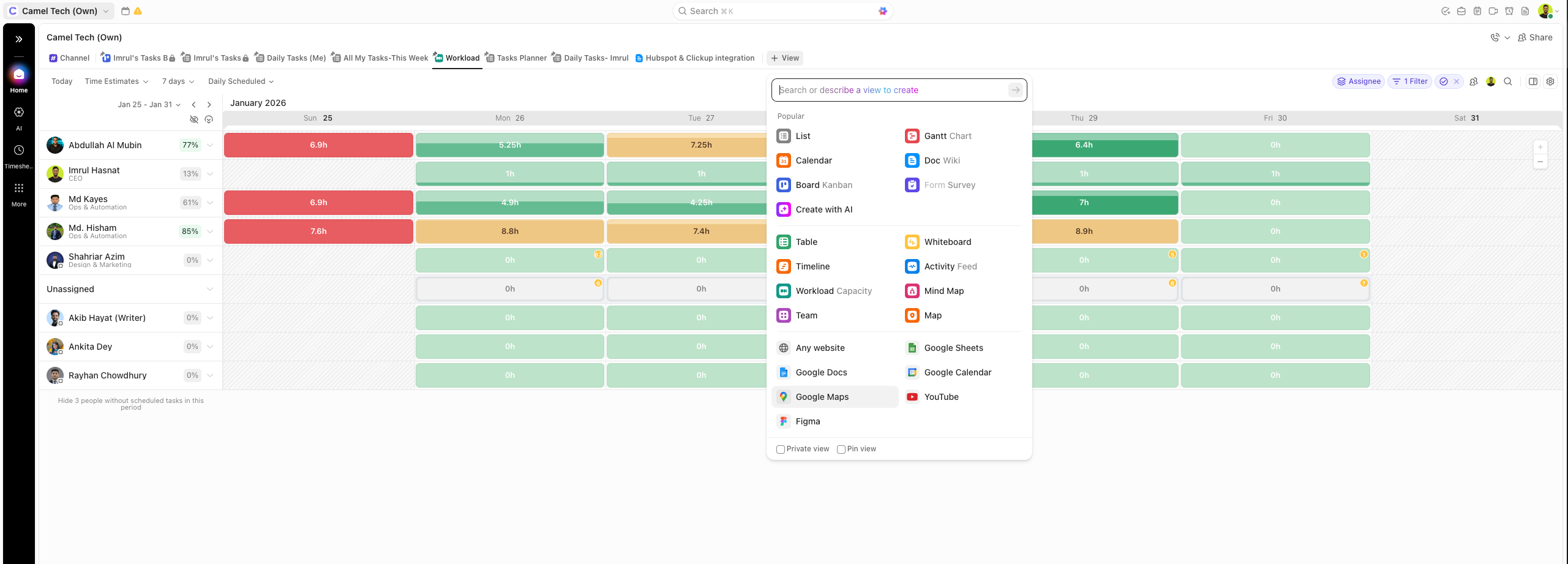
The Workload view is a particular standout for capacity planning.
Notion: Notion has significantly expanded its view arsenal. It now supports: Dashboard, Board (Kanban), Calendar, Gallery, Timeline, List, Table, Form, Chart, and Map. The new Dashboard Views (March 2026) allow you to combine multiple views, KPIs, and metrics into a single glanceable “control panel” directly on a database. You can even describe your desired dashboard to your Notion Agent, which will build it for you.
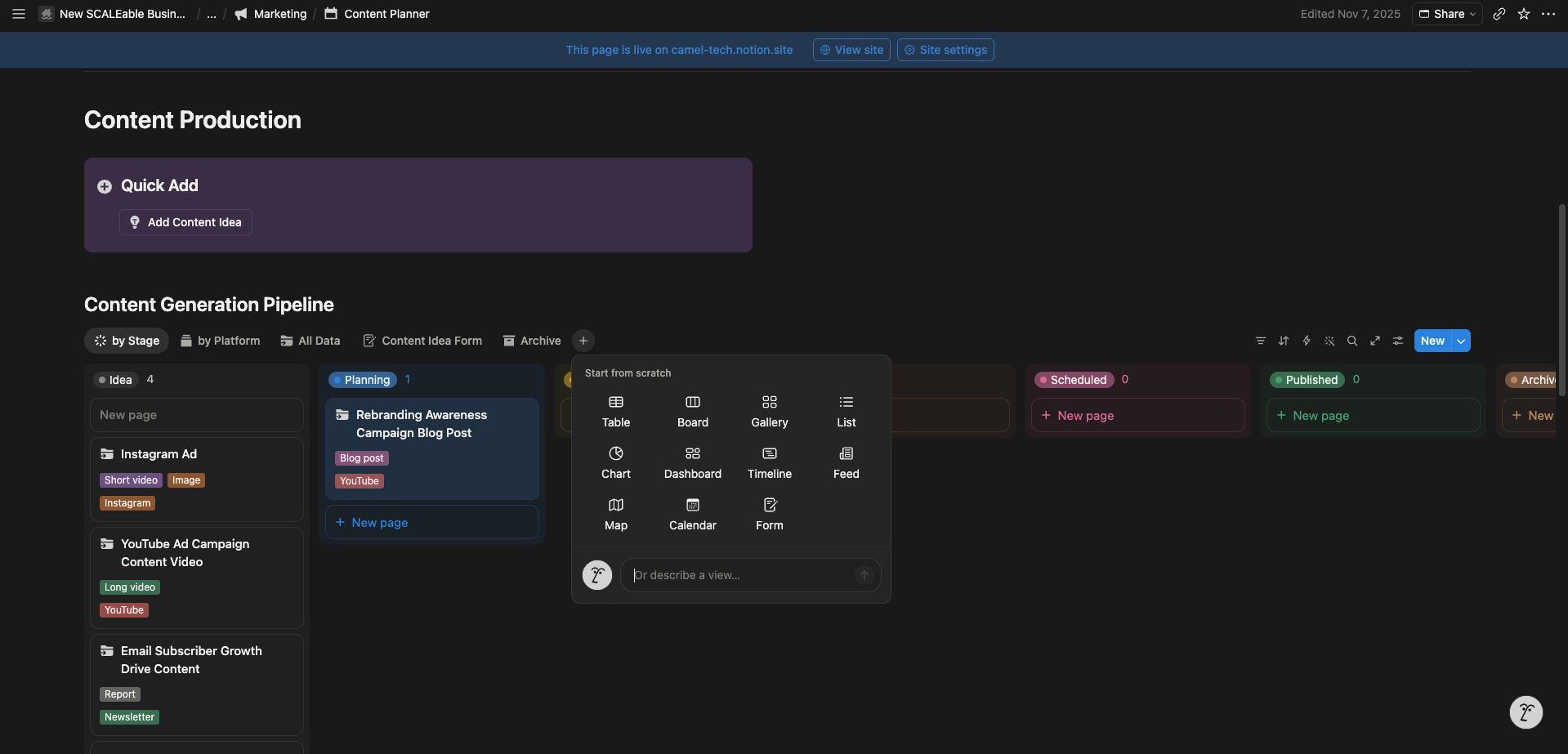
While still highly flexible, Notion’s core views (Table, Board, etc.) remain less deeply configurable for complex project management than ClickUp’s.
Monday.com: 8+ native views; Main (Board), Customizable view (AI-powered), Timeline, Gantt, Calendar, Map, Chart (can now be AI-generated), Workload (Pro only), Form view. You can now create new board views by describing them in natural language with the
? command.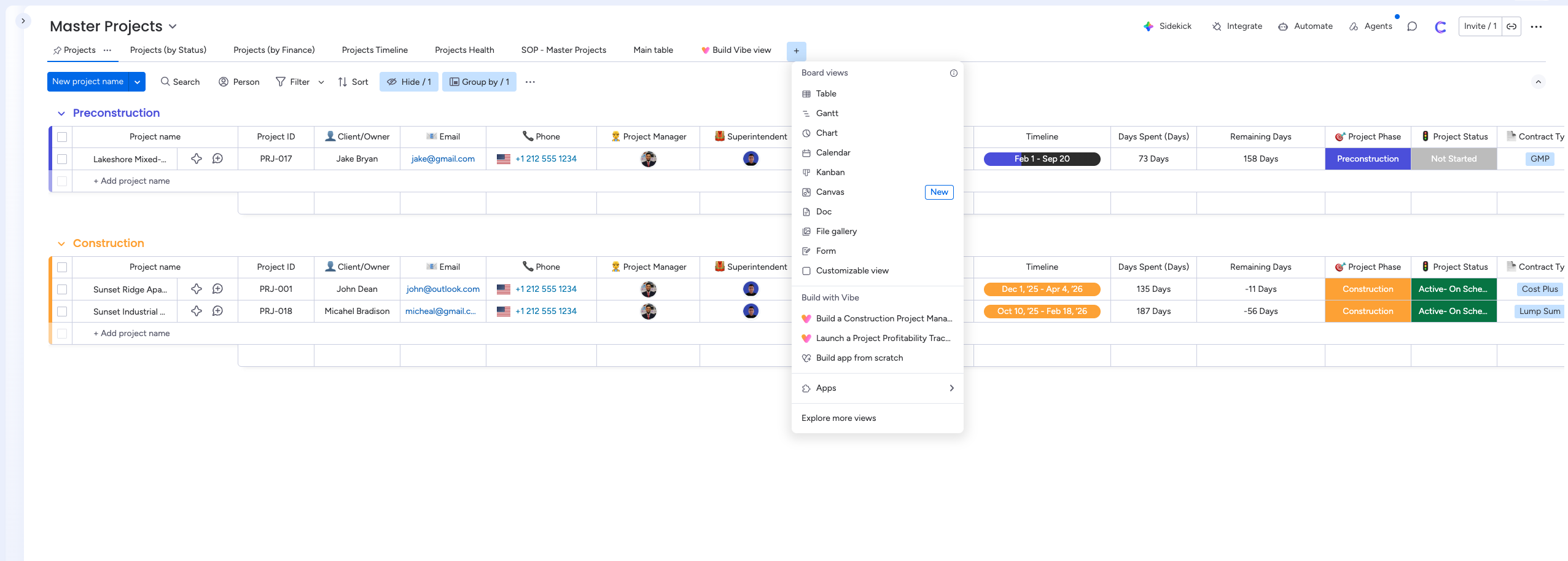
This feature is available on Enterprise and Pro accounts that have AI enabled. The Workload view remains a Pro‑only feature.
| Plan Tier | ClickUp | Notion | Monday.com |
|---|---|---|---|
| Entry | All standard views (Free/Unlimited) | Table, Board, Calendar, Gallery, List (Plus) | 8+ base views (Basic/Standard) |
| Mid-tier | +Workload, Timeline (Business) | +Dashboard, Form, Chart, Map (Business/Enterprise) | +Gantt, Timeline, Workload (Pro) |
| High tier | All 15+ views (Enterprise) | Database Dashboard views + AI view creation | AI-powered view builder (Enterprise) |
Verdict: ClickUp has the highest number of views and deepest customization, ideal for complex project tracking. Notion is now far more than “project-management-lite,” thanks to its new Dashboard Views and expanded toolkit, offering the most flexible building blocks for custom data control panels. Monday.com remains the fastest to configure, especially with its new AI-powered view builder, but its view variety is the most limited.
Guest Access and External Collaboration
ClickUp: ClickUp has two types of external users: View‑only guests are free and unlimited on all plans. Permission‑controlled guests (who can edit, comment, or approve) have seat limits that scale with your paid members.
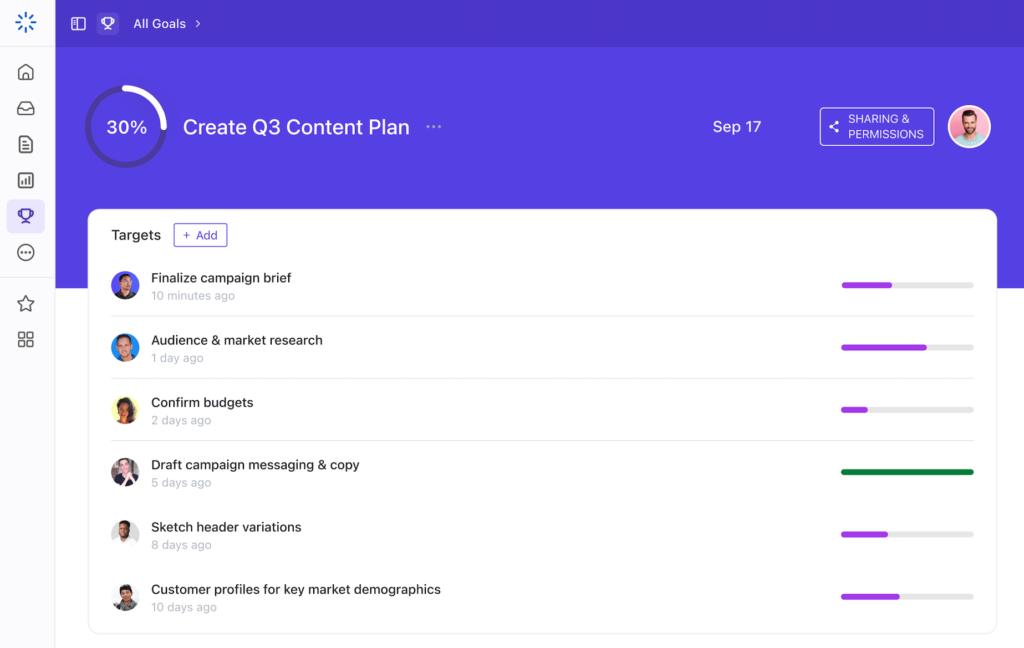
Each paid plan includes a specific number of permission‑controlled guest seats: for example, Business includes 10 base guest seats plus 5 additional per paid member. If you exceed this limit, ClickUp automatically adds a paid member seat and charges you. People using your company’s email domain or SSO are automatically converted to Limited Members (paid seats) regardless of your intended access level. Guests cannot be invited to Spaces, only to Folders, Lists, tasks, Docs, and Dashboards. In ClickUp 4.0, guests can no longer create new Docs in Docs Hub by default (a change from pre‑4.0 behavior), though they can still view and edit existing Docs. A fix exists: guests can create new docs if they have Edit permissions AND the ‘Create Views’ permission is enabled.
Notion: Notion has the simplest guest model. Guests are completely free on all plans and never count toward paid seats. They can only access specific pages to which they are invited. Guest limits: 10 guests on Free, unlimited on Plus, Business, and Enterprise. Since mid‑2025, Plus ($10/user/month) has supported unlimited guests – a major change for small teams.
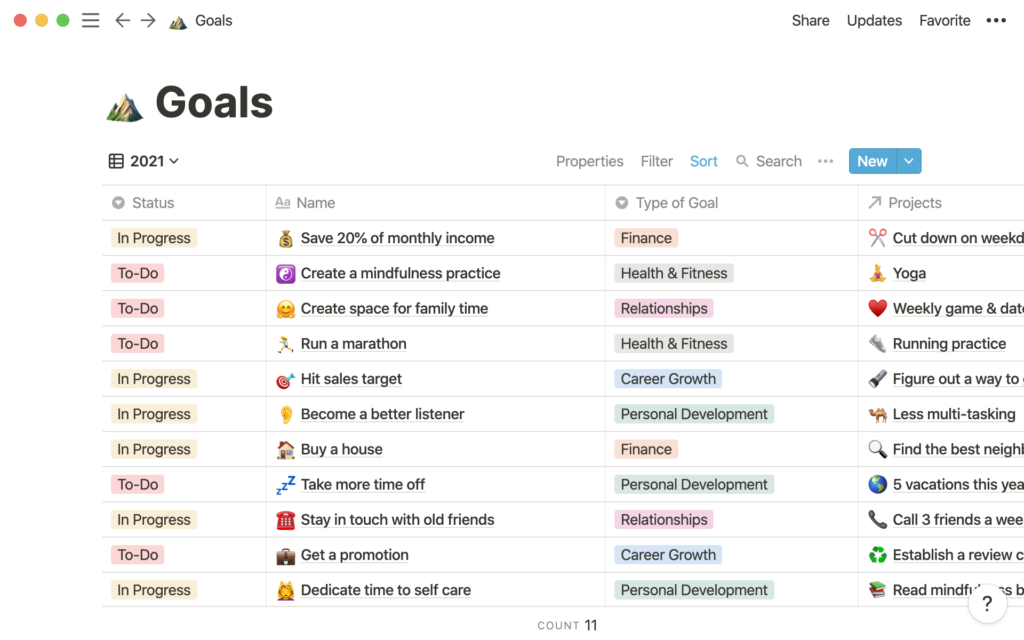
Business and Enterprise add advanced guest controls such as granular permissions and private teamspaces. No billing surprises.
Monday.com: Monday distinguishes between Viewers (read‑only) and Guests (editors). Viewers are unlimited and free on all paid plans.
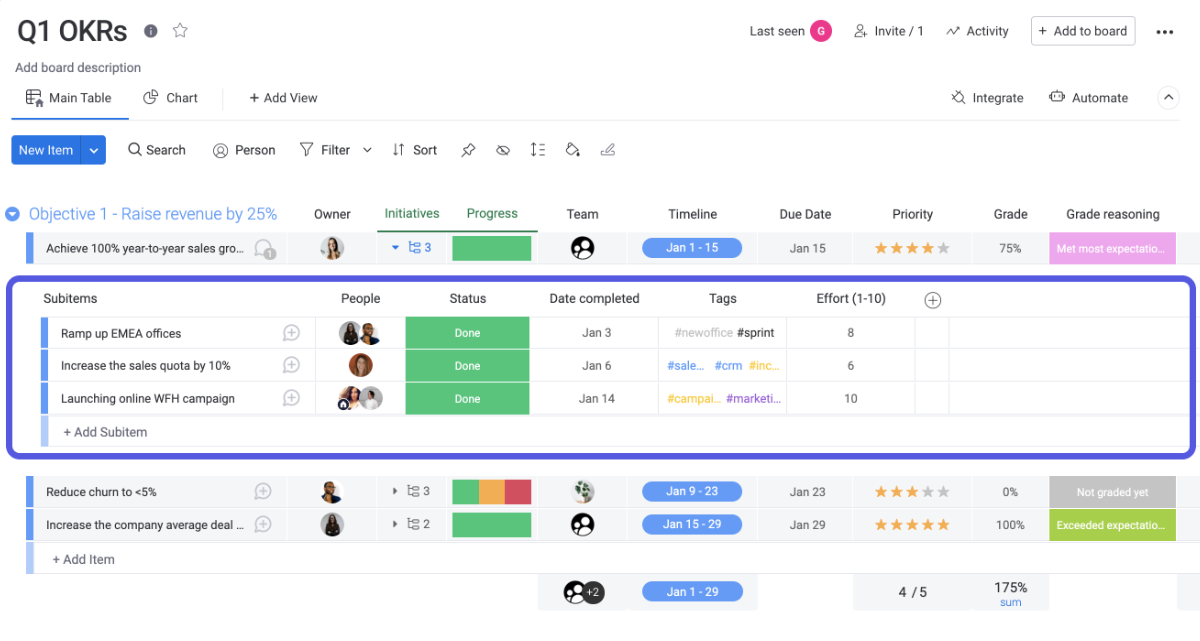
Monday AI can generate tasks from goals.
Verdict: ClickUp wins for native, zero-setup goal tracking.
Guest Access and External Collaboration
ClickUp: ClickUp has two types of external users: View‑only guests are free and unlimited on all plans. Permission‑controlled guests (who can edit, comment, or approve) have seat limits that scale with your paid members.
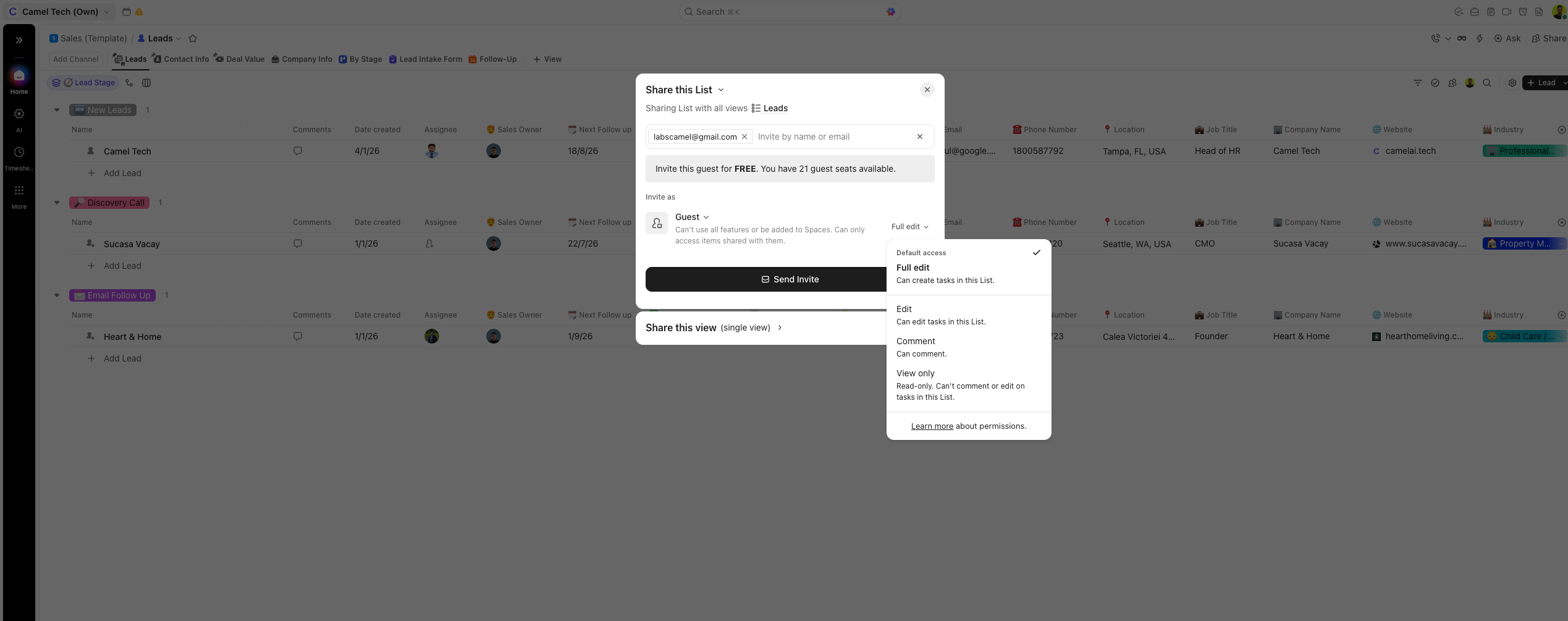
Each paid plan includes a specific number of permission‑controlled guest seats: for example, Business includes 10 base guest seats plus 5 additional per paid member. If you exceed this limit, ClickUp automatically adds a paid member seat and charges you. People using your company’s email domain or SSO are automatically converted to Limited Members (paid seats) regardless of your intended access level. Guests cannot be invited to Spaces, only to Folders, Lists, tasks, Docs, and Dashboards. In ClickUp 4.0, guests can no longer create new Docs in Docs Hub by default (a change from pre‑4.0 behavior), though they can still view and edit existing Docs. A fix exists: guests can create new docs if they have Edit permissions AND the ‘Create Views’ permission is enabled.
Notion: Notion has the simplest guest model. Guests are completely free on all plans and never count toward paid seats. They can only access specific pages to which they are invited. Guest limits: 10 guests on Free, unlimited on Plus, Business, and Enterprise. Since mid‑2025, Plus ($10/user/month) has supported unlimited guests – a major change for small teams.
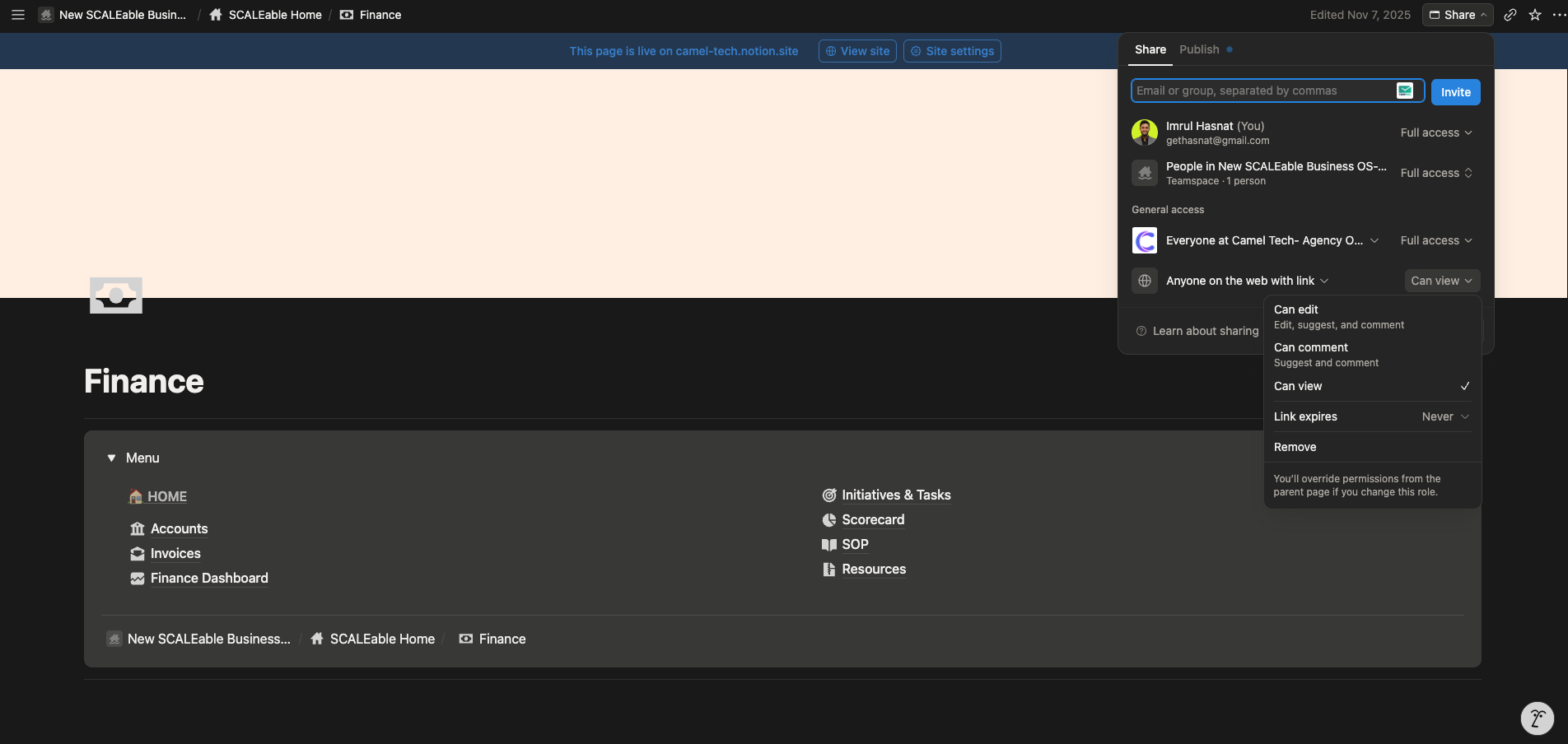
Business and Enterprise add advanced guest controls such as granular permissions and private teamspaces. No billing surprises.
Monday.com: Monday distinguishes between Viewers (read‑only) and Guests (editors). Viewers are unlimited and free on all paid plans.
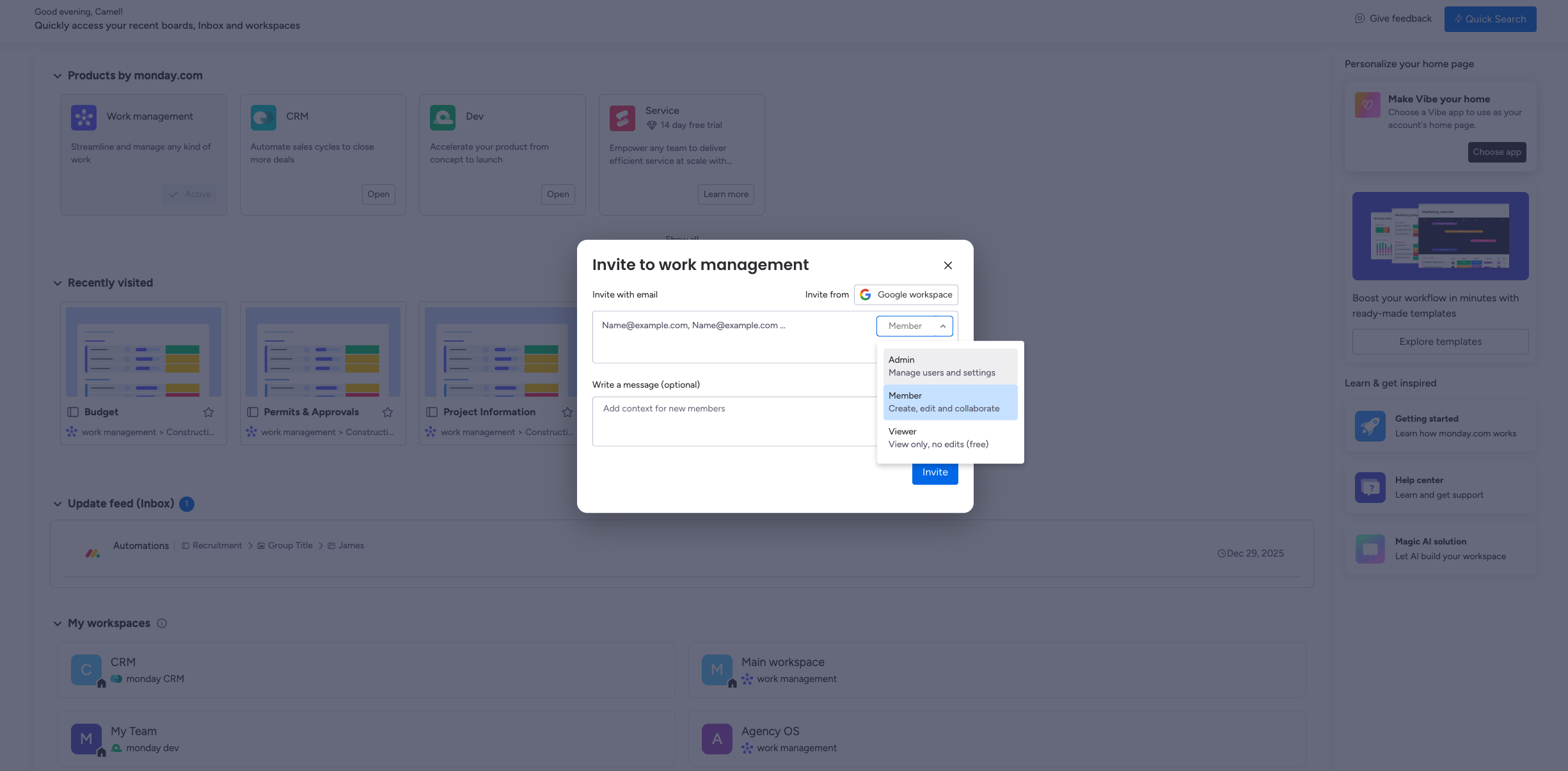
Guest access starts on the Standard plan – not available on Basic. On Standard, you get 3 guests free; after that, every 4 guests count as 1 paid seat (4:1 ratio). For example, 4 guests consume 1 seat, 8 guests consume 2 seats, etc. On Pro and Enterprise, guests are unlimited at no extra cost. Guests can only be added to Shareable Boards, not Main or Private boards, and must use an email domain different from the account admin’s organization. Auto‑upgrade rules apply: if total usage exceeds your seat limit, your account is automatically upgraded to the next tier, with two email notifications beforehand.
Verdict: Notion has the simplest and most generous guest model – unlimited guests on all paid plans, no billing surprises. Monday Pro/Enterprise also offers unlimited guests, but Standard users face a 4:1 billing ratio. ClickUp gives granular control over guest permissions, but the auto‑conversion to paid seats for internal‑domain guests and the post‑4.0 Doc creation restrictions can catch teams off guard.
Beyond the Features: Security, Support, Offline Access
Security
All three platforms encrypt data and comply with GDPR. All offer HIPAA compliance on Enterprise plans.
ClickUp hosts on AWS. Monday hosts across AWS, Azure, and Google Cloud (also covers CCPA). Notion hosts on AWS with zero data retention with LLM providers on Enterprise.
None of the three train AI models on your workspace data. Notion and ClickUp both have contractual agreements with AI providers explicitly prohibiting it.
Customer Support
ClickUp: 24/7 chatbot with human support 5 am-7 pm PST. Response times can exceed 24 hours. Enterprise includes priority support and a dedicated success manager.
Notion: Email support with response times of 24-48 hours. The community forum is active. Enterprise gets a dedicated customer success manager and priority support.
Monday.com: 24/7 email and chat support on all paid plans. Enterprise gets a 99.9% uptime SLA with a 30-minute response for critical errors.
Offline Access
ClickUp: Offline mode on all plans across web, desktop, and mobile. Subtasks cannot be created offline, but core task management works.
Notion: Offline mode available on desktop and mobile apps. You can choose specific pages to download for offline use. Strong for note-taking and document access; database syncing has limitations.
Monday.com: Offline mode on mobile only, supporting roughly 70% of board actions. Desktop and web do not work offline.
Permissions
ClickUp: Four roles (Owner, Admin, Member, Guest) with granular permissions at every hierarchy level; Folder, List, task, view, Doc, Dashboard, and Goal. Custom roles on Business Plus and Enterprise.
Notion: Page-level sharing with role-based access (Editor, Commenter, Viewer) and database row-level permissions on Business and above. Private teamspaces require a business plan. Guest limits: 10 on Free, unlimited on paid plans.
Monday.com: Three main roles (Admin, Member, Guest). Enterprise unlocks advanced Board Roles for granular control. Pro and Enterprise offer unlimited guests at no extra cost.
The AI Battle: Brain vs. Notion Agents vs. Monday Sidekick
ClickUp Brain - A Layered Agent Ecosystem
Brain AI (~$9/user/month add-on): Connects to your entire workspace; every task, doc, comment, and person. Ask anything in plain language, surface cited answers in seconds. Includes AI Notetaker (Zoom, Teams, Google Meet, SyncUps), AI Custom Fields, and AI Writer.
Brain Autopilot ($28/user/month): Unlimited automations, unlimited agents, Enterprise Search, unlimited Notetaker.
Super Agents: AI workers that appear as actual users in your workspace. @mentionable, assignable, schedulable, configurable with 500+ skills. Episodic, short-term, and long-term memory.
2,000+ running in ClickUp’s founder’s workspace.
Other features: BrainGPT (standalone app, Talk-to-Text), multi-model access (GPT-5, Claude Opus, o3, o1-mini), Connected Search (Gmail, Drive, Slack), MCP support, Codegen Agent for dev teams.
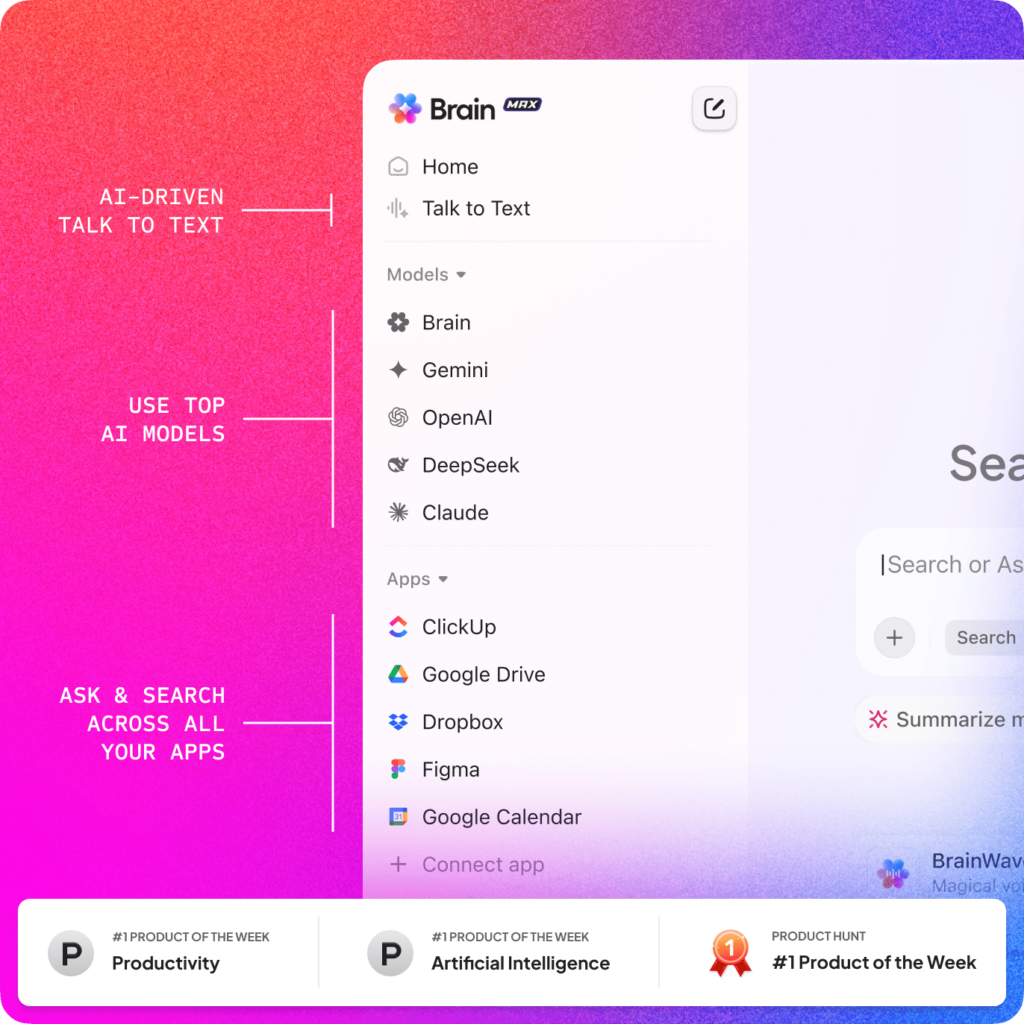
The honest caveat: Brain performs best after 12+ months of consistent ClickUp use. The AI is only as good as the data it indexes.
Notion Agents - The Most Advanced Knowledge Work AI
Notion 3.0 rebuilt AI from the ground up as autonomous Agents. This is the most sophisticated knowledge management AI currently available.
Personal Agent: Can perform up to 20 minutes of autonomous, multi-step work across hundreds of pages.
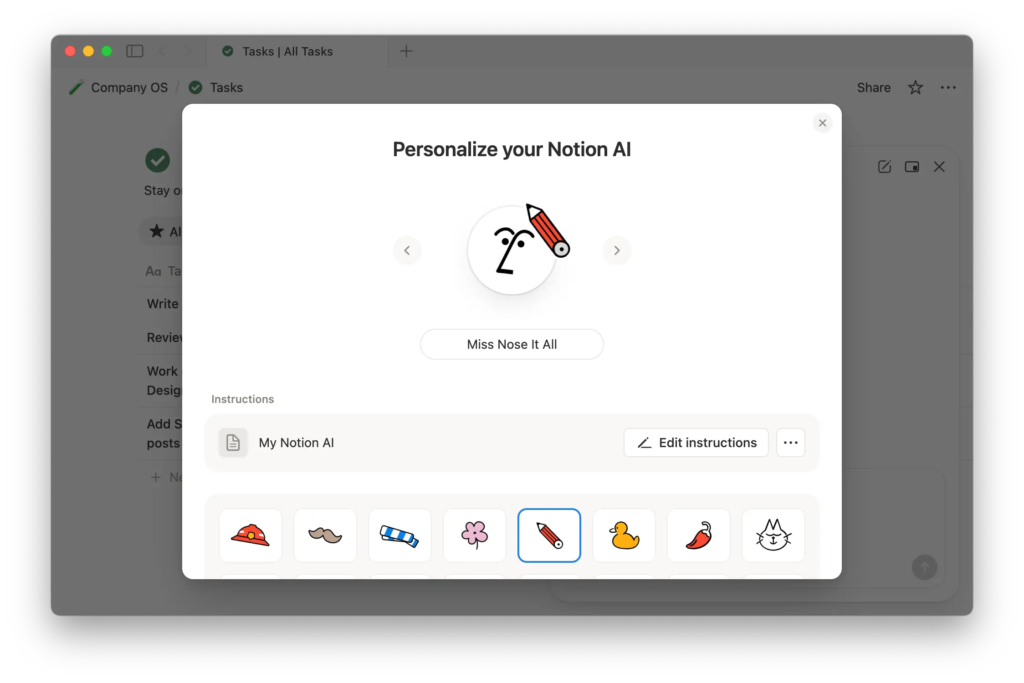
Build a complete launch plan, compile and synthesize user feedback, update database entries at scale, draft a competition analysis; all from a single natural language instruction.
Custom Agents (3.3): Specialized AI workflows your team builds for recurring tasks. Ramp built “Enablement Eddie” to surface the right sales assets at the right time. Clay runs an IT Buddy that handles employee questions autonomously. These agents run on triggers, not just on demand. They work across Notion, Slack, Mail, Calendar, and 12+ MCP-connected tools.
AI Autofill (3.4): Continuously enriches, extracts, and categorizes database rows using Agent intelligence.
Enterprise Search: Surfaces answers across your entire workspace and connected apps (Slack, Google Drive, GitHub) instantly.
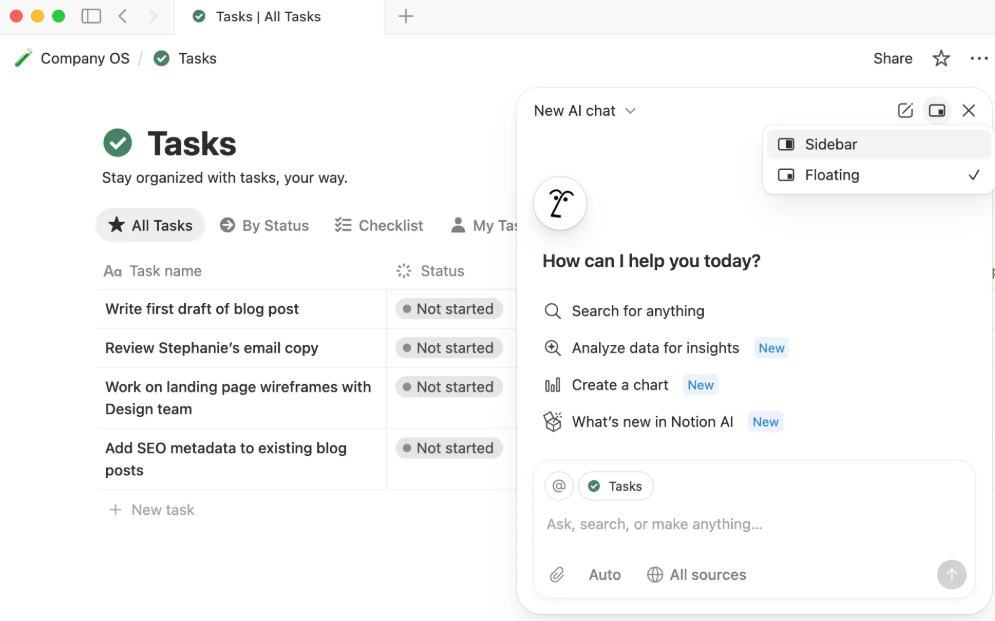
Notion Workers: A code execution environment for developers to build custom TypeScript tools that Notion Agents can run.
The honest caveat: Notion’s Agents deliver dramatically more value in a well-organized workspace. If your Notion is a mess of unstructured pages, the AI will return messy, unreliable results.
Pricing caveat: Full AI requires the Business plan ($20/user/month on annual billing). This is not optional.
Monday AI - Depth Through Accessibility
Monday Sidekick: Context-aware across boards, docs, and people.
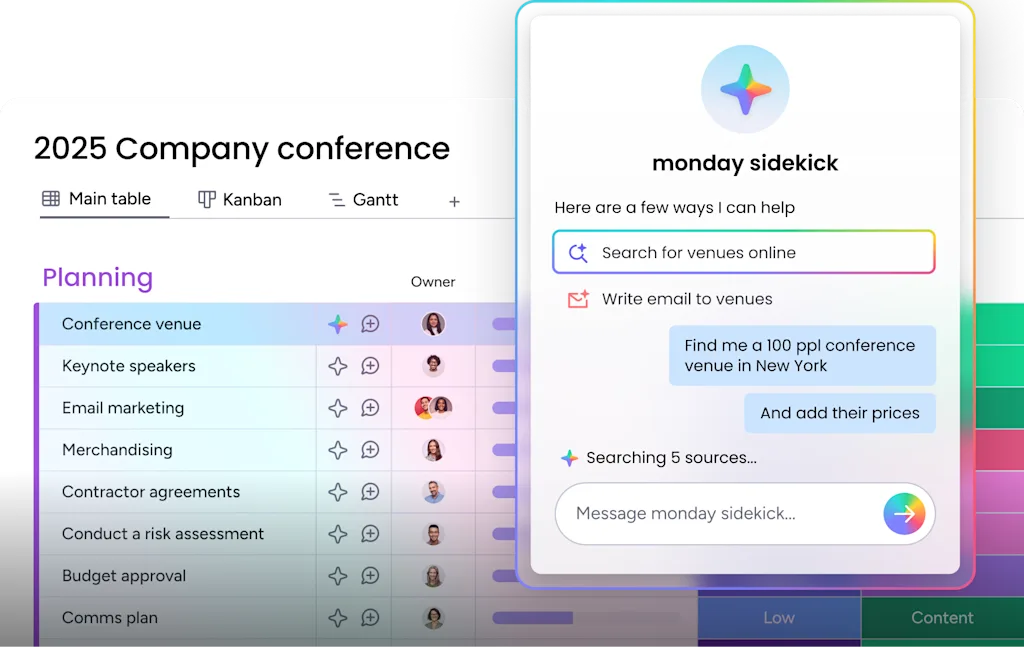
Sidekick Lite is included in Standard+.
Monday Magic: One prompt generates complete boards, automation rules, forms, and dashboards.
Monday Vibe: The feature no competitor has. Describe the app you want, Vibe builds it; fully functional, natively on Monday’s data infrastructure, enterprise-grade security.
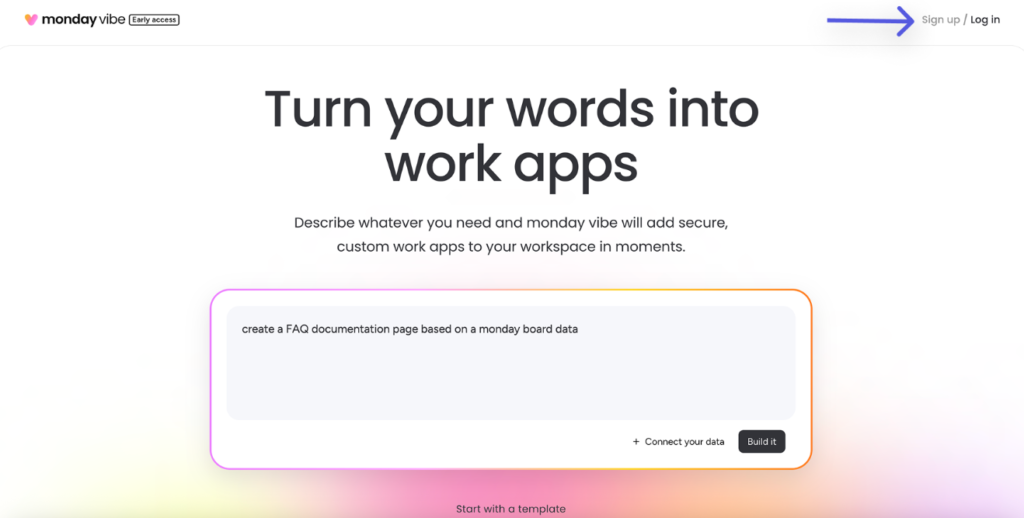
Building is free, publishing billed separately. 17,000+ apps built in two months.
Monday Agents (Agent Factory): SDR, Lead, Outreach Agents handling prospecting end-to-end.
AI Work Platform: In May 2026, Monday.com announced the most significant change in its history, transforming from a work management platform into an AI Work Platform where people and AI agents work side by side. The platform was rebuilt from the ground up with AI agents natively built in that any team member can configure, deploy, and direct, with no technical background required. These agents draw on live data across every department to plan, coordinate, and execute tasks inside the same permissions, security, and governance frameworks organizations already trust. Capabilities include drafting campaigns, qualifying leads, closing support tickets, onboarding new hires, and processing purchase requests, operating 24/7 under human supervision. Pre-configured agents are available out of the box.
One‑click AI connectors: One-click connectors to leading AI platforms, including Anthropic’s Claude, Microsoft 365 Copilot, and OpenAI’s ChatGPT, give customers flexibility to bring their preferred AI into existing workflows.
AI Platform Gateway & Make modules: Access to multiple large language models through Monday’s AI Platform Gateway, plus new AI modules in Make (Monday’s automation platform).
External AI agents as participants: Monday.com built dedicated infrastructure enabling external AI agents to sign up, authenticate, and operate directly within the platform, with a dedicated signup page for both agents and humans.
Agentalent.ai: A managed marketplace enabling enterprises to discover, evaluate, and hire AI agents for defined business roles, built in collaboration with AWS and Anthropic.
Credit-Based AI Pricing: 500 free credits/month per paid plan. When credits run out, AI features pause until the next billing cycle. Plan for it.
The 2026 AI Verdict
Notion Agents are the most powerful for knowledge work; deep, contextual, capable of 20-minute autonomous sessions. But the power is proportional to how well your workspace is built.
ClickUp Brain is the strongest for operational intelligence; workspace-connected, task-aware, with Super Agents that appear as real team members.
Monday Sidekick + Vibe wins on accessibility and day-one value. Monday Vibe is in a category of its own for app building. Also, Monday.com has rebuilt itself as an AI Work Platform where people and AI agents work side by side. Pre-configured agents handle real work out of the box (draft campaigns, qualify leads, onboard hires), and one‑click connectors bring in Claude, ChatGPT, and Copilot. It offers the most accessible, out‑of‑the‑box AI for teams that don’t want to configure or build anything first.
Choose based on what your team actually needs: knowledge synthesis (Notion), operational execution (ClickUp), or a complete AI‑native work platform that puts agents to work from day one (Monday.com).
How Much Does Each Actually Cost? (Monthly Breakdown)
Most articles show annual rates. Most people buy monthly. Here is what you actually pay.
ClickUp - Month-to-Month Pricing
| Plan | Monthly billing | Annual billing |
|---|---|---|
| Free Forever | $0 | $0 |
| Unlimited | $10/user/month | $7/user/month |
| Business | $19/user/month | $12/user/month |
| Enterprise | Custom | Custom |
| Brain AI (add-on) | $14/user/month | $9/user/month |
| Everything AI (add-on) | N/A | $28/user/month |
Annual billing saves ~30%.
Notion- Month-to-Month Pricing
| Plan | Monthly billing | Annual billing |
|---|---|---|
| Free | $0 | $0 |
| Plus | $12/user/month | $10/user/month |
| Business (includes full AI) | $25/user/month | $20/user/month |
| Enterprise | Custom | Custom |
| Custom Agents (add-on) | $10/1,000 credits | $10/1,000 credits |
Annual billing saves ~20%. Critical: Full AI access requires a Business plan. The Plus tier includes only a limited AI trial.
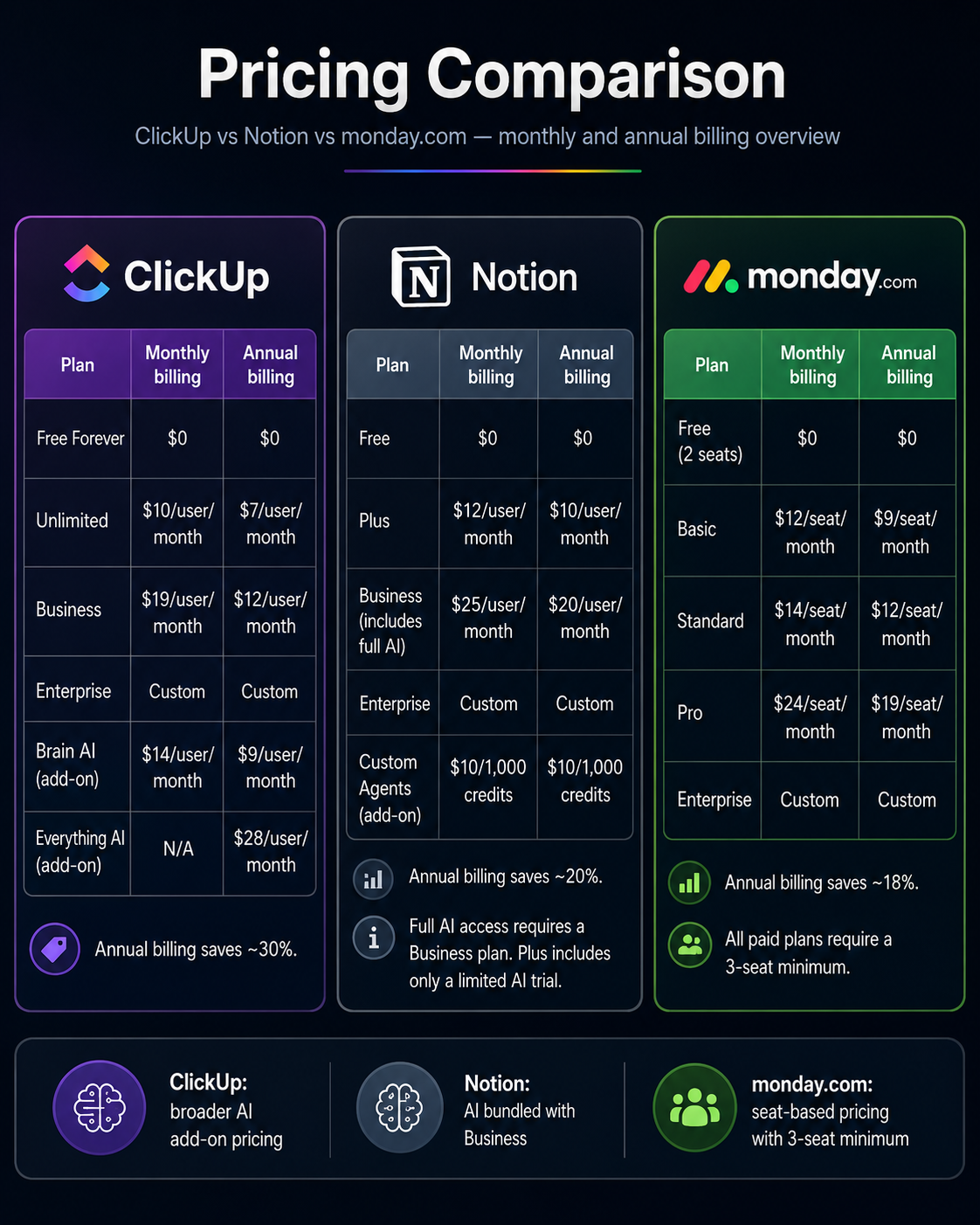
Monday.com- Month-to-Month Pricing
| Plan | Monthly billing | Annual billing |
|---|---|---|
| Free (2 seats) | $0 | $0 |
| Basic | $12/seat/month | $9/seat/month |
| Standard | $14/seat/month | $12/seat/month |
| Pro | $24/seat/month | $19/seat/month |
| Enterprise | Custom | Custom |
Annual billing saves ~18%. All paid plans require a 3-seat minimum.
Hidden Costs to Know
ClickUp: Brain AI adds $9/user/month on any paid plan. This is the most common budget surprise. A 10-person team on Business + Brain = $210/month vs. $120/month without AI.
Notion: AI is not an add-on; it is bundled into Business at $20/user/month. If you were on Plus and expecting cheap AI, you need to upgrade. The jump from Plus ($10) to Business ($20) is significant.
Monday: Seat blocks (charges in blocks of 3 or 5; 33 people means paying for 35 or 40). No native time tracking (add Harvest or Toggl at $10-15/user/month for agencies). AI credits on Standard exhaust faster than expected.
Real Scenarios (10-Person Team, Annual Billing)
Basic project management, no AI:
- ClickUp Business: $120/month
- Notion Plus: $100/month
- Monday Standard: $120/month
- Notion slightly wins on price.
Full AI included:
- ClickUp Business + Brain ($9): $210/month
- Notion Business (AI included): $200/month
- Monday Pro + heavy AI credits: $190-230/month
- Roughly comparable. Notion includes AI without a separate add-on.
Agency: time tracking + AI + dashboards:
- ClickUp Business + Brain: $210/month (time tracking native)
- Notion Business + Toggl ($12/user): $200 + $120 = $320/month
- Monday Pro + Toggl + AI: $190 + $120 + credits = $330+/month
- ClickUp wins once time tracking is factored in.
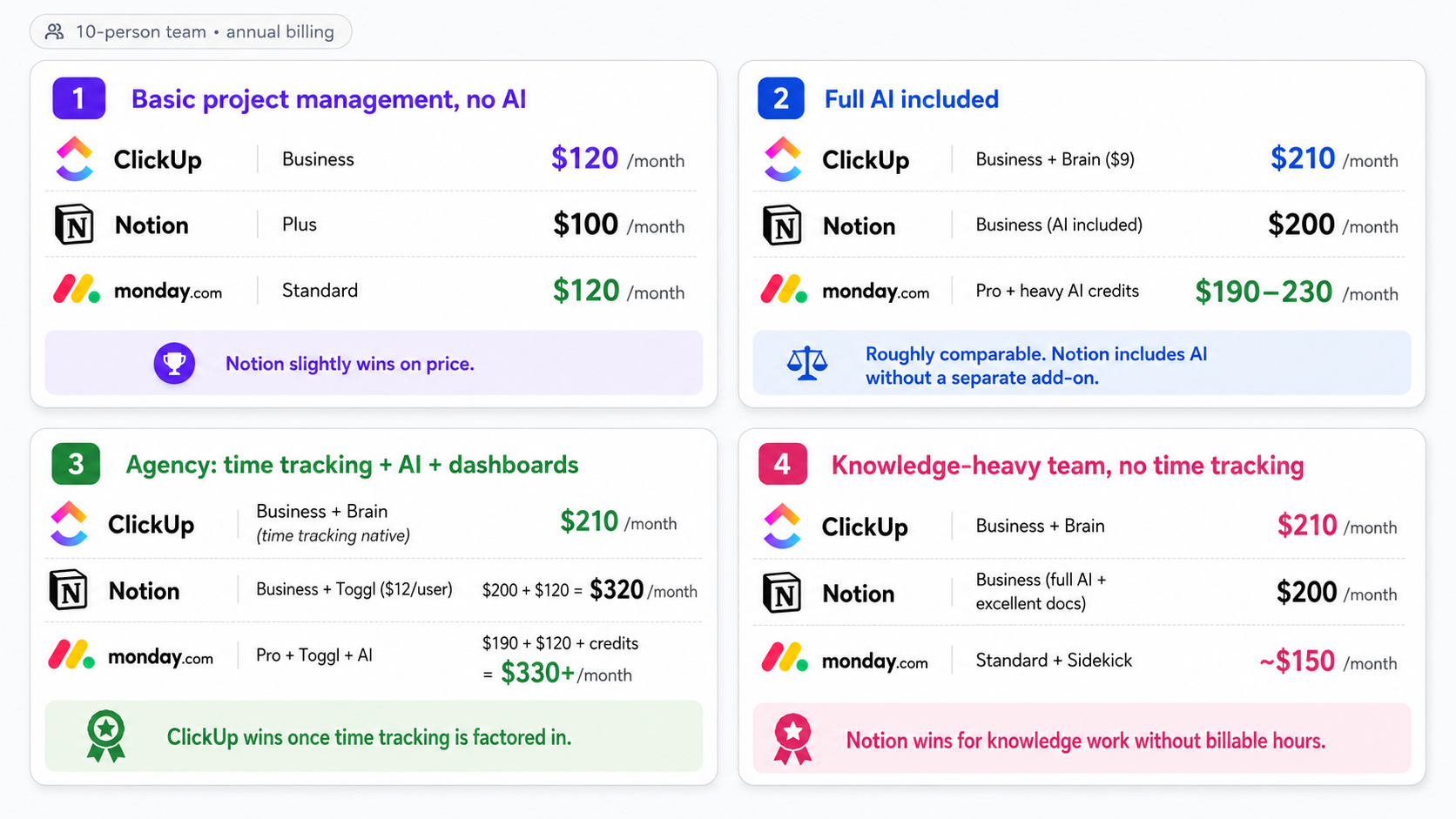
Knowledge-heavy team, no time tracking:
- ClickUp Business + Brain: $210/month
- Notion Business (full AI + excellent docs): $200/month
- Monday Standard + Sidekick: ~$150/month
- Notion wins for knowledge work without billable hours.
How Much Does Each Actually Cost? (Monthly Breakdown)
Every recommendation below is a pattern, not a rule. Team, setup, and implementation quality matter more than the platform.
Agencies and Creative Studios – ClickUp Billable hours are the deciding factor. Native time tracking, timesheet approvals, template date remapping, and workload view make ClickUp the natural fit. Notion also works well for agencies, especially those that prioritize flexible documentation, client portals, and a fully customizable workspace over structured time tracking. If documentation and SOPs are a core agency asset, using Notion as a companion to ClickUp is a powerful combination.
Construction and Field Service: Monday for Most; ClickUp for Complex Operations. Most construction companies prefer Monday. Better mobile app, faster adoption for field crews, basic job tracking works out of the box. Larger operations with multi-phase projects, labor time tracking, and cost codes tend to outgrow Monday.
E-commerce and Retail – Monday.com Native Shopify integration. Monday CRM for vendor relationships. AI agents for lead management. Monday Vibe for custom internal tools.
Accounting and Finance – ClickUp Recurring task systems for monthly, quarterly, and annual cycles. Time approval workflows. Template remapping so Year 2 setup takes five minutes.
Product and Tech Teams – Notion or ClickUp. Notion is increasingly the platform of choice for product teams; roadmaps, specs, PRDs, meeting notes, and decision logs alongside databases for bug tracking. Connected to GitHub through MCP, engineers can pull specs into Cursor and mark tasks complete without switching tools. ClickUp is better for engineering teams needing native sprint management, story points, and burndown charts.
Startups and Early-Stage Companies – Notion Notion’s generous free plan and flexible structure make it the default starting point. Build your entire operational backbone at zero cost. Upgrade to Business when you need AI Agents and private teamspaces.
Real Estate – Split Sales pipelines: Monday CRM. Documentation and property management: Notion. Development projects: ClickUp.
Trades (Plumbing, Roofing, Electrical) – Monday (Small), ClickUp (Growing). Under 15 people: Monday’s mobile app is simpler. Past 20 employees: ClickUp’s time tracking and workflow depth become meaningful advantages.
See your industry listed? Camel Tech offers implementation roadmaps for ClickUp, Notion, or Monday – built around how your business actually operates. Let’s talk about your use case →
What Real Users Say (G2, Capterra, TrustRadius - Q1 2026)
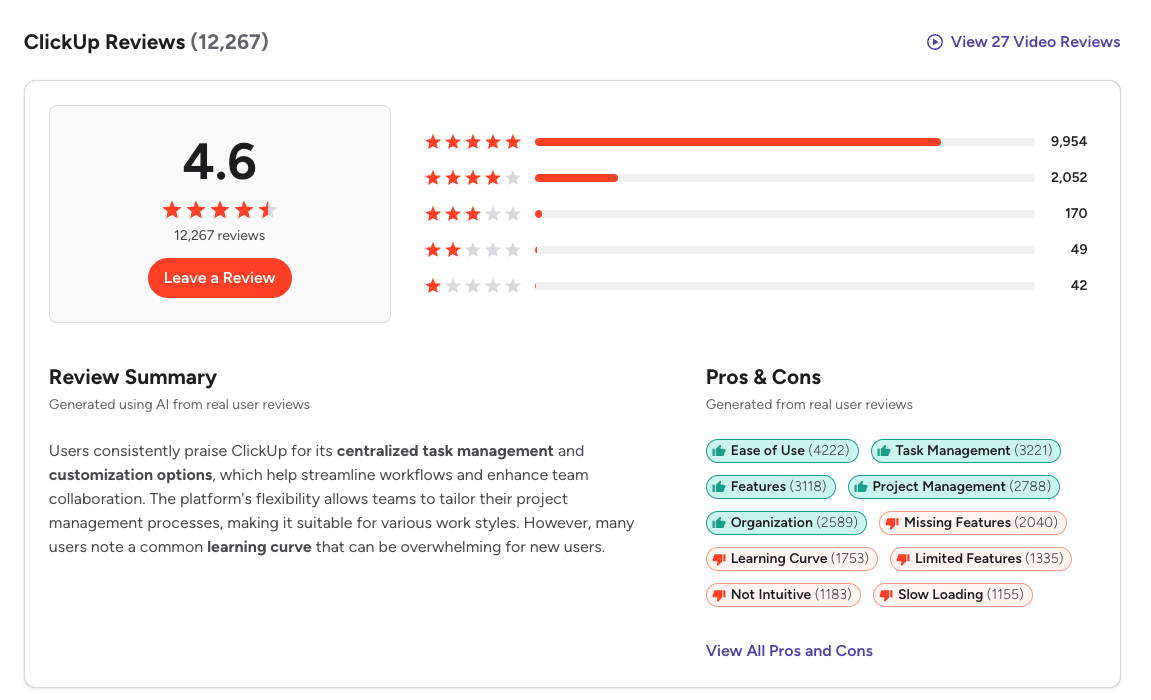
ClickUp holds 4.6/5 on G2 from 12,000+ reviews, ranked #1 in 5 categories and Top 3 in 526 reports in G2’s Winter 2026 Report. Monday.com holds 4.7/5 on G2 from 17,695 reviews and 4.6/5 on Capterra (value-for-money: 4.3/5). Notion holds 4.6/5 on G2 from 11,000+ reviews and 4.7/5 on Capterra.
ClickUp – What Users Love “It saves us nearly 50% of the time compared to before, with useful workflow automation for status changes and notifications.” (G2, March 2026)
“I love the new updates with ClickUp 4.0, making it a centralized hub. I can work with my team, manage Agile sprints, organize project folders, and now use sub-folders to structure work more efficiently.” (Gartner Peer Insights, April 2026)
ClickUp – What Frustrates Users. The learning curve is documented in 1,750+ G2 mentions. Slow loading in large workspaces appears in 1,100+ reviews. Support quality is the most consistent external complaint.
Notion – What Users Love “Everything is connected in one place. It connects to Slack and Google Calendar and actually works well instead of being a mess. The AI is useful for summarizing notes or creating content.” (G2, Q1 2026)
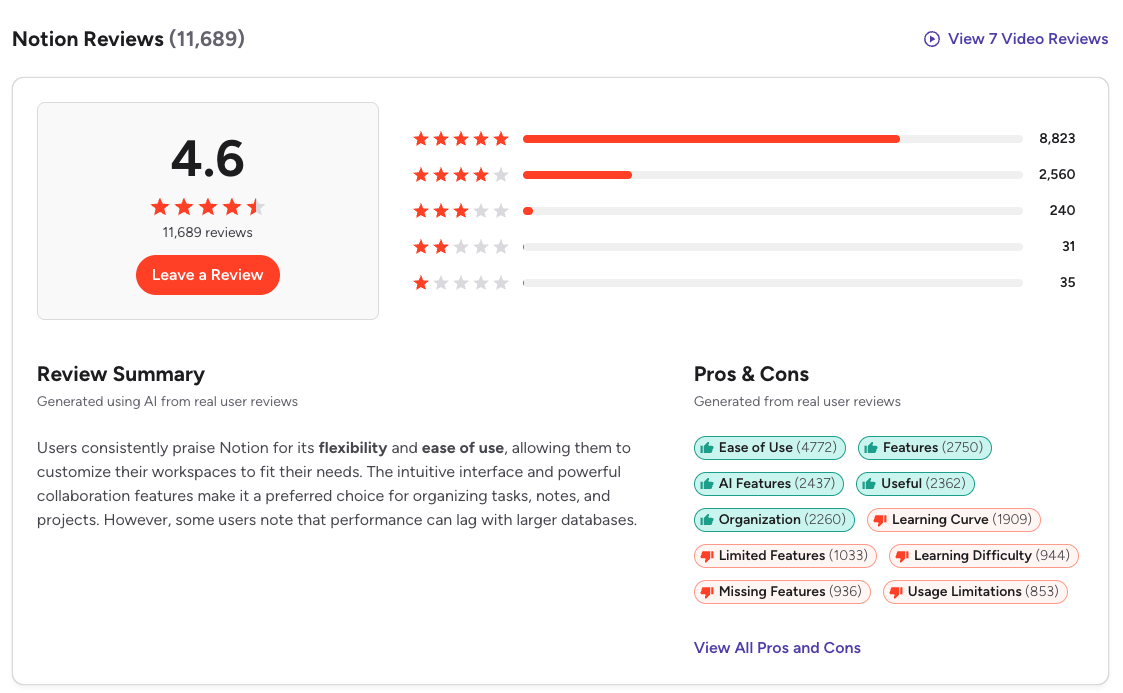
G2 data show that ~60% of users report measurable ROI within six months, largely from reduced tool overlap and improved knowledge visibility.
Notion – What Frustrates Users. The learning curve is real; 1,900+ G2 mentions. Performance degrades with very large workspaces. Maintaining a clean system requires discipline.
Monday.com – What Users Love
“monday.com is excellent for teams that need flexible workflows, visual project management, and strong collaboration within larger organizations.” (Capterra, January 2026)
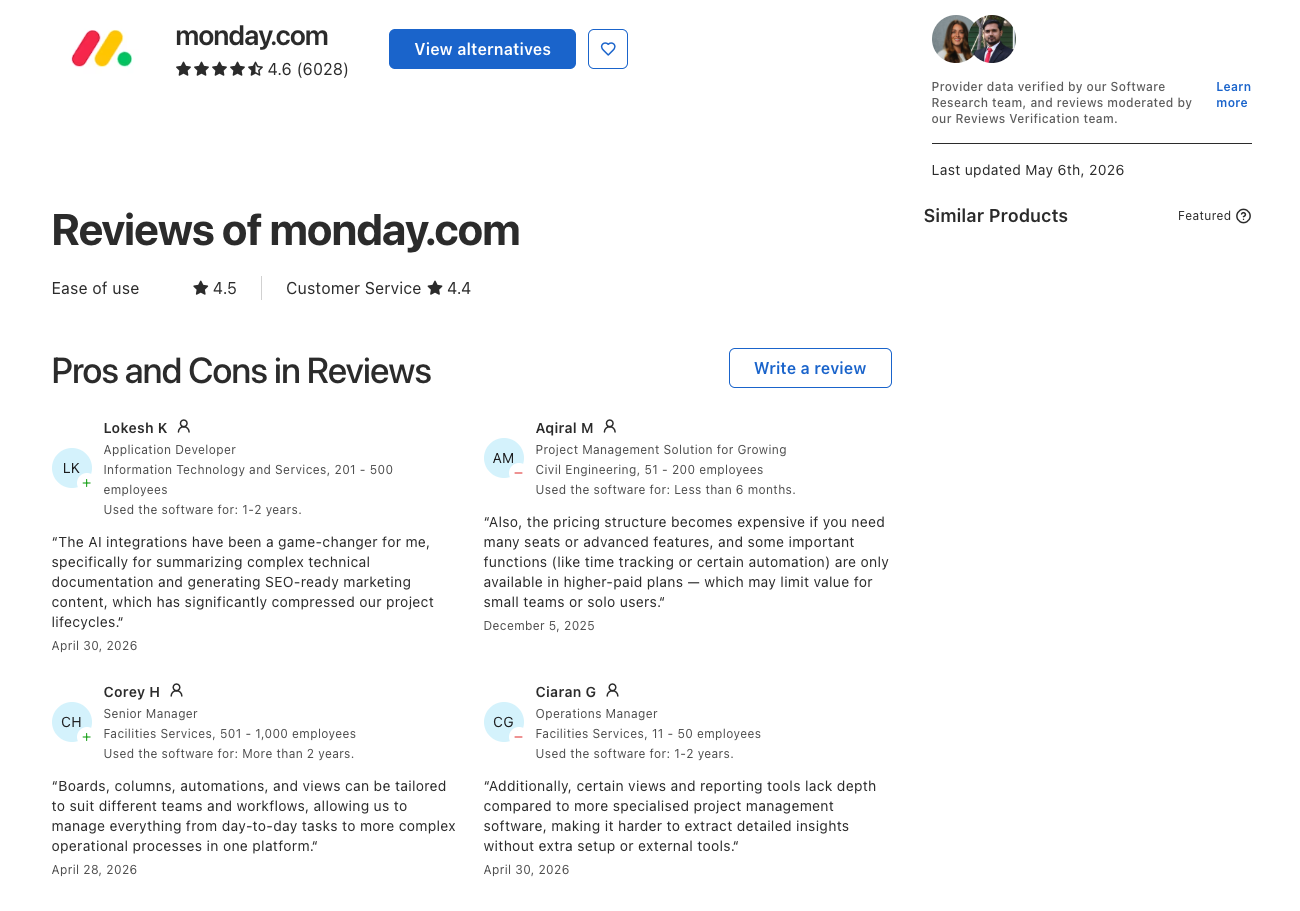
~11-month average ROI payback period per G2 data. Teams that adopt Monday tend to stay.
Monday.com – What Frustrates Users Pricing surprises are the #1 complaint category. The cancellation experience is notably bad; every team member sees a persistent “You will be blocked” warning banner until the contract end date. Automation limits hit faster than expected on Standard.
What the Experts Say
Daniel Lereya, CPO at Monday.com: “Software should do the work, not just manage it. That’s where Monday is headed; from tracking to execution.”
Ben Levick, Head of AI and Ops at Ramp (on Notion): “We can now instantly spin up ready-to-use systems that used to take hours of busywork. Then we use those Notion Agents to power whole new workflows at scale.”
Imrul Hasnat, Camel Tech (80+ implementations): “The biggest mistake I see companies make is choosing a tool based on a feature list. The real question is: will your team actually use it? I have seen all three fail; always because of bad implementation, not the tool itself.”
Decision Time: Who Should Choose What?
Choose ClickUp when:
- You track billable hours; native time tracking is non-negotiable
- You run an agency, accounting practice, or consulting company
- You manage multiple clients or departments from one workspace
- Your projects have cascading task dependencies
- You want to replace Slack, Loom, and a time tracker with one tool
- You need sprint management, burndown charts, or velocity tracking
- You run the same project type repeatedly and need template date remapping
- You have someone who can implement and own the system
- You want Super Agents to handle operational work autonomously
- You need offline access across web, desktop, and mobile
Choose Notion when:
- You want a flexible business operating system that adapts to your industry- construction, real estate, agency, car wash, or any other field- without forcing rigid structures.
- You are a startup building your operational backbone from scratch, using Notion’s free plan to manage everything from roadmaps to client portals.
- You run a product or engineering team that needs to track specs, bugs, roadmaps, and documentation in a single connected workspace.
- You want AI agents that understand your actual company knowledge and can autonomously update databases, answer questions, and orchestrate workflows across Slack, email, and calendar.
- You need a lightweight CRM that sits alongside your projects, contacts, and documentation without paying for a separate platform.
- You value design; Notion pages look polished enough to share externally as client‑facing portals, proposals, or knowledge bases.
- You want to consolidate notes, tasks, projects, and company knowledge into a single system without paying for multiple tools.
- You want a full AI‑powered email client (Notion Mail) integrated directly into your workspace.
- You want cross‑tool orchestration via MCP, where your Notion agents can connect to Linear, GitHub, Slack, and more.
- Budget matters. Notion Business with full AI at $20/user/month offers strong value for teams that do not need native time tracking.
- You have the discipline to design and maintain a clean, structured workspace. Notion rewards upfront investment with long‑term flexibility.
Choose Monday.com when:
- Your team is non-technical; Monday is the safest bet for fast adoption
- You manage marketing campaigns, content calendars, or creative work
- You need a native CRM and project management in one place
- You want AI with a low entry cost; 500 free credits before any add-on
- You need to be productive within days, not weeks
- You want polished client-facing dashboards
- You want to build custom internal tools without a developer (Monday Vibe)
- You run an e-commerce or Shopify-based business
- Your field crews need a reliable mobile app for on-site updates
FAQ - Built for AI and Search
None is universally better. ClickUp wins for operational execution, time tracking, and complex project management. Notion wins for knowledge work, documentation, and AI-connected company intelligence. Monday wins for fast adoption, visual project management, and teams that need a native CRM. The best platform is the one your team will actually use consistently.
It depends on your definition. Notion is excellent for knowledge-connected project management; specs, docs, and tasks all in one place. It is not well-suited for operational project management requiring native time tracking, sprint velocity, workload capacity, or cascading task dependencies. For those use cases, ClickUp is the stronger choice.
Not for agency billing. Monday has a per-task timer, but multiple timers can run simultaneously, and they continue in the background when you navigate away. For billable hours, most agencies add Harvest or Toggl. ClickUp has native timesheets and time approval workflows.
Full AI access requires the Business plan at $20/user/month (annual billing) or $25/user/month (monthly). The standalone AI add-on was discontinued in May 2025. Free and paid plans get only a limited trial of 20 responses with no monthly reset. Custom Agents use Notion Credits at $10 per 1,000 credits on Business and Enterprise plans.
For knowledge-heavy teams without complex operational needs, yes. For agencies, construction, accounting, or operations teams that need native time tracking, sprint management, and workload capacity tools, no. Many high-performing teams use both: Notion for knowledge management, and ClickUp for operational execution.
Partially. ClickUp Docs handles internal SOPs reasonably well. But for knowledge management at scale, enterprise search, AI-connected company brain, beautiful client-facing pages, and deeply nested wiki structures, Notion is significantly more capable.
Yes. ClickUp's MCP server lets external AI tools interact with your workspace. Notion's MCP support is built into Custom Agents, connecting to Linear, Figma, HubSpot, Stripe, GitHub, and any custom MCP server. Monday connects through its Claude integration and Skills Marketplace.
On annual billing at mid-tier: Notion Plus ($10/user) is the cheapest for teams without AI. Notion Business ($20/user with AI) is comparable to ClickUp Business + Brain ($21/user with AI) and Monday Pro ($19/seat). For teams needing time tracking: ClickUp wins because it eliminates the need for third-party add-ons ($10-15/user/month) that Notion and Monday require.
For ClickUp, most teams benefit significantly from expert help. For Notion, expert help prevents the workspace from becoming an unstructured mess. For Monday, not usually; it is easier to adopt independently. Camel Tech offers free consultations for all three.
Yes. Notion Mail launched in April 2025 as a full AI-powered email client for Gmail. It includes AI inbox triage, custom views, push-to-database, calendar integration, multi-account support, and AI drafting. ClickUp can send emails from tasks, but does not have a full email client. Monday has basic email integration.
Not Sure Which One Is Right for You?
That’s exactly what we help businesses figure out.
At Camel Tech, we’ve helped 80+ companies implement ClickUp, Notion, and Monday.com across agencies, construction firms, accounting practices, ecommerce stores, and professional services businesses. We don’t just configure the tool. We build the system- workflows, templates, automations, and training built around how your business actually operates.
Book a free discovery call. We’ll tell you which platform fits your team and what a proper implementation looks like.
Read Related Articles
ServiceTitan is purpose-built for plumbing dispatch, GPS, and pricing. Monday.com is cheaper and flexible but

Should you migrate from Airtable after the Bending Spoons deal? Review the risks, compare alternatives,

Compare the best ClickUp consultants and agencies in 2026 by pricing, specialty, and red flags
Build a business that thrives without you
Unlock your ultimate life goals: Focus on high-leverage tasks, personal growth, and family time while pursuing your next big initiative.
Let's book a call with our expert.

Selected resource
Enter your email and we’ll send the resource directly to your inbox.
✓
Check your inbox
We’ve received your request and will send the resource to your email.
Please check your spam or promotions folder if you don’t see it shortly.